Social media publishing
Social media publishing that keeps every channel active
Create every post, customize it for each social network, and publish from one place. ContentStudio simplifies social media publishing with built-in collaboration, approvals, automation, and support for every major platform.
7-day free trial. No credit card required.
Integrated with





 AI
AI AI
AI AI
AI AI
AI AI
AI AI
AI AI
AI AI
AI
Trusted by 16,500+ leading brands and agencies
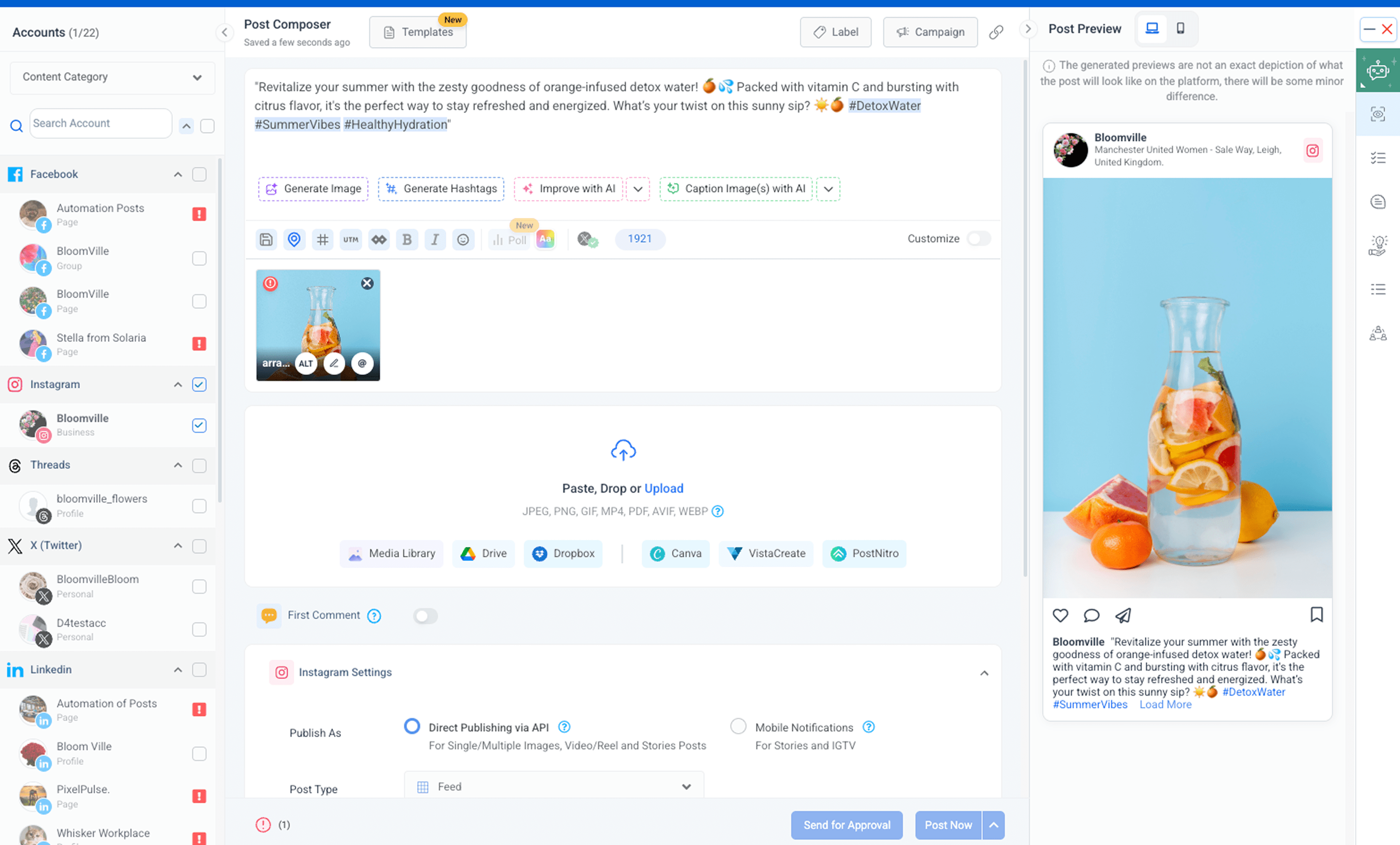
Create platform-ready posts without leaving one workspace
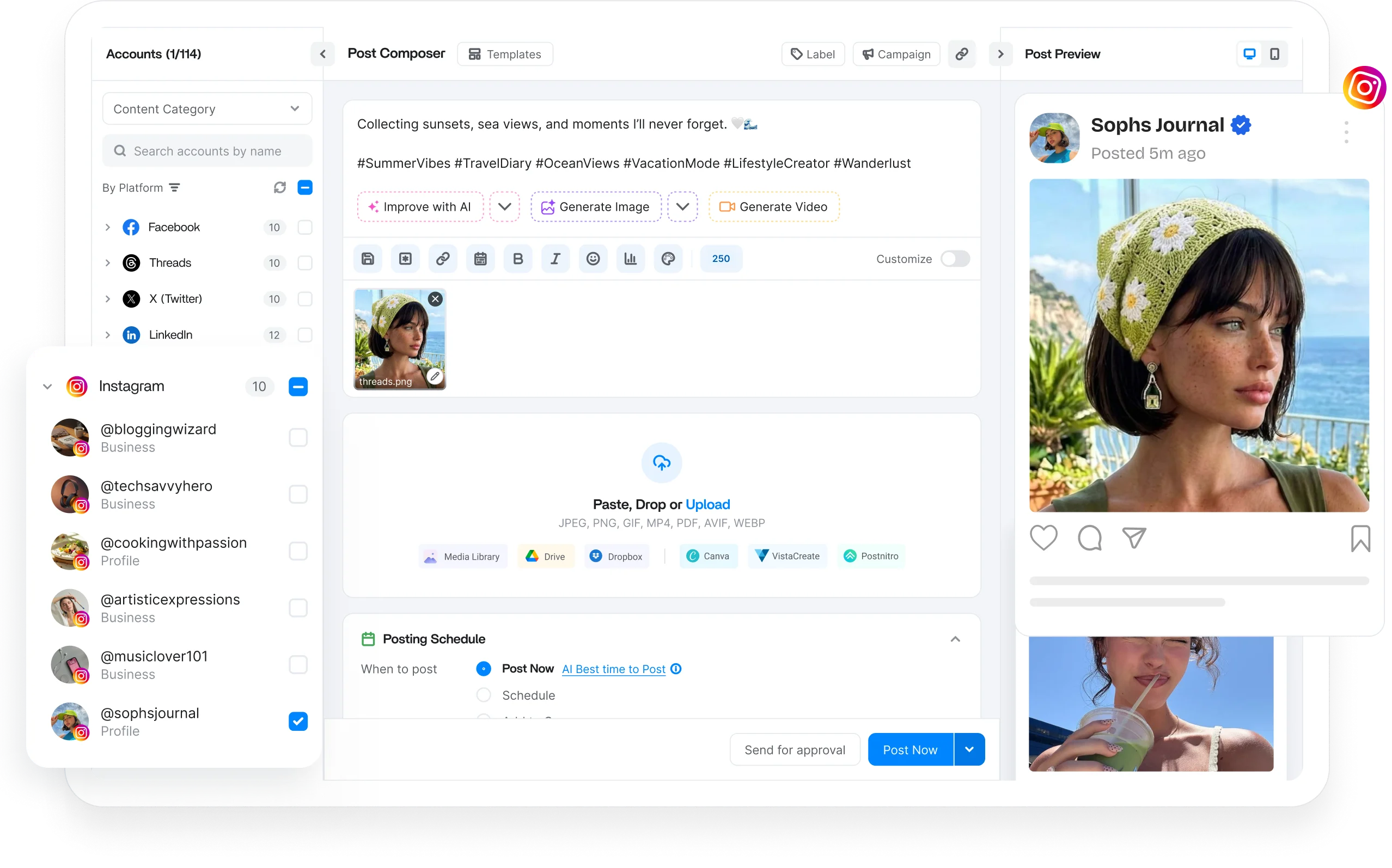
Write your post once, then adapt the captions, media, and formatting for every network individually, so each one looks native wherever your audience sees it.

Post previews
See exactly how your post will look on every network before publishing, so nothing goes live looking off or broken.

Content calendar
See all your posts across every channel in one view, then share the calendar with your team or clients to gather feedback.

Content categories
Group related posts into custom categories so the right content always flows to the right channel at the right moment.

Auto first comment
Add the first comment automatically on Facebook, Instagram, YouTube, and LinkedIn posts to boost reach without any extra manual steps.
Publish every social media format without limitations
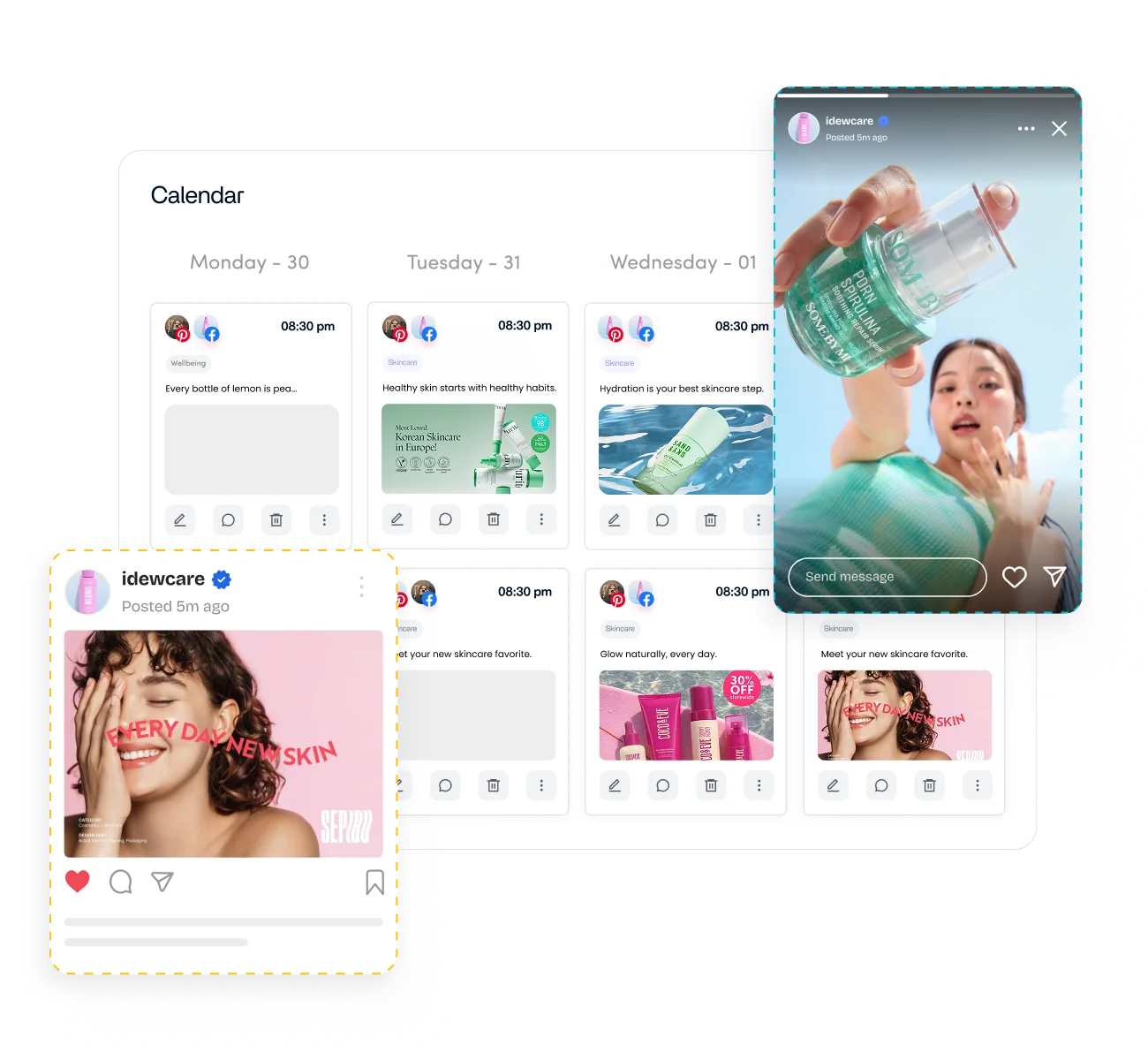
Reach people wherever they scroll by publishing native video, reels, stories, and carousels directly to each platform using ContentStudio, with no reminders or clunky third-party workarounds.

Video publishing
Publish native video straight to every network, including direct Instagram video, with no reminders or clunky third-party tools involved.

Reels and stories
Share short-form reels and stories that keep your brand visible in the feeds where your audience spends its time.

Carousels
Pack more creatives into one post by publishing multi-image carousels that drive engagement across Facebook, Instagram, and LinkedIn.

Images and link posts
Publish photos, graphics, and branded link posts to any channel, from Instagram to your Google Business Profile and Facebook groups.
Social media posting with Approval Workflow
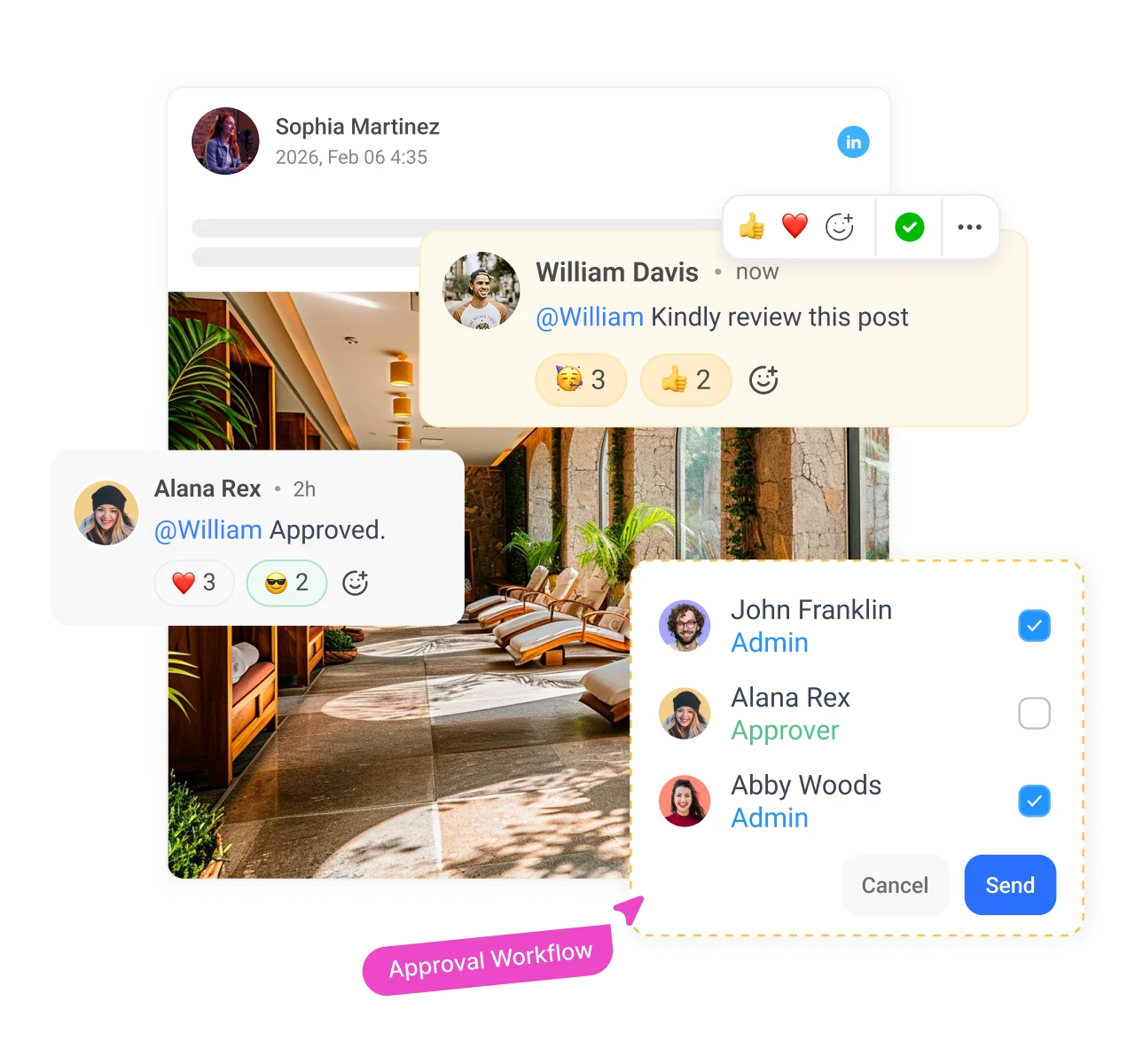
Loop in the right reviewers, collect their feedback in one place, and track every change, so nothing reaches your audience without a final sign-off.

Approval workflow
Involve the right people and fast-track your content approvals by bringing your team and clients onto the same page.

Multi-reviewer requests
Send posts to multiple approvers at once and gather all their sign-offs in a single, easy-to-manage request.

Approval comments
Collect feedback directly on each post, so revisions stay clear, contextual, and easy for your whole team to action quickly.

Change tracking
Keep a full changelog of every edit and approval so everyone sees exactly what changed, who changed it, and when.
Keep every creative asset ready for your next post
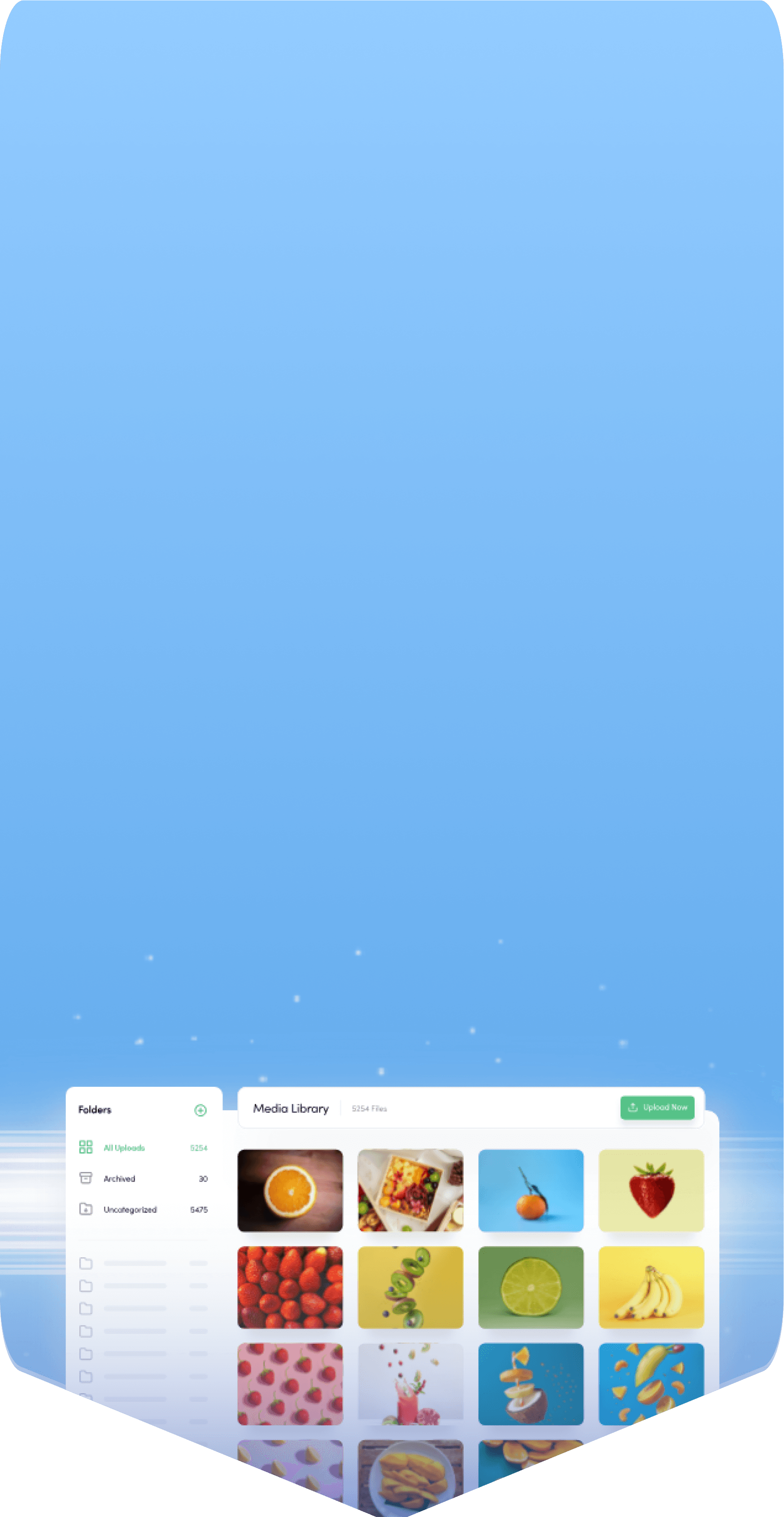
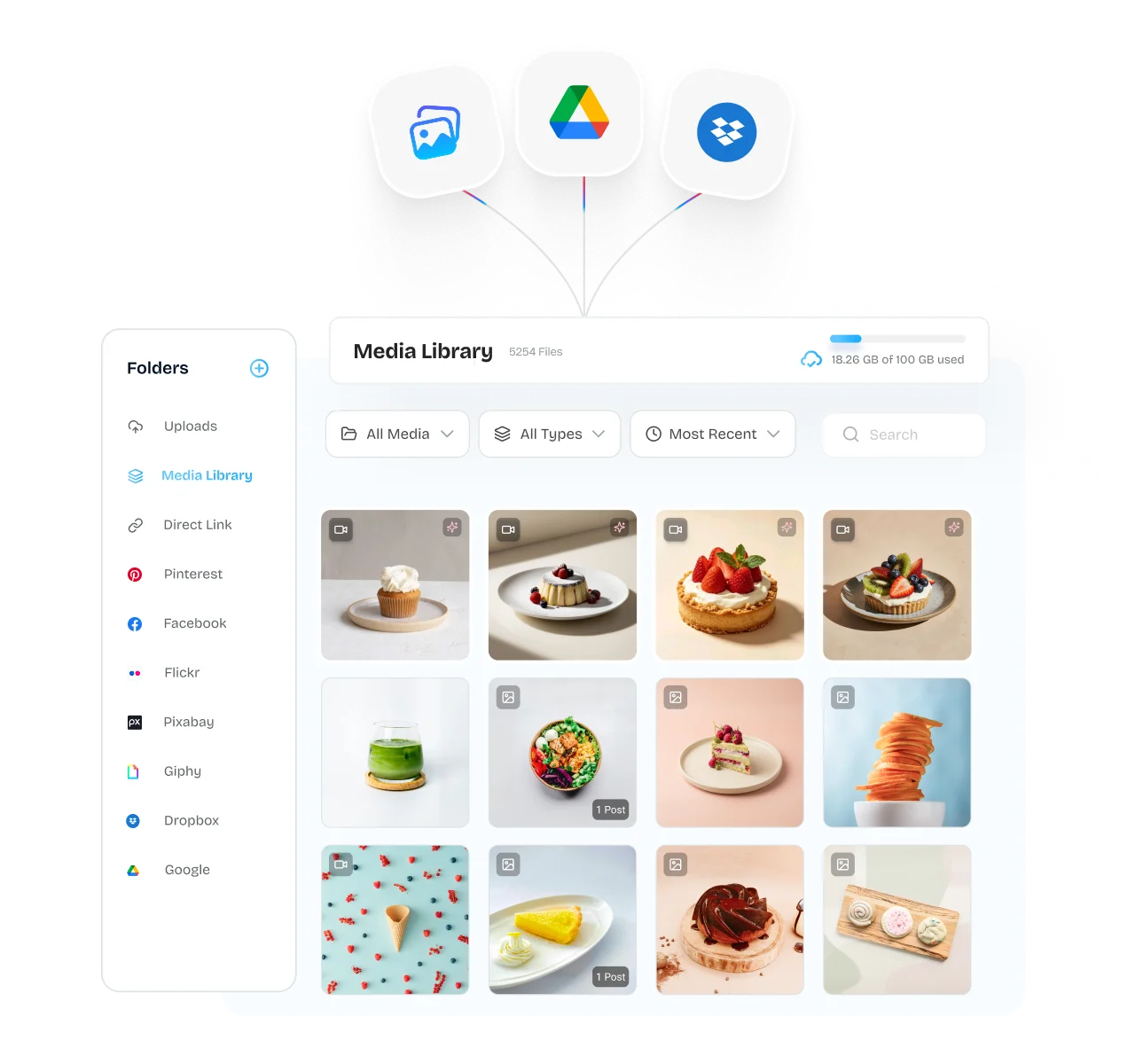
Store, organize, and access every image and video that your team needs in one shared hub, so the right media is always one click away.

Content library integrations
Access and import your existing media straight from your Google Drive or Dropbox accounts directly into your ContentStudio content library.

Digital asset organizer
Keep your whole team aligned and organized with tidy media folders, quick search, and granular sharing permissions for every file.

Free stock images
Search, import, and add professional images directly from Flickr, Pixabay, Imgur, and Giphy in seconds without ever leaving the app.

Bulk media actions
Save time by archiving or deleting media files in bulk to keep your asset library clean, current, and clutter-free.
Automate your social media publishing from start to finish
Set up an automated engine that recycles your best content and turns fresh sources into ready-to-post updates, keeping your channels active all day.

Evergreen content
Republish your best-performing content on a set schedule to keep earning fresh views and engagement all year long.

Bulk uploader
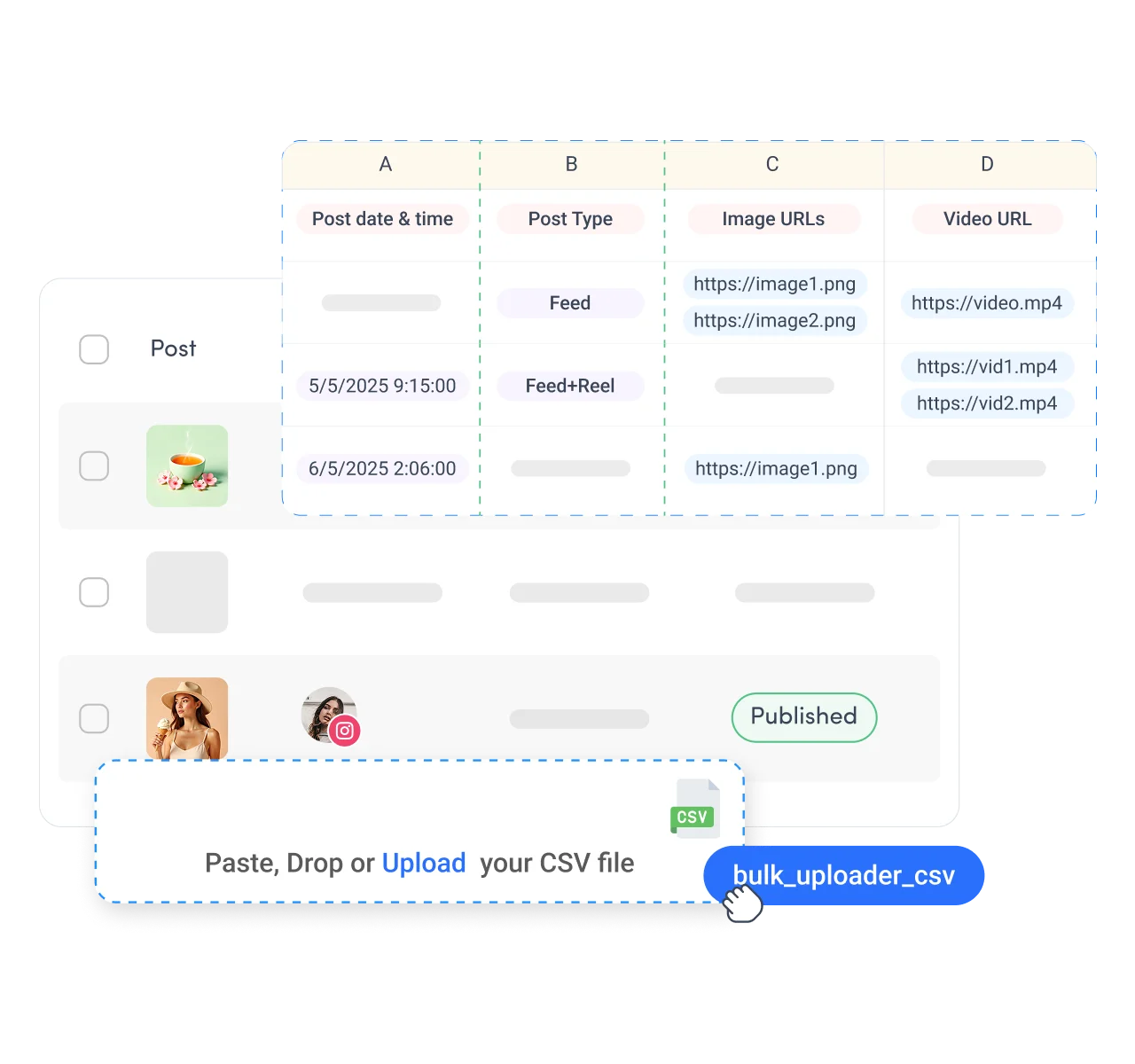
Upload a single CSV file and queue months of social media posts across every one of your channels at once.

RSS feed to social
Connect your favorite publishing sources and post new articles straight to your socials so your feed never runs dry.
Content queue
Drop posts into your preset time slots and let the queue fill your publishing calendar automatically without any manual scheduling.

The perfect tool for agency-client collaboration and content approvals.

Explore more of ContentStudio
Publishing is one piece of the platform. Explore the tools that help you plan, create, measure, and engage.




Free SEO tools
All free social media tools →Frequently asked questions

Book a 30 min call
Have questions? Schedule a quick call and we will guide you through everything.
Book a free call