Step 01
Connect your account
Securely connect your Pinterest business account with ContentStudio, then select any account and board you want to publish to.
 Schedule Pinterest Pins
A Pinterest scheduler to run your whole strategy in one place. Schedule pins to every board, publish automatically at the times that earn the most saves, collaborate with your team, and track what works, all without opening the Pinterest app every day.
7-day free trial. No credit card required.
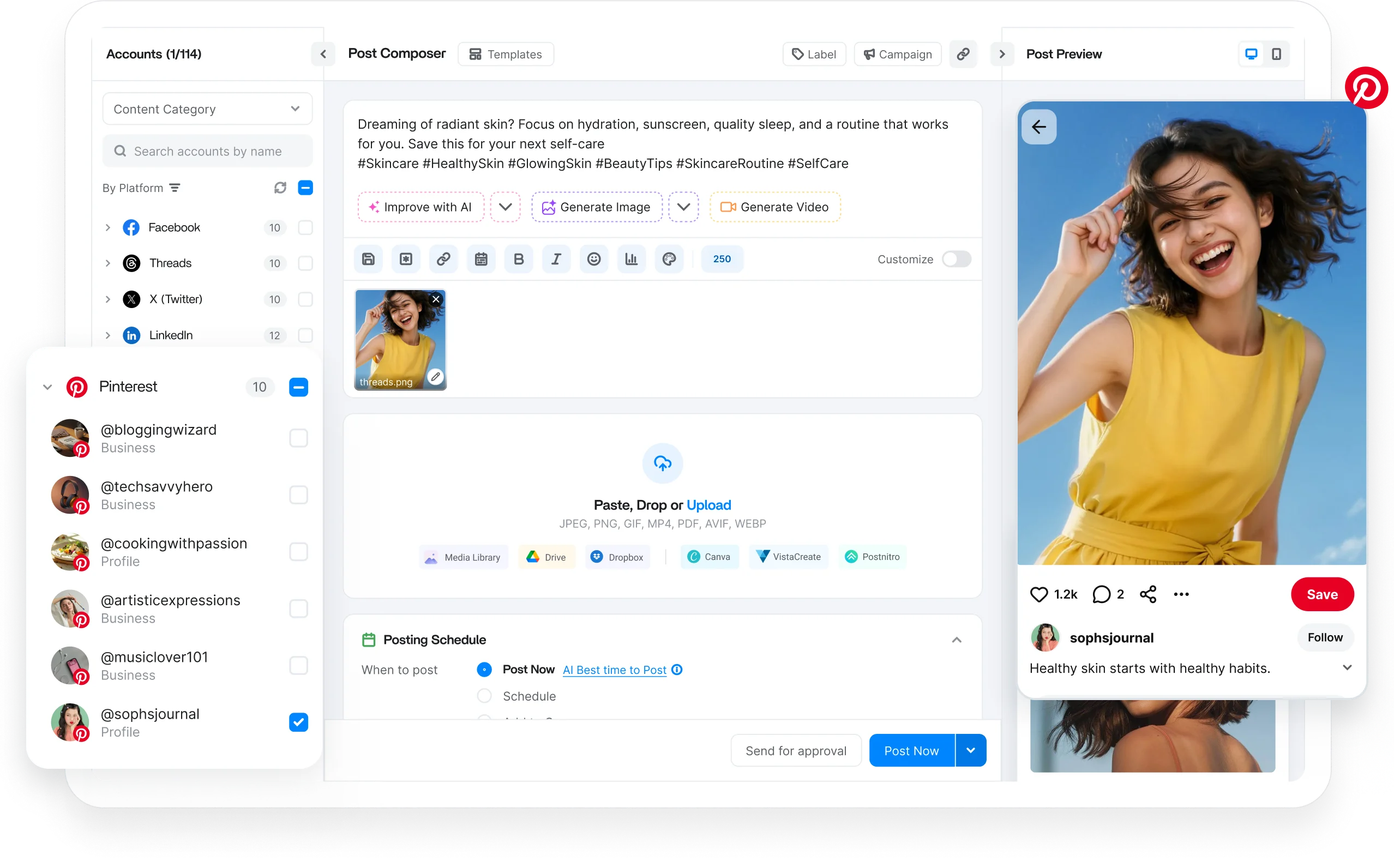
Schedule every Pinterest format
Trusted by 16,500+ leading brands and agencies
A Pinterest scheduler connects to your business account and publishes pins to the boards and times you choose, so your best ideas keep surfacing without daily pinning.
ContentStudio is all-in-one social media management software that treats Pinterest as part of one visual planner: publish pins to any board, preview how each appears, and generate descriptions with AI.
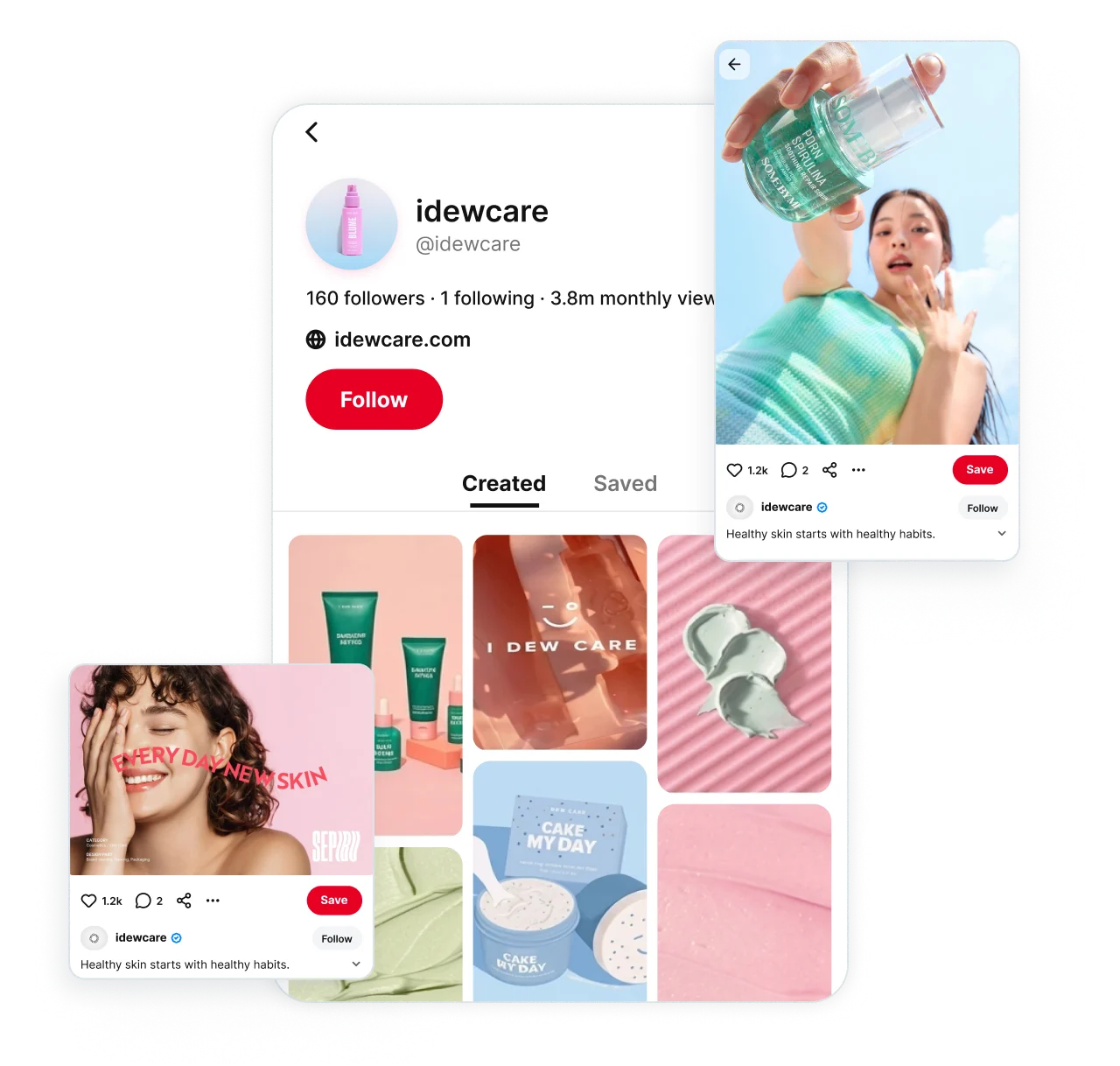
Plan and publish every kind of pin from one composer, then let ContentStudio push each one to the right board at the right time. No format left waiting in a draft.

Upload an image, add your title, description, and link, then schedule the pin to the right board, and spread it across boards.

Queue video pins in advance, and let ContentStudio publish them automatically to keep native video flowing without logging in.

Plan visual, multi-page pins ahead of time and line them up in your calendar so your most engaging formats publish on schedule.

Set your best performing pins to publish again automatically at set intervals, so evergreen content keeps driving saves and clicks.

Manage multiple Pinterest business accounts from a single dashboard. Organize brands, clients, or separate profiles without logging in and out.
Bulk upload weeks of pins at once, or let ContentStudio build a posting schedule that keeps your calendar full and your cadence steady.
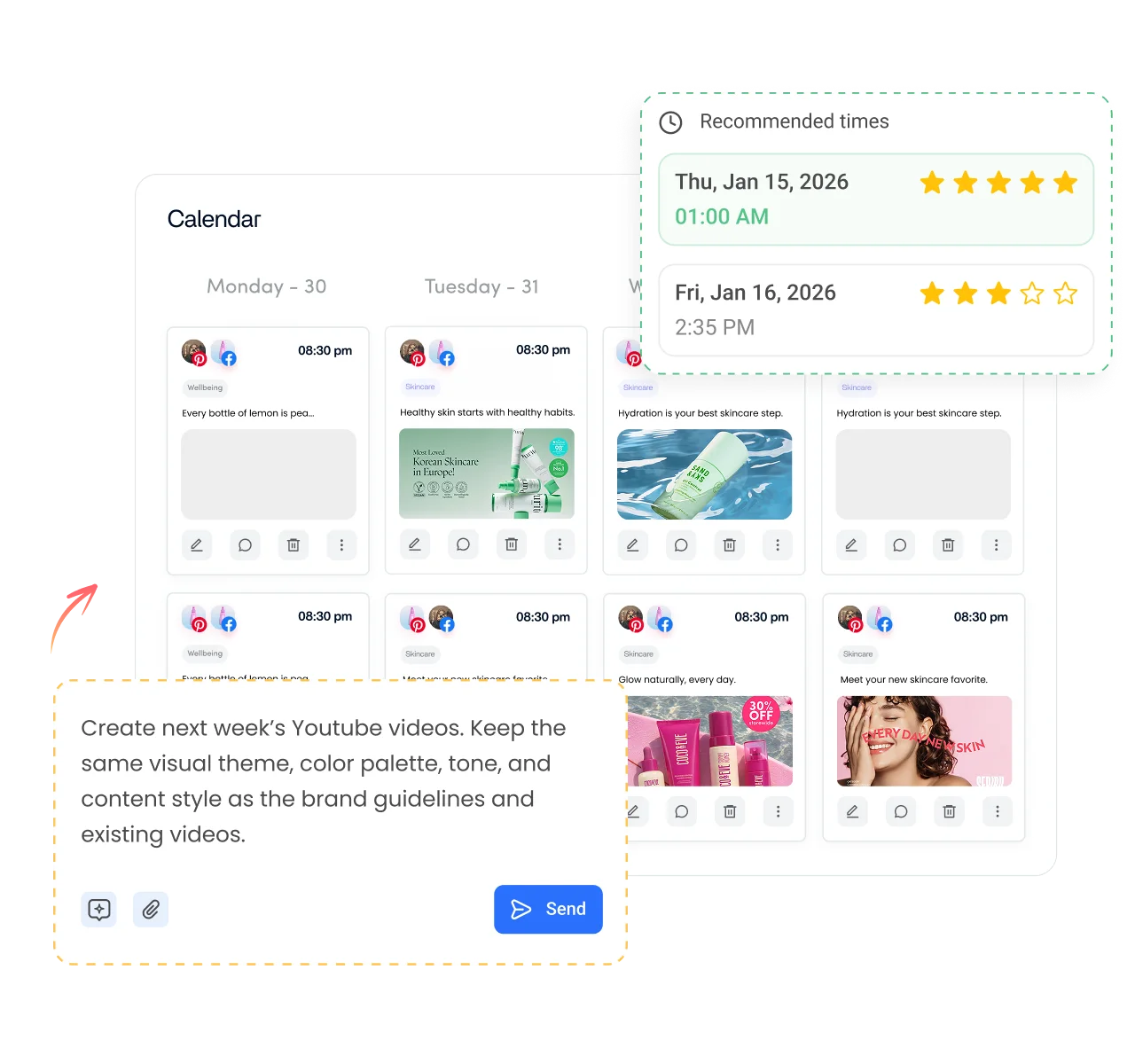
Create dedicated queues for different Pinterest accounts, boards, campaigns, or content categories, so every schedule stays organized.

Automatically schedule pins for when your audience is most active, using data-driven recommendations.
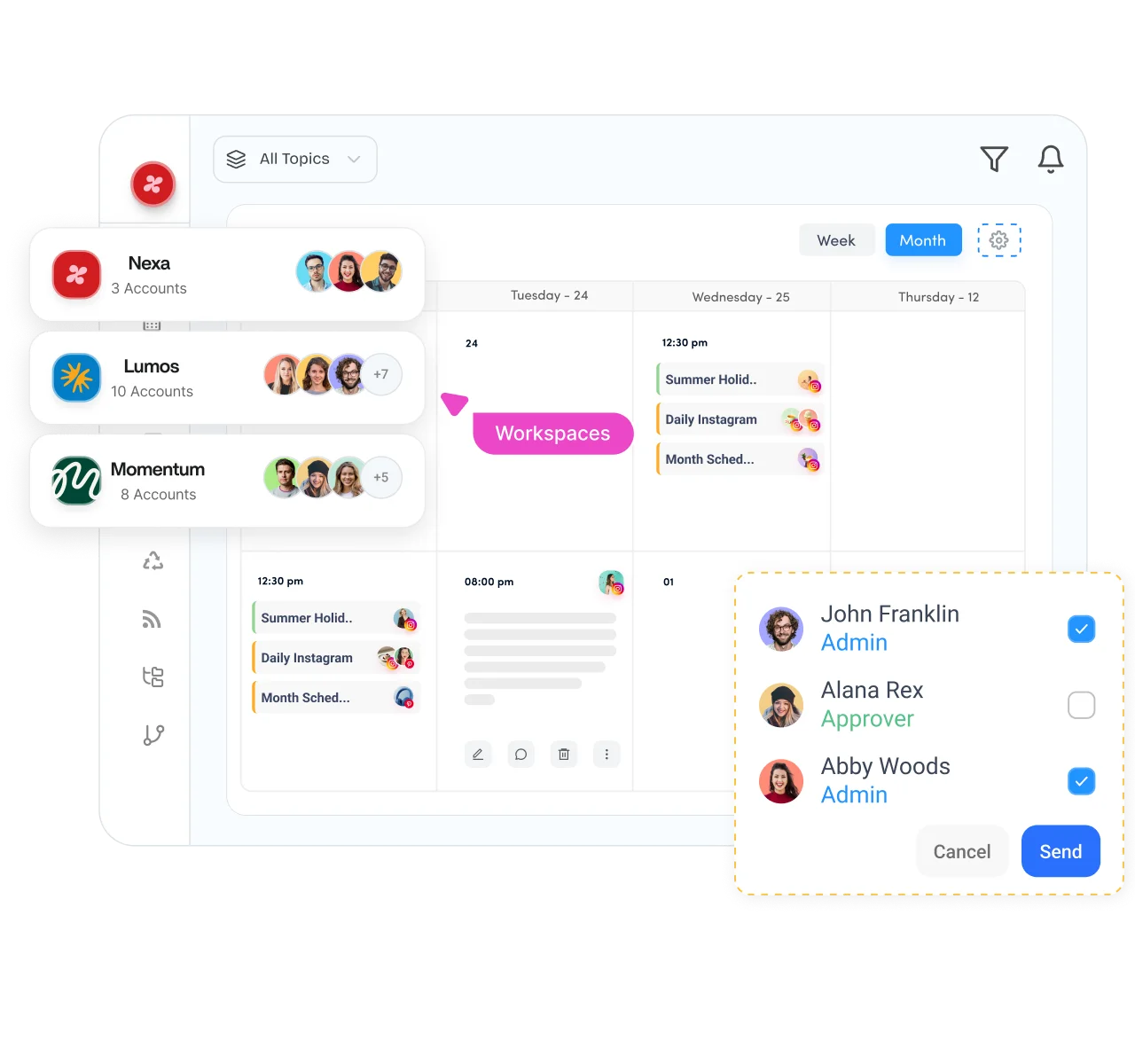
Fill your content calendar once, then let ContentStudio publish every pin at the right time with bulk scheduling, smart queues, and audience-based timing. Your whole team works from one plan instead of a scattered pile of drafts.

Separate clients, brands, or business units into dedicated workspaces while managing several Pinterest schedules in parallel.

Plan your Pinterest posting schedule on a drag and drop content calendar that gives you a complete view of upcoming pins, video pins, and boards.

Review and approve scheduled pins before they publish, so every image, link, and description matches the brand before it reaches your audience.

Securely connect client Pinterest accounts without asking for login credentials, making client onboarding faster and simpler.
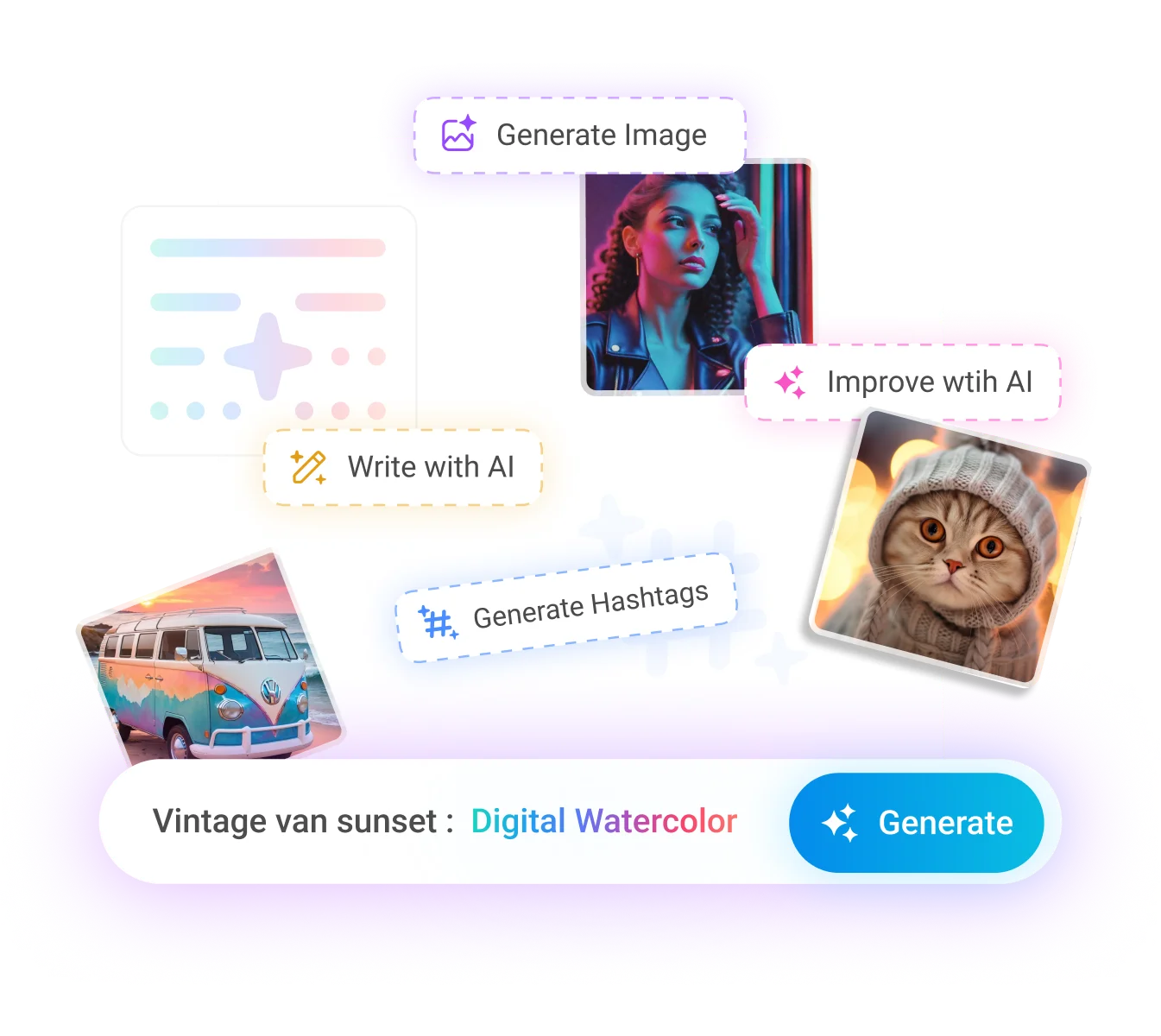
Whether you are growing a personal brand, managing clients, or running a global marketing team, AI Studio gives everyone a faster, more organized way to create and publish pins.

Generate pin titles and descriptions, work in your keywords, and beat writer's block while scheduling pins from the same dashboard.

Turn a simple prompt into a high-quality, pin-ready image and attach it to your next scheduled pin without opening a separate design tool.

Create short videos for video pins without switching to separate editing software, then queue them to publish automatically.
Turn long-form video into short, punchy clips that keep your Pinterest video schedule full.
How it works
Learn how to schedule Pinterest pins in four simple steps. From start to finish, ContentStudio handles the entire scheduling process for you.
Step 01
Securely connect your Pinterest business account with ContentStudio, then select any account and board you want to publish to.
Step 02
Upload your image or video and write your title, description, and link, or create the whole pin with AI.
Step 03
Pick a specific date and time, bulk schedule weeks at once, or let ContentStudio recommend the best time to post.
Step 04
Once your schedule is set, ContentStudio publishes your pins and video pins to the right boards.
Plan campaigns, gather feedback, approve content, and manage multiple Pinterest accounts from one shared workspace, so every pin is reviewed before it reaches your audience.

Schedule weeks of pins ahead, then let ContentStudio publish while you focus on designing pins and growing your audience.
Manage every network you run from the same social media scheduler.
Plan Reels, feed posts, and Stories alongside your pins, and check the grid layout before anything publishes.

Keep Pages and Groups busy with scheduled posts, Reels, and Stories, then check which updates earned the most reach.

Schedule single posts and full threads across all your handles, and manage the replies without leaving the dashboard.

Publish posts, carousels, and documents to personal Profiles and Company Pages, with approvals so nothing goes live unchecked.

Queue long form videos and Shorts, set titles, tags, and thumbnails, and send each upload through approval first.

Line up videos for multiple accounts, pull clips from your content library, and get sign off before publishing.

Plan text, image, and video posts in advance and keep your Threads presence consistent across your Meta content.


Book a 30 min call
Have questions? Schedule a quick call and we will guide you through everything.
Book a free call