Social Inbox iconSocial Inbox

Social media inbox for every message, comment, and review

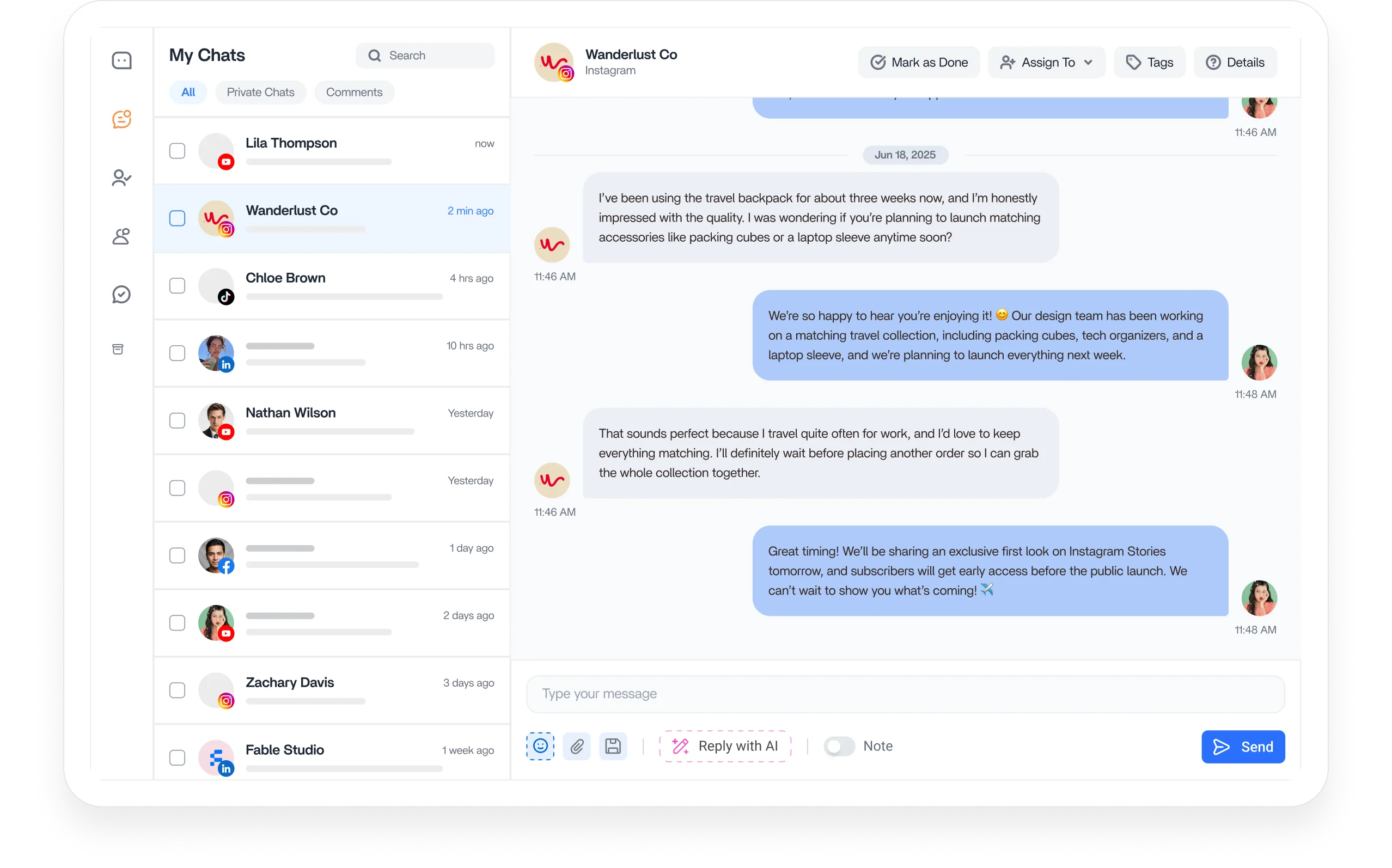
Manage every comment, direct message, and review from one social media inbox. ContentStudio brings conversations across all your connected networks into one dashboard, so nothing slips past your team.

7-day free trial. No credit card required.
Social inbox workspace preview

Integrated with

Trusted by 16,500+ leading brands and agencies
Unified social inbox for every connected account
Unified Inbox

Read every conversation from one shared social inbox

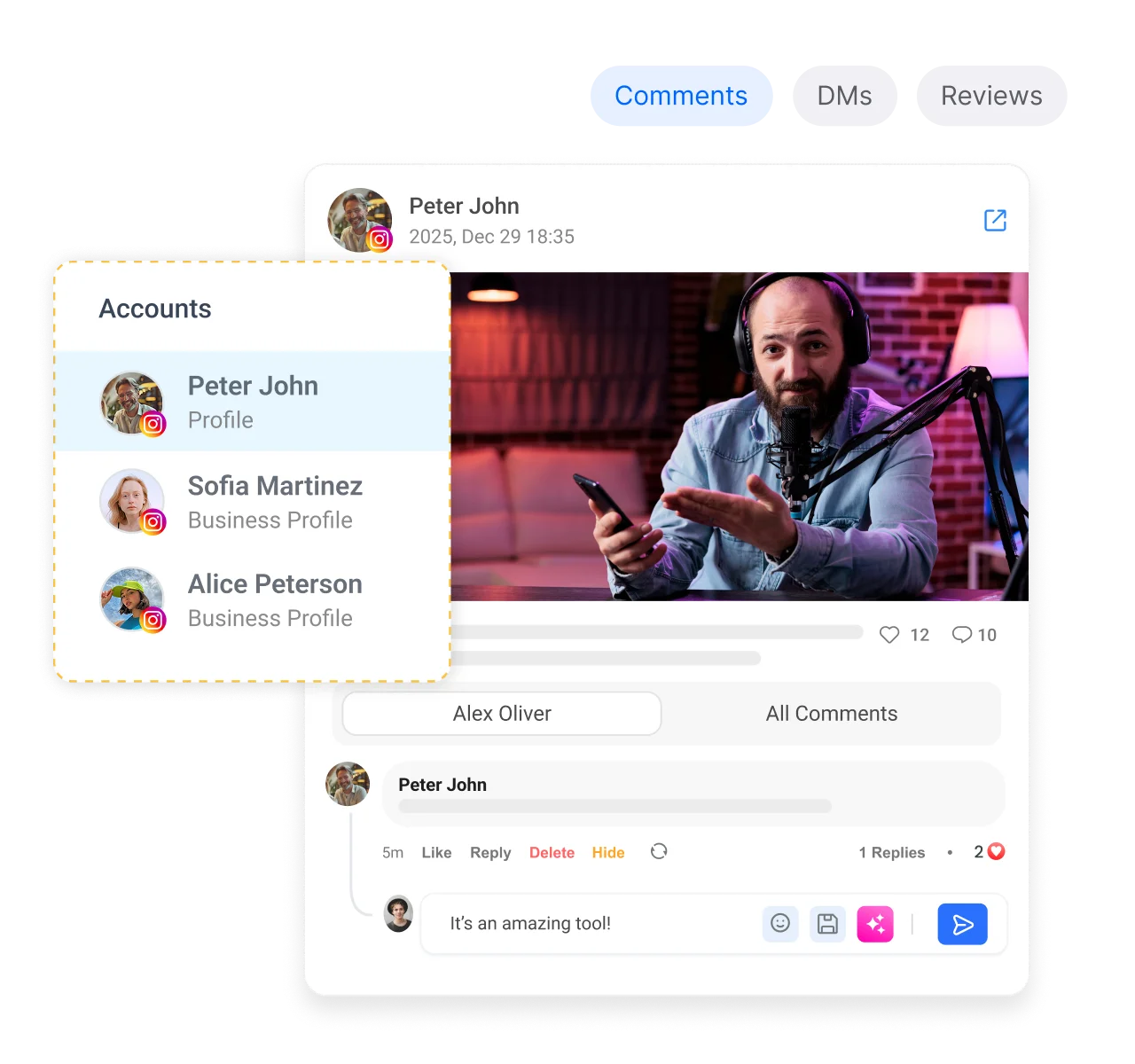
Stop logging in and out of separate apps. ContentStudio brings comments, messages, and mentions from every connected account into one shared social media inbox.

Cross-channel inbox

Cross-channel inbox

Bring conversations and comments from every connected network into one place, so a busy day becomes a single queue.

Powerful filters

Powerful filters

Sort a heavy backlog by network, type, or status to surface the messages that need a reply first.

Real-time sync

Real-time sync

Watch conversations update live as replies arrive and sync back to the parent platform, matching what the customer sees.

Universal search

Universal search

Find any past conversation by keyword, profile name, or thread, so context is one search away when customers return.
Collaborate on social inbox conversations with assignments and notes
Team Collaboration

Collaborate on every customer conversation

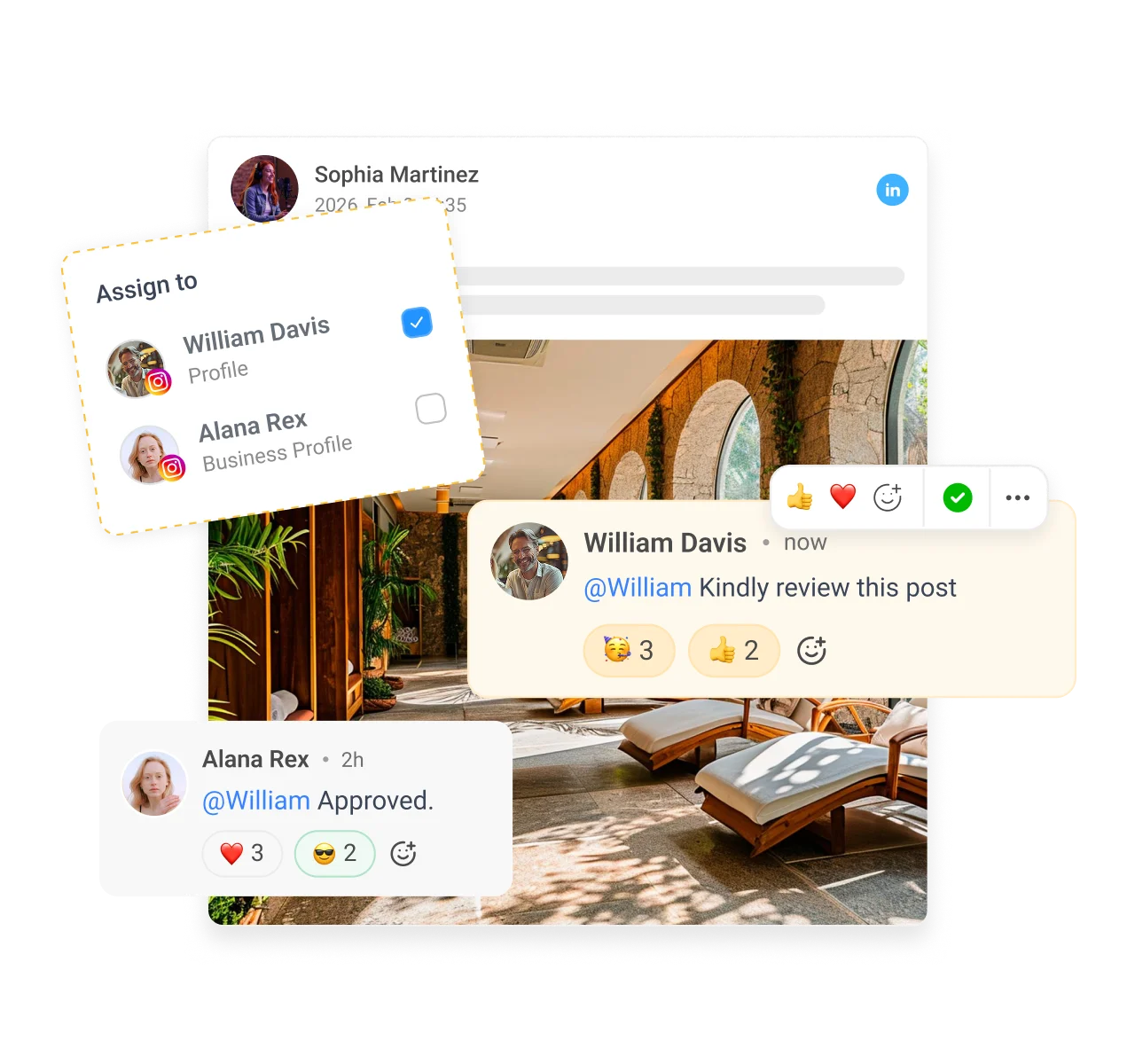
A social media inbox only helps if the whole team can work it together. Assign owners, set access levels, and see who is already replying.

Assignment

Assignment

Route each conversation to the right teammate and keep it accountable, so nothing sits unanswered while everyone assumes otherwise.

Collision detection

Collision detection

See in real time when a colleague is already viewing or replying, so two people never send conflicting answers.

Role based access

Role based access

Set custom access levels for every team member and client, so people only see the accounts they should.

Internal notes

Internal notes

Add private notes to any conversation, so the next teammate picks up full context without reading the entire history.
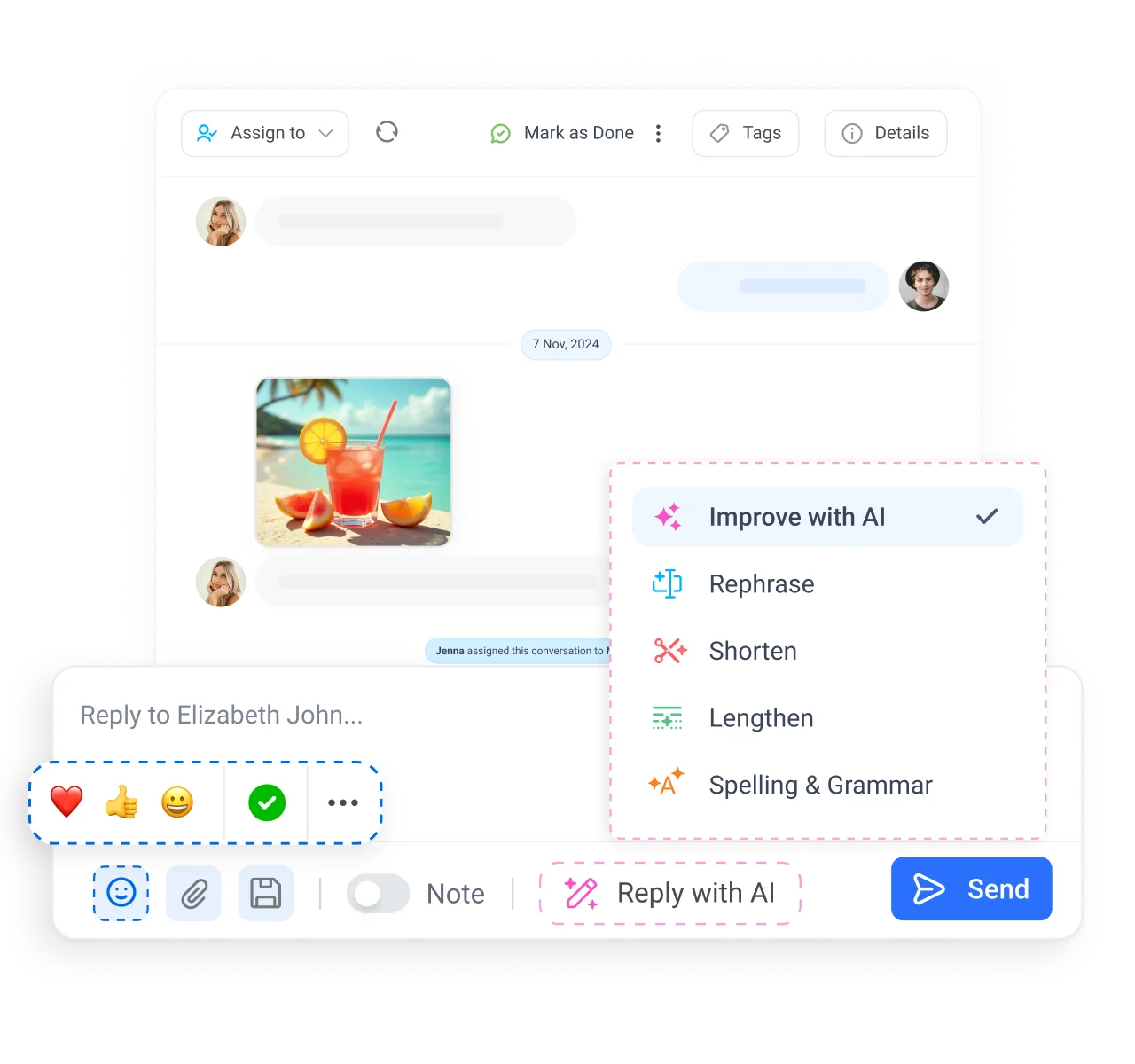
Inbox tools for replies, customer context, and tags
Right Tools

Reply with everything the moment needs

Great support is fast and human. Craft the right reply in one composer, reuse your best answers, and keep every customer detail on hand.

Rich replies

Rich replies

Attach files, add emojis, and personalize comments with likes and images, so answers feel like a real person.

Saved replies

Saved replies

Answer common questions in two clicks by pulling from a library of your most used responses.

Customer bio

Customer bio

See detailed context on the person messaging you, including name and location, so you tailor every reply.

Bookmarking and tags

Bookmarking and tags

Bookmark and tag important conversations for your team to revisit or resolve later, so nothing valuable gets buried.
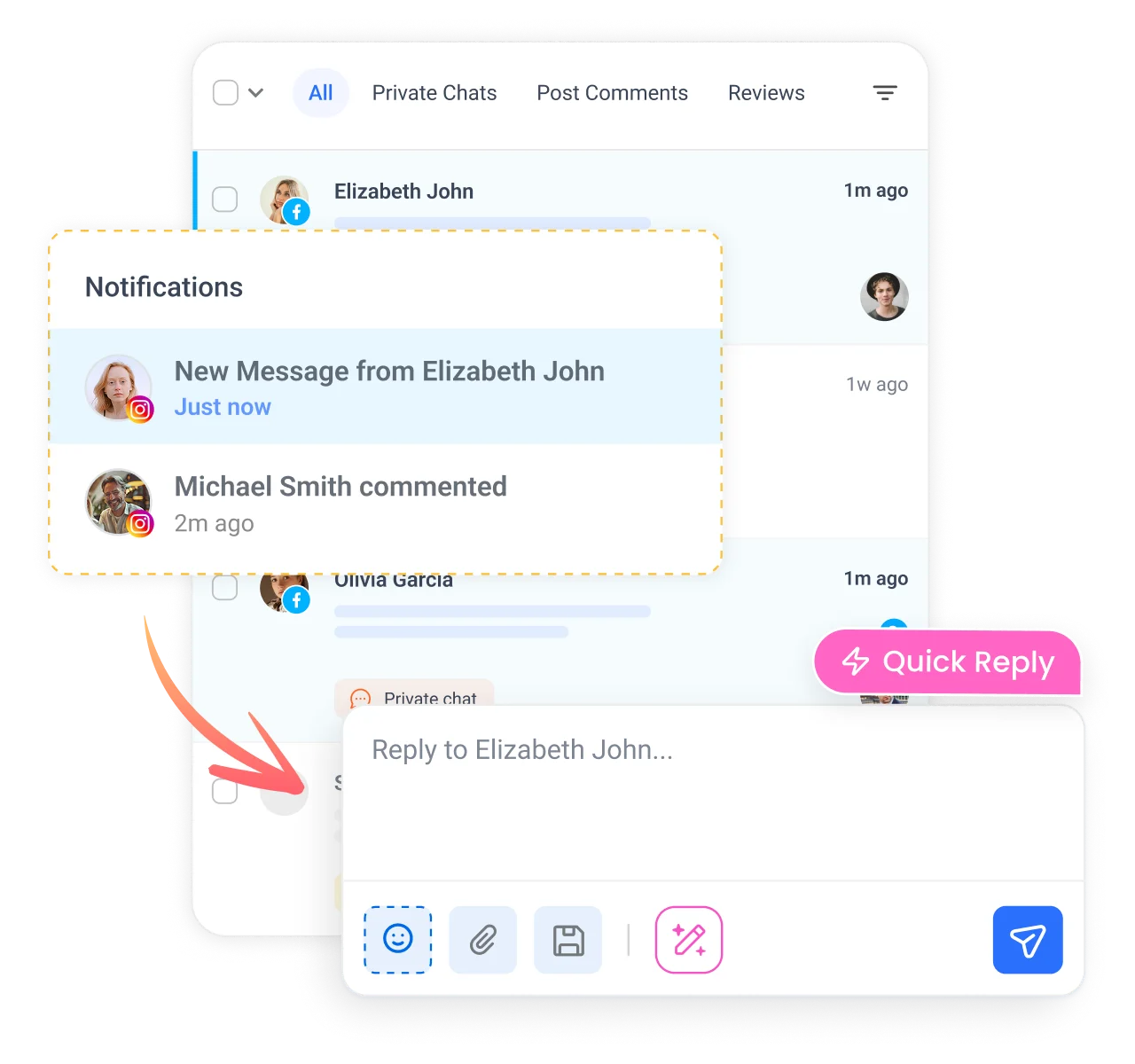
Stay responsive with notifications and mobile inbox access
Stay Responsive

Never miss the message that matters most

A slow social media inbox costs you customers and leaves complaints hanging. Stay ahead of every incoming message with instant alerts and reply from anywhere.

Instant notifications

Instant notifications

Get alerted about new messages and comments in your email, browser, and on mobile, so urgent questions never wait.

On-the-go replies

On-the-go replies

Manage and answer conversations from the ContentStudio mobile apps, so you can clear the inbox from your phone.

High engagement

High engagement

Respond faster to build loyalty, show customers you value them, and turn quick replies into a seamless experience.

Faster resolution

Faster resolution

Collaborate to resolve tickets as a team and mark them done, so response and resolution times keep dropping.

4.2MPost ScheduledIncrease in productivity with ContentStudio
50%Productivity BoostIncrease in productivity with ContentStudio
$1,000+Cost Savingssaved monthly on social media management costs
5h/weekTime Savedsaved on content planning and scheduling
quotes

The perfect tool for agency-client collaboration and content approvals.

Erin-testimonial

Erin Ricchiazzi,

VP of Marketing@The Modern Firm

marketing-logos

Explore more of ContentStudio

A social inbox is one piece of the platform. Explore the tools that help you plan, create, publish, and measure alongside it.

Product feature image

Publish

Create, organize, and publish posts across every social network from one dashboard.

Product feature image

AI Studio

Generate on-brand captions, images, and videos in seconds with 35+ AI models.

Product feature image

Analyze

Measure performance, benchmark competitors, and share white-labeled reports.

Product feature image

Listen

Track brand mentions, sentiment, and trends across social media in real time.

Product feature image

Discover

Find trending content and RSS sources to keep your social feed full of fresh ideas.

FAQs

Frequently asked questions

ContentStudio

Book a 30 min call

Have questions? Schedule a quick call and we will guide you through everything.

Book a free call

What is a social media inbox?

A social media inbox is a single place that collects the comments, direct messages, mentions, and reviews from all of your social networks. Instead of checking each platform separately, ContentStudio pulls every conversation into one shared view your whole team can read and reply from.
A unified social inbox brings messages from every connected network into one queue so nothing gets missed across scattered apps. You need one because response speed drives customer loyalty, and a single inbox lets a team reply faster, assign owners, and avoid answering the same person twice.
The best social media inbox tool covers your networks, lets your team collaborate, and syncs replies in real time. ContentStudio does all of this across Facebook, Instagram, X, LinkedIn, and Google Business Profile, with assignment, collision detection, saved replies, and mobile access built in.
You can manage conversations from Facebook, Instagram, X (Twitter), LinkedIn, and Google Business Profile in one inbox. That covers direct messages, comments on posts and ads, public mentions, and reviews, so your main channels are handled from a single dashboard.
Yes. Assign conversations to the right teammate, add private internal notes, and rely on collision detection to see who is already replying. Everyone works the same queue without sending duplicate or conflicting answers to a customer.
Yes. ContentStudio offers a 7-day free trial with no credit card required. Connect your accounts, route real conversations through the social inbox, and test collaboration with your team before you commit to a paid plan.
Yes. The social inbox brings Facebook and Instagram comments, direct messages, and ad comments into the same view. You reply from one composer with the customer's context on hand, so both channels stay responsive without switching apps.
Yes. The ContentStudio mobile apps for iOS and Android let you read, assign, and reply to conversations from anywhere. Instant notifications reach your email, browser, and phone, so urgent messages never wait for you to sit at a desk.
It removes the searching and tab switching that slow teams down. Filters surface urgent messages first, saved replies handle common questions in two clicks, and real time sync keeps every reply current, so your team resolves conversations faster as volume grows.
CtaBackground

7-day free trial. No credit card required.