Android and iOS Appsai-icon

The complete social media toolkit for your phone

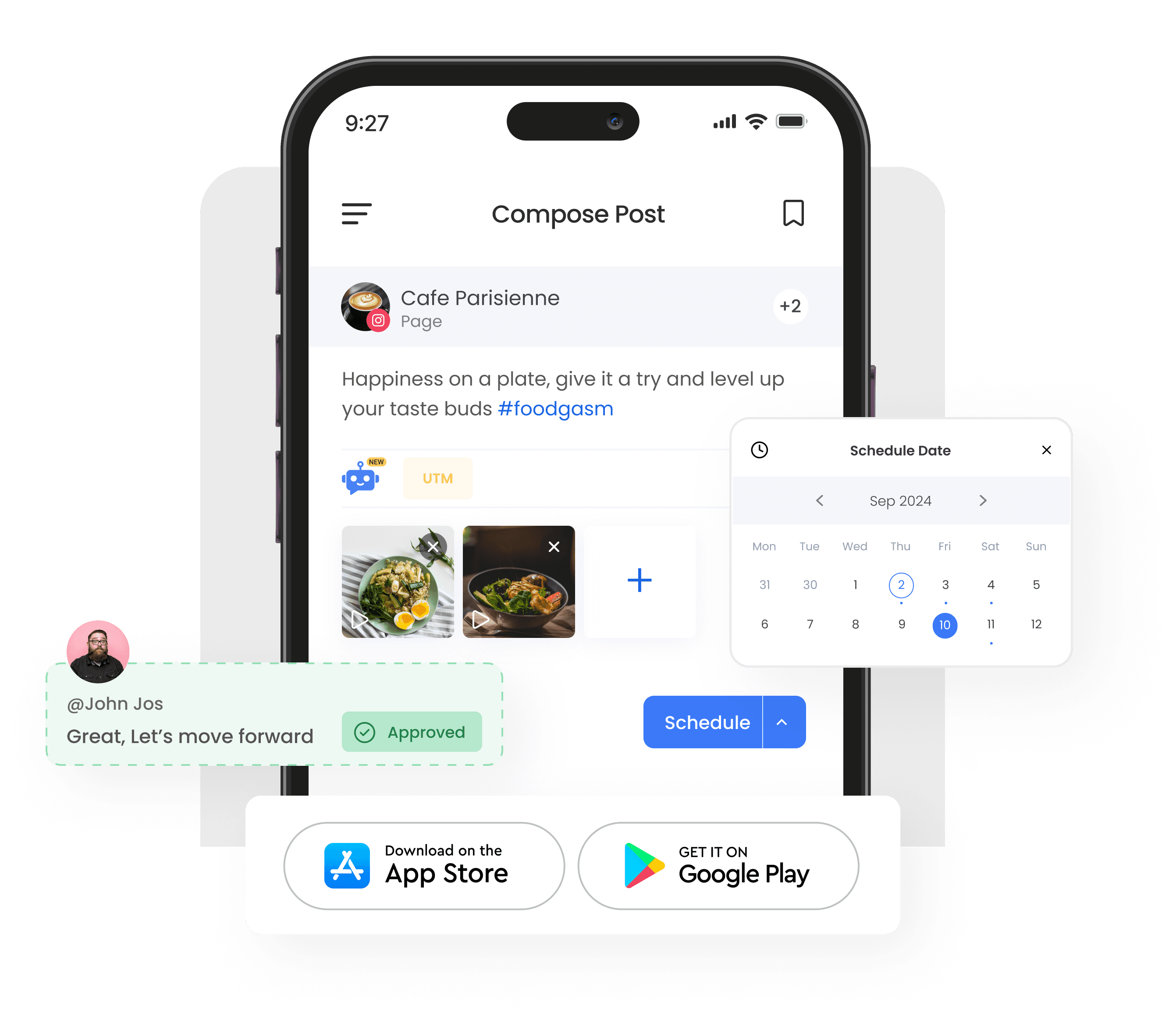
Plan, schedule, reply, and track your social media from anywhere using the ContentStudio mobile app available for iPhone, iPad, and Android, no laptop required.

Download on the App StoreGet it on Google Play

7-day free trial - No credit card required.

ContentStudio mobile app for iOS and Android - manage social media anywhere

Integrated with

Trusted by 16,500+ leading brands and agencies

What you can do on mobile

Everything you need to manage social media on the go get the same desktop-equivalent control from your pocket.

Plan and schedule anywhere

Plan and schedule anywhere

Create posts, set publishing times, and manage calendars across networks via smartphone.

Check performance anytime

Check performance anytime

Monitor engagement, follower growth, and top-performing posts while away.

Manage multiple workspaces

Manage multiple workspaces

Switch between clients, brands, or teams with instant organization.

Get real-time notifications

Get real-time notifications

Receive instant alerts for mentions, comments, and approvals.

Get started

Get Started In Minutes

Download, set up, and start managing

Step 01

Download the app

Get ContentStudio from the App Store or Google Play.

Step 02

Log in and sync

Sign in and instantly sync your workspaces, accounts, and scheduled posts.

Step 03

Start managing

Create posts, reply to messages, and track performance right away.

4.2MPost ScheduledIncrease in productivity with ContentStudio
50%Productivity BoostIncrease in productivity with ContentStudio
$1,000+Cost Savingssaved monthly on social media management costs
5h/weekTime Savedsaved on content planning and scheduling
quotes

The perfect tool for agency-client collaboration and content approvals.

Erin-testimonial

Erin Ricchiazzi,

VP of Marketing@The Modern Firm

marketing-logos
FAQs

FAQs

ContentStudio

Book a 30 min call

Have questions? Schedule a quick call and we will guide you through everything.

Book a free call

Is the ContentStudio mobile app free to use?

The mobile app is included with every ContentStudio plan at no extra cost. You can start with a 7-day free trial that requires no credit card. Once you subscribe to any plan, the app unlocks the same account access on iPhone, iPad, and Android.
The app is available for iPhone, iPad, and Android phones and tablets. You can download it from the App Store or Google Play. Your account syncs across every device, so you can move from desktop to phone without losing your place.
No, you can plan, schedule, and reply from your phone. The mobile app gives you control from your pocket. This makes ContentStudio a true all-in-one social media management tool whether you are at your desk or on the go.
Yes, you can create posts, set publishing times, and manage your content calendar directly from your smartphone. Scheduling works across all your connected networks. Your scheduled posts stay in sync with your desktop account in real time.
Yes, you can reply to comments, messages, and mentions from the app so you never miss a conversation. Managing engagement on the move keeps your response times fast. Everything you handle on mobile stays synced with your desktop inbox.
Yes, you receive real-time alerts for mentions, comments, and approvals. Notifications help you act quickly even when you are away from your desk. You can stay on top of every important update without opening the full dashboard.
Yes, you can switch between clients, brands, or teams with instant organization. This keeps agencies and teams working smoothly across accounts. Each workspace carries its own connected profiles, scheduled posts, and analytics.
Download the app from the App Store or Google Play, then sign in to instantly sync your workspaces, accounts, and scheduled posts. From there, you can create posts, reply to messages, and track performance right away. Setup takes only a few minutes and requires no laptop.
CtaBackground

7-day free trial - No credit card required.