Step 01
Connect your account
Securely connect your LinkedIn account to ContentStudio. Once connected, select any Profile or Company Page you want to target.
 Schedule LinkedIn Posts
Schedule LinkedIn posts in advance, publish automatically at the right time, and manage every Profile and Company Page without switching tools from one shared content calendar.
7-day free trial. No credit card required.
Schedule every LinkedIn format
Trusted by 16,500+ leading brands and agencies
A LinkedIn scheduler connects to your profile or Company Page and publishes posts, carousels, and documents on time, so thought-leadership content ships consistently.
ContentStudio is a social media management dashboard built for professional publishing: draft and preview posts, queue carousels, use AI writing help, and coordinate a whole team from one place.
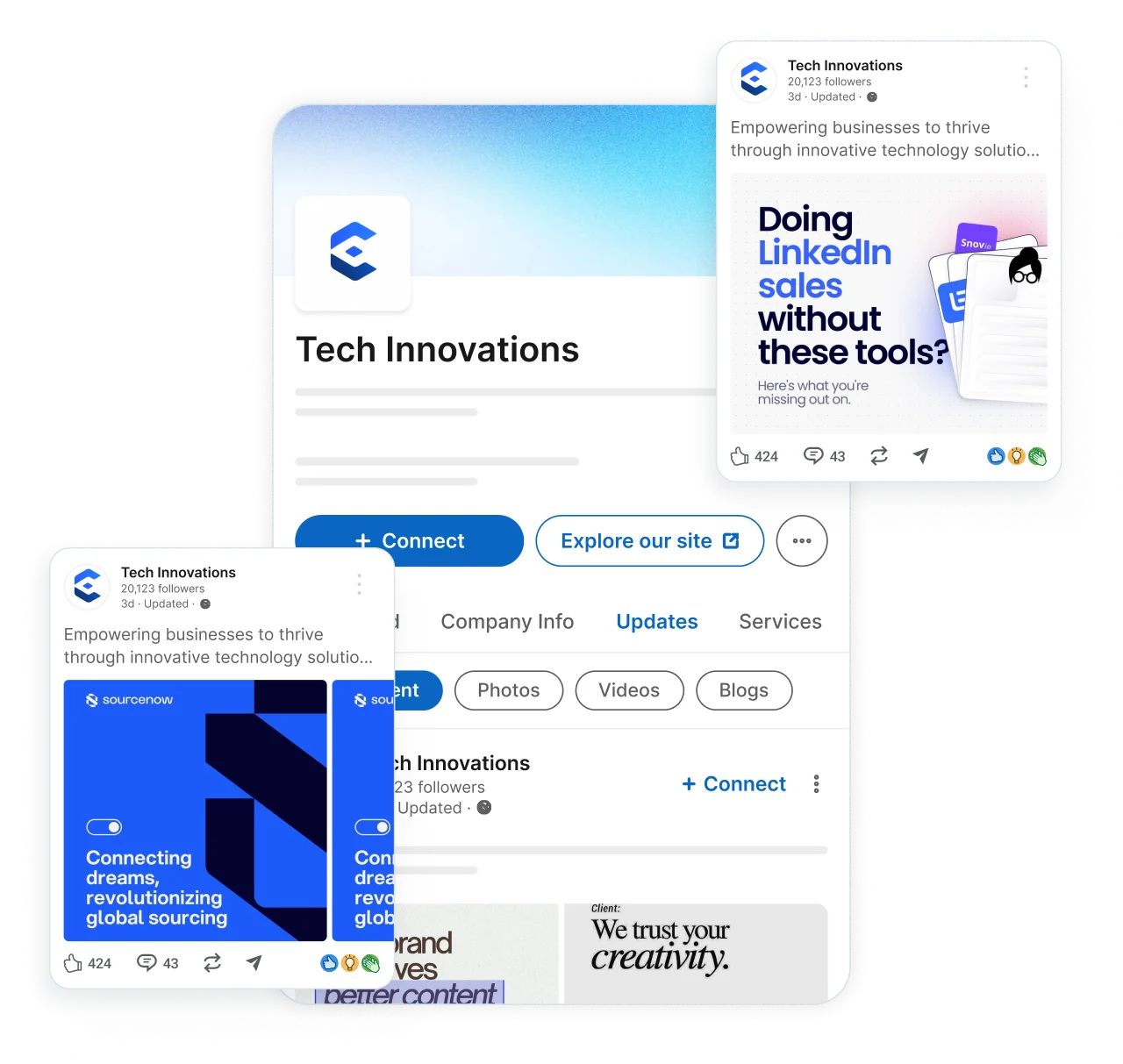
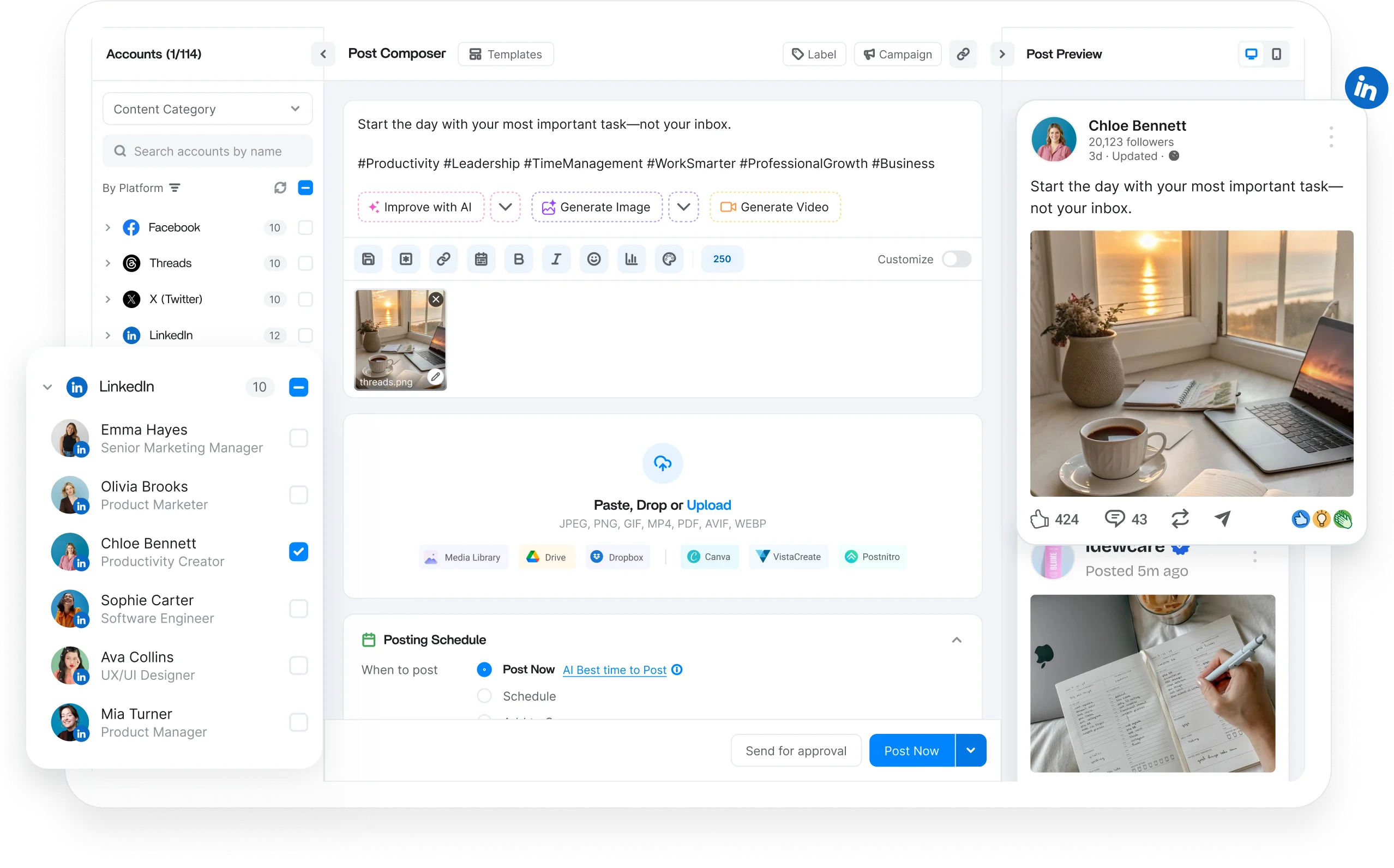
Create, organize, and schedule LinkedIn posts, carousels, videos, documents, and link posts from one dashboard. Keep every content format planned and published on a consistent schedule.

Create and schedule LinkedIn posts in advance with text, images, links, or hashtags. Keep your Profile and Page active with a consistent publishing schedule.

Schedule LinkedIn carousels and PDF document posts to break down ideas, share frameworks, or walk through step-by-step content.

Plan and schedule LinkedIn videos ahead of time and publish them automatically to maintain a steady stream of native video.

Schedule link posts and control how shared articles appear so every update looks polished, professional, and clickable.
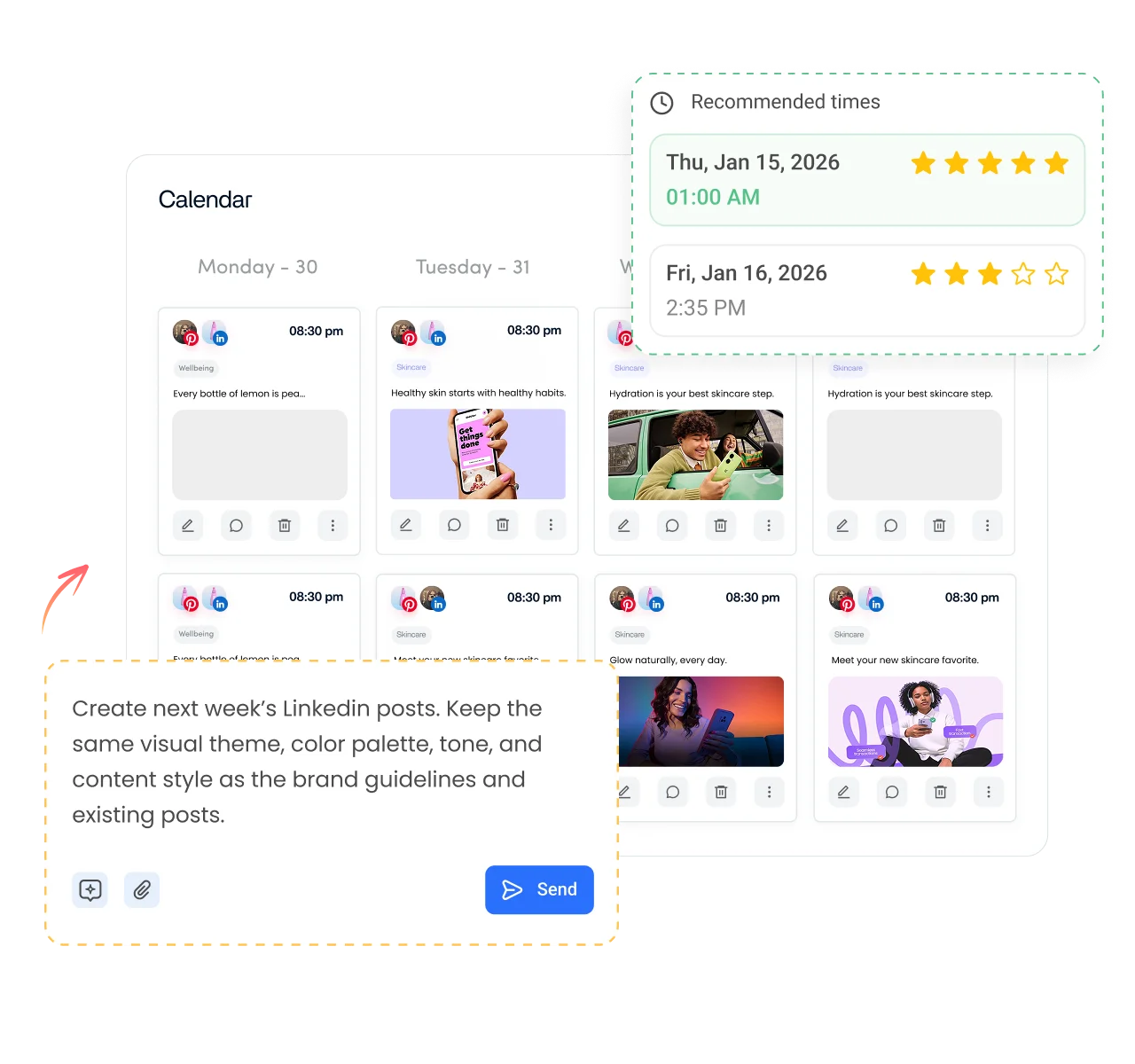
Take manual publishing off your to-do list. Schedule weeks of LinkedIn content in advance, automate publishing, and keep every Profile and Company Page active with minimal effort.

Manage multiple LinkedIn Profiles and Company Pages from a single dashboard. Organize brands, clients, or personal accounts.

Bulk-schedule LinkedIn posts, or let AI build a posting schedule that keeps your content calendar active with minimal effort.
Create dedicated publishing queues for different Profiles, Pages, campaigns, or content categories to keep every schedule organized.

Automatically schedule LinkedIn posts when your audience is most active using data-driven recommendations for reach and engagement.
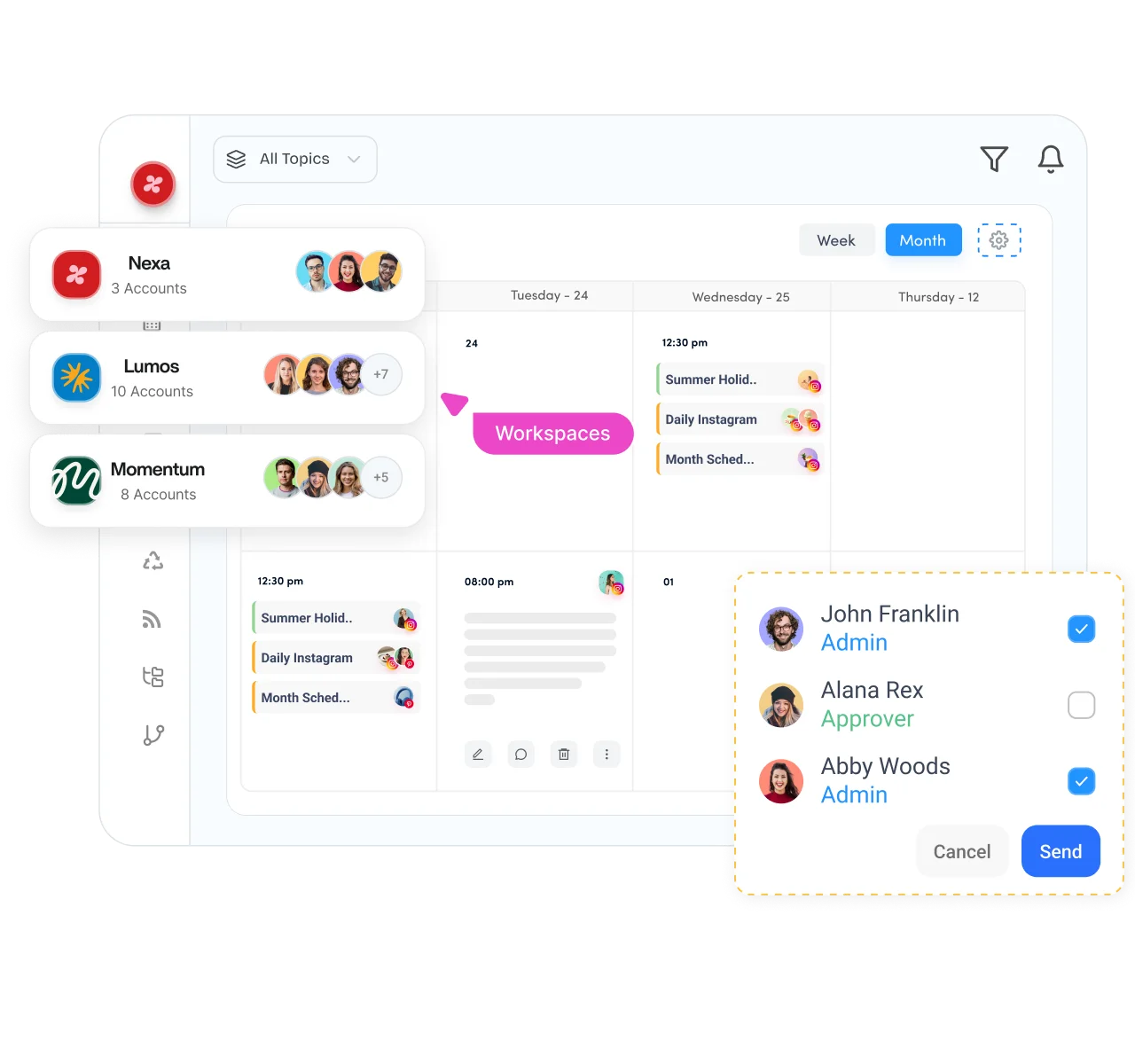
Bring your entire LinkedIn workflow into one place. Plan content, collect feedback, manage approvals, and keep every stakeholder aligned before anything goes live.

Separate clients, brands, or business units into dedicated workspaces while managing multiple LinkedIn publishing schedules in parallel.

Plan your LinkedIn posting schedule with a drag-and-drop calendar that gives you a complete view of upcoming posts, carousels, and videos.

Review and approve scheduled LinkedIn posts before they go live. Maintain a consistent professional narrative with structured approval workflows.

Securely connect client LinkedIn Profiles and Pages without requesting login credentials, making onboarding faster and simpler.
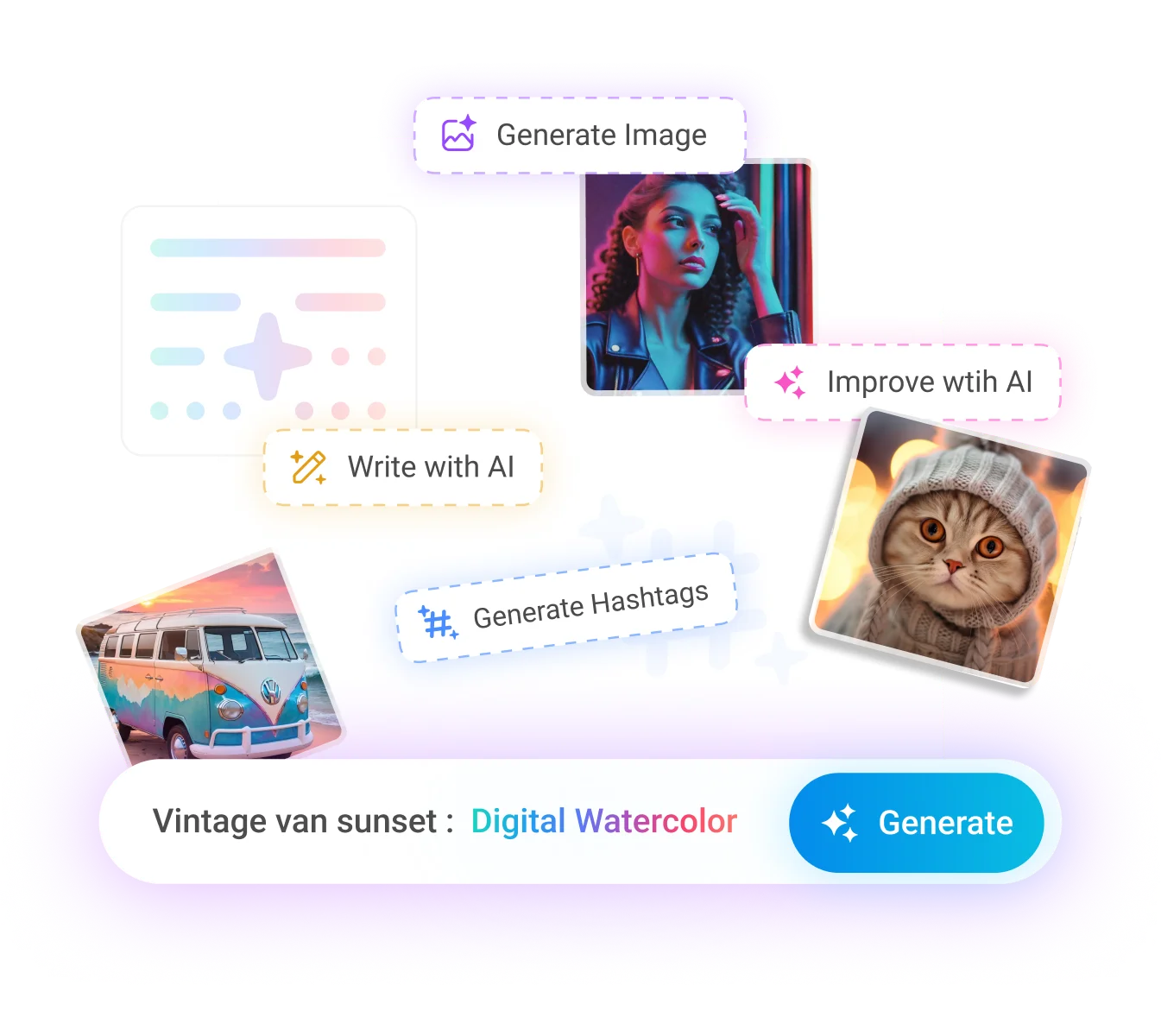
Generate captions, visuals, and videos without leaving your workflow. Built-in AI helps you create engaging LinkedIn content faster while maintaining quality and consistency.

Turn simple prompts into high-quality AI images ready for your next scheduled LinkedIn post.

Generate AI videos for LinkedIn posts without switching to separate video editing software and tools.
Transform long-form videos into engaging short clips that keep your LinkedIn video schedule full.

Generate captions, improve copy, and overcome writer's block while scheduling LinkedIn posts from the same dashboard.
How it works
Learn how to schedule LinkedIn posts in four simple steps. From start to finish, ContentStudio handles the entire scheduling process for you.
Step 01
Securely connect your LinkedIn account to ContentStudio. Once connected, select any Profile or Company Page you want to target.
Step 02
Write your post, upload your media, or create content with AI. Generate captions, images, and videos in one place.
Step 03
Select a specific date and time, use Smart Scheduling, or let ContentStudio recommend the best time to post.
Step 04
Once your schedule is set, ContentStudio automatically publishes your LinkedIn posts, carousels, and videos at the right time.
Whether you're managing one LinkedIn Profile or multiple Company Pages, ContentStudio scales with your workflow through shared calendars, workspaces, permissions, and collaboration tools.

Schedule weeks of LinkedIn posts and carousels, then let ContentStudio publish while you focus on creating and building your personal brand.
Manage every network you run from the same social media scheduler.

Line up posts, Reels, and Stories for your Pages and Groups, then let them publish on their own while you track what lands in analytics.

Batch your Reels, feed posts, and Stories a week or a month ahead, and preview the grid before anything goes live.

Queue threads and single posts across every handle you run, and jump into replies from the same place you schedule.

Schedule long-form uploads and Shorts, route each one through review, and set titles, tags, and thumbnails before release.
Fill your pin queue across boards, space out fresh pins to avoid spam flags, and watch which ones drive saves and clicks.

Plan videos for several accounts at once, send drafts out for a quick sign off, and grab clips straight from your library.

Draft and time your Threads posts next to the rest of your calendar so the feed keeps moving without you posting live.


Book a 30 min call
Have questions? Schedule a quick call and we will guide you through everything.
Book a free call