ContentStudio year in review 2025: Key highlights and what’s next
Jul 1, 202618 minutes

Written by
Wasiq NaeemUpdated

The Summers are ending but we still have some fiery new feature updates for you. This month’s release package is definitely incredible news for all our Content Marketers out there. We want you to do great things while also sustaining the charisma of your social media channels. The world is moving towards automation marketing and so are we!
In this month’s release, we provide you an amazing opportunity to see the most recent content from your favorite sources in your account. But, there’s more to it, so let me rephrase. The recency of the content is totally in your hands. You can now control your feed by selecting the RSS feed pull time. And then, maintaining your content efficiently in your Content Categories’ library.
By the way, since we’re talking about Content Categories ( which is the latest addition to our application ). Now, you can also edit your queue slots anytime you want. That would add flexibility to your social calendar and make this tedious planning a breeze for you.
Let’s get into detail to check how the features work. The features are listed below.
RSS is a spellbinding tool to automate your online activities. You can use RSS feeds to subscribe to your favorite news channels, blog sites, video channels, etc. By adding the RSS feeds, you won’t have to go to each individual channel and check for new content each time.
ContentStudio has introduced the RSS Pull after specific intervals. Now, you can crawl the new posts in the mentioned feed after every 5 minutes, 10 minutes, 15 minutes, and so on…
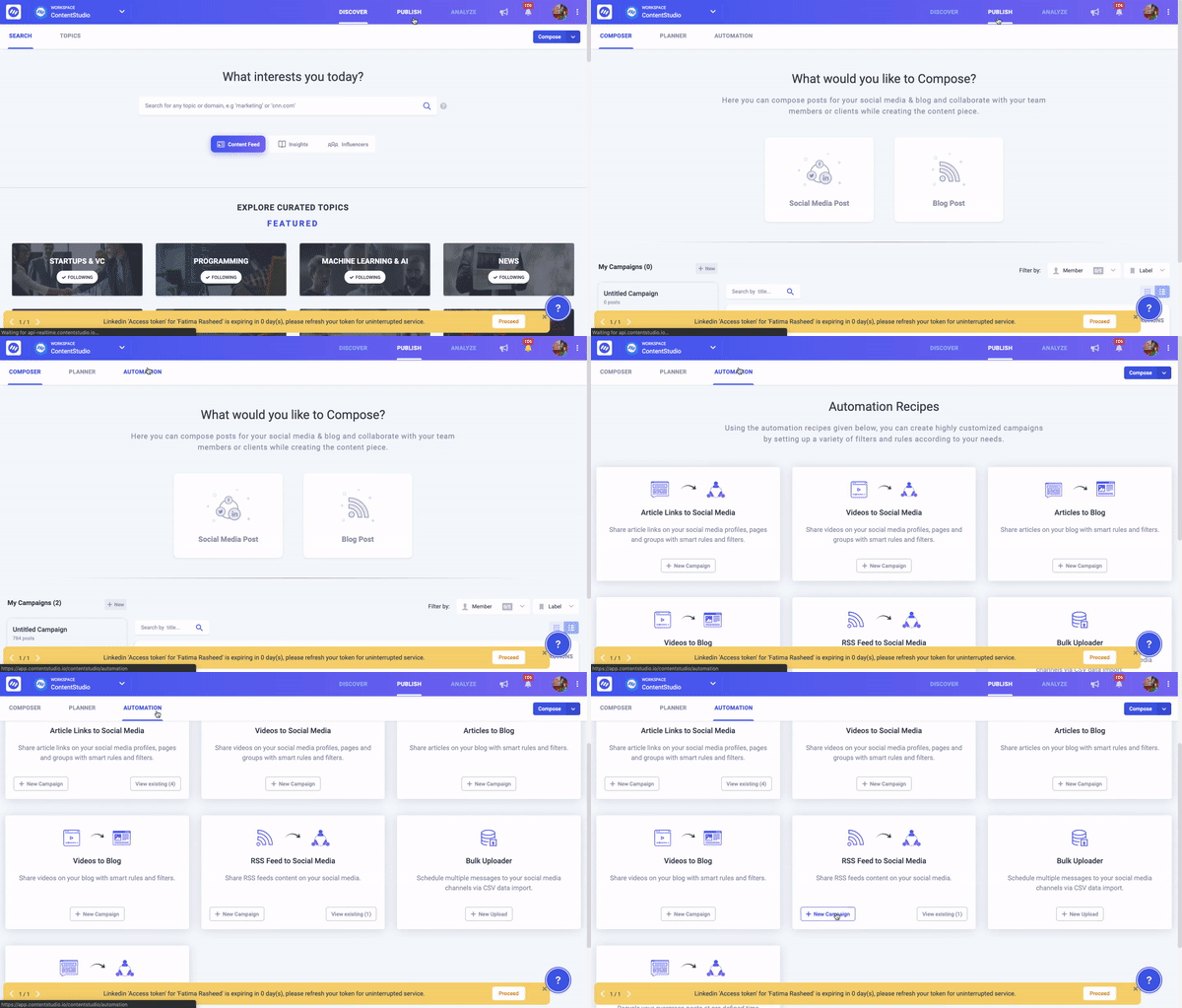
Click on the Publish > Automation > RSS Feed to Social Media.
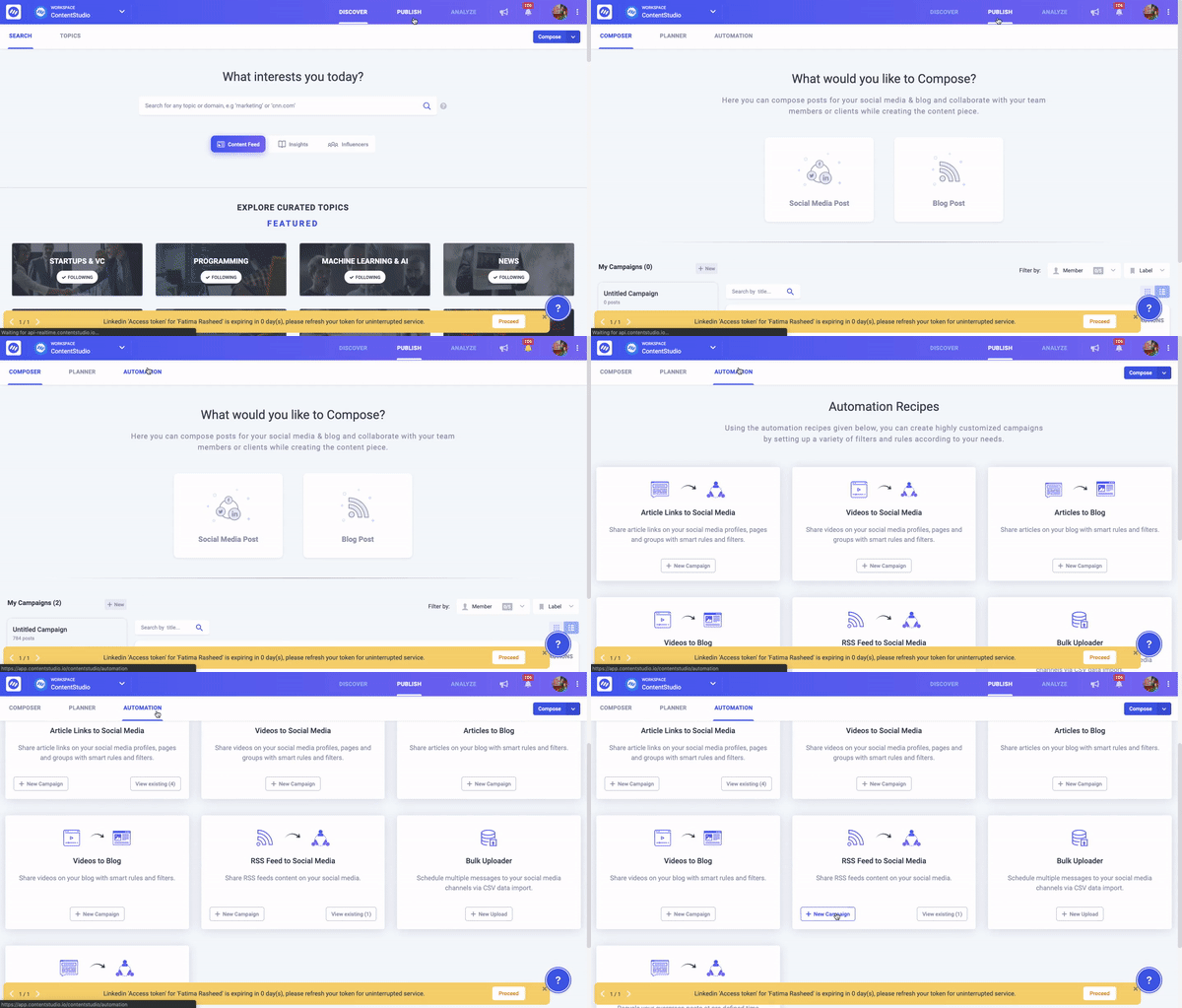
Select the campaign name, channel, optimized the post. While scheduling the post, you can update frequency to pull the RSS feeds of your favorite channels for new content or post each time.
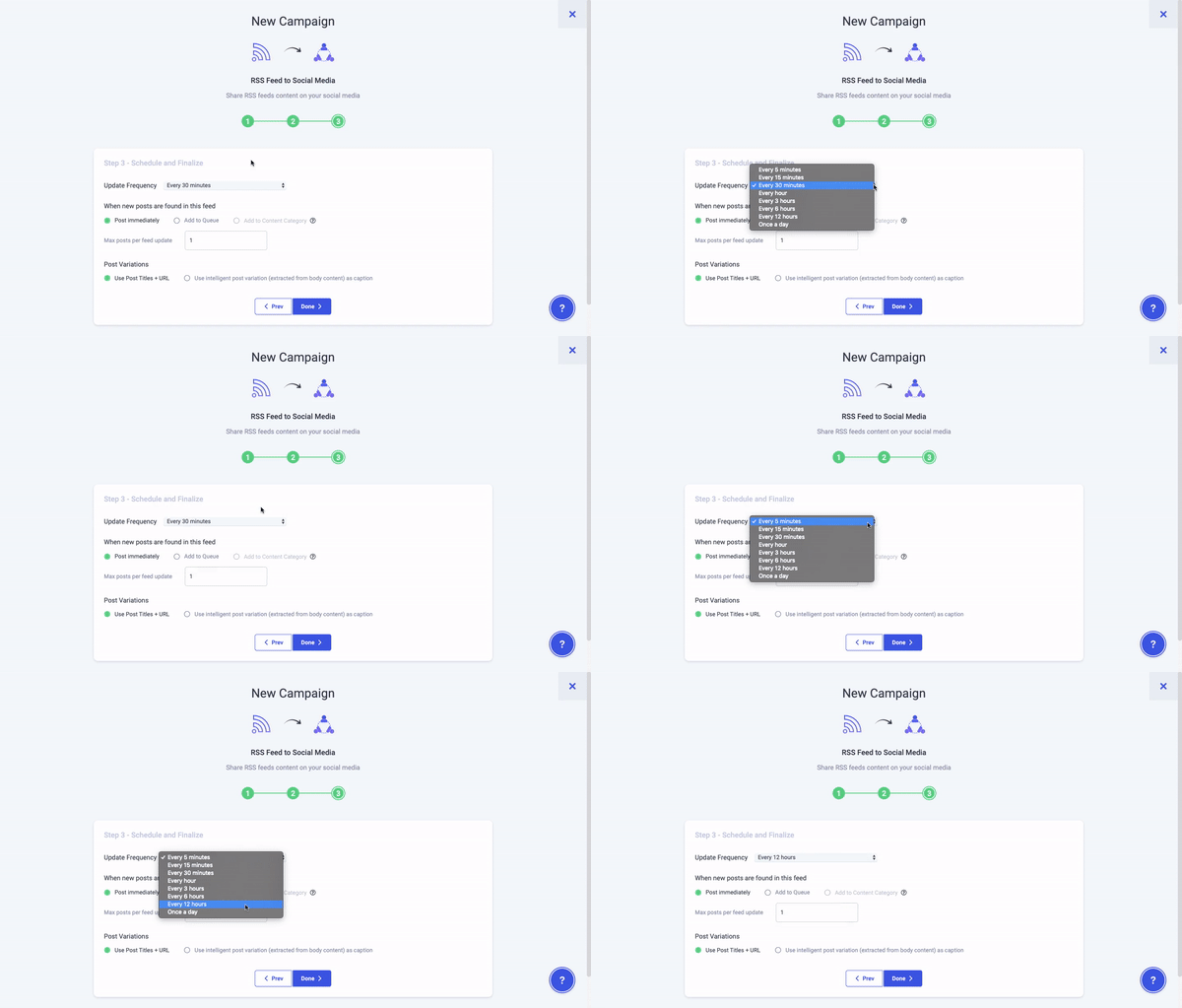
RSS is a web sleuth that detects new content whenever it gets pushed onto a website. Many social media tools have embedded RSS readers that dig out the content from different sources and present them to you in a single place.
Content Categories option added to the RSS will make the job easy for you.
Login to your ContentStudio account, click on Publish and then on Automation located on the navigation menu.
In the next screen, you can view the Seven automation recipes. Select the RSS Feed to Social Media and click on the +New campaign.
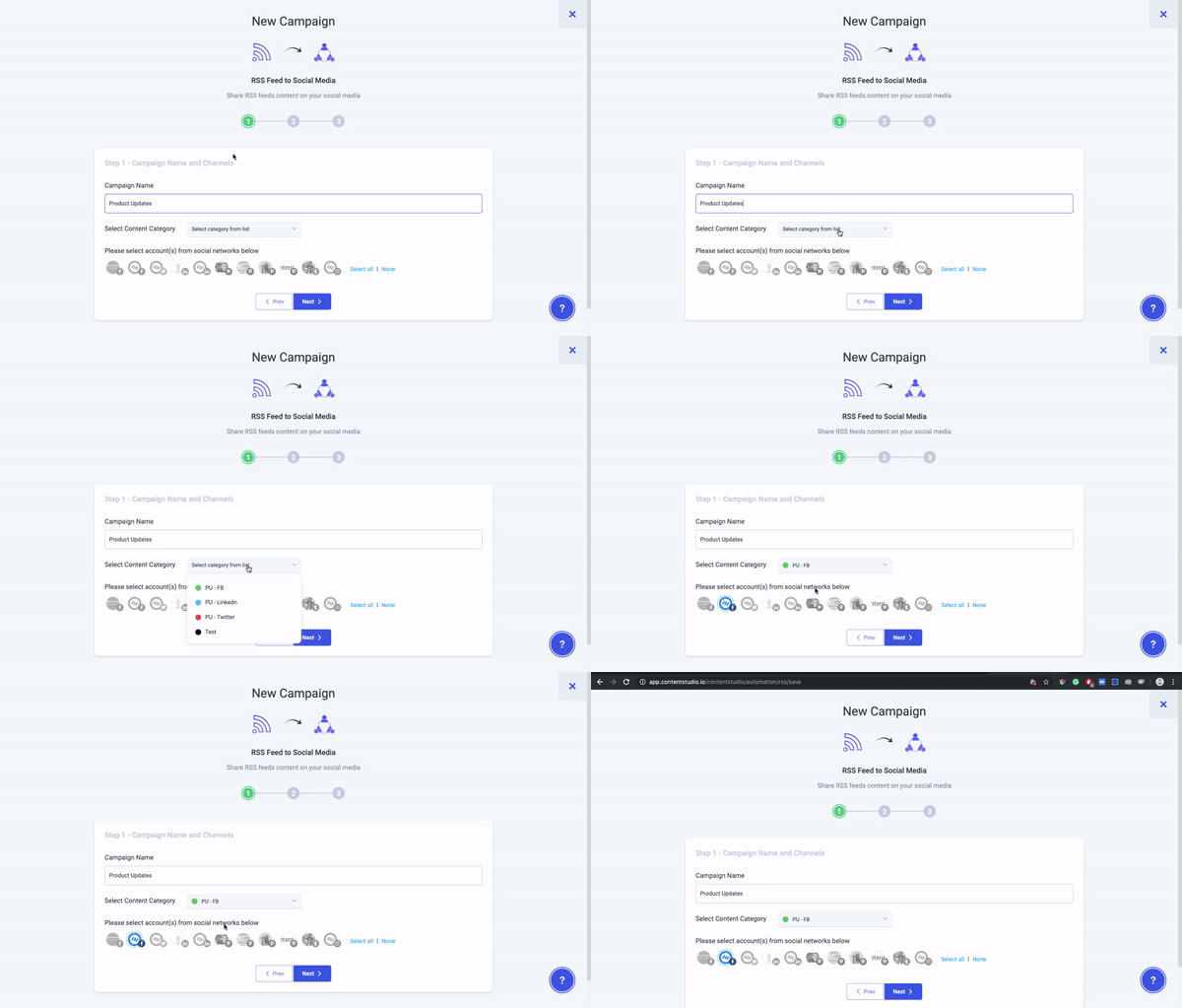
In this step, you are required to enter the Campaign name and select the Social channels. At that point, Contenstudio presents you a Content Categorization option which helps to schedule the right type of content at the right time on the selected category, without having to schedule each post by hand.
In step 2, you need to optimize your post by adding Feed Url for your favorite news channels, blog sites, video channels, add Hashtags or CTAs, and move forward.

In the last step before finalizing the campaign, you need to add time-frequency and select “Add to Content Category” as the option of new posts found while scheduling the post.

The great thing about grouping accounts with common characteristics is that you can manage them very easily. One such characteristic is the time zone. Taking this parameter into account you can classify accounts falling in a particular time zone and batch them together.
ContentStudio team has updated the time-frequency according to workspace timezone. Now, you can to manage your workspaces intelligently and examine the live workspace time zone without lifting the chair.
Setting up a workspace for various accounts, and then planning the content accordingly will help you better understand the dynamics of your target audience.
Click on your profile picture and go into the Basic Settings.
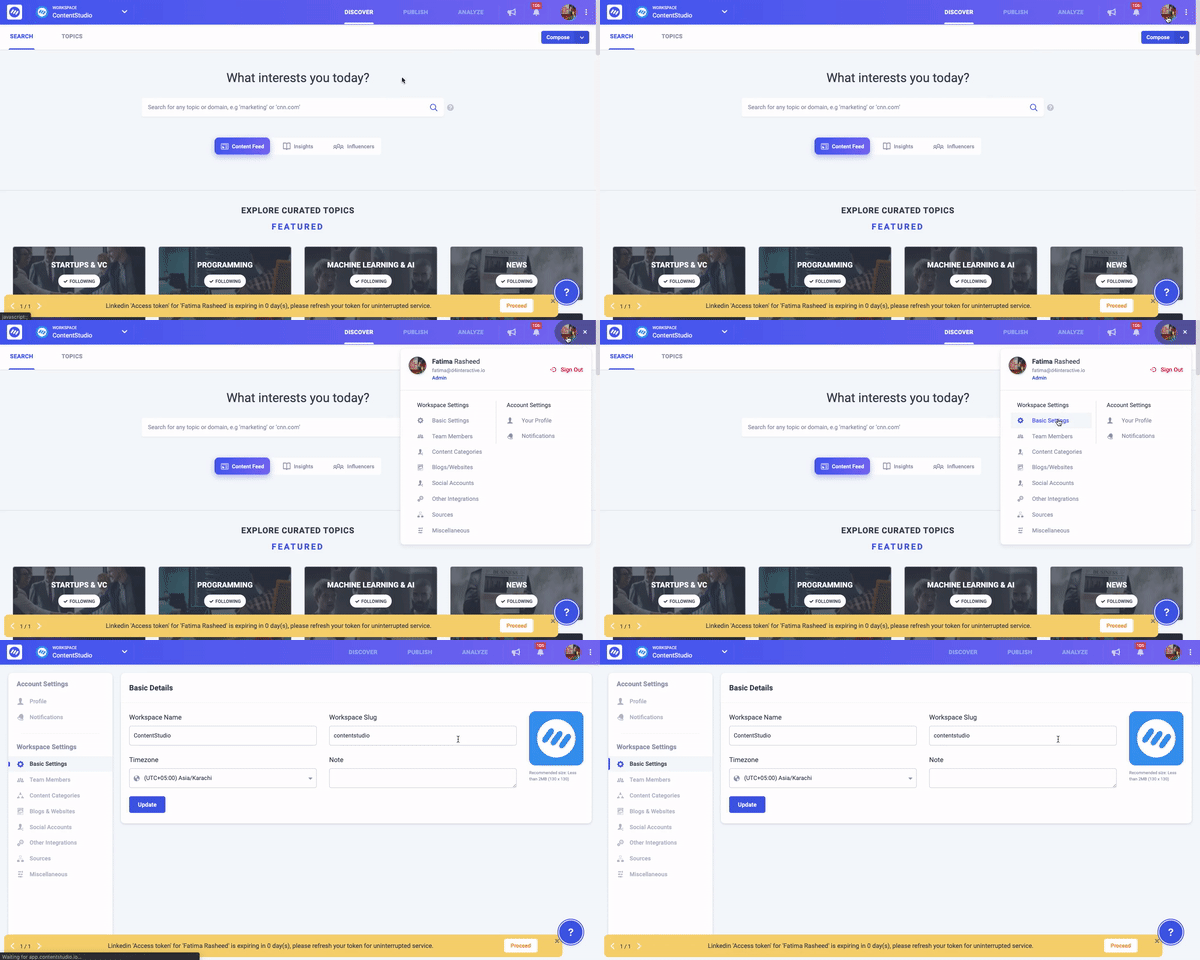
Select the Timezone and click on the Update button.
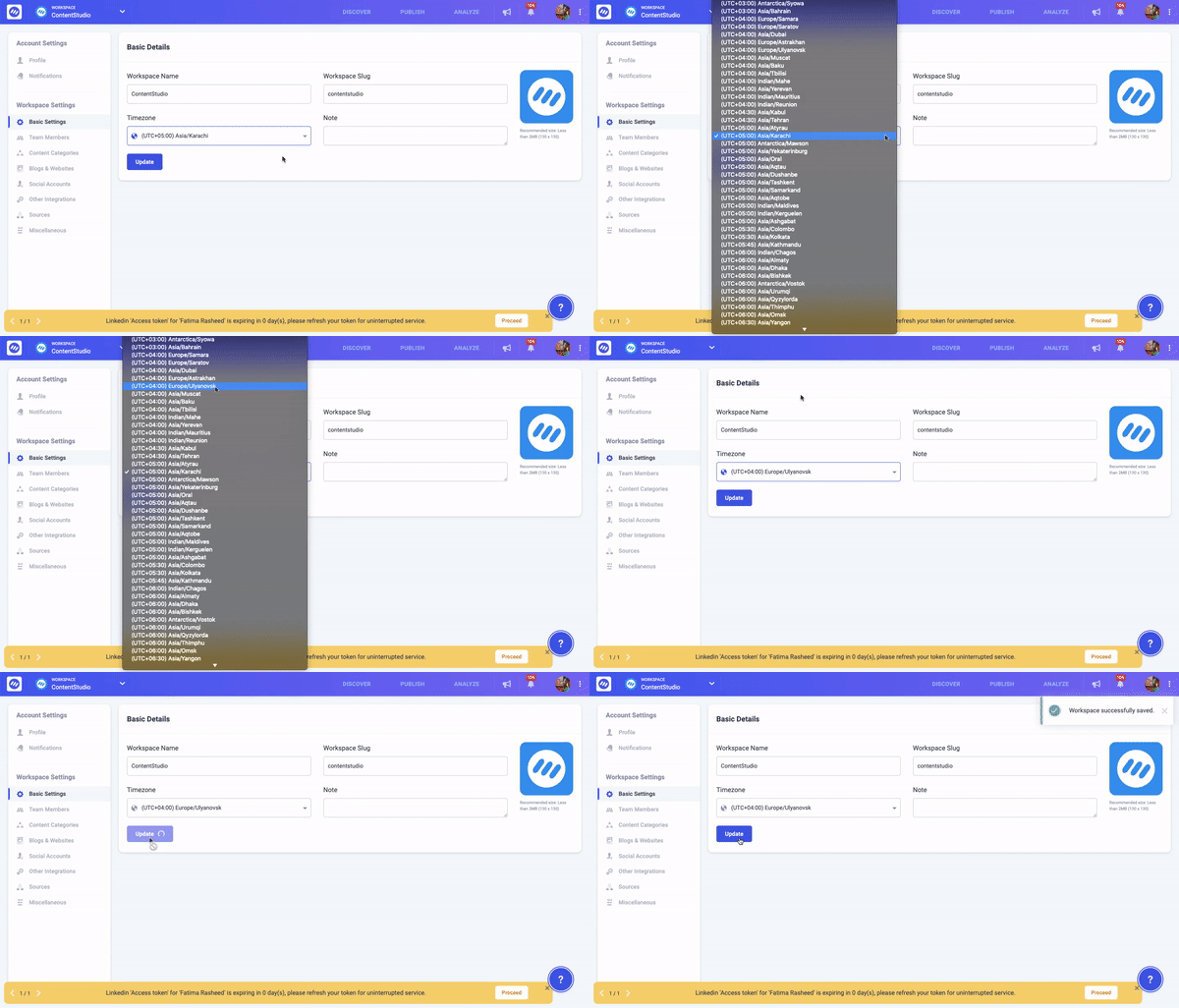
Go to the Planner, and there you can see the live period added according to your workspace timezone.

Contentstudio always tries hard to create ease and stays on the leading edge in front of the audience.
ContentStudio introduces the Content Catagories to keep the content organized and make it simple to schedule the right content at the right time on the right channel.
It makes content categories simple to manage the categories which you have created earlier. Now you can edit the Queue Slots whenever you would like to; without any hassle.
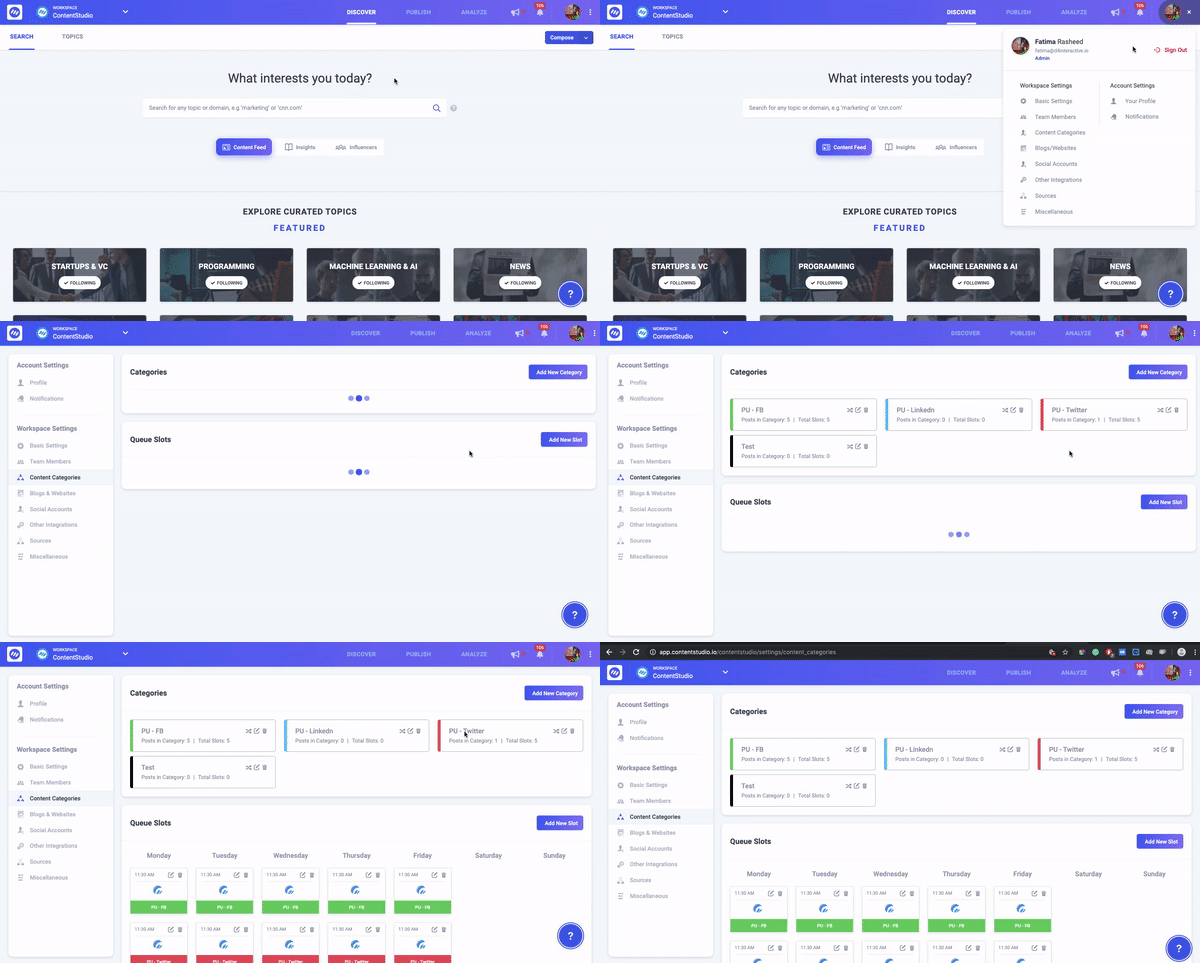
Click on your profile picture to go into the settings area and click on the Content Catagories from the drop-down menu.
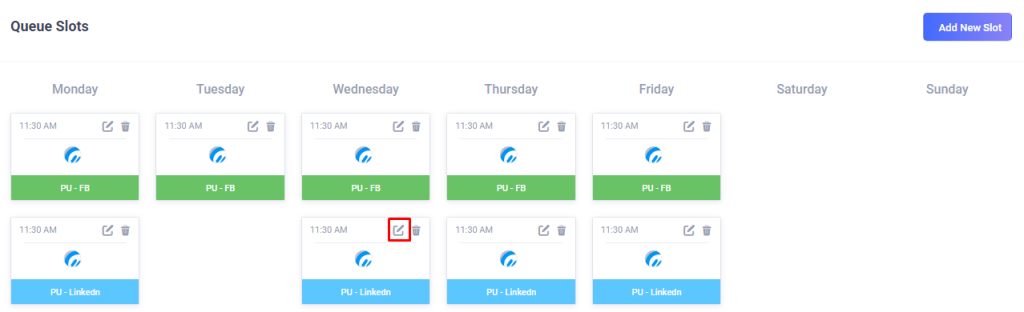
In the next screen, select the Queue slot you want to edit and click on the Pencil icon as shown in the image.
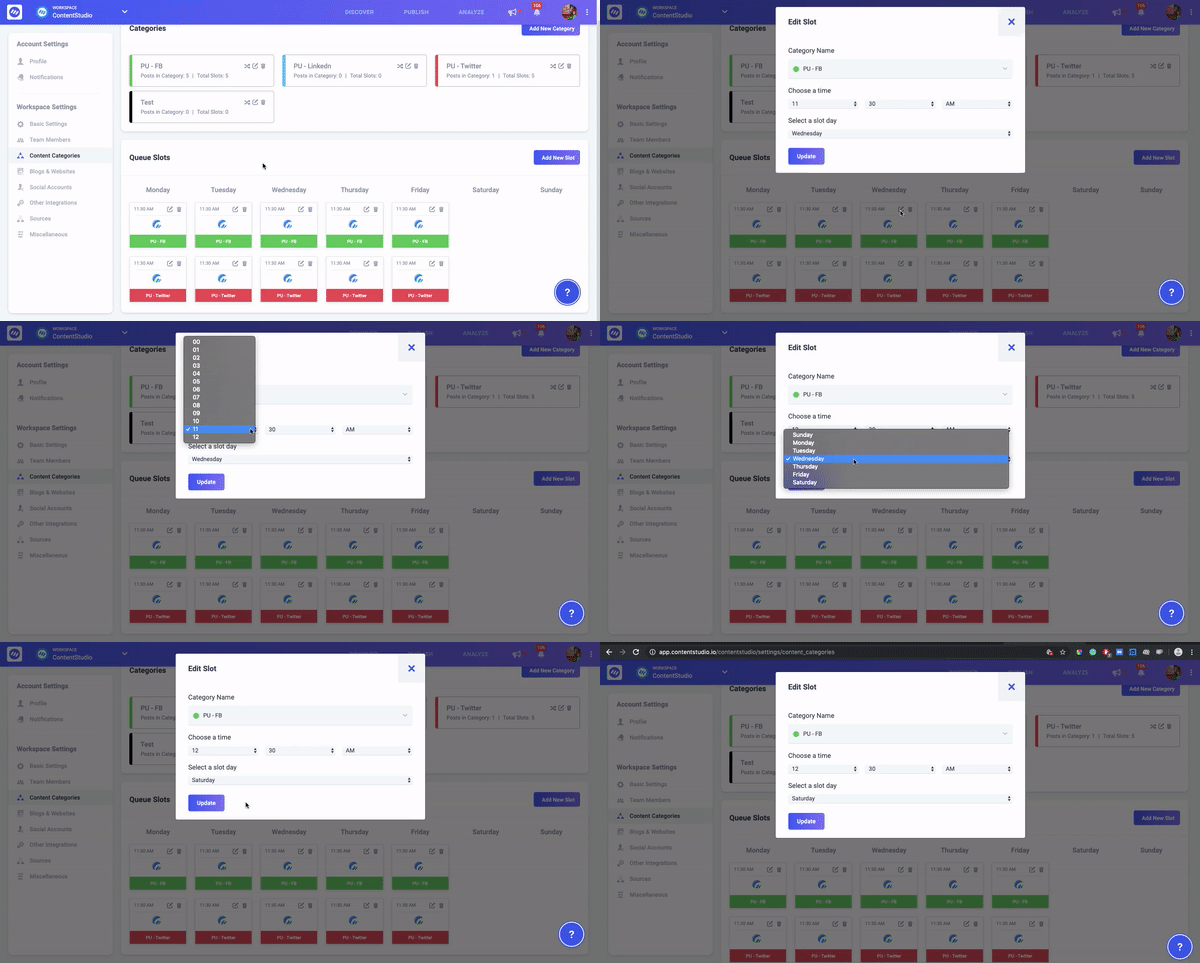
A pop up will appear which requires a Category name, time, and day. Select the field you want to edit and click on the Update button.
We have personally used these features to spice up our Social Media Campaigns and they have worked wonderfully for us. The RSS update has improved the quality of the content in our automation campaigns and given us a deeper authority over the content we publish on our channels. And, to manage it, we have made content categories for every genre of content.
Let us know how do you like all these features. Reach out to us in case you have any queries and questions! ????
Wasiq Naeem is a Senior Content Strategist at ContentStudio and a research-driven content and digital marketing veteran. He writes on social media strategy, analytics, audience growth, and competitor analysis, covering topics like best posting times and competitor mapping. As a senior editor, he also reviews and fact-checks articles for depth and accuracy.
View all posts by Wasiq NaeemRecommended for you
ContentStudio year in review 2025: Key highlights and what’s next
ContentStudio now speaks your language: French, German, Spanish, Italian, and Greek
Introducing AI Video Generation: Transform ideas into cinematic videos in seconds

New ContentStudio Home: Reimagining AI-powered content creation