User-friendly interface

What is the user-friendly interface?
A user-friendly interface is a design approach that prioritizes ease of use, accessibility, and intuitive navigation in digital products.
It focuses on creating experiences that users can quickly understand and efficiently operate without extensive training or documentation.
User-friendly interfaces minimize cognitive load by presenting information clearly, using familiar patterns, and providing helpful feedback throughout the user journey.
Core principles of user-friendly interfaces
Designing truly user-friendly interfaces requires adherence to several fundamental principles:
Simplicity and clarity
User-friendly interfaces avoid unnecessary complexity and present information in a straightforward manner. They use clear language, logical organization, and minimal elements to reduce cognitive load and help users accomplish tasks efficiently.
Consistency
Consistent interfaces apply the same visual elements, interaction patterns, and terminology throughout the experience. This predictability helps users build mental models of how the system works, reducing the learning curve and increasing confidence.
Feedback and responsiveness
Effective interfaces provide immediate, clear feedback for user actions. This can include visual cues (highlighting, color changes), animations, or messages that confirm an action was registered and indicate what happened as a result.
Forgiving design
User-friendly interfaces anticipate mistakes and make recovery simple. They include undo options, confirmation for irreversible actions, and helpful error messages that explain what went wrong and how to fix it.
Accessibility
Truly user-friendly interfaces are accessible to people with different abilities, including those with visual, motor, or cognitive impairments. This includes considerations like keyboard navigation, screen reader compatibility, and sufficient color contrast.
Benefits of user-friendly interfaces
Investing in user-friendly interface design offers significant advantages for both businesses and users:
For businesses
- Increased adoption and retention: Users are more likely to start and continue using products they find easy to understand
- Reduced support costs: Intuitive interfaces generate fewer support requests and require less training
- Higher conversion rates: Simple, frictionless experiences lead to more completed transactions
- Stronger brand perception: Easy-to-use products create positive associations with your brand
- Competitive advantage: Superior usability can differentiate your product in crowded markets
For users
- Reduced frustration: Intuitive interfaces minimize confusion and errors
- Time savings: Tasks can be completed more quickly without hunting for features
- Lower learning curve: Users can become productive faster with minimal instruction
- Greater satisfaction: Enjoyable experiences lead to more positive feelings about the product
- Increased productivity: Well-designed tools help users accomplish more in less time
User-friendly interfaces in social media management
For social media management tools, user-friendliness is particularly crucial due to the complex nature of managing multiple accounts across different networks. Effective interfaces in this context should:
- Present a unified dashboard that offers a clear overview of all accounts and activities
- Provide intuitive content scheduling with visual calendar views
- Offer simple workflows for content creation and approval
- Display analytics data in easily digestible visualizations
- Include responsive design that works across desktop and mobile devices
- Allow for flexible team collaboration with clear permission structures
Evaluating interface user-friendliness
To assess whether an interface is truly user-friendly, consider these key questions:
- Can new users complete basic tasks without guidance?
- Is navigation intuitive and consistent throughout the experience?
- Does the interface present information in a clear, scannable format?
- Are error states helpful in explaining problems and suggesting solutions?
- Can tasks be completed efficiently with minimal steps?
- Does the design accommodate users with different abilities and preferences?
- Is the interface responsive across various devices and screen sizes?
User-friendly design process
Creating user-friendly interfaces typically involves a user-centered design process:
- User research: Understanding user needs, goals, and pain points through interviews, surveys, and observation
- Information architecture: Organizing content and functionality in a logical, intuitive structure
- Wireframing and prototyping: Creating low-fidelity mockups to test concepts before full development
- Usability testing: Observing real users interacting with the interface to identify issues
- Iterative improvement: Continuously refining the design based on user feedback and behavior data
Tools supporting user-friendly interfaces
Modern digital products often incorporate specific elements to enhance user-friendliness:
- Onboarding flows that introduce key features progressively
- Tooltips and contextual help that provide guidance when needed
- Search functionality that helps users quickly find specific features or content
- Customization options that allow personalization of the experience
- Keyboard shortcuts for power users to increase efficiency
- Responsive design that adapts to different devices and screen sizes
By prioritizing user-friendliness in interface design, digital products can create more satisfying experiences that help users accomplish their goals efficiently while building positive associations with the brand.
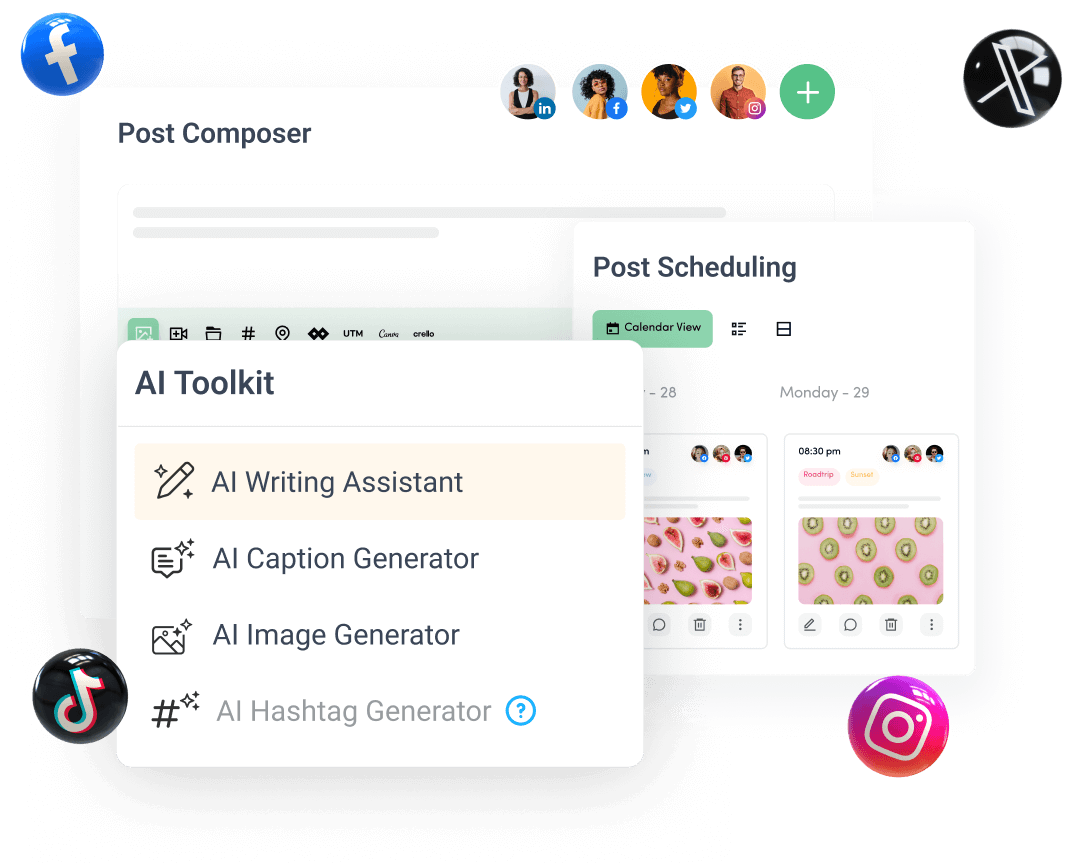
Create, plan, schedule, and publish posts on all social media networks