
How to choose a social media management tool (2027 guide)
Nov 3, 202621 minutes
Black Friday: save up to 50% on all plans

Written by
Khadija AnwarPublished

Are you looking to fly under the radar on Discord? Well, you’re in the right place. This help center guide will explore being Invisible on Discord for mobile and PC. So, hurry up and dive right in!
Also Read: How to be invisible on WhatsApp?
The easiest way to manage and grow your social channels.
GM.. We’re currently tinkering away in our invisible workshop. Yessur, we wanna bring more friends for your eyeballs next week. In the mean time you can join our discord.
And remember: Stay invisible.. wait no.. keep it invisible? hmm, we need to work on that slogan. pic.twitter.com/C6aXN4ihnc— Invisible Friends (@InvsbleFriends) November 19, 2021
Here are the steps to become invisible on Discord:
Step 1:
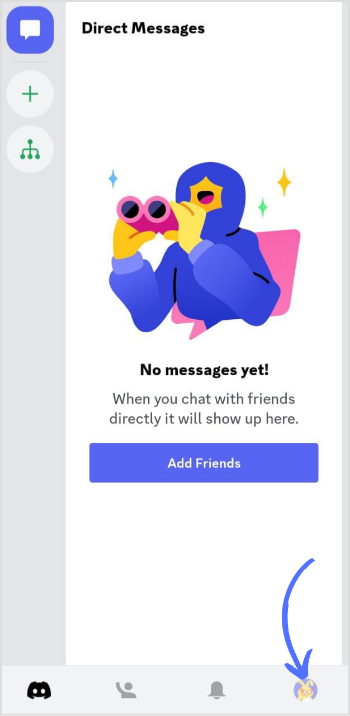
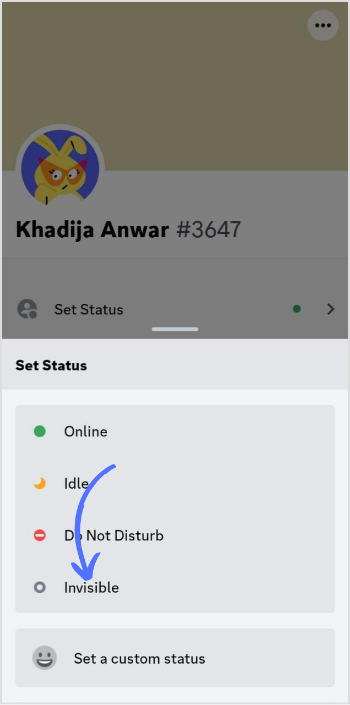
Open the Discord app on your phone and tap the “Profile” icon in the bottom right corner of your screen.
Step 2:
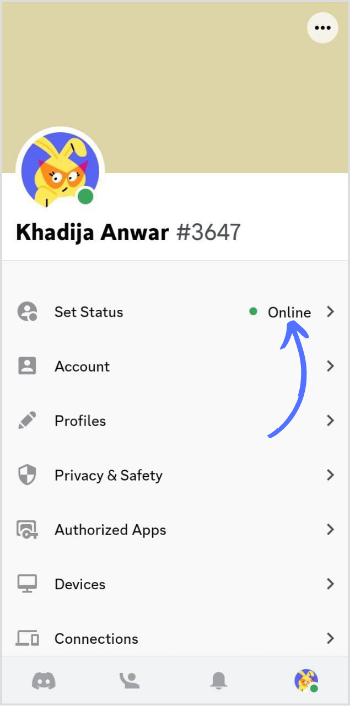
Tap on “Set Status” in the menu.
Step 3:
Change your status from “Online” to “Invisible.” The changes will be automatically saved.
Step 1:
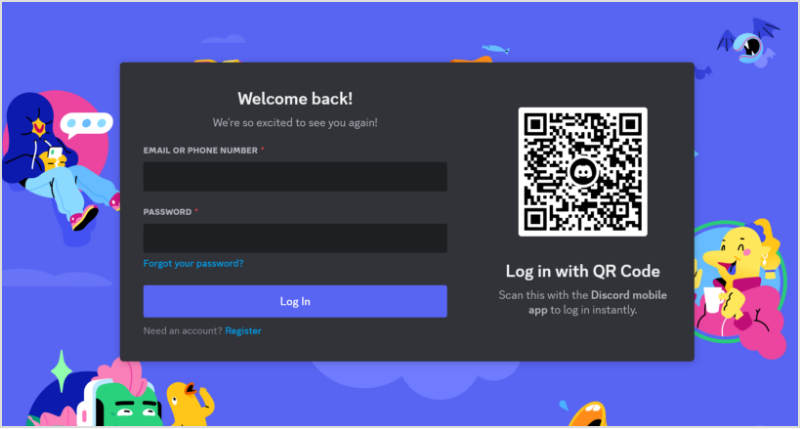
Log in to your Discord account by accessing discord.com from your preferred web browser.
Step 2:
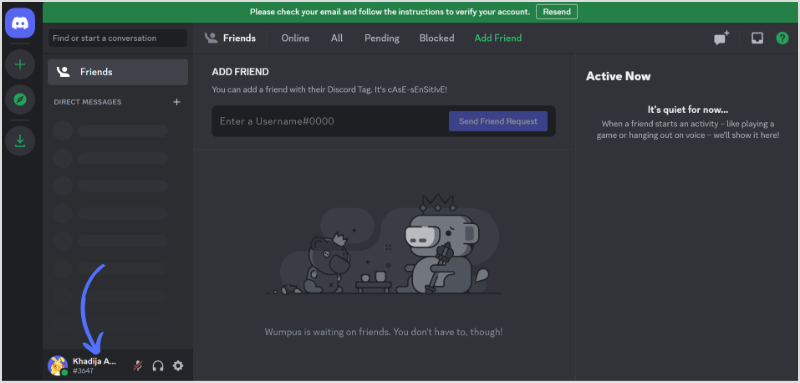
Click the “Profile” icon in the bottom left corner to access user settings.
Step 3:
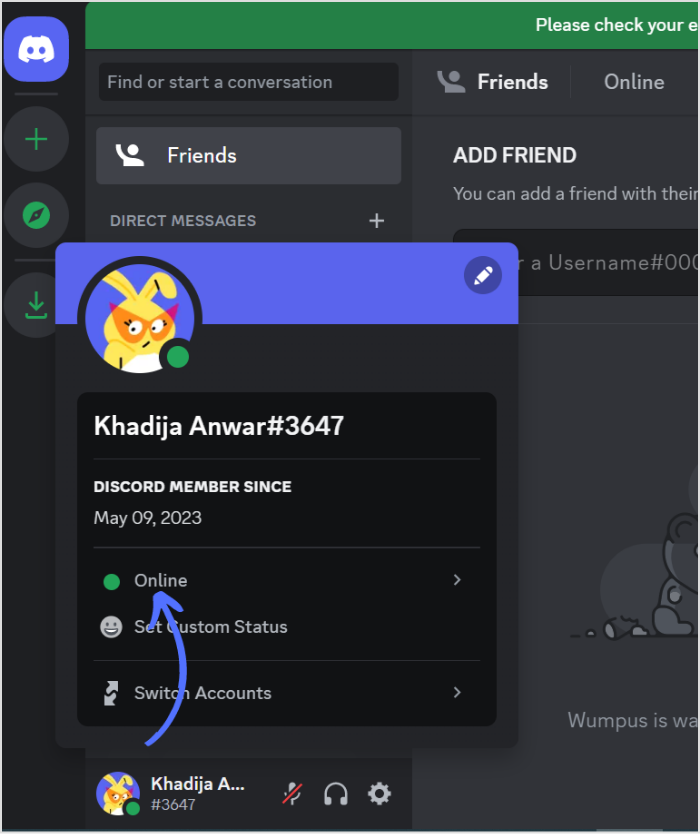
Tap the “Online Status” under your username.
Step 4:
Change Discord status from “Online” to “Invisible.”
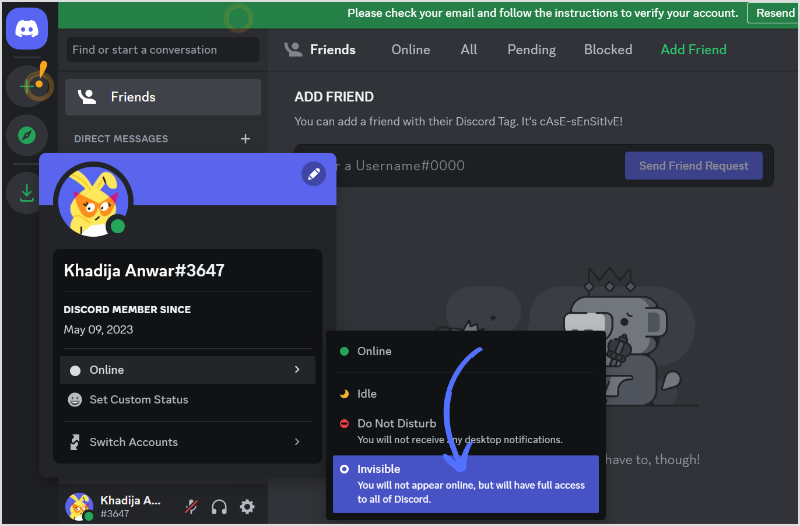
And there you have it! You are now invisible on Discord or appear offline to the users or servers you’ve blocked.
Can you appear invisible on Discord?
You can appear invisible on Discord by changing your online status to invisible status.
Does Discord invisibly show what you are doing?
Discord doesn’t show what you are doing once you set invisible status. You will be online but in the offline category.
Khadija Anwar is a Senior Technical Writer at ContentStudio with over 500 published write-ups across the ContentStudio blog and beyond. She specializes in step-by-step platform guides and Help Center content across Facebook, Instagram, LinkedIn, YouTube, TikTok, and X, and reviews how-to articles to verify every step and platform detail is accurate and current.
View all posts by Khadija AnwarRecommended for you
How to choose a social media management tool (2027 guide)

How to build an executive’s LinkedIn content workflow with Claude Code

How to turn one product photo into 5 video Ads with Claude Code

Social media MCP server: How to automate posting with ContentStudio


Plan, create and publish to 12 social channels
Up to 50% off on every plan
Offer ends in:
 Claim your deal
Managing social media doesn't get cheaper than this