
How to promote affiliate links on social media in 2026
Oct 2, 202616 minutes

Written by
Saif AliUpdated
Social media has moved from a side project to a core marketing channel. It has opened new opportunities, changed how brands communicate, and reshaped old-school marketing workflows.
Whether you are building social media reports or planning with content calendars, new practices become the standard very quickly. A decade ago, most companies didn’t even have a social media manager.
Now, entire teams are responsible for social media performance and need to prove their results with clear, consistent social media reports. This guide explains what a social media report is, what to include, and how to create one step by step.
You’ll also find tips on choosing the right social media report template and building a reliable report that your clients or stakeholders actually read.
Social Media Analytics
Fine-tune your social media strategy for success with in-depth analytics and white-labeled reports.
Get Started for FREE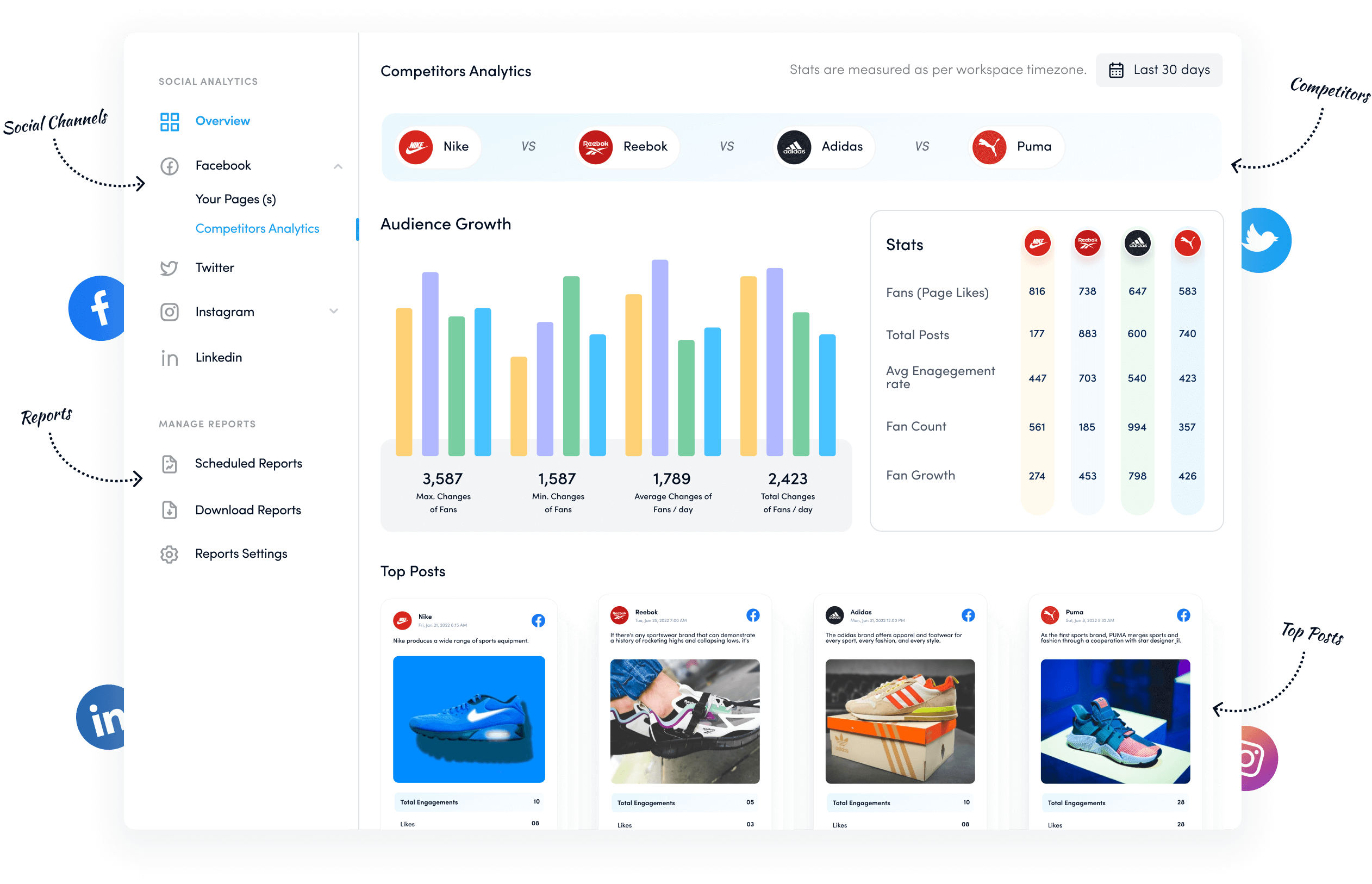

A social media report is social media analytics data compiled into a clear, visual document for clients or internal stakeholders. Instead of screenshots and scattered numbers, a social media report pulls insights from every active channel and organizes them into a story anyone can understand.
Most professional reports include:
In simple terms, the goal of social media reporting is to:
Social media agencies often prepare these reports for their clients to show how their social media strategy, content marketing plans, and content distribution efforts affect performance.
In-house teams use the same type of social media analytics report to communicate results to marketing leadership and executives.
A social media analytics report is usually created monthly, quarterly, or annually. Each cadence has its purpose:
In the end, a strong social media report helps everyone see what is working, what is not, and where to invest time and budget next.
A social media report contains the social media analytics data to report on what influenced certain digital marketing strategies built afterward.
However, most beginners in the social media marketing industry would scratch their heads when they are asked to create a social media report for the first time.
The trickiest part would be figuring out what to include in the report. If you’re going through the same trouble, then don’t worry about it. We’ve got this covered for you.
Here are the social media metrics to include in your social media report:
Since a social media report is made for a certain period, it becomes helpful to determine how the social media team performed during the specific duration.
The number of followers is a powerful social media metric that brands and organizations closely monitor, especially when they set a budget for their social media management.
Therefore, it becomes an essential part of the social media report that has to be presented to the higher management or the client.
Social media agencies often put the total number of new followers gained during their campaign at the top of the report to make an impact.
Besides the total number of new followers gained during the campaign, the total number of posts is also important to report in social media reporting.
The reason is that it’s vital to portray the total number of published posts to depict the work you have put into it.
Social media agencies always share how many social media posts they publish every week or month.
So without a doubt, the total number of posts should be included in a social media report.
One of the essential social media metrics to comprehend social media performance is to find out how many impressions the content has gotten over a certain period.
Social media agencies try to put out great social media content on behalf of their clients, and they always report the total impressions the content received during their campaign.
Moreover, social media agencies also report the comparison between the total impressions on clients’ social media accounts during their campaign and the previous duration to give a clear picture of their work.
So, total impressions on the content are yet another important social media metric to be included in such reporting.
The engagement rate is the percentage of engaging posts. It tells the client how many published posts got a response from the audience.
It could easily be calculated by dividing the total number of engaged posts by the total number of published posts and then multiplying the result by 100.
You’ll get the engagement rate of your social media campaign, so to speak.
The more you know about your social media followers, the better. Social media managers and experts are always keen to get to know their audience better.
Followers’ demographics are usually reported in a social media performance report, especially when a new follower influx is recorded as a result of the campaign.
Demographics such as gender, age, location, and similar information come in handy when presented in a social media report.
So don’t sleep on the followers’ demographics when creating a social media report for your client.
A key social media metric is the ratio of paid versus organic social media engagement.
It’s always better to get engagement organically on evergreen content. It gives a sense of understanding that social media content is worth it.
However, clients won’t mind getting social media engagement through paid advertising as long as the traffic is converting into paying customers.
The point is that every bit of social media management from the hired agency or social media expert goes into the social media report.
It may not be added to every social media report template you would come across, but it’s vital to tell the client which is their top-performing social media platform.
The reason is that the client could always double down on that social media platform or get back to you for similar results in the future.
So these were a few important social media metrics that should be included in a social media report.
We’ve already discussed what needs to be included in our social media report.
Now let’s head over to the step-by-step guide to creating the social media report:
The process begins with opting for a social media reporting template. You can create your own or find a free social media reporting template online.
Most social media agencies create their own social media reporting templates.
It’s up to you whether you go for creating one or choose a free one available online.
A social media report could be in excel or PDF format, but there are no hard and fast rules as far as the file type goes.
You could find a ton of free and paid social media reporting templates on Canva.
Below is a social media report template by ContentStudio:
KPI refers to the key performance indicator. Before starting to input data into the social media report template, it’s better to do some due diligence on the key performance indicators.Simply put, understand what your client wants to know or see in the report. Stick to the most relevant information the client asked for or expects to see in the report.
The common social media KPIs are:
Furthermore, it doesn’t mean every client wants the same thing. So don’t be surprised if two clients want different results, for instance, client A might want to grow Instagram followers, and client B wants to sell the products on Instagram.Therefore, understand your client’s social media KPI to come up with a suitable social media report.
It’s essential to choose the social media metrics to track and report. No doubt, a social media report without analytics would be half-cooked.
You might not want to miss out on the key social media metrics that explain how well or how poorly the campaign went. Insights provide a clear picture of the effectiveness of the strategies.
Make sure that you know what a client wants from you. For instance, if a client wants to grow its Instagram followers, then keep the following points in mind:
Target audience to reach out to from the client’s perspective
These things will only make the job easier for you.
A competitive edge is what makes you stand out from the crowd. When something works on social media, the rule of thumb is to double down on that part to squeeze it further.
It could be anything, for example:
Targeting a new audience segment
Choosing an additional content formatHopping on a new social platformBringing a new tool into the arsenalExperimenting with a new content cluster
As far as social media reporting goes, don’t sleep on highlighting the areas where your content plan has worked tremendously well. Most digital marketers and social media agencies put this part on the top to spice things up.
Don’t shy away from embracing the failures. Wins and failures go hand in hand in social media marketing unless you come across a perfect social media content recipe.The reason why you should mention the weak areas in your social media report is that the client deserves to know where they should be focusing more or what requires some serious thought.
The last but not least, summarize the report with your key observations about the social media marketing campaign.
Plus, adding future recommendations for clients’ social media marketing would go a long way.
Enlighten your client with all the necessary information in the report. Share what has worked and what hasn’t clicked much, so that the client knows how to proceed in the future.
Not only would it help your client, but it’d also put you in the client’s good books.So these were six essential steps for creating a social media report for a client.
Are you ready to rejuvenate your social media strategy with the infusion of social media reporting? It may shake things up for the better.
Here are tips for creating industry-leading social media reports:
Adding as many insights as possible makes the social media report more authentic. The reason being it portrays the work and effort you have put into it. When a team runs a social media marketing campaign, it comes across a whole heap of data through social media analytics.Sometimes, the social media platform’s insights don’t provide much information. Therefore, digital marketers and social media managers rely on third-party solutions for in-depth insights.ContentStudio is my go-to social management tool. One of the features of ContentStudio is the social media analytics that gives me insights into my social media content performance. So always try to add multiple insights and analytical elements to your social media marketing report.
It would be unfair to include every part of the social media analytics in the report. Therefore, it’s essential to do some due diligence to figure out what needs to be included in the report. Relevance is always a major key in digital marketing, even when you’re reporting to your client.Plus, one of the perks of studying social data analysis would be the clarity of the client’s brand persona. Going through the social media analytics would help you understand what followers are liking and what didn’t work on a specific social platform.
One of the essentials of creating social media reports is to design them well. Ask your graphic designer or hire a freelance designer if graphic design
isn’t your cup of tea.Come up with well-crafted, beautifully designed social media reports. It shouldn’t be the hardest thing to do because you could create a few templates once and use them forever.It doesn’t matter whether you’re sending a monthly social media report or it’s a one-off social media report at the end of the campaign;
try designing aesthetically beautiful reports.
Report presentation is as important as the data inside it because if something looks pretty, it gets easier for the consumer to dig deeper into it. Crafting social media reports in multiple formats, such as PDF, XLS, and JPG, could make it easier for the client to access them.
It’s not vital to present your social media performance report in various formats, but it goes a long way.
Most small businesses and entrepreneurs don’t have an in-house graphics designer to work with. So an online graphics design tool like Canva or Crello comes in handy.The best thing about such online graphics designing tools is that they have ready-made social media report templates to use. Not only would it make the job easier, but it would also help agencies create appealing social media reports.
The most important part of the social media reporting process is the campaign data. It’s because the data showcases the campaign performance. You have to be spot on with presenting the data because if you mess this up, then the report creation process won’t be worth it.A rookie mistake when showcasing the campaign performance could be emphasizing the text instead of diagrams such as pie, bars, columns, lines, doughnuts, and other charts.
Social media is a multi-dimensional industry with so many opportunities and possibilities. Where it opens new doors for SAAS investors and entrepreneurs, it also creates opportunities for marketers to try out new marketing tactics.
Social media reporting is an integral part of the social media marketing process. No wonder it provides opportunities for graphic designers as well as social media experts to join forces. Anyway, finding the best and most free social media report template is great, but using it with perfection is what matters the most.
This article explained what a social media report is and what needs to be included in it. Plus, it also shed some light on the importance of a social media report and how social media agencies can create one for their clients.
Social media analytics is the process of collecting and exploring data from your social channels to understand what’s happening. Social media reporting takes those findings and turns them into a structured social media report that others can read and act on.
Analytics is the investigation. The report is a summary with insights and recommendations.
A dashboard is a live, always-updated view of your key metrics and is mainly used by internal teams for daily monitoring. A report is a fixed snapshot of a specific time period, such as a week, month, or quarter, and includes context and commentary.
You may check dashboards every day, but you usually create a formal social media report monthly or quarterly.
Yes. Many tools, like ContentStudio, can automatically pull data from your connected accounts, apply your preferred social media report template, and email the finished report on a set schedule.
Automation saves time and reduces manual errors, so you can focus on interpreting results instead of copying numbers.
A dip in your social media report is not the end of the world. Treat it as a signal to investigate. Review recent changes to your content strategy or posting frequency, consider platform updates or seasonality, and identify which content types declined versus which stayed stable.
Use your next social media report to test adjustments and show whether those changes improved results.
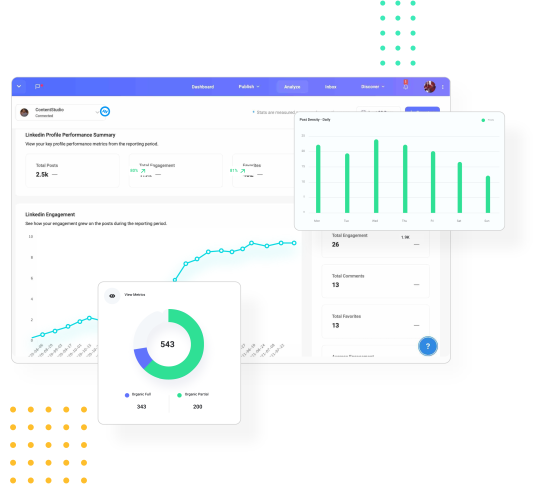
Stack your key social metrics against those of your competitors and make targeted steps towards social media success.
14 days free trial - no credit card required
Plan 0 Days of Content in 0 Minutes
Create, schedule, publish and analyze your content across all your social media channels from one simple dashboard.
4.7 on Capterra • 16,500+ marketers trust ContentStudio
Saif Ali is a Content Marketing Strategist at ContentStudio with over five years of experience across SaaS, IT, and digital marketing. He specializes in SEO-led content, AI content creation, and social media strategy, and leads editorial review at ContentStudio, fact-checking and refining articles for accuracy, SEO, and a consistent brand voice.
View all posts by Saif AliRecommended for you
How to promote affiliate links on social media in 2026
Multi-location social media management workflow guide

Best SaaS affiliate programs for social media marketers in 2026
19 best social media management tools to plan, schedule, and grow in 2026