
How to build an executive’s LinkedIn content workflow with Claude Code
Oct 1, 202615 minutes

Written by
Khadija AnwarPublished

Are you interested in learning how to repost a video on YouTube? It’s a pretty straightforward process. However, ensuring you do it respectfully to the original creator is important.
The easiest way to manage and grow your social channels.
In this guide, we’ll walk you through the steps to repost a video on YouTube and share essential notes to do it ethically.
Related Read: How to Repost a Video on TikTok?
The frequently asked question is, can I repost someone else’s videos on YouTube? The answer depends on the video’s license.
It is important to remember that not all types of videos can be reposted. You can reuse or download a video based on the license’s license.
Also Read: How to Repost a Video on Instagram?
YouTube offers two types of licenses for content creators:
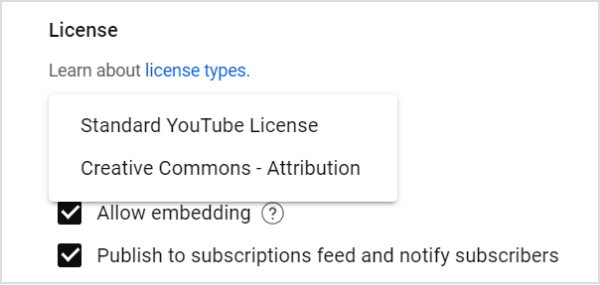
1. Standard YouTube License
YouTube assigns this default license to all videos uploaded to the platform. Under this license, the video is only viewable on YouTube and cannot be downloaded or reused without the creator’s permission.
2. Creative Commons License
This type of license allows creators to allow others to reuse their video content in different ways as long as the original creator is given credit.
To find out creative common videos and upload videos legally:
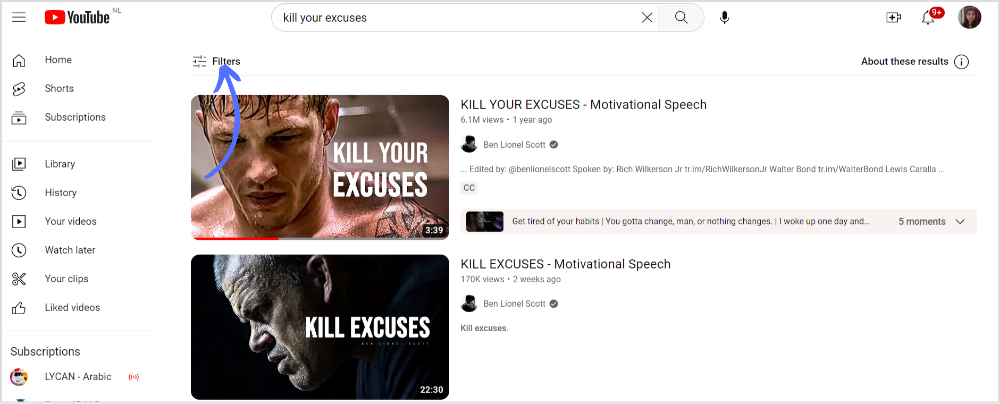
Step 1:
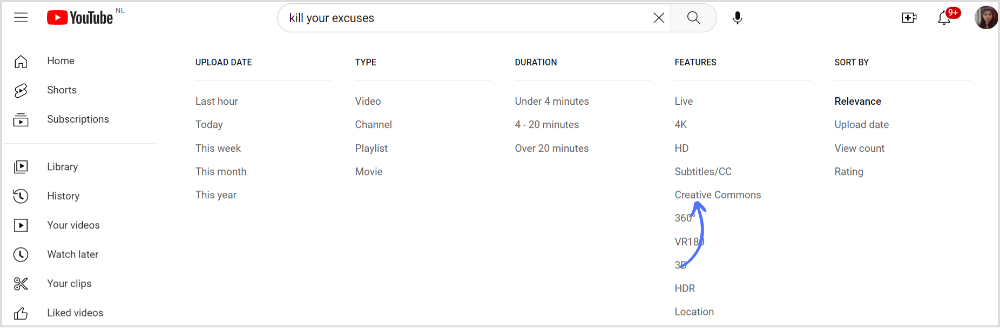
Open YouTube and enter your video keyword. Once all the videos appear under the same keyword, click “Filter.”
Step 2:
Menu appears. Click on “Creative Commons” in the options box.
Step 3:
Now choose any video in creative commons you want to reuse or download.
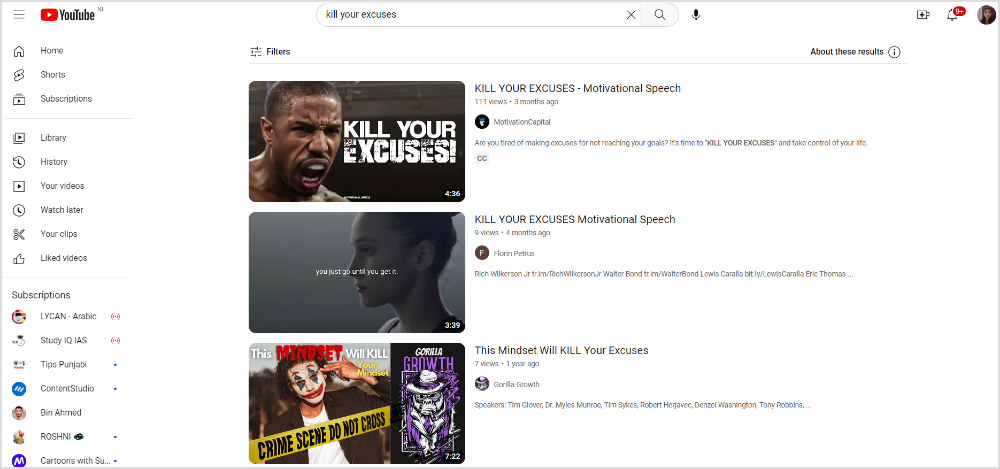
Save the video on your device, change the title & description, meta tags, and thumbnails, and legally upload your modified video on your YouTube channel.
To ensure the ethical reposting of your YouTube video, follow the below tips:
Can I reuse my video on YouTube?
You can reuse a video if viewers can differentiate. There’s a meaningful distinction between the original video and reused video.
Can you reupload a video on YouTube with the same URL?
No, you can’t reupload a video on YouTube with the same URL. Every video is assigned a different URL
Plan 0 Days of Content in 0 Minutes
Create, schedule, publish and analyze your content across all your social media channels from one simple dashboard.
4.7 on Capterra • 16,500+ marketers trust ContentStudio
Khadija Anwar is a Senior Technical Writer at ContentStudio with over 500 published write-ups across the ContentStudio blog and beyond. She specializes in step-by-step platform guides and Help Center content across Facebook, Instagram, LinkedIn, YouTube, TikTok, and X, and reviews how-to articles to verify every step and platform detail is accurate and current.
View all posts by Khadija AnwarRecommended for you
How to build an executive’s LinkedIn content workflow with Claude Code

How to turn one product photo into 5 video Ads with Claude Code

Social media MCP server: How to automate posting with ContentStudio
How to automate social media with n8n: A practical guide