8 Effective Ways to Promote a YouTube Video
May 9, 202318 minutes

Written by
Arooj IshtiaqUpdated
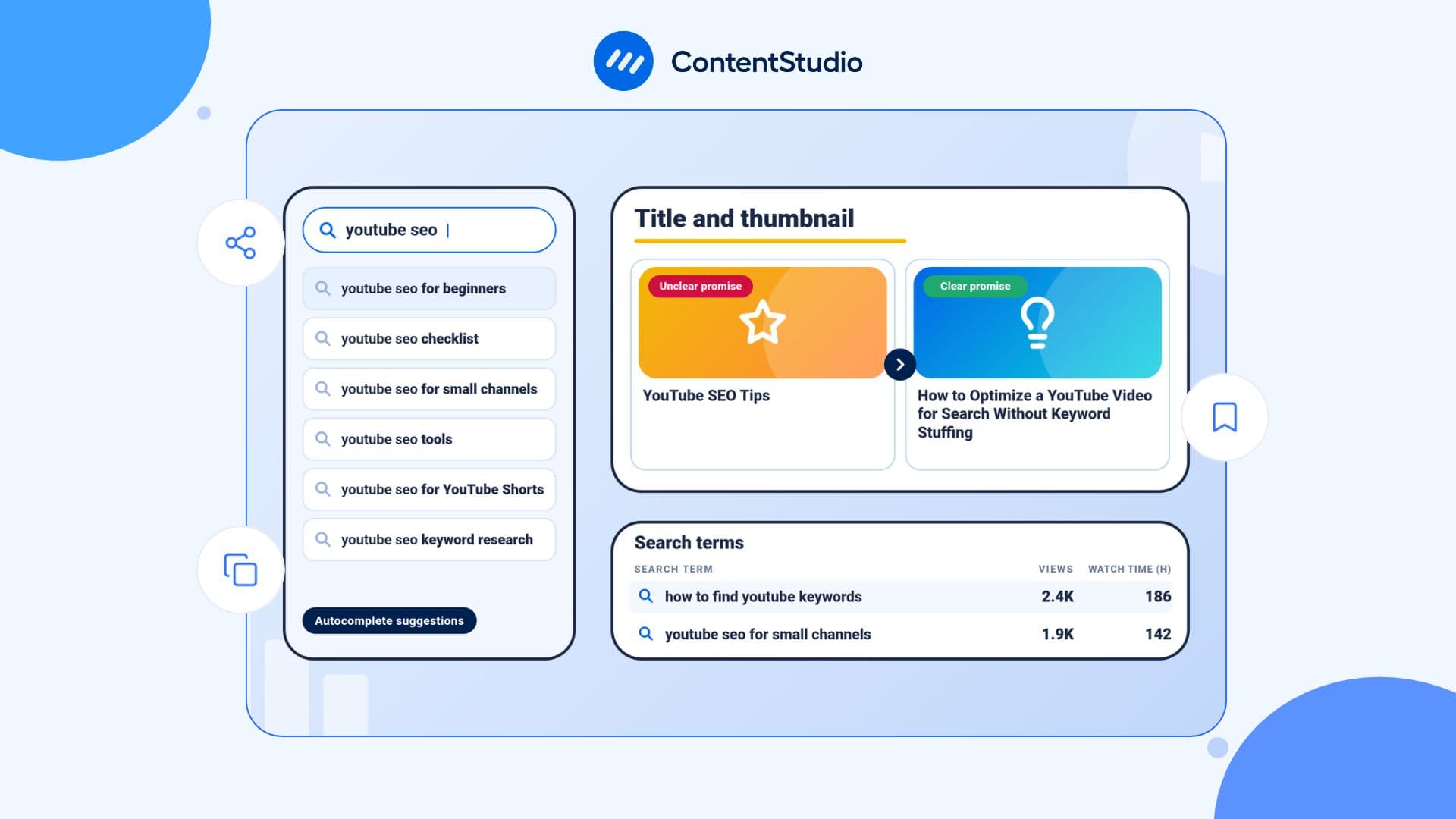
A great YouTube video deserves more than a few clicks from subscribers who already know you. The real challenge is helping new viewers discover your content, choose it over competing videos, and find enough value to keep watching. That is where YouTube SEO makes a difference.
By aligning your videos with search intent, clear metadata, compelling titles and thumbnails, and satisfying content, you can build lasting visibility and support YouTube channel growth.
YouTube SEO is the process of improving video discoverability through audience research, relevant metadata, effective packaging, and content that meets viewer expectations. It helps creators understand what people are searching for and how to make videos easier to find and choose.
Keywords, titles, descriptions, chapters, captions, and playlists provide useful context. Titles and thumbnails help viewers decide whether to click, while the video itself needs to deliver on its promise.
Once you have identified the topics and formats your audience responds to, a YouTube video scheduling tool can help you organize uploads and maintain a consistent publishing workflow.
A useful way to think about YouTube SEO is:
Viewer needs + clear context + compelling packaging + satisfying content
A video can target the right keyword and still struggle if its title is unclear, its content misses the search intent, or its opening fails to deliver what viewers expect. A useful, well-positioned video, however, can attract viewers from multiple discovery sources over time.
YouTube describes three principal search considerations:
Relevance includes how the title, description, tags, and video content match the query. Engagement can include viewing behavior associated with a particular query. Quality involves signals of expertise, authoritativeness, and trustworthiness, with their importance varying by search type.
Simplified social media marketing for individuals & agencies.
Try ContentStudio for FREE
YouTube SEO extends beyond YouTube Search. Viewers discover content through several surfaces, each reflecting a different viewing intent.
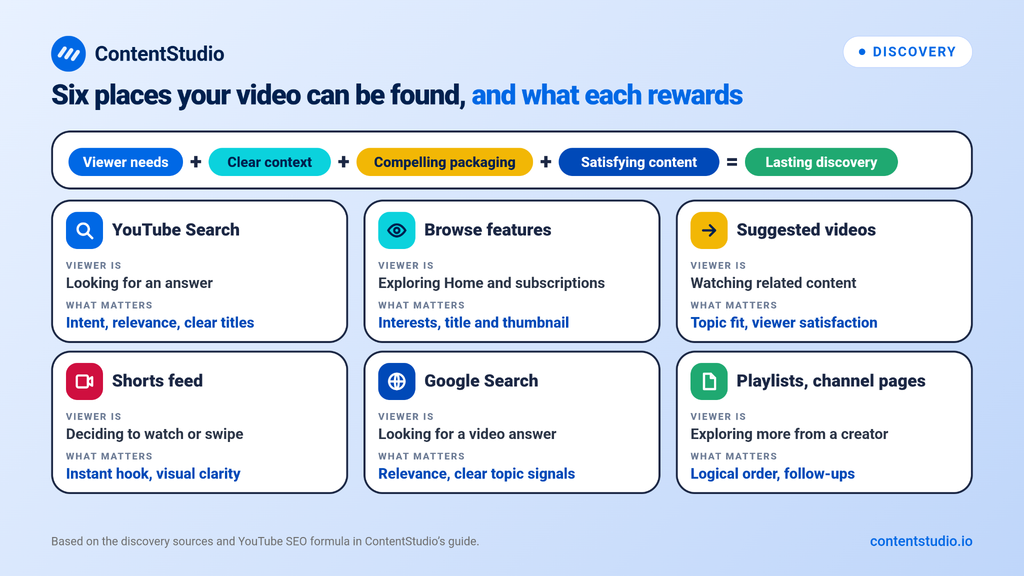
| Discovery source | What the viewer is doing | What matters most |
| YouTube Search | Looking for an answer, tutorial, comparison, or topic | Search intent, relevance, clear titles, useful metadata |
| Browse features | Exploring Home, subscriptions, and other browsing surfaces | Audience interests, compelling titles and thumbnails, topic relevance |
| Suggested videos | Discovering related content while watching | Relevant topics, viewer satisfaction, connected videos |
| Shorts feed | Deciding whether to watch or swipe away | Immediate hook, visual clarity, pacing |
| Google Search | Looking for videos that answer a question or demonstrate a task | Search relevance, video suitability, clear topic signals |
| Playlists and channel pages | Exploring more content from a creator or subject | Logical organization and relevant follow-up videos |
A search-focused tutorial should answer a specific question clearly. A video designed for Suggested traffic should connect naturally with related viewing interests, while a Short needs to capture attention quickly.
The goal is not to optimize every video for every discovery surface. Instead, match the video’s topic, format, and purpose to the way your intended audience is most likely to discover it.
The strongest YouTube SEO decisions happen before filming. Instead of beginning with, “Which keyword should I add?” begin with, “What is the viewer trying to understand, solve, compare, or achieve?”
For example:
This distinction affects the video’s structure, title, thumbnail, description, chapters, examples, and call to action.
A video that directly answers the underlying question has a better chance of attracting the right viewer and keeping that viewer engaged.
Keyword research matters because it helps you understand the language your audience uses and the questions they already have. It should guide content decisions, not turn your video into a keyword container.
Start with several reliable sources:
A broad phrase such as “YouTube SEO” may be difficult to target directly. More specific topic angles can be easier to satisfy:
A YouTube keyword tool can help you turn a broad subject into related searches, question-based ideas, and long-tail topics. Use the findings to decide what the video should cover and how specific the angle needs to be.
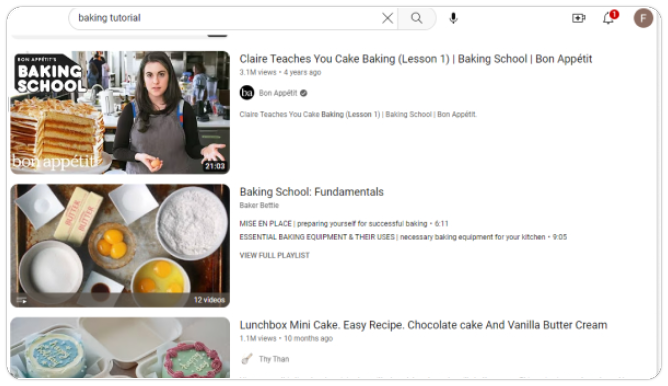
Search your target topic on YouTube before outlining the video.
Current results show which videos YouTube surfaces for that query in your search context. They can help you evaluate format, scope, freshness, and unanswered questions, but they do not reveal every viewer’s preferences or the click-through performance of those videos.
Focus on identifying opportunities such as:
Your goal is to create the video that a viewer would have preferred to find.
Each video needs a clear reason to exist.
A broad title such as “YouTube SEO Tips” leaves viewers uncertain about what they will learn. A focused promise gives them a reason to click and gives you a useful structure for the video.
Compare the difference:
| Unclear promise | Clearer promise |
| YouTube SEO Tips | How to Optimize a YouTube Video for Search Without Keyword Stuffing |
| Grow Your YouTube Channel | 5 YouTube SEO Fixes for Videos That Get No Search Views |
| YouTube Keywords | How to Find YouTube Keywords for Small Channels |
| YouTube Thumbnails | Why Your YouTube Thumbnail Gets Impressions but Few Clicks |
A good promise should shape every major element of the upload:
When these elements align, viewers are less likely to feel misled or lose interest early.
Titles and thumbnails are the first pieces of information many viewers see. YouTube itself emphasizes that they help viewers understand what a video is about and decide whether to watch it.
A strong title makes the video’s topic and benefit understandable without exaggeration.
Effective titles often include:
For example:
| Basic title | Better title |
| YouTube SEO Guide | YouTube SEO: How to Get More Search Views |
| YouTube Keywords | How to Find YouTube Keywords for Your Next Video |
| YouTube Descriptions | How to Write YouTube Descriptions That Explain Your Video |
| YouTube Analytics | How to Find Why Your YouTube Videos Are Not Getting Views |
Avoid titles that use urgency, shock, or exaggerated claims without proof. A title may earn a click, but if the video does not deliver the promised value, viewers may leave quickly.
A YouTube title generator can help you test different title angles after you understand the video’s audience and intent. Use it to generate options, then select or edit the version that best reflects the video.
A thumbnail should make sense at a small size and complement the title rather than repeat it word for word.
Effective thumbnails usually have:
Do not assume that brighter colors, a surprised facial expression, or large text will automatically improve performance. The thumbnail should match the topic, audience expectations, and title.
If a video receives impressions but has a weak click-through rate, review the title and thumbnail as a pair. Ask whether they communicate the value quickly and whether they look distinct alongside competing videos.
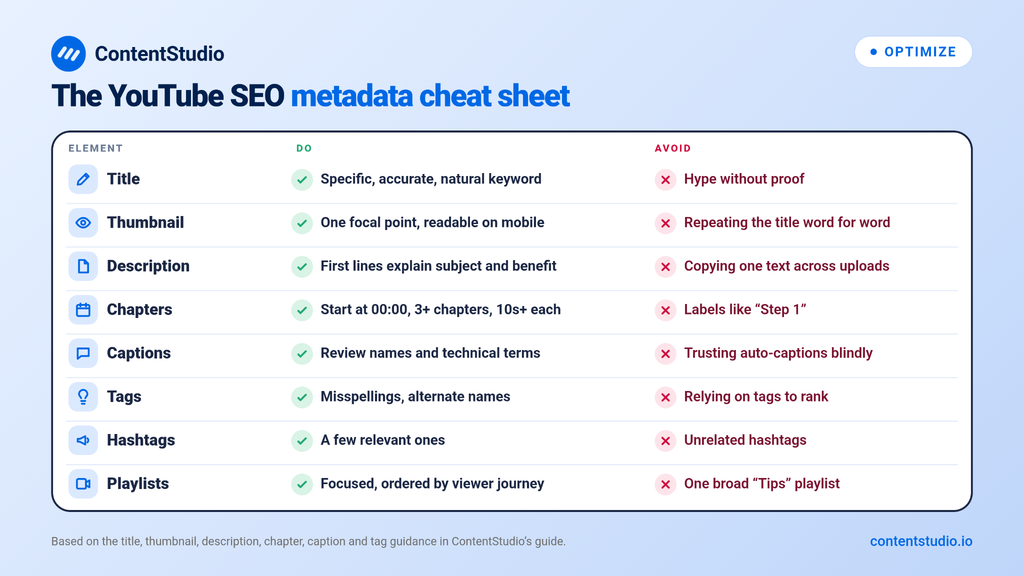
Metadata does not replace a good video, but it helps YouTube and viewers understand what the content covers.
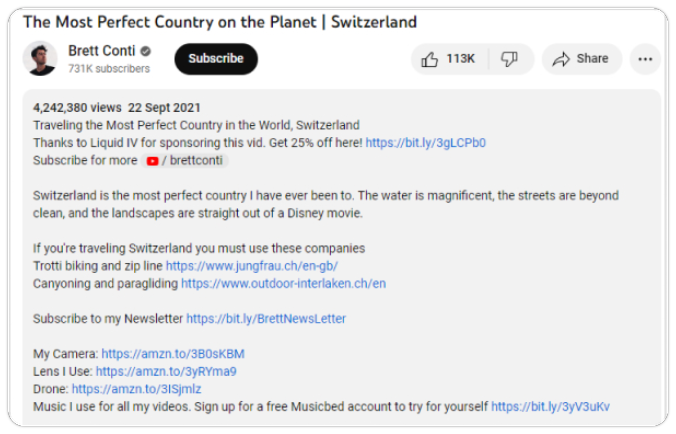
The first lines of the description matter because viewers may see them before expanding the rest of the text. Start with a plain-language explanation of the video’s subject and benefit.
Then add useful supporting information such as:
Descriptions should not be copied from one upload to another. They should explain the specific video.
A YouTube description generator can speed up the first draft, especially when you need to turn a video outline into a structured description. Review the final text carefully so it stays accurate, useful, and specific to the upload.
Chapters help viewers jump to the section they need, especially in tutorials, interviews, comparisons, walkthroughs, and long-form explainers.
Use chapter labels that describe the content clearly.
Better chapter label:
Find YouTube Keywords for Your Topic
Less helpful chapter label:
Step 1
For manually added chapters, start at 00:00, include at least three timestamped chapters, and ensure every chapter lasts at least 10 seconds. Clear chapter labels can also provide useful context about the video’s subject matter.
Captions improve accessibility for people who are deaf or hard of hearing, viewers watching without sound, and people who prefer to read alongside the video.
They also help reinforce the spoken context of the video. Automatic captions can be helpful, but they often misinterpret names, acronyms, technical terms, and product names. Review the captions when accuracy matters, especially for tutorials and specialist topics.
If your channel serves viewers in multiple markets, translate captions based on real demand, not assumptions. Use YouTube Analytics to identify countries and languages that may justify the additional work.
Tags are not the foundation of YouTube SEO. YouTube states that titles, thumbnails, and descriptions are more important metadata elements for discovery, while tags mainly help when content is commonly misspelled.
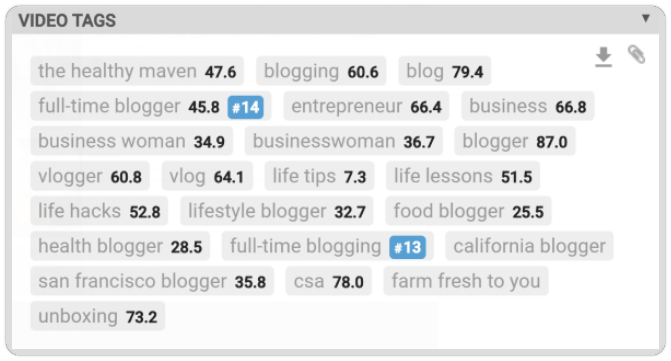
Use tags sparingly for:
Hashtags can provide extra topic context, but they should be relevant and limited. Adding unrelated hashtags does not make a video more useful or improve its long-term performance.
A YouTube hashtag generator can help you identify relevant options, but only use hashtags that accurately describe the video’s topic.
YouTube SEO does not end when someone clicks. The viewer’s experience after the click is where a video proves whether its title and thumbnail were worthwhile.
The opening should quickly confirm that the video will answer the question suggested by its title and thumbnail.
If the title is “How to Improve YouTube CTR,” begin with the issue, a relevant example, or the result viewers can expect. Avoid delaying the main point with a long logo animation, generic channel introduction, or background information that does not help the viewer.
A useful opening often does four things:
For example:
If YouTube is giving your videos impressions but viewers are not clicking, the issue may be how the title and thumbnail work together. In this video, you will learn how to identify the mismatch and create packaging that attracts the right audience without using misleading clickbait.
A YouTube script generator can help you turn a validated topic into a more coherent video outline. Use it to organize the opening, main sections, examples, and next step, then edit the script to reflect your own expertise and audience.
There is no ideal video length for YouTube SEO.
A simple answer may take three minutes. A detailed tutorial, walkthrough, case study, or software comparison may need 20 minutes or more. The right length is the length required to answer the viewer’s question properly without padding or repetition.
Rather than extending videos to increase watch time, focus on useful pacing:
Use audience-retention reports to identify whether comparable videos lose viewers before the key information appears. If they do, move the valuable material earlier or tighten the setup.
Shorts can help new people discover your channel, but they require a different approach from long-form video.
A strong Short usually has:
Do not turn every long-form idea into a Short without adapting it. A Short should be useful on its own, even if it encourages a viewer to watch a related long-form video later.
Video-level optimization works best when the channel itself gives viewers a clear reason to stay.
Your channel name, banner, description, featured sections, and video library should quickly answer:
A channel focused on practical YouTube education should not feel scattered between unrelated gaming clips, lifestyle vlogs, and software tutorials. A clearer topic focus helps viewers understand what they will get and makes content planning more deliberate.
If you are naming a new channel or repositioning an existing one, a YouTube name generator can help you explore ideas that reflect your niche, audience, and long-term brand direction. Prioritize names that are easy to remember, spell, and connect with the content you plan to create.
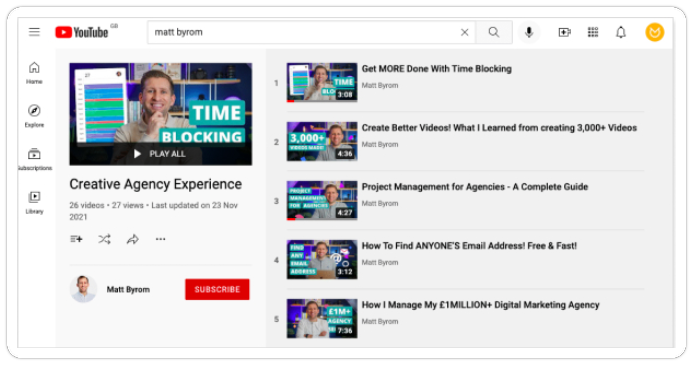
Playlists should help viewers continue from one useful question to the next.
Instead of one broad playlist named “YouTube Tips,” create focused collections such as:
Add clear playlist titles and descriptions. Place videos in an order that supports the viewer journey, then reference the most relevant playlist in descriptions, pinned comments, cards, or end screens.
A steady publishing rhythm can help viewers know when to expect content and can make your production process more manageable. It is not a direct ranking advantage.
Publishing three weak videos a week will not outperform one useful, well-packaged video that answers a real audience need.
Choose a schedule that gives you enough time for research, scripting, filming, editing, thumbnails, descriptions, promotion, and performance review. Use a YouTube scheduling tool to organize future uploads once your process is reliable.
YouTube SEO gets better when you treat every video as feedback.
A video can fail at different points in the viewer journey. It may receive few impressions, earn impressions but few clicks, attract clicks but lose viewers early, or hold attention without leading to subscribers or next-video views.
YouTube Analytics helps you identify where the problem sits.
| Metric | What it tells you | What to review next |
| Impressions | How often YouTube shows the video | Topic demand, audience fit, discovery source |
| Click-through rate | How often viewers choose the video after seeing it | Title-thumbnail clarity and audience relevance |
| Average view duration | How long viewers watch | Pacing, format, depth, and structure |
| Audience retention | Where viewers remain engaged or leave | Opening, transitions, examples, and unnecessary sections |
| Traffic sources | How viewers found the video | Search, Browse, Suggested, Shorts, playlist, or external strategy |
| Subscribers gained | Whether the video creates ongoing interest | Channel positioning, next step, related content |
| Returning viewers | Whether viewers come back over time | Series, consistency, topic relevance, audience loyalty |
Do not treat one metric as a verdict. A higher CTR is useful only if the video delivers on its promise. More views are useful only if they reach the right people and support your objective.
For a complete measurement process, use the YouTube Analytics guide to understand impressions, CTR, watch time, audience retention, traffic sources, and audience behavior.
Avoid changing your title, thumbnail, intro, topic, video length, and promotional plan at the same time. You will not know which change made the difference.
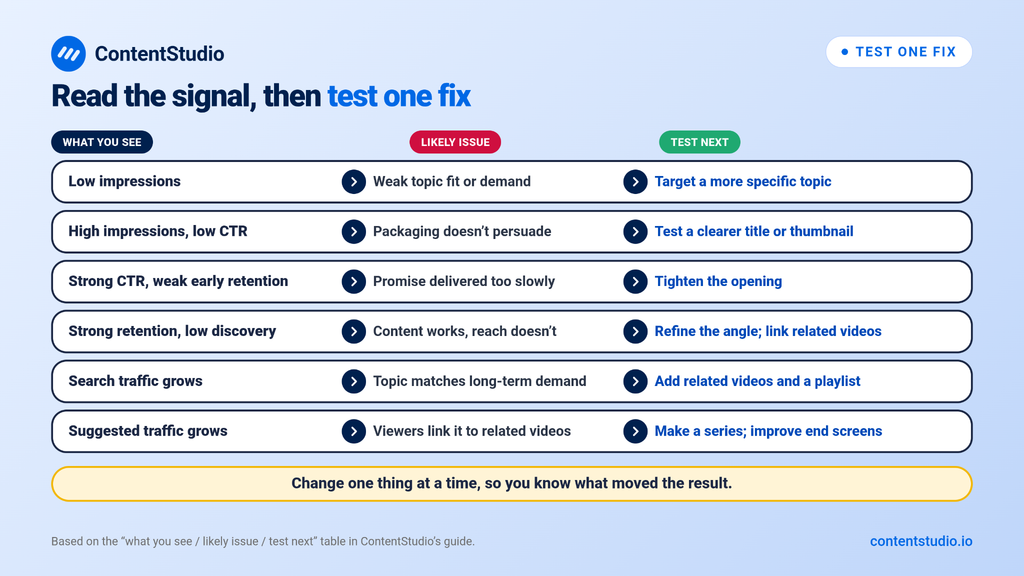
Instead, identify one likely issue and test one relevant improvement.
| What you see | Likely issue | Test next |
| Low impressions | Weak topic fit, limited demand, or unclear audience relevance | Target a more specific topic or create a related follow-up |
| High impressions, low CTR | Packaging does not persuade the audience | Test a clearer title or more focused thumbnail |
| Strong CTR, weak early retention | The video does not deliver the promise quickly enough | Tighten the opening and move the main answer earlier |
| Strong retention, low discovery | The content works but needs better topic targeting or distribution | Refine the search angle or build connected videos |
| Search traffic grows steadily | The topic matches long-term demand | Create related videos and build a playlist |
| Suggested traffic grows | Viewers connect the video to related content | Produce a series and improve end-screen pathways |
This is how YouTube SEO becomes a repeatable process rather than a one-time upload checklist.
Not every older video needs updating. Focus on content that is still relevant and has a clear opportunity to improve.
Look for videos with:
Make one meaningful improvement, then monitor performance. For example, update a vague title, improve a thumbnail for mobile readability, add chapters to a long tutorial, or connect the video to a newer playlist.
Do not change an already successful video without a clear reason. Protect what is working.
Start with one search query and create a video that delivers on its promise. Align your title, thumbnail, description, chapters, and content to meet viewer expectations.
Before updating older videos, review their performance, fix inaccuracies, and test titles or thumbnails when YouTube’s A/B testing is available.
Ready to improve your YouTube SEO? Use these steps to optimize existing videos, make informed updates, and create content that better serves your audience.
Check that the video has the intended public visibility and that Studio shows no relevant errors or restrictions. Search by the exact video ID and use filters. Your position for a broad phrase is not proof of indexing because search results can depend on relevance and the viewer’s history.
YouTube says a new or updated video can take a few days to be reflected in search results. That is not a promise of a higher position. Allow the video to receive relevant viewing activity before evaluating an edit, and record other changes that could affect the comparison.
Yes. You can revise supported metadata and presentation settings in Studio, including the title, description, and thumbnail. Eligible Studio editing tools also allow certain changes to the footage. However, you cannot replace the entire uploaded file while retaining the same video URL.
No. YouTube states that it does not accept payment for better placement in organic search results. Advertising and paid research tools are separate purchases, not organic ranking guarantees. Evaluate a tool for its actual capabilities rather than a promise to buy a search position.
Check advanced-feature access and video eligibility. YouTube says active strikes or potentially inappropriate content can prevent chapters, and not every eligible video receives automatic chapters. Manual chapters override automatic ones, so check the saved description and the relevant settings before assuming a formatting problem.
Arooj Ishtiaq is a Content Marketing Strategist with 5+ years of experience writing about social media, SaaS, and AI. At ContentStudio, she creates practical guides, tutorials, and how-to content that help marketers navigate social media trends, sharpen their strategies, and get more from their content.
View all posts by Arooj IshtiaqRecommended for you
8 Effective Ways to Promote a YouTube Video
15 Best YouTube Automation Tools to Grow Your Channel in 2023
YouTube Creator Studio: How to get started?
How to monetize YouTube shorts: Tips and tricks for success