YouTube hashtag generator

Find relevant hashtags and tag ideas for your YouTube videos and Shorts. Free, no sign-up.

What is your post about?

  • Free forever
  • No sign-up
  • Copy and paste ready
  • 16,500+ brands use ContentStudio

What is a YouTube hashtag generator?It is a tool that suggests hashtags for your YouTube videos and Shorts. You describe the video in a few words and it returns a set of relevant hashtags you can copy and paste into the description or title. ContentStudio's YouTube hashtag generator is free and needs no account, and the results double as tag ideas.

How to use it

How to Use the YouTube Hashtag Generator

  1. Describe your video

    Type the video title, topic or main keyword in the "What is your post about?" box. "Easy sourdough bread for beginners" gets better results than "bread".

  2. Generate

    Click Generate YouTube Hashtags Now to get a hashtag set.

  3. Pick 3–5

    Choose the ones that describe the video best. Mix one broad hashtag, one or two niche hashtags and a branded one.

  4. Copy and paste

    Paste them at the end of your video description in YouTube Studio. Put the most important hashtag first.

The generator returns hashtags at different levels: broad category terms for wider reach and niche terms for a more targeted audience. A mix of both works better than only high-volume generic hashtags.

What you can find

What you can find with this YouTube hashtag generator

Hashtags for long-form videos

Topic and niche hashtags for tutorials, reviews and vlogs, ready to paste under the description.

Hashtags for YouTube Shorts

Short, specific hashtags for Shorts. You don't need #Shorts for YouTube to treat a vertical video as a Short, but it does no harm.

Tag ideas for YouTube Studio

Remove the # and you have a list of tags for the Tags field. Add common misspellings of your topic too.

Branded and series hashtags

Ask for a hashtag for your channel or a recurring series so viewers can find every episode in one place.

Tags vs. hashtags

YouTube Tags vs YouTube Hashtags: What Is the Difference

People searching for a "YouTube tags generator" and a "YouTube hashtag generator" are looking for two related but different features.

YouTube hashtags

Words that start with # in the description or title. They are clickable and open a hashtag page with other videos that use the same hashtag. YouTube can show a few of them near the video title on the watch page.

YouTube tags

Keywords in the Tags field in YouTube Studio, entered without #. Viewers don't see them. YouTube says tags play a minimal role in discovery and are mostly useful for words people often misspell.

This generator writes hashtags for the description and title. Strip the # to reuse them as tags. For more on how the two work together, read our YouTube hashtags and tags guide.

How to add hashtags

How to Add Hashtags to YouTube Videos

In the description (recommended): add hashtags at the end of the description, after the main text, links and timestamps. YouTube turns words that start with # into links when the video is published.

In the title: a hashtag in the title shows as part of the title text. It uses some of the 100 title characters, so use title hashtags only when you target a specific hashtag community.

Format rules:

  • Put # directly before the word, with no space.
  • No spaces inside a hashtag. Write #CookingForBeginners, not #cooking for beginners.
  • Numbers are fine. Punctuation and symbols other than # break the hashtag.
  • Use only hashtags that relate to the video. Misleading hashtags break YouTube's rules.

Need the right title to go with them? Use the YouTube title generator.

How many hashtags

How Many Hashtags to Use on YouTube

Use 3 to 5 relevant hashtags per video. YouTube's own help page warns against over-tagging: if a video has more than 60 hashtags, YouTube ignores all of them, and too many hashtags can get a video removed from search.

ItemLimit
Recommended hashtags per video3–5 relevant ones
Hashtags before YouTube ignores them allMore than 60
Hashtags shown near the titleA few (widely reported as up to 3)
Tags field in YouTube Studio500 characters in total
Title field100 characters, hashtags included

Copy and paste hashtags

YouTube hashtags to copy and paste

Start from these sets, then generate your own for each video. Specific hashtags beat a fixed list on every upload.

  • Gaming

    #gaming #minecraft #letsplay #gameplay

  • Cooking

    #easyrecipes #homecooking #dinnerideas #recipe

  • Fitness

    #homeworkout #fitness #workoutroutine #beginnerworkout

  • Tech

    #techreview #unboxing #smartphone #tech

  • Beauty

    #makeuptutorial #skincare #beauty #grwm

  • Travel

    #travelvlog #budgettravel #traveltips #travel

  • Education

    #learnontube #studytips #explained #tutorial

  • Business

    #smallbusiness #marketingtips #entrepreneur #sidehustle

Do hashtags work?

Do hashtags work on YouTube? How YouTube hashtag search works

Yes, but in a narrow way. When someone clicks a hashtag or searches for one, YouTube shows a page of videos that use it. That gives your video an extra way to be found. Hashtags also help YouTube group your video with others on the same topic.

Hashtags don't replace a strong title and description. YouTube search leans on those first, then on how viewers respond. Use hashtags to add context, not to chase trends that have nothing to do with your video. To find the words people actually search for, start with the YouTube keyword tool.

From hashtags to published YouTube video

Hashtags are the last line of the upload. ContentStudio is a social media management platform that takes you from idea to published video. With it you can:

  • Schedule videos and Shorts. Add the title, description, hashtags and tags once, then publish on time with ContentStudio's YouTube scheduler.
  • Save hashtag sets. Keep your best hashtags for each series and add them to a post in one click.
  • Write the rest with AI. AI Studio, our AI social media content generator, writes descriptions, captions and hashtags in the composer.
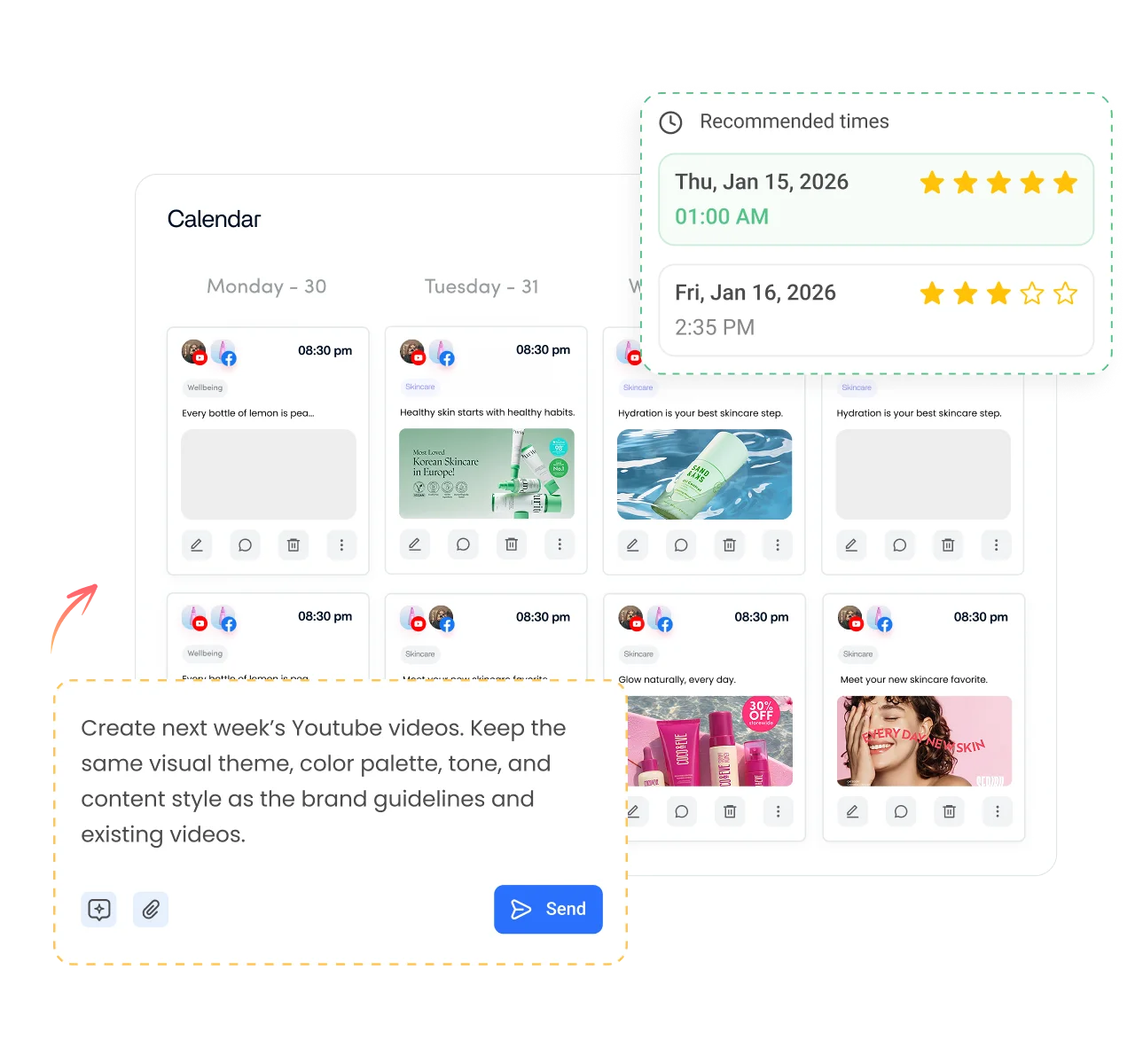
Adding hashtags to a scheduled YouTube video in ContentStudio

Is it free?

Is the YouTube Hashtag Generator Free

Yes. ContentStudio's YouTube hashtag generator is free with no usage cap and no account required. It is part of ContentStudio's suite of free social media tools.

  • Free forever
  • No sign-up
  • Copy and paste ready
  • 16,500+ brands use ContentStudio

More free YouTube tools

All free social media tools →
YouTube title generatorClick-worthy video titles
YouTube keyword toolFind what viewers search for
YouTube script generatorScripts with hooks and structure
YouTube description generatorSEO-friendly video descriptions
FAQs

Frequently asked questions

ContentStudio

Book a 30 min call

Have questions? Schedule a quick call and we will guide you through everything.

Book a free call

Do YouTube hashtags affect search rankings?

Hashtags help YouTube classify a video and show it on hashtag pages. The title and description carry more weight for general YouTube search. Hashtags have the most direct effect on discovery through hashtag pages and the hashtags shown on the watch page.
Nothing breaks at 15. YouTube's current rule is that if a video has more than 60 hashtags, it ignores all of them, and over-tagging can get a video removed from search. That said, 15 hashtags is already far more than you need. Stay with 3 to 5 relevant ones.
Using the same niche hashtags on videos about the same topic helps tie your channel to that topic over time. Still, add 1 or 2 hashtags specific to each upload. They match the video better than one fixed set on every video.
No. YouTube hashtags start with # and go in the description or title, where viewers can click them. YouTube tags are keywords in the separate Tags field in YouTube Studio; viewers don't see them, and YouTube says they play a minimal role in discovery.
Place hashtags at the end of the description, after the main text, links and timestamps. YouTube may show a few of them near the video title, so put the most relevant hashtag first.
YouTube has no public list of trending hashtags. Search your topic in YouTube, look at the top videos and note the hashtags they use. Search autocomplete also shows popular phrases you can turn into hashtags.
Yes. Clicking or searching a hashtag shows a page of videos that use it, which gives your video another way to be found. They work best as 3 to 5 relevant hashtags at the end of the description, next to a strong title. Schedule the finished upload in ContentStudio.
Type # followed by a word with no spaces, such as #homeworkout, at the end of your video description in YouTube Studio. Use 3 to 5 hashtags that describe the video, put the most important first, and avoid unrelated or misleading hashtags.
Yes. Remove the # from the generated hashtags and paste them, separated by commas, into the Tags field in YouTube Studio. The Tags field holds 500 characters in total.