How to View LinkedIn Profiles Anonymously?
Jun 9, 202318 minutes

Written by
Khadija AnwarUpdated
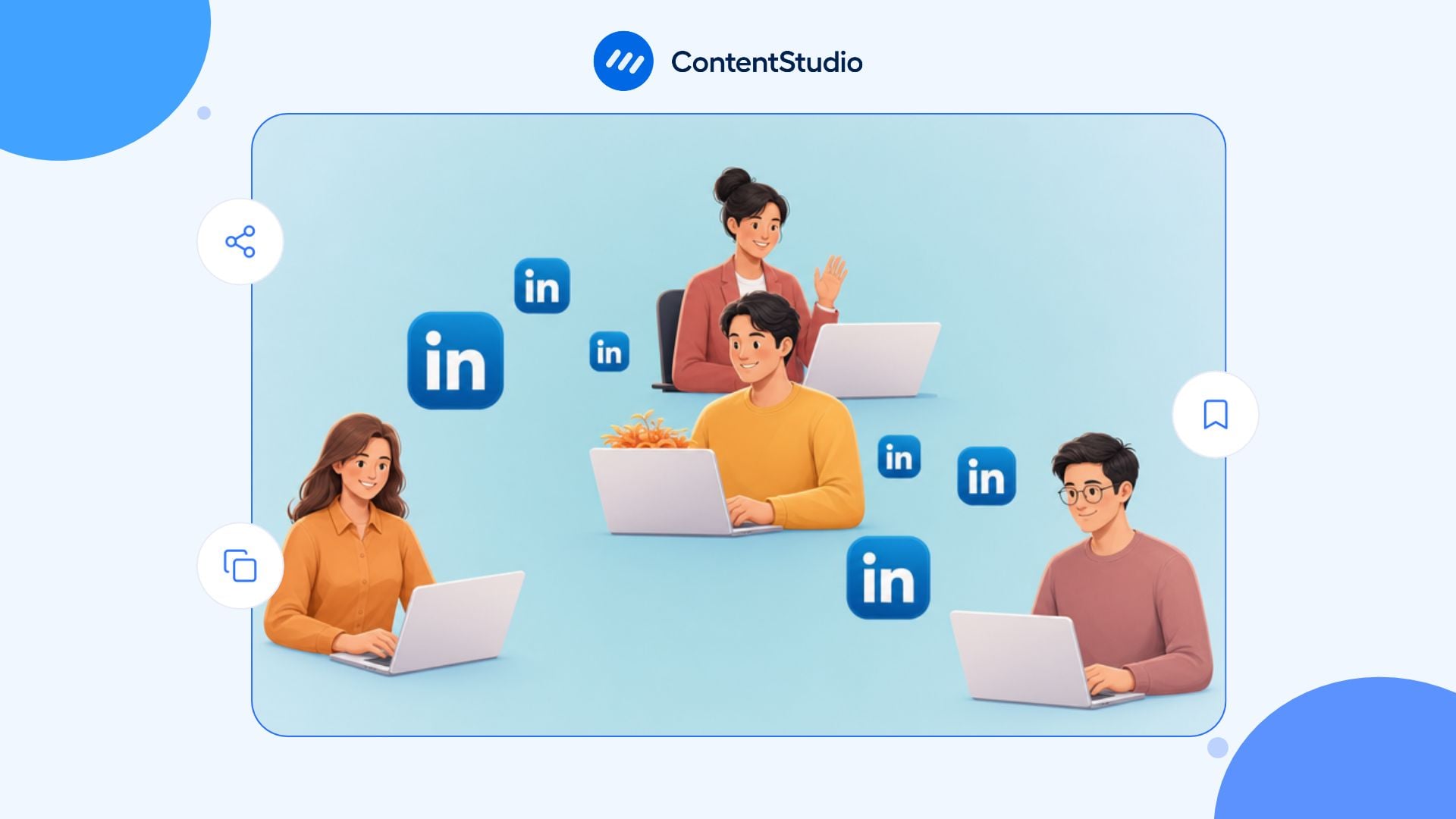
Removing a LinkedIn connection can be necessary when a professional relationship no longer feels appropriate. You might have accepted a request by mistake, encountered spam or an impersonation account, experienced inappropriate behavior, or simply decided to review your network.
A thoughtful LinkedIn marketing strategy focuses on building relevant professional relationships rather than collecting connections. The goal is to maintain a network that supports your career, business, and professional interests.
This guide explains how to remove LinkedIn connections on desktop and mobile, what happens after removal, when to unfollow or block someone instead, and how to review your network without relying on bulk automation.
Removing a connection ends your first-degree relationship, and LinkedIn does not notify the other person. However, removal does not necessarily prevent them from finding or viewing public parts of your profile.
Before confirming the action, consider these changes:
| After removal | What it means |
| Connection status ends | You are no longer directly connected. |
| Connection disappears | The person no longer appears in your first-degree Connections list. |
| Recommendations are withdrawn | Recommendations exchanged between you are removed. |
| Skill endorsements are withdrawn | Endorsements exchanged between you are removed. |
| Message history remains | Earlier conversations generally stay in your inbox. |
| Reconnection requires a new request | Either person must send a new invitation to reconnect. |
| Removed endorsements and recommendations stay removed | Reconnecting does not automatically restore them. |
| Public profile visibility may remain | The person may still view public profile information unless you block them or adjust relevant privacy settings. |
LinkedIn removes exchanged recommendations and skill endorsements when you disconnect. If you reconnect later, those items do not automatically return.
Regularly reviewing your connections can help you keep your network aligned with your professional goals. Focus on genuine relationships, relevant conversations, and people whose work or interests connect with yours.
Consistent, useful content can also help you attract relevant connections over time. ContentStudio’s LinkedIn scheduling tool helps you plan, approve, and organize posts so you can maintain a steady publishing routine without relying on indiscriminate outreach.
Removing someone is appropriate when it protects your professional boundaries or corrects a connection that should not exist.
Consider removing a connection when:
A profile may look polished and still be suspicious. Review work history, shared connections, messages, external links, and the context of the request before deciding whether the account is legitimate. An example of a suspected impersonation incident shows why a professional-looking profile and a high connection count are not proof of authenticity.
Do not remove someone solely because:
A quiet connection can still be useful through referrals, job changes, future partnerships, industry events, shared expertise, or a later conversation. Your network should be relevant, but relevance is broader than visible engagement.
Choose the least severe action that solves the actual issue.
Unfollowing removes someone’s posts from your feed without ending the first-degree connection.
Use unfollowing when:
The person is not notified when you unfollow them.
Remove a connection when the first-degree relationship is no longer relevant, appropriate, or wanted.
This is useful for accidental requests, duplicate accounts, persistent low-quality outreach, or relationships that should no longer have direct access to your connection network and normal messaging context.
Blocking is more appropriate if the account presents a serious trust, safety, or conduct problem.
Consider blocking when someone is:
Removal alone may not provide the boundary you need. Use LinkedIn’s block and report options when the conduct may violate platform rules or create a risk.
Report an account, message, post, or piece of content when you believe it involves:
Reporting is not a tool for handling ordinary professional disagreement. Use it when there is a genuine policy, safety, or trust concern.
| Your situation | Best first action |
| Someone’s posts are irrelevant | Unfollow |
| You accepted a request by mistake | Remove connection |
| You want a former contact out of your direct network | Remove connection |
| The person sends repeated generic pitches | Unfollow or remove; block if persistent or abusive |
| The account looks fake or impersonated | Remove, block, and report |
| The person harasses, threatens, or scams you | Block and report |
| You want more privacy generally | Review profile visibility and connection settings |
| You disagree with their professional opinion | Stay connected or unfollow; do not remove reactively |
LinkedIn offers two official ways to remove a first-degree connection: from the person’s profile or from the Connections page.
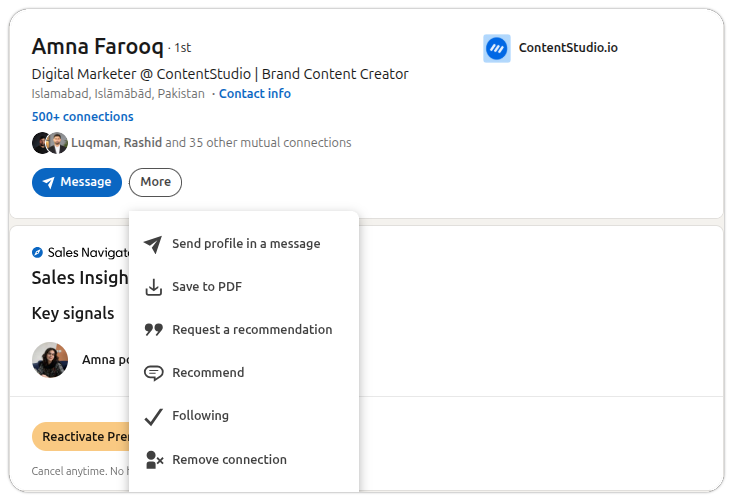
This route is useful when you are reviewing a specific list, looking for a duplicate profile, or searching for someone whose profile you do not want to open first.
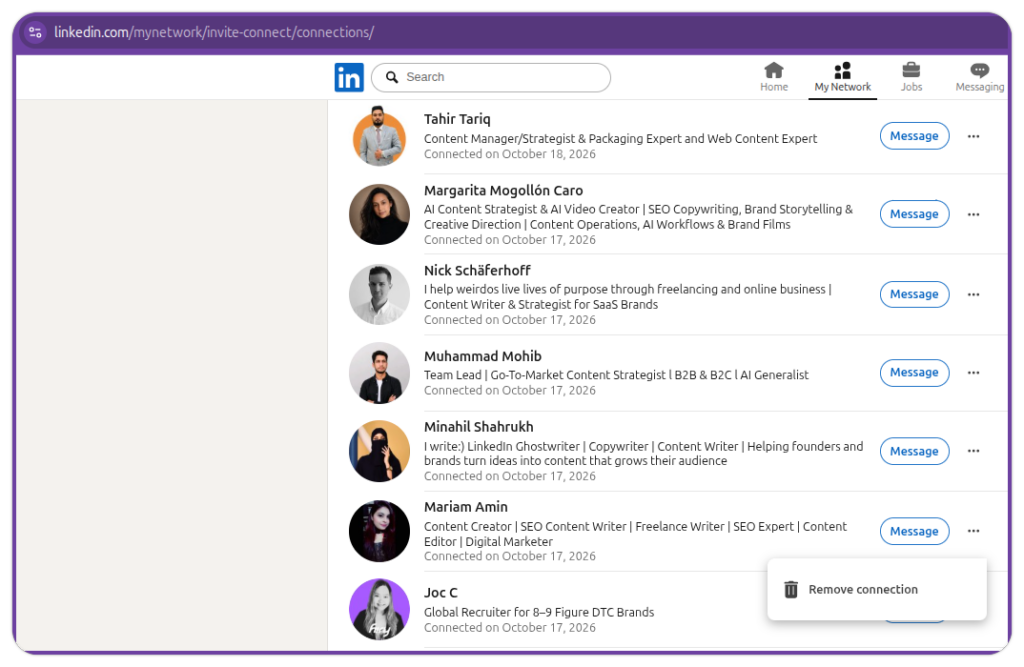
Before selecting the final confirmation, ask:
On mobile, LinkedIn’s official process uses the person’s profile.
LinkedIn documents this profile-based removal sequence for mobile.
Check the following:
If the account is not a first-degree connection, there may be nothing to remove. You may instead need to unfollow, block, report, or update your visibility settings.
LinkedIn does not offer native bulk removal for first-degree connections. Its documented methods require you to remove people one at a time from a profile or the Connections page.
This is worth treating as a safeguard. Removing a connection can affect recommendations, endorsements, future access, and professional context.
Third-party services may promote bulk connection cleanup, but high-volume removal creates practical and policy risks.
Bulk removal can:
Some third-party tools acknowledge that LinkedIn does not natively support mass removal and that unusually high-volume activity can be treated as suspicious.
If your network needs cleanup, work in small, deliberate batches.
A high-quality network is not created by removing the most people. It is created by making thoughtful choices before, during, and after connection.
A relevant LinkedIn network includes people you know, have worked with, may work with, can learn from, or may encounter again through a shared professional context.
| Connection type | Recommended response |
| Former colleague or classmate | Keep if the relationship remains professionally appropriate; unfollow if needed |
| Current or former customer | Keep unless there is a boundary, conduct, or confidentiality concern |
| Industry peer | Keep if their perspective, network, or future relationship may be relevant |
| Recruiter in your area of work | Keep unless the outreach is deceptive, spammy, or inappropriate |
| Obvious fake or duplicate account | Remove, block, and report where appropriate |
| Persistent spam sender | Remove; block and report if conduct continues or appears fraudulent |
| Former vendor or partner | Keep if referral or collaboration potential remains; otherwise unfollow or remove based on context |
| Connection accepted by mistake | Remove after confirming the account |
| Person whose content is not relevant | Unfollow rather than remove |
| Professional contact with a different view | Keep the connection or unfollow; respectful disagreement is not a reason for removal |
Use questions that protect the quality of the relationship:
Do not begin with, “Will removing this person improve my reach?” That is the wrong decision standard.
Sometimes removing a connection is not necessary. The real issue may be that your profile exposes more information than you want a broad audience to see.
Review:
A well-built profile on LinkedIn can make your work understandable to the right people without exposing unnecessary personal, customer, or employer information.
A network review is more useful when it changes how you accept new requests.
Before accepting, look at:
Be particularly cautious with profiles that use mismatched employer details, suspicious external links, pressure tactics, vague business claims, or requests to move immediately to another channel.
When you send invitations, explain the legitimate reason for connecting.
For example:
Hi Aisha—your presentation on improving candidate communication after interviews was useful. I work on recruitment operations for healthcare organizations and appreciated your point about setting clear response expectations. I would be glad to connect and continue following your work.
The purpose is clear, relevant, and low pressure. For more examples of messages that start with genuine context rather than a pitch, use this guide to writing professional LinkedIn messages.
Thoughtful content can reduce the need for indiscriminate connection requests. When your posts clarify a real professional problem, share an informed perspective, or provide a useful resource, the people who engage are more likely to have a genuine reason to connect.
A coherent LinkedIn content plan helps connect your audience, expertise, source material, formats, and relationship goals so content attracts relevance rather than empty network growth.
Removing inactive connections is not a reliable reach strategy.
Reach depends on the relevance of your content, the audience’s interest, account credibility, format, timing, relationship context, and meaningful professional interaction. A person who never publicly reacts may still read your content, share it privately, make a referral, become a customer, apply for a role, or reconnect later.
If your objective is stronger visibility, focus on:
The work involved in building relevant LinkedIn reach is more durable than network-pruning tactics because it improves what the right people encounter when they find you.
ContentStudio does not remove connections or automate relationship management. It helps teams run the content operations that make professional relationships more relevant over time.
Use ContentStudio to:
The same relationship-first approach should inform publishing: ContentStudio’s LinkedIn content scheduler helps teams plan and review posts consistently, while comments, messages, connection decisions, and sensitive conversations remain human-led.
Review your LinkedIn connections thoughtfully to avoid losing useful relationships or creating unnecessary risks.
Removing a LinkedIn connection is easy technically, but it is still a professional boundary decision. Use it when a direct relationship was created by mistake, no longer makes sense, or creates a legitimate trust, privacy, safety, or conduct concern.
If you simply want fewer irrelevant posts, unfollow. If you need to prevent contact or protect yourself, block and report. If your goal is better LinkedIn results, focus on clearer positioning, useful content, relevant relationships, and thoughtful participation rather than trying to improve reach by shrinking your network.
No. LinkedIn does not notify someone when you remove them as a connection.
They may notice indirectly if they visit your profile, check their connection list, try to message you, or see that you are no longer first-degree connections.
Yes. On desktop, you can remove a connection from My Network by opening your connection list, finding the person, selecting the More menu beside their name, and choosing Remove connection.
On mobile, LinkedIn’s documented method uses the person’s profile.
Recommendations and endorsements exchanged between you and the removed person are withdrawn. They do not automatically return if you reconnect later. Review this carefully before removing someone who provided a valuable recommendation or endorsement.
LinkedIn does not provide native bulk removal for first-degree connections. The official methods remove one connection at a time.
Avoid third-party bulk-removal tools, especially if they request login access, browser-session access, or promise high-volume automation.
For most people, a quarterly review is enough. Review more often if you receive many invitations, work in sales or recruiting, manage a high-visibility professional presence, or encounter frequent spam or impersonation.
There is no reliable evidence that removing inactive connections improves reach or engagement. Content relevance, professional credibility, audience fit, relationship context, and meaningful participation are more important than pruning quiet contacts.
Yes. Send a new connection request and wait for the person to accept it. However, prior recommendations and endorsements do not automatically return.
Plan 0 Days of Content in 0 Minutes
Create, schedule, publish and analyze your content across all your social media channels from one simple dashboard.
4.7 on Capterra • 16,500+ marketers trust ContentStudio
Khadija Anwar is a Senior Technical Writer at ContentStudio with over 500 published write-ups across the ContentStudio blog and beyond. She specializes in step-by-step platform guides and Help Center content across Facebook, Instagram, LinkedIn, YouTube, TikTok, and X, and reviews how-to articles to verify every step and platform detail is accurate and current.
View all posts by Khadija AnwarRecommended for you
How to View LinkedIn Profiles Anonymously?
LinkedIn Premium: Plans, features, cost, and whether it’s worth it
LinkedIn Reach: What it means and how to reach the right people
How to see profile views on LinkedIn?