
Step 01
Connect your account
Securely connect your Threads account to ContentStudio. Once connected, select any Threads account you want to publish to.
 Schedule Threads Posts
Everything you need to manage Threads in one place. Schedule content, automate publishing, collaborate with your team, and track performance without switching between tools.
7-day free trial. No credit card required.
Schedule every Threads format
Trusted by 16,500+ leading brands and agencies
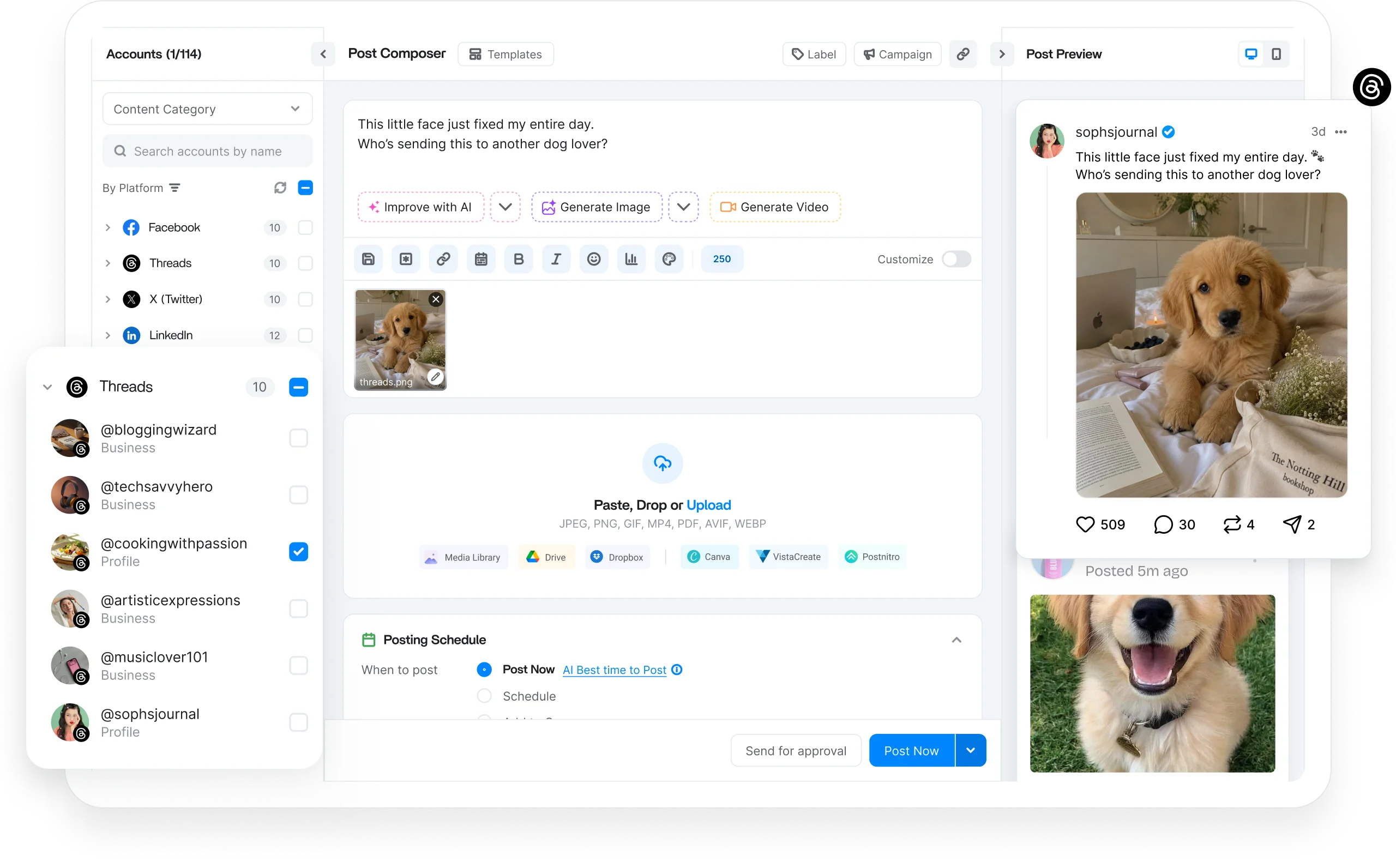
A Threads scheduler queues your posts, images, and videos and publishes to your Meta Threads account at the moment you set, so you stay present without opening the app.
ContentStudio is a platform for managing multiple social accounts, slotting Threads into the same cross-channel calendar as the rest, so you draft, preview, and spin up copy with AI from one dashboard.
Text, image, video posts, and more

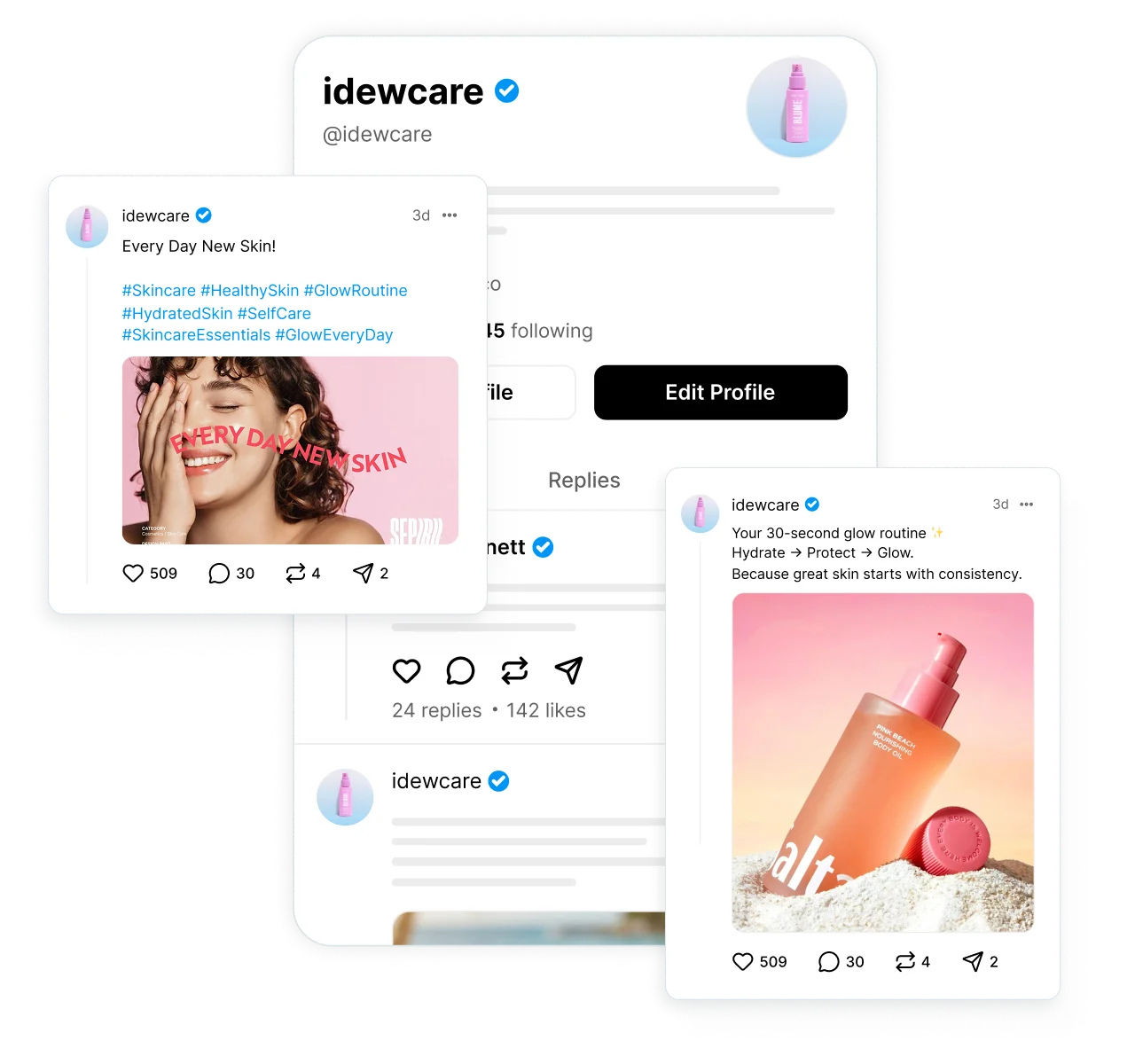
Write and schedule Threads text posts, add links and hashtags, and keep the conversation going with a steady publishing rhythm.

Attach images to your scheduled Threads posts and plan visual updates so every post lands looking exactly the way you intended.

Queue Threads videos in advance and publish them automatically to hold a steady stream of native content without logging in.

Set your best Threads posts to publish again automatically at set intervals, so evergreen content keeps working.
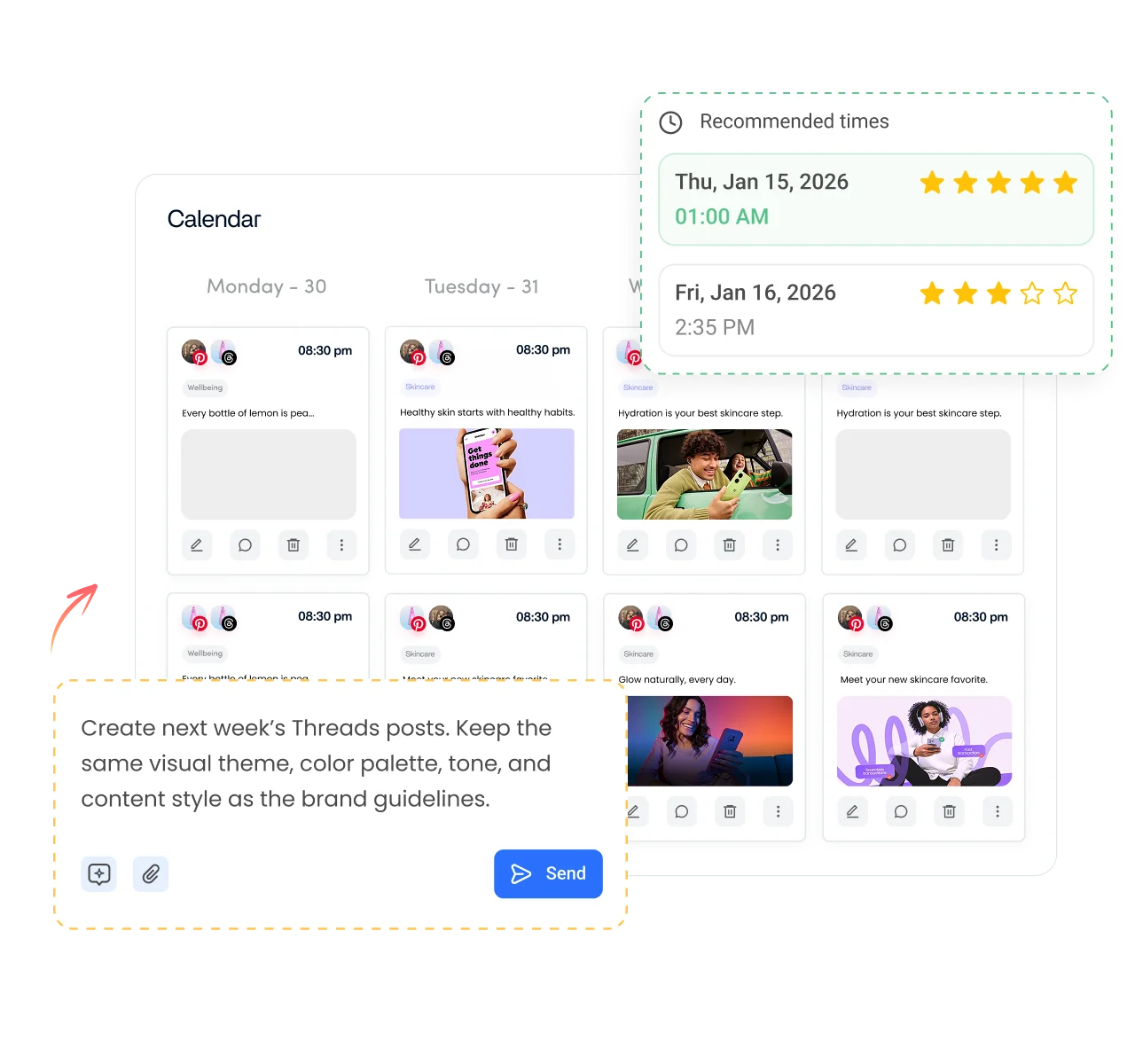
Take manual posting off your plate. Schedule weeks of Threads content in advance across every account you run, then let ContentStudio handle publishing, queues, and timing.

Manage multiple Threads accounts from a single dashboard. Organize brands, clients, or personal profiles.
Bulk upload weeks of Threads posts at once, or let ContentStudio build a posting schedule that keeps your content calendar full.
Create dedicated queues for different Threads accounts, campaigns, or content categories, so every schedule stays organized.

Automatically schedule Threads posts when your audience is most active, using data-driven recommendations.
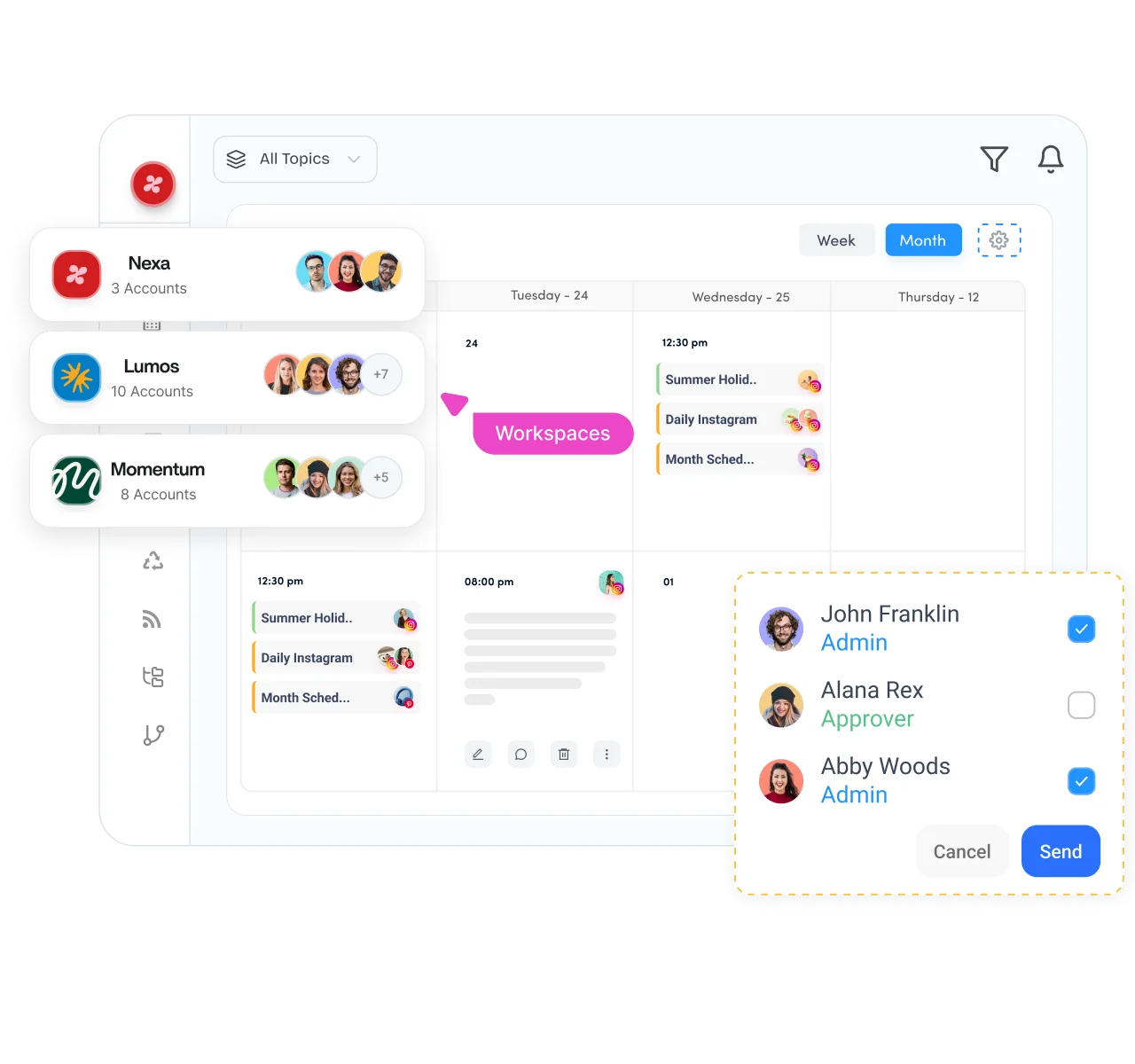
Bring your whole Threads workflow into one place. Plan content on a shared calendar, collect feedback, and approve every post before it goes live, so nothing publishes unchecked.

Separate clients, brands, or business units into dedicated workspaces while managing several Threads publishing schedules in parallel.

Plan your Threads posting schedule with a drag-and-drop calendar that gives you a complete view of upcoming posts, replies, and videos.

Review and approve scheduled Threads posts before they publish, so every post matches the brand voice, and nothing slips out unchecked.

Securely connect client Threads accounts without asking for login credentials, making client onboarding faster and simpler.
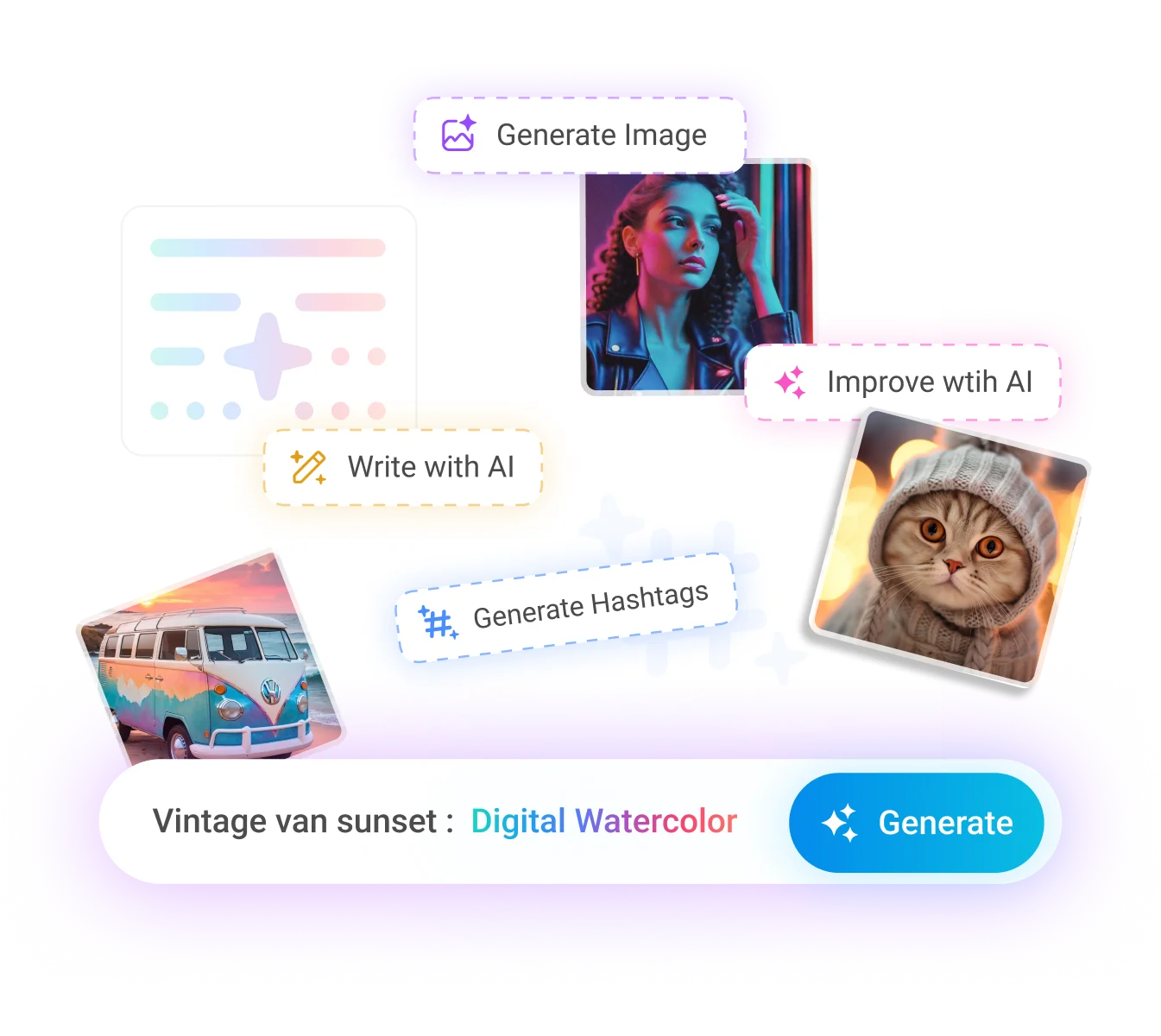
Create Threads content faster without leaving the app. AI Studio drafts your captions, generates images and videos, and turns long clips into short ones, so you go from idea to scheduled post in minutes.

Generate Threads captions, sharpen your copy, and beat writer's block while scheduling posts from the same dashboard.

Turn a simple prompt into a high-quality image ready to attach to your next scheduled Threads post.

Create short videos for Threads without switching to separate editing software, then queue them to publish automatically.
Turn long-form video into short, punchy clips that keep your Threads video schedule full.
How it works
Learn how to schedule Threads posts in four simple steps. From start to finish, ContentStudio handles the entire scheduling process for you.
Step 01
Securely connect your Threads account to ContentStudio. Once connected, select any Threads account you want to publish to.
Step 02
Write your post, upload your media, or create content with AI. Generate captions, images, and videos in one place.
Step 03
Select a specific date and time, use bulk scheduling, or let ContentStudio recommend the best time to post on Threads.
Step 04
Once your schedule is set, ContentStudio automatically publishes your Threads posts, replies, and videos at the right time.
Whether you are running a single account or managing many, ContentStudio scales with you. From solo creators to global teams, everyone gets the shared calendar, workspaces, and permissions to publish on Threads their way.

Schedule weeks of Threads posts ahead, then let ContentStudio publish while you focus on creating and growing your audience.
Manage every network you run from the same social media scheduler.

Plan Reels, feed posts, and Stories alongside your Threads content, and check the grid layout before a single post goes out.

Keep Pages and Groups busy with scheduled posts, Reels, and Stories, then check the analytics to see which updates earned the most reach.

Schedule single posts and full threads across all your handles, and manage the replies that follow without leaving the dashboard.

Publish posts, carousels, and documents to personal Profiles and Company Pages, with approvals in place so nothing goes live unchecked.

Queue up long-form videos and Shorts, set titles, tags, and thumbnails in advance, and send each upload through approval before it airs.
Publish fresh pins across every board on a steady cadence that avoids spam flags, and see which ones drive the most saves and clicks.

Line up videos for multiple accounts, pull clips straight from your content library, and get a quick sign off before anything publishes.


Book a 30 min call
Have questions? Schedule a quick call and we will guide you through everything.
Book a free call








