How to Use LinkedIn Hashtags Without Overdoing It

Arooj Ishtiaq

Written by

Arooj Ishtiaq

Updated

23 minutes

Share this post

ContentStudio Google Preferred Sources badge
How to Use LinkedIn Hashtags Without Overdoing It

LinkedIn hashtags can still help readers identify a topic and explore related conversations, but they are not a shortcut to guaranteed reach. A post with a clear point of view, useful evidence, and a specific professional audience will usually be more valuable than a post padded with popular-looking tags.

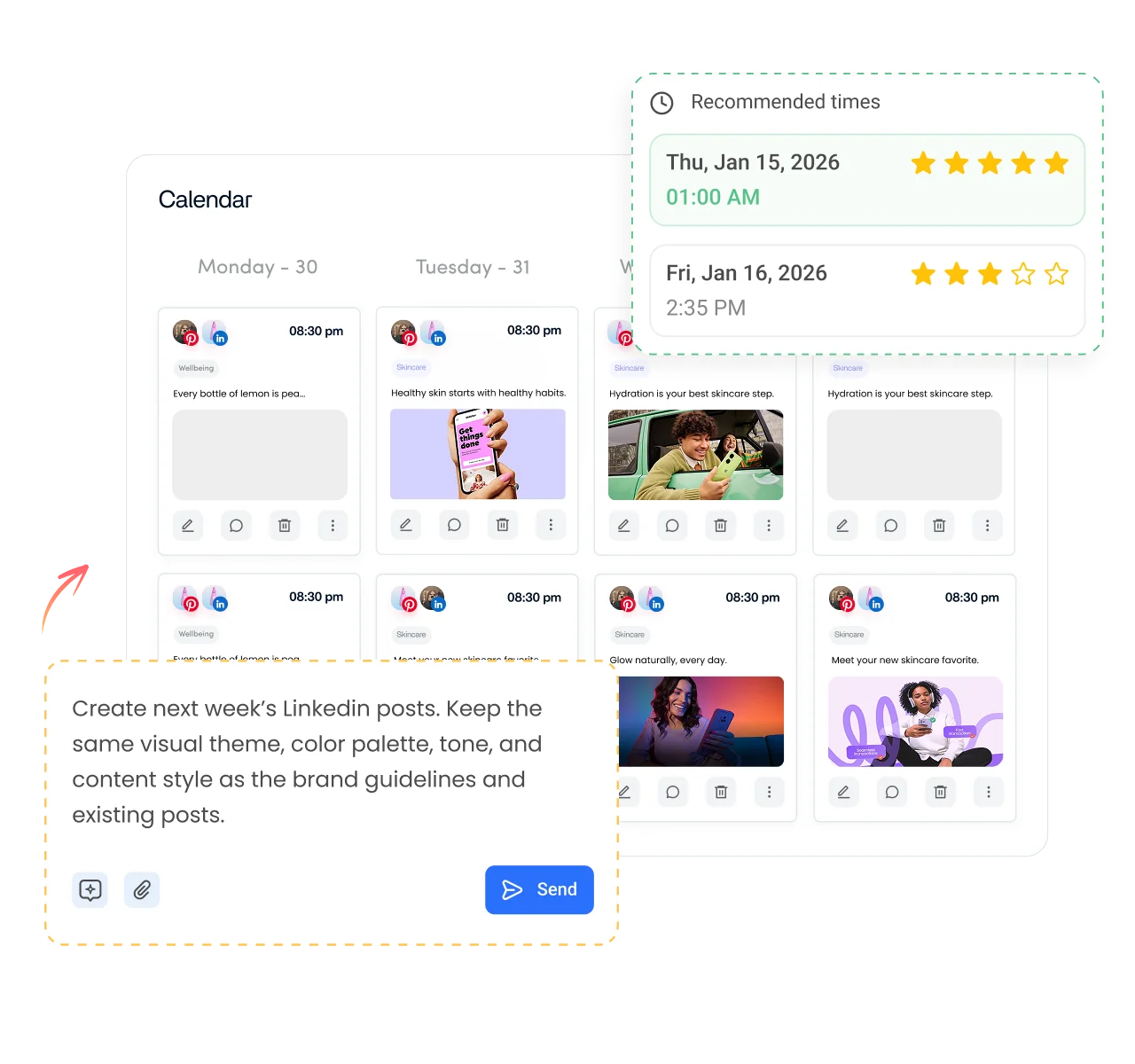
A focused marketing plan for LinkedIn helps determine whether a hashtag supports a genuine audience need, campaign theme, event, or professional conversation. Teams that coordinate content across several contributors can use a good scheduler for LinkedIn to keep topic choices, approvals, publishing, and review in one workflow.

The practical role of a hashtag is modest: it can provide additional topic context, make the subject obvious at a glance, and connect a post with a recognizable professional conversation. It should support the message, not become the message.

Key takeaways

Use these principles when deciding whether, and how, to attach hashtags to a post.

  • LinkedIn hashtags are topic labels beginning with #, such as #B2BMarketing or #TalentAcquisition.
  • They can make a topic clearer and may help people discover related conversations, but they do not guarantee reach or engagement.
  • The post’s substance, audience relevance, professional context, and subsequent interaction matter more than hashtag quantity.
  • Use only hashtags that accurately describe the subject of the post.
  • There is no publicly verified universal “best” number of LinkedIn hashtags or platform penalty threshold.
  • A small number of relevant tags is usually easier to read and more credible than a long, generic list.
  • Branded hashtags are most useful when attached to a real campaign, event, series, or community effort with a reason for people to reuse them.

How LinkedIn hashtags work

LinkedIn hashtags are clickable topic labels that begin with the # symbol. They can help readers recognize the subject of a post and explore other posts using the same term, but they are not a guaranteed distribution mechanism, and LinkedIn does not state that adding a hashtag automatically expands a post’s reach.

A post’s visibility is influenced by much more than one tag. Topic relevance, the relationship between the author and audience, content quality, professional context, reader behavior, competing updates, and the way people respond all affect how a post performs. LinkedIn’s individual-post analytics can show in-network and out-of-network impressions for eligible posts, but those figures cannot prove that a particular hashtag caused discovery. 

The most reliable use of a hashtag is therefore editorial rather than mechanical. It should clarify the professional topic for the reader, reinforce the language used in the post, and connect naturally to an established conversation. For example, a post about preparing customer-success teams for onboarding questions may use #CustomerOnboarding because the post itself discusses that subject. Adding #Leadership, #Innovation, or #Business would be less useful unless those concepts are genuinely central to the point.

Why LinkedIn hashtags still matter

Hashtags still have a useful editorial role even though they are not a guaranteed reach tactic. They can help readers recognize a topic at a glance, create consistency around a campaign or event, and make it easier for contributors to use shared professional vocabulary.

For businesses, they can also create a light organizational layer across content from a Company Page, subject-matter experts, event speakers, customers, partners, or employee advocates. The value comes from consistency and topic clarity, not from adding a tag to every post.

A post about a customer webinar, for example, may use an event-specific hashtag alongside a descriptive topic tag. The event label connects related updates, while the descriptive tag explains the broader professional subject for people outside the event community.

Hashtags are context, not a reach tactic

A useful hashtag reinforces the language already present in the post. If the post discusses a specific operational challenge, the opening, examples, and conclusion should make that challenge clear even if the hashtag is removed. For example:

Customer education fails when teams answer the same implementation questions repeatedly but never turn those answers into a reusable resource.

#CustomerEducation  #B2BContent

The tags make the themes easy to recognize, but the post itself explains the reader’s problem. That is a stronger approach than publishing a generic statement followed by a long list of unrelated labels.

Hashtags and keywords are different

Keywords are the natural language words that explain a topic throughout a post, profile, Page, article, or document. Hashtags are optional topic markers.

A post can be understandable and relevant without hashtags if the language is specific. A post can also be unclear despite using several hashtags if it never explains the audience problem, perspective, or intended takeaway.

For that reason, use precise language first. Add a hashtag only when it gives the reader a useful label for the conversation.

Do LinkedIn hashtags still work?

LinkedIn hashtags still exist in posts and remain searchable. Their role is more limited than many older “hashtag hacks” suggest. They may help with topical context and discovery, but they do not replace audience relevance, useful content, clear positioning, or genuine participation in professional conversations.

It is better to view hashtags as one optional editorial element in a broader content system. A consistent content strategy on LinkedIn gives teams stronger foundations for discovery by defining the audience, content themes, proof sources, formats, and intended next steps.

What hashtags can help with

A relevant hashtag can help when it:

  • Labels an established professional topic, such as #Cybersecurity, #PeopleAnalytics, or #SupplyChain.
  • Connects content to a clearly defined event, initiative, or campaign.
  • Gives readers a quick way to identify a topic they care about.
  • Creates consistency across a recurring content series with a genuinely useful theme.
  • Helps a business maintain a shared vocabulary across posts from different subject-matter experts.

What hashtags cannot do

A hashtag cannot:

  • Guarantee that a post reaches people outside your network.
  • Make a broad message relevant to a specific professional audience.
  • Replace a useful opening, clear argument, example, or evidence.
  • Turn generic reactions into qualified interest.
  • Compensate for a weak Page, unclear profile, or poor landing-page experience.
  • Create a professional community simply because a brand invents a tag.

The difference between LinkedIn reach and impressions also matters here. Reach estimates the distinct members and Pages exposed to a post, while impressions estimate total displays. A hashtag may be part of the content context, but it does not provide enough evidence to claim it caused either result.

Use PascalCase or camelCase for Multi-Word LinkedIn Hashtags

When creating multi-word LinkedIn hashtags, you can use PascalCase or camelCase to make them easier to read. With PascalCase, capitalize the first letter of every word, such as #LinkedInMarketing or #SocialMediaStrategy. With camelCase, the first word begins with a lowercase letter while the following words are capitalized, such as #linkedinMarketing or #socialMediaStrategy.

Both formats keep multiple words visually distinct, but PascalCase is usually easier to scan and more consistent with how professional LinkedIn hashtags are commonly written. Capitalization does not change the hashtag itself or give it additional reach, so prioritize relevance and readability when choosing between the two.

How many LinkedIn hashtags should you use?

The key is not hitting a fixed number. It is choosing tags that genuinely relate to the content and make sense for the intended professional audience.

LinkedIn does not publish an official optimal hashtag range, nor does it publish a fixed hashtag count that triggers a distribution penalty. That means claims such as “3–5 is always best” or “10+ hashtags reduce reach” should not be treated as platform rules.

A practical editorial approach is:

Hashtag useAppropriate situation
No hashtagsThe topic is already unmistakable, and extra labels would make the post less readable
One hashtagOne professional topic or campaign label accurately captures the post
Two to three hashtagsThe post genuinely spans a primary topic, a specialist context, and possibly an event or campaign
More than threeUse only when each additional term adds distinct reader value; reassess whether the post is trying to cover too many subjects

This is a readability framework, not an algorithm formula. A post about AI governance might use #ResponsibleAI and #AIGovernance. Adding #Leadership, #Innovation, #DigitalTransformation, #FutureOfWork, and #Business usually makes the label set broader without making the content clearer.

Why quality matters more than volume

A broad label can be technically relevant without helping the reader understand the post. #Innovation, #Business, and #Success are often too general to describe a specific professional problem or insight.

A more useful selection process favors terms that reflect the actual work, decision, role, or process discussed in the content. A post about making onboarding clearer for enterprise software customers may benefit from #CustomerOnboarding and #CustomerSuccess. Adding #Leadership, #Growth, and #Entrepreneurship would broaden the labels without improving the context.

The reader should understand the post from the writing first. Hashtags should confirm the subject, not carry the whole meaning.

A practical selection rule

Before adding a hashtag, ask:

  1. Does it accurately describe the subject of this post?
  2. Would a relevant reader recognize it as a useful label for this conversation?
  3. Is the term already supported by the wording, examples, or evidence in the post?
  4. Would removing it make the post less clear or less connected to a legitimate topic?
  5. Is it more specific than a generic tag such as #Success, #Business, or #Growth?

If the answer is no, leave it out.

Why fewer, relevant tags often read better

A long string of broad hashtags can make a professional post look unfocused. It also asks readers to infer the topic from labels rather than from the writing itself. Compare these approaches:

Less focused

Our team had an exciting quarter and learned a lot along the way.

#Business  #Success  #Leadership  #Innovation  #Growth  #Marketing  #Strategy  #Entrepreneurship  #Motivation

More useful

A quarterly review is more useful when the team identifies one recurring customer question, one weak handoff, and one operating decision to improve next.

#CustomerExperience  #Operations

The second version provides a clear idea first. The hashtags simply reinforce the professional context.

Where to place LinkedIn hashtags

Placement should protect readability. Most posts are easier to read when hashtags appear after the main message, following a line break.

Formatting LinkedIn hashtags correctly

A LinkedIn hashtag begins with # and does not contain spaces. For a multiword phrase, remove spaces and use capitalization to improve readability, such as #CustomerSuccess, #SupplyChainManagement, or #ResponsibleAI.

Avoid punctuation inside a hashtag because punctuation usually ends the clickable phrase. For example, #B2B-Marketing may not function as intended, while #B2BMarketing is clearer.

Use capitalization consistently for multiword terms. It can help readers interpret the phrase correctly, especially when a tag contains several words.

At the end of a post

End placement keeps the post’s main argument, example, or call to action free from unnecessary interruption.

A strong client onboarding process does not need more documents. It needs fewer unclear handoffs and a shared answer to the questions customers ask most often.

#CustomerOnboarding  #B2BOperations

This approach works well when tags are supplementary labels rather than essential terms in the sentence.

Within a sentence

Use a hashtag within a sentence only when it reads naturally and the label itself is part of the point.

The discussion around #ResponsibleAI becomes more useful when teams explain the governance decision behind the policy, not just the policy’s final wording.

Do not insert a hashtag mid-sentence merely to add a clickable word. If it makes the sentence harder to read, move it to the end or remove it.

In comments

A hashtag in a comment should follow the same rule as one in a post: add it only when it gives useful context. Do not use a first comment to add a hidden block of tags or to simulate extra distribution signals.

Comments are more valuable when they expand the discussion, answer a question, provide an example, or acknowledge a useful perspective. Thoughtful participation is a stronger reason for visibility than keyword-stuffed replies.

Using hashtags across LinkedIn formats

Hashtags can be used in text posts, image posts, documents, videos, articles, newsletters, event posts, and Company Page updates when they add useful context. The same relevance standard applies across every format.

Content typeAppropriate hashtag use
Text postAdd one to three topical labels after the main message when they clarify the subject
Document or carouselUse tags in the accompanying post text; make the document understandable without them
Native videoUse tags in the post copy when they reflect the video’s professional topic
Article or newsletterUse sparingly in the promotional post; rely on clear headings and natural keywords in the long-form content
Event postCombine an event-specific tag with one descriptive topic tag when both add context
Company Page updateUse terms that reflect the business topic, audience problem, resource, or campaign
Personal-profile postUse tags that align with expertise the person can genuinely explain
CommentAdd a tag only when it improves topic clarity; never use comments to hide a block of extra tags
Paid adDo not rely on hashtags for delivery; campaign targeting, creative, offer, and destination drive advertising performance

How to find LinkedIn hashtags

Finding appropriate LinkedIn hashtags is a research task, not a search for a universally high-performing list. Start with the language your target audience already uses to describe its role, problem, process, or field.

Search topic language on LinkedIn

Use LinkedIn search to look for the exact professional term connected to the post, checking it both with and without the # symbol so you can compare hashtag-specific results against the wider conversation. Add a hashtag before the phrase, then review recent posts associated with that topic. Look for whether the conversation is current, relevant, and populated by the kinds of professionals you want to reach.

For a post about AI governance, search terms such as #ResponsibleAI, #AIGovernance, #AICompliance, and #RiskManagement. The purpose is not to copy every tag used in search results. It is to check whether the term accurately describes the conversation and whether the related posts match the professional context of your own work.

Use audience and customer language

Useful hashtags often come from the wording that customers, prospects, candidates, peers, and subject-matter experts already use. Review:

  • Questions raised in customer calls, sales conversations, events, and webinars.
  • Common job titles, workstreams, or operating problems in target accounts.
  • Language used in relevant comments and industry posts.
  • Terminology in trade publications, professional associations, and conference agendas.
  • Terms used in your own resources, provided that those terms are meaningful beyond your brand.

This approach produces more relevant tags than starting with generic labels such as #Success, #Growth, or #Innovation.

Check context before using a tag

Before adding a hashtag, inspect several recent posts using it. Ask:

  • Does this label describe the actual subject of my post?
  • Are the people using it part of a relevant professional community?
  • Is the conversation current and substantively connected to my audience?
  • Would the label make sense to a reader even if they never click it?
  • Does the term have another common meaning that could confuse the post’s context?

If the tag does not meet these tests, leave it out.

Compare related terms before publishing

Many business subjects have several valid labels. A team publishing about responsible use of AI might compare #ResponsibleAI, #AIGovernance, #AICompliance, and #RiskManagement.

Do not use every variation. Select the one or two labels that best match the actual point of the post. If the content is about governance policy, #AIGovernance may be more precise than #ArtificialIntelligence. If the post focuses on legal or regulatory obligations, #AICompliance may be more appropriate.

Build a working topic bank

A small topic bank can make editorial work faster without encouraging copy-and-paste behavior. Organize possible tags by audience theme, content purpose, or campaign, not by a promise that the same tags will always improve reach.

For example, a B2B SaaS company might keep options such as:

  • Customer education: #CustomerOnboarding, #CustomerSuccess, #ProductAdoption
  • Marketing operations: #DemandGeneration, #MarketingOperations, #B2BMarketing
  • Product and implementation: #SaaS, #WorkflowAutomation, #DigitalTransformation
  • Employer content: #TalentAcquisition, #EmployeeExperience, #FutureOfWork

The point is not to add every relevant tag. It is to select the one or two terms that best match the specific post.

How to create a branded LinkedIn hashtag

A branded LinkedIn hashtag works best when it identifies something that people can recognize and reuse: an event, customer community, recurring research series, employee initiative, campaign, or named professional program.

For example, a company that runs a quarterly operations roundtable could establish #OperationsExchange if that phrase consistently appears in event announcements, speaker posts, recap content, attendee discussion, and related resources. The tag becomes meaningful because it points to a continuing body of work, not because it contains the company name.

Before creating a branded hashtag:

  1. Search the exact phrase to check whether it already has an unrelated meaning.
  2. Keep it short, clear, and easy to spell.
  3. Avoid generic brand slogans that do not explain the topic or initiative.
  4. Use the same capitalization and spelling across every participating account.
  5. Give employees, partners, speakers, or attendees a real reason to use it.
  6. Include it only where the content genuinely belongs to that initiative.

A branded tag should not replace descriptive topic language. A reader who does not know the campaign still needs to understand what the post is about.

LinkedIn hashtag examples by topic

The following examples are topic labels, not a list of “trending” or guaranteed high-performing hashtags. Use them only when they accurately describe the content and audience.

Marketing and content

  • #B2BMarketing
  • #ContentMarketing
  • #DemandGeneration
  • #MarketingOperations
  • #BrandStrategy
  • #CustomerMarketing
  • #ProductMarketing
  • #SEO
  • #SocialMediaMarketing

Sales and revenue

  • #B2BSales
  • #SalesEnablement
  • #RevenueOperations
  • #AccountBasedMarketing
  • #CustomerRetention
  • #Partnerships
  • #BusinessDevelopment
  • #ConsultativeSelling

Technology and AI

  • #ArtificialIntelligence
  • #GenerativeAI
  • #MachineLearning
  • #Cybersecurity
  • #CloudComputing
  • #SoftwareDevelopment
  • #DataAnalytics
  • #ResponsibleAI

Human resources and hiring

  • #TalentAcquisition
  • #PeopleOperations
  • #EmployeeExperience
  • #PeopleAnalytics
  • #LeadershipDevelopment
  • #WorkplaceCulture
  • #FutureOfWork
  • #LearningAndDevelopment

Finance and operations

  • #FinancialServices
  • #Fintech
  • #RiskManagement
  • #Compliance
  • #SupplyChain
  • #OperationsManagement
  • #Procurement
  • #BusinessTransformation

Professional development

  • #CareerDevelopment
  • #ProfessionalDevelopment
  • #Leadership
  • #ExecutiveCoaching
  • #Mentorship
  • #SkillsDevelopment
  • #CareerTransition

Sustainability and social impact

  • #Sustainability
  • #ESG
  • #ClimateTech
  • #ImpactInvesting
  • #CircularEconomy
  • #SocialImpact

Hashtag strategy for B2B and personal brands

The same hashtag can mean different things depending on who publishes it and why. B2B organizations and individual experts should use tags in ways that support their distinct roles.

B2B hashtag strategy

B2B hashtags should usually describe a business function, operational challenge, industry, professional role, or campaign theme. Specific context is more useful than aspirational language.

For example, a post aimed at operations leaders might use #RevenueOperations, #SalesEnablement, or #CustomerOnboarding when those subjects are central to the message. It should not rely on broad labels such as #BusinessSuccess to reach a professional audience.

A LinkedIn business page should also make the connection between those topics and the company’s expertise clear. Hashtags may bring context to a post, but the Page must show why the organization has credibility in that conversation.

Personal-brand hashtag strategy

Individual experts should choose tags that reflect areas they can explain through experience, evidence, or informed perspective. The tags should align with the person’s headline, About section, featured work, and recurring content themes.

A consultant who regularly discusses customer retention may use #CustomerSuccess or #CustomerRetention when relevant. Reusing the same tag on every post is unnecessary; the goal is to create a coherent body of expertise, not force a label into unrelated updates.

Hashtag mistakes to avoid

Hashtags become less useful when they are treated as decoration or distribution hacks. The following mistakes can make a post harder to read and less credible.

Adding generic tags to every post

Terms such as #Business, #Success, #Motivation, and #Growth may be broad enough to fit almost anything, which is exactly why they rarely clarify what a specific post is about. Choose a tag only when it names the actual professional topic or situation.

Using unrelated popular tags

Adding #AI, #Leadership, or #Innovation to a post that does not genuinely address those subjects weakens the content’s context. Readers who encounter the post through that topic may not find what they expected.

Repeating the same block everywhere

Copying the same set of tags onto every post can make different ideas look indistinguishable. Reassess whether each term still fits the subject, audience, and purpose of the individual update.

Replacing substance with labels

A list of tags cannot explain a complicated point. Use the post itself to give the reader a reason to care: a clear observation, relevant example, practical framework, lesson, or question.

Measuring a hashtag instead of the outcome

Do not assume a tag worked because a post received high impressions or reactions. Review the audience, conversation quality, profile or Page visits, clicks, follows, and intended next-step behavior. A practical LinkedIn performance metrics approach connects topic choices with distribution, curiosity, and business outcomes instead of crediting a single label for a complex result.

How to follow LinkedIn hashtags

LinkedIn interfaces and available options can change, but users can generally search a hashtag to explore the posts connected to that term. Where a Follow option is available in the relevant hashtag or topic view, following it can help a user keep track of that subject’s conversations.

Following a topic should be treated as a research and discovery habit, not as a promise that every post using that tag will appear in a feed. Use it to observe professional vocabulary, recurring questions, credible contributors, event activity, and emerging themes.

A useful routine is to follow or periodically review a small number of topics directly connected to your audience. That is more manageable than monitoring broad generic labels that produce a large volume of unrelated content.

A simple hashtag review process

A light review process can help teams use hashtags consistently without turning them into a major production task.

Before publishing

Confirm that the post has a clear audience, topic, and purpose. Write the post so it stands alone without hashtags. Then select one to three tags only if they improve topical clarity.

After publishing

Review whether the post attracted useful activity from the people you intended to reach. Look at the quality of comments, Page or profile visits, follows, messages, clicks, and any relevant website or campaign activity.

Do not try to attribute every result to a hashtag. Instead, compare similar posts over time and record what you learned about the topic, framing, format, publishing layer, and audience response.

Run a controlled test rather than crediting one hashtag

Do not test hashtags in isolation and assume they caused a result. Content performance changes with topic, format, author, audience, posting context, conversation quality, and many other variables. Instead, use a controlled editorial test:

  • Keep the audience theme and post objective similar across several posts.
  • Test one topic label or hashtag approach while keeping the message format reasonably comparable.
  • Review members reached, relevant comments, profile or Page visits, follows, clicks, and qualified conversations.
  • Record what changed, but describe the result as a pattern rather than proof that one hashtag “caused” it.
  • Retain tags that consistently make the content clearer and fit the audience vocabulary, even if they do not create a measurable standalone uplift.

This keeps the focus on the quality of the professional conversation rather than on trying to reverse-engineer a distribution formula.

During a campaign or event

If you use a branded or event-specific hashtag, make sure contributors understand its purpose and use it consistently. Give them the core message, factual context, and examples they can adapt in their own voice. A coherent LinkedIn business page gives people who discover campaign content a clear destination, while individual contributors can strengthen the message when their profiles explain the expertise behind their perspective.

Free LinkedIn hashtag generator tools

In the competitive LinkedIn landscape of 2025, hashtag generator tools have evolved from simple suggestion engines to sophisticated AI-powered platforms that analyze context, predict performance, and optimize for engagement.

These tools save hours of research time while providing data-driven insights that manual research simply can’t match. Here are the five most effective free tools, with ContentStudio leading the pack.

1. ContentStudio hashtag generator

ContentStudio’s hashtag generator stands out as the most comprehensive free tool available, combining AI intelligence with deep LinkedIn analytics to deliver highly targeted hashtag recommendations.

ContentStudio’s generator utilizes advanced machine learning algorithms to analyze the context, industry relevance, and target audience of your content. Unlike basic keyword matchers, it understands the nuanced relationships between hashtags and content performance on LinkedIn specifically. The tool processes millions of LinkedIn posts daily to identify trending patterns and emerging hashtags before they become saturated.

LinkedIn hashtag generator

Key Features:

  • Reads your entire post to understand topic, tone, and intent
  • Tailors recommendations to your business sector
  • Estimates potential reach and engagement for each hashtag
  • Shows which hashtags top performers in your industry use
  • Identifies rising hashtags before they peak
  • Ensures hashtags align with your content’s emotional tone
  • Shows how suggested hashtags performed over time
  • Create hashtag sets for different content types
  • Process multiple posts simultaneously

Best For:

ContentStudio is ideal for serious LinkedIn marketers, social media managers, and businesses that view LinkedIn as a primary growth channel. It’s particularly powerful for:

  • B2B companies needing a consistent LinkedIn presence
  • Marketing agencies managing multiple client accounts
  • Content creators seeking data-driven optimization
  • Startups looking to establish thought leadership
  • Enterprises requiring scalable hashtag strategies

2. Hootsuite’s AI hashtag generator

Hootsuite’s generator represents years of social media intelligence gathering. The tool processes content from millions of LinkedIn posts to understand what makes hashtags successful. Its AI has been trained on engagement patterns across industries, making it particularly effective at predicting which hashtags will resonate with professional audiences.

Key Features:

  • Scans images and videos for context
  • Estimates likes, comments, and shares
  • Updates suggestions based on current events
  • Learns from hashtag performance across networks
  • Shows demographic data for each hashtag
  • Seamlessly adds hashtags to scheduled posts
  • Helps develop branded campaign hashtags
  • Compares your hashtags to industry standards

Best For:

Hootsuite’s generator excels for users who:

  • Manage multiple social media platforms beyond LinkedIn
  • Need enterprise-level insights on a free tier
  • Post mixed media content (videos, images, carousels)
  • Want to coordinate hashtag strategies across channels
  • Require detailed analytics and reporting

3. Planable’s smart AI generator

It stands out for its focus on consistent brand voice. The AI learns from your previous posts to suggest hashtags that maintain your professional tone while maximizing reach. This tool is particularly sophisticated in understanding the subtle differences between B2B and B2C LinkedIn content, adjusting suggestions accordingly.

Planable's smart AI generator

Key Features:

  • Adapts to your unique communication style
  • Team members can vote on hashtag selections
  • Built-in review process for hashtag choices
  • See hashtag distribution across planned posts
  • Track which team member’s hashtags perform best
  • Compare your hashtag performance to competitors

Best For:

  • Marketing teams requiring approval processes
  • Agencies managing multiple client accounts
  • Brands focused on a consistent voice across posts
  • Companies with distributed content creation teams
  • Organizations prioritizing brand safety and compliance

4. SocialPilot’s multilingual generator

It excels at understanding cultural context and language nuances. It doesn’t simply translate hashtags—it identifies which hashtags native speakers use in different markets. This cultural intelligence makes it invaluable for companies expanding internationally or professionals working across borders.

SocialPilot's multilingual generator

Key Features:

  • Native hashtag suggestions, not translations
  • Understands regional business customs
  • Identifies worldwide vs. local trends
  • Suggests posting times for international reach
  • Adapts hashtags to local standards
  • Avoids culturally inappropriate hashtags
  • Includes global business events and holidays
  • Coordinates hashtags across markets

Best For:

  • International businesses and global brands
  • Professionals targeting multiple geographic markets
  • Remote teams working across countries
  • Export/import businesses
  • Multilingual content creators

5. Mention’s trending hashtag generator

It focuses on currency and relevance. Its AI monitors LinkedIn conversations in real-time, identifying hashtags that are gaining momentum before they peak. This predictive capability helps you ride trends early, when competition is lower but interest is building.

Mention's trending hashtag generator

Key Features:

  • Updates suggestions every hour
  • Predicts sharing potential
  • Shows which thought leaders use specific hashtags
  • Identifies accelerating vs. declining hashtags
  • Connects hashtags to current events
  • Notifies when competitors use trending hashtags
  • Indicates positive/negative associations
  • Shows where hashtags are in their popularity curve

Best For:

  • News-driven content creators
  • Thought leaders commenting on current events
  • PR professionals and communications teams
  • Brands focused on real-time marketing
  • Professionals in fast-moving industries

Bottom Line

LinkedIn hashtags still have a place, but their role is straightforward: they can add topic context and support discovery when they accurately describe useful professional content.

They are not a replacement for clear writing, audience knowledge, credible expertise, or consistent participation. Use the smallest number of relevant hashtags that improve clarity, keep them connected to the actual subject of the post, and evaluate success through the quality of the audience and the actions that follow.

FAQ

Do hashtags still work on LinkedIn?

Yes. LinkedIn hashtags remain searchable and can help label a topic, but they do not guarantee reach or engagement. The quality and relevance of the post, the audience relationship, and the wider professional context matter more than the number of tags.

Are LinkedIn hashtags better than keywords?

They serve different purposes. Keywords explain a subject through natural language in the post, profile, Page, or article. Hashtags are optional topic labels. Clear keywords and useful writing should come first.

Can I create a branded LinkedIn hashtag?

Yes. Branded tags work best when they identify a real campaign, event, series, or community initiative and when multiple contributors have a reason to use them consistently. A tag created for a single post is unlikely to create meaningful discovery by itself.

Can I use hashtags in LinkedIn comments?

You can, but they should add meaningful topic context. Do not use comments to hide a block of additional tags or to simulate engagement. A useful comment contributes an observation, example, answer, or perspective.

Share this article

Plan 0 Days of Content in 0 Minutes

Create, schedule, publish and analyze your content across all your social media channels from one simple dashboard.

Get started for free
No credit card required
★★★★★

4.7 on Capterra • 16,500+ marketers trust ContentStudio

Arooj Ishtiaq

Arooj Ishtiaq

Arooj Ishtiaq is a Content Marketing Strategist with 5+ years of experience writing about social media, SaaS, and AI. At ContentStudio, she creates practical guides, tutorials, and how-to content that help marketers navigate social media trends, sharpen their strategies, and get more from their content.

View all posts by Arooj Ishtiaq

Recommended for you

CtaBackground

7-day free trial - No credit card required.