How to View LinkedIn Profiles Anonymously?
Jun 9, 202318 minutes

Written by
Arooj IshtiaqUpdated
Before a potential customer contacts your business or a candidate applies for a job, they may check your LinkedIn Company Page to decide whether your organization is worth their attention. An incomplete Page or a stream of generic updates can leave visitors with unanswered questions, while a clear profile and useful content can build trust.
A focused LinkedIn marketing plan helps you turn your Page into a useful business destination. It gives your content a clear purpose, whether you want to build brand awareness, attract customers, educate your audience, recruit talent, or strengthen professional relationships.
A LinkedIn Company Page is free to create, but its value goes beyond simply having a presence on the platform. With accurate information and relevant content, it can support brand credibility, employee advocacy, follower growth, recruitment, and customer education.
A LinkedIn Business Page, also called a Company Page, is an official profile for a business or organization. It gives your company a place to share updates, publish content, attract followers, promote job openings, highlight workplace culture, provide website and contact information, and review audience engagement through Page analytics.
LinkedIn offers Company Pages at no cost, with features that help organizations build credibility, reach potential customers, showcase their culture, promote jobs, and understand their audience.
Keeping the Page active takes more than creating occasional updates. A planned publishing routine helps your business share useful information consistently and keep its audience informed. ContentStudio’s LinkedIn scheduling tool helps teams plan posts, organize approvals, and manage publishing, making it easier to maintain a consistent presence without rushing to create every update at the last minute.
A Company Page serves a different purpose from a personal profile. Your personal profile represents your professional experience, skills, connections, and individual perspective. A Company Page represents your organization’s identity, products or services, expertise, workplace culture, news, and resources.
The two can support each other. A well-maintained Company Page gives people an official place to learn about your organization, while employees’ personal profiles and professional conversations can introduce the brand to relevant audiences.
LinkedIn offers several types of Pages and related destinations. Choosing the right one prevents the main Company Page from becoming confusing or overloaded.
| LinkedIn destination | Main purpose | Best use |
|---|---|---|
| Company Page | Official organization presence | Company information, content, jobs, employees, followers, analytics, and business credibility |
| Showcase Page | Focused extension of a Company Page | A business unit, brand, product line, long-term initiative, or audience segment |
| Service Page | Service discovery and requests | Letting members discover services, message a provider, or request proposals |
| Product Page | Product-specific presence | Highlighting eligible products and their value to LinkedIn members |
| Career Page | Paid employer-brand experience | Talent attraction, culture content, employee stories, and hiring context |
| Personal profile | Individual professional identity | Expertise, relationships, career history, individual perspective, and professional conversation |
A Company Page should remain the main organizational destination. Create a Showcase Page only when a product, business unit, or initiative has a distinct audience and enough sustained content to justify its own presence.
People often visit a Company Page after encountering an employee, job listing, post, comment, ad, event, newsletter, website link, or Google result. The Page should answer the basic questions that determine whether the visitor stays interested:
LinkedIn states that complete Pages receive 30% more weekly views than incomplete Pages. Completion alone does not create trust, but it gives visitors a clearer and more credible experience.
A Business Page often serves as a validation point. A potential buyer may search the organization after hearing about it from a colleague. A candidate may check the Page after seeing a job. A partner may review the Page before agreeing to a meeting. An employee may share a Page post with their network.
A clear Page does not need exaggerated claims. It needs specific positioning, accurate information, visible expertise, recognizable branding, and evidence that the organization understands the professional issues it discusses.
A post may create initial attention, but the Page determines what a new visitor learns next. If the Page has vague language, outdated information, few relevant posts, or no clear explanation of the business, content distribution may not lead anywhere useful.
A well-positioned Company Page helps convert attention into follows, resource exploration, job interest, event registrations, inquiries, and qualified conversations. The distinction between visibility metrics and business value matters here: broad exposure is only useful when the people who discover the content can understand why the organization is relevant.
Creating a Company Page is straightforward, but the quality of the initial setup determines whether the Page is ready for visitors.
Start from LinkedIn’s For Business menu and select Create a Business Page. LinkedIn provides options for a Company Page, Showcase Page, or Educational Institution Page.
Choose a Company Page if you are creating the main presence for a business, organization, nonprofit, or employer. Choose a Showcase Page only if it represents a distinct part of an existing organization. Do not create separate Pages for short campaigns or minor service variations that can be explained clearly on the main Page.
During setup, LinkedIn asks for core company details. Use the organization’s official and recognizable information. Include:
Use the real business name rather than adding unrelated keywords to it. “Acme Cybersecurity” is clearer than “Acme Cybersecurity | Best Cybersecurity Consulting, IT Security, Cloud Security.” Add category and service language in the tagline, About section, specialties, products, and content instead.
A Business Page should not depend on one employee’s account. Assign at least two trusted admins who understand the organization’s positioning, publishing standards, approval process, and security requirements.
Use role-appropriate access. People who only need to publish or respond to content should not automatically receive broader administrative access. Review Page roles when employees change positions or leave the organization.
Do not invite employees, customers, partners, or contacts to follow an empty Page. Before inviting anyone, complete the core details and publish a small foundation set of useful content. A practical starting set could include:
Open the Page’s super-admin view and select Edit page. Update the relevant field, save the change, and check the member-facing Page. Super admins manage Page information; content access alone does not provide every administrative permission.
A strong Company Page combines accurate information with clear audience language. It should be easy for a searcher or first-time visitor to understand what the organization does without reading every post.
Use the company’s official or most recognizable public name. The Page name should help visitors confirm that they found the correct organization.
Avoid adding promotional claims, generic keywords, or excessive punctuation to the Page name. These additions can look untrustworthy and make the Page harder to recognize in employee experience sections, search results, and shared posts.
The tagline is a short, prominent description of what the organization does. LinkedIn recommends beginning the tagline with a clear explanation of the business rather than relying only on a slogan. A strong tagline can name:
Less useful
Building a better future
More useful
Content marketing software for agencies, publishers, and growing brands
Less useful
Innovation for modern business
More useful
Compliance automation for financial-services teams
The clearer version supports LinkedIn SEO because visitors and LinkedIn have more accurate language to associate with the Company Page.
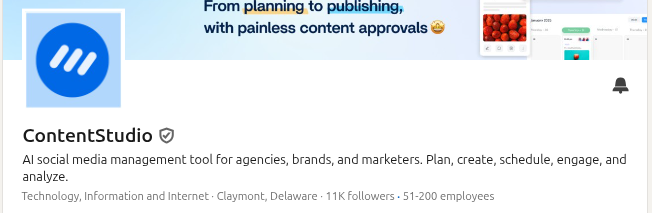
The About section should expand on the tagline without repeating it. Use it to explain the organization’s role, audience, products or services, expertise, proof, and next steps. A useful About section can cover:
Write in natural language. Do not turn the description into a list of search phrases. Readers should be able to understand the company’s value in one pass.
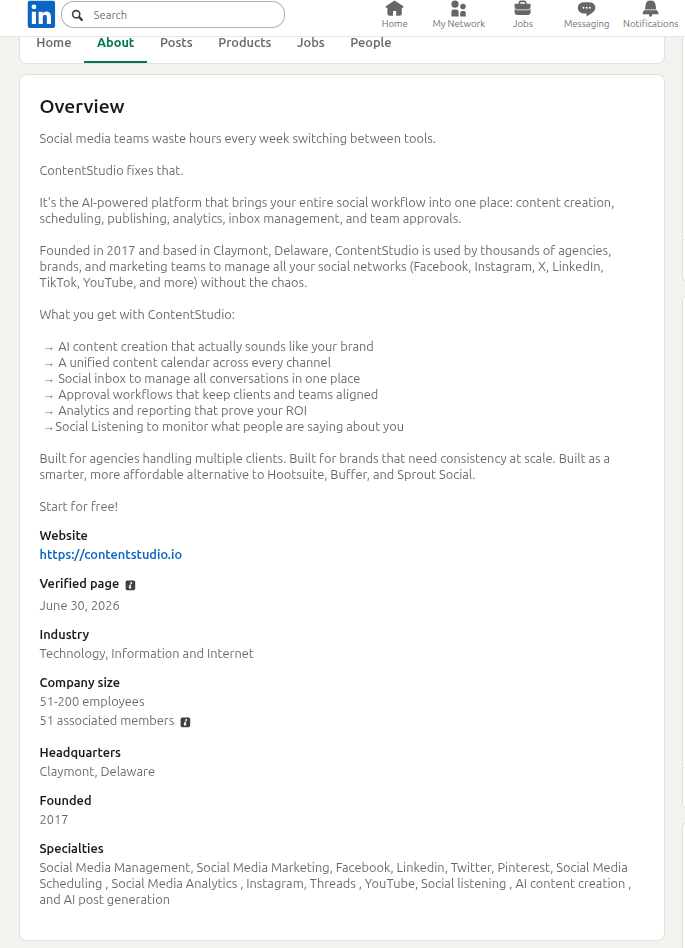
Complete every relevant field LinkedIn makes available, including:
Specialties should identify real expertise. A B2B software company might list social media management, content planning, social media analytics, publishing workflow, and reporting. A consulting firm might list change management, customer experience, digital transformation, workforce planning, and leadership development.
The goal is to make the Page informative, not to use every possible category phrase.
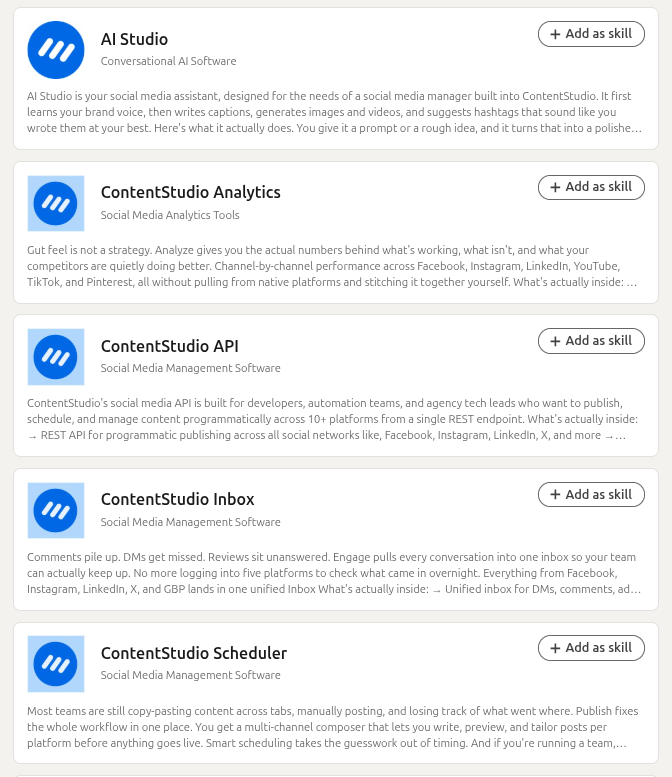
The logo should be easy to recognize in a small format because it appears beside Page posts, employee experience listings, search results, and notifications.
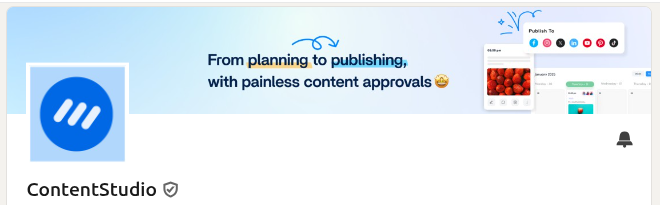
The cover image can reinforce the organization’s positioning, product category, event, campaign, employer brand, or current strategic message. It should not carry essential text that becomes unreadable on mobile devices.
Keep visual assets consistent with the website, product, presentation templates, and other brand touchpoints so visitors can confirm that they are in the right place.
A custom button should match the Page visitor’s likely next step. Depending on LinkedIn’s available options and the business model, it may direct visitors to a website, contact form, product information, event registration, booking flow, or another relevant destination.
Do not choose a button based only on what sounds most commercially aggressive. A visitor who is learning about an unfamiliar company may need “Visit website” or “Learn more” before they are ready to request a demo or contact sales.
A Company Page becomes more useful when its content reinforces the expertise described in the tagline, About section, and specialties. The Page should not become a noticeboard full of company anniversaries, generic motivational quotes, and reposted links without context.
Start by deciding what the Company Page needs to do for the organization. It may support one or more goals:
A strong B2B social media strategy makes those priorities explicit so the Page does not try to speak to every audience in every post.
Recurring themes help a Page become recognizable. They also make planning easier because the team can build from audience questions rather than inventing unrelated content each week. Possible themes include:
A consistent LinkedIn content strategy can define the audience, topic, proof source, format, owner, review process, and intended outcome for each theme.
LinkedIn reports that Pages posting weekly see twice the engagement, posts with images receive twice the comments, and video drives five times more engagement. These are aggregate LinkedIn findings, not guarantees for every Page or reasons to use formats that do not suit the message.
Use the format that helps the audience understand the idea:
| Format | Strong use case |
|---|---|
| Text post | A focused observation, expert point of view, customer-safe lesson, or timely response |
| Image post | A visual explanation, event moment, data point, quote, or simple before-and-after comparison |
| Document | A checklist, process, framework, benchmark summary, or comparison readers can revisit |
| Native video | A demonstration, expert explanation, short interview, product walkthrough, or visual story |
| Article or newsletter | A durable analysis, research explanation, case study, or complex professional subject |
| Poll | A narrowly framed audience question that will inform a useful follow-up discussion |
| Event | A webinar, discussion, workshop, product session, or community gathering with clear value |
Slide-based document posts are useful when a process, comparison, checklist, or framework benefits from a step-by-step reading experience. A document should simplify and structure the idea, not turn a short message into unnecessary slides.
A content calendar should include more than dates. For each post, record:
A LinkedIn post ideas process can help teams collect ideas from customer questions, sales conversations, events, internal experts, product releases, recruitment needs, and industry changes rather than relying on last-minute inspiration.
Employees can help a Company Page reach additional professional networks, especially when they contribute credible, role-specific context. The aim is not to produce a coordinated wall of identical reposts.
Provide employees with:
Then let employees decide how the idea connects to their own experience. A sales leader, product manager, customer-success expert, recruiter, and engineer may all have distinct and valuable reasons to discuss the same broad topic.
Copied captions make employee participation look transactional. A personal perspective gives the reader a reason to engage with the employee’s post as well as the Page’s original material.
For example, a Company Page might publish a research summary about customer onboarding. A customer-success leader could share the operational lesson they see most often. A product manager could explain how the product addresses one part of the workflow. A salesperson could discuss the questions prospects ask before buying. Treating LinkedIn for business as a coordinated effort between the Page and subject-matter experts gives every publishing layer a clearer role.
Do not require employees to promote messages they cannot support or understand. Participation should be voluntary, honest, and appropriate to the person’s role.
Employees also need room to maintain their own professional identity. The strongest advocacy programs support individual expertise while helping the organization share accurate information more consistently.
Follower growth is useful when new followers are relevant to the organization’s goals. A large audience made up mostly of people outside the intended market may create an impressive total but little practical value.
A visitor is more likely to follow when the Page clearly communicates:
The Page should not rely on “Follow us for more” alone. Let the content and positioning demonstrate the value of staying connected.
Super and content admins can use the Page’s invitation tools. Eligible employees and other members also have separate invitation routes and limits. Do not assume every person associated with the company has the same allowance.
Admin invitation credits are shared across the Page, not issued as a separate balance to every admin. They renew monthly. Premium Company Page includes additional invitation options, including eligible content-engager auto-invites. LinkedIn is changing allowances, so check the balance and eligibility shown in the account rather than publishing a universal monthly number.
For the native admin workflow:
Open the Page admin view and select Invite to follow. If LinkedIn shows Unlock invites, complete the required Overview, Industry, and Company size fields and check the connection requirement.
Follower growth usually follows from useful discovery. Publish content that addresses real professional questions, contribute to relevant conversations, involve employee experts, make the Page easy to understand, and ensure that links, events, resources, and campaigns lead to a coherent Page experience.
A Page does not need to post every day. It needs a rhythm that gives the team enough activity to learn from while leaving time for research, quality control, replies, and iteration.
Company Page analytics help administrators understand whether Page activity is attracting the right audience and supporting useful next steps. The available analytics can include Content, Visitors, Followers, Search Appearances, Competitors, Leads, Newsletters, and Employer Brand, depending on Page type, permissions, features, and product access.
Visibility metrics can show whether people are encountering the Page and its content. Useful evidence includes:
Impressions measure estimated displays, while members reached estimates distinct members and Pages exposed to a post. Reviewing both helps Page owners understand whether content is creating broad discovery or repeat exposure among a smaller audience.
Follower data is more useful when paired with demographic context. Where LinkedIn provides it, review job function, seniority, industry, location, company size, and other available audience signals.
The goal is not simply to grow the follower total. It is to become more visible among the professionals, accounts, candidates, partners, customers, and communities that matter to the business.
Clicks, Page visits, custom-button clicks, event registrations, resource activity, messages, comments, shares, and follows can show whether people became curious after encountering the Page or post. None of these signals proves a business outcome by itself, which is why a practical analytics tracking system helps teams separate visibility, engagement, traffic, audience growth, lead activity, and business outcomes rather than reporting all activity as one result.
Use Page analytics alongside website analytics, CRM information, event data, recruiting data, customer feedback, and sales or partnership conversations. For example:
| Page objective | Evidence to review |
|---|---|
| Awareness | Members reached, Page visitors, search appearances, relevant follower growth |
| Customer education | Resource clicks, repeat visits, customer questions, sales or success-team use |
| Demand support | Qualified visits, event registrations, form activity, relevant conversations, CRM context |
| Employer brand | Candidate visits, employee participation, job interest, recruiter feedback |
| Community and partnerships | Relevant comments, reposts, event activity, partner conversations, collaborative content |
Page analytics show platform activity. They do not prove that a post caused revenue, a hire, or a partnership without supporting business evidence.
Organic content and paid LinkedIn campaigns can work together, but they serve different purposes.
The Company Page activity helps build credibility, give employees material to share, educate an audience over time, and demonstrate the company’s point of view. Paid activity is useful when a business needs more controlled delivery for a defined campaign, such as a report launch, webinar, product announcement, recruitment objective, or lead-generation offer.
Do not combine paid and organic reach into a single number without context. Their delivery models, budgets, targeting controls, campaign goals, and expected outcomes differ.
Use organic content to learn what topics and messages attract relevant attention. Use paid campaigns when a clear audience, offer, destination, measurement approach, and budget are in place.
Paid or organic activity can fail if the visitor reaches a Company Page that does not explain the offer or a landing page that does not match the message. Before promoting a Page post or campaign, review:
A Company Page should make the organization easier to understand. The following patterns often create unnecessary friction.
An incomplete Page can make a legitimate business look inactive or unclear. Fill out the core business information, add brand assets, publish foundational content, and assign responsible admins before directing people to it.
Generic phrases such as “building a better tomorrow,” “innovative solutions,” or “helping businesses succeed” do not tell visitors what the organization actually does. Replace vague claims with specific audience, category, capability, and outcome language.
A Page that only publishes company anniversaries, hiring announcements, product promotions, and press releases gives most readers little reason to follow. Balance company news with useful expertise, practical resources, professional perspectives, and content that answers audience questions.
Identical employee reposts can look coordinated but rarely add new value. Give people the context and facts they need, then let them contribute their own perspective.
A Page can gain irrelevant followers through broad invitations, giveaways, generic posts, or unrelated trending content. Prioritize audience relevance, useful interactions, Page visits, content engagement, and meaningful next steps.
Unclear ownership can lead to inconsistent tone, outdated claims, missed comments, compliance issues, or delays. Establish owners for ideas, drafting, factual review, approval, publishing, replies, and reporting.
High impressions or reactions do not automatically mean the Page supported a business goal. Review audience quality, clicks, follow behavior, useful conversations, and downstream evidence.
A practical month-long plan can help a team create a sound foundation without trying to change everything at once.
| Week | Focus | Actions |
|---|---|---|
| Week 1 | Audit the Page | Review the Page name, URL, tagline, About section, logo, cover image, website, locations, specialties, products, admin access, custom button, and current content. Identify missing information, vague language, outdated claims, and unclear next steps. |
| Week 2 | Improve positioning and destination quality | Rewrite the tagline and About section around the organization’s audience, category, expertise, and proof. Complete relevant fields, refresh visual assets, review the custom button, and publish at least two foundation posts that reflect the new positioning. |
| Week 3 | Launch recurring themes | Choose three to five content themes connected to customer questions, industry changes, expertise, product education, employer brand, or professional community needs. Assign a content owner and subject-matter contributors for each theme. |
| Week 4 | Review and refine | Review Page visitors, follower quality, content distribution, clicks, meaningful comments, custom-button activity, employee participation, and relevant business follow-up. Identify one content theme, one Page improvement, and one controlled test for the next month. |
Use this checklist before treating the Page as ready for customers, candidates, employees, and partners.
A LinkedIn Company Page is more than a business listing. It is an official professional destination that can support credibility, content distribution, customer education, hiring, partnerships, events, employee advocacy, and demand generation.
The strongest Pages make their purpose clear. They use accurate company information, recognizable branding, useful content, relevant employee expertise, and thoughtful reporting to help the right people understand why the organization matters.
Build the Page around audience clarity first. Then use content, employees, analytics, and campaigns to create useful visibility over time.
Check the error message. Common causes include a new account, insufficient connections, an unavailable URL, workplace-verification requirements, or limits after creating several Pages. LinkedIn says a new account must wait at least one day and have more than one connection.
Check that it represents your organization, then request admin access rather than creating a duplicate. If the Page represents another organization with the same name, choose an available public URL for your own Page.
No. LinkedIn says withdrawing an invitation does not return the credit. When someone accepts an invitation, the credit returns to the Page’s balance.
Not through the documented Page-messaging workflow. A member must message the Page first; an authorized admin can then reply as the Page.
No. Listing the company as an employer is different from receiving a Page role. An existing authorized admin must grant access, or the person must request it.
Update the website, email signatures, documents, and other places linking to the old address. LinkedIn says another Page may use the old URL after the change, so do not rely on it as a permanent forwarding address.
Plan 0 Days of Content in 0 Minutes
Create, schedule, publish and analyze your content across all your social media channels from one simple dashboard.
4.7 on Capterra • 16,500+ marketers trust ContentStudio
Arooj Ishtiaq is a Content Marketing Strategist with 5+ years of experience writing about social media, SaaS, and AI. At ContentStudio, she creates practical guides, tutorials, and how-to content that help marketers navigate social media trends, sharpen their strategies, and get more from their content.
View all posts by Arooj IshtiaqRecommended for you
How to View LinkedIn Profiles Anonymously?
How to optimize your LinkedIn profile?
LinkedIn Premium: Plans, features, cost, and whether it’s worth it
How to grow LinkedIn followers organically?