Free Facebook keyword tool
Find keywords for your Facebook posts, Page, Reels and ads. Enter a topic and get ideas in seconds. Free, no sign-up.
- Free forever
- No sign-up
- Posts, Pages, Reels and ads
- 16,500+ brands use ContentStudio
What is a Facebook keyword tool?It is a tool that suggests the words and phrases people use when they look for a topic on Facebook. You enter a niche, and it returns keyword and hashtag ideas for posts, Page descriptions, Reels and ad copy. ContentStudio's Facebook keyword generator is free and needs no account.
How to use it
How to Use the Facebook Keyword Generator
Enter a topic
Type your content category, niche or topic. One or two words is enough to start, for example "vegan recipes" or "marketers".
Generate
Click Generate Facebook keywords now to get a keyword list.
Pick the relevant ones
Keep the keywords that match your content. Drop anything too broad or off-topic.
Use them
Work them into your post captions, Page bio and About section, Reel captions or ad copy.
The generator returns keywords at different levels: broad category terms for general reach and niche-specific phrases for reaching a smaller, more interested audience.
Tip: run the tool on two or three variations of your topic ("home workouts", "fitness for beginners") to get a fuller list.
What are Facebook keywords
What Are Facebook Keywords and Why They Matter
Facebook keywords are the words and phrases that help Facebook understand what a post, Page, Reel or ad is about and which people to show it to. Facebook search reads text from post captions, Page names and bios, About sections, group names and event descriptions. When someone searches for a topic on Facebook, the platform surfaces posts, Pages and groups with relevant text.
Keywords matter outside search too. Facebook increasingly recommends content from accounts people don't follow, especially Reels. Clear keywords in your caption help that content reach the right people.
Search keywords on Facebook
How to search keywords on Facebook
Facebook's own search bar is a free way to check what people look for and what already ranks.
- Type a keyword into the Facebook search bar and look at the autocomplete suggestions. These are real searches.
- Press Enter and use the filters (Posts, People, Reels, Pages, Groups, Events) to see which content shows for that keyword.
- Open the top posts and Pages. Note the words they use in captions and names.
- Repeat with longer phrases, like "meal prep for beginners", to find specific topics with less competition.
Use the keyword ideas from the generator above as your starting list, then check the best ones in Facebook search.
Keywords for Facebook posts
Keywords for Facebook Posts: How to Use Them
Post captions are the main place Facebook reads keyword text. Write naturally. One clear main keyword per post works better than a list of terms. Then let the Facebook post generator turn your keyword and topic into a full post.
Where to place keywords
Where to place keywords in a Facebook post
Post caption: The text of the post is indexed by Facebook search. Include the main topic keyword in the first two sentences. Facebook shows a short preview before "See more", so front-loading the keyword keeps it visible.
Hashtags within the caption: Facebook hashtags are clickable and open a feed of posts on that topic. They are part of the caption text and add to keyword relevance. Use 2 to 3 relevant hashtags per post. Learn more about how to use Facebook hashtags.
Alt text on images: Facebook lets you edit the alt text on photos. Descriptive, keyword-relevant alt text improves accessibility and gives Facebook more text to understand the post.
Link titles and descriptions: When you share a link, Facebook pulls the title and description from the page. Make sure that page has a clear, keyword-rich title before you share it.
Keywords for your Page
Facebook SEO: keywords for your Page
Your Page is found through Facebook search and Google. Put your main keyword in the places both read.
| Page field | How to use keywords |
|---|---|
| Page name | Brand name plus what you do, e.g. "Lumen Studio – Wedding Photography" |
| Username | Short and close to your brand, so the URL is easy to find |
| Category | Pick the most specific category Facebook offers |
| Bio | Main keyword and location in the first line |
| About details | Services, city and website, written in plain words customers use |
Keyword examples
Facebook keyword examples by niche
- Fitness
home workout, beginner strength training, workout for busy moms
- Food
easy dinner recipes, meal prep ideas, air fryer recipes
- Real estate
homes for sale in [city], first-time home buyer tips, open house
- Beauty
skincare routine, makeup tutorial, salon near me
- Local business
[city] bakery, family restaurant [city], weekend events [city]
- Travel
budget travel tips, weekend getaway ideas, road trip itinerary
- Education
online courses, study tips, homeschool resources
- B2B
small business marketing, social media tips, productivity tools
Facebook ads keywords
Facebook Ads Keywords: Research and Targeting
Facebook Ads use a different system from organic posts. Meta Ads Manager does not offer keyword targeting the way Google Ads does. Instead, Facebook Ads targeting uses interests, behaviors, demographics, custom audiences and lookalike audiences.
Where keywords apply in ads
Where keywords apply in Facebook Ads
Ad copy (primary text, headline, description): The words in the ad tell people why it's relevant. Specific, benefit-focused keywords in the headline make the ad clearer than generic copy.
Interest targeting: When you build an audience in Meta Ads Manager, typing a topic into Detailed targeting suggests related interests and shows an estimated audience size. This is the closest thing to a Facebook ads keyword tool.
Audience expansion: Meta can show your ad to people outside your chosen interests if it predicts they'll respond (Advantage+ audience). Clear, keyword-relevant ad copy helps it find the right people.
Competitor ads: The free Meta Ad Library shows the active ads any Page is running, so you can see which words and offers competitors use.
Facebook Reels keywords
Facebook Reels Keywords
Facebook Reels are shown mostly through recommendations, not just to your followers. The keywords in the caption help Facebook understand the Reel and decide who to show it to.
For Reels, place the main topic keyword in the first line of the caption. A Reel about home renovation with "Small bathroom renovation, before and after" in the first line is easier to classify than one with a generic caption. Add the same words as on-screen text when it fits.
From keywords to scheduled Facebook posts
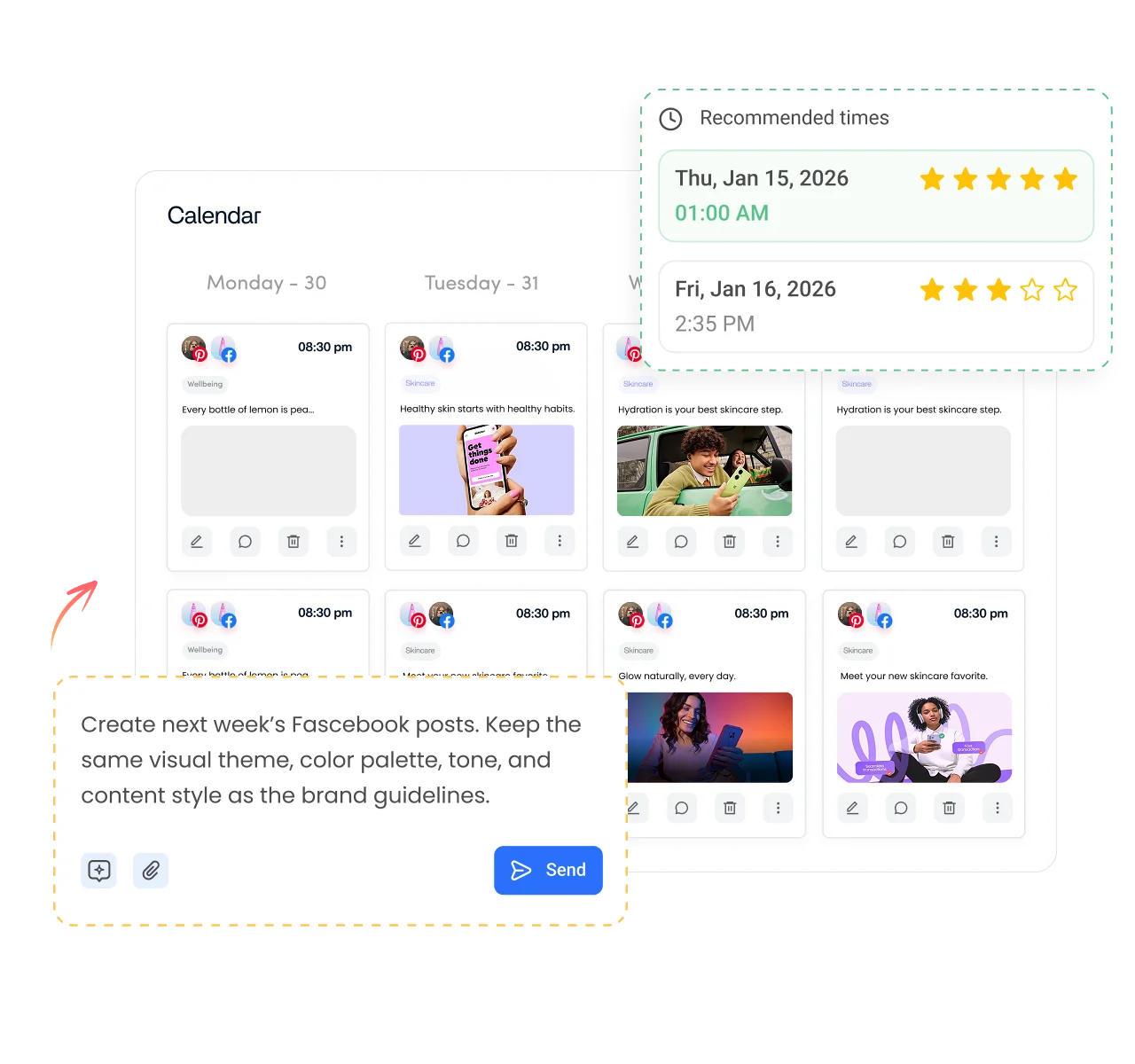
Keywords only help once they're in your posts. ContentStudio helps you turn your keyword list into a steady posting plan. With it you can:
- Plan posts around your keywords. Map topics to a content calendar and publish automatically with ContentStudio's Facebook scheduler.
- Save hashtag sets. Keep your best keyword hashtags in groups and add them to any post in one click.
- See which topics work. Track reach and engagement by post to learn which keywords bring results.
Is it free?
Is the Facebook Keyword Generator Free
Yes. ContentStudio's Facebook keyword generator is free with no usage cap and no account required. It is part of ContentStudio's suite of free social media tools.
- Free forever
- No sign-up
- Posts, Pages, Reels and ads
- 16,500+ brands use ContentStudio
More free Facebook tools
All free social media tools →
Frequently asked questions

Book a 30 min call
Have questions? Schedule a quick call and we will guide you through everything.
Book a free call