Threads marketing: The complete guide to growth, ads, and algorithm
Nov 13, 202626 minutes

Written by
Wasiq NaeemUpdated
It’s the internet age, and you need to utilize every social media platform effectively as a business owner. For example, with its 229 million daily active users, Twitter can be a potentially powerful tool for building a lucrative marketing strategy. However, marketing on Twitter is no easy feat. After all, millions of tweets are sent daily, and many accounts compete. Given the odds, a social media marketer must understand the Twitter algorithm to stand out properly.
How does Twitter work? To start, that’s the one question you need to answer for yourself. Once you figure out how the Twitter Timeline operates and the trick to beating its algorithm, you can optimize your tweets to gain greater exposure.
Also Read: How to Beat Facebook Algorithm in 2022
Let’s deep dive into Twitter’s algorithm and how to master it.
Several algorithms fuel Twitter, controlling every aspect of how information is displayed on the platform. This ranges from suggested accounts to trending tweets. Twitter’s algorithms are focused entirely on personalization, like most social media algorithms.
X (Twitter) Marketing Schedule perfectly crafted tweets and manage your X (Twitter) content with a unified content calendar.
When we discuss the Twitter algorithm, we basically refer to the algorithm that powers the Twitter Timeline in the Home view. Essentially, it alows you to see the content you want to see on your Home feed.
The tweets you’re most likely concerned about are placed at the top of your Twitter timeline. The algorithm considers several variables, such as the people you follow, your retweets and liked tweets, the popularity of the tweets, geography, timeframes, and tweet engagement.
Consequently, when you log onto Twitter, you will see tweets that the algorithm thinks you’ll be most interested in. Tweets with more engagement come on top, while those with less popularity go down.
We celebrate the life of Nichelle Nichols, Star Trek actor, trailblazer, and role model, who symbolized to so many what was possible. She partnered with us to recruit some of the first women and minority astronauts, and inspired generations to reach for the stars. pic.twitter.com/pmQaKDb5zw
— NASA (@NASA) July 31, 2022
This means that the algorithm governs what you’re seeing on your feed. Working around it is a core part of any Twitter marketing strategy, since it lets businesses increase exposure to their products by enhancing the visibility of their tweets.
Related Read: How To Beat TikTok Algorithm In 2022?
Users of Twitter have the option to switch between the Home or Latest tweets timelines. A sequential timeline of tweets from the people you follow is displayed in real-time on the Latest Tweets timeline. On the Home feed, as discussed earlier, posts are shuffled according to the Twitter ranking algorithm.
Users can click on the star icon on a desktop computer or swipe between views on a mobile device to transition between the Home and Latest Tweet timelines.
All social algorithms use machine learning to sort material according to various ranking criteria. The truth is that because it uses machine learning, not even Twitter is sure of the exact results of its algorithms. As part of its “responsible machine learning project,” Twitter is now investigating the outcomes of its algorithms.
Currently, Twitter’s timeline algorithm is made up of three main sections:
1. Tweets ranked by the Twitter algorithm
2. The “In case you missed it” section
3. Tweets in reverse chronological order
We need to understand these three components to understand how Twitter truly works.
Although the first area of your timeline lacks a distinctive header from the usual sequential flow of tweets, the time stamps highlight the differences. This is where Twitter shows the tweets that its algorithm has determined to be highly relevant based on criteria
These might have content from accounts that are followed by users you follow or mostly interact with, even if you don’t follow those accounts yourself. Similarly, if users you engage with have liked or replied to a Tweet, it can also appear on your timeline.
Under the header “In Case You Missed It”, the Twitter algorithm offers earlier tweets from users you regularly connect with. These will appear when you skip past the first collection of chosen tweets. However, since these tweets are intended to include a small selection of the most relevant tweets you might have overlooked since your last visit, they don’t always appear on your feed.
The Twitter algorithm identifies the important tweets and displays them first. After that, all others will appear in reverse chronological order to see your followers’ most recent and significant updates.
Since Twitter’s algorithm is continually changing and developing, it is challenging to determine precisely which ranking factors are given the most emphasis.
According to most experts, how relevant or recent the post is, the amount of engagement it generates, and the rich media it incorporates all contribute to deciding where a tweet shows in a Twitter Timeline. So let’s dig into four of the most important factors:
Recency is crucial for preventing tweets from being lost in a sea of other content. A tweet is more likely to appear at the top of the feed if it is recently posted. Tweeting when there is a lot of traffic or when the target demographic is most engaged on Twitter can help businesses ensure that their tweets are noticed.

Relevancy is also essential for Twitter’s success. For the system to favor your business, your tweets must be pertinent to your target audience. The algorithm may misinterpret the account’s emphasis if your tweets are frequently outside the specialized area, which lowers the number of times your tweets are shown.
A company’s target audience should find things they tweet about valuable, entertaining, and on topic.
Also Read: Cracking YouTube Algorithm in 2022
Twitter uses engagement as a significant indicator when deciding the order of the feeds. Tweets are more likely to be shown at the top of the feed if more people are interacting with them by liking, commenting, or retweeting. By tweeting catchy content, social media accounts for companies can boost their engagement.
It never would have been possible to go back & remake my previous work, uncovering lost art & forgotten gems along the way if you hadn’t emboldened me. Red is about to be mine again, but it has always been ours. Now we begin again. Red (my version) is outhttps://t.co/ZUAWDuv4jL pic.twitter.com/Ji26KdOlWQ
— Taylor Swift (@taylorswift13) November 12, 2021
Tweets with media (gifs, videos) attached to them are known as rich media. They often encourage more engagement. That’s because visuals are more likely to make people interested in what you post.
Plan, schedule, share, and analyze content for 15+ social media channels.
A gif or a video attached to your Tweet makes it more attention-grabbing than plain text.
https://twitter.com/MeaganCignoli/status/894203116484255746?s=20&t=srbinWSoWiSQbU-1VxMkEA
Related Read: How Pinterest Algorithm Works in 2022
Twitter was launched back in 2006. Since then, its algorithm has gone through many changes. Here is the complete Twitter algorithm timeline to see how it has transformed over the years.
Over the years, Twitter has made these changes to improve its algorithm so users can easily access personalized content.
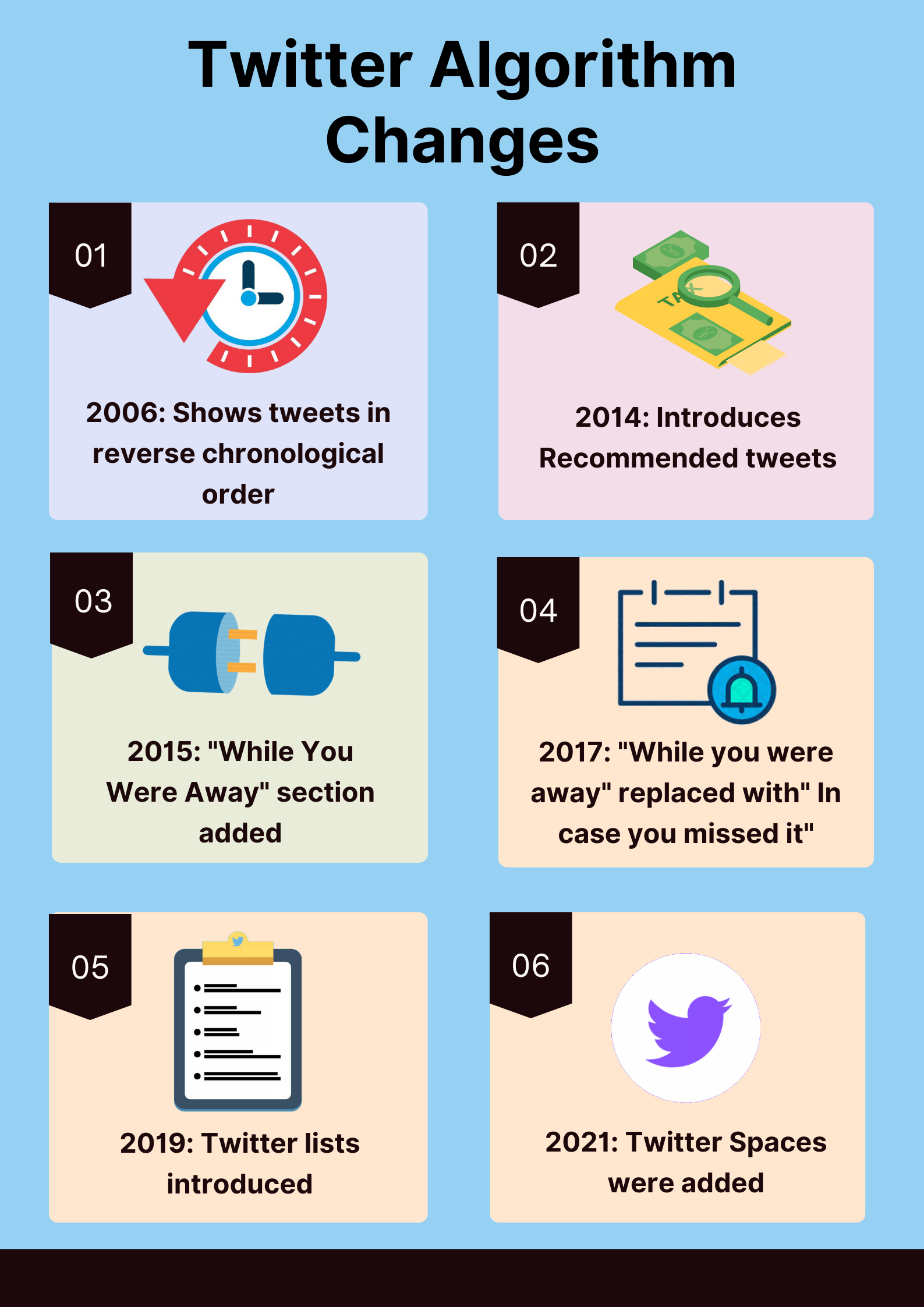
Now that we understand the Twitter algorithm and how it works, it’s time to discuss the best ways to utilize it. Then, businesses can leverage the Twitter algorithm to their advantage and use it as a powerful marketing tool to get engagement.
Considering that the algorithm enables users to see content that is most relevant to them, they will likely get more engagement if businesses can get their tweets in front of their target audience.
Related Read: 30 twitter tools to boost your marketing efforts
Following are 15 hacks to beat the algorithm and help it boost your online visibility.
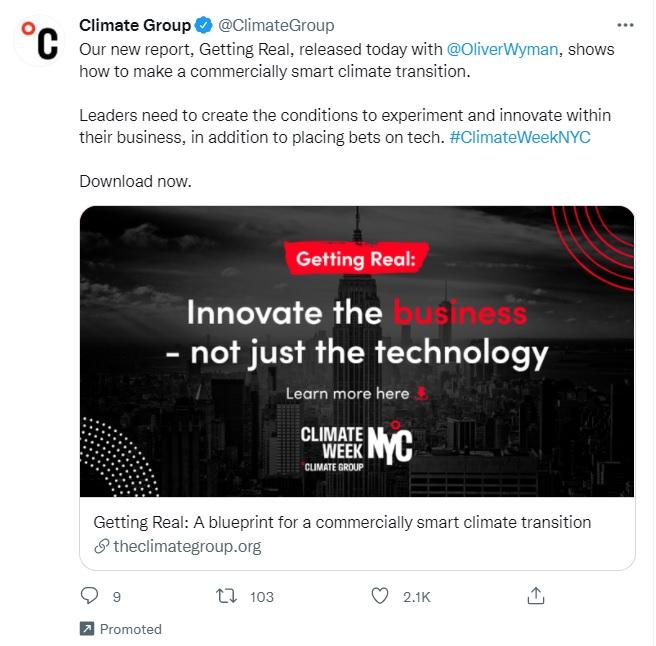
1. Advertise your Tweets
By marketing your tweets, you can increase their visibility. People who don’t follow you can see a tweet that you’ve promoted. It’s a good idea to advertise on Twitter to boost the exposure of your account and attract additional followers. You can promote your Twitter account in various methods, such as through official Twitter adverts, endorsed tweets, and crowd marketing.
2. Retweet popular Tweets
Twitter gives priority to accounts that post relevant content. Therefore, occasionally retweeting your greatest posts can help. In addition, retweeting your material will increase its visibility, lead to more interaction, and fuel the system.
Tomorrow! You and me got a whole lot of history #10YearsOf1D pic.twitter.com/nwxrm5MSE9
— One Direction (@onedirection) July 22, 2020
3. Add hashtags to your Tweets
Use more hashtags to increase the number of people who see your tweets. Your tweet will show up in the hashtag’s search results if you use it in a tweet. It’s better to use up to 2 hashtags for every post.

Related Read: Instagram Algorithm In 2022
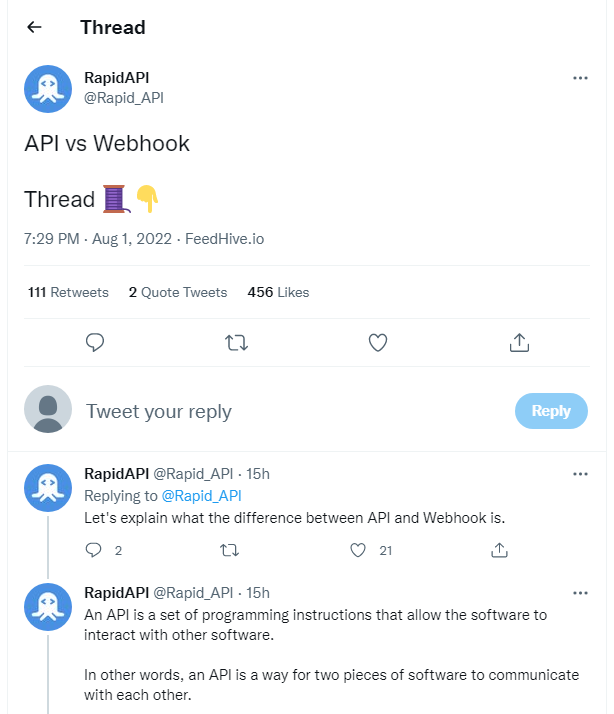
4. Utilizing Twitter Threads
These days, using threads is a way to beat Twitter’s algorithm. You can publish multiple tweets on the same subject in a thread, which increases the likelihood that the algorithm will treat them as a single tweet. Several new artists use Twitter threads and have quickly noticed a significant rise in post engagement.
5. Write Less Text
Shorter tweets are more likely to be prioritized by Twitter’s algorithm and are perceived as more informational. So keep your tweets brief and to the point.
It’s a new day in America.
— Joe Biden (@JoeBiden) January 20, 2021
6. Follow the Right Accounts
Following niche-specific accounts is a fantastic technique to increase the number of people who see your tweets. In addition, your followers will notice interactions between you and them on their timeline if you follow related accounts. This can lead to more people discovering you and result in more followers.
7. Get the “Verified” badge.
Twitter’s algorithm prioritizes verified accounts over unverified accounts. So, becoming verified is an excellent method to increase the number of people who see your tweets.
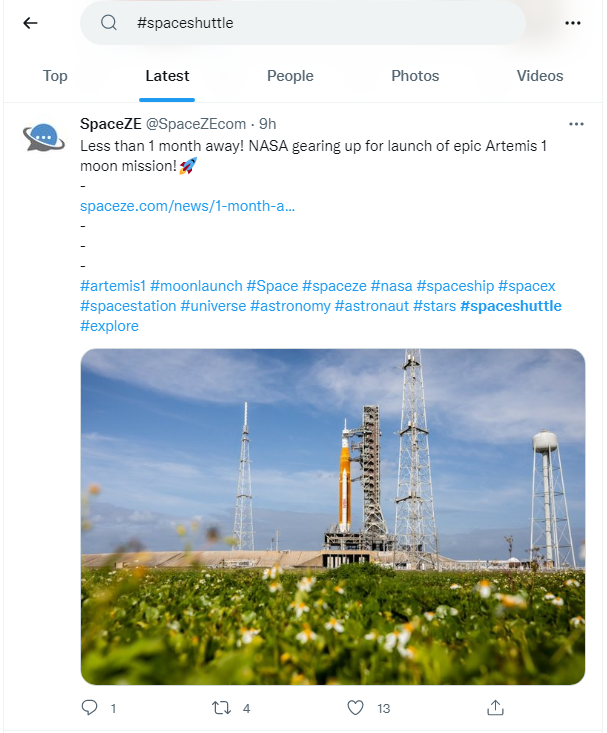
8. Make use of the Twitter Search
If you want to look for tweets on a particular topic, the best way is to use the Twitter search feature. You may see all the tweets that include the terms you’re looking for when using Twitter search. This way, you can see the conversations happening regarding that niche and have more awareness regarding the tweets you should be posting yourself.
9. Tweet at the Right Time
Posting your material when your intended audience is using the site most frequently is the greatest approach to use Twitter’s algorithm and increase visibility for your posts. But, of course, that time needs to be determined according to your industry niche, target audience, and time zones.
Related Read: Best Time To Post On Twitter in 2022
10. Tweet with the Right Frequency
Unlike many other social networking sites, Twitter enables you to tweet numerous times daily. You have to do that to achieve sufficient exposure and attract participation. Despite having a limit of 280 characters, the platform allows you to post a wide range of content you can use to market your business. Posting 2 to 7 times a day can be beneficial.

Organize all your social posts and visualize your client’s social media content plan with an interactive Content Calendar
14 days free trial - no credit card required11. Tweet according to your Target Audience
Think about the hashtags and keywords your intended audience will use before tweeting. Here, the goal is to engage your target audience in a real conversation. And to do that, you must pay close attention to every characteristic of your target market, including their interests and language.
12. Enhance your Twitter Profile
Your viewers will have a positive impression of you if your Twitter profile is refined. On the other hand, you risk alienating your audience if you omit crucial information or post a shoddy description on your Twitter profile. Therefore, making your profile compelling enough to get users to follow you is essential.
Read-Up on: How to Make a Twitter Header That Wins Followers
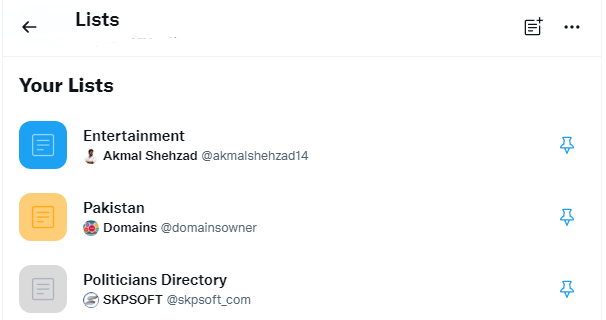
13. Make use of Twitter Lists
With Twitter lists, you can identify, observe, and communicate with people, enabling you to use Twitter more productively. In addition, Twitter lists are functional and helpful. Using this straightforward yet effective function, you may quickly organize the accounts and businesses you want to follow.
14. Engage with People
Engagement is essential on Twitter. As discussed earlier, posts with a lot of interaction are bumped to the top of the Home Feed. That’s why it’s necessary to respond to all replies to your tweets, especially in the initial 2 to 3 hours of posting it. You can also ask questions in your tweets, leading to more conversations.
15. Create Twitter Polls
Twitter Polls can boost engagement by attracting more users and inviting them to participate. However, asking the right questions is vital to appeal to your target audience. Therefore, it’s better to post polls only two to three times a week and not overdo it.
What is the best kind of pie? 🥧
— polls (@polls) August 16, 2018
Also Read: The 2022 LinkedIn Algorithm Explained
Twitter has been continuously evolving since 2006. As a result, it can serve as a powerful platform to market your business. According to statistics, it’s the world’s 4th favorite social media platform. However, social media marketers need to stay updated to adapt to the new changes. The best approach is to comprehend how Twitter’s timeline functions. Through Twitter, you can enhance your tweet, publish important information with hashtags and images, and respond to comments.
So, how does Twitter work? The answer lies in “engagement.” By incorporating all the hacks mentioned above into your marketing strategy, you can boost your post engagement, beat the Twitter algorithm in 2022, and have your tweets appear higher on the Twitter Timeline.
Related Read: How to Increase Your Twitter Followers Every Day
How Can I Make My Tweets Stand Out?
To enhance the visibility of your tweets, you need to tackle popular topics, so your tweets get more attention. Moreover, you can share tweets with other users and increase interaction with people who comment on your posts. Adding the right keywords in your bio also helps.
Why Do My Tweets Remain Unseen?
Anyone can view your tweet if your tweets are not protected. However, there is a chance your content is not visible if it’s abusive, spam, contains legal issues, or has other controls.
How Frequently Should I Tweet?
Tweeting once a day is ideal. Users won’t be inclined to keep following you if you’re always inactive. However, it would be best if you also refrained from going overboard. Nobody wants one person to occupy their entire timeline. So finding a balance is important.
Wasiq Naeem is a Senior Content Strategist at ContentStudio and a research-driven content and digital marketing veteran. He writes on social media strategy, analytics, audience growth, and competitor analysis, covering topics like best posting times and competitor mapping. As a senior editor, he also reviews and fact-checks articles for depth and accuracy.
View all posts by Wasiq NaeemRecommended for you
Threads marketing: The complete guide to growth, ads, and algorithm

Telegram marketing: The complete guide to channels, bots, ads, and growth

Social media content planning: How to build a process that actually scales

AI agents for social media management: A complete guide