How to build an executive’s LinkedIn content workflow with Claude Code
Oct 1, 202615 minutes

Written by
Khadija AnwarPublished
If you’re looking to maintain a more private and personal experience on Twitter, hiding likes can be a useful option. By default, Twitter displays the number of likes on tweets. However, Twitter has introduced a feature to hide likes, which helps you to avoid popularity contests or engagement pressure on Twitter.
Related Read: How to Delete All Your Tweets?
In this help center guide, we’ll walk you through how to hide likes on Twitter and ultimately create a secure online presence.
You can hide Twitter likes in two ways:
[TwitterMarketing]
Follow the below steps and customize your Twitter experience by turning in private mode.
Step 1:
Open your Twitter app and tap your “Profile” icon on the homepage.

Step 2:
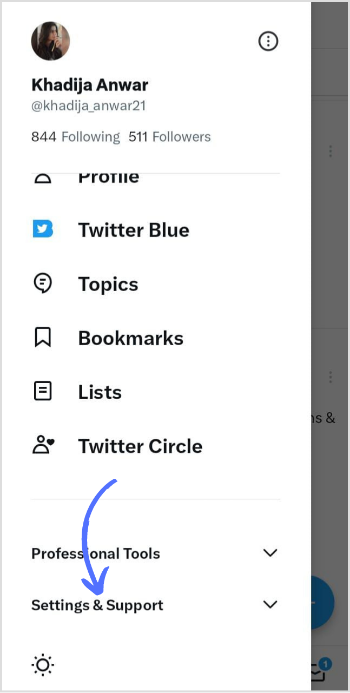
Scroll down the page and tap “Settings and Support” from the menu.
Step 3:
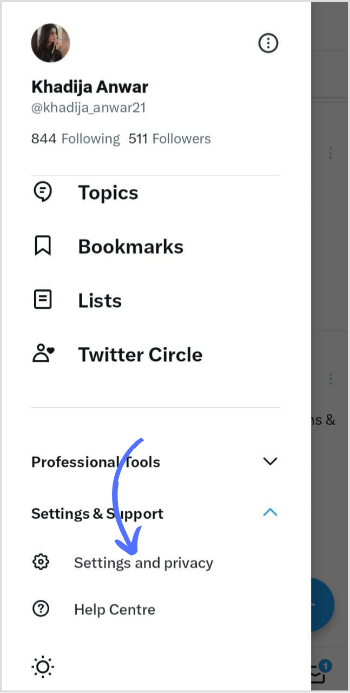
A sub-drop-down menu will open; tap “Settings and Privacy.”
Step 4:
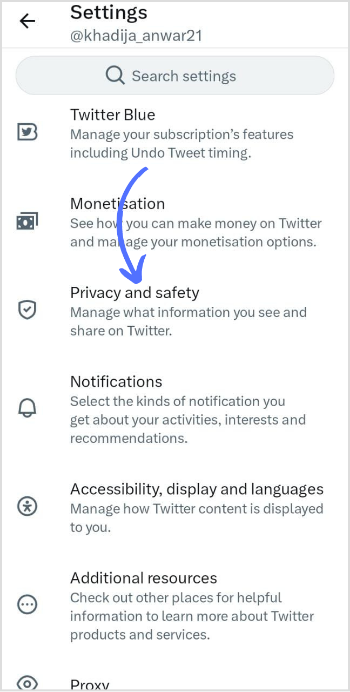
In the privacy settings, tap on “Privacy and Safety.”
Step 5:
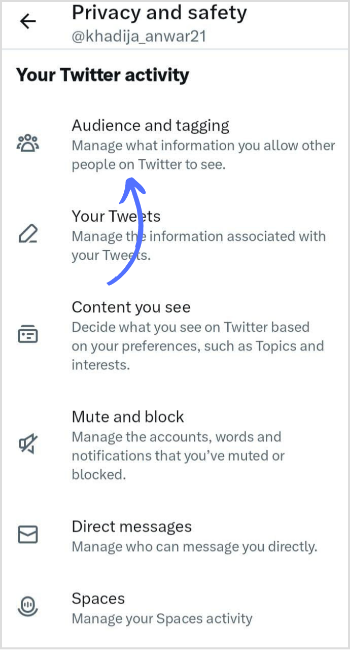
Tap on “Audience and Tagging.”
Step 6:
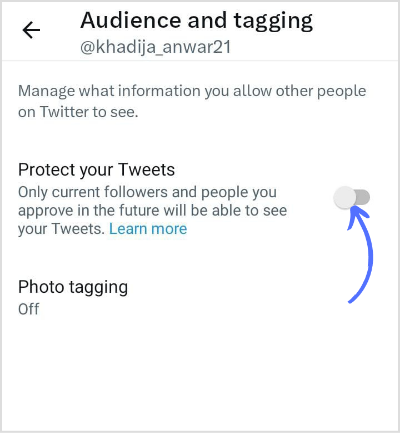
To enable private mode, switch the toggle icon on “Protect your Tweets” and make it blue. Go back, and changes will be automatically saved.
Step 1:
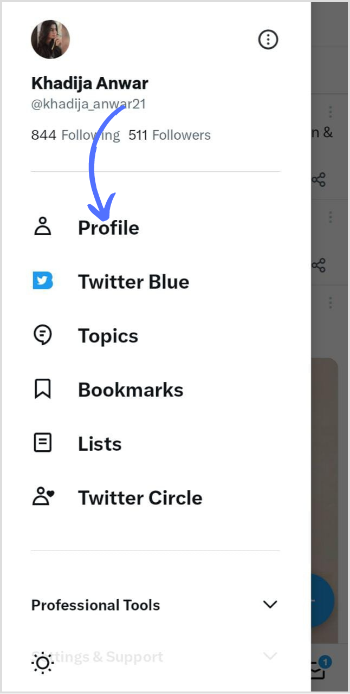
Open your Twitter app and tap the “Profile” icon on the homepage.

Step 2:
Tap on “Profile” in the menu. This will take you to your profile page.
Step 3:
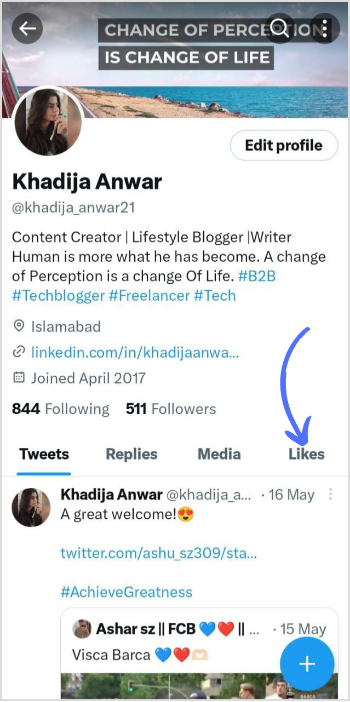
Tap on the “Likes” button on the right side of the screen.
Step 4:
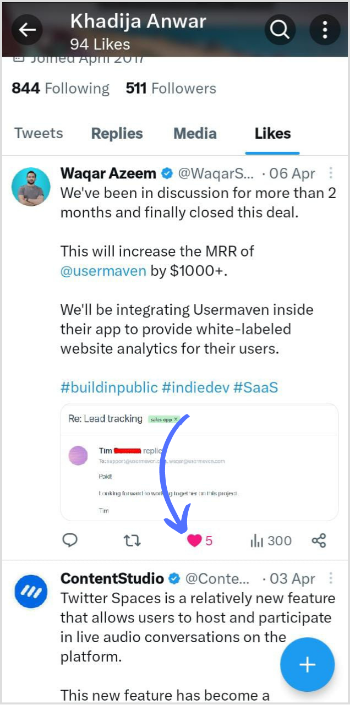
You will be presented with a list of tweets that you have previously liked. Scroll down your liked tweets and tap the “Heart” icon to take your like back.
Remember, you can’t hide likes on Twitter directly, but you can make your account private and manage your followers to customize your Twitter experience.
Can you hide your likes on Twitter from everyone?
No, you can’t hide your likes on Twitter from everyone.
Can someone see if I am Unlike a Tweet?
Twitter won’t notify other users if you unlike a Tweet.
Plan 0 Days of Content in 0 Minutes
Create, schedule, publish and analyze your content across all your social media channels from one simple dashboard.
4.7 on Capterra • 16,500+ marketers trust ContentStudio
Khadija Anwar is a Senior Technical Writer at ContentStudio with over 500 published write-ups across the ContentStudio blog and beyond. She specializes in step-by-step platform guides and Help Center content across Facebook, Instagram, LinkedIn, YouTube, TikTok, and X, and reviews how-to articles to verify every step and platform detail is accurate and current.
View all posts by Khadija AnwarRecommended for you
How to build an executive’s LinkedIn content workflow with Claude Code

How to turn one product photo into 5 video Ads with Claude Code

Social media MCP server: How to automate posting with ContentStudio
How to automate social media with n8n: A practical guide