


LinkedIn Company page guide: How to create, optimize, and grow it
Sep 24, 202621 minutes

Written by
Arooj IshtiaqUpdated
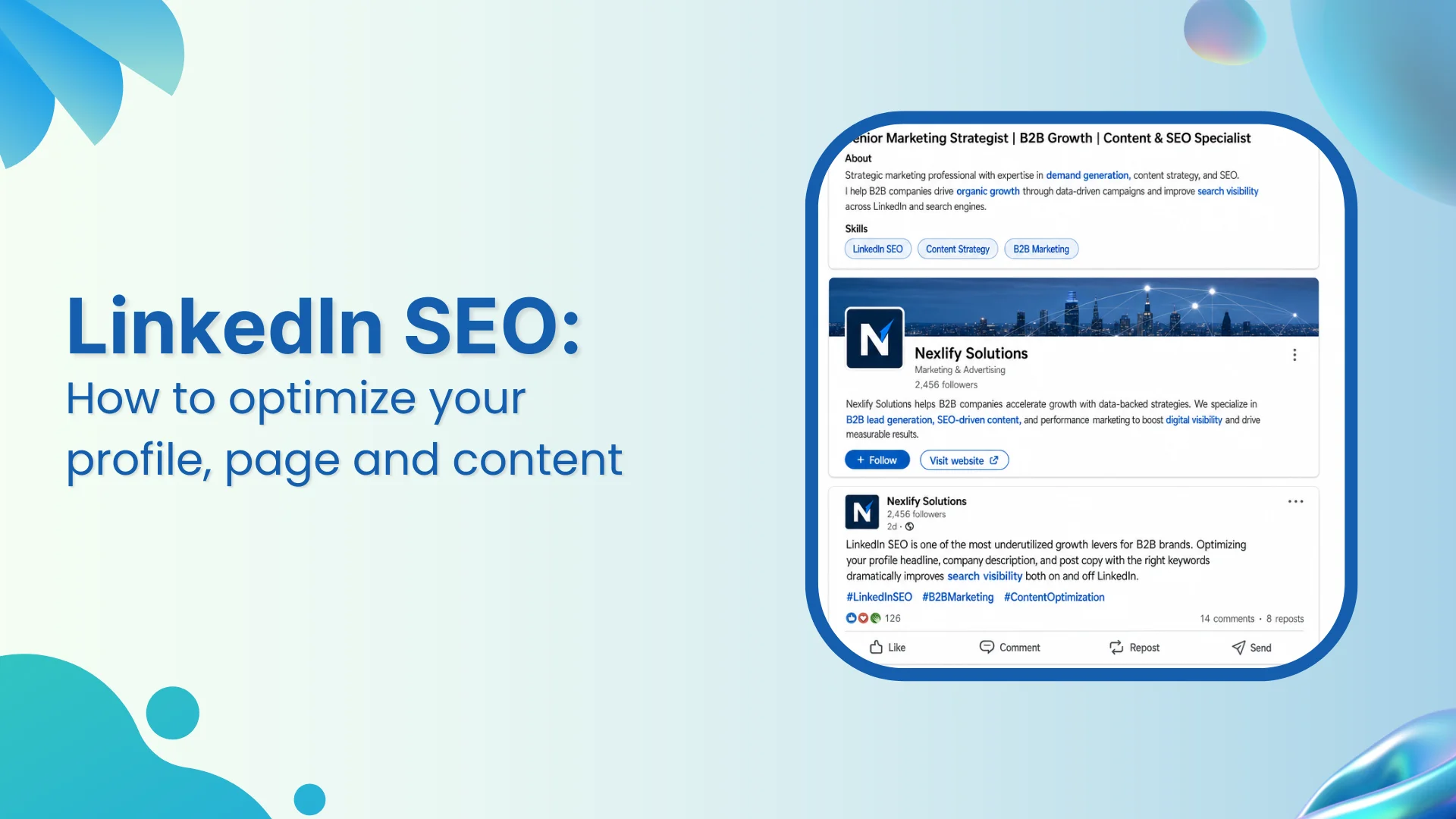
LinkedIn SEO helps the right people find your profile, Company Page, and expertise when they search for a role, service, business problem, industry, or professional topic. It is not about inserting a keyword repeatedly. It is about using clear language that explains who you help, what you know, and why your work is relevant.
A focused LinkedIn marketing framework gives search visibility a useful purpose, whether that is awareness, qualified demand, hiring, partnerships, or customer education. Consistent content planning on LinkedIn then turns the questions your audience searches for into content themes that build recognizable expertise over time.
This article explains how to improve LinkedIn SEO, SEO for LinkedIn, and SEO for LinkedIn Company Pages without keyword stuffing, empty activity, or unsupported claims about how LinkedIn ranks people and content.
Use these principles to keep LinkedIn SEO focused on clarity rather than tricks.
LinkedIn SEO is the process of improving how easily a LinkedIn profile, Company Page, post, article, newsletter, document, or other asset can be understood and discovered through relevant searches.
The goal is not simply to appear for a broad keyword. The goal is to appear for searches that reflect a real professional need and then give the searcher a useful answer, credible proof, or a clear next step.
For example, a B2B consultant may want to be found for “customer onboarding strategy,” “SaaS onboarding,” or “customer success consulting.” A recruiter may want to be discoverable for “engineering recruiter,” “technical hiring,” or “talent acquisition.” A Company Page may need to be associated with terms such as “supply chain software,” “financial planning services,” or “cybersecurity consulting.”
LinkedIn search helps members find people, companies, jobs, services, posts, events, groups, and other professional content within the platform. Search results can vary because LinkedIn considers the search query, available profile or Page information, the searcher’s context, filters, connections, location, and other relevance signals.
External search engines such as Google operate differently. Some LinkedIn public profiles, Company Pages, articles, and other public assets may appear in search results, but indexing and placement are controlled by the search engine. No LinkedIn SEO process can guarantee Google rankings.
The practical approach is to write your LinkedIn presence clearly enough to serve both contexts:
LinkedIn SEO is not the same as feed distribution. Search visibility concerns whether someone can find an asset when looking for a topic, person, company, or service. Feed reach concerns whether LinkedIn shows content to people in their feed.
A piece of content can be well optimized for a search topic and still receive modest feed distribution. It can also receive broad feed exposure without being useful for a specific search query. The distinction between reach on LinkedIn and search visibility helps teams avoid treating impressions as proof that their profile, Page, or content is easy to find.
Professional searches often begin with a need rather than a brand name. A buyer may search for an expert in a specific field. A candidate may look for companies hiring in a specialty. A journalist may search for a spokesperson. A potential partner may want to understand who works in a market. A customer may look for a solution to a work-related problem.
Clear LinkedIn SEO helps those people recognize whether a profile or Company Page is relevant.
A LinkedIn profile can act as a professional landing page. It gives visitors a concise picture of a person’s role, expertise, experience, proof, interests, and ways to connect.
When profile language is specific, the right people can understand the expertise behind it faster. A vague headline such as “Helping businesses grow” tells a visitor very little. A clearer headline such as “Customer onboarding consultant for B2B SaaS teams” identifies the professional area, audience, and type of work. A properly optimized LinkedIn profile makes search-driven visits more useful because the visitor can quickly see the relationship between the person’s expertise and the topic they searched for.
A Company Page gives an organization an official place to explain what it does, who it serves, where it operates, and why it has credibility in its category. This is especially important when employees, posts, ads, events, newsletters, or external search results bring new people to the Page.
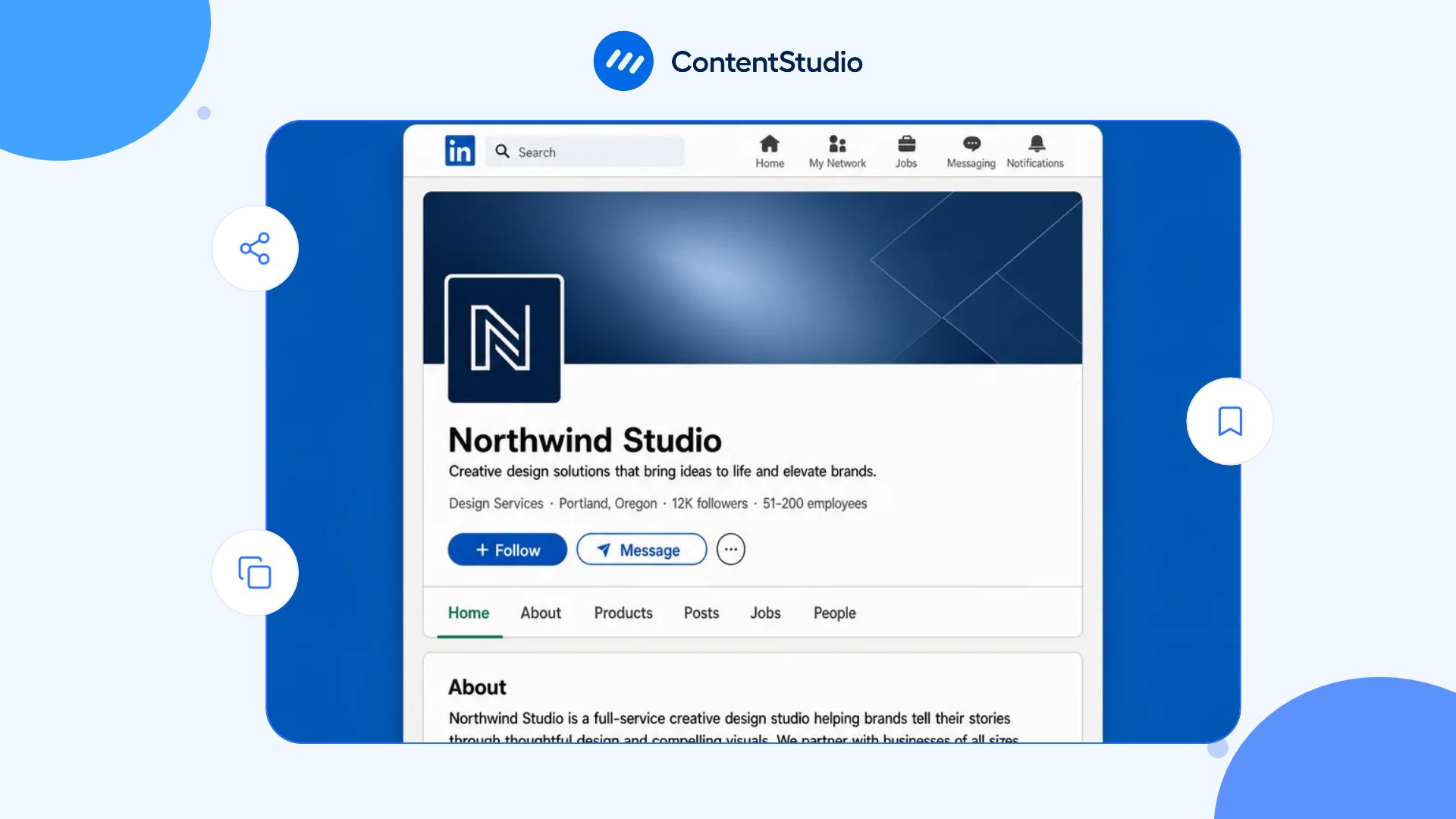
LinkedIn recommends completing Page information, including the organization name, tagline, About section, website, industry, company size, location, logo, and cover image. LinkedIn has also stated that complete Pages receive 30% more weekly views than incomplete Pages, which is one reason a complete LinkedIn business page pays off: it makes it easier for people to understand the business once they arrive, which does more for visibility than trying to attract generic traffic with broad keywords.
Posts, articles, newsletters, documents, events, and video can all help reinforce the subjects associated with a person or organization. Content should not repeat profile or Page text word for word. Instead, it should answer the smaller questions that sit beneath the main service or expertise area.
A cybersecurity company, for example, could publish content about incident-response planning, vendor-risk reviews, employee security training, compliance preparation, or executive reporting. Each piece strengthens the company’s topic relevance while serving a practical reader need.
LinkedIn does not publish a complete public ranking formula for every search result type. It is therefore inaccurate to claim that any one action, such as adding a keyword, gaining connections, posting daily, or using hashtags, guarantees a certain ranking.
The more useful principle is relevance. LinkedIn needs enough accurate information to understand what a person, company, service, or content asset is about. Searchers also need enough context to decide whether the result answers their need.
A relevant result begins with a relevant query. LinkedIn can use information associated with a profile, Page, job, service, or content item to identify possible matches. The searcher’s location, network, filters, role, interests, and search history may also affect what appears.
That means one profile cannot be optimized for every possible audience at once. Prioritize the terms most closely connected to your actual role, service, industry, audience, and area of expertise.
Completeness improves clarity. For profiles, that includes a searchable headline, About section, current and previous experience, education, skills, licenses or certifications where relevant, services, Featured material, and contact information.
For Company Pages, clarity comes from the Page name, tagline, About section, industry, company size, website, location, specialties, branded visuals, and regularly updated content. LinkedIn’s Company Page SEO documentation emphasizes starting a Page tagline with language that describes what the organization does rather than relying only on a slogan.
Credibility also matters to visitors. A keyword may help a profile appear relevant, but experience details, examples, recommendations, case studies, featured resources, and a clear point of view help a visitor decide whether that relevance is real.
Publishing, commenting, participating in professional conversations, and keeping information current can help reinforce the topics associated with a profile or Page. However, activity alone is not a substitute for relevance.
A stream of generic posts will not create a clear professional identity. A smaller number of thoughtful posts that address real audience questions can be more useful for both discovery and trust.
Keyword research for LinkedIn starts with professional language, not a long list of high-volume SEO terms. The best keywords often describe a role, audience, industry, pain point, product category, process, service, outcome, location, or specialist capability.
The screenshot keyword set identifies several relevant variants:
These phrases should appear naturally where they accurately describe the section. “Mike O’Connor SEO strategy LinkedIn” should not be targeted because it is a person-specific navigational search, not a relevant topic for a general LinkedIn SEO resource.
Look at the phrases customers, candidates, peers, and subject-matter experts use when they describe the issue you solve. Sources can include sales conversations, onboarding calls, support tickets, event questions, job descriptions, request-for-proposal language, industry publications, and competitor positioning.
For example, a workflow software provider may find that prospective buyers talk about “approval workflows,” “process automation,” “operations visibility,” or “cross-functional collaboration.” Those phrases are usually more useful than a vague term such as “digital solutions.”
Search LinkedIn for the role, topic, service, industry, or question you want to understand. Review suggested searches, people, companies, posts, jobs, and other result types. This research can help identify:
Do not copy another profile’s wording wholesale. Use the research to understand audience language, then describe your own experience and offering accurately.
A keyword map prevents every term from being forced into the same section. Assign the most relevant language to the part of the LinkedIn presence where it will help readers most.
| Asset | Primary keyword role | Example |
|---|---|---|
| Profile headline | Role, service, audience, or specialty | “SEO consultant for B2B SaaS companies” |
| About section | Expertise, problems solved, proof, approach | “Technical SEO, content strategy, and organic growth for B2B software teams” |
| Experience section | Responsibilities, outcomes, tools, industries | “Led organic search strategy for enterprise software launches” |
| Services section | Offer names and client needs | “LinkedIn SEO, content strategy, profile optimization” |
| Company Page tagline | What the organization does | “Content marketing software for agencies and growing teams” |
| Company Page About section | Audience, offer, use cases, categories, proof | “Plan, publish, analyze, and improve social media content from one workspace” |
| Page specialties | Specific capabilities and product categories | “Social media management, content planning, analytics, publishing” |
| Posts and articles | Questions, examples, frameworks, and topical expertise | “How B2B teams can audit content topics before scaling production” |
The map should be flexible. Update it when your service changes, audience language changes, or the organization expands into a clearly related category.
Use relevant variations where they fit the meaning of the section. This article, for example, can naturally use “LinkedIn SEO,” “SEO for LinkedIn,” “SEO LinkedIn,” and “SEO for LinkedIn Company Pages” without repeating the exact phrase in every paragraph.
Avoid forcing variations into sentences where they make the writing unnatural. Readers should not notice keyword targeting; they should notice clarity.
A LinkedIn profile should be optimized for the searcher’s experience, not just a search result. The aim is to give the right visitor a clear answer to four questions:
A custom public profile URL is easier to share, easier to recognize, and more professional than a default string of numbers. Use a version of your name where possible.
Do not try to force multiple keywords into the URL. A clean, accurate identifier is more useful than a cluttered address.
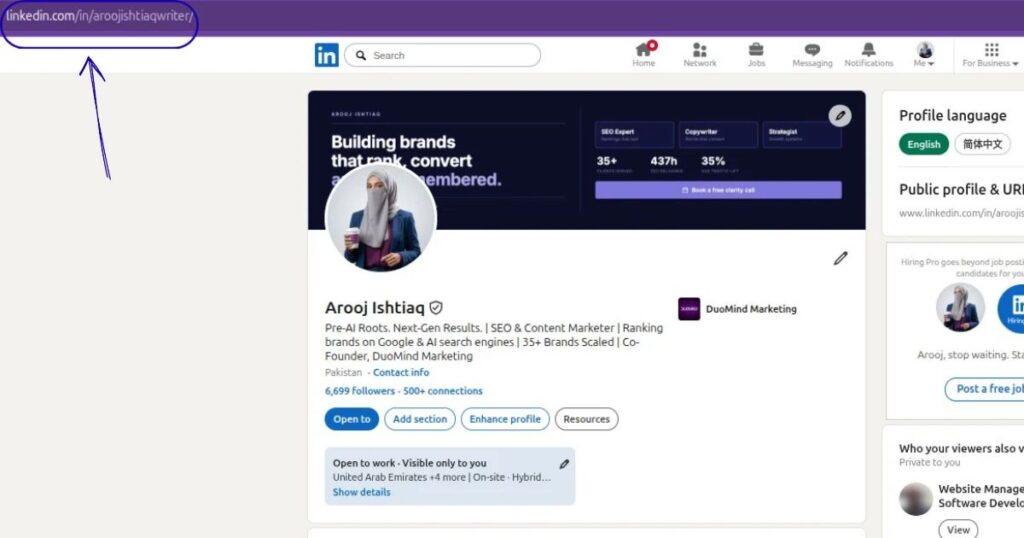
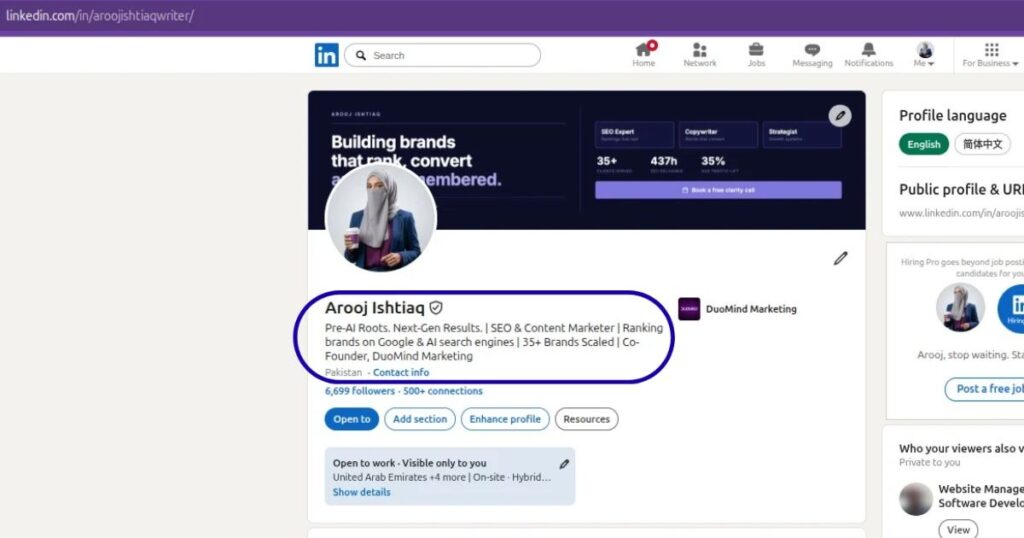
The headline appears prominently in search results, connection requests, comments, and profile previews. It should identify the role, expertise, audience, specialty, or outcome clearly enough for a relevant person to understand it quickly. A useful headline structure can include:
Examples:
Avoid labels such as “guru,” “ninja,” “visionary,” or “results-driven professional” unless the rest of the headline provides concrete meaning.
The About section gives you space to explain your professional focus in natural language. Start with the issue you address, the audience you serve, or the perspective you bring. Then add relevant experience, proof, approach, and a clear invitation to connect where appropriate. A useful About section can include:
Do not turn the section into a keyword list. Write for the person reading it after they find you.
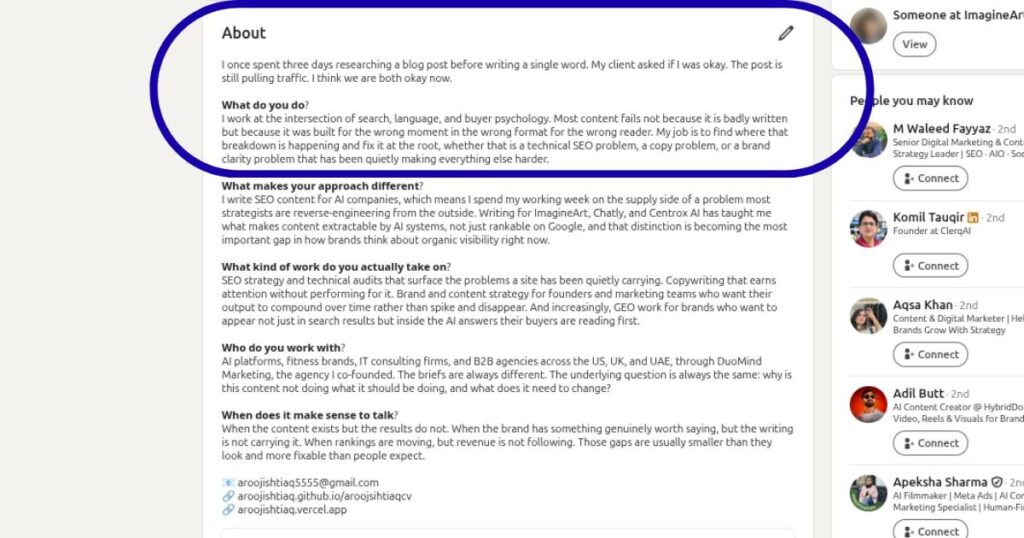
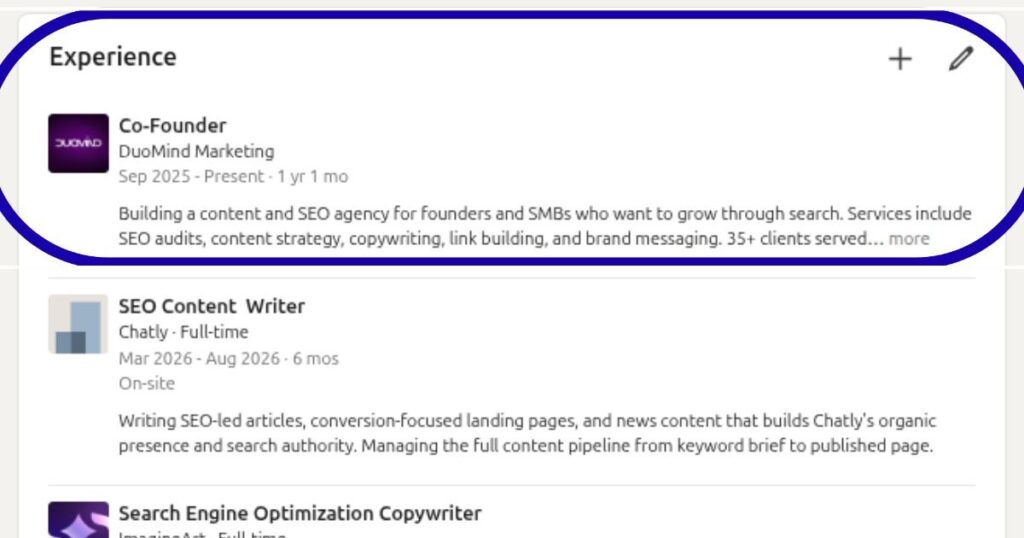
The experience section should explain responsibilities, scope, and results using accurate professional terms. Include the tools, industries, workstreams, or outcomes that are genuinely relevant to your career and audience.
Use the skills section to reflect actual capabilities. Add services only if you provide them. Use Featured content to highlight proof, resources, case studies, articles, presentations, webinars, media appearances, or useful posts that demonstrate the expertise described in the headline and About section.
The goal is coherence. When a visitor finds you through “LinkedIn SEO consultant,” the headline, About section, experience, skills, services, and featured work should all support that identity.
Profile search appearances can show how many times your name and headline appeared in LinkedIn search results. This is different from profile views: a person may see a search result without opening the profile.
Review the terms and audience patterns available in profile analytics, then update the profile only when a change improves accuracy and clarity. Do not rewrite the profile every week in response to small fluctuations.
SEO for LinkedIn Company Pages is largely about accurate business information, audience language, category clarity, and a Page that gives new visitors a reason to stay.
LinkedIn advises organizations to use relevant language in the tagline, complete their Page information, provide a clear About description, add a website, choose specialties, and maintain an active presence. It also notes that a complete Page receives more weekly views than an incomplete Page.
Your Page name should normally be the organization’s official or recognizable name. Avoid adding unrelated keywords to the business name merely to target searches.
The tagline should clearly explain what the company does. Use language that names the product category, service, audience, or core outcome.
Less clear
Helping teams do more
Clearer
Social media management and content analytics for agencies and growing brands
The clearer option gives both LinkedIn and the visitor more useful context.
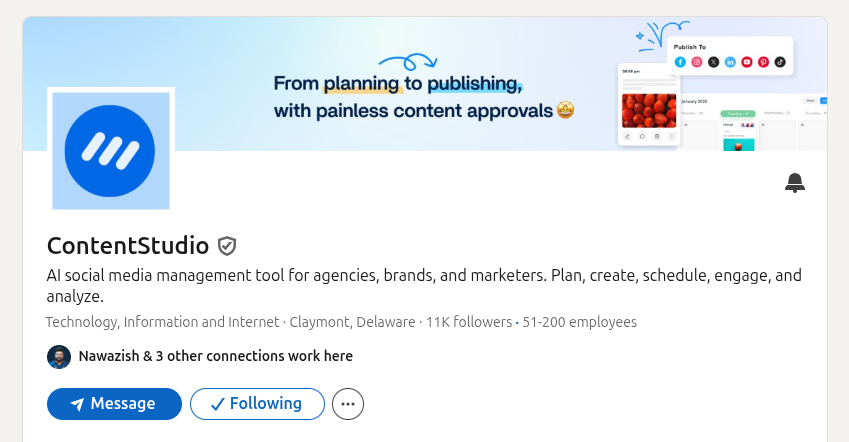
The About section should explain:
Use key phrases naturally throughout the description. If “social media management software” is a relevant category, it should appear because it accurately explains the offering, not because the phrase needs to be repeated.
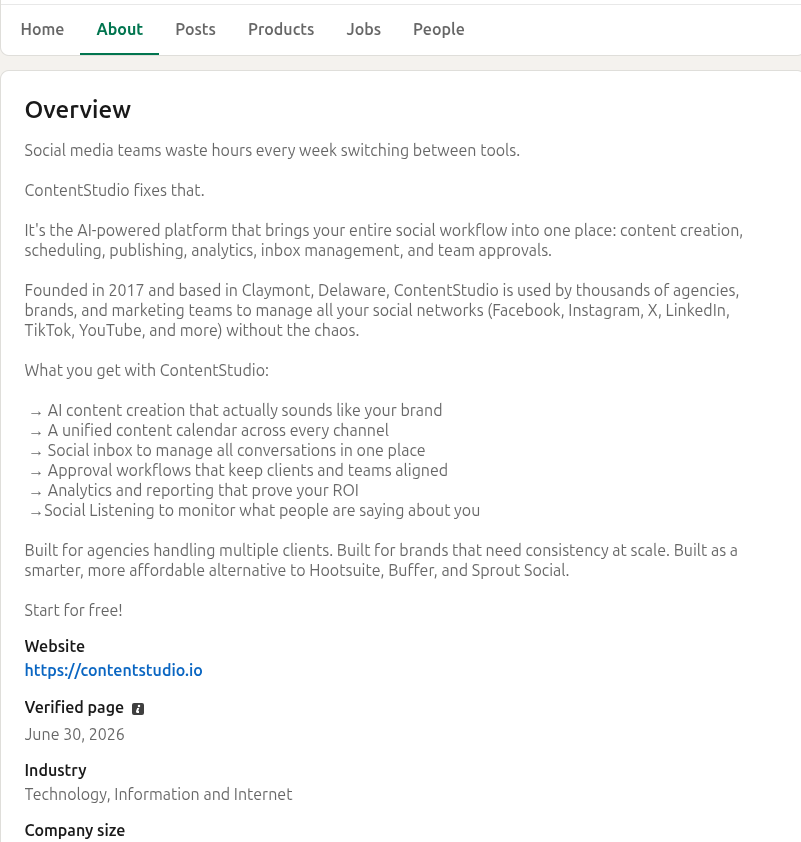
Complete the available business fields accurately, including industry, company size, website, headquarters or locations, organization type, founded date where appropriate, specialties, and products or services.
Specialties can help explain the areas in which the organization has expertise. Choose specific capabilities that reflect real work. A cybersecurity business, for example, might list cloud security, incident response, security awareness training, compliance, and threat detection rather than broad claims such as “innovation” or “excellence.”
A recognizable logo and relevant cover image help visitors confirm that they found the correct organization. Visual assets do not replace clear Page language, but they reinforce credibility and make the destination easier to recognize when it appears in search, employee experience sections, shared posts, and Page recommendations.
A Company Page becomes more useful when the published content reflects the expertise described in its tagline, About section, and specialties. This does not mean repeating the same product-category keyword in every update. Instead, publish around related questions:
Maintaining this rhythm over time is easier with a steady scheduler for LinkedIn that helps teams assign approvals, coordinate subject-matter experts, and review which themes attract relevant attention.
Content supports LinkedIn SEO when it answers questions that matter to a defined professional audience. It gives searchers, followers, and new visitors more evidence about what a profile or Page knows.
The opening of a post, document description, article, newsletter, or video caption should establish the topic clearly. Start with the problem, question, decision, change, or insight the reader will recognize.
Specific opening
Customer onboarding metrics can look healthy while adoption stalls because the team measures completion rather than the customer’s ability to reach value.
That opening gives LinkedIn and the reader meaningful context. It is more useful than:
Vague opening
Here are some thoughts on onboarding.
For articles and newsletters, use clear titles and headings that match the specific question being answered. Avoid vague titles such as “Everything You Need to Know” unless the article genuinely provides comprehensive coverage.
Documents, long-form articles, newsletters, video captions, event descriptions, and Page posts should use the same accurate language that appears in your keyword map. Keep the wording natural and let the topic determine the language.
A document about “B2B customer onboarding” can use that phrase in the title, introduction, section headings, and supporting examples where it belongs. It does not need the phrase in every slide or paragraph.
A video about “LinkedIn SEO for Company Pages” should state that topic in the post copy and explain what the viewer will learn. The value should come from the explanation, not from repeating the exact key phrase.
Hashtags can help identify a topic, but they are not a replacement for natural keywords or a guaranteed SEO tactic. Use them sparingly when they genuinely clarify the professional conversation.
A post about social-media governance may use #SocialMediaManagement or #ContentOperations if those labels accurately match the subject. The post should still be understandable without them. Placement, research, and branded tags are covered in more depth in the dedicated hashtags for LinkedIn article, but the SEO principle is simple: hashtags should reinforce a clear message, not carry it.
The format should make the answer easier to use:
A structured LinkedIn carousel post can help break down a process or comparison when readers need to work through it in stages.
LinkedIn SEO is weakened when teams optimize for an imagined algorithm instead of helping a real searcher understand the profile, Page, or content.
Repeating “LinkedIn SEO,” “SEO for LinkedIn,” or another target phrase in every sentence makes the content less readable and less credible. Use the terms where they accurately describe the subject, then rely on related natural language.
Trying to appeal equally to buyers, job seekers, investors, partners, employees, students, creators, and the general public makes the message vague. Choose the audience that matters most and make the primary positioning clear.
Statements such as “we deliver excellence,” “we empower innovation,” and “we help businesses grow” do not tell searchers what the business or person actually does. Replace them with specific categories, audiences, problems, and outcomes.
Competitor research can reveal the terms used in a market, but copying entire headlines, Page descriptions, or content structures creates undifferentiated positioning. Describe your actual expertise, offer, and proof in your own words.
Hashtags may add context, but they do not replace a clear headline, Page tagline, About section, experience description, title, or opening sentence. Use topic language in the content itself.
A post may attract views, but the opportunity is lost if a visitor cannot understand the profile or Page after clicking. Ensure the destination has clear positioning, relevant proof, and a logical next step.
Search visibility and feed distribution overlap only partly. A well-optimized Page or profile can be clear and discoverable without every post receiving broad exposure. Use search optimization, content quality, and relationship-building as complementary practices.
LinkedIn SEO improves through accurate positioning and steady refinement, not one large keyword edit. The table below gives teams a practical starting point.
| Week | Focus | Actions |
|---|---|---|
| Week 1 | Define the audience and keyword map | Document the primary audience, core professional problems, services or expertise areas, and the terms that audience uses. Audit the current profile or Company Page for vague language, missing fields, inconsistent positioning, and outdated details. |
| Week 2 | Optimize the destination | Update the headline or Page tagline first. Then refine the About section, experience or Page description, specialties, services, website, visuals, contact information, and Featured material. Make sure every update is accurate and easy to understand. |
| Week 3 | Publish topic-supporting content | Publish two to three pieces of content that answer defined professional questions. Use clear titles, openings, and natural keyword language. Choose a format that makes the information easy to use rather than selecting a format because it is fashionable. |
| Week 4 | Review discovery and visitor behavior | Review search appearances, profile views, Page visitors, follower quality, post distribution, clicks, messages, website activity, and any relevant business conversations. |
A reliable performance metrics for LinkedIn approach helps distinguish distribution, engagement, traffic, audience growth, and outcomes during Week 4. At the end of the month, record one clarity improvement and one focused content or keyword test for the next cycle.
LinkedIn SEO should be evaluated through evidence of relevant discovery and meaningful follow-through, not through rankings alone.
| Question | Useful evidence | What it can show |
|---|---|---|
| Are people finding the profile or Page? | Search appearances, profile views, Page visitors, referral patterns | Whether visibility is improving |
| Are the right people finding it? | Viewer, follower, visitor, and comment demographics where available | Whether audience fit is improving |
| Is the positioning clear? | Connection requests, messages, comment quality, sales or recruiting feedback | Whether visitors understand the expertise |
| Does content support discovery? | Topic-level post performance, relevant follows, visits, clicks, saves, and discussion | Which subjects create useful attention |
| Does it support business outcomes? | Website behavior, qualified conversations, applications, leads, pipeline context, or partnerships | Whether visibility creates meaningful next steps |
A rise in search appearances is promising, but it is only an early signal. The stronger outcome is a relevant visitor who understands the offering, follows the Page or profile, engages with useful content, starts a qualified conversation, or takes an appropriate next step.
LinkedIn SEO is not a collection of shortcuts. It is a clarity practice: use accurate professional language, complete the available profile or Page information, publish content that answers real questions, and make the destination useful for people who discover it.
The best SEO for LinkedIn does not try to rank for everything. It helps the right searcher recognize the right expertise at the moment they need it. When the headline, Page description, experience, specialties, content themes, and proof all tell the same coherent story, LinkedIn becomes easier to understand for both search systems and people.
Use a clear headline, write an audience-focused About section, describe your experience with accurate professional terms, include relevant skills and services, add Featured proof, customize the public URL, and keep profile details current. Focus on clarity rather than repeating keywords.
Use the official company name, write a clear tagline, complete the About section, include the website and business details, add relevant specialties, use recognizable visual branding, and publish content that reflects the Page’s expertise. LinkedIn says complete Pages receive 30% more weekly views than incomplete Pages.
It can support external visibility when public LinkedIn assets are indexed and relevant to a search query, but it does not guarantee Google rankings. Google controls whether and where content appears in its results.
Use terms that accurately describe your role, industry, audience, services, specialties, products, problems solved, and professional outcomes. Research the language used by customers, peers, candidates, job descriptions, industry publications, and LinkedIn search results.
Not necessarily. Regular activity can reinforce the topics associated with a profile or Page, but frequency alone does not guarantee search visibility or feed reach. Prioritize useful content that addresses clear professional questions.
Plan 0 Days of Content in 0 Minutes
Create, schedule, publish and analyze your content across all your social media channels from one simple dashboard.
4.7 on Capterra • 16,500+ marketers trust ContentStudio
Arooj Ishtiaq is a Content Marketing Strategist with 5+ years of experience writing about social media, SaaS, and AI. At ContentStudio, she creates practical guides, tutorials, and how-to content that help marketers navigate social media trends, sharpen their strategies, and get more from their content.
View all posts by Arooj IshtiaqRecommended for you
LinkedIn Company page guide: How to create, optimize, and grow it
LinkedIn marketing in 2026: Strategy, content, and growth
LinkedIn articles: How to write, publish, and use long-form content
How to Use LinkedIn Hashtags Without Overdoing It








