Audio Libraryai-icon

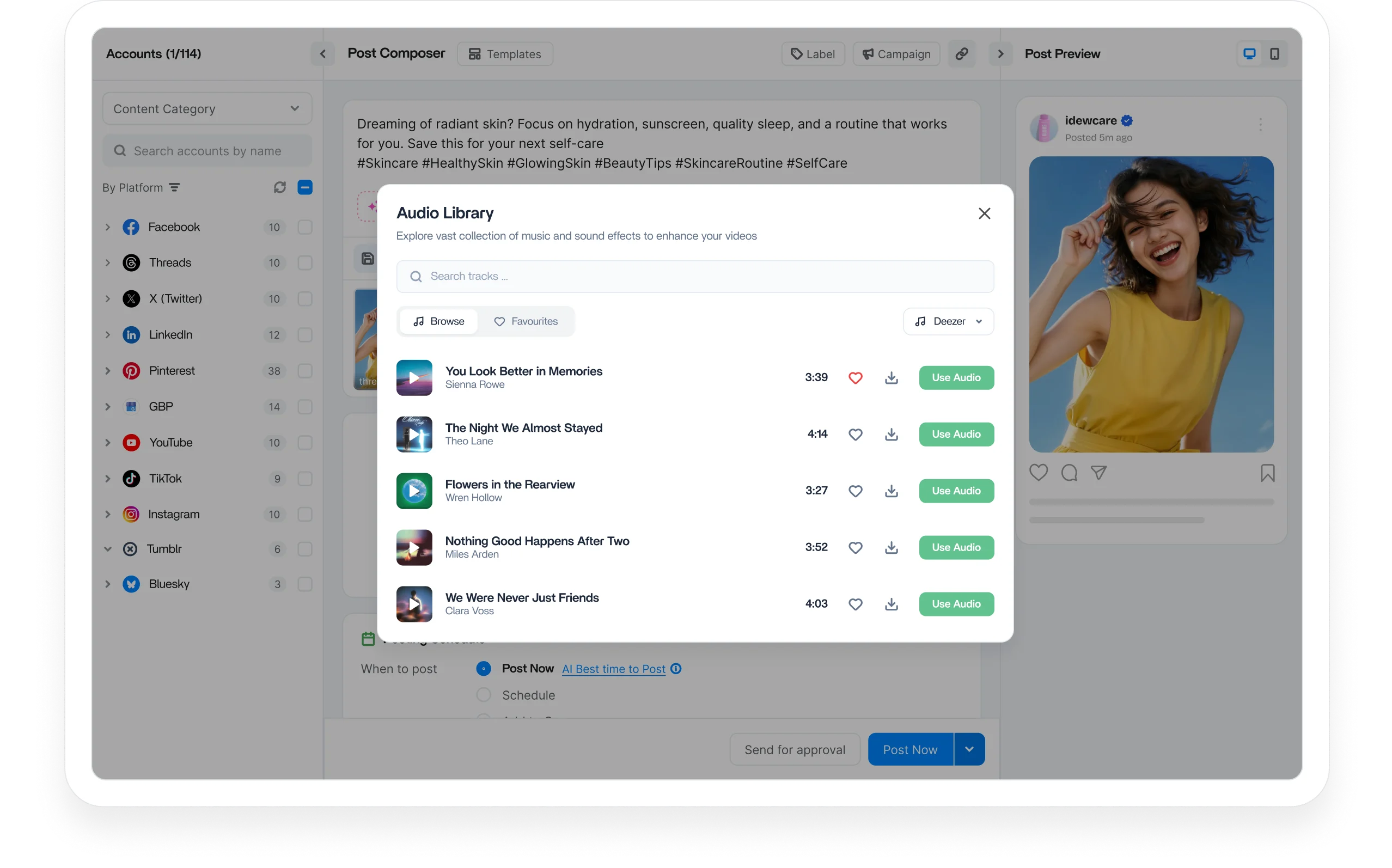
Audio library to find the perfect soundtrack for your videos

Discover trending audio from trusted sources, fine-tune every soundtrack with built-in editing tools, and add it to your videos in minutes. ContentStudio's Audio Library keeps your entire video workflow in one place.
Audio library to find the perfect soundtrack for your videos

Integrated with

Trusted by 16,500+ leading brands and agencies
Access trending audio from top sources - audio library

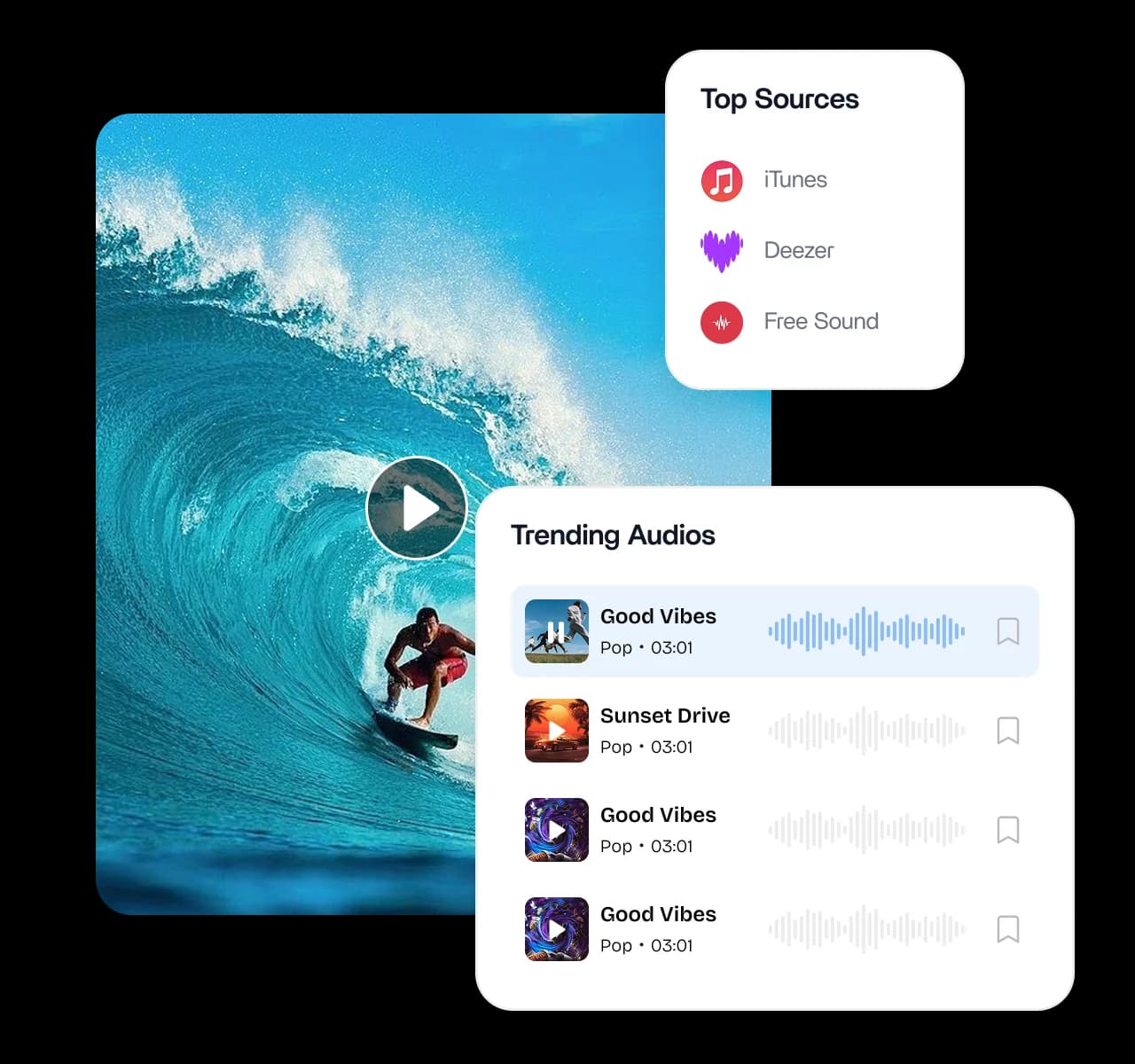
Access trending audio from top sources

Find the perfect soundtrack for every video. Explore an extensive audio collection with integrated access to iTunes, Deezer, and Freesound, so you can pull everything from chart-topping hits to unique sound effects in one place.
Keep your audio library organized - audio library

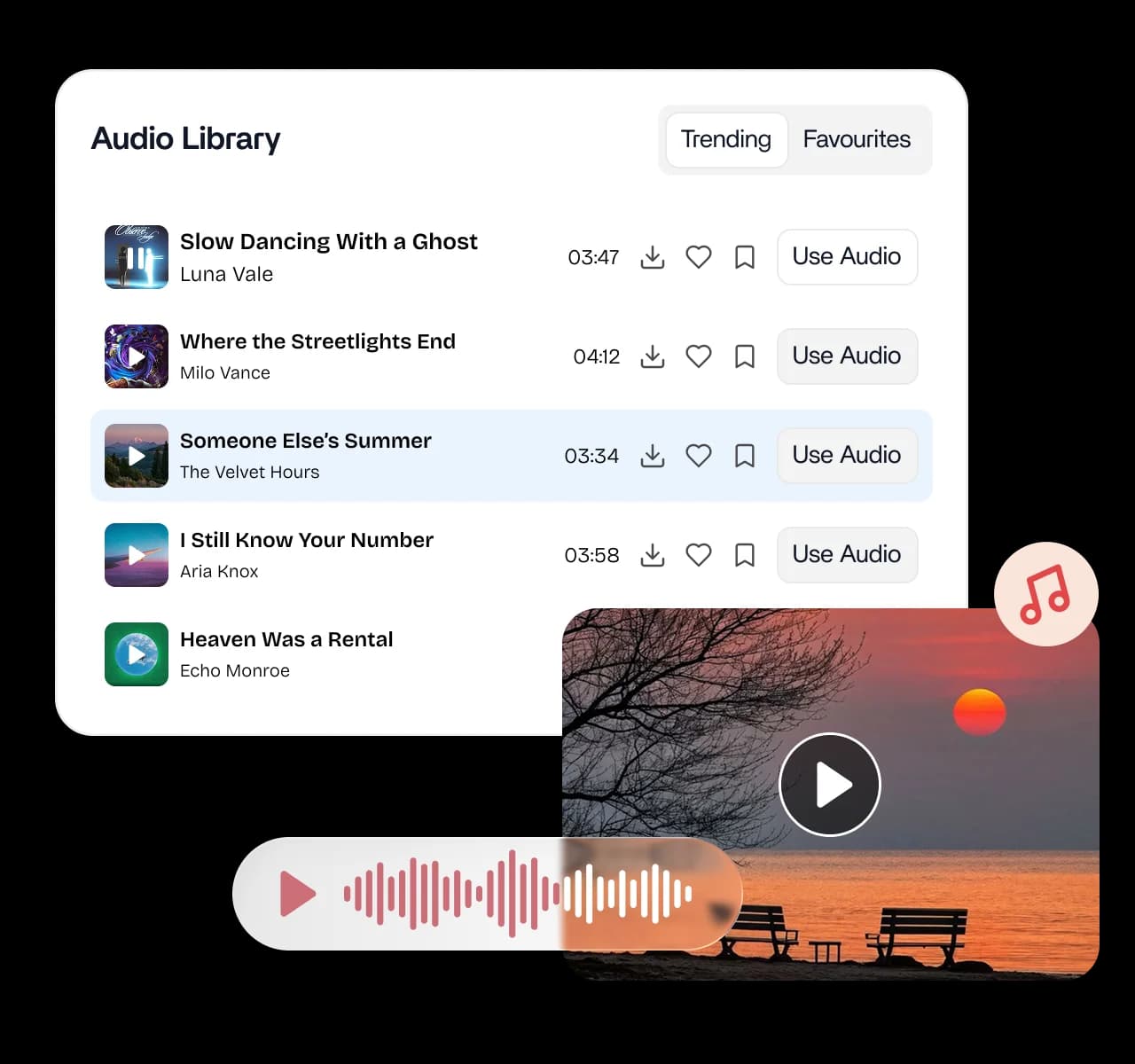
Keep your audio library organized

Save time with smart audio organization. Quickly grab your saved tracks or discover fresh ones from top sources, let the favorites system remember your go-to sounds, and browse to stay on top of trending audio your audience loves.
Edit audio right inside ContentStudio - audio library

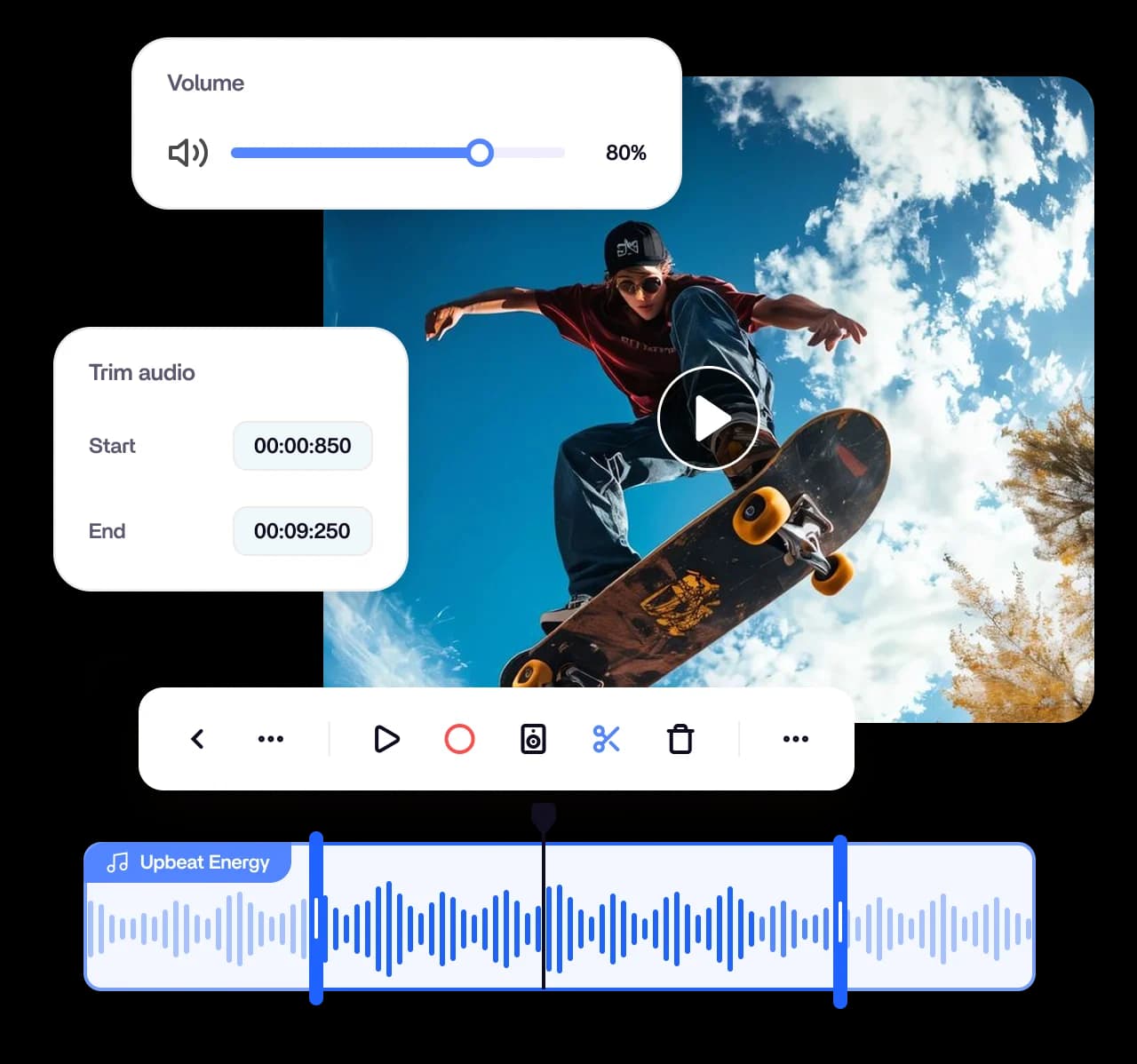
Edit audio right inside ContentStudio

Get professional sound with no external software. Adjust audio length and control volumes with precision using built-in trimming and mixing tools, so you can create the perfect audio experience for every video in a few clicks.
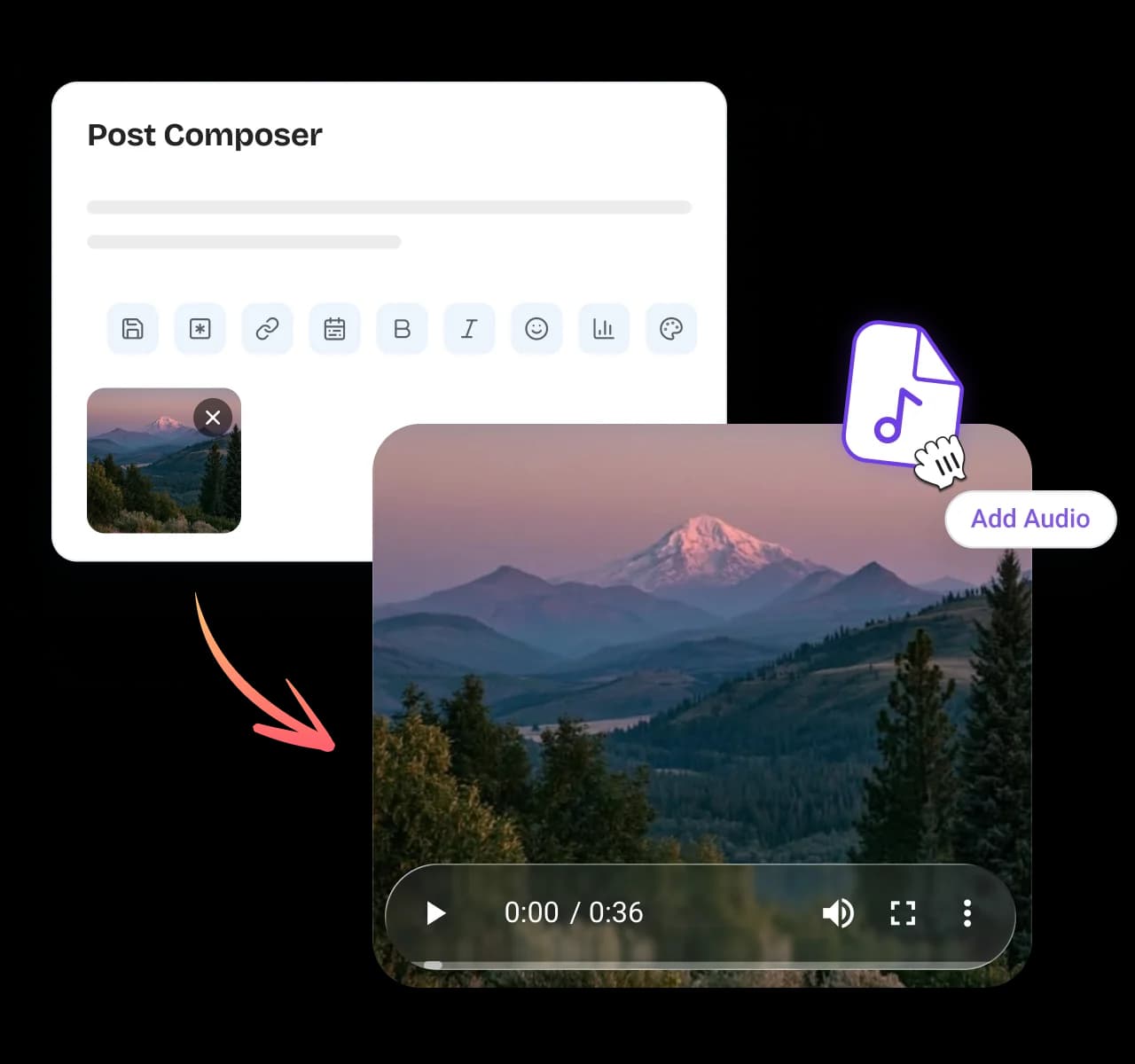
Add audio straight from the composer - audio library

Add audio straight from the composer

Drop sound into your posts where you already work. Hover over any video in the composer, click the music icon, and add or edit audio instantly, so your videos are ready to publish across every channel without switching tools.
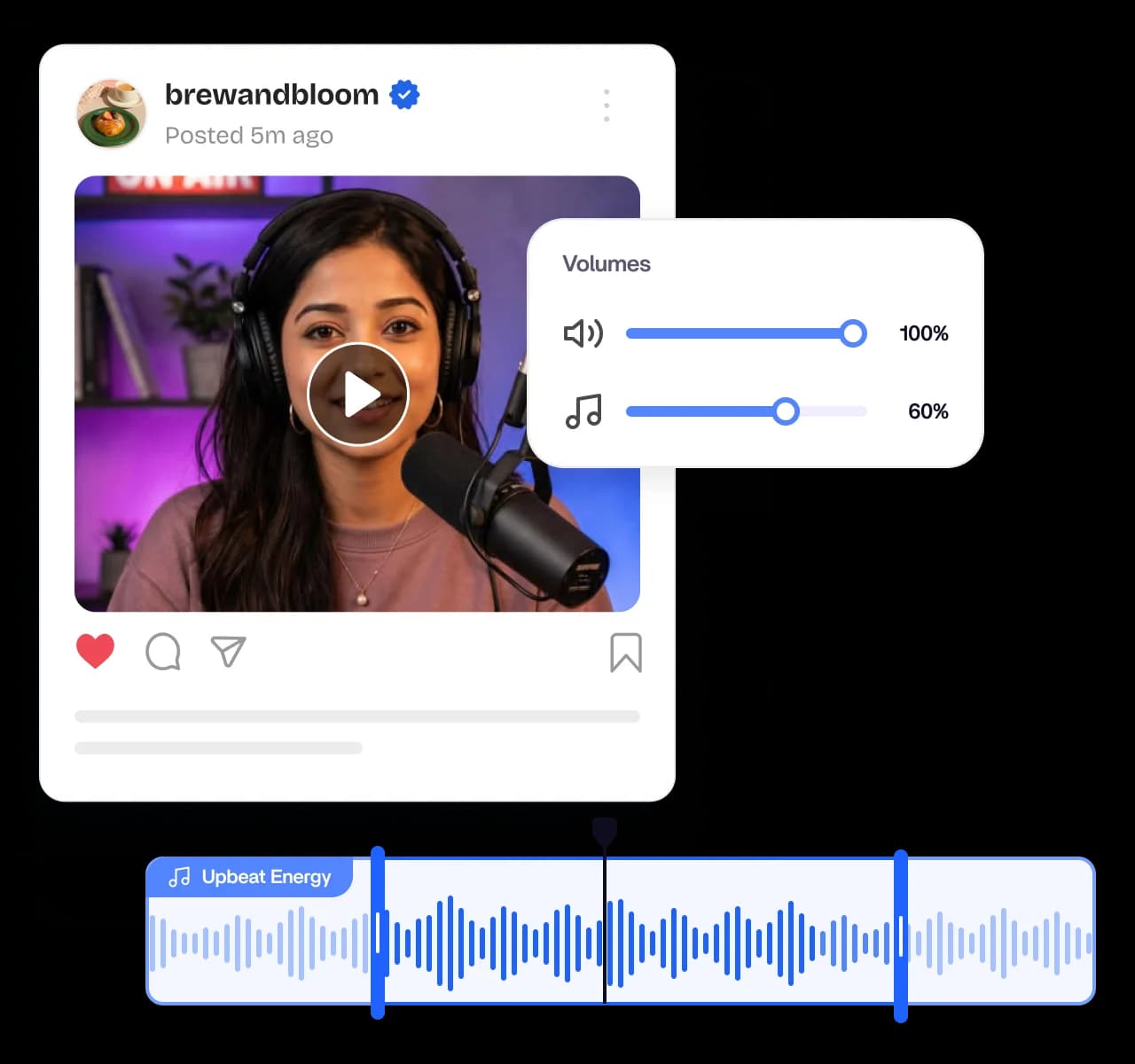
Preview and fine-tune in real time - audio library

Preview and fine-tune in real time

Perfect your sound before it goes live. Control video and audio volumes with dual sliders, trim precisely on the visual waveform, and preview edits instantly, then save as a new video or replace the original when it sounds right.

4.2MPost ScheduledIncrease in productivity with ContentStudio
50%Productivity BoostIncrease in productivity with ContentStudio
$1,000+Cost Savingssaved monthly on social media management costs
5h/weekTime Savedsaved on content planning and scheduling
quotes

The perfect tool for agency-client collaboration and content approvals.

Erin-testimonial

Erin Ricchiazzi,

VP of Marketing@The Modern Firm

marketing-logos
FAQs

FAQs

ContentStudio

Book a 30 min call

Have questions? Schedule a quick call and we will guide you through everything.

Book a free call

What is an audio library?

An audio library is a collection of music, sounds, and effects you can add to your videos and posts. It gives you a ready source of soundtracks instead of hunting across the web. ContentStudio's audio library brings trending audio, editing, and publishing into one place.
ContentStudio's audio library gives you integrated access to top sources including iTunes, Deezer, and Freesound. That means you can pull everything from chart-topping hits to unique sound effects in one collection. You browse and add audio without leaving the platform.
Yes, the audio library includes built-in trimming and mixing tools with no external software needed. You can adjust audio length and control volumes precisely to fit each video. Everything happens right inside ContentStudio for a streamlined process.
You can add audio straight from the post composer by hovering over any video and clicking the music icon. From there, you add or edit audio instantly, and your enhanced video is ready to publish. It keeps sound editing and publishing in the same workflow.
Yes, you get a live preview with real-time editing before anything goes out. Control video and audio volumes with dual sliders, trim on the visual waveform, and hear your edits instantly. Then save as a new video or replace the original once it sounds right.
Yes, the audio library keeps you updated with trending audio that resonates with your audience. You can browse popular tracks and discover fresh ones from top sources. Using sounds your audience already listens to helps your videos get more engagement.
Yes, the favorites system remembers your go-to sounds so you can reuse them fast. Smart audio management keeps your saved tracks organized and easy to find. That saves time when you are producing videos regularly.
You can trim audio to length, control both video and audio volumes with dual sliders, and mix your sound precisely. The visual waveform makes it easy to line up edits exactly where you want them. You can then save the result as a new video or replace the original.
No, the audio library's built-in tools let you edit audio without any external software. You trim, mix, and preview everything inside ContentStudio. That keeps your whole audio and publishing workflow in one platform.
CtaBackground