ContentStudio API plan is now available. Create automations using Claude, Zapier, n8n, make, etc. Explore plan!

ContentStudio
Product

Platform

Publish

Plan and schedule content

AI Studio

AI-generated captions, images

Analyze

Measure social media KPIs

Engage

Social media customer care

Social Listening

New

Follow every conversation

Discover

Manage and read feeds

Top features

Workspaces

Clip maker

Calendar/Planner

Smart scheduling

Content library

White-label

New

AI Library

Bulk scheduling

Approval workflow

Client management

White-label reseller

New

AI video generator

Competitor analytics

Automation

Google Ads Analytics

New

Meta Ads Analytics

New

See all features

right-arrow-icon
contentstudio-tour

ContentStudio overview tour

Discover how ContentStudio simplifies workflows, helps in scaling up and delivers the results you need.

Solutions

By Business Type

For solo creators

For agencies

For small business

For marketing teams

For enterprise

By network

Facebook

Facebook

Instagram

Instagram

X (Twitter)

X (Twitter)

Google Business Profile

Google Business Profile

LinkedIn

LinkedIn

TikTok

TikTok

Bluesky

Bluesky

Meta Threads

Meta Threads

YouTube

YouTube

Pinterest

Pinterest

Telegram

Telegram

CUSTOMER STORYnew-tab-icon

How Webeing scaled client results using smarter workflows with ContentStudio

40%

increase in productivity with ContentStudio

Resources

Info Hub

Blog

Help docs

Glossary

Integrations

Case studies

n8n templates

Free Tools

Facebook video downloader

New

X (Twitter) video downloader

New

AI caption generator

Facebook post generator

LinkedIn video downloader

TikTok hashtag generator

YouTube title generator

TikTok caption generator

X (Twitter) hashtag generator

See All

right-arrow-icon
Video libraryContentStudio academy
video library

Access our complete collection of step-by-step tutorials covering all ContentStudio features.

APIPricing

Book a demo


Sign in

AI Clip Makerai-icon

AI clip maker that repurposes every video you create

Turn webinars, podcasts, interviews, and videos into multiple short clips in minutes. ContentStudio's AI clip maker finds the best moments, adds captions, and gets every clip ready to share.

Try the AI Clip MakerBook a demo
ContentStudio AI clip maker dashboard

Integrated with

  • Facebook
  • Instagram
  • YouTube
  • LinkedIn
  • Pinterest
  • TikTok
  • Threads
  • Telegram
  • Bluesky
  • Google Business
  • OpenAIAI
  • ClaudeAI
  • FluxAI
  • QwenAI
  • SeedanceAI
  • KlingAI
  • OpenClawAI
  • HermesAI
  • See all integrations

Trusted by 16,500+ leading brands and agencies

Repurpose every video into short clips - AI clip maker

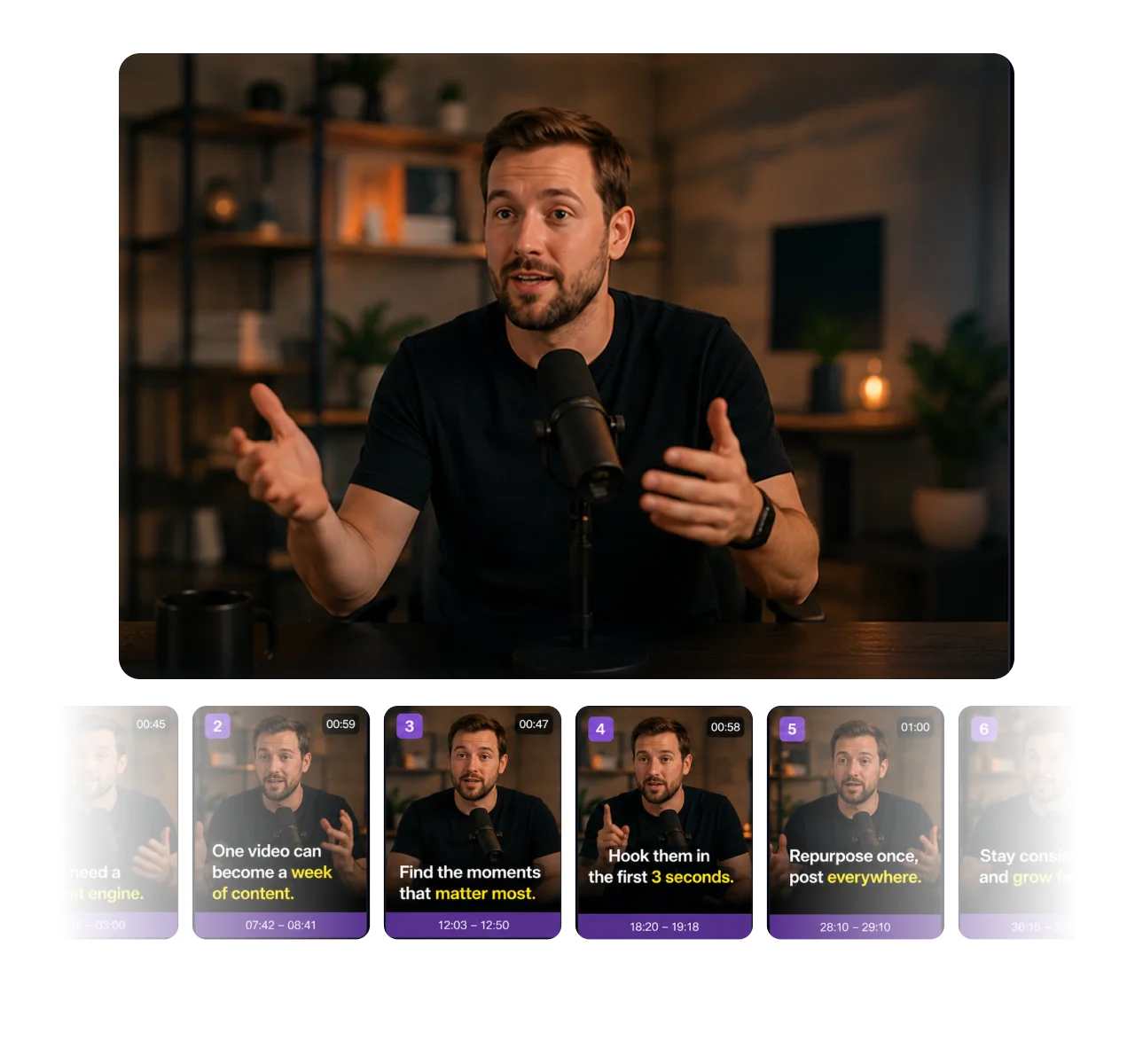
Repurpose every video into short clips

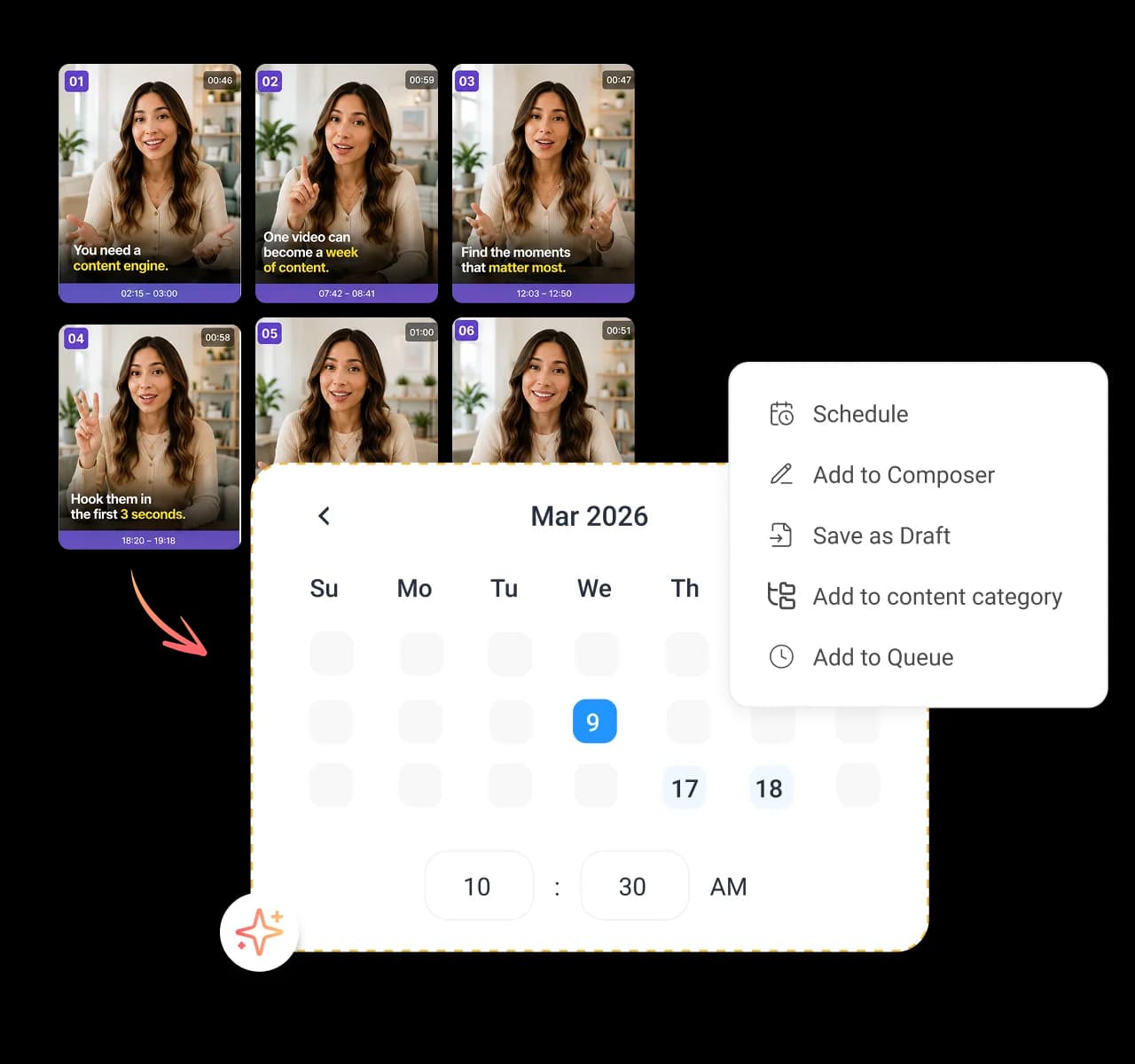
Feed it one long video and get a whole batch back. The AI scans your footage for the best moments, strongest hooks, and key points, then cuts them into multiple short clips at once. One recording becomes a week of content.

Pull videos from anywhere you store them - AI clip maker

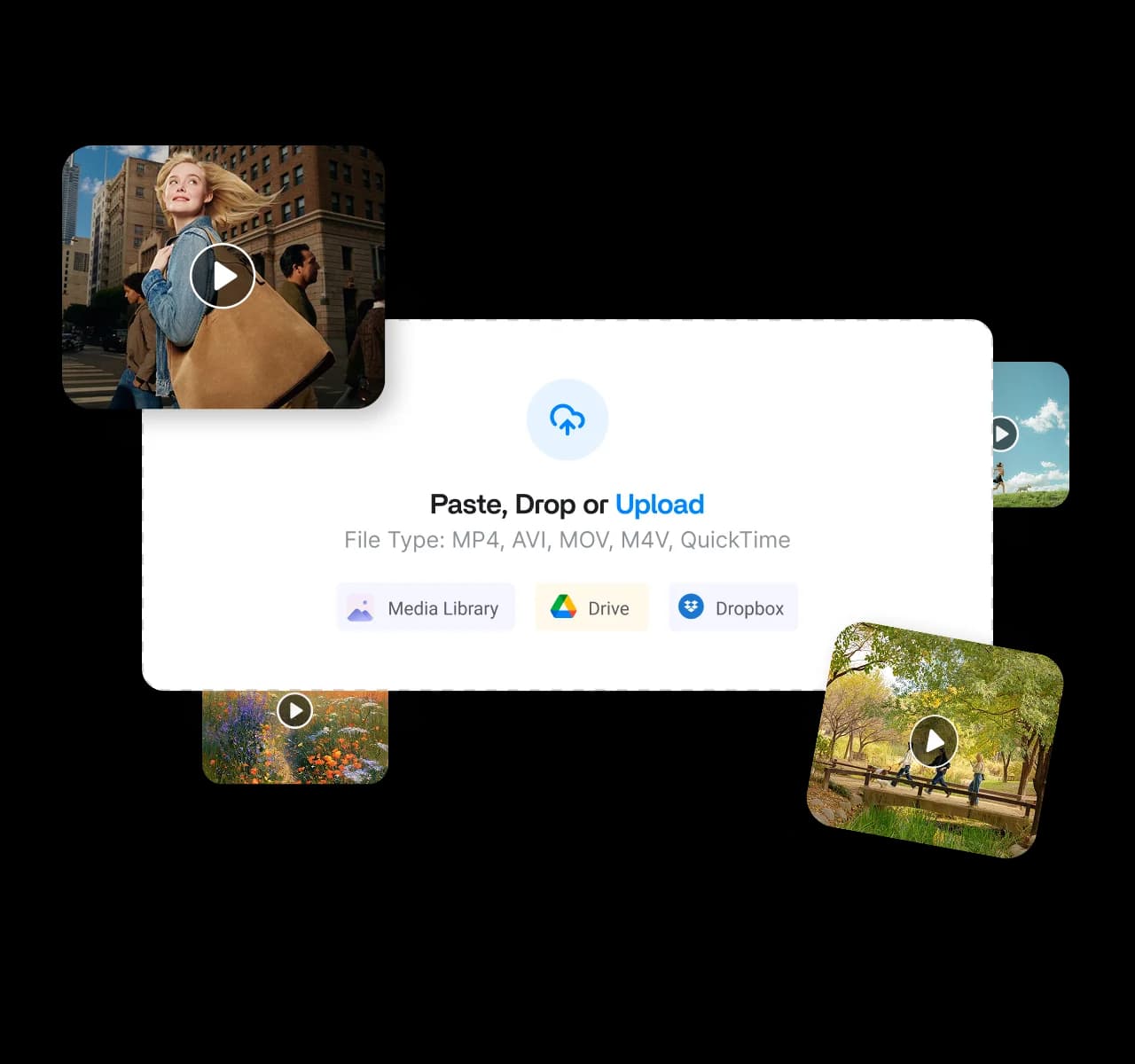
Pull videos from anywhere you store them

Paste a video URL, pull from your media library, or connect Google Drive and Dropbox. Keep your files where they belong, skip the duplicate copies, and let the AI clip maker turn any source into short clips saved to your library.

Customize every clip before you generate - AI clip maker

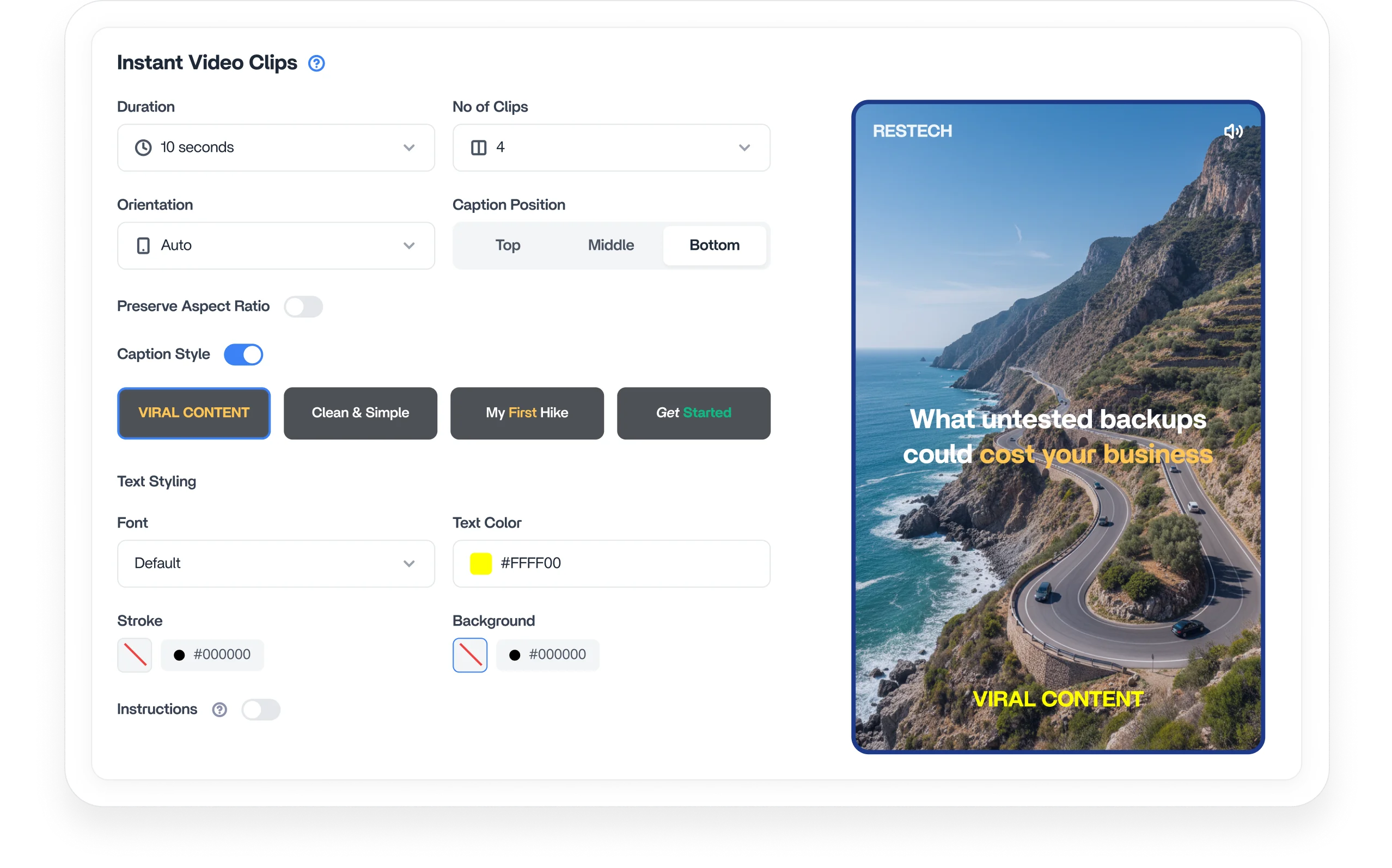
Customize every clip before you generate

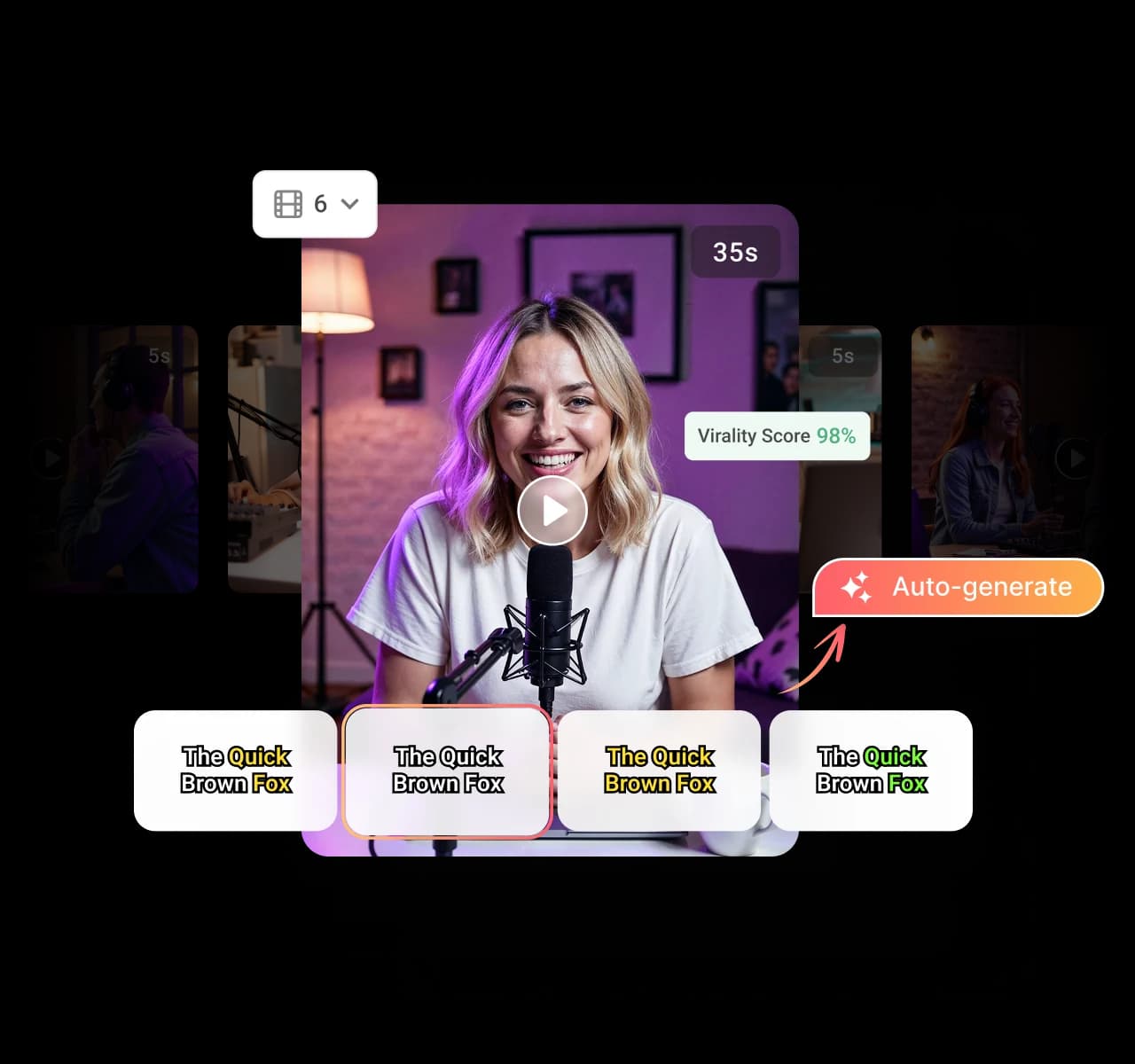
Take control of the look. Set your orientation, aspect ratio, duration, and number of clips, then let AI tailor each video to your platform and audience. Produce content up to 5x faster that fits perfectly for sharing.

Auto-generate captions to boost reach - AI clip maker

Auto-generate captions to boost reach

Add captions to every clip automatically, no typing required. Pick from different caption styles, backgrounds, and placements, so your message lands even on mute, and more viewers stick around to the end.

Tell the AI exactly what you want - AI clip maker

Tell the AI exactly what you want

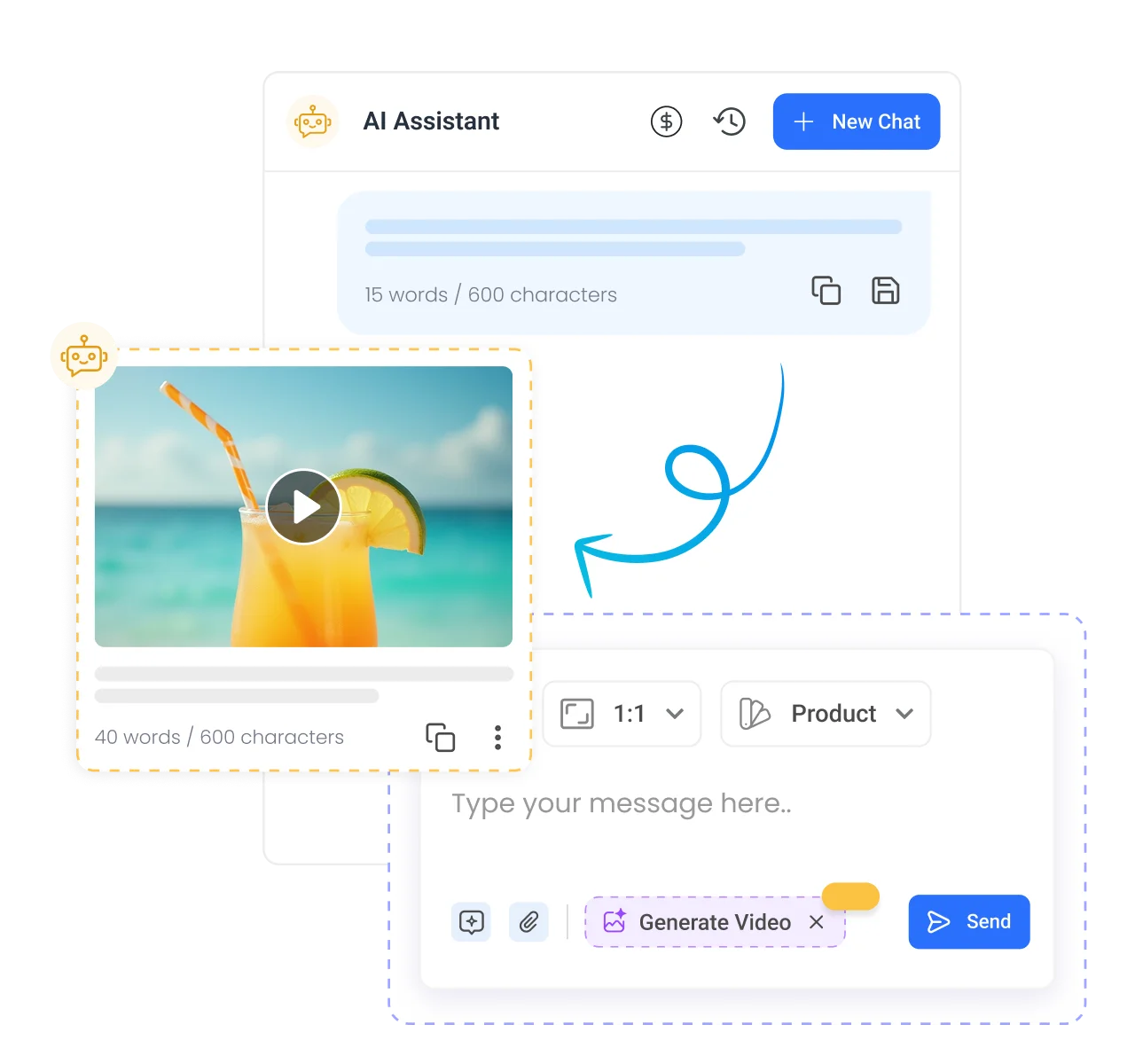
Do not settle for generic highlights. Give the AI specific instructions on the topics, speakers, or moments to prioritize, from results to product features to audience questions. It delivers clips built to your exact needs.

Schedule and publish clips everywhere - AI clip maker

Schedule and publish clips everywhere

Send your clips straight to the composer and post them across every social account you run from an all-in-one AI social media management platform. Stay consistent, save hours, and reach your audience when it counts by auto-sharing your AI clips across TikTok, Reels, and Shorts.

How to use icon

How to use

How to use the AI clip maker to create video clips

Turn long-form videos into multiple short, engaging clips in just a few minutes. Follow these four steps to upload, configure, and generate content built for every major social platform.

Step 01

Upload your video

Add a video from your device, media library, or a URL to get started with AI clipping.

Step 02

Set your preferences

Choose the format, length, and number of clips, and add simple instructions for the moments you want.

Step 03

Generate your clips

Let AI extract the best moments and create multiple short clips, then review the results with titles and captions.

Step 04

Share, schedule, or download

Schedule clips across platforms, save them as drafts, or download instantly. Every clip is also stored in your media library.

4.2MPost ScheduledIncrease in productivity with ContentStudio
50%Productivity BoostIncrease in productivity with ContentStudio
$1,000+Cost Savingssaved monthly on social media management costs
5h/weekTime Savedsaved on content planning and scheduling
quotes

The perfect tool for agency-client collaboration and content approvals.

Erin-testimonial

Erin Ricchiazzi,

VP of Marketing@The Modern Firm

marketing-logos
FAQs

Frequently asked questions

ContentStudio

Book a 30 min call

Have questions? Schedule a quick call and we will guide you through everything.

Book a free call
What is an AI clip maker?

An AI clip maker turns long videos into short, engaging clips automatically. You upload a video, and the AI finds the best moments and cuts them into share-ready clips in seconds. With ContentStudio, you can create, customize, and publish those clips from one place.

How does ContentStudio's AI clip maker work?

Upload a video from your device, media library, or a URL, then set your preferences for format, length, and number of clips. The AI extracts the strongest moments and generates multiple short clips, complete with titles and captions. From there, you can schedule, download, or save them as drafts.

Can I turn long videos into short clips automatically?

Yes, that is exactly what the AI clip maker does. Drop in one long video, and it identifies the best moments and cuts them into several short clips on its own. You just review the results and pick the ones you want to publish.

What video sources can I use?

You can paste a video URL, upload from your device, pull from your ContentStudio media library, or connect Google Drive and Dropbox. Your files stay where they already live, so there are no messy duplicate copies. Every clip you generate saves automatically back to your media library.

Can I customize the clips?

Yes, you control the orientation, aspect ratio, duration, and number of clips before the AI gets to work. You can also give custom instructions telling the AI which topics, speakers, or moments to prioritize. That means each clip fits your platform, your audience, and your exact goal.

Does it add captions to my clips?

Yes, the AI clip maker generates captions for every clip automatically with no manual typing. You can choose from different caption styles, backgrounds, and placements to match your brand. Captions keep your message clear even when viewers watch on mute.

Which platforms are the clips made for?

The clips are built for short-form feeds like TikTok, Instagram Reels, YouTube Shorts, Facebook, and LinkedIn. You set the orientation and aspect ratio so each clip fits its destination perfectly. Then you can schedule and publish them straight to those accounts from ContentStudio.

Can I schedule and publish the clips I make?

Yes, you can send finished clips straight into the ContentStudio composer and schedule them across all your social accounts. Post them everywhere at once, save them as drafts, or download them instantly. Your whole clipping and publishing workflow stays in one platform.

Do I need video editing skills to use it?

No, the AI handles the hard part for you. You upload a video, set a few preferences, and get polished short clips back without touching an editing timeline. Simple controls and custom instructions guide you from long video to finished clip.
CtaBackground
CtaBackground
Facebook
Instagram
Twitter
YouTube
Pinterest
TikTok

Create smarter video clips with ContentStudio

Try the AI Clip Maker
Book a demo

diamond-icondiamond-icon

Grow faster on social, every
single week

Get insights, emerging platform trends, AI strategies, and product updates trusted by 100,000+ marketers.

Lawrence Giordano
Thomas Smith
Anthony Garcia
Matt Li Haoming
Angela R.
100,000+ marketers subscribed

ContentStudio

5.3K subscribers

  • •Step-by-step tutorial and how-tos
  • •Product deep dives and launch demos
Subscribe on YouTube

One scheduler for every social network

Social Media Schedulers→
Facebook logoFacebookX (Twitter) logoX (Twitter)Instagram logoInstagramLinkedin logoLinkedinYoutube logoYoutubeTiktok logoTiktokPinterest logoPinterestBluesky logoBlueskyThreads logoThreads

Product

  • Publishing
  • AI Studio
  • Analytics
  • Inbox
  • Social Listening
  • Discover

Features

  • Content Calendar
  • Smart Scheduling
  • Automation
  • Content Composer
  • Approval Workflow
  • AI Library
  • See all features

Developers

  • Integrations
  • API
  • MCP Server
  • ContentStudio CLI
  • Zapier
  • Make
  • n8n

AI Agents

  • ChatGPT
  • Claude
  • Gemini
  • Grok Bot
  • Hermes Agent
  • Cursor
  • Codex
  • OpenClaw

Upgrade from

  • Hootsuite
  • Buffer
  • Sprout Social
  • Sendible
  • Agorapulse
  • Metricool
  • SocialPilot
  • See all

Resources

  • Blog
  • Help Docs
  • Changelog
  • Glossary
  • Free Tools
  • Case Studies
  • Mobile App
  • Chrome Extension

Company

  • About Us
  • Plans & Pricing
  • Reviews
  • Careers
  • Write for Us
  • Affiliate Program
  • Brand Assets
  • Contact Us
contentstudio-logo
Download on the App StoreGet it on Google Play
Facebook iconX (Twitter) iconInstagram iconLinkedIn iconYouTube iconTikTok icon
4.74.7 star rating, 25,000+ reviews on Capterra and G2

16,500+ brands trust ContentStudio

SSL Secured
GDPR Compliant
CCPA Compliant

© 2026 ContentStudio. All Rights Reserved.

Privacy|Terms|GDPR|System status|Security policy|Child safety|Sitemap