Tumblr marketing: A practical guide to growing your brand on Tumblr
Nov 16, 202624 minutes

Written by
Khadija AnwarUpdated
Are you ready to amp up your YouTube game with the latest trends?
We’ve got 15 amazing YouTube Shorts ideas that are sure to spice up your videos and grab attention. From quick tutorials to fun challenges, we’ve got something for everyone, all in under a minute.
Whether you’re a seasoned creator or just starting, these trending short-form video concepts can boost your views and engagement.
So, grab your camera, hit record, and let’s explore the world of shareable content together!

YouTube Shorts have become a game-changer for businesses, offering a powerful avenue for engagement and brand visibility in a short-form video format. With their vertical orientation and maximum duration of 60 seconds, YouTube Shorts provide a unique opportunity to capture the attention of audiences with concise and visually compelling content.
Let’s delve into the significance of incorporating YouTube Shorts into your video marketing strategy and the myriad benefits they bring.
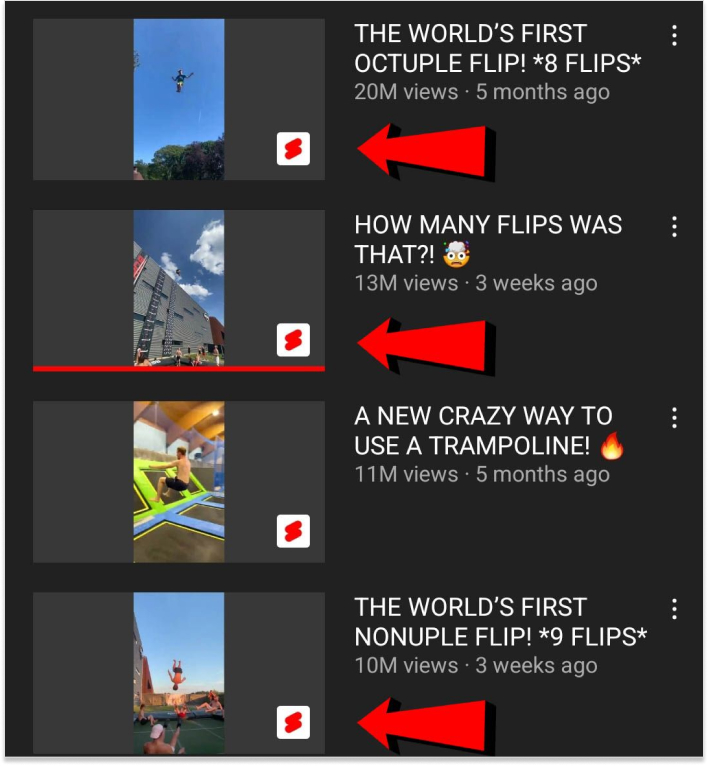
One of the primary benefits of YouTube Shorts is their placement, making it visible for users to discover your content. This increased discoverability can lead to higher impressions and potentially attract a broader audience.
Read More: Everything you need to know about YouTube SEO
Shorts are designed for quick consumption, aligning perfectly with the shorter attention spans of today’s audiences. They encourage users to engage with content swiftly, fostering higher interaction rates through likes, comments, and shares.

Also Read: Social Media Engagement: 10 Easy Ways to Improve it
Leveraging popular social media trends within your YouTube Shorts can significantly boost your video’s visibility and reach. Participating in trending challenges or utilizing trending sounds can place your content in front of a larger, already engaged audience.

YouTube Shorts provides an excellent platform for showcasing your products or services creatively. Capture attention with visually appealing and concise demonstrations, potential customers, and motivate them to explore further.

Shorts allow businesses to inject personality into their brand by creating fun and relatable content. Behind-the-scenes snippets, employee highlights, or lighthearted moments contribute to humanizing your brand and fostering a stronger connection with your audience.
Also Read: Unlocking the Power of Brand Identity: An Expert Guide
Utilize YouTube Shorts to tease longer-form content or promote special offers, encouraging viewers to visit your website for more details. Include a call-to-action in your Shorts to guide users seamlessly from the platform to your website.

Create concise tutorials or educational content that addresses common pain points or queries within your industry. Offer valuable insights or quick tips that showcase your skills and establish your brand as an authority in your field.
Use YouTube Shorts to share highlights from events or make important announcements. Condense the most exciting moments or key information into a short, attention-grabbing video, generating buzz around your brand.
Share your YouTube Shorts on other social media platforms to expand your reach. Utilize the Shorts format’s versatility to repurpose content. It will maintain a consistent brand presence across social media channels.

Here are 15+ YouTube Shorts ideas to help grow your YouTube channel:
Remember to keep these YouTube Shorts under 60 seconds, use attention-grabbing visuals, and leverage trending sounds or hashtags to enhance discoverability. Consistency is key, so regularly incorporate Shorts into your content strategy for optimal channel growth!
YouTube Shorts is a powerful tool for creators to boost engagement and expand their audience rapidly. To ensure success in navigating this short-form video landscape, here are seven crucial tips, including how ContentStudio’s planning feature can streamline your Shorts strategy.
Design eye-catching thumbnails that entice viewers to click. Since Shorts appear in a vertical format, make sure your thumbnails are visually appealing and clearly represent the essence of your content. Use bold colors, legible fonts, and intriguing imagery.
Moreover, you can easily generate enticing video titles effortlessly with ContentStudio’s YouTube title generator.

With attention spans shrinking, grab your audience’s attention within the first three seconds. Pose a question, present a surprising fact, or showcase a visually striking scene to keep viewers hooked.
Stay attuned to trending topics and challenges on YouTube. Participate in relevant trends to increase discoverability. Incorporate popular hashtags, but ensure they align with your content to attract a broader audience.

Keep your YouTube Shorts under 60 seconds for maximum impact. The vertical aspect ratio (9:16) is ideal for Shorts, ensuring they fit seamlessly on mobile screens. Maintain a brisk pace to retain viewer interest.
Read more: Up-to-Date Guide to Social Media Video Specs
ContentStudio’s scheduling feature is a game-changer for YouTube Shorts creators. Plan your Shorts content in advance, and schedule them for optimal times to reach your target audience. This not only saves time but also ensures consistent posting, a crucial factor for channel growth.
Foster a sense of community by responding to comments and interacting with your audience. YouTube Shorts often generate quick interactions, making it essential to engage promptly. Encourage viewers to engage with your Shorts to boost visibility.

Regularly analyze the performance of your YouTube Shorts using analytics. Identify patterns related to viewer engagement, retention, and click-through rates. Use these insights to refine your content strategy, focusing on what works best for your audience.

YouTube Shorts offers a dynamic canvas for content creators to engage audiences with visually compelling, short-form videos. From trendy ideas to utilizing tools like ContentStudio’s scheduling feature, the potential for channel growth is substantial. Whether showcasing products, participating in challenges, or sharing quick tips, the key is to maintain visual appeal, conciseness, and alignment with brand identity.
Content creators, by staying attuned to trends, engaging with the community, and leveraging analytical insights, position themselves for success in this rapidly evolving landscape of short-form video content. Embracing YouTube Shorts with creativity and strategy opens up exciting opportunities for growth, making it a must-explore avenue for creators seeking to captivate audiences and make their mark in the digital realm. Happy creating!
Read-Up: Top 20 TikTok Video Ideas to Boost Your Engagement
How to make viral Shorts?
Create visually engaging, trend-aligned YouTube Shorts with attention-grabbing thumbnails, captivating hooks, and consistent posting, leveraging ContentStudio’s scheduling feature for optimal timing, and actively engage with your audience to enhance discoverability and shareability.
How do you write content for YouTube Shorts?
Craft concise, visually compelling YouTube Shorts by focusing on engaging hooks, trending topics, and a clear, impactful message within the 60-second timeframe, keeping your audience’s short attention spans in mind.
Khadija Anwar is a Senior Technical Writer at ContentStudio with over 500 published write-ups across the ContentStudio blog and beyond. She specializes in step-by-step platform guides and Help Center content across Facebook, Instagram, LinkedIn, YouTube, TikTok, and X, and reviews how-to articles to verify every step and platform detail is accurate and current.
View all posts by Khadija AnwarRecommended for you
Tumblr marketing: A practical guide to growing your brand on Tumblr
How to manage social media: Strategy, tools, and a real process
Threads marketing: The complete guide to growth, ads, and algorithm

Telegram marketing: The complete guide to channels, bots, ads, and growth