


How to use Instagram? A complete beginner’s guide
Jul 3, 202527 minutes

Written by
Arooj IshtiaqUpdated
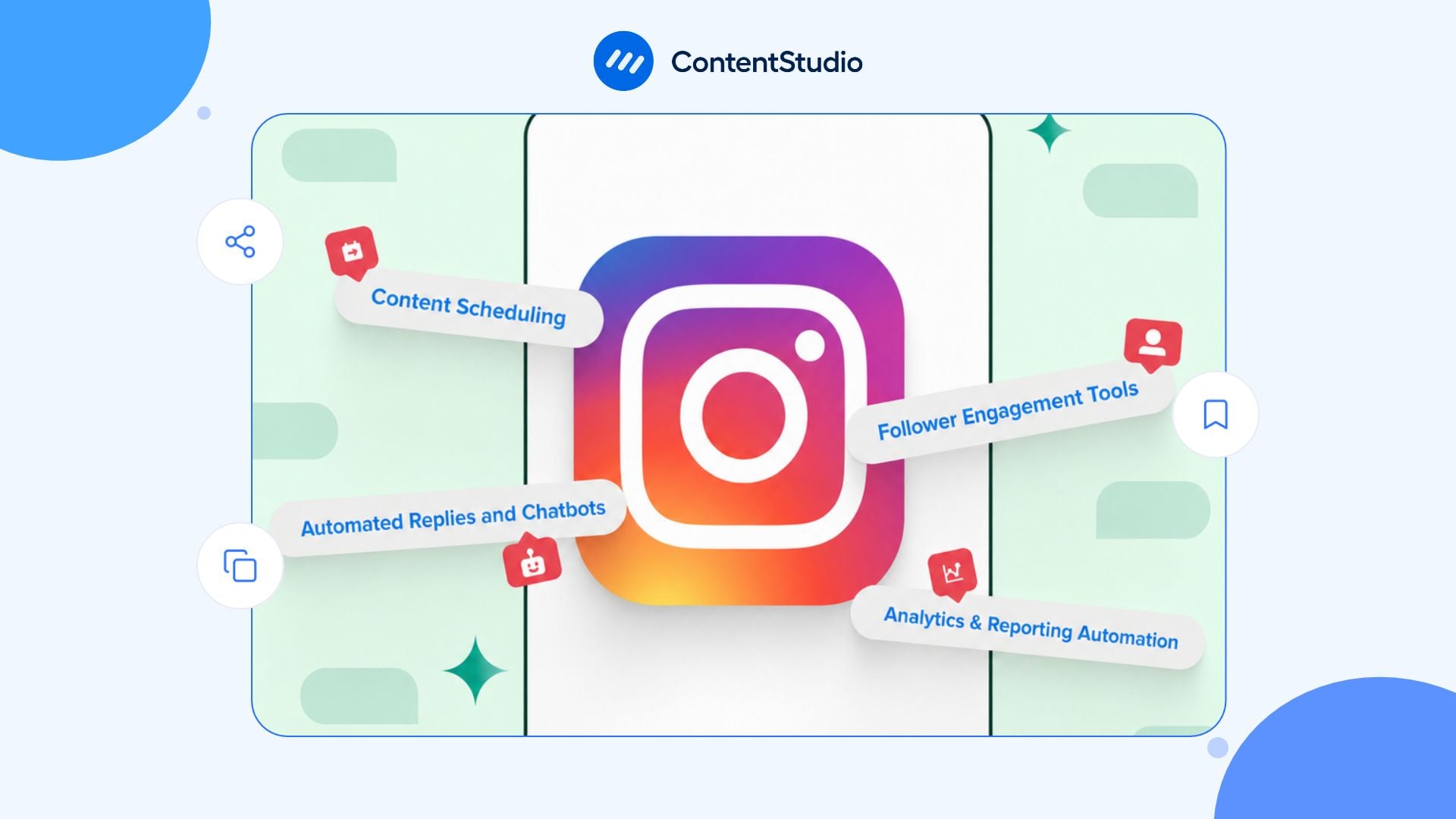
A practical comparison of Instagram automation tools covering publishing, approvals, messaging, and reporting workflows.
Instagram automation earns its place when it removes a repetitive task without making the account harder to manage. That might mean publishing approved posts on schedule, organizing incoming questions, or preparing reports without rebuilding them every week.
The challenge is deciding what to automate. A publishing calendar, an inbox, and a keyword-triggered DM workflow solve different problems, even when they appear in the same product.
Your Instagram marketing strategy should establish the audience, message, and intended next step first. Automation then supports that plan rather than becoming a substitute for it.
This guide explains the main types of Instagram automation, shows how to build a connected workflow in ContentStudio, and describes 14 additional options for comparison. These products are not interchangeable, and inclusion is not an endorsement of every feature or plan.
Instagram automation is defined as the use of software to handle defined tasks through a supported connection. Examples include scheduled publishing, approval routing, eligible message responses, and recurring reporting.
The useful distinction is between automating work and manufacturing activity. Meta supports certain publishing and messaging workflows, while its rules restrict unauthorized access, data collection, and artificial popularity.
| Automation type | What it handles | What still needs human ownership |
|---|---|---|
| Publishing | Releases approved content at a selected time | Message, accuracy, asset, and destination |
| Approvals | Routes drafts to reviewers | Final judgment and responsibility |
| AI assistance | Produces drafts and variations | Facts, voice, permissions, and meaning |
| Inbox management | Organizes conversations and assignments | Priorities and sensitive responses |
| Messaging | Responds to eligible triggers | Boundaries, escalation, and follow-up |
| Reporting | Collects and presents available results | Interpretation and decisions |
If publishing is the main task, an Instagram scheduler can organize the release process. If the problem is customer communication, the evaluation also needs to cover triggers, reply conditions, and human handoff.
ContentStudio is our product, so this guide explains its workflows in greater detail. The remaining entries describe documented capabilities and evaluation points. These tools cover different combinations of publishing, collaboration, messaging, and reporting, and the comparison uses published product and help documentation checked in October 2026.
Prices and features were checked against available documentation in October 2026. Confirm the account offer before purchase.
| # | Tool | Documented focus | Main point to verify |
|---|---|---|---|
| 1 | ContentStudio | Publishing, approvals, inbox rules, AI, and reporting | Plan and connected-account support |
| 2 | Blotato | AI-agent publishing and triggered DMs | API access and active-contact allowances |
| 3 | Later | Visual planning, publishing, and supported inbox work | Social sets and plan limits |
| 4 | Manychat | Messaging workflows | Applicable contact pricing and triggers |
| 5 | Planable | Collaboration and approvals | Workspace pricing and add-ons |
| 6 | Hootsuite | Publishing, inbox, and DM automation | Feature and permission requirements |
| 7 | Buffer | Queue-based publishing | Channel pricing and workflow limits |
| 8 | Sprout Social | Publishing and structured engagement | Modules, permissions, and cost |
| 9 | Metricool | Scheduling, lists, and reporting | Brand allowances and history |
| 10 | SocialPilot | Multi-account publishing | Higher-plan workflow requirements |
| 11 | Sendible | Publishing and client coordination | Workspace and profile requirements |
| 12 | Agorapulse | Publishing and inbox management | Advanced rule availability |
| 13 | Publer | Queues, recurring content, and bulk publishing | Account and member configuration |
| 14 | Planoly | Visual publishing and DM automation | Social sets, uploads, and format limits |
| 15 | Instagram and Meta Business Suite | Native publishing | Account and feature eligibility |
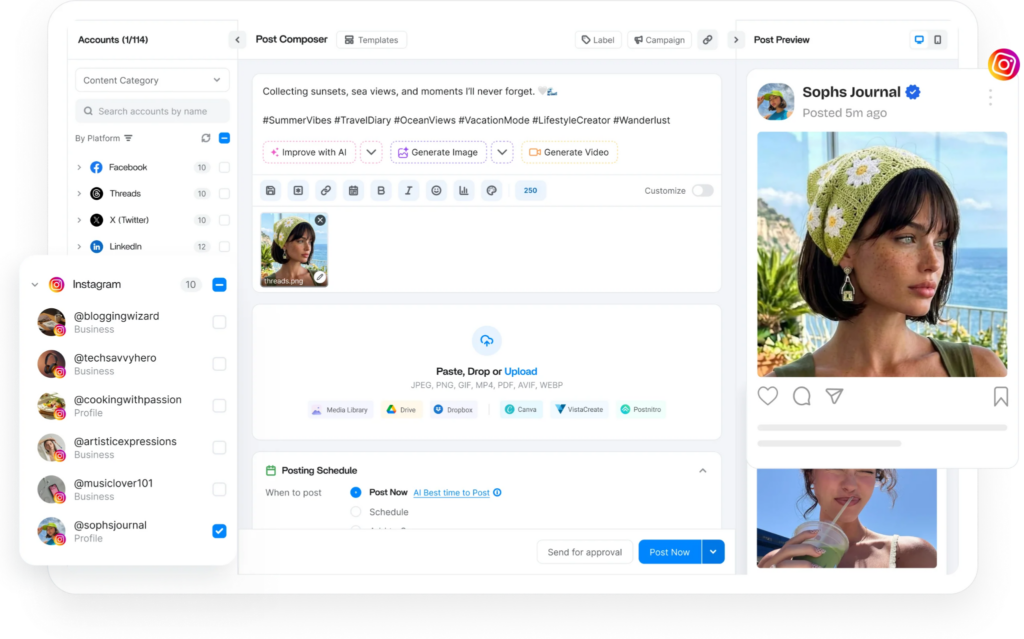
ContentStudio brings several parts of the Instagram workflow together: planning, drafting, review, publishing, supported inbox interactions, and reporting. The main value is coordination. A team can keep the approved asset, intended account, owner, publication status, and audience response within a connected process rather than manage each stage separately.
ContentStudio’s Planner includes Calendar, Feed, List, Compact List, and Grid views. The Instagram Grid view helps review the visual sequence, while status filters can identify posts awaiting review or other attention.
A useful calendar entry should contain:
• The intended audience and purpose.
• The final media.
• The approved caption and link.
• The destination account.
• The reviewer.
• The release date and workspace time zone.
• The person responsible for responses.
A clear content planning process makes those inputs repeatable. Scheduling is easier when the team has already agreed on what the post should say.
ContentStudio’s AI Studio supports text, image, and video creation. Brand knowledge and voice guidance can help frame the task, but the team remains responsible for the result. Approved facts, examples, and restrictions should be provided. A product caption should not invent a specification, and a customer example should not become a fictional testimonial. AI assistance reduces first-draft work without replacing the review.
ContentStudio documents two approval conditions:
• Anyone: one selected approver can approve the post.
• Everyone: all selected approvers must approve it.
The distinction matters. Once an Anyone request is approved, the remaining approvers are skipped. The setting that matches the actual responsibility should be chosen. A defined social media approval process should also establish who checks claims, who checks the creative, and who makes the final decision.
Content categories can hold predefined publishing slots, reducing the need to assign a separate time manually to every post. ContentStudio also documents bulk scheduling, evergreen publishing, and RSS-related automation on eligible plans.
These features need editorial rules. An old offer, expired event, or outdated claim should not be recycled simply because it remains in a queue.
For Instagram formats, the current Composer options and account connection should be used. ContentStudio documents Feed, Reel, Feed plus Reel, and Add to Story workflows, but individual media and account requirements still need checking.
ContentStudio’s Social Inbox documentation covers Instagram business-profile DMs and post comments. It supports accounts connected directly or through Facebook, with reauthentication sometimes required for existing connections.
Account type, permissions, and the particular interaction still matter. A general “Instagram messaging is supported” label does not cover every scenario.
The Auto Replies feature provides controls for:
• Rule names.
• Trigger keywords.
• Context describing the intended customer request.
• Selected accounts.
• Private chats or post comments.
• Fixed replies or AI-generated replies.
• Brand Voice.
• Selected help documents.
• Automatic sending or saving an AI reply as a draft.
One important naming detail: the interface’s Manual Reply option means a fixed, prewritten response. Once the rule is triggered, that response can still be sent automatically. AI Reply generates wording from the supplied instructions. Selecting Save as Draft keeps a person in the review process.
ContentStudio also documents an MCP server for compatible assistants, including ChatGPT and Claude. Supported actions include fetching connected accounts and workspaces, creating or scheduling posts, and generating images or videos.
API workflows can also create drafts or scheduled posts through integrations such as n8n and Pabbly. The MCP integration should not be assumed to perform every action available in the web interface. The documented operation should be checked before building a process around it.
| Plan | Monthly billing | Annual equivalent |
|---|---|---|
| Standard | $29/month | $19/month |
| Advanced | $69/month | $49/month |
| Agency Unlimited | $139/month | $99/month |
The annual equivalent is paid upfront for the year. The current trial lasts seven days and does not require a credit card. Standard does not include Social Inbox. Advanced includes 100 AI auto-replies, while Agency Unlimited includes 250, according to the current pricing page. Additional usage and other limits should be checked before launch. Agency Unlimited includes unlimited users and workspaces, but its published included account allowance is 25 social profiles, not unlimited.
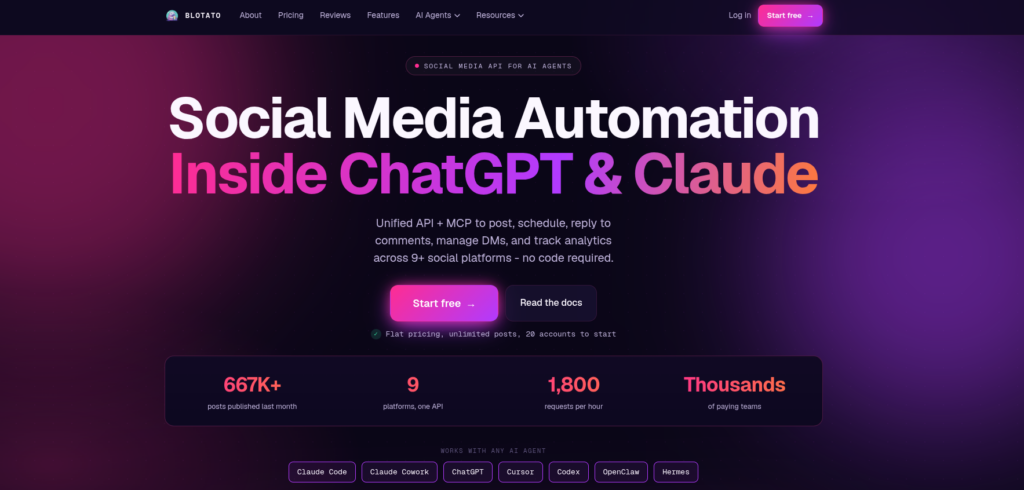
Blotato lets AI assistants such as ChatGPT and Claude work with publishing and messaging tools. It supports scheduling Instagram content and creating private replies when someone comments a selected keyword or messages the account.
• Create supported workflows through its MCP server or REST API.
• Trigger a private reply from an eligible comment or incoming DM.
• Include up to three link buttons.
• Add an Instagram follow gate or request an email before resource delivery.
• Run supported keyword automations on Facebook Pages.
• Inspect triggered, completed, and failed runs.
• Publish supported photos, carousels, Reels, and Stories.
• Retrieve available post-performance metrics.
Instagram DM buttons appear in the mobile app rather than the desktop browser. The Instagram follow gate does not apply to Facebook.
For comment-triggered automation, the connected account must own the post. Blotato says an account listed only as a collaborator cannot trigger the automation on that post.
| Plan | Monthly price | Connected accounts | Monthly active contacts |
|---|---|---|---|
| Starter | $29 | 20 | 1,000 |
| Creator | $97 | 40 | 6,000 |
| Agency | $499 | 100 | 15,000 |
The seven-day trial excludes API access. Generating an API key ends the trial and activates paid access. Active contacts are counted separately for each connected account. Repeated replies to the same person through one account do not repeatedly add contacts during that window, while contacting them through another account can add another count.
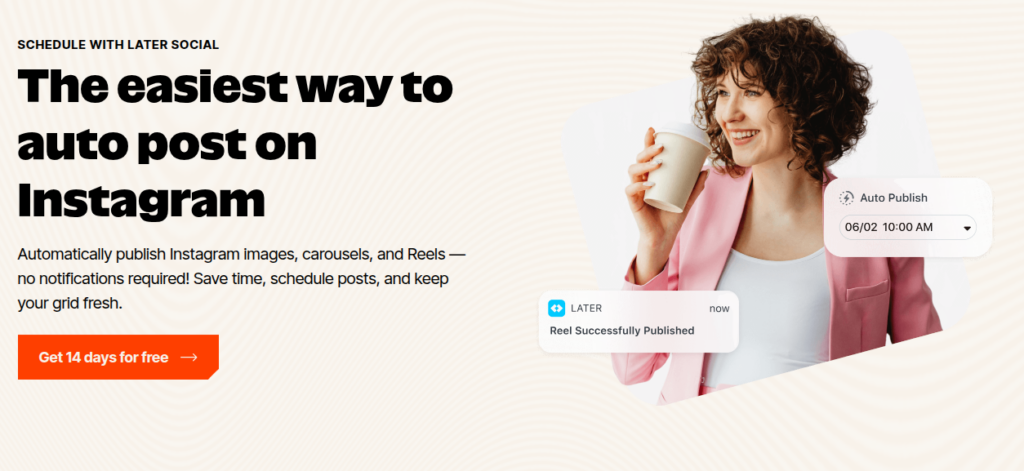
Later combines content planning, scheduled publishing, supported inbox management, and reporting. Its visual planner and media library help teams prepare content before assigning release dates. The publishing workflow supports both automatic and notification-based publishing. Notification publishing matters when a post needs to be completed inside Instagram rather than sent directly through the integration.
• Visual planning, saved captions, and draft posts.
• Automatic publishing for supported Business and Creator accounts.
• First-comment scheduling and hashtag management.
• AI tools for ideas and caption drafts.
• Internal and external collaboration on Growth and Scale.
• Instagram DMs, comments, and post mentions through Social Inbox on Growth and Scale.
• Plan-dependent analytics history and reporting.
Later organizes accounts into Social Sets, with one profile from each supported platform per set. That is different from an unrestricted allowance of interchangeable social profiles.
Post allowances also apply per profile. Starter includes 30 scheduled posts per profile each month, while Growth includes 180. Posts count when scheduled, not only when published.
An inbox should not automatically be treated as a keyword-triggered DM funnel. That should be verified separately if it is part of the requirement.
With annual billing, the published monthly equivalents are:
• Starter: $18.75.
• Growth: $37.50.
• Scale: $82.50.
Starter includes one user and does not allow additional Social Sets or users. Growth and Scale allow expansion. A 14-day trial is available.
Manychat focuses on messaging workflows rather than acting primarily as a visual publishing calendar. The relevant evaluation is how a conversation starts, what information the workflow collects, and where the person goes next. A resource-delivery flow and a qualification flow are different tasks. The former may send a requested link, while the latter needs questions, branching, and a clear handoff.
For an Instagram workflow, check:
• The triggers available to the connected account.
• How the flow handles different responses.
• Whether information can be stored or passed to another system.
• How automation stops when a person needs help.
• How repeat contacts and ongoing activity affect billing.
• Whether the required functions are included in the selected plan.
A technically functioning flow can still create a poor experience if it sends the wrong information or continues after the person’s request has been fulfilled. The actual Instagram trigger and response conditions should be reviewed rather than assuming a flow designed for another channel works identically.
The public pricing and billing pages do not fully align with newer descriptions of its plans. The applicable account offer, contact definition, allowance, and overage rules should be confirmed before purchase.
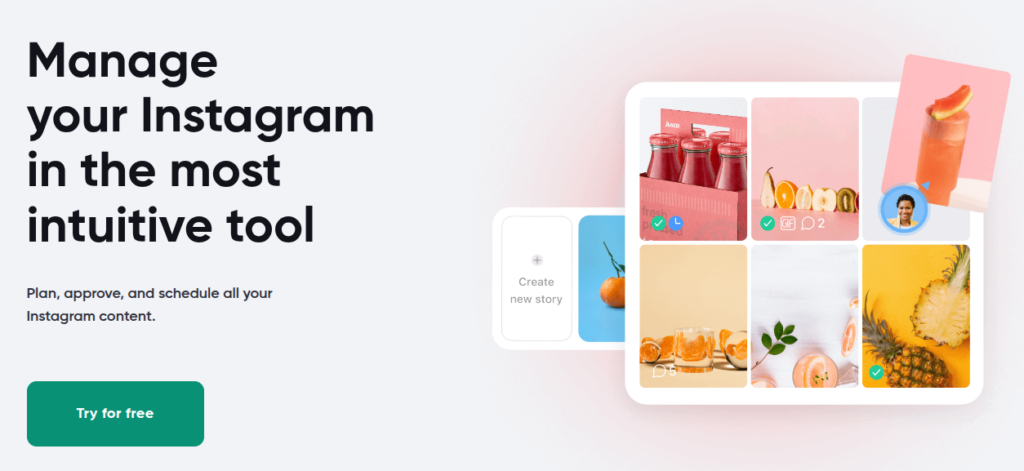
Planable concentrates on the movement of content from draft to review, approval, and publication. Each workspace holds a brand or client’s Pages, calendar, campaigns, collaborators, and approval process. This makes the workflow configuration important: enabling feedback is not the same as preventing unapproved content from publishing.
• Feed, Calendar, and plan-dependent Grid or List views.
• Comments, annotations, suggestions, and version history.
• Workspace-specific approval settings.
• Bulk approval and approval requests.
• Recurring posts and first-comment scheduling.
• MCP, API, and integration options.
• Analytics and Social Inbox add-ons.
Basic provides None and Optional approval settings. Pro adds Required approval, while Enterprise provides multi-level approval. A team needing mandatory sign-off should not choose a plan merely because it mentions approvals. The exact approval condition is the relevant feature.
Its inbox documentation covers Instagram comments and DMs, while analytics supports Instagram reporting. Those are separate from a specialist DM automation engine.
Pricing is per workspace, with unlimited users on the published plans. The first 50 created posts are free without a time limit, but that allowance does not reset monthly. Analytics and inbox add-ons have separate charges. The billing selector should be checked because annual-equivalent and monthly amounts both appear on the pricing page.
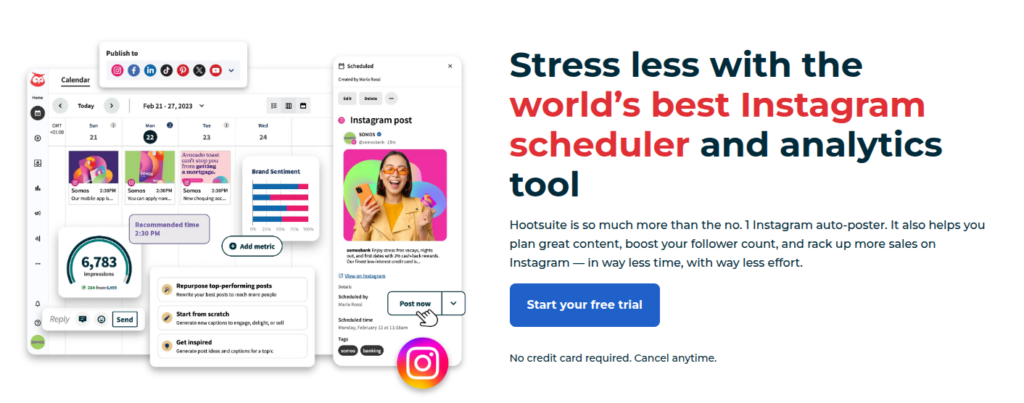
Hootsuite combines scheduled publishing, inbox operations, and documented Instagram DM automation. Its role is broader than placing posts in a queue. The current Instagram DM workflow can respond when someone comments a chosen keyword on an eligible post or Reel. It can then reply to the comment and send a private message.
• Scheduling for supported Instagram content.
• Shared publishing calendar.
• Inbox assignments, internal notes, and saved replies.
• Automated responses and eligible DM workflows.
• Reporting and team controls.
• AI-assisted content and response features, depending on the plan.
The keyword automation needs the relevant publishing and inbox permissions, along with access to Instagram messages. Whether the required functionality is available for the account and plan should be confirmed. The workflow behavior when someone comments more than once, asks a different question, or needs a person to take over should also be reviewed.
The current plan containing the required features should be used. Historical plan prices should not be reused without checking, because the published plan structure has changed.
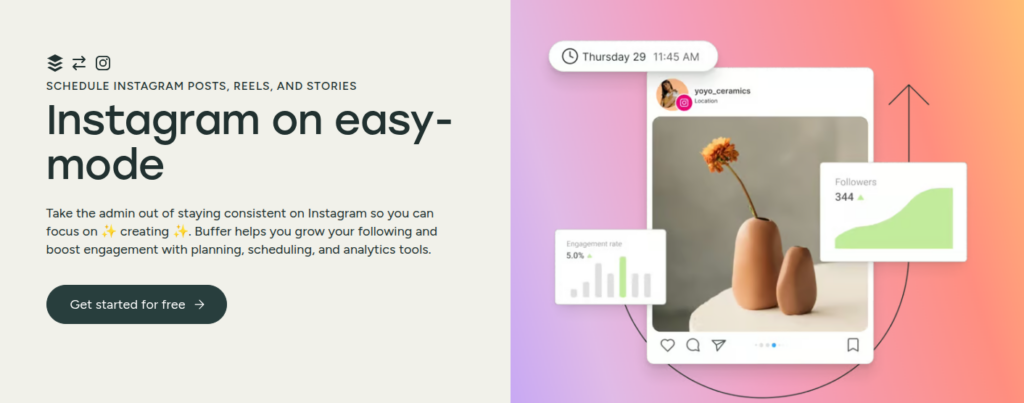
Buffer centers its publishing workflow on a queue. A team can prepare drafts, organize ideas, assign content to channels, and schedule publication. It also documents community-response features, analytics, integrations, and API access, so describing it only as a basic scheduler would omit current functionality.
• Queue-based scheduling and a visual calendar.
• Reminder notifications for supported native-completion workflows.
• Drafts, ideas, tags, and templates.
• First-comment scheduling and saved hashtags on paid plans.
• Comment replies, saved replies, and AI suggestions.
• API access and integrations.
• Approval workflows and access controls on Team.
The Community feature is documented around replying to comments. It should not be presented as equivalent to an Instagram keyword-to-DM automation without separate verification. Account type also affects functionality. Buffer’s comparison distinguishes Instagram Business, Creator, and personal profiles, including direct versus reminder publishing.
The free plan includes three channels and ten queued posts per channel. Queue slots refill after publication. With annual billing, Essentials starts at $5 per channel monthly and Team at $10. Team adds unlimited team members and approvals. When upgrading, paid pricing applies to the connected channels, including those previously covered by the free plan.
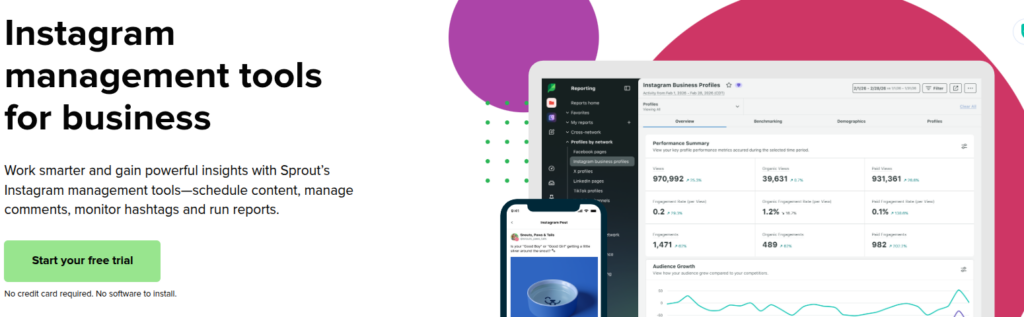
Sprout Social combines publishing, inbox management, reporting, and structured conversational workflows. Its Bot Builder documentation includes Instagram DMs, which makes it necessary to assess the actual Instagram implementation rather than describe all chatbot functions as belonging only to Facebook or other networks.
• Scheduled publishing and content queues.
• Smart Inbox operations.
• Automated rules for supported interactions.
• AI-assisted response functions.
• Bot Builder for supported messaging channels.
• Team permissions and reporting.
A bot should have a defined purpose, such as organizing an initial inquiry or guiding someone toward information. The evaluation should include how it handles an unexpected response and how a person takes over. Channel-specific capabilities matter. Components such as Ice Breakers and their limits should be checked against the Instagram documentation instead of copied from another channel’s workflow.
Current pricing, feature access, and any additional modules should be confirmed with the vendor. A general publishing subscription should not be assumed to include every advanced engagement or bot capability. User access and the required workflow should be included in the cost comparison, not only the entry price.
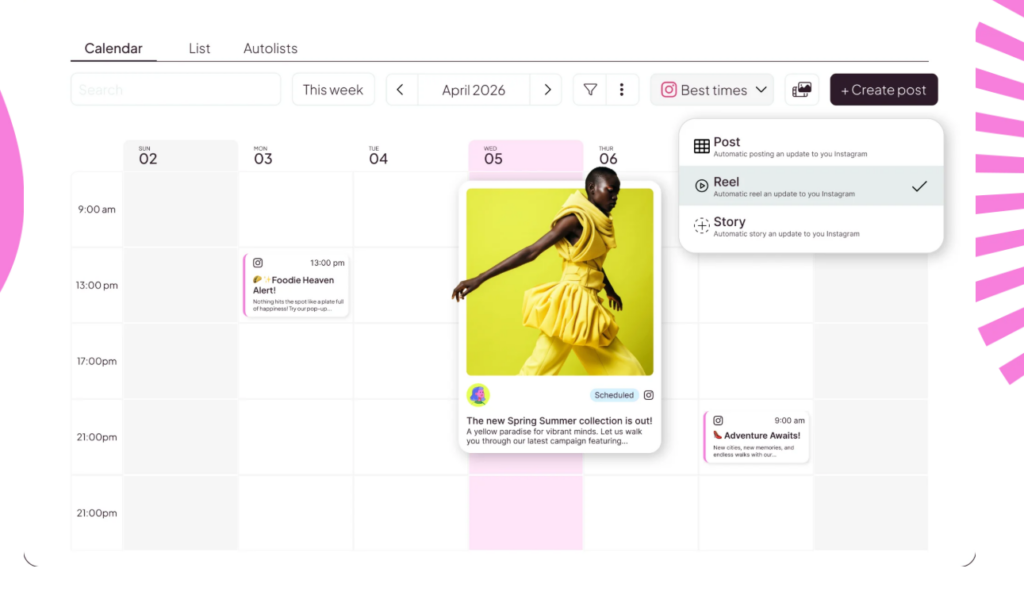
Metricool brings planning, publishing, analytics, and related account-management functions into one dashboard. Its Autolists provide a repeatable publishing structure, while the planner handles individually scheduled content. Those are useful distinctions when evaluating a recurring editorial program.
• Scheduling for supported Instagram content.
• Autolists and bulk scheduling.
• Analytics and reporting.
• Plan-dependent collaboration and approvals.
• Integrations and API-related capabilities on eligible plans.
Recurring content still needs maintenance. A list should not continue publishing an expired promotion or an explanation that has become inaccurate. Analytics history, exports, approval access, and API availability should each be checked separately. The presence of those features somewhere in the product does not mean they are included in the entry plan.
The free plan currently includes one brand, up to 20 scheduled posts monthly, and limited analytics history. Paid pricing varies by brand allowance, currency, and billing period. Metricool’s own comparison material lists Starter from $20 monthly with annual billing, but the relevant pricing selector should be checked before confirming the final cost.
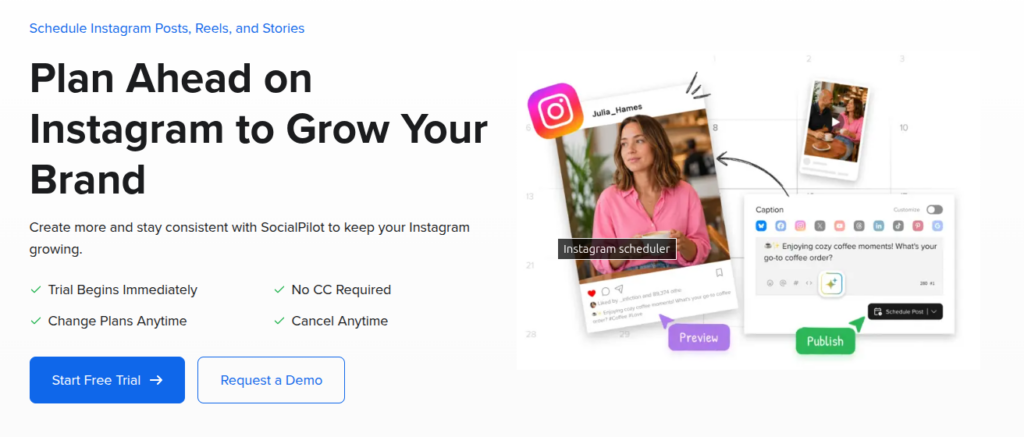
SocialPilot documents publishing for several accounts, with additional team, approval, inbox, and reporting functions. Its Instagram product page supports automatic publishing for eligible Business and Creator profiles, including supported images, videos, Stories, Reels, and carousels.
• Multi-account scheduling.
• Content libraries.
• AI-assisted drafting.
• Bulk scheduling on eligible plans.
• Team and client approval workflows.
• Inbox and reporting capabilities on eligible plans.
The pricing comparison separates the capabilities available at different levels. Bulk scheduling, client approvals, and more advanced reporting should not be attributed to every subscription. For an agency, the way a client reviews the final version and whether approval is required before publication should be inspected.
For a single-account workflow, whether the broader account allowance provides useful capacity or simply exceeds the requirement should be confirmed.
Essentials is currently listed at $30 month-to-month or $25.50 monthly with annual billing. The public offer includes a 14-day trial. The plan that provides the complete workflow, including reviews and reporting, should be compared rather than selecting the entry amount and describing higher-plan features beneath it.
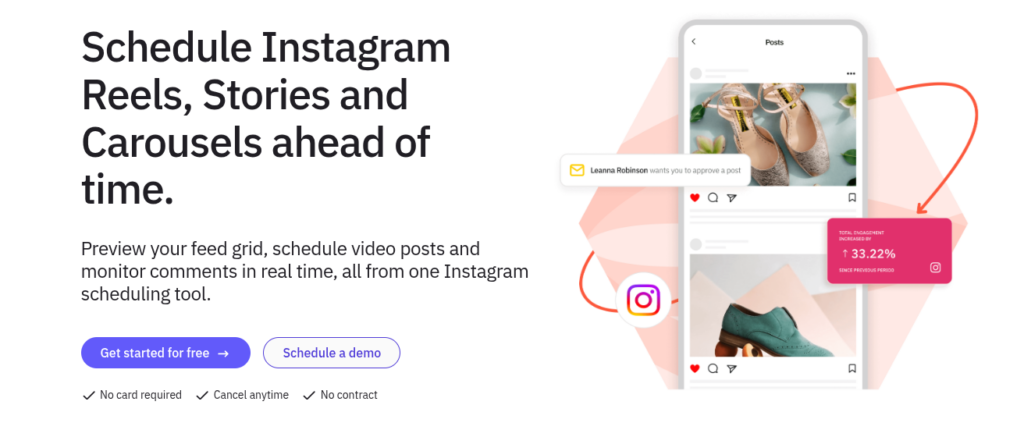
Sendible combines publishing with brand and client-account coordination. Its Instagram documentation includes automatic publishing, visual planning, recurring queues, and bulk importing. The practical evaluation should focus on how the content moves between the team, client, and publishing calendar.
• Supported images, carousels, Stories, and Reels.
• Instagram grid previews.
• Smart Queues.
• Bulk importing.
• Team coordination.
• Plan-dependent reporting and client workflows.
A recurring queue needs rules for reviewing and retiring older content. A client workflow needs clear access and approval ownership. Whether the plan provides the required workspaces, social profiles, approval controls, and report format should be confirmed.
Those requirements can be more important than the number of users advertised. An Instagram publishing integration should not be used as evidence that the product supports a particular automated DM sequence.
Sendible’s current homepage lists Core at $35 monthly for one workspace and six social profiles, with unlimited users. A 14-day trial and annual-billing discounts are also advertised. The required workspace and profile configuration should be used when comparing the cost.

Agorapulse combines publishing with inbox organization and moderation workflows. Its pricing documentation separates general inbox functions from more advanced automated rules. That distinction matters when a team wants to organize incoming interactions rather than simply publish content.
• Scheduled publishing and queues.
• Bulk scheduling.
• A shared social inbox.
• Post and conversation assignments.
• Saved replies.
• Automated moderation on eligible plans.
• Reporting and plan-dependent ROI capabilities.
The actions a moderation rule can perform should be inspected carefully. Routing, labeling, hiding, or organizing an interaction should not be described as the same capability as a multi-step DM conversation. Who can alter rules, how exceptions are reviewed, and whether the required reporting sits on the selected plan should also be confirmed.
Standard is currently listed at $99 per user month-to-month or $79 per user monthly with annual billing. The complete cost depends on users, profiles, and required capabilities. A plan that includes publishing may not include the advanced moderation configuration used in a demonstration.
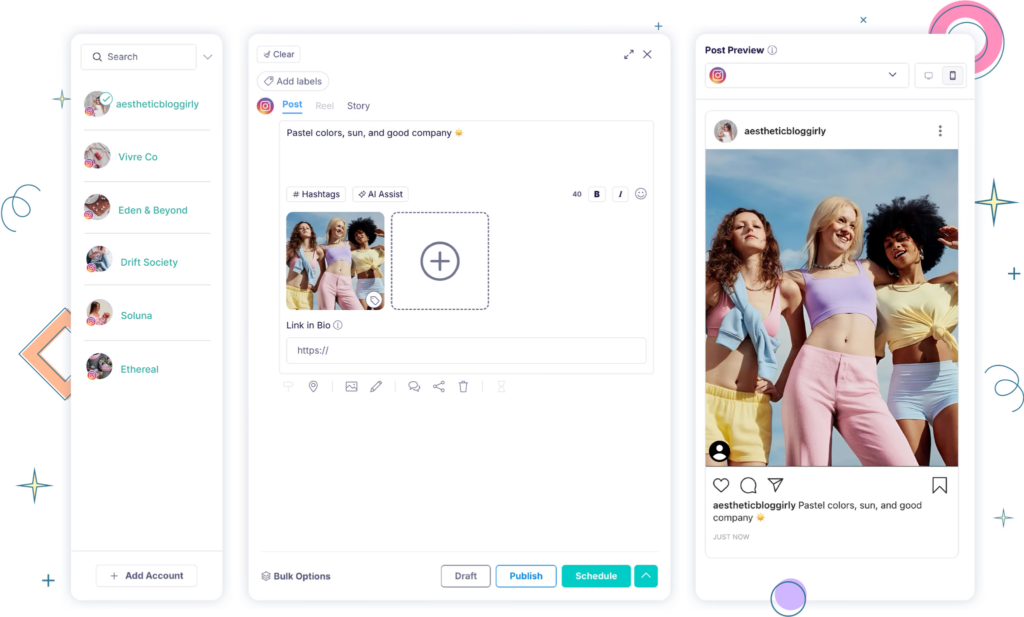
Publer documents publishing queues, recurring schedules, bulk workflows, and plan-dependent API access. It also provides Instagram grid planning and support for several Instagram formats. The relevant distinction is between content that can publish directly and content that still needs native completion.
• Instagram grid planning.
• Supported photos, carousels, Reels, and Stories.
• Queue-based scheduling.
• Recurring content.
• Bulk scheduling.
• Notification publishing where necessary.
A notification workflow still requires a person to finish publication. That is not necessarily a disadvantage, but it should be included when estimating the remaining manual work. Format-specific support, editing requirements, and how recurring content is controlled should all be checked.
The free queue allowance and daily publication limits are separate concepts and should not be described as the same thing.
Publer’s paid configuration depends on connected accounts and additional team members. Its current calculator should be used to price the actual setup. Whether the required recurring, bulk, analytics, and API functions are included should be confirmed before using the lowest plan as the comparison price.

Planoly combines visual planning, publishing, and documented Instagram comment or DM automation. Older descriptions that present it only as a visual planner no longer capture its full published offering.
• Cross-platform content planning.
• Batch preparation and scheduling.
• Automatic publishing where supported.
• Reminder workflows.
• Instagram DM automation.
• Analytics and link-in-bio functions.
The specific trigger and conversation supported by its DM functionality should be checked. A general feature label is not enough to establish the follow-up logic, contact allowance, or human-handoff behavior. Connection instructions also need current verification. Older Planoly tutorials and newer product pages do not describe every requirement identically.
The current homepage lists Starter at $14 monthly with annual billing, including one social set, one user, and up to 60 monthly uploads. A 14-day paid-plan trial is advertised. The social-set structure, upload allowance, and number of reviewers needed should be compared. The entry plan does not include every feature displayed across the website.
Instagram and Meta Business Suite provide native scheduling options. They establish a useful baseline before a team decides whether additional software is necessary. Instagram documents scheduling for eligible accounts, while Meta Business Suite covers posts, Reels, and Stories.
The actual content the team plans to publish should be tested:
• Does the format schedule through the chosen native route?
• Are its tags, collaboration settings, or other features supported?
• Can the right people access and maintain the workflow?
• Does the team need a separate approval trail or client workspace?
• How will publication failures and incoming responses be handled?
Native scheduling does not automatically provide every feature available during manual publication. Instagram’s current help identifies restrictions involving collaborative posts, product tagging, sponsored content, and fundraisers for its native route.
A separate platform may provide collaboration, multi-account coordination, reporting, or specialized messaging. The decision should follow those requirements, not the assumption that a paid subscription is always necessary.
The practical starting point is one repeatable process rather than an attempt to automate the entire account.
Before building anything, write down what needs to happen and who remains responsible.
Example: Approved educational posts should enter a weekly queue, while incoming service questions should be reviewed by the support owner.
This separates publishing from customer communication and avoids using one broad rule for unrelated tasks. A wider social media management workflow should also identify the account owner, reviewer, publisher, and escalation contact.
The Instagram account, granted permissions, and features shown in ContentStudio should be checked before proceeding.
Social Inbox documentation specifically covers Instagram business-profile DMs and comments, including direct and Facebook-based connections. Existing connections may need reauthentication. For general account selection, the guide to Instagram creator accounts explains the account type. Publishing eligibility and inbox eligibility are not identical.
A manageable set of posts should be chosen. The media, caption, link, destination account, and next step should all be confirmed.
The Planner should be used to inspect status and visual sequence. The workspace time zone should be checked before assigning release times. ContentStudio documents scheduling according to that selected time zone.
Anyone should be chosen only when approval from one designated person is sufficient. Everyone should be chosen when all selected reviewers must approve. ContentStudio documents that a rejection can override the required approval process, while an Anyone approval skips remaining approvers.
A category slot is useful for a recurring editorial theme. A fixed date is more appropriate for a time-sensitive announcement or offer. Recycled material should be reviewed for accuracy before reuse. Evergreen should mean still useful, not exempt from maintenance.
The publication outcome should be confirmed, and someone should be assigned to relevant questions. A scheduled item is not proof that it was published successfully, and a published item is not proof that the audience understood it.
A reply workflow needs more care than a publishing queue because it communicates directly with people.
ContentStudio’s documentation directs users to Inbox and the Auto-Replies area, where existing rules and AI-reply usage can be reviewed.
A name that explains the task should be used, such as “Shipping policy questions.” The rule name is internal and should help the team distinguish the workflow from other rules.
Keywords identify possible matches. The “What should AI look for?” field adds context. A question about a refund policy is not the same as an authorized refund request. The automation should not imply that it has performed an action it cannot perform.
For Instagram, the relevant business account and the supported Private Chat or Post Comments scope should be chosen. A general rule should not be applied to every connected account without checking that the answer fits each one.
A fixed response works when the approved answer is the same every time. AI Reply can adapt the wording using instructions, a selected Brand Voice, and chosen help documents. That flexibility also requires careful review.
For a new AI rule, Save as Draft gives the team an opportunity to inspect responses before sending. Send Automatically should be used only when the task, source material, and exception handling have been tested. ContentStudio warns that automatically sent replies cannot be undone.
The Save action activates the rule. The intended scope and draft mode should be prepared before saving. Representative questions and edge cases should then be tested. The following should be checked:
• Correct matches.
• Incorrect matches.
• Missing information.
• Overlapping rules.
• Sensitive requests.
• The point at which a person should take over.
A successful keyword match should not be treated as proof that the answer is appropriate.
Instagram messaging has conditions that apply regardless of the vendor. The standard response window is generally 24 hours for eligible interactions. Human-agent provisions have separate requirements and should not be used as general permission for automated follow-up. Comment-based private replies are a separate route.
Meta documents a seven-day period for eligible comment replies and a different limitation for Instagram Live. That first reply does not automatically permit an unlimited sequence. If the workflow involves Instagram direct messages, the person’s request, the next step, and the point at which automation stops should all be established. An API connection does not remove those responsibilities.
The best starting point is a task with clear inputs, an accountable owner, and a manageable exception process. In ContentStudio, that might be an approved publishing queue or a draft-first reply rule.
The result should be reviewed before expanding. The useful outcome is less repetitive work with the same or better control over accuracy, timing, and customer communication.
The tool list provides comparison context. The stronger decision comes from knowing which process the team needs to improve and whether the selected configuration completes it reliably.
There is no universal best option. ContentStudio supports a connected planning, approval, publishing, and reporting workflow, while Blotato and the other products in this comparison provide different combinations of publishing and messaging capabilities. Native tools may cover a simpler requirement. The selection should be based on the actual accounts, formats, team process, and usage limits rather than the order of a list.
It supports auto-reply rules for Instagram business-profile DMs and post comments. Rules can use fixed replies or AI-generated responses, with AI replies either sent automatically or saved as drafts. Plan access and usage limits apply.
ContentStudio documents an MCP server for compatible clients, including ChatGPT and Claude. Supported actions include accessing connected accounts and workspaces, creating or scheduling posts, and generating images or videos. Don’t assume that every web-app action is available through MCP.
No. Comment-based private replies and ongoing messaging have different conditions. The trigger and subsequent response window should be verified before adding follow-ups.
No. Native and third-party routes have feature-specific limits. Music, stickers, tagging, collaboration, and other required options should be confirmed for the actual publishing method rather than relying on a general “Instagram support” label.
Plan 0 Days of Content in 0 Minutes
Create, schedule, publish and analyze your content across all your social media channels from one simple dashboard.
4.7 on Capterra • 16,500+ marketers trust ContentStudio
Arooj Ishtiaq is a Content Marketing Strategist with 5+ years of experience writing about social media, SaaS, and AI. At ContentStudio, she creates practical guides, tutorials, and how-to content that help marketers navigate social media trends, sharpen their strategies, and get more from their content.
View all posts by Arooj IshtiaqRecommended for you
How to use Instagram? A complete beginner’s guide
Instagram Notes: How to post, reply, and manage them

How to check messages on Instagram?

How to run a holiday campaign calendar from chat with OpenClaw








