Facebook username generator
Get Facebook username and Page name ideas for your profile, Page or group. Free, no sign-up.
- Free forever
- No sign-up
- Profiles, Pages and groups
- 16,500+ brands use ContentStudio
What is a Facebook username generator?It is a tool that suggests usernames and name ideas for a Facebook profile, Page or group. You enter a keyword, your name or your niche, and it returns options you can check on Facebook. ContentStudio's Facebook username generator is free, needs no account, and gives ideas for personal and brand accounts.
How to use it
How to Use the Facebook Username Generator
Enter a word
Type a keyword, your name, your business category or a theme you want the username to reflect.
Generate
Click Generate Facebook usernames now to get a list of ideas.
Shortlist
Pick three or four you like. Short, easy-to-spell names work best.
Check availability
Try each one in Facebook's username field. Facebook tells you right away if it's taken.
Username and Page name availability must be confirmed on Facebook directly. The generator produces ideas; whether a specific name is taken depends on what is currently registered on the platform.
Tip: add your business type or city to the keyword ("bakery austin") for ideas that are more likely to be free.
What you can make
What you can make with this Facebook username generator
Personal profile usernames
A clean custom URL like facebook.com/jane.rivera instead of a long number.
Business Page usernames
A short handle that matches your brand, so customers can find and tag your Page.
Page name ideas
Display names for a new Page that say what you do, like "Rivera Bakes – Custom Cakes".
Group name ideas
Clear, searchable names for community and fan groups, such as "Austin Home Bakers".
Username ideas
Facebook username ideas by style
Use these patterns as a starting point, then run your own words through the generator.
- Full name
jane.rivera
- Name + niche
janeriverabakes
- Brand + city
lumenstudio.austin
- Brand + "hq" or "official"
lumenstudiohq
- Niche phrase
dailyhomeworkouts
- Creator
cookwithjane
- Initials + word
jr.creative
- Group-style
austinhomebakers
Want matching handles elsewhere? The Instagram username generator gives ideas that follow Instagram's rules.
Username rules
Facebook username rules
| Rule | What it means |
|---|---|
| Minimum length | At least 5 characters |
| Allowed characters | Letters (A–Z), numbers (0–9) and periods |
| Not allowed | Spaces, underscores, hyphens and symbols like @ # $ |
| Periods and capitals | Don't make a name unique: john.smith and JohnSmith count as the same |
| Extensions and generic words | No .com or .net, and no generic terms on their own |
| One per account | Each profile and Page can have one username, and it must be unique |
Username vs. name
Facebook username vs. Facebook name
Username (vanity URL)
The unique identifier in your link, as in facebook.com/yourname. No spaces, at least 5 characters, letters, numbers and periods only.
Name (display name)
What people see at the top of your profile or Page, like "Jane Rivera" or "Lumen Studio". It can have spaces and doesn't need to be unique.
You set them separately. Most brands keep the two close so people can find the Page by searching either one.
Page name ideas
Facebook Page name generator: ideas and rules
A Facebook Page name is the public name of your business Page, distinct from the username and URL. It appears in the header of your Page, in search results, and when people share or tag your Page. The generator above works as a Facebook name generator for Pages too: enter your brand and category.
Page name length: Page names can be up to 75 characters. The most effective ones are much shorter, around 20 to 40 characters, so they read well in search and on mobile.
Allowed characters: Page names can include spaces, which usernames cannot. "Blue Horizon Photography" is a valid Page name; "bluehorizonphotography" could be the matching username.
What Facebook doesn't allow: generic words on their own ("Pizza"), the word "Facebook" or Meta product names, "official" if the Page isn't official, misleading names and unnecessary capitals or symbols.
Page name style: Adding your business category to the name, like "Blue Horizon Photography", helps people understand the Page at a glance and helps it show up in Facebook search, especially for new Pages.
Check availability
Facebook Page Username Availability: How to Check
Facebook username availability can only be confirmed on Facebook itself.
For personal profiles
Open the username setting for your profile (in Accounts Center on most accounts) and type the username you want. Facebook shows whether it's available as you type.
For Pages
Switch to your Page, open its settings and find the Username field. Type your choice, and Facebook confirms whether it's available.
Via URL check
Type facebook.com/yourusername in a browser. If a profile or Page appears, the username is taken. A "content isn't available" message suggests it may be free, though recently deactivated accounts can still hold a username.
Change your username or Page name
How to change your Facebook username or Page name
Change your profile username
- Open Settings & privacy, then Settings.
- Go to Accounts Center, then Profiles, and pick your Facebook profile.
- Tap Username, enter the new one and save.
Change your Facebook Page name
- Switch to your Page.
- Open Settings & privacy, then Settings, then Page setup (or Edit details on some Pages).
- Edit the Name field and submit. Facebook may review the change before it goes live.
Facebook can limit how often you change a name. Pick something you can keep for years, then update your bio to match with the Facebook bio generator.
From a new username to a busy Facebook Page
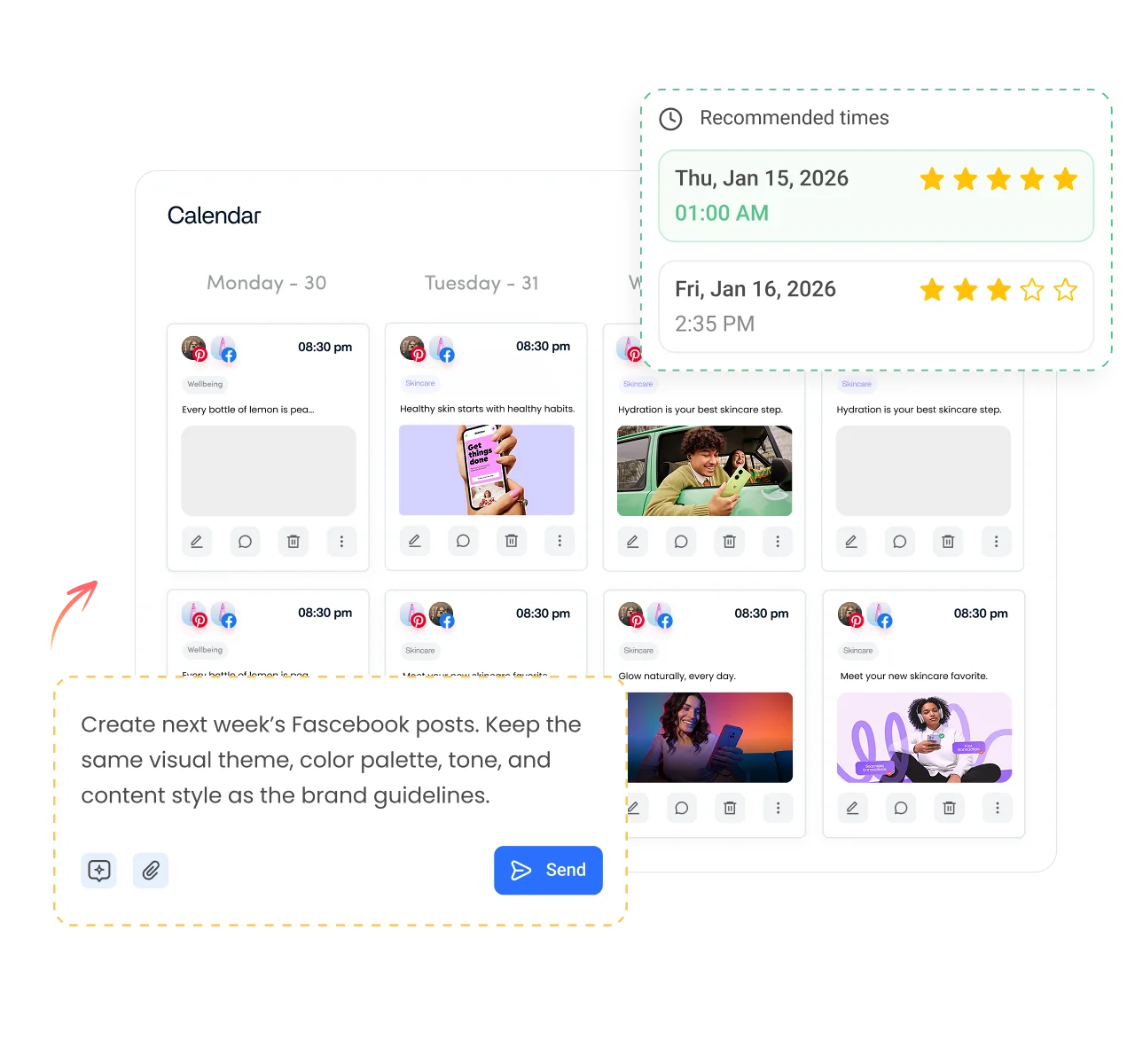
Your username gets people to your Page. Your posts keep them there. ContentStudio is a social media management platform that helps you post consistently. With it you can:
- Plan posts for your new Page. Fill a content calendar and publish automatically with ContentStudio's Facebook scheduler.
- Write your first posts fast. AI Studio, our AI social media content generator, writes posts and captions in your brand voice.
- Keep every profile in one place. Manage your Facebook Page alongside Instagram, LinkedIn, TikTok and more.
Is it free?
Is the Facebook Username Generator Free
Yes. ContentStudio's Facebook username generator is free with no usage cap and no account required. It is part of ContentStudio's suite of free social media tools.
- Free forever
- No sign-up
- Profiles, Pages and groups
- 16,500+ brands use ContentStudio
More free Facebook tools
All free social media tools →
Frequently asked questions

Book a 30 min call
Have questions? Schedule a quick call and we will guide you through everything.
Book a free call