How to promote affiliate links on social media in 2026
Oct 2, 202616 minutes

Written by
Abdullah MansoorUpdated
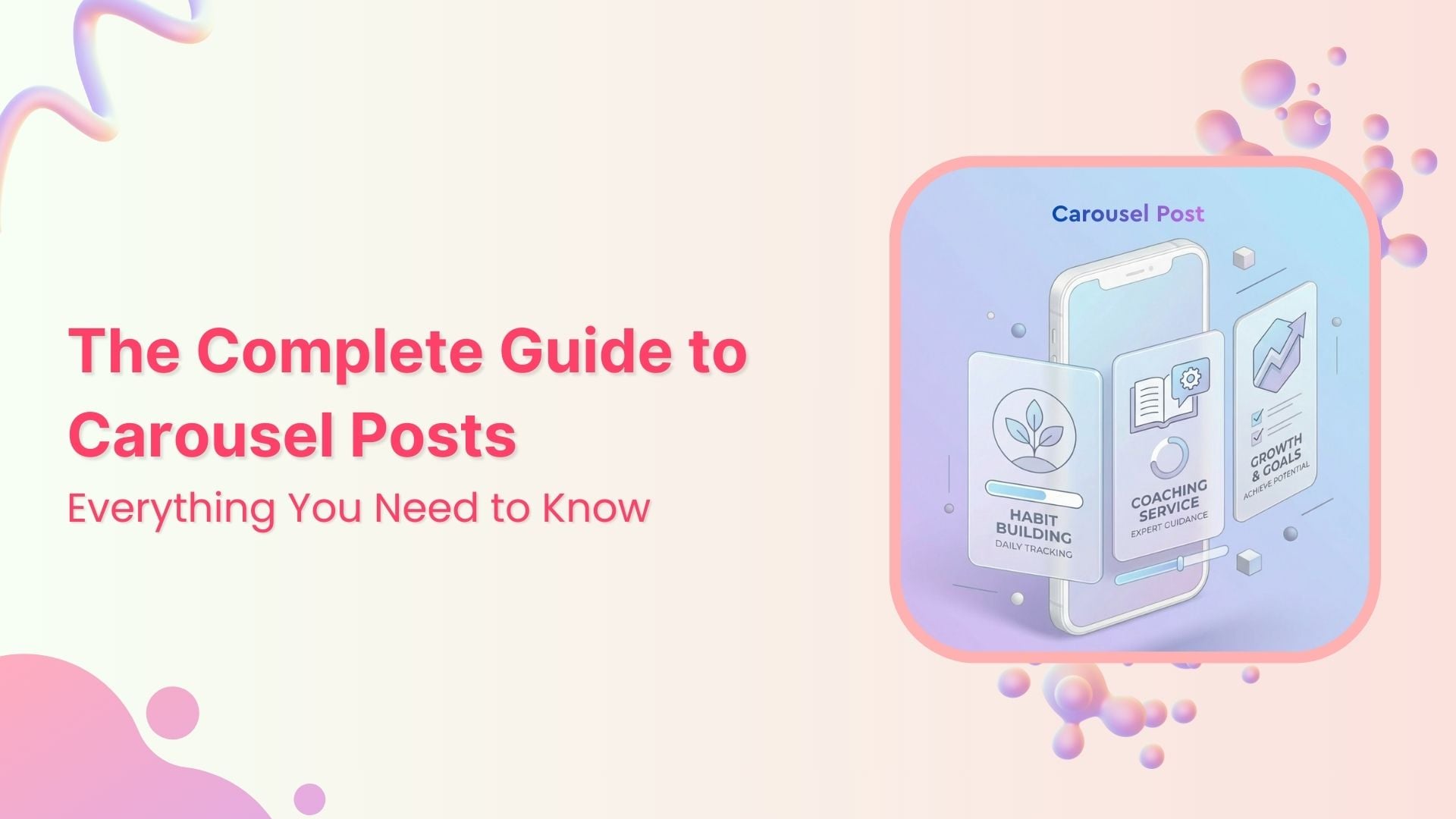
A carousel post is one of the most effective formats you can use on social media right now.
Instead of publishing one photo or video at a time, a carousel post lets you combine several pieces of content into a single, swipeable experience.
Carousels are available on Instagram, Facebook, TikTok, LinkedIn, Pinterest, and multiple other social media platforms.
The uses of carousel posts are endless!
From sharing a collection of pictures from a recent holiday trip to showcasing your business products and step-by-step guides, you can use carousel posts to maximize engagement.
This guide walks through everything you need to know about carousel posts, how they work on different networks, and how to plan, design, and schedule them at scale.
But let’s start with the basics.
Social Media Content Calendar
Stay consistent and organized with Contentstudio’s social media content calendar for marketers and agencies.
Get Started for FREE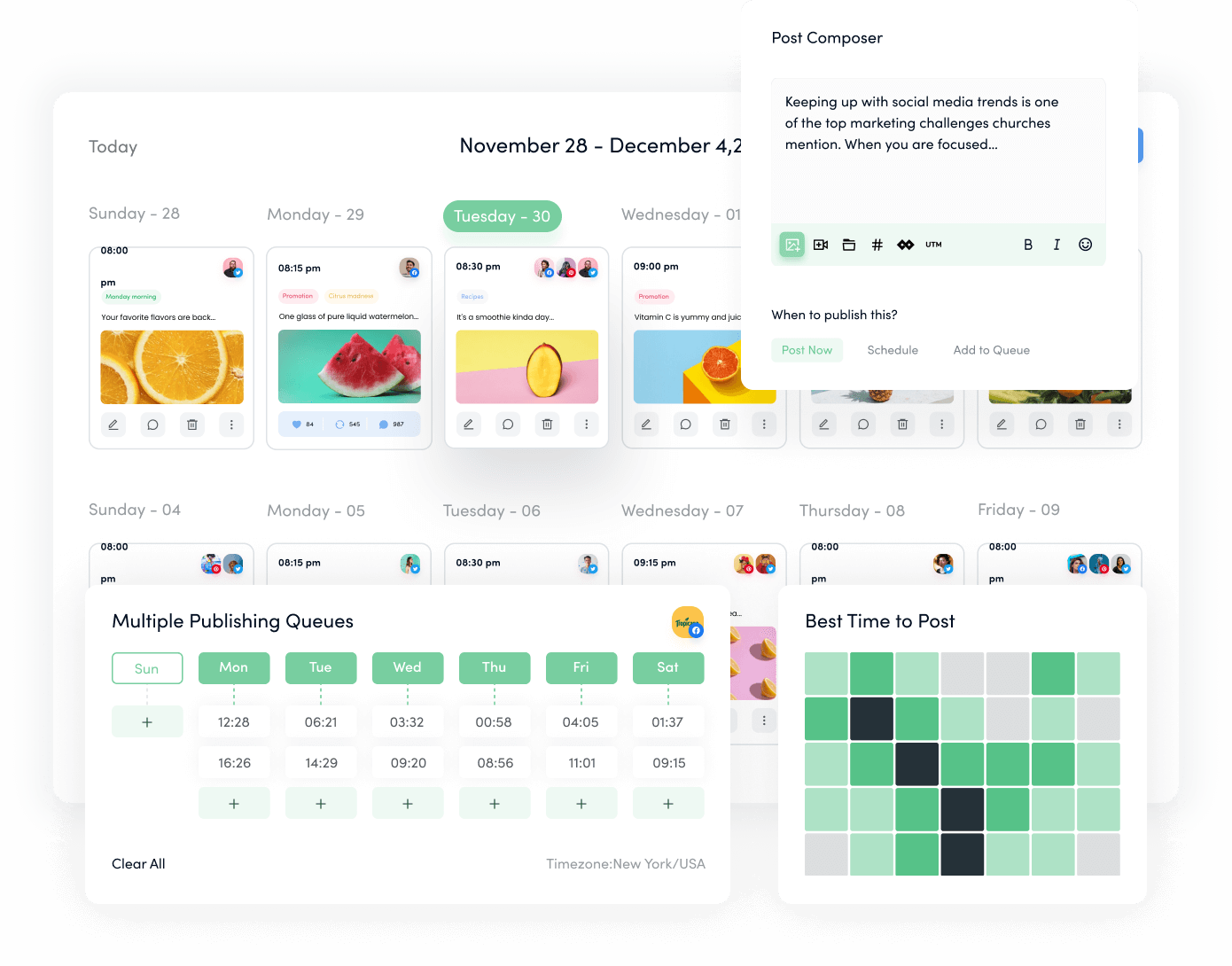
A carousel post is a single social media post that contains multiple pieces of content, usually images, videos, or a mix of both, that people can swipe or click through. Think of it as a mini slideshow or story inside one post.
On most major social media platforms (Instagram, Facebook, TikTok, LinkedIn, Pinterest), a carousel post appears in the feed like any other post.
The difference is the small dots or arrows that signal there is more to see. Users swipe left on mobile or click arrows on desktop to move through the slides.
A carousel post typically supports between 2 and 10 pieces of content, depending on the platform. Instagram and Facebook originally allowed up to 10 slides, and Instagram has now increased the limit to 20.
TikTok, LinkedIn, and Pinterest have their own formats and limits, but the core idea is the same: multiple slides, one post, one main caption.
The first slide often serves as a hook, designed to grab attention, while subsequent slides build on that interest, leading viewers deeper into the message or story.
For example, a social media influencer might use a carousel post to share a workout routine. The first slide introduces the workout, and the following slides detail each exercise with instructions.
Similarly, a platform like Netflix can use a carousel to promote their upcoming movies or TV series, just like in the following example:

For marketers, this format opens up options that a single image or video cannot provide. You can:
Carousels provide a more immersive experience, which is exactly why they have become a staple for brands, social media influencers, and agencies.
Across platforms, a well-crafted carousel post often outperforms a standard single-image post. There are several reasons for that.
First, the format itself encourages interaction. People have to swipe or tap to see the full carousel post, which automatically increases time spent on the content.
Longer viewing sends positive signals to platform social media algorithms, which can lead to wider reach.
Second, a carousel post gives you more chances to catch attention. If someone scrolls past the first slide, the platform may resurface the same carousel later, starting from a different slide.
Research cited by Search Engine Journal shows that Instagram carousels often outperform single-image posts on engagement rate because people can interact with multiple slides instead of just one.
Third, a carousel post is ideal for depth. You can provide context, proof, and detail without overwhelming people in a single frame. For example:
Finally, carousel posts help you keep your audience engaged for longer, which builds familiarity and trust.
When someone spends more time with your content, they are more likely to save it, share it, comment, or click through to your site.
The massive popularity of carousel posts has led most of the leading social media platforms to provide some sort of this feature.
Being familiar with the varying requirements of different social media platforms is crucial to creating engaging and effective carousel posts.
Let’s look at the different requirements and examples of carousel posts across social media platforms.
Fun Fact: Instagram was the very first social media platform to introduce the carousel feature in 2017.
Since Instagram had the first-mover advantage, the carousel posts enjoy great popularity among individuals and businesses on Instagram.
Initially, users were allowed to share up to 10 images or videos in a single post, but Instagram has now increased the limit to 20.
Since carousel posts are highly interactive in nature, they encourage users to swipe through the images and videos contained in a single post.
Other than individuals, brands often use Instagram carousels to showcase new products, tell a story, or highlight various aspects of a service.
The following example of an Instagram carousel post demonstrates how this content type is useful for an account specifically meant to promote luxury cars.

Because users are accustomed to swiping through Stories and Reels, carousels feel natural in the feed and often hold attention longer than a single photo.
Instagram supports three main aspect ratios in a carousel post:
Instagram crops every slide in a carousel post to match the aspect ratio of the first slide. If you start with a square and follow with a portrait image, the portrait image will be cropped.
To avoid awkward crops, pre-size all media in your carousel post to the same ratio before uploading.
Instagram carousels work well for:
If you work with social media influencers, carousels are also a strong way to share longer stories or sponsored content without feeling pushy.
Instagram Marketing
Schedule your Instagram posts, Reels, and Stories, and get recommended best time to publish for maximum engagement.
Get Started for FREE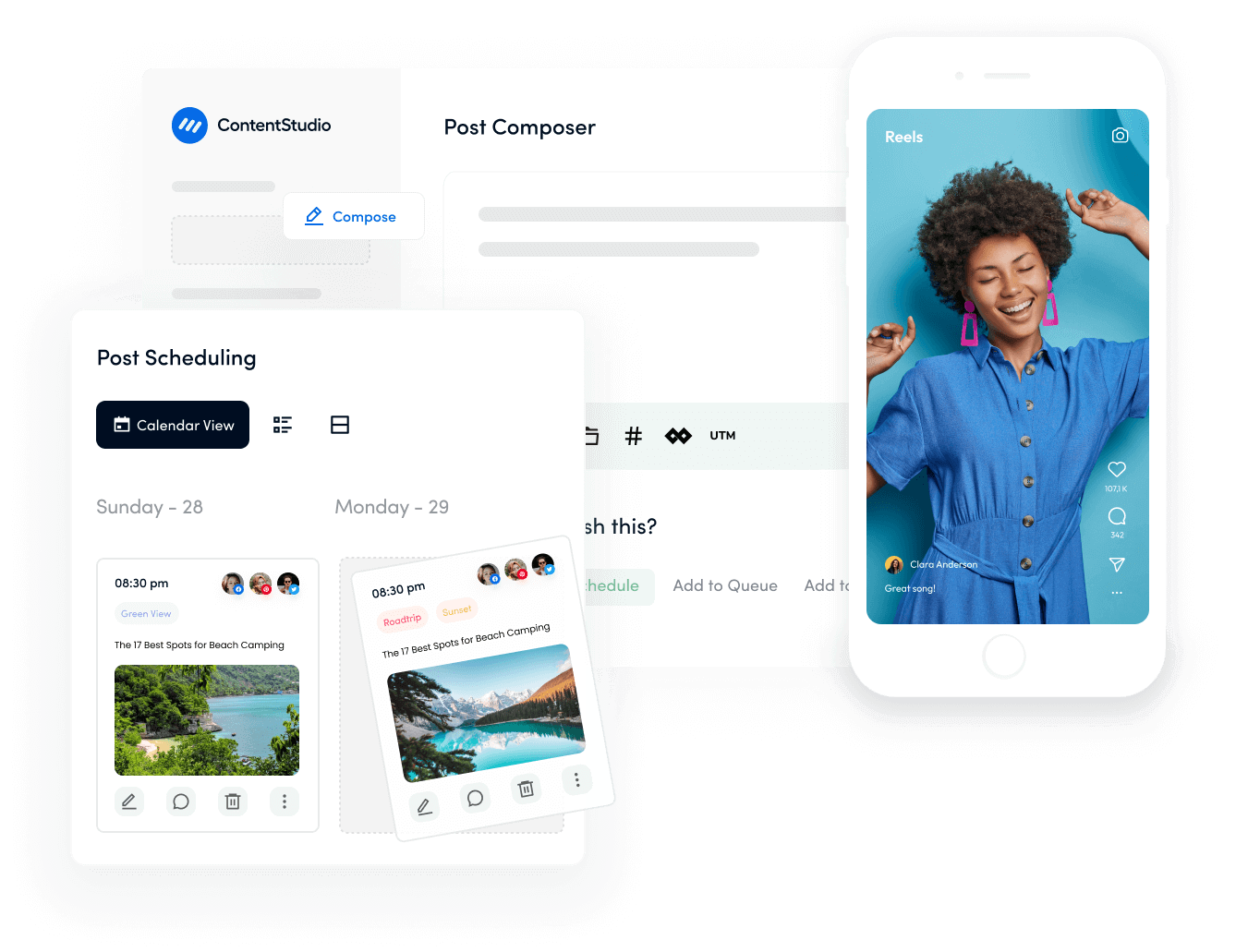
TikTok is best known for short-form video, but image-based carousels have become an important format there as well.
TikTok supports carousels where still images advance automatically like a slideshow, often accompanied by music, captions, and on-screen text.
TikTok itself has encouraged more image posts (including carousels).
A TikTok carousel post is ideal when you want to:
One thing that sets TikTok apart from an Instagram carousel post is the viewing experience.
On TikTok, images in a carousel post advance automatically, but users can still swipe manually if they want to move faster or revisit a slide.

When you’re ready to scale, you can also schedule your TikTok carousel posts instead of posting everything by hand.
This tutorial on how to schedule TikTok posts walks through both native scheduling and third-party options.
Related: How to make and post TikTok carousels?
On LinkedIn, the most effective version of a carousel post is actually a document post. Instead of uploading a set of images, you upload a multi-page PDF.
LinkedIn then displays each page as a slide that people can click or swipe through.
This format is especially useful for B2B marketers, consultants, and agencies because you can turn longer-form insights into a quick, scannable carousel post without sending people off the platform right away.
You can use a LinkedIn carousel post to share:
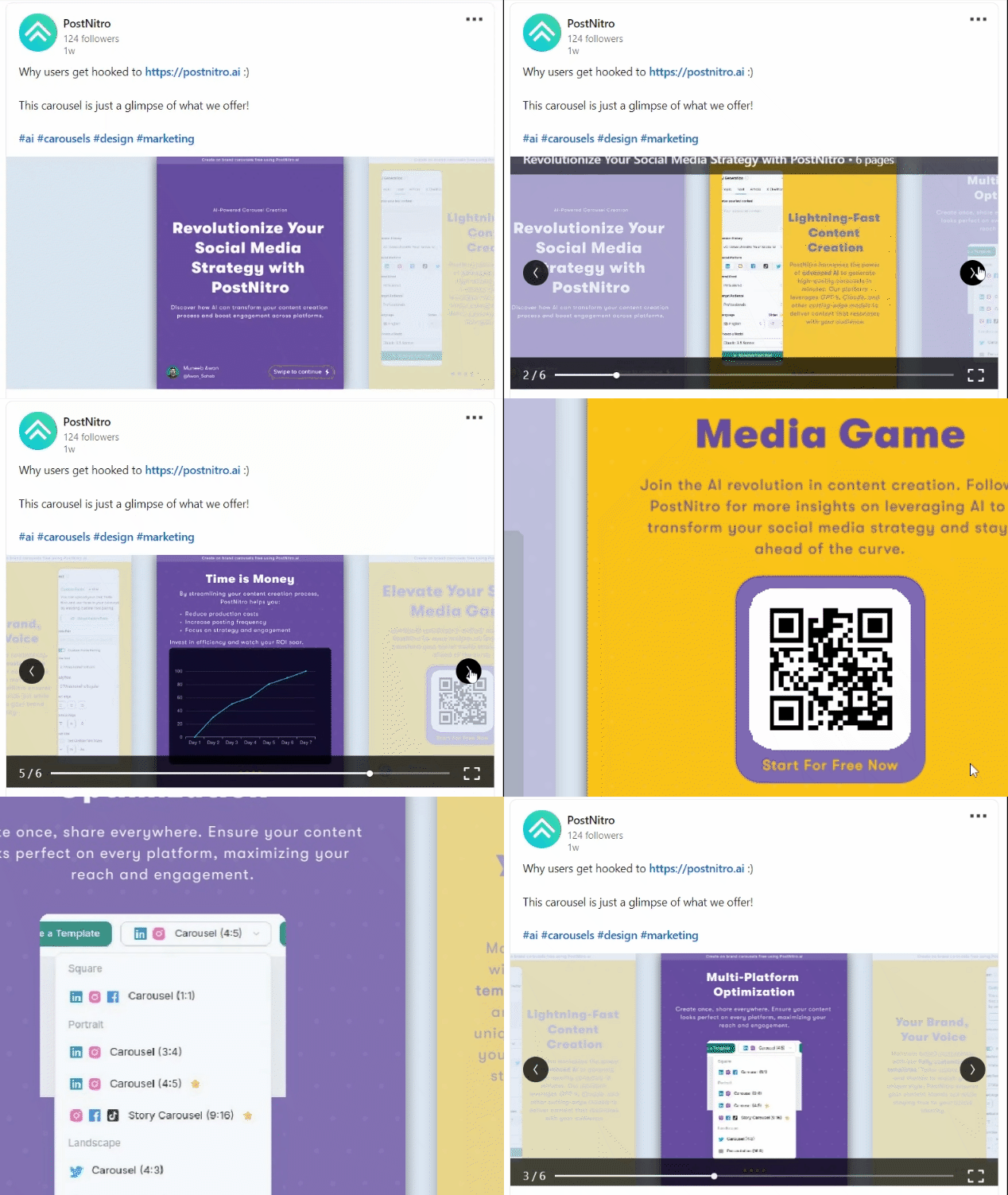
If you want to schedule document-style carousel posts in advance, this tutorial on scheduling PDF uploads to LinkedIn is a helpful step-by-step resource.
It explains how to repurpose slide decks and reports into carousel posts that fit your social media strategy.
LinkedIn Marketing
Establish your brand’s profile on LinkedIn by consistently posting engaging content and engaging with the community.
Get Started for FREE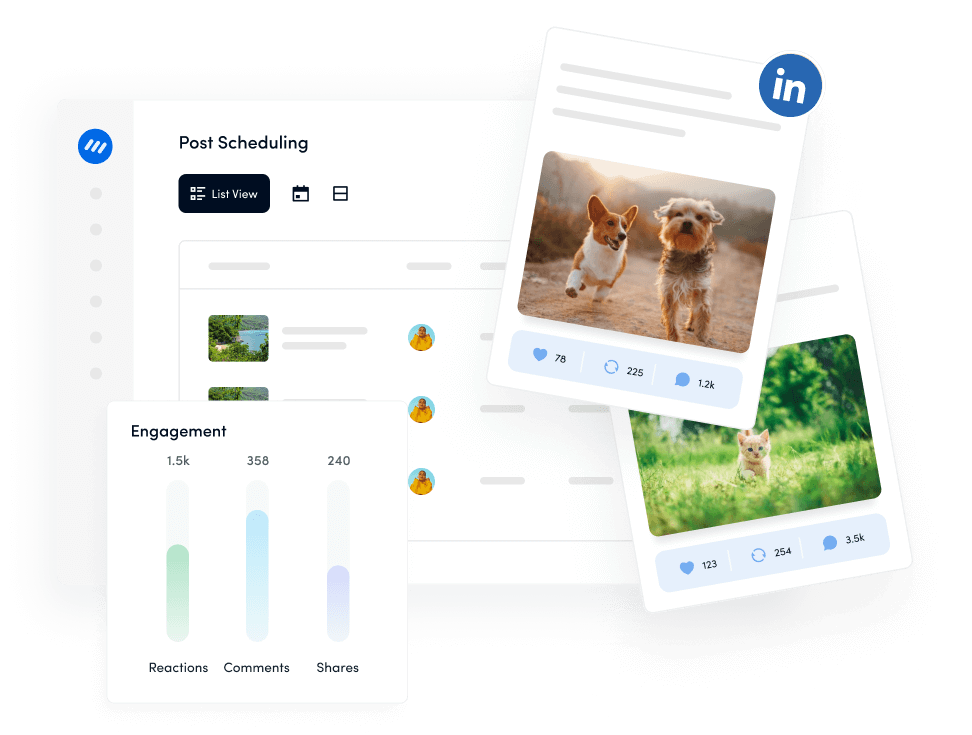
Pinterest supports a version of the carousel post called a carousel Pin. Brands often use this format in ads to showcase multiple images within a single Pin, such as different pieces from a collection or several steps in a project.
Carousel Pins are particularly useful for:
Pinterest carousels are more limited for regular users and tend to appear most frequently in promoted content, but they can still play an important role in a cross-platform carousel strategy, especially for visual-first brands.
On Facebook, a carousel post is most commonly used as an ad format, though Pages can also publish carousels organically.
Each card or slide in a Facebook carousel post can have its own image or video, headline, description, and URL.
This makes the Facebook carousel post a strong choice for:

Because each card links separately, you can send people to the most relevant product page or section of your site, which often leads to stronger conversion rates.
Related read: How to schedule a Facebook carousel?
Facebook Marketing
Manage and grow your brand on Facebook. Create, schedule, and publish posts, videos, and Reels to Facebook pages and groups.
Get Started for FREE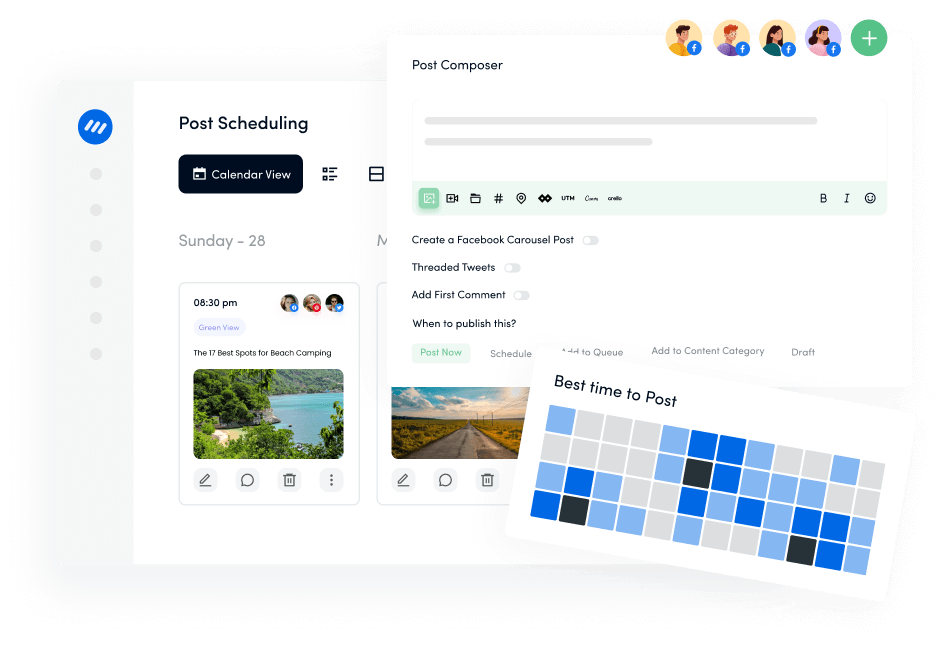
Social media carousel posts offer a unique and dynamic way to present multiple pieces of content in a single, interactive format.
Whether you’re a business trying to showcase multiple products or a personal account sharing different aspects of a story, carousels allow for deeper engagement and more creative storytelling.
Let’s explore the various benefits that carousel posts bring to both personal and business accounts.
One of the most significant advantages of carousel posts is their ability to drive engagement. The interactive nature of these posts—where users swipe, click, or scroll through multiple slides—encourages longer user interactions.
The more time a viewer spends on your post, the better it performs in social media algorithms, making it more likely to be shown to a broader audience.
This increased engagement can lead to higher likes, shares, and comments, especially when each slide delivers fresh and relevant content.
For example, Instagram and Facebook carousels often outperform single-image posts in terms of engagement, as they give viewers multiple opportunities to interact with the content.
The following is an example of an informative carousel post with a clear CTA at the end to get more engagement:
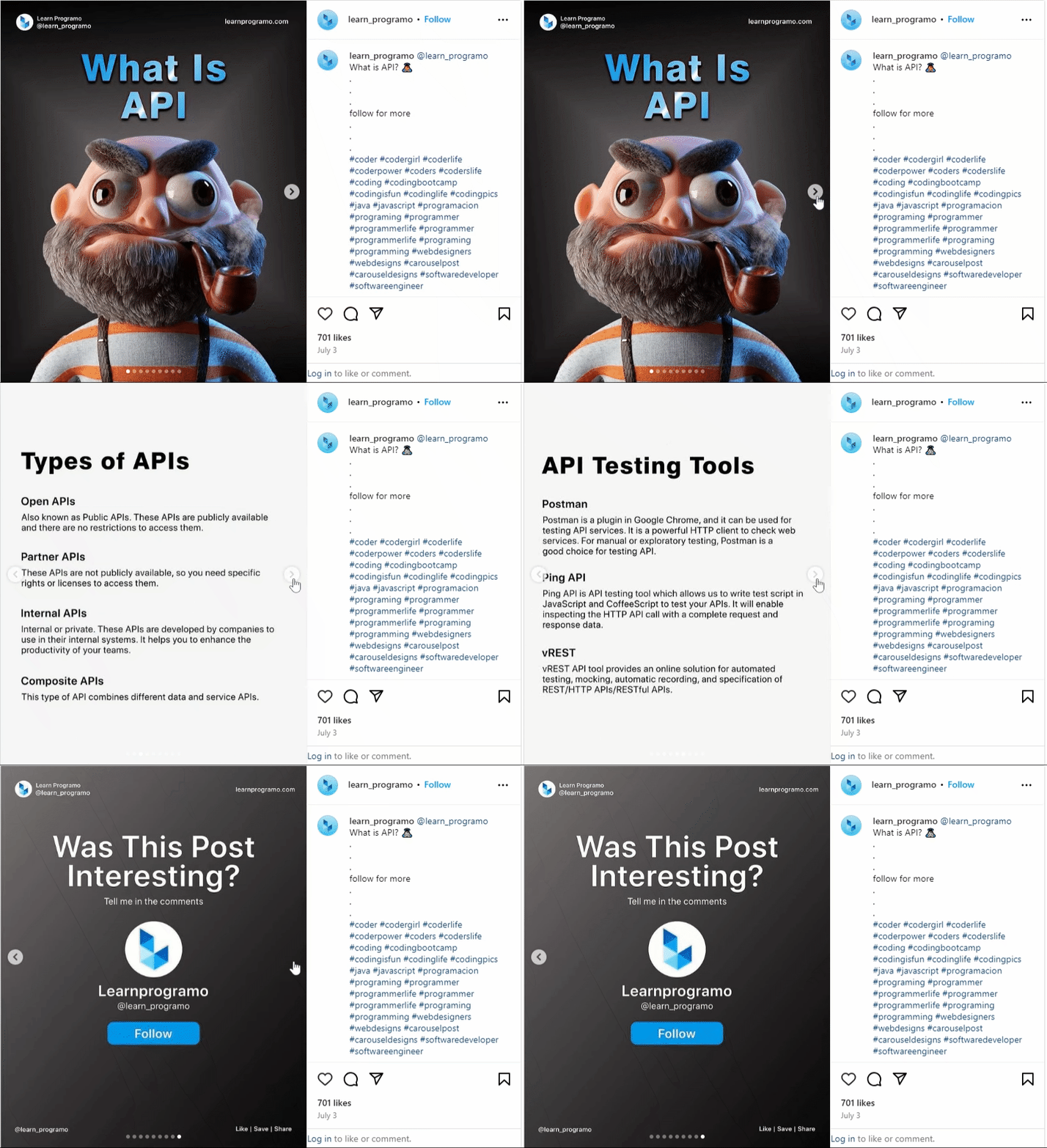
Carousel posts provide the ability to go beyond the limitations of a single image or video. You can use multiple slides to tell a comprehensive story or break down complex information into digestible parts.
Whether it’s a multi-step tutorial, a narrative, or showcasing different features of a product, carousels allow creators to build a layered, cohesive message.
For instance, a personal account might use a carousel to share a step-by-step recipe, while a business could highlight the different features of a new product.
This format gives you more space to communicate your message, increasing the likelihood that viewers will connect with your content.
Here’s an example of an Instagram carousel that displays the new features of ContentStudio:
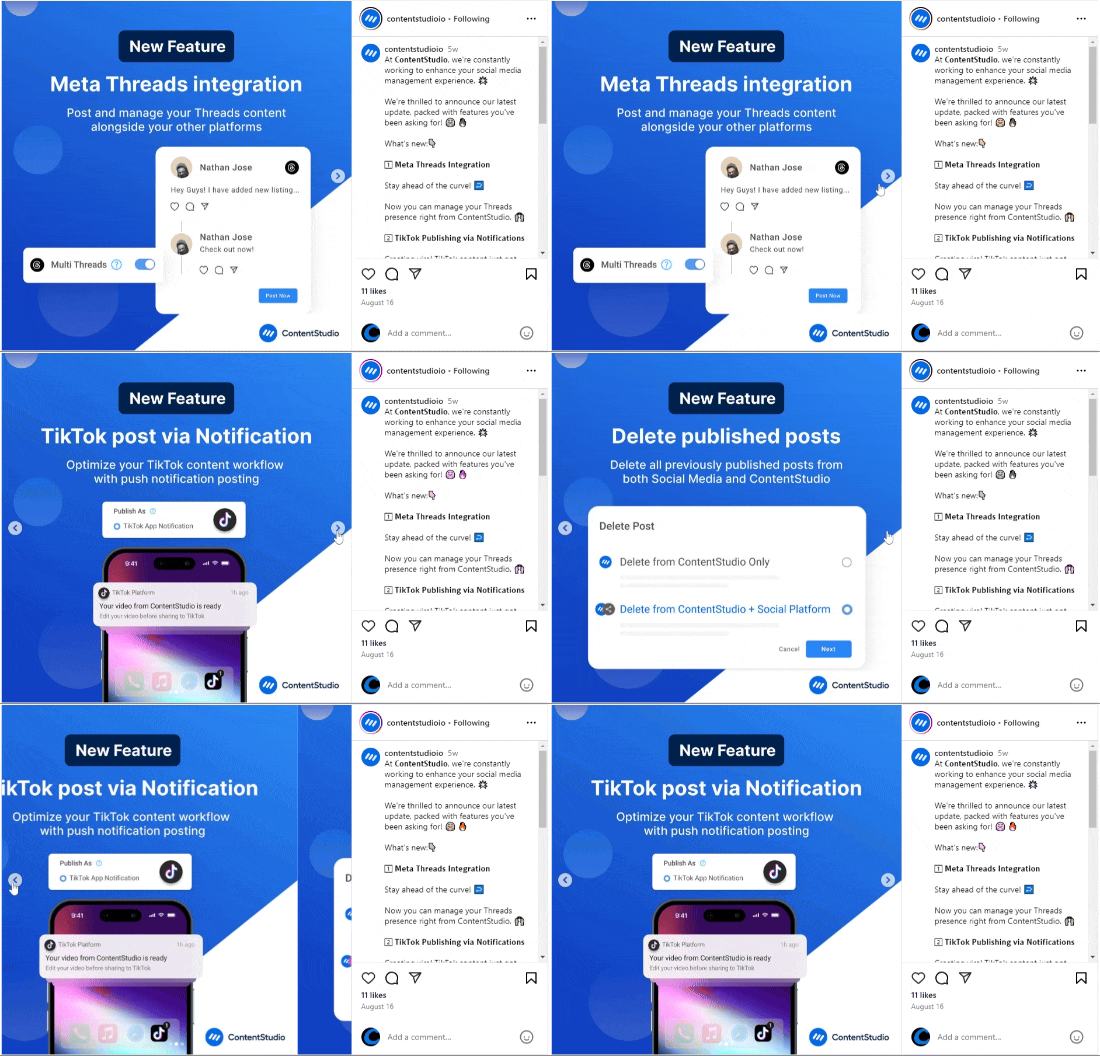
For businesses, carousel posts are particularly effective for showcasing multiple products or services in one post.
Each slide can feature a different item, giving users a wide range of options without overwhelming them.
Retailers often use this format to highlight various products from a collection, while service-based businesses can showcase different aspects of their offerings.

Since carousel posts offer multiple points of interaction, they often lead to higher conversion rates.
On platforms like Facebook, where carousel ads are widely used, businesses can showcase different products or services, with each slide linking to a specific landing page.
This encourages viewers to take action, whether it’s making a purchase, signing up for a service, or simply learning more about what you offer.
The ability to create targeted ads within carousels—where each slide focuses on a different audience segment or product—further enhances their effectiveness.
Businesses can personalize their messaging to appeal to specific customer needs, increasing the likelihood of conversion.
Here’s an example of a Facebook carousel ad with CTA for each slide to boost the conversion rate:

One of the greatest benefits of carousel posts is their versatility, as demonstrated with numerous examples throughout this article.
They can be used across a variety of social media platforms—including Instagram, Facebook, LinkedIn, TikTok, and Pinterest—each offering unique advantages.
For instance:
This cross-platform capability means you can repurpose your content in multiple places, reaching different audiences while maintaining a consistent message.
Carousel posts help keep your audience engaged for longer periods. Since viewers have to actively swipe or scroll through the content, they are more likely to spend time absorbing your message.
This additional time spent on your post increases retention, which, in turn, helps build stronger connections with your audience.
For example, if you’re running a tutorial or a how-to guide, a carousel allows you to break the content down into clear, manageable steps.
Viewers who are genuinely interested will go through all the slides, giving them a deeper understanding of your message.
Carousels allow for a high degree of creativity in visual storytelling. You can experiment with different combinations of images, videos, text overlays, and designs to create a visually appealing experience.
This format encourages creators to be inventive, making content more likely to stand out in crowded social media feeds.
For businesses, this visual appeal can be a powerful tool for branding.
Each slide in a carousel can reflect your brand’s aesthetic while conveying important information, making it an ideal medium for marketing campaigns or product showcases.
For businesses running paid ads, carousel posts offer a cost-effective way to get more value from a single campaign.
Instead of creating multiple ads for different products or services, a carousel ad allows you to showcase everything in one go.
This reduces the need for multiple ad placements while increasing the chances of engagement and conversion.
Platforms like Facebook even optimize carousel ads by showing the most engaging slides first, ensuring that your most effective content reaches viewers first.

A carousel post should do more than simply group several images. The strongest results come when each slide plays a clear role in a larger message.
For agencies and in-house teams, it helps to treat each carousel post as a tiny content format with its own structure:
Within that basic flow, here are proven ways to use a carousel post:
Turn a long blog post or concept into a short, slide-based guide. For example, a marketing agency could share “7 ways to improve your email open rate,” dedicating one slide to each tactic.
This taps into the tutorial-style content that already performs well on platforms like Instagram and LinkedIn.
Use a carousel post to walk through the benefits of a product or feature.
One slide can show the main benefit, another can show the interface or product in action, and additional slides can include use cases or quick testimonials.
Change stories are natural fits for carousels.
Fitness brands, home renovation companies, and beauty brands can show progress across multiple slides, building anticipation and payoff as people swipe.
Instead of flooding a feed with separate posts, one carousel post can recap an event, campaign, or trip.
Early slides show the highlights, while later slides dive into behind-the-scenes moments, quotes, or numbers.
If your brand receives a lot of customer photos or reviews, you can collect the best ones in a carousel post.
This not only shows real-world usage but also encourages more people to tag your brand for a chance to be featured.
Hotels, real-estate teams, and venues can create a virtual tour as a carousel post, moving from exterior shots to room details and amenities.
SaaS brands can do something similar by walking through the product interface screen by screen. Throughout all of these, think about your social media target audience.
A carousel post should feel clearly aligned with what they care about right now, not just what you want to promote.

The more channels you manage, the more important it becomes to treat each carousel post as part of a planned content system rather than a last-minute design project.
Most platforms now support some form of native scheduling:
Native scheduling works well for light use, but becomes harder to manage when you’re publishing a carousel post several times a week across multiple profiles.
For agencies, small businesses, and social media agencies, a dedicated social media platform saves significant time and reduces errors.
ContentStudio is built for teams that manage several brands and channels at once. With its social media management tools, you can:
Instead of logging into each app individually, you plan once and publish everywhere, which is especially helpful for campaigns where you share variations of the same carousel post across platforms.
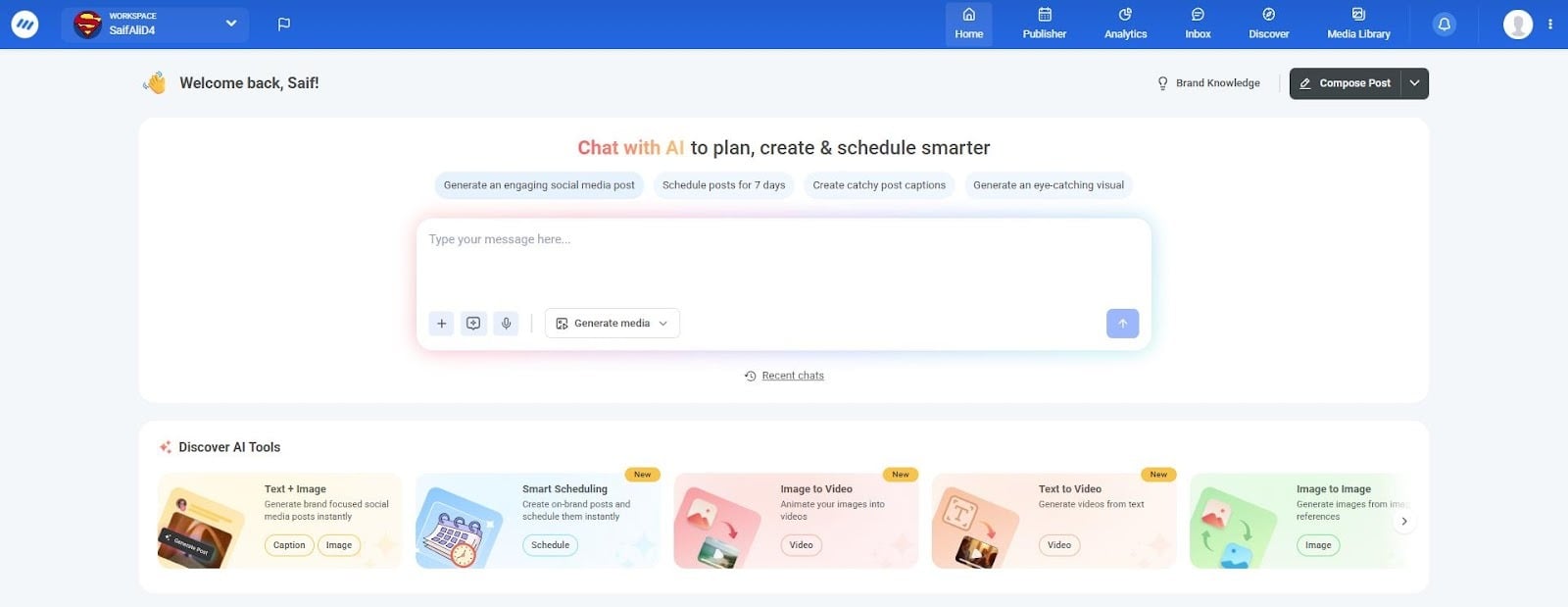
To speed up the creative side, PostNitro acts as a dedicated builder for carousels.
Its AI-powered carousel generator suggests structures, headlines, and slide designs.
Marketers often draft copy and strategy first, generate a design in PostNitro, then schedule the final carousel post through ContentStudio.
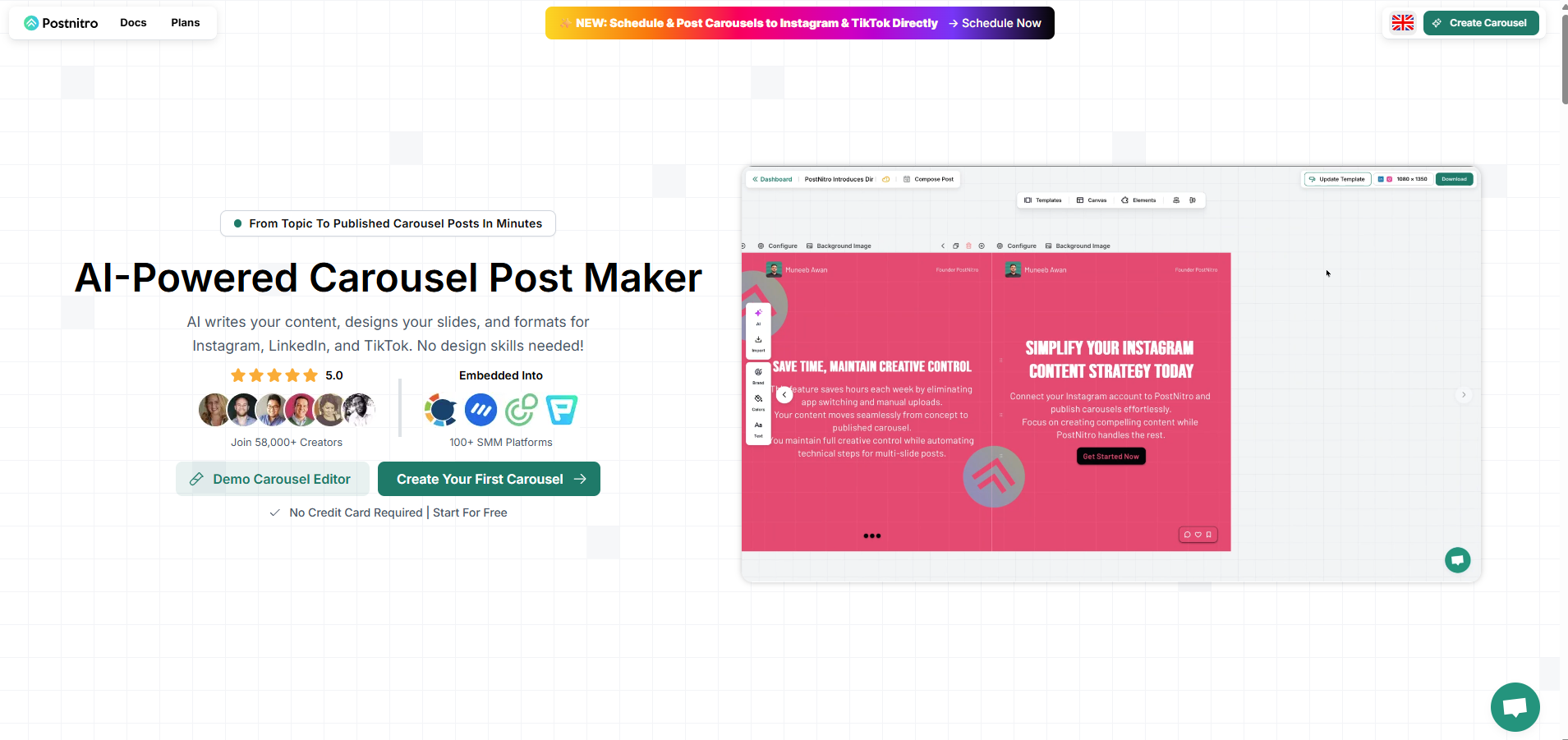
Together, these tools help teams produce a steady flow of carousels without sacrificing quality.
Social media carousel posts have revolutionized the way both personal users, small businesses, and social media agencies engage with their audiences.
Their ability to showcase multiple images, videos, or even documents in a single post offers a creative, interactive, and flexible way to tell stories, display products, and drive engagement.
By leveraging the specific features of platforms like Instagram, Facebook, LinkedIn, TikTok, and Pinterest, you can maximize the potential of your content and reach your audience more effectively.
Whether you’re looking to boost brand awareness, increase conversions, or simply share a richer narrative with your followers, carousel posts provide the perfect balance between creativity and functionality.
The easiest way to manage and grow your social channels.
Try ContentStudio for FREE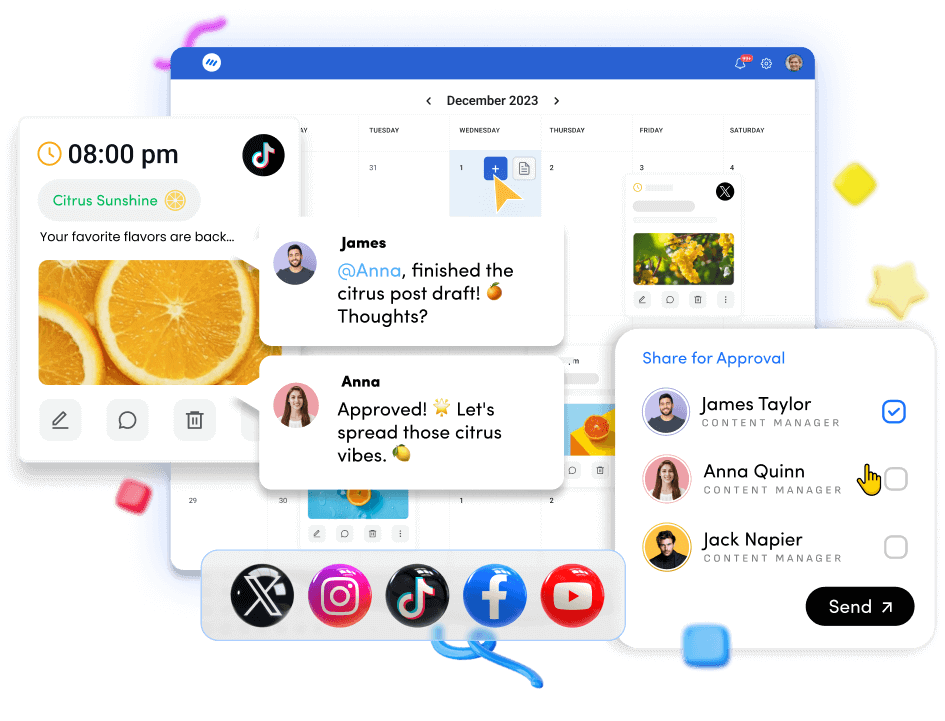
A carousel post is a type of social media post that allows you to include multiple pieces of content—whether images, videos, or documents—within a single post.
Viewers can swipe, scroll, or click through the slides, interacting with each piece individually. Carousels are available on platforms like Instagram, Facebook, LinkedIn, TikTok, and Pinterest.
Every social media platform has its own method and requirements to create an engaging carousel post. The best way to do it is through ContentStudio.
You can connect all of your major social media accounts with ContentStudio to create, post, and schedule carousel posts across the platforms.
A Facebook carousel post, most commonly used for advertising, allows users or businesses to display multiple images or videos in a single ad.
Each slide can have its own link, which makes it ideal for showcasing a range of products, services, or features. Viewers can swipe or click through the individual slides for a more engaging experience.
A carousel post contains multiple images or videos that users can swipe or scroll through in a single post, while a single post features only one image or video.
Carousel posts allow for more in-depth storytelling or showcasing multiple products, whereas single posts are limited to one piece of content.
Yes, carousel posts can be scheduled in advance using ContentStudio across platforms like Instagram, Facebook, TikTok, and LinkedIn, among others.
It allows you to plan and automate the posting of your carousel content across multiple platforms, making it easier to maintain a consistent and timely social media presence.
Each platform may have its own specific requirements, but these tools simplify the scheduling process by letting you handle all aspects of social media management from the same dashboard.
Plan 0 Days of Content in 0 Minutes
Create, schedule, publish and analyze your content across all your social media channels from one simple dashboard.
4.7 on Capterra • 16,500+ marketers trust ContentStudio
Abdullah Mansoor is a Senior Content Writer at ContentStudio with a proven track record creating engaging content across SaaS, technology, marketing, and e-commerce. He focuses on Instagram growth, how-to guides, carousel posts, user-generated content, and white-label social media management, and reviews blog content for structure, clarity, accuracy, and a consistent brand voice.
View all posts by Abdullah MansoorRecommended for you
How to promote affiliate links on social media in 2026
Multi-location social media management workflow guide

Best SaaS affiliate programs for social media marketers in 2026

19 best social media management tools to plan, schedule, and grow in 2026