How to promote affiliate links on social media in 2026
Oct 2, 202616 minutes

Written by
Saif AliUpdated
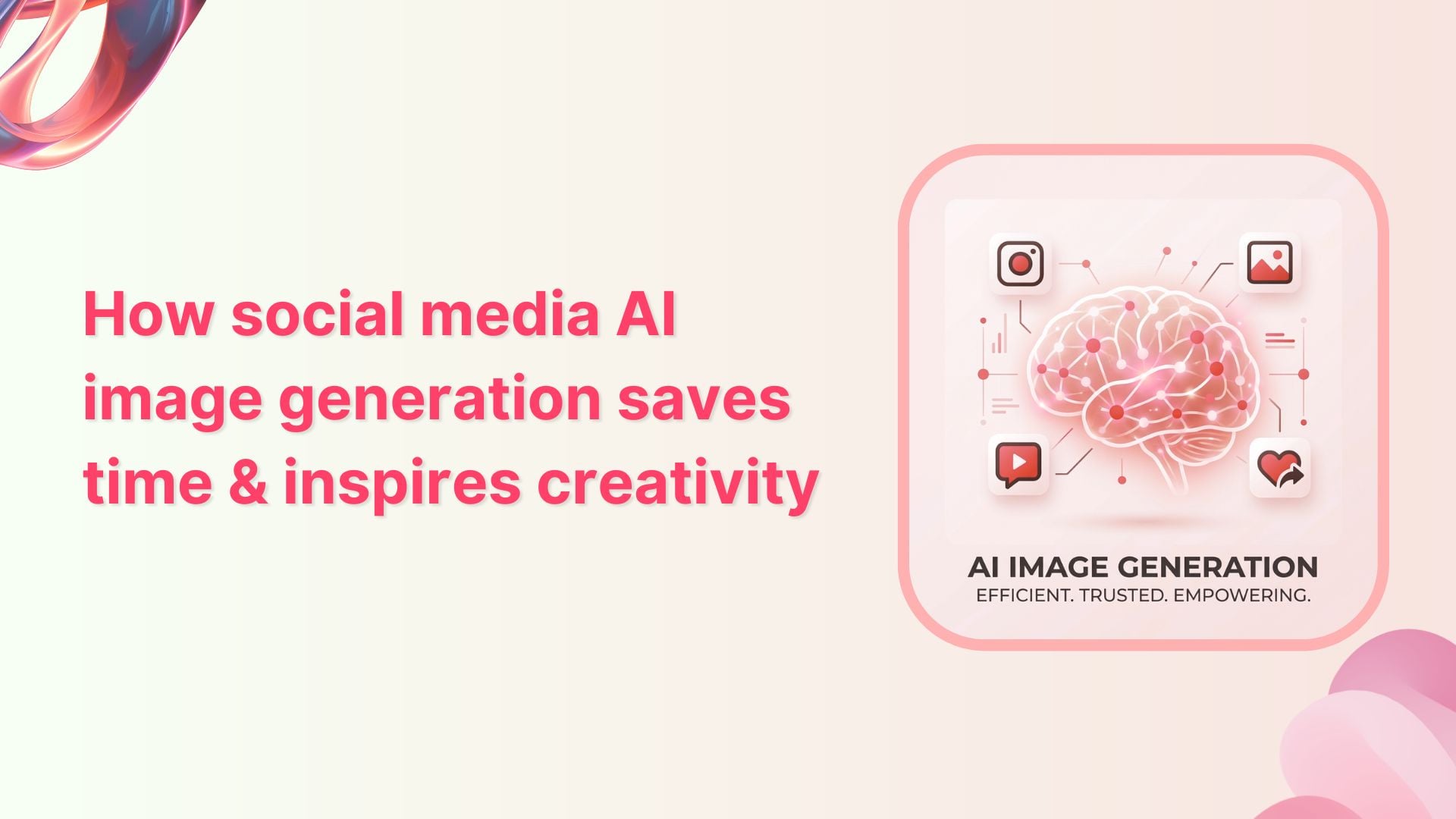
Scroll stops happen in a split second. A bright product shot, a bold illustration, or a clever meme grabs attention long before a caption does. That is why social feeds feel more visual every week, while teams behind those feeds feel the pressure rise.
They are expected to ship fresh images daily, for every channel, without missing a beat. The reality behind the scenes looks very different. Designers juggle endless requests.
Social media marketers bounce between stock libraries, brief documents, and scheduling tools. Campaign ideas stall because the right image is missing, or a simple visual takes days of back-and-forth to approve.
Budgets are fixed, deadlines are not, and creative energy wears thin. This is where AI image generation changes the game for social media content.
In this article, the focus is on how AI image generation saves time, sparks better ideas, and fits into real social media workflows. Along the way, examples will show how teams use it across roles and industries
The easiest way to manage and grow your social channels.
Try ContentStudio for FREE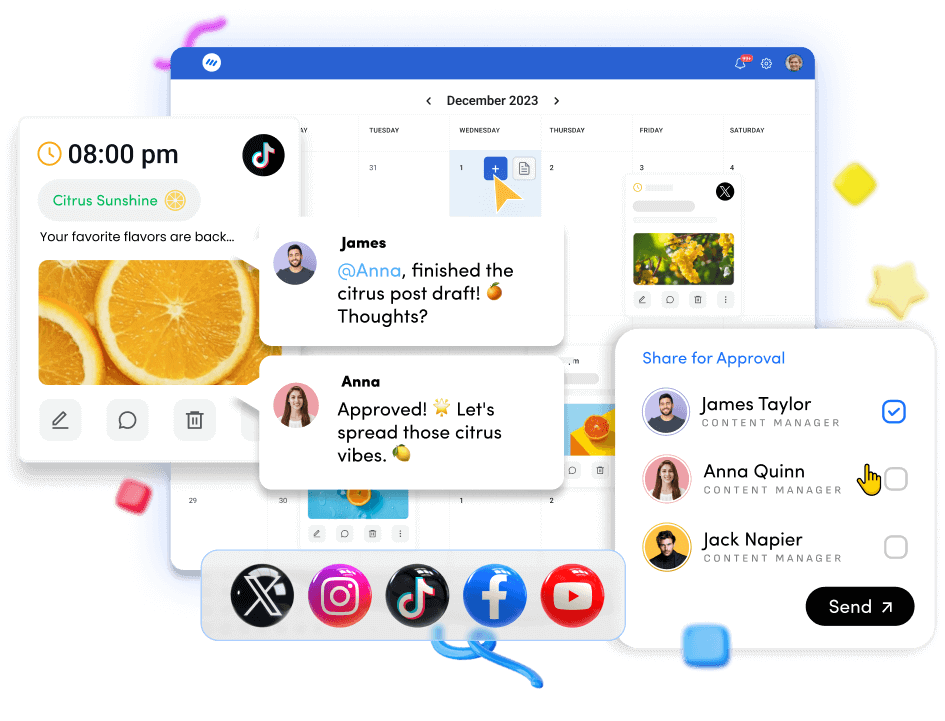
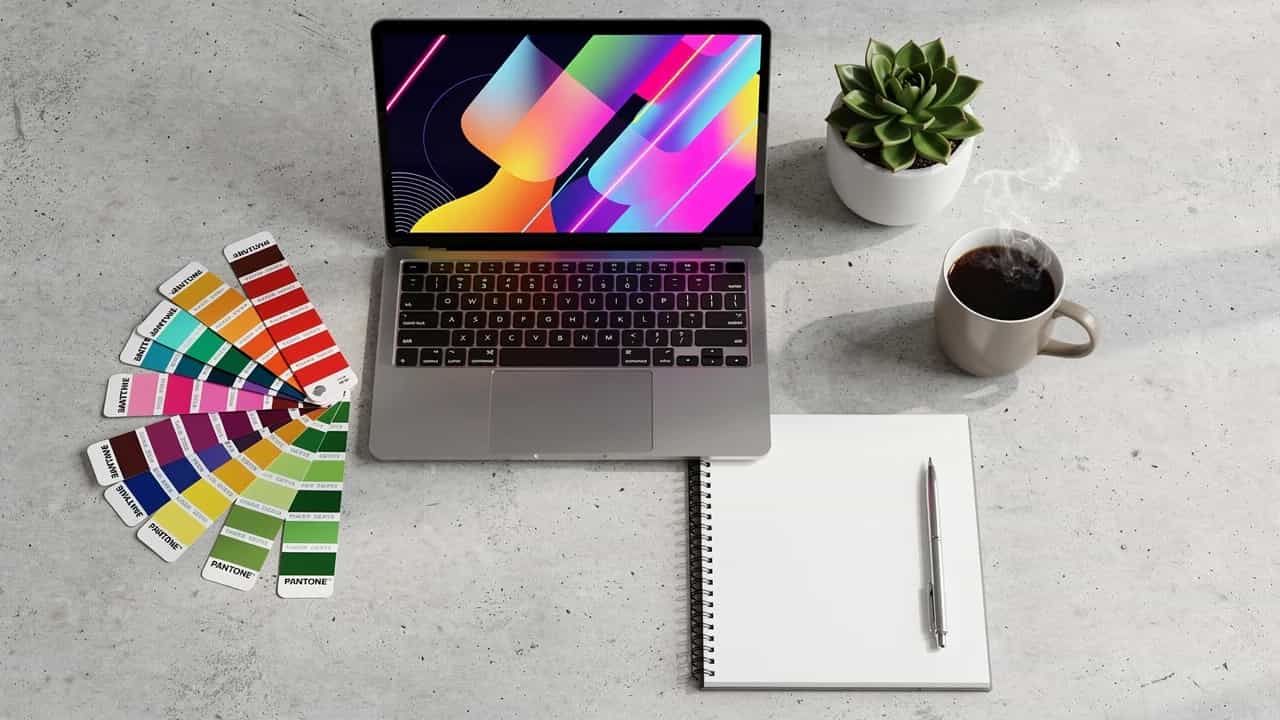
At its core, AI image generation is the process of turning text prompts into original images. A prompt might be as simple as “a pastel flat-lay of skincare products on a marble counter”.
Or as detailed as “a minimal home office with a wooden desk, a laptop, and a coffee mug, soft morning light.” The AI reads that description and produces a new visual that matches it.
This is very different from searching a stock library. Stock sites show existing photos that someone else shot, and many other brands may already use them. With AI image generation, the system creates new pixels from scratch.
The result is a one-off visual, made in direct response to the words typed, which keeps social feeds from feeling like a collection of recycled images.
The technology behind AI image generation comes from large machine learning models. These models train on huge sets of images paired with captions or tags. Over time, they learn which visual patterns match phrases such as “watercolor style,” “neon glow,” or “professional office portrait.”
When a prompt comes in, the model predicts what an image with those features should look like and builds it step by step. Because the model has already done the heavy work during training, the generation step is fast. For social media content, that speed is the real magic.
Also read: Top 16 AI image generators you must try in 2025
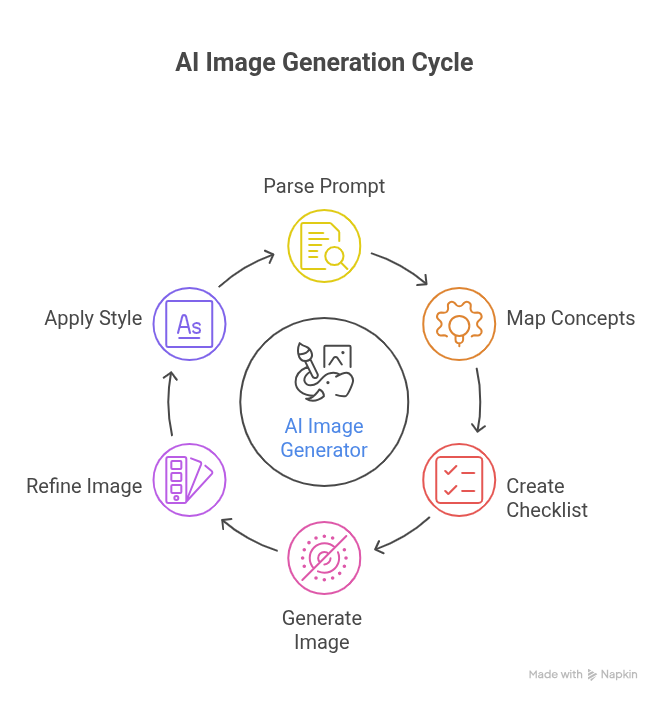
When someone types a prompt into an AI image generator, the tool first breaks the sentence into pieces it can understand. Words related to objects, colors, styles, and moods are mapped to visual concepts that the model learned during training.
This creates a kind of internal checklist for what needs to appear in the image. Next, the AI starts from random noise and begins shaping it into a picture that matches the prompt.
At each step, it asks whether the image is moving closer to what “a cozy coffee shop interior, warm lighting, minimalist style” should look like.
It adjusts colors, shapes, and details again and again until the scene fits the description. Modern tools also let the user guide AI image generation further with style choices and aspect ratios.
For example, selecting a square format helps when the goal is an Instagram feed post, while a tall portrait format works better for stories or reels. By setting these preferences and refining prompts, marketers turn AI image generation into a very practical part of their content toolkit.
Also read: How to remove background from images?
For social media work, not every AI image generator is suitable. The best ones give marketers control over style, format, and quality while staying easy to use. These features make AI image generation feel less like a tech demo and more like a daily work tool.
Key capabilities usually include:
One important feature is support for many artistic styles. A single AI image generation tool can create photorealistic product shots, flat illustrations, neon cyberpunk scenes, or soft watercolor backgrounds.
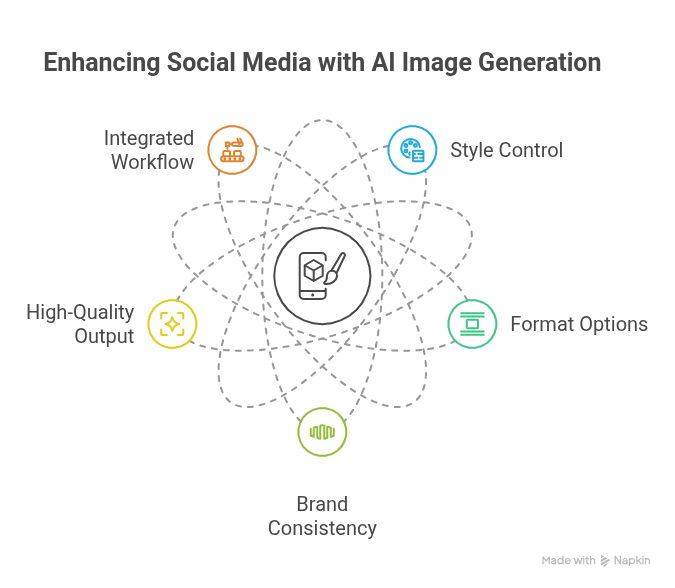
This matters for brand consistency. A fun, playful brand might live in bold, graphic visuals, while a financial firm prefers clean, professional photography. Being able to direct style through the prompt or menu keeps every image aligned with the brand.
Format control is just as important. Social channels favor different shapes and sizes, so a good AI image generator for Instagram needs easy square and portrait options. Horizontal images still matter for LinkedIn banners, YouTube thumbnails, and blog headers.
Related: Social media image sizes for 18 platforms
When aspect ratio is built into AI image generation, there is less cropping, fewer awkward edits, and fewer chances to ruin a good composition. Modern tools also focus on quality.
High-resolution AI-generated images are needed for ads, email headers, and web pages, not just quick social posts. ContentStudio goes a step further by placing its AI Image Generator directly in the post composer.
Instead of jumping between an external AI image generator free trial and a separate scheduler, teams stay inside one platform from idea through to published post.
Creating social visuals is often the slowest step in a content plan. Even simple posts can require a brief, a designer, rounds of feedback, and final formatting for each channel.
When an approval cycle drags, posts slip from “this week” to “sometime later,” and ideas lose steam. AI image generation flips that script by removing many of those delays.
With AI image generation, a social media manager can draft a post idea, write a prompt, and have several visual options within minutes. There is no need to wait for stock photo approvals or track down a designer for minor changes.
Small teams, especially, feel this shift. One person can cover more channels and campaigns because the image work no longer blocks progress.
ContentStudio builds this speed into its AI Studio. Inside the platform, AI image generation works alongside AI writing, scheduling, and approvals.
Stock photo hunting looks simple from the outside, but anyone who has done it knows how time-consuming it is. Searching through page after page of options just to avoid that same overused handshake photo can drain an afternoon.
Even then, the final choice may only be “good enough.” By using AI image generation instead, teams stop browsing and start describing. A social media manager can type exactly what is needed, including objects, style, and mood, and receive options that fit the request.
This turns a fuzzy idea into a precise visual far faster than any stock search. It also means the brand is not sharing the same image as dozens of others who picked the same “free” asset last week.
Stock and generation can work together. Tools like Envato combine stock assets with AI image and video generation under one lifetime commercial license, helping teams create or source visuals without the usage-rights uncertainty of mixing “free” assets.
Before AI image generation, the path from idea to live post was long. A typical route looked like this:
Each step added delays, especially when different teams or external clients were involved.
With integrated AI image generation in ContentStudio, that path becomes much shorter. A marketer can jot down a content idea, open the post composer, and generate a matching image on the spot.
The AI Studio helps shape captions, and the calendar view sets the publish time right away. Approval steps still exist, but they happen inside the same platform, not over scattered email threads.
This tighter loop turns concept-to-post from days into minutes.
As brands expand across platforms, content demands grow in every direction. More feeds, more stories, more campaigns. Hiring enough designers to match that pace is not always realistic, and relying only on templates can make every update look the same.
Here, AI image generation serves as a force multiplier for small and mid-sized teams. Agencies can create on-brand visuals for several clients in a morning instead of a week. In-house teams can support extra campaigns without adding new full-time roles.
Within ContentStudio, image generation, scheduling, and approval all live together, so the same lean team manages many accounts from one place. The result is a much higher volume of polished content, without ballooning budgets or burnout.
There is a common worry that AI image generation makes content feel generic or that it might replace human creativity. In practice, the opposite tends to happen. When used effectively, AI image generation serves as a creative partner, removing friction.
Staring at a blank canvas, even inside a design tool, can feel heavy. When a prompt leads to several visuals in seconds, the hardest part is gone. The team now has something to react to instead of nothing.
ContentStudio leans into this by pairing AI image generation with AI writing tools. If a marketer feels stuck on both visuals and copy, they can generate images and first-draft captions together.
When deadlines are tight, it is easy to settle on the first halfway decent concept just to keep things moving. AI image generation encourages the opposite habit. Because generation is so fast, teams can explore many directions before choosing one.
They might test a flat illustration, a photorealistic shot, and a bold graphic version of the same idea in a single session.
One of the hardest parts of active social media work is keeping visuals fresh while staying on-brand. Reposting the same assets feels repetitive. Going too experimental can make the feed look scattered.
AI image generation helps teams balance both sides of that equation.
The strongest results come when humans stay firmly in charge of creative decisions. AI image generation works best as the first draft and the fast sketch, not as the final judge of what goes live.
Marketers bring context about the audience, brand voice, and campaign goals that AI does not have.
The quality of AI image generation depends heavily on the prompts fed into the tool. Two people can use the same AI image generator and get very different results, simply because one describes the idea with more clarity and detail.
The good news is that prompt writing is a simple skill that improves quickly with practice. Marketers do not need technical knowledge to write strong prompts. They already describe campaigns, audiences, and brand attributes in brief documents.
Prompting works the same way, just in fewer words. The goal is to give AI image generation enough information about subject, setting, style, and mood to produce something useful on the first try, or at least close to it.
ContentStudio makes prompt practice easier by letting users test and refine ideas right inside the composer. There is no need to copy prompts between a separate AI image generator free trial and a scheduler.
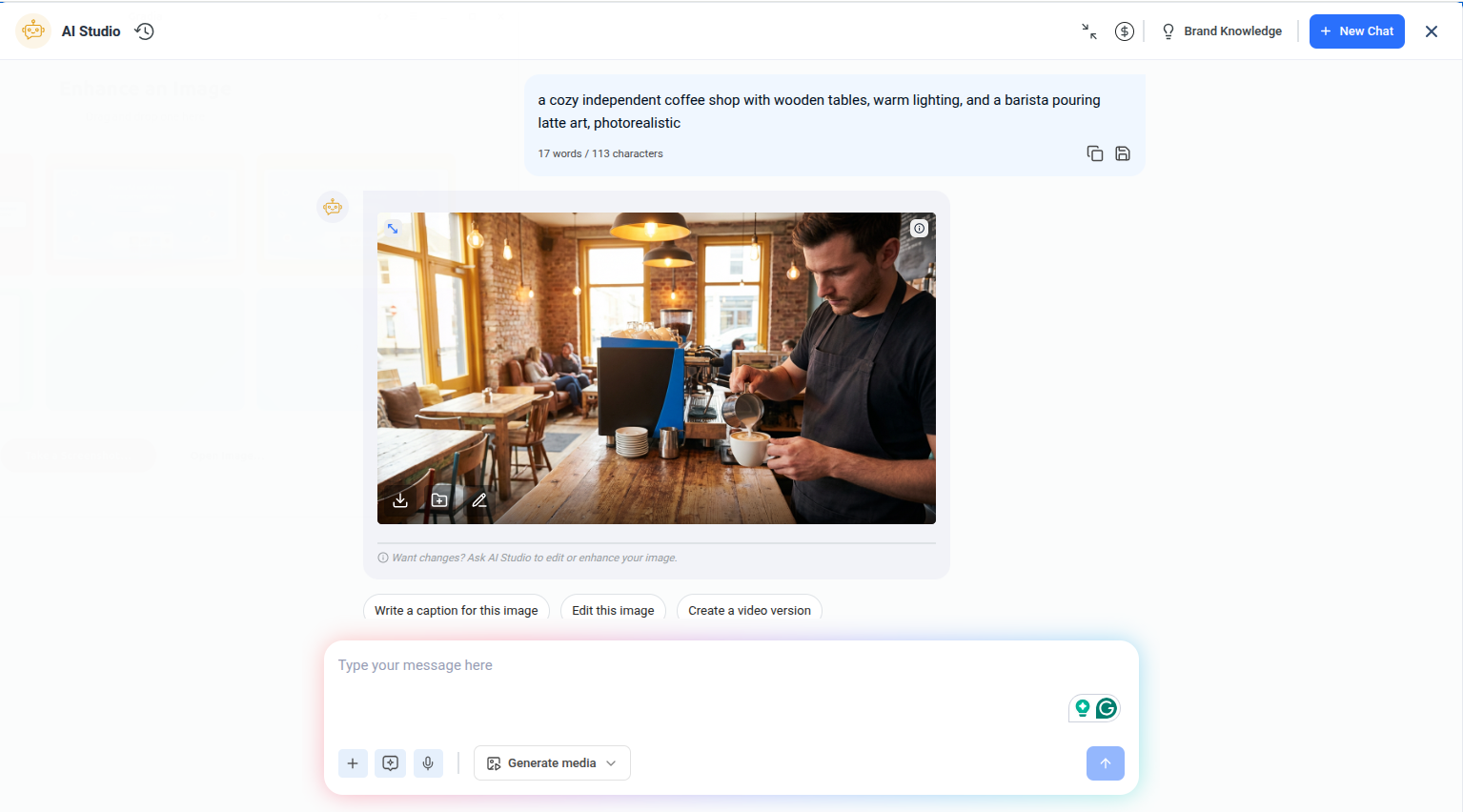
Vague prompts lead to vague visuals. If a prompt only says “coffee shop,” AI image generation has to guess everything about the scene. The result might be fine, but it is unlikely to be exactly what the campaign needs.
A more detailed prompt, such as “a cozy independent coffee shop with wooden tables, warm lighting, and a barista pouring latte art, photorealistic,” gives the AI a much clearer target.
Good prompts usually include:
Describing “early morning light” feels different from “late-night neon signs.” With each extra detail, AI image generation has fewer chances to miss the mark and more chances to deliver an image that is ready to post.
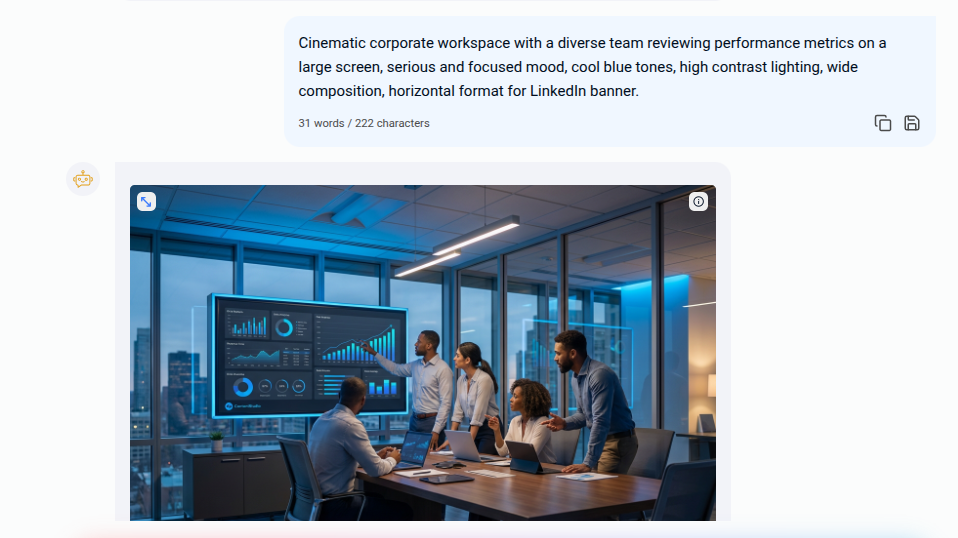
Beyond objects and settings, mood and style shape how an image feels in the feed. Adding words like “minimalist,” “playful,” “serious,” or “cinematic” helps AI image generation pick lighting, contrast, and composition that fit the message.
A B2B LinkedIn update might need a calm, professional tone, while a summer sale post asks for bright, energetic colors.
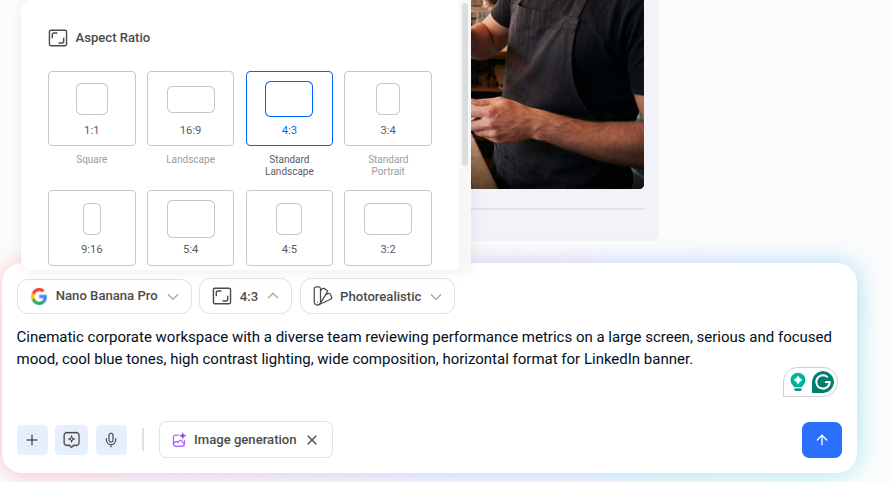
Format should be part of the prompt as well. Mentioning “square format” or “vertical social media story format” guides AI image generation toward compositions that will sit nicely in the final placement.
This is especially useful when using an AI image generator for Instagram, where portrait shapes are common for Stories and Reels. Getting the format right at the prompt stage means fewer edits later.
Even with strong prompts, first outputs will not always be perfect. That is normal and expected. The real strength of AI image generation shows up when users treat each result as feedback.
If the subject looks good but the background feels off, the next prompt can adjust that part while keeping the rest. Small changes in wording often produce surprisingly different results.
Swapping “busy city street” for “quiet side street” or “bright midday light” for “soft sunset light” can take a visual from off-brand to perfect. Generating several versions before choosing one makes AI image generation feel less like a gamble and more like a controlled creative exercise.
Different platforms favor different looks, and prompts can reflect that. For Instagram, prompts that mention bold colors, strong focal points, and lifestyle settings tend to work well.
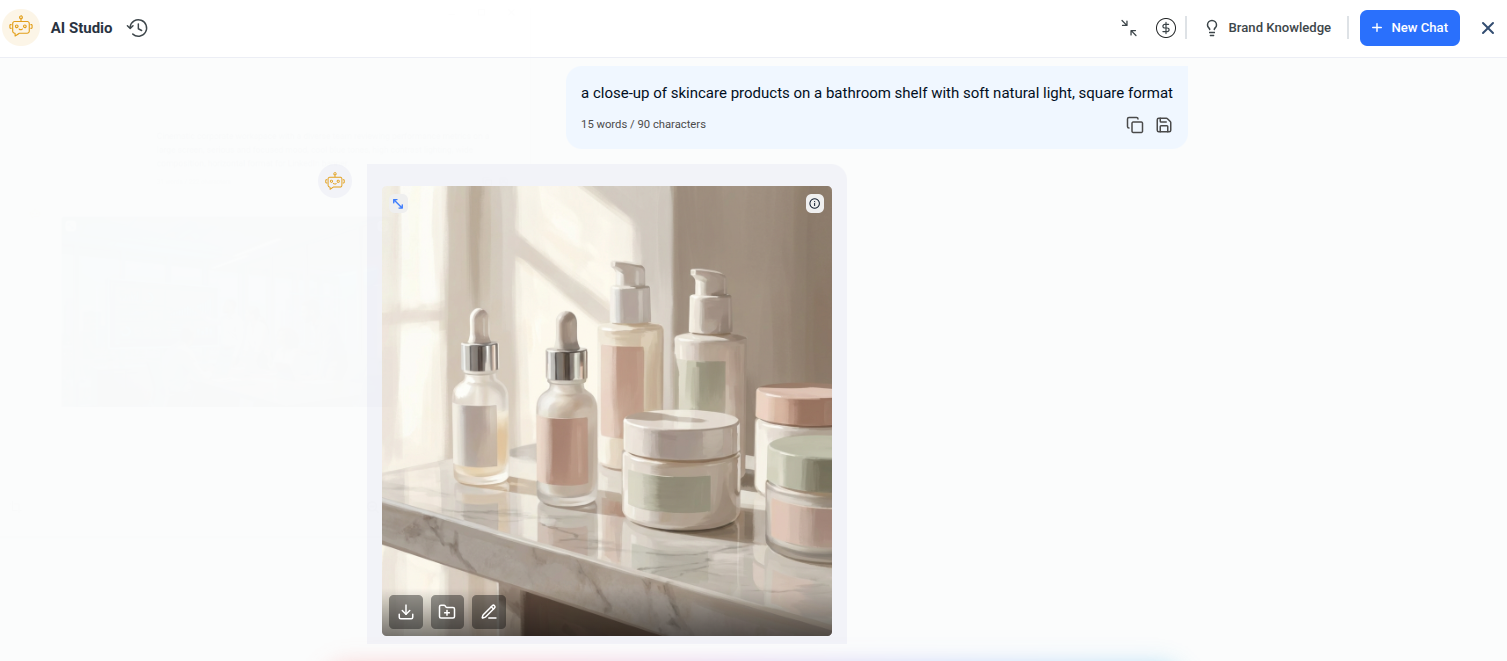
A brand might request “a close-up of skincare products on a bathroom shelf with soft natural light, square format” to fit the feed neatly and look natural in the grid. On LinkedIn, AI image generation might lean toward clean office scenes, subtle colors, and simple compositions that read well on desktop and mobile.
For TikTok and Reels cover images, vertical prompts with dynamic movement or expressive faces grab more attention in the scroll.
The value of AI image generation becomes most clear when looking at how different teams use it day to day. Social media managers, agencies, e-commerce brands, and small businesses all face their own content pressures.
Yet the same core capability, fast, flexible visuals from text, helps each group in practical ways. Instead of treating AI image generation as a niche experiment, many organizations now see it as standard practice.
It sits alongside scheduling, analytics, and community management as part of regular social media work. ContentStudio supports this by folding social media content creation AI into a broader toolset that serves many roles at once.
Also read: How to create engaging images for social media?
Social media managers live on tight calendars. They must keep feeds active, respond to trends, and still protect the brand voice. When every new content idea requires a new design request, it becomes difficult to post as often as needed.
AI generation provides a faster route from idea to finished creative. With ContentStudio, a manager can draft a weekly plan, then generate matching visuals and captions for each post from inside the platform.
The AI Studio handles text and visuals. There is no extra software, no exporting, and no copy-pasting across tools. For many content teams, this turns a stressful weekly sprint into a manageable routine.
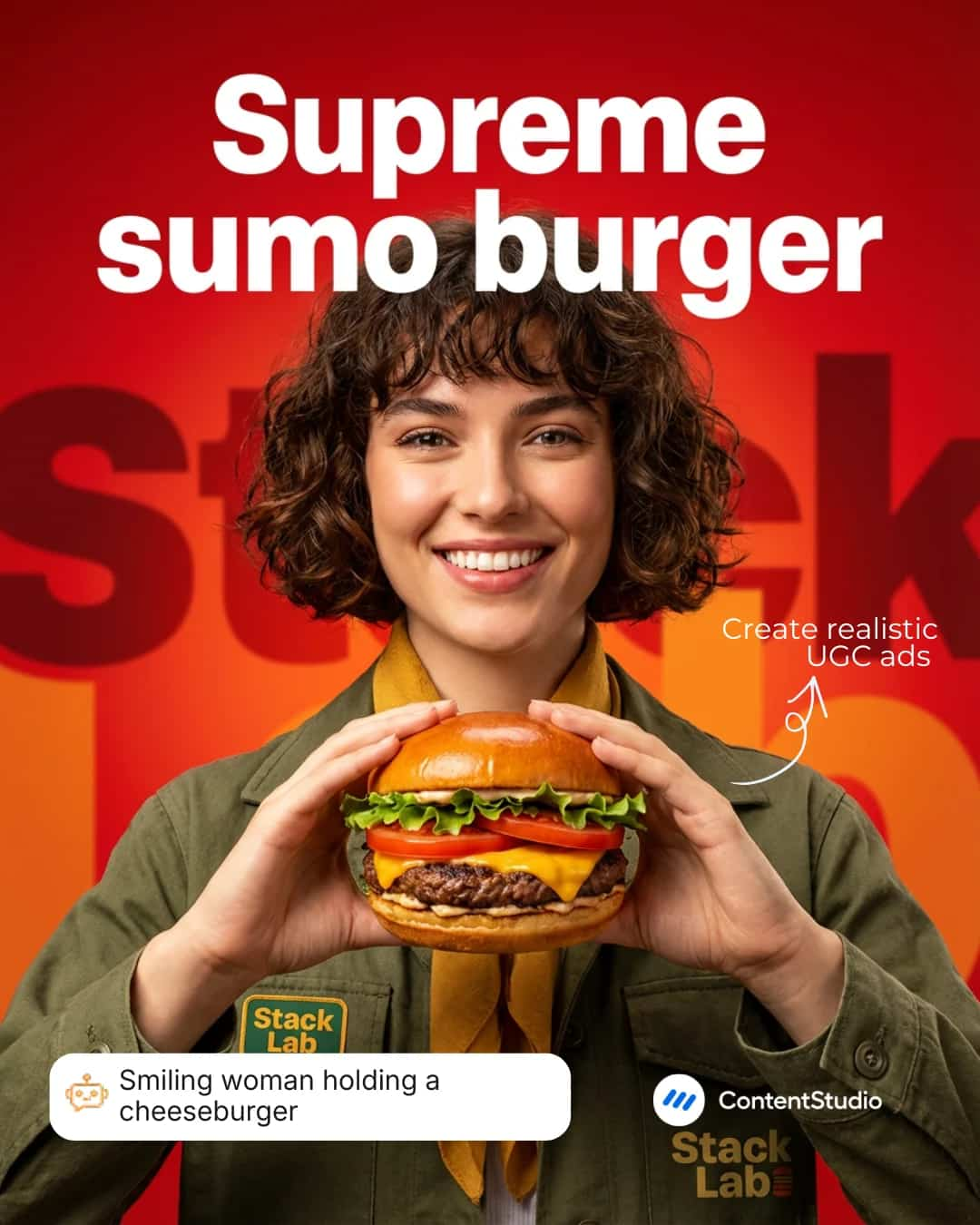
Agencies juggle many brands at once, often across several industries. Each client has different colors, tones, and visual preferences. In the past, this meant a constant stream of small, urgent design tasks that could overwhelm creative teams.
AI generation gives account managers more control without cutting designers out of the process.
Product-heavy brands need an endless stream of visuals. New launches, seasonal campaigns, flash sales, and evergreen ads all need images that stand out. Traditional photoshoots are still important, but they are not fast or cheap enough to cover every content need.
Here, AI generation fills the gaps. A marketer can place a product in different settings, holiday scenes, lifestyle backdrops, and themed flat-lays without booking locations or photographers. For smaller e-commerce operations, this can replace entire shoots for lower-priority campaigns.
Many small businesses rely on one person, or a tiny team, to handle all marketing. Hiring a full-time designer is often out of reach, and even paying for frequent freelance help can strain budgets.
AI image generation offers a more affordable way to create polished images that still feel aligned with the brand.
A café owner, for example, can use AI image generation to show new menu items in cozy scenes, seasonal backgrounds, or fun illustrated styles. They type prompts, review outputs, and pick the best fits, all without complex tools.

Because ContentStudio bundles AI image generation with scheduling, analytics, and engagement, that same owner manages the entire social presence from one subscription instead of juggling several.
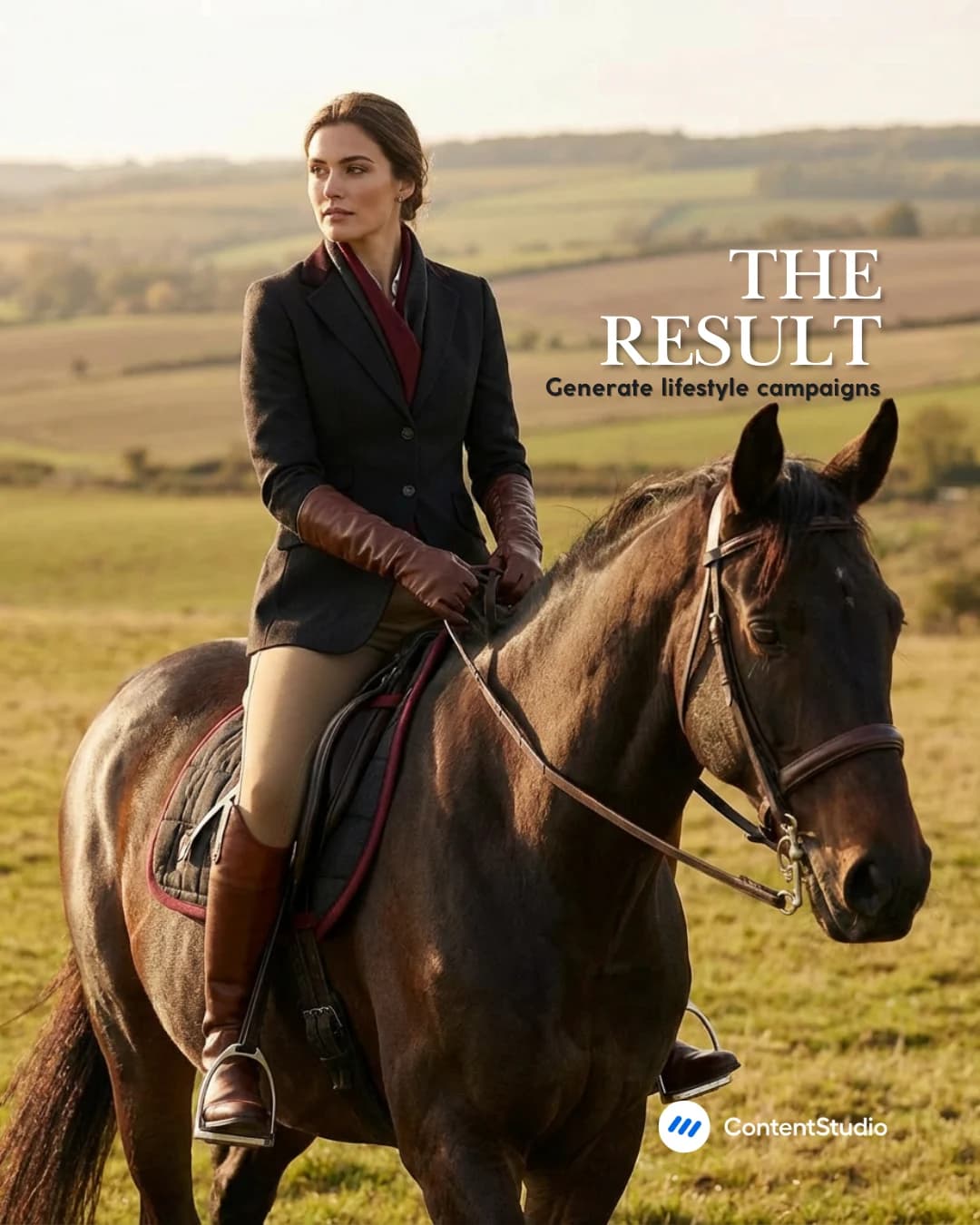
Social media demands more visuals than ever, and the old way of producing them cannot always keep up. Between stock searches, design queues, and approval chains, even simple posts can lag.
Used well, AI image generation does not replace creative teams. It gives them more options, removes blank-page anxiety, and lets them spend energy on strategy and refinement instead of repetitive production.
When this capability lives inside a larger toolset, as it does in ContentStudio, the gains expand beyond single images into entire workflows. Teams that adopt AI image generation now are building habits and libraries of prompts that will serve them long into the future.
The easiest way to see this in action is to try ContentStudio’s AI Studio and feel how quickly an idea turns into a live, on-brand post.
Plan 0 Days of Content in 0 Minutes
Create, schedule, publish and analyze your content across all your social media channels from one simple dashboard.
4.7 on Capterra • 16,500+ marketers trust ContentStudio
Saif Ali is a Content Marketing Strategist at ContentStudio with over five years of experience across SaaS, IT, and digital marketing. He specializes in SEO-led content, AI content creation, and social media strategy, and leads editorial review at ContentStudio, fact-checking and refining articles for accuracy, SEO, and a consistent brand voice.
View all posts by Saif AliRecommended for you
How to promote affiliate links on social media in 2026
Multi-location social media management workflow guide
Best SaaS affiliate programs for social media marketers in 2026
19 best social media management tools to plan, schedule, and grow in 2026