ContentStudio now speaks your language: French, German, Spanish, Italian, and Greek
Dec 3, 20254 minutes

Written by
Saif AliUpdated
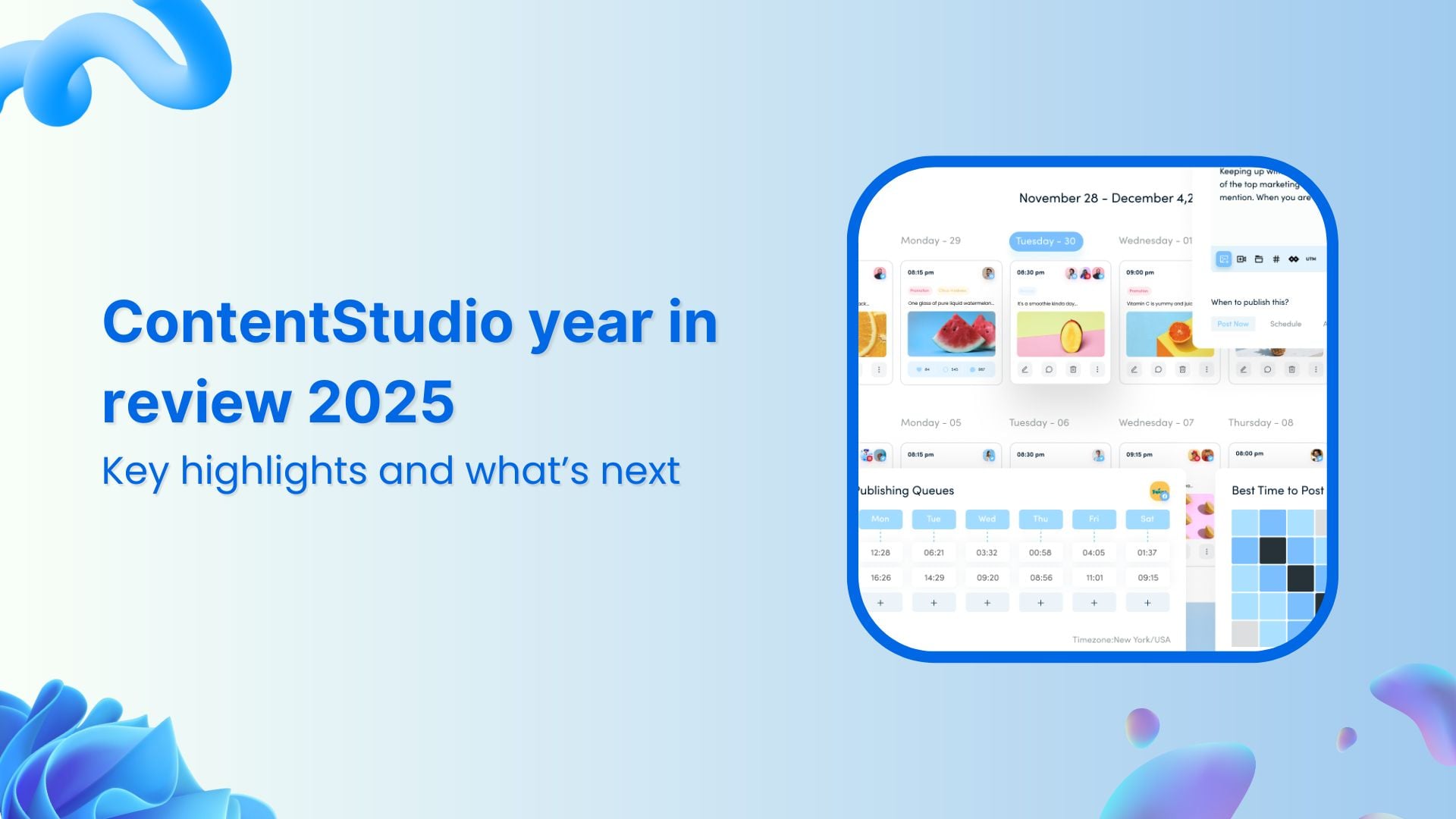
2025 was a year of consistent progress at ContentStudio.
Our focus stayed on helping teams publish, plan, and manage content more effectively across channels. Rather than chasing one-off features, we invested in improvements that make everyday work easier for agencies, social media managers, and in-house marketing teams managing multiple brands and workflows.
Throughout the year, we shipped a redesigned experience, expanded AI creation tools, stronger scheduling and automation, and practical updates across inbox, media, analytics, and integrations. We also made targeted investments in security, reliability, and performance areas that matter most as teams grow and operations become more complex.
This year-in-review brings together the key updates from 2025, explains how they support real marketing workflows, and outlines what’s coming next. It’s a clear look at where ContentStudio is today and where we’re headed to support modern marketing teams at scale.
The easiest way to manage and grow your social channels.
Try ContentStudio for FREE
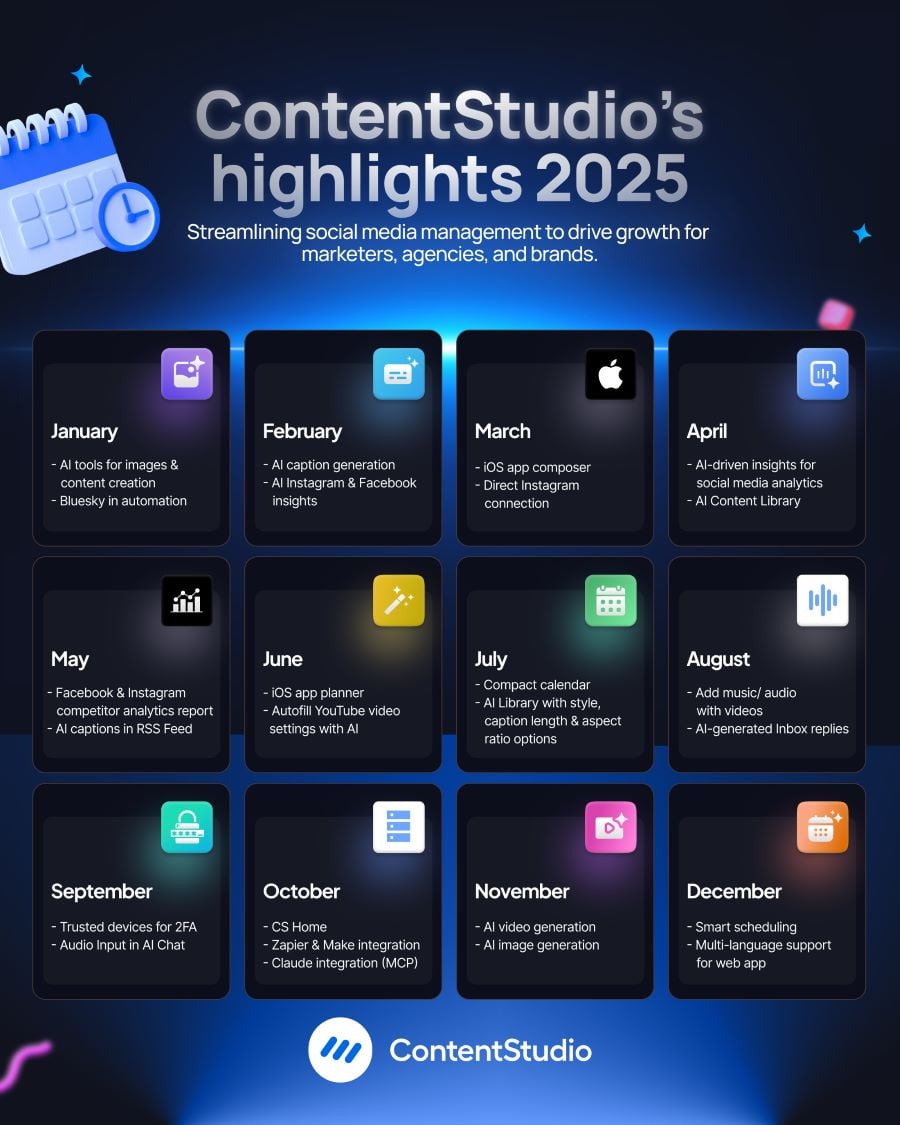
In 2025, ContentStudio reached exciting milestones, highlighted by major achievements and innovations focused on users. Here’s a summary:
We expanded AI capabilities inside the Composer to support image generation and advanced writing assistance in one place. This update was introduced to reduce reliance on external tools during content creation.
For busy teams, this means fewer context switches and faster draft creation. Marketers can generate visuals, refine copy, and adjust messaging within the same workflow. The benefit is speed without sacrificing control, especially when producing high volumes of platform-specific content.

Bluesky accounts are now available in automation workflows, including RSS feeds, Evergreen queues, and bulk uploads. This update was introduced to support teams publishing across emerging platforms, and our Bluesky scheduler makes it easy to manage this growing channel alongside your existing networks.
For marketers experimenting with new channels, this allows Bluesky to be treated like any other network in automated workflows. Teams can extend existing strategies without manual posting, keeping distribution consistent as platform mixes evolve.

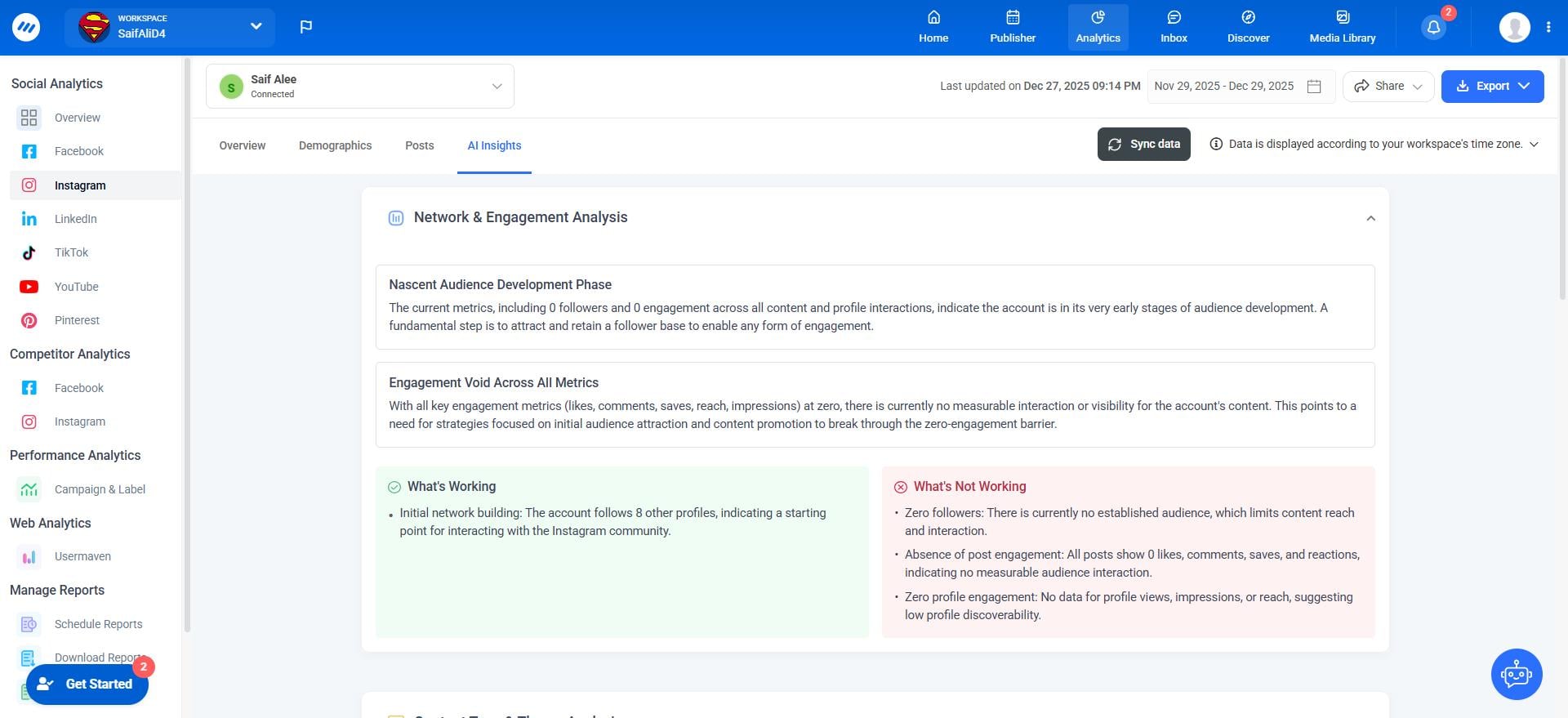
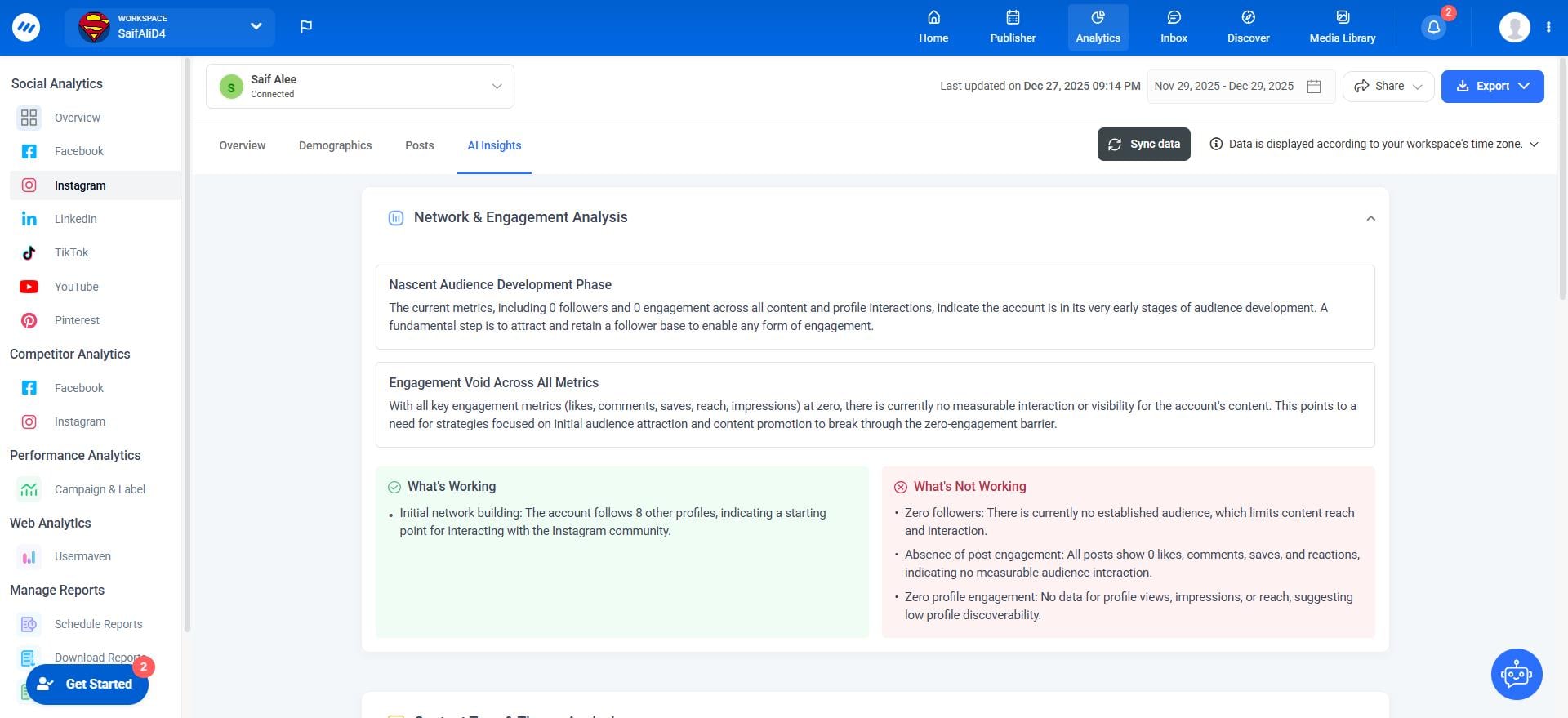
AI Insights are now available in Instagram and Facebook analytics, providing automated, graph-specific recommendations for engagement, performance, and trends. Account-level insights give a broader view of overall page performance.
This was introduced to help teams interpret data faster and make actionable decisions. Marketers can quickly identify content trends, optimize posting strategies, and focus efforts on what drives engagement. By automating analysis, teams save time while gaining confidence in the accuracy of their insights.
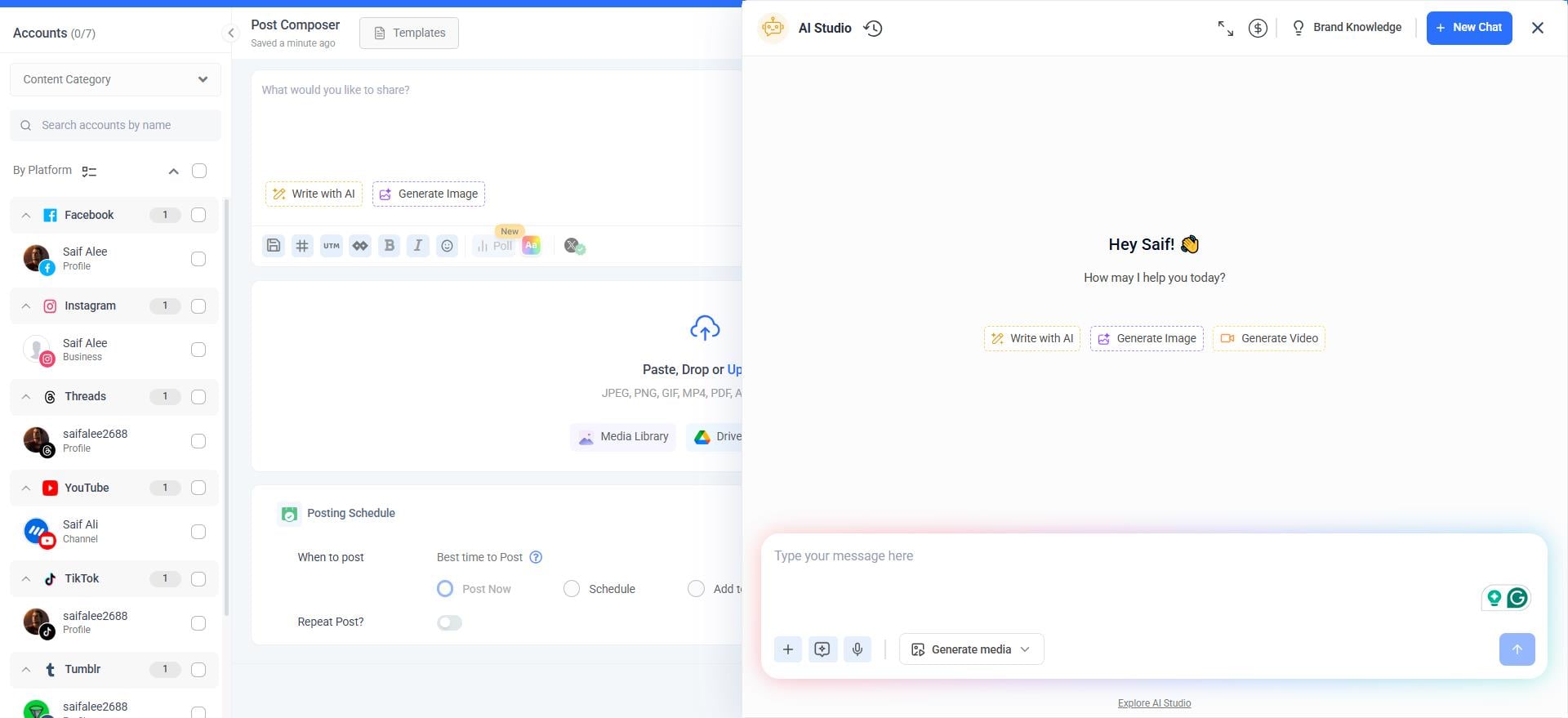
AI now analyzes images and generates relevant captions automatically, from extracting text to summarizing visual details. This reduces time spent crafting copy manually.
AI-Powered caption generation was introduced to help marketers produce high-quality captions quickly and consistently. Teams can accelerate content creation, maintain a consistent brand voice, and focus more on strategy rather than manual text generation, improving workflow efficiency.
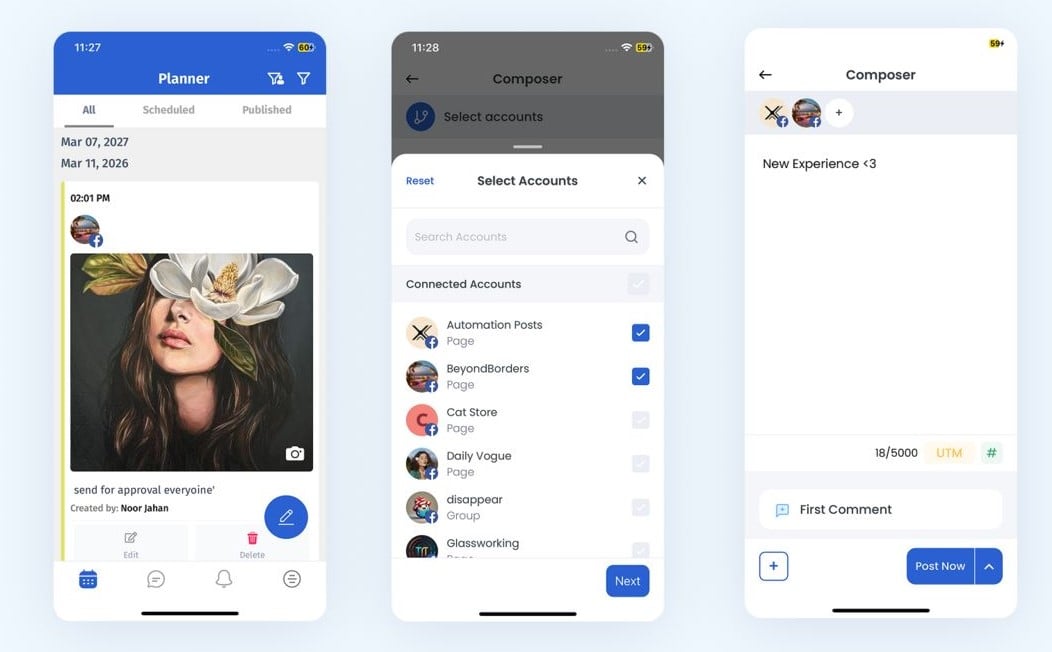
The ContentStudio iOS app has been redesigned to improve navigation, usability, and the content creation workflow. The Social Composer now offers a smoother experience for drafting, editing, and scheduling posts directly from mobile.
Module navigation has been enhanced with a streamlined side menu, making it easier to switch between dashboards, analytics, and planning tools. The sign-in workflow has also been updated for faster, more intuitive access.
This update was introduced to help teams create and manage content efficiently while on the go. Marketing teams, social media managers, and agencies can now produce, review, and publish posts from mobile without friction, saving time and improving workflow flexibility.
ContentStudio now supports direct connections to Instagram using the platform’s standalone API, removing the need for Facebook authentication. Users can connect accounts quickly, schedule Stories for Instagram Creator accounts, and access detailed analytics with improved performance tracking.
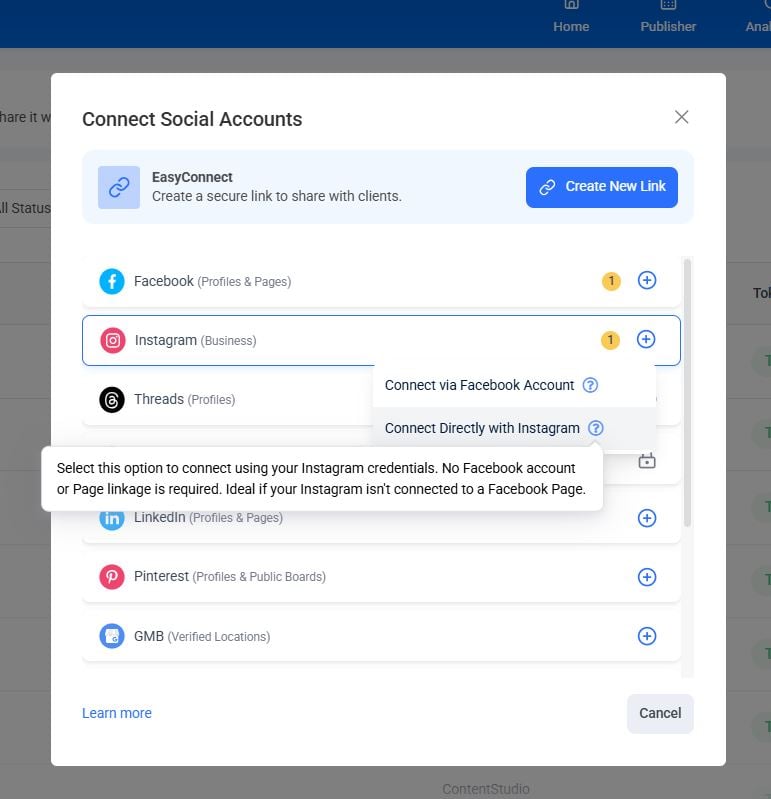
This update was introduced to simplify account management and reduce friction for marketing teams and social media managers. By connecting Instagram directly, teams save time during setup, gain faster access to scheduling and analytics, and avoid common errors caused by Facebook-linked accounts.
ContentStudio now offers AI-driven insights across social media analytics, providing automated, graph-specific recommendations for performance, engagement trends, and areas for improvement. Users can access both post-level and account-level insights to get a complete overview of content performance.
This update was introduced to help marketing teams, agencies, and social media managers interpret data faster and make actionable decisions without manually analyzing metrics.
Highlighting key trends and providing recommendations allows teams to optimize content strategies, boost engagement, and utilize resources more efficiently.
Social Media Analytics
Fine-tune your social media strategy for success with in-depth analytics and white-labeled reports.
Get Started for FREE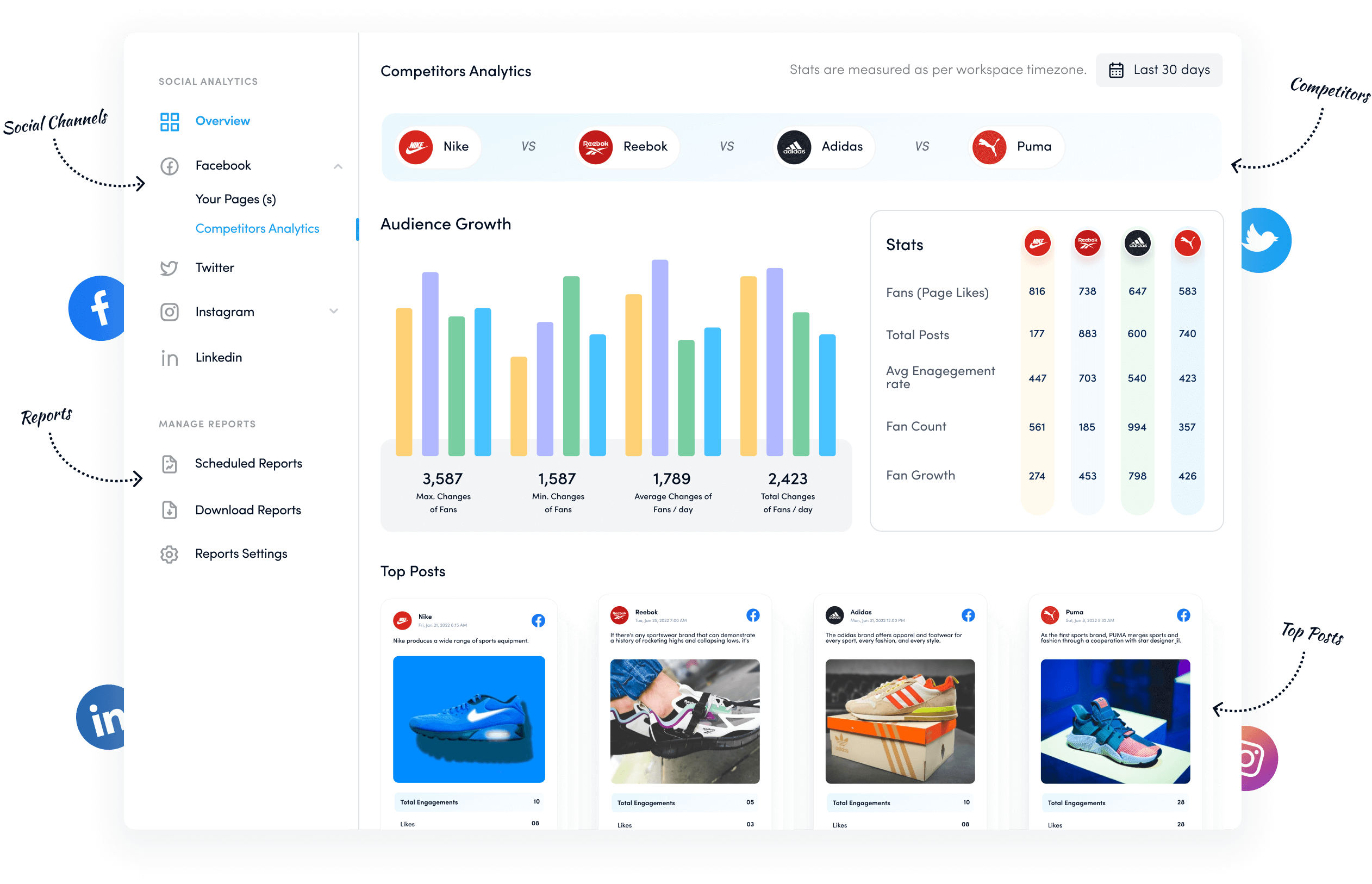
Creating consistent, on-brand content at scale just got easier. The AI Content Library lets teams generate posts using brand materials like websites, files, and social accounts while customizing tone, style, language, and platform. All generated posts can be managed, edited, and reused within a single workflow.
This update was introduced to save time and maintain brand consistency. Agencies and in-house teams can produce high-quality content faster, manage multiple brands efficiently, and ensure every post reflects the desired voice. It centralizes content creation and reduces reliance on multiple external tools.
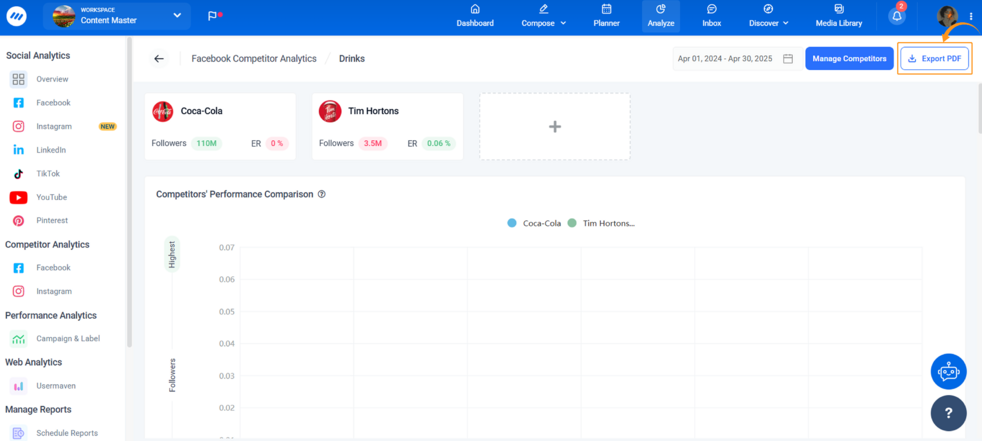
ContentStudio now makes it easy to export competitor insights for both Facebook and Instagram directly from the Competitor Analytics module. With a single click, teams can generate clean, well-structured PDF reports showing competitor performance, engagement metrics, and activity trends.
This update was introduced to help agencies, social media managers, and marketing teams benchmark their performance efficiently. Instead of manually compiling data, users can quickly access insights, share them with clients or stakeholders, and make informed decisions.
These reports save time, support strategic planning, and provide a clear view of how your brand compares to competitors across key social platforms.
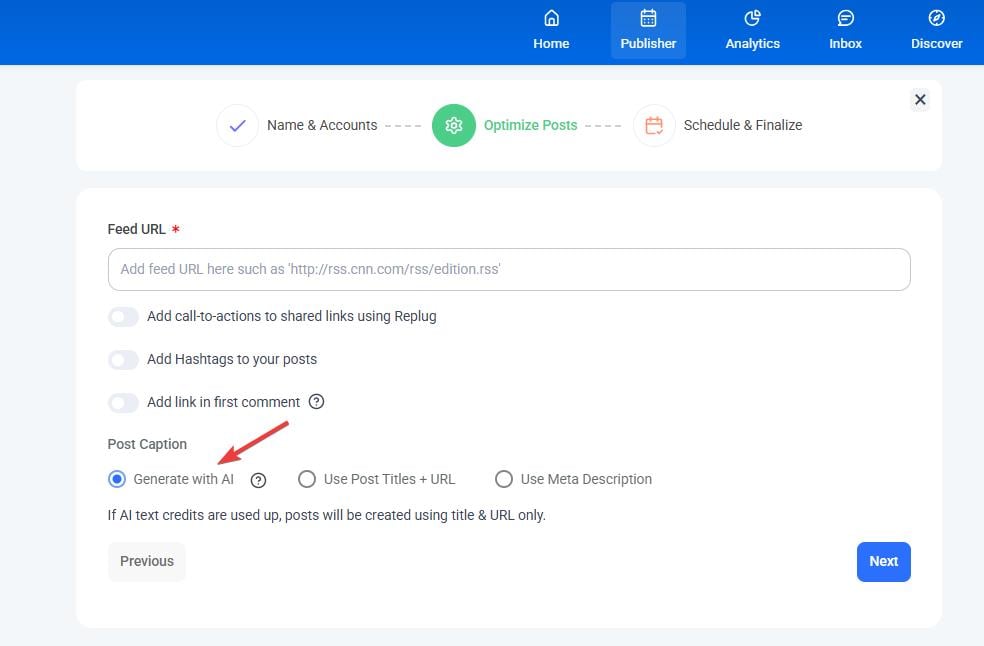
With this update, ContentStudio now allows AI-generated captions within RSS Feed automation. Users can automatically create post captions using AI, directly from their RSS feeds, reducing the need for manual editing and caption writing.
This update was introduced to save time while maintaining consistent, engaging content. By automating caption creation, teams can focus on strategy and scheduling rather than repetitive copywriting.
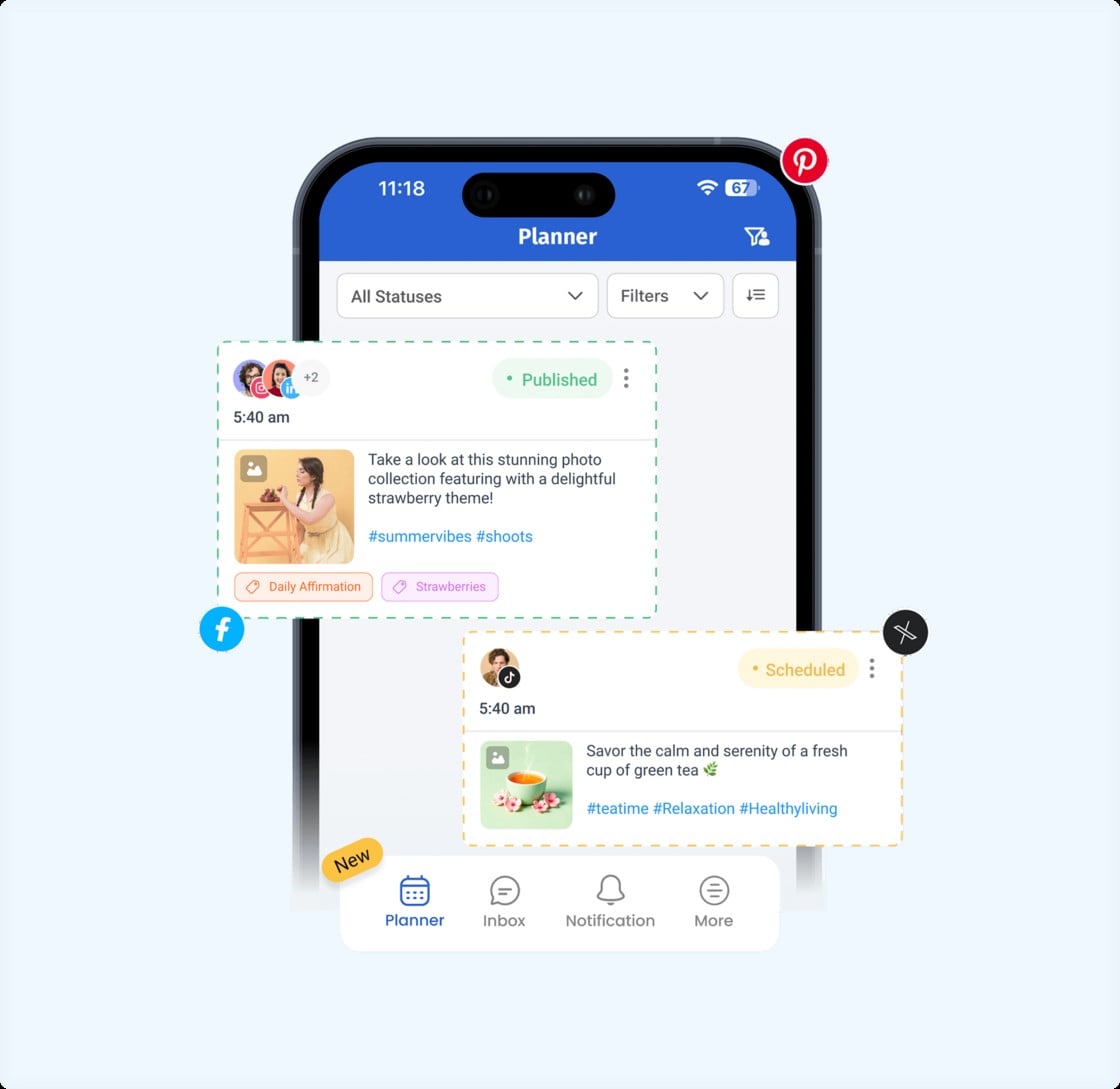
Managing schedules on mobile often means limited visibility and slower navigation. The updated iOS App Planner addresses this by making post planning and review clearer, faster, and easier to manage from anywhere.
The planner now features a cleaner interface, improved performance, and simpler navigation to quickly locate scheduled and published posts. Detailed post previews provide better context and control, reducing the need to switch to a desktop for reviews or checks.
This update was introduced to help social media managers and teams stay organized while working remotely or on the move.
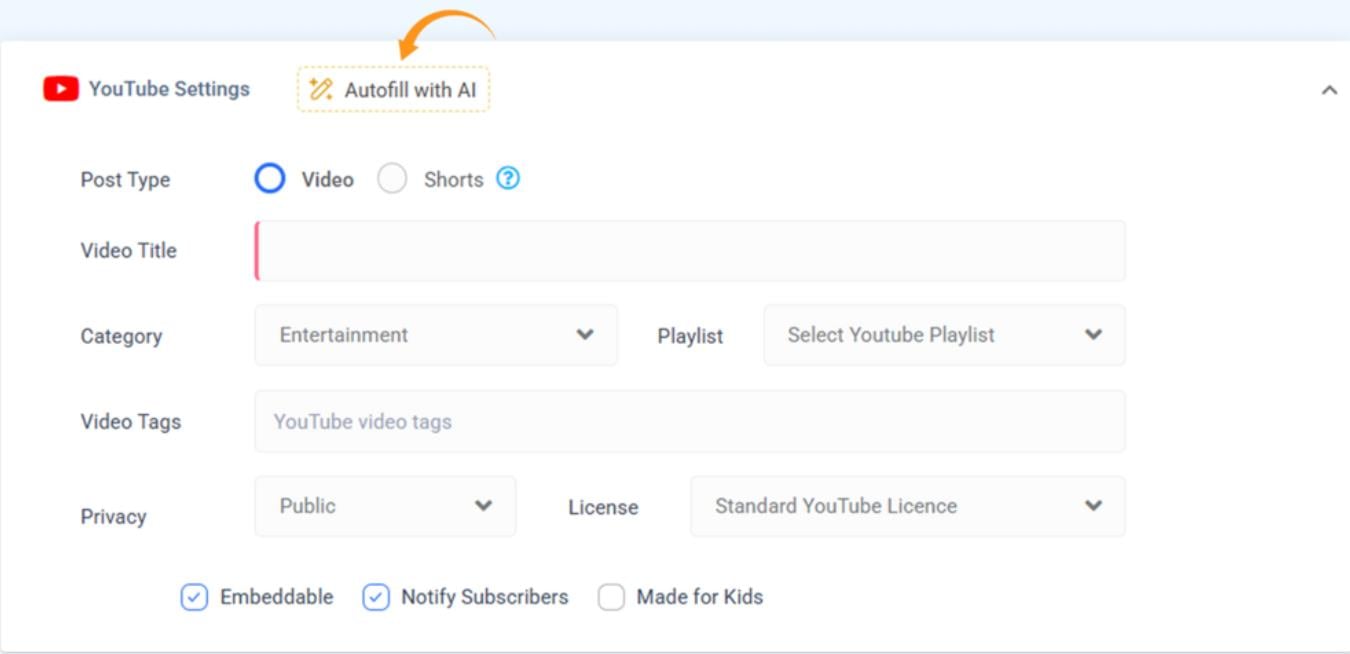
When publishing to YouTube, setting the right title, category, and tags often slows down the workflow. This update introduced AI-powered YouTube settings that automatically generate these fields based on your video caption.
The feature was introduced to reduce manual setup and help teams publish videos more efficiently. By generating relevant metadata instantly, it removes repetitive work while supporting better content discovery on YouTube.
Videos can go live sooner, metadata stays consistent, and teams can focus more on content planning rather than manual configuration.
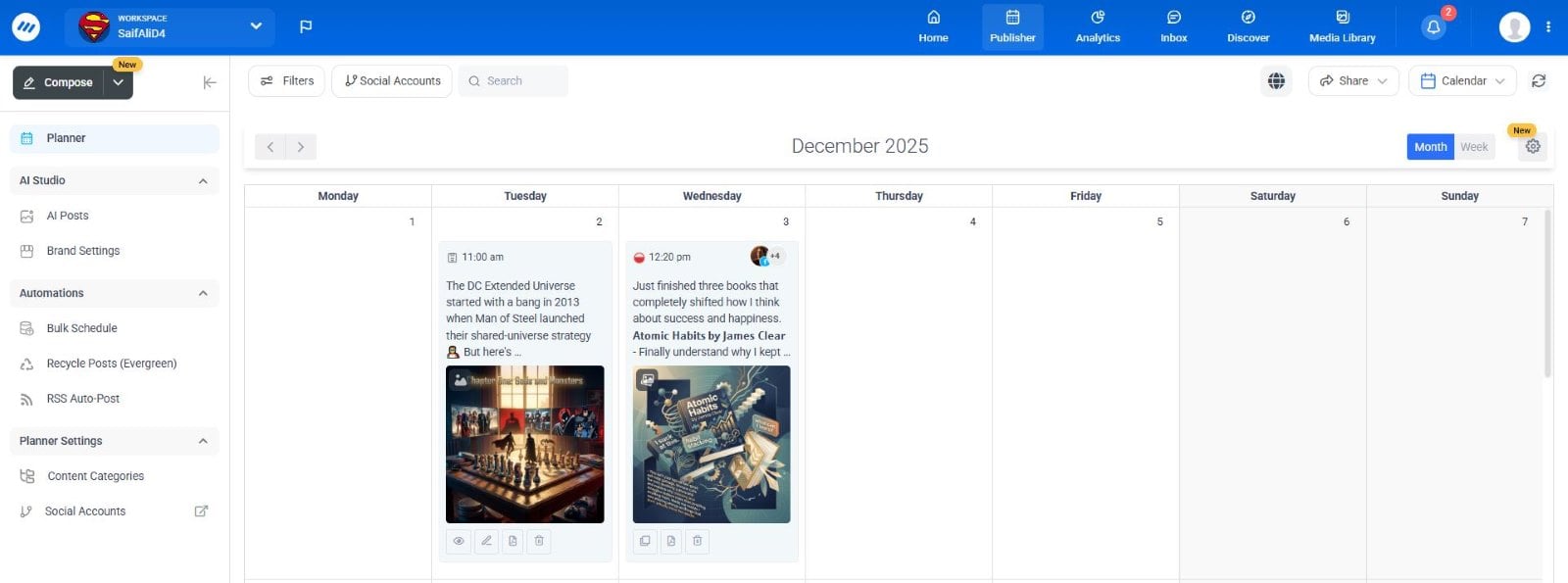
As content volumes grow, reviewing daily schedules can become cluttered and time-consuming. The Compact Calendar View introduced a simplified planner layout designed to make high-volume scheduling easier to manage.
This update allowed teams to view more posts per day in a compressed layout, expand multiple posts when needed, and toggle media thumbnails on or off to reduce visual noise.
It was introduced to help social media managers and agencies review calendars faster and spot gaps or overlaps without scrolling endlessly.
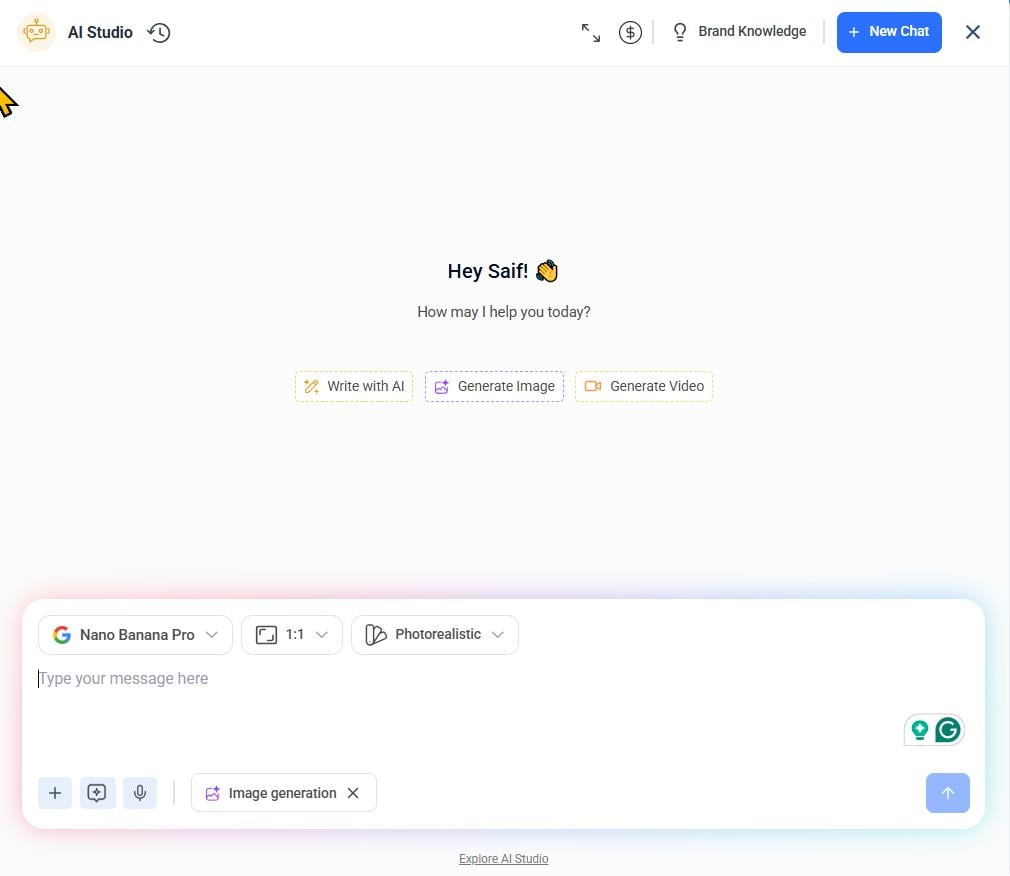
As teams create more AI-assisted content, flexibility becomes just as important as speed. The AI Content Library introduced additional controls that let users fine-tune how posts are generated.
When creating AI posts, you can set caption length to match platform needs, choose an aspect ratio for better visual placement, and apply a visual style that aligns with your brand. This update was introduced to give more creative control without adding extra steps.
Video posts perform better when paired with the right audio, but sourcing and editing sound often adds extra steps. This update brought audio selection and editing directly into ContentStudio, making it part of the publishing workflow.
Users can browse trending tracks, access saved favorites, and select audio from trusted sources. Basic trimming and volume control allow teams to fit audio precisely to their videos.
With audio integrated into the Composer and Media Library, sound can be added or edited without switching tools. This update was introduced to help social media teams create more engaging video content faster.

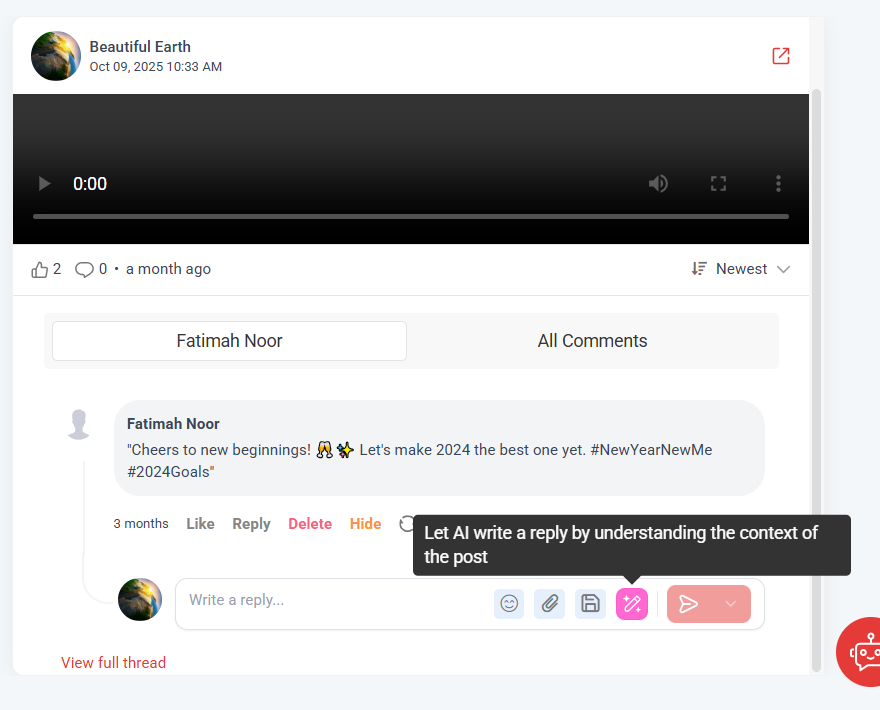
We introduced AI-generated replies in Inbox to help teams respond faster and more consistently across all conversations. This includes replies to post comments, private messages, and reviews on platforms like Facebook, Instagram, LinkedIn, and Google My Business.
The update was introduced to reduce response time and support teams handling high volumes of interactions daily. Suggesting context-aware replies helps maintain a consistent tone while minimizing manual effort.
This leads to faster engagement, fewer missed messages, and improved customer experiences, all without switching tools or having to draft every response from scratch.
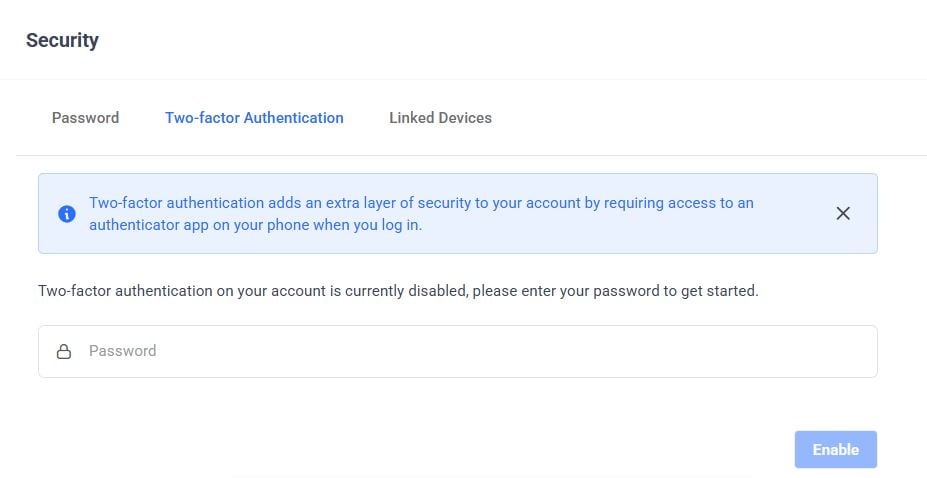
We introduced Trusted Devices to make two-factor authentication more convenient without reducing account security. Users can mark devices as trusted during login or while setting up 2FA, reducing repeated verification on devices they use regularly.
This update was introduced to balance security with usability, especially for teams that log in frequently across work devices. Trusted access can be revoked at any time, ensuring full control if a device is lost, shared, or no longer in use.
This improves daily efficiency while maintaining strong security standards across accounts and users.
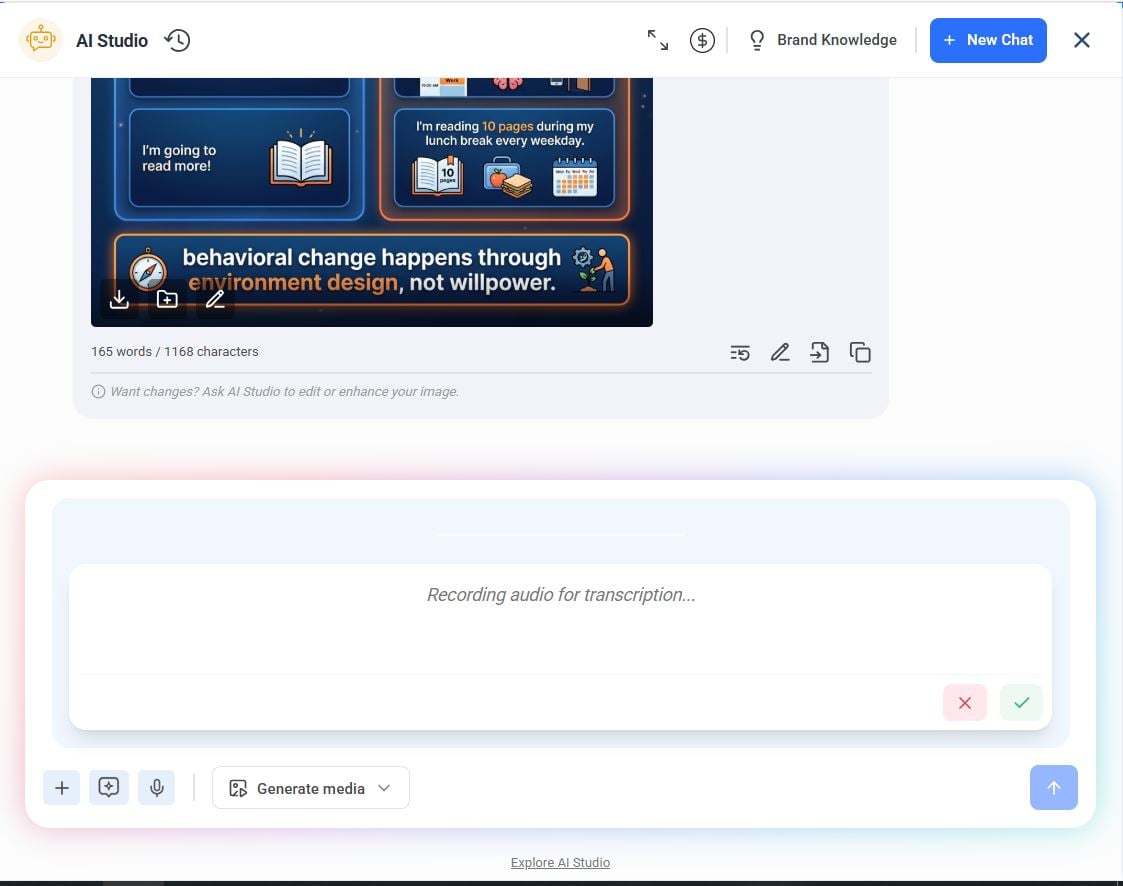
Audio input in AI Chat allows users to speak naturally and convert their voice into text instantly within the assistant. With live dictation and simple recording controls, users can start, pause, or stop input as needed without disrupting their workflow.
This update was introduced to make drafting, note-taking, and quick replies easier when time or context makes typing inconvenient.
This feature offers a more flexible way to work helping ideas move from thought to text faster while keeping the focus on execution rather than input method.
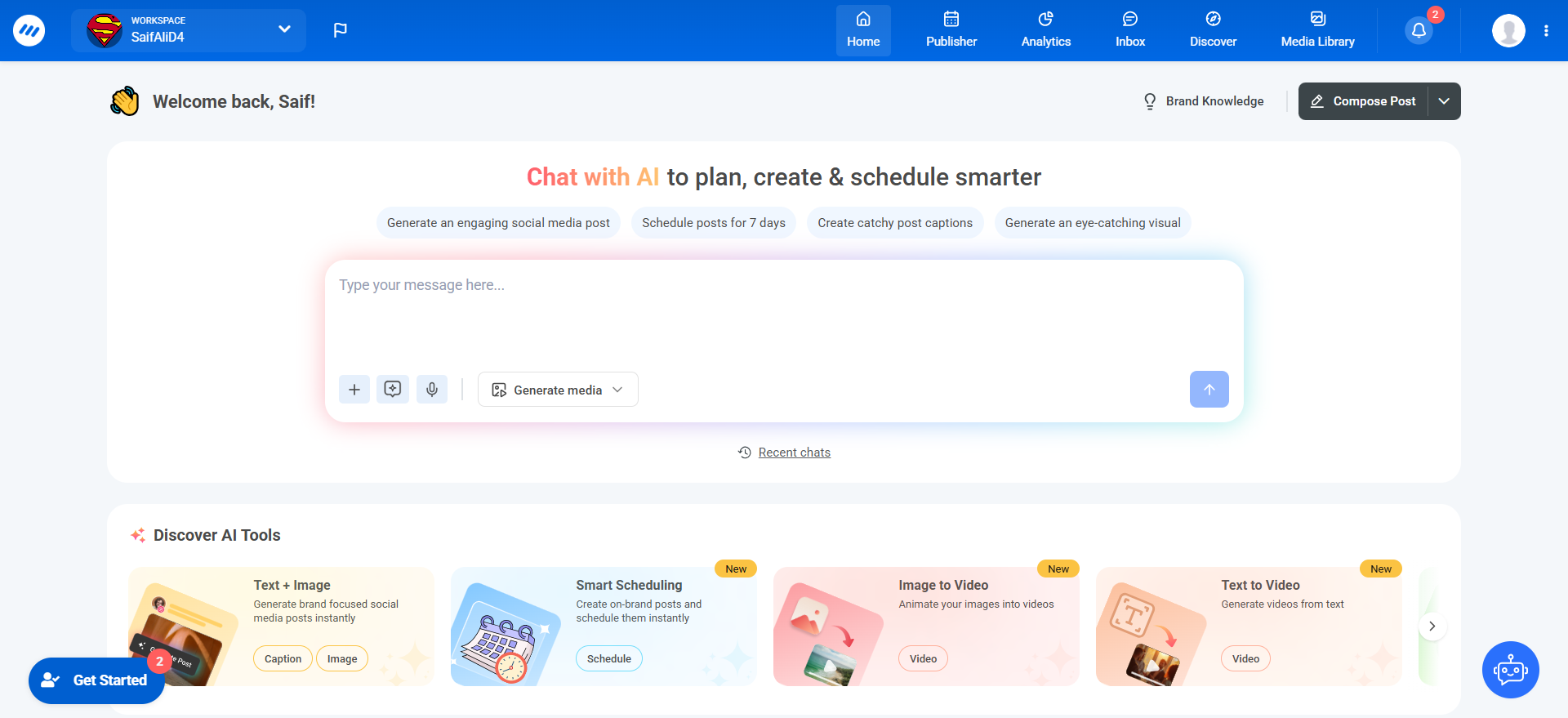
The redesigned ContentStudio Home makes creating, planning, and publishing content faster and more intuitive. Everything you need is now centralized, letting teams move seamlessly from idea to post without switching tools.
With AI Studio built into the home interface, you can brainstorm ideas, refine captions, or plan campaigns tailored to your brand’s tone, then instantly add them to the Composer for publishing. Brand Voice personalization ensures every AI-generated post stays on-brand, reflecting your style and personality consistently.
Additional AI tools for visuals, hashtags, and post optimization are integrated directly in the dashboard, giving marketers, agencies, and creators everything they need to produce standout content efficiently. This update turns the home screen into a hub for smarter, faster content creation.
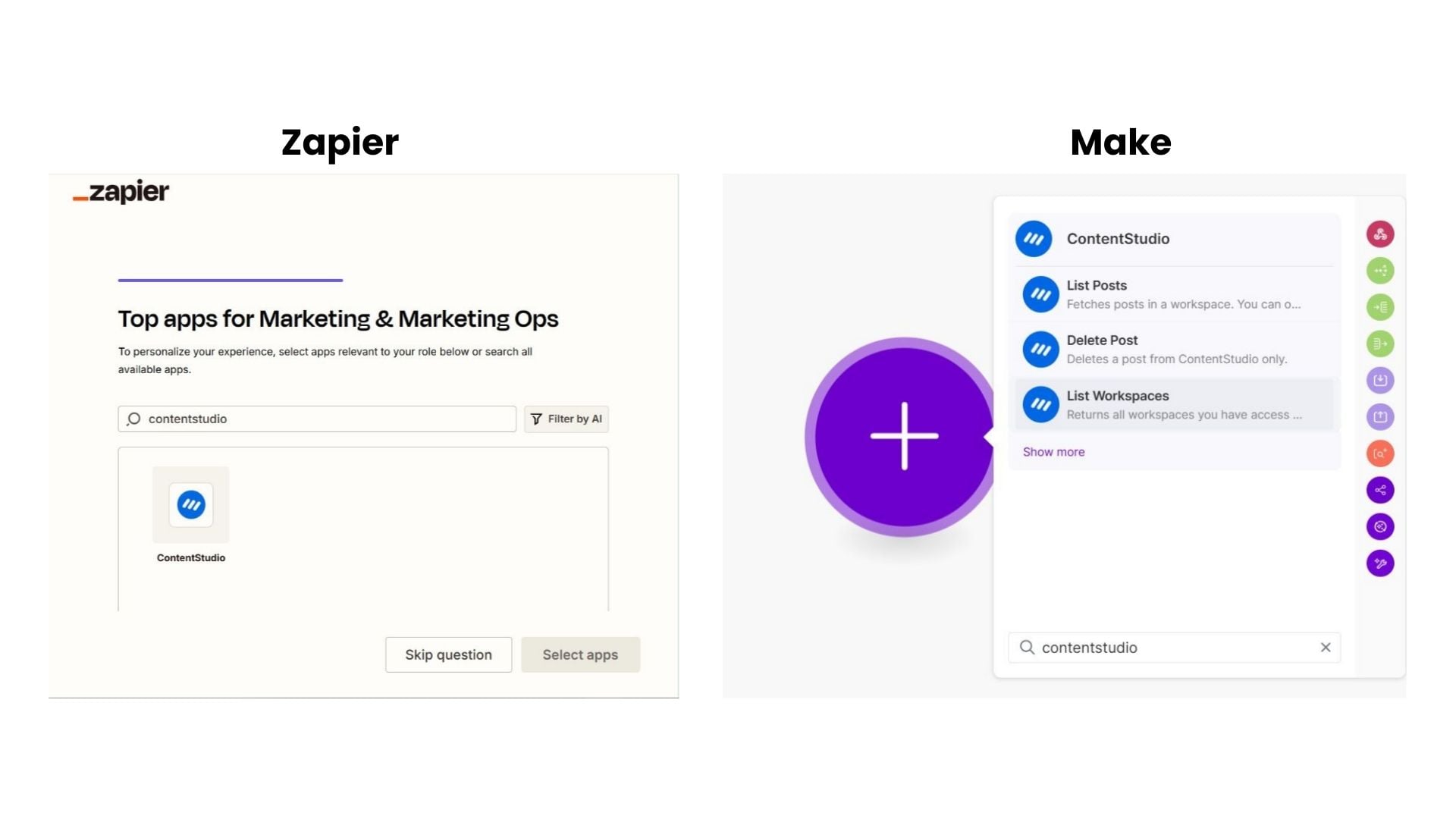
We introduced native integrations with Zapier and Make to help teams automate repetitive ContentStudio workflows. These integrations allow users to connect ContentStudio with other tools and trigger actions like creating posts, scheduling content, syncing updates, or managing workspaces automatically.
The update was introduced to reduce manual work and support more scalable operations. With quick setup in Zapier and flexible, scenario-based automation in Make, teams can build workflows that match how they already work.
This approach makes it easier to expand your publishing and management tasks without increasing your workload.
We extended ContentStudio’s MCP Server to work directly with Claude, allowing teams to access and manage ContentStudio data from within Claude’s interface. This includes fetching workspaces, social accounts, and post data in real time.
The integration was introduced to support teams already using Claude as part of their daily workflow. By connecting ContentStudio through MCP, users can create, update, and schedule content without switching between tools.
It allows AI-assisted planning and execution to happen in one place, while keeping ContentStudio fully in control of publishing and data management.

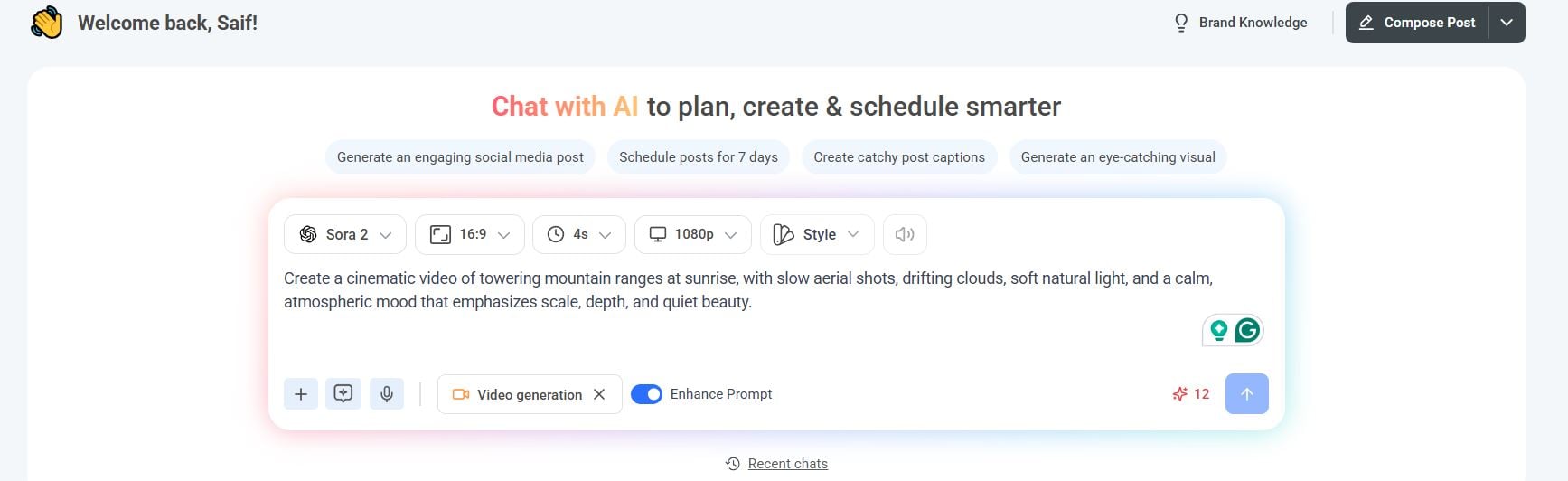
We introduced AI Video Generation to help teams create high-quality videos without the time, tools, or skills typically required for video production. By entering a prompt or using templates, users can generate professional videos in seconds.
This update was introduced to support faster content creation as video demand continues to grow across social platforms. With access to multiple AI video models, teams can choose the approach that best fits their creative needs.
Generated videos can be published immediately or saved for later use, making video creation a practical part of everyday content workflows.
We expanded the AI Image Generator to give teams access to newer image models that produce more accurate and flexible visual results. With support for Google NanoBanana Pro and Flux 2 models, users can generate images with improved realism, detail, and stylistic control.
This update was introduced to improve the quality and reliability of AI-generated visuals used in social posts and campaigns. Faster generation and better interpretation of prompts help teams get closer to the intended output with fewer retries.


In December, we introduced Smart Scheduling to simplify how teams create, plan, and publish content at scale. It combines AI-assisted content generation with scheduling in a single workflow, allowing users to move from idea to scheduled post without switching tools.
This update was introduced to support teams managing high posting volumes across multiple accounts. With bulk scheduling, AI-generated captions, and built-in media attachment, Smart Scheduling reduces manual steps and speeds up campaign planning.
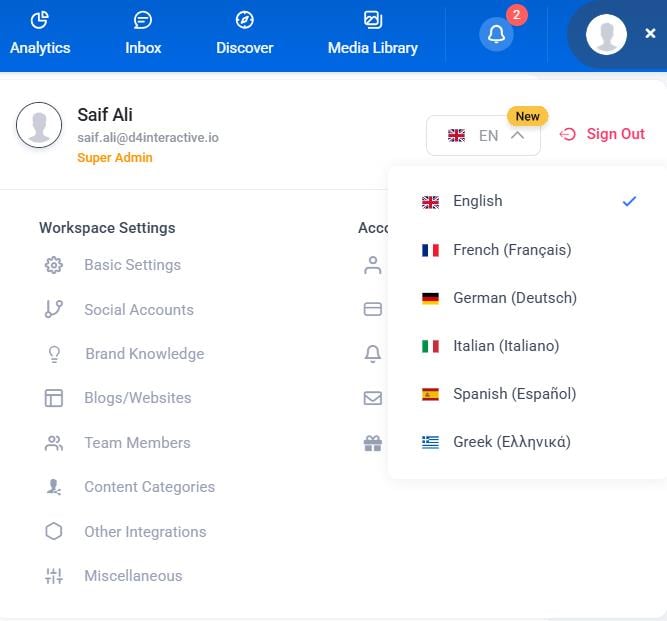
ContentStudio now has full multi-language support in the ContentStudio web app to better serve teams working across regions and markets. Users can now switch their preferred language, and the entire interface updates instantly across all pages and features.
This update was introduced to make ContentStudio more accessible for global teams and distributed organizations. By offering localized interfaces in multiple languages, it reduces friction during daily use and improves adoption across regions.
As we look ahead to 2026, our focus remains on continuing the momentum built this year.
We’re planning steady improvements across creation, planning, publishing, and analytics to make everyday work simpler and more reliable for teams. That includes refining existing workflows, expanding flexibility where teams need more control, and continuing to improve performance and usability across the platform.
We’ll also keep investing in collaboration and scalability to better support growing teams, agencies, and organizations managing multiple brands or regions. Along the way, we’ll continue listening closely to customer feedback and prioritizing updates that remove friction from daily workflows.
With these upcoming developments, ContentStudio is committed to helping brands, marketers, and creators achieve their goals more effectively. Stay tuned, 2026 is shaping up to be our most practical, user-focused year yet.
The most significant updates included enhanced AI capabilities for image generation and content creation in the Composer, AI-powered insights for Instagram and Facebook analytics, Bluesky integration across automation workflows, and AI-driven caption generation. These improvements focused on reducing manual work and streamlining multi-platform content management.
ContentStudio’s AI assists in multiple ways: it generates images directly in the Composer, provides advanced writing assistance, analyzes uploaded images to create relevant captions, and offers automated insights from your social media analytics. This eliminates the need to switch between multiple external tools during content creation.
Yes! Bluesky accounts are now fully integrated into ContentStudio’s automation workflows, including RSS feeds, Evergreen queues, and bulk uploads. This allows you to treat Bluesky like any other social network in your automated posting strategies.
AI Insights automatically analyze your Instagram and Facebook performance data to provide graph-specific recommendations on engagement, performance trends, and content optimization. Instead of manually interpreting data, you receive actionable recommendations that help you make faster, more confident decisions about your content strategy.
Plan 0 Days of Content in 0 Minutes
Create, schedule, publish and analyze your content across all your social media channels from one simple dashboard.
4.7 on Capterra • 16,500+ marketers trust ContentStudio
Saif Ali is a Content Marketing Strategist at ContentStudio with over five years of experience across SaaS, IT, and digital marketing. He specializes in SEO-led content, AI content creation, and social media strategy, and leads editorial review at ContentStudio, fact-checking and refining articles for accuracy, SEO, and a consistent brand voice.
View all posts by Saif AliRecommended for you
ContentStudio now speaks your language: French, German, Spanish, Italian, and Greek
Introducing AI Video Generation: Transform ideas into cinematic videos in seconds

New ContentStudio Home: Reimagining AI-powered content creation

Introducing the ContentStudio API: Automate your social media workflow