How to live stream on YouTube in 2025
Mar 26, 202516 minutes

Written by
Arooj IshtiaqUpdated

A video gets 100,000 views, but how much does its creator actually earn? Is it $100, $1,000, or much more? The answer depends on several factors, so views alone don’t tell the whole story. To understand how much YouTube pays per view, it’s more useful to look at earnings per 1,000 views rather than assume every view has a fixed value.
YouTube earnings depend on factors such as the revenue generated, video format, monetization eligibility, and the revenue sources included in the report. Two metrics help explain the difference: RPM measures how much a creator earns per 1,000 views after revenue sharing, while CPM measures how much advertisers pay before YouTube takes its share. Confusing the two can lead to inaccurate earnings estimates.
A focused YouTube channel growth strategy helps you build an audience that values your content. The following sections explain how to estimate YouTube earnings, what affects your rates, and when you get paid.
YouTube does not pay a fixed amount for every video view. For monetized channels, earnings depend on the revenue generated and the applicable revenue-sharing arrangement during the reporting period.
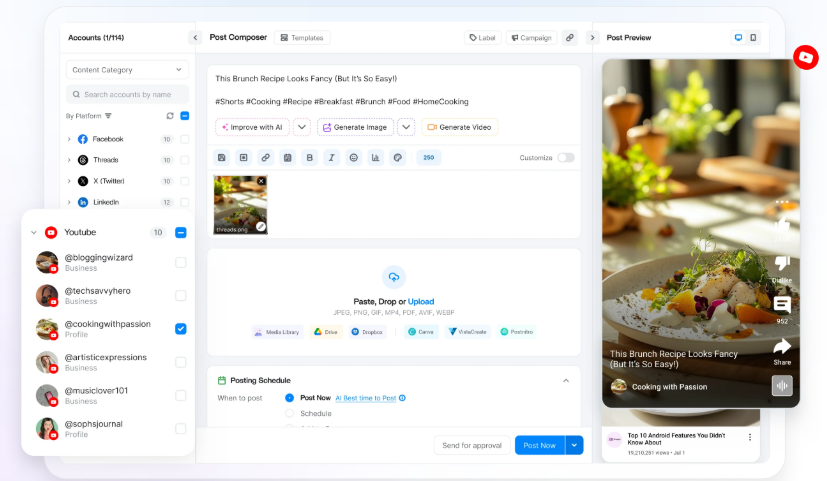
ContentStudio’s YouTube scheduler helps you plan and organize your uploads, but posting more frequently does not automatically increase your earnings rate. You can check your actual earnings in YouTube Studio’s revenue reports.
RPM is usually the best place to start. It shows how much a creator earns per 1,000 views after YouTube’s revenue share. However, RPM can include revenue from multiple sources, so it does not represent advertising income alone.
If a long-form video has an RPM of $4 over a particular period, 100,000 views correspond to approximately $400 in the revenue included by that RPM.
The $4 figure is an example—not a claim about what the average creator earns.
There is no guaranteed payment for any of these view counts. The table below shows what different long-form RPMs would produce mathematically. The $1, $4, and $10 figures are illustrative scenarios—not verified market averages or expected rates for your channel.
| Video views | At $1 RPM | At $4 RPM | At $10 RPM |
| 1,000 | $1 | $4 | $10 |
| 10,000 | $10 | $40 | $100 |
| 100,000 | $100 | $400 | $1,000 |
| 1 million | $1,000 | $4,000 | $10,000 |
| 10 million | $10,000 | $40,000 | $100,000 |
The calculation is:
\text{Estimated revenue}=\frac{\text{views}}{1,000}\times\text{RPM}
The formula is useful only when the RPM and views refer to compatible content and reporting periods. Multiplying next month’s projected views by last month’s RPM produces a planning scenario—not a promise.
For Shorts, YouTube calculates RPM using engaged views, rather than simply the public view count. A Shorts estimate therefore needs the corresponding engaged-view measure.
You can estimate earnings per view by dividing RPM by 1,000. For example, a $4 RPM works out to $0.004 per view, or 0.4 cents.
However, this is an average, not a guarantee that every view earns 0.4 cents. Some views may not show an ad, and RPM can include revenue from sources other than advertising. This means the actual amount earned from individual views can vary.
Many misleading earnings estimates begin by confusing what an advertiser pays with what a creator receives.
| Metric | What it measures | What it does not mean |
| CPM | Advertiser cost per 1,000 ad impressions, before YouTube’s share | Creator earnings per 1,000 video views |
| Playback-based CPM | Advertiser cost per 1,000 video playbacks that included one or more ads | A payment for every playback |
| RPM | Creator revenue per 1,000 views after revenue sharing; Shorts use engaged views | Advertising income alone in every report |
| Monetized playbacks | Video playbacks on which ads appeared | Total video views |
| Ad impressions | Individual ads shown | Unique viewers or unique video playbacks |
YouTube illustrates the difference with videos that show more than one ad: 1,500 monetized playbacks can generate 2,000 ad impressions. A video’s public views, monetized playbacks, and ad impressions are therefore different counts.
That is why multiplying a quoted $12 CPM by 100,000 views does not establish that a creator earned $1,200.
YouTube’s RPM can include advertising, YouTube Premium revenue, memberships, Super Chat, and Super Stickers. A channel’s RPM may rise because more viewers bought memberships, even when advertising performance did not improve.
If you want to understand advertising alone, examine estimated ad revenue separately. If you want to assess platform earnings overall, RPM is useful—but it still excludes much external business income.
Within YouTube Analytics, first check whether you are examining an individual video, long-form content, Shorts, or the entire channel. The revenue sources and viewing measures need to match before you compare rates.
YouTube does not publish a universal creator payment for each advertisement shown. CPM describes what advertisers spend per 1,000 ad impressions before revenue sharing, while monetized playbacks and total video views measure different activity.
A viewer can encounter more than one ad during a video, and another viewer may encounter none. That is why the number of video views cannot be used as a direct count of payable ad impressions.
If you are researching YouTube advertising cost per view, that is a campaign-spending question, not the same calculation as a creator’s earnings per video view.
Two creators can receive the same number of views and earn different amounts. The difference is not necessarily their skill or subscriber count. The audience, available advertisements, monetization status, and content format all influence the result.
YouTube lists several reasons a view may not show an ad:
A Premium viewer may still contribute through Premium revenue sharing, so “no ad appeared” does not necessarily mean “the creator earned nothing.”
Advertisers compete differently across markets. YouTube says changes in viewer geography can change CPM because different locations have different levels of advertising competition.
The relevant factor is largely where the viewers are, not simply where the creator lives. A creator based in Pakistan, for example, should not assume every view earns a “Pakistan rate” if the audience is spread across several countries.
Rigid “Tier 1, Tier 2, Tier 3” country-rate tables oversimplify that relationship. Language, subject, audience characteristics, available advertisers, and time of year can all complicate the picture.
A software comparison, a comedy sketch, and a children’s animation may attract different advertising opportunities. But that does not justify assigning a guaranteed RPM to an entire niche.
A useful niche decision considers three things together:
Choosing an unfamiliar subject solely because someone claims it has a high CPM can undermine all three.
Advertising demand changes during the year. YouTube notes that advertisers may bid more before holidays, which can change CPM without a corresponding change in video quality.
A lower rate after a strong holiday period is not automatically a channel problem. Compare relevant periods and investigate geography, formats, and monetized playbacks before drawing a conclusion.
Monetized videos that are eight minutes or longer can have mid-roll ad breaks. YouTube explicitly says those slots are not guaranteed to serve advertisements. Serving depends on factors including advertiser demand, the quality of the break, and viewer experience.
A nine-minute tutorial might create a sensible mid-roll opportunity. Extending a four-minute answer with repetition merely to reach eight minutes could make the video less useful.
The better production question is whether the explanation needs that time. Earning more YouTube views depends on giving people a reason to click and continue watching—not stretching a concise answer for an assumed payout.
A copyright claim or policy restriction can affect who receives revenue and whether a video can earn. YouTube also adjusts estimated revenue for issues such as invalid traffic and Content ID claims or disputes.
A YouTube music copyright claim can affect the video’s revenue or restrictions. Music clearance belongs before publication, rather than relying on attribution or a short clip to make an unlicensed use acceptable.
Views can generate revenue when your channel and content qualify for the relevant monetization features, and you have accepted the required terms. However, a public view count alone does not mean you will receive payment.
YouTube’s lower YouTube Partner Program (YPP) eligibility tier can unlock certain fan-funding and Shopping features. To earn from Watch Page and Shorts Feed ads, you need to meet the higher eligibility requirements, get channel approval, and accept the relevant monetization agreements.
In eligible regions, the expanded YouTube Partner Program offers an earlier entry point to certain fan-funding and Shopping features. Ad-revenue access requires the higher tier.
| Route | Requirements |
| Earlier YPP access | 500 subscribers, three valid public uploads in 90 days, and either 3,000 qualified public watch hours in 12 months or 3 million qualified Shorts views in 90 days |
| Higher ad-revenue tier | 1,000 subscribers and either 4,000 qualified public watch hours in 12 months or 10 million qualified public Shorts views in 90 days |
The viewing paths are alternatives; you do not need both within a tier. Meeting the numbers does not guarantee approval, and the lower tier does not automatically unlock Watch Page or Shorts Feed ad revenue. Policy, regional, account, and feature requirements also apply.
YouTube’s current help page announces updates to the YouTube Partner Program (YPP) starting February 1, 2027. Affected creators must review and accept the updated terms in YouTube Studio by January 31, 2027.
However, these updates do not necessarily mean YouTube is increasing its entry requirements. Check the Earn section in YouTube Studio and YouTube’s latest eligibility guidelines to confirm the requirements before applying.
| Monetization arrangement | Creator share stated by YouTube |
| Watch Page ads | 55% of net revenue under the Watch Page Monetization Module |
| Shorts Feed ads | 45% of revenue allocated through the Creator Pool |
| Memberships, Super Chat, Super Stickers, and Super Thanks | 70% of net revenue under the Commerce Product Module |
These percentages apply to different revenue bases. The Shorts figure is not simply 45% of an advertisement shown beside your individual Short. Transaction taxes are excluded from the partner revenue-share calculation.
Shorts Feed advertisements appear between videos, with revenue handled through YouTube’s pooled allocation system. Public Shorts views should not be multiplied by a long-form RPM to predict earnings.
Creators also need to accept the Shorts Monetization Module; eligible views before acceptance do not receive retroactive Shorts Feed revenue sharing.
The dedicated YouTube Shorts monetization guide explains the pool, engaged views, music considerations, and activation process in more detail.
YouTube says finalized earnings for the previous month are added to AdSense for YouTube between the 7th and 12th. Payments are generally issued between the 21st and 26th, provided the payment threshold has been reached, and there are no holds or other blocking conditions.
The payment threshold depends on the account’s reporting currency. For a USD account, it is $100; that is not a universal threshold quoted in every local currency. If the threshold is not met, the balance generally carries forward.
Estimated Studio revenue is not the same as the final bank payment. Adjustments, applicable tax withholding, payment processing, and local requirements can affect the amount and timing. All monetizing creators must submit the required US tax information, regardless of location.
The most useful earnings estimate starts with your own data. If you do not have monetization history, clearly labeled scenarios are more honest than a narrow “average payout” range.
A practical monthly model might contain:
| Income category | Planning basis |
| Long-form platform revenue | Relevant projected views and a comparable historical RPM |
| Shorts platform revenue | Relevant engaged views and historical Shorts RPM |
| Sponsorships | Signed agreements or clearly labeled prospective deals |
| Affiliate commissions | Attributable completed purchases and the actual commission terms |
| Product revenue | Actual orders, separated from costs and refunds |
| Services or consulting | Bookings attributable to the channel |
| Production costs | Editing, equipment, contractors, software, and other expenses |
YouTube says RPM does not include ordinary merchandise sales, most brand deals, or indirectly generated service and consulting revenue. Those should not be described as “YouTube’s payment per view.”
A channel with $1,000 of platform revenue and $4,000 in product sales has $5,000 in combined revenue—not a $5,000 YouTube ad payout, and not necessarily $5,000 in profit.
A channel’s subscribers may watch frequently, occasionally, or not at all. Revenue also depends on the content, audience, monetization features, and external business model. A smaller channel selling a relevant professional service may generate more business revenue than a larger channel relying only on advertising.
Subscriber milestones are useful for eligibility and audience development, but they are not pay bands.
A more resilient strategy combines useful content with manageable production costs. Related topics, evergreen tutorials, and relevant follow-ups can give a channel more opportunities to serve the same audience without starting from scratch every week.
Existing interviews, webinars, and demonstrations may also contain self-contained clips. ContentStudio’s AI video generator includes generation and clipping workflows, but every result needs review for context, accuracy, rights, and usefulness. Saving production time does not guarantee a higher RPM.

A clear publishing workflow helps protect the work you have already done. Our YouTube direct-publishing guide explains how scheduling and final YouTube Studio checks fit together.
When evaluating how much YouTube pays per view, replace the search for one universal rate with three checks: which format generated the views, which revenue sources your metric includes, and whether the channel was eligible to earn during that period.
A responsible forecast uses comparable RPM data, separates platform earnings from outside income, and deducts production costs before calling the result profit. If you do not yet have that data, hypothetical scenarios are useful—but they should remain scenarios, not advertised expectations.
An older video can continue generating revenue if it remains eligible and monetization is enabled. Its future revenue depends on the applicable monetization arrangement and current viewing activity, not a one-time payment at upload.
No. YouTube says the 55% Watch Page ad-revenue share also applies when public videos stream through the YouTube player on other websites or applications, subject to the relevant monetization conditions.
YouTube can adjust estimates for invalid traffic, Content ID claims and disputes, and certain advertising arrangements. Finalized earnings are displayed in AdSense for YouTube rather than solely in Studio’s estimated reports.
Yes. If views grow faster than revenue, the revenue per 1,000 views can decline even though total earnings increase. YouTube notes that additional unmonetized views can lower RPM without reducing existing revenue.
YouTube does not have a creator payment rate for likes. Its published earning features include advertising, Premium revenue, memberships, Shopping, and viewer-support features—not a payment for each like. Likes therefore should not be multiplied by a quoted dollar amount to estimate earnings.
No. YouTube does not list a flat creator fee for each livestream or hour spent broadcasting. An eligible channel may earn through ads, Premium viewing, and available features such as Super Chat, Super Stickers, or memberships. Those are separate revenue sources, not an hourly wage.
Plan 0 Days of Content in 0 Minutes
Create, schedule, publish and analyze your content across all your social media channels from one simple dashboard.
4.7 on Capterra • 16,500+ marketers trust ContentStudio
Arooj Ishtiaq is a Content Marketing Strategist with 5+ years of experience writing about social media, SaaS, and AI. At ContentStudio, she creates practical guides, tutorials, and how-to content that help marketers navigate social media trends, sharpen their strategies, and get more from their content.
View all posts by Arooj IshtiaqRecommended for you
How to live stream on YouTube in 2025

13 best YouTube analytics tools to grow your channel

How to become a Youtuber & make money in 2025

How to Write a YouTube Script Quick and Easy?