ContentStudio API plan is now available. Create automations using Claude, Zapier, n8n, make, etc. Explore plan!
How to Delete a Playlist on YouTube?

Written by
Khadija AnwarPublished
Updated


Hey there, fellow YouTuber! Need some help with YouTube playlists? Deleting one, perhaps? Well, you are in the right spot.
Picture this: you’ve got a bunch of playlists on your channel, but one of them has outlived its purpose, right? No worries, we’ll help you to delete a playlist on YouTube step by step!
Also Read: How to Turn Off Restricted Mode on YouTube?
Steps to Delete a Playlist on YouTube
Step 1:
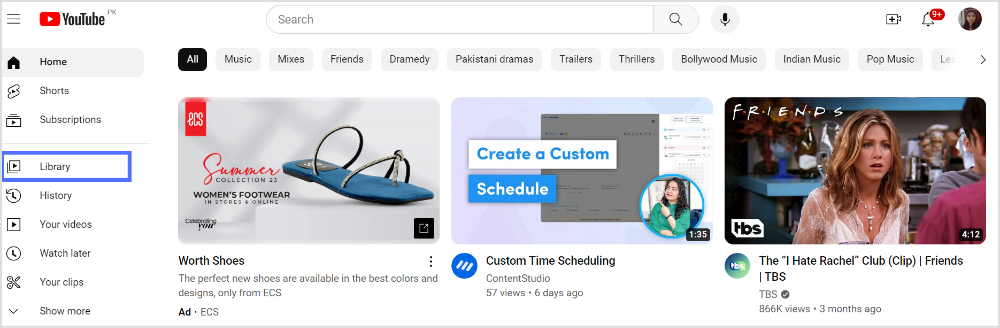
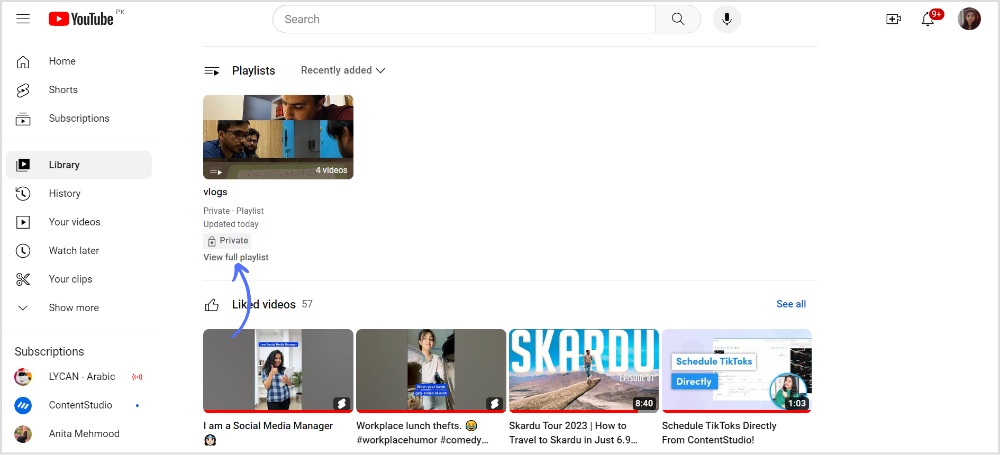
Open YouTube on your web browser and go to the “Library” tab in the left sidebar.
Step 2:
Scroll down the page and click on “View full playlist” under the playlists folder.
Step 3:
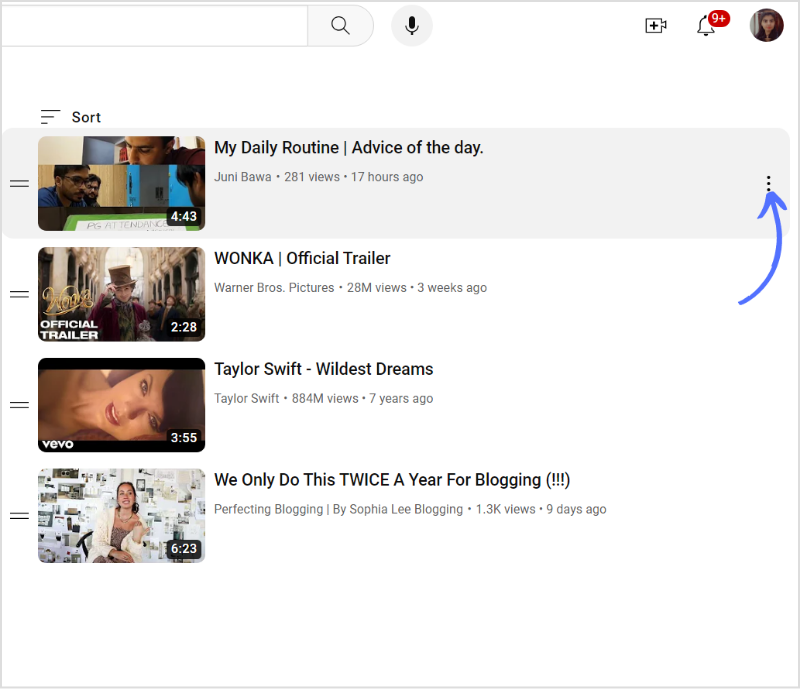
Tap the “Three Parallel Dot” (More) icon on the right of the playlist you want to delete.
Step 4:
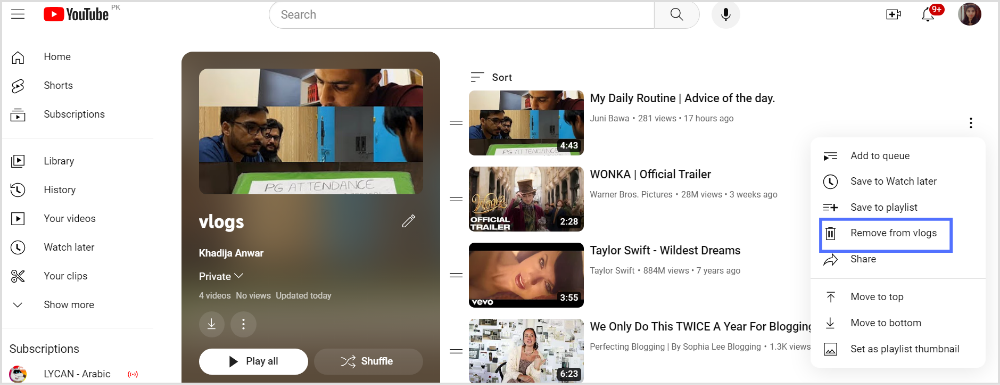
Tap “Remove from vlogs.”
Please keep in mind that YouTube’s user interface may change over time, and the steps might be slightly different in the future. If you encounter any variations, refer to YouTube’s official support documentation for the most up-to-date instructions on deleting playlists.
Plan, schedule, share, and analyze content for 15+ social media channels.
FAQs
Why can’t I Delete my YouTube playlist?
YouTube might experience technical issues or glitches that prevent certain actions from being performed correctly. If the playlist was created by another user and they’ve shared it with you, you might not have the necessary permissions to delete it.
Why we can’t delete YouTube?
YouTube is classified as a system-level app, making it impossible to uninstall completely.
Plan 0 Days of Content in 0 Minutes
Create, schedule, publish and analyze your content across all your social media channels from one simple dashboard.
4.7 on Capterra • 14,500+ marketers trust ContentStudio
Khadija Anwar is a Senior Technical Writer at ContentStudio with over 500 published write-ups across the ContentStudio blog and beyond. She specializes in step-by-step platform guides and Help Center content across Facebook, Instagram, LinkedIn, YouTube, TikTok, and X, and reviews how-to articles to verify every step and platform detail is accurate and current.
View all posts by Khadija AnwarRecommended for you
How to turn off active status on instagram in 2026 (Step-by-step guide)