How to use LinkedIn for Business: Setup, teams, and workflows
Dec 12, 202328 minutes

Written by
Arooj IshtiaqUpdated
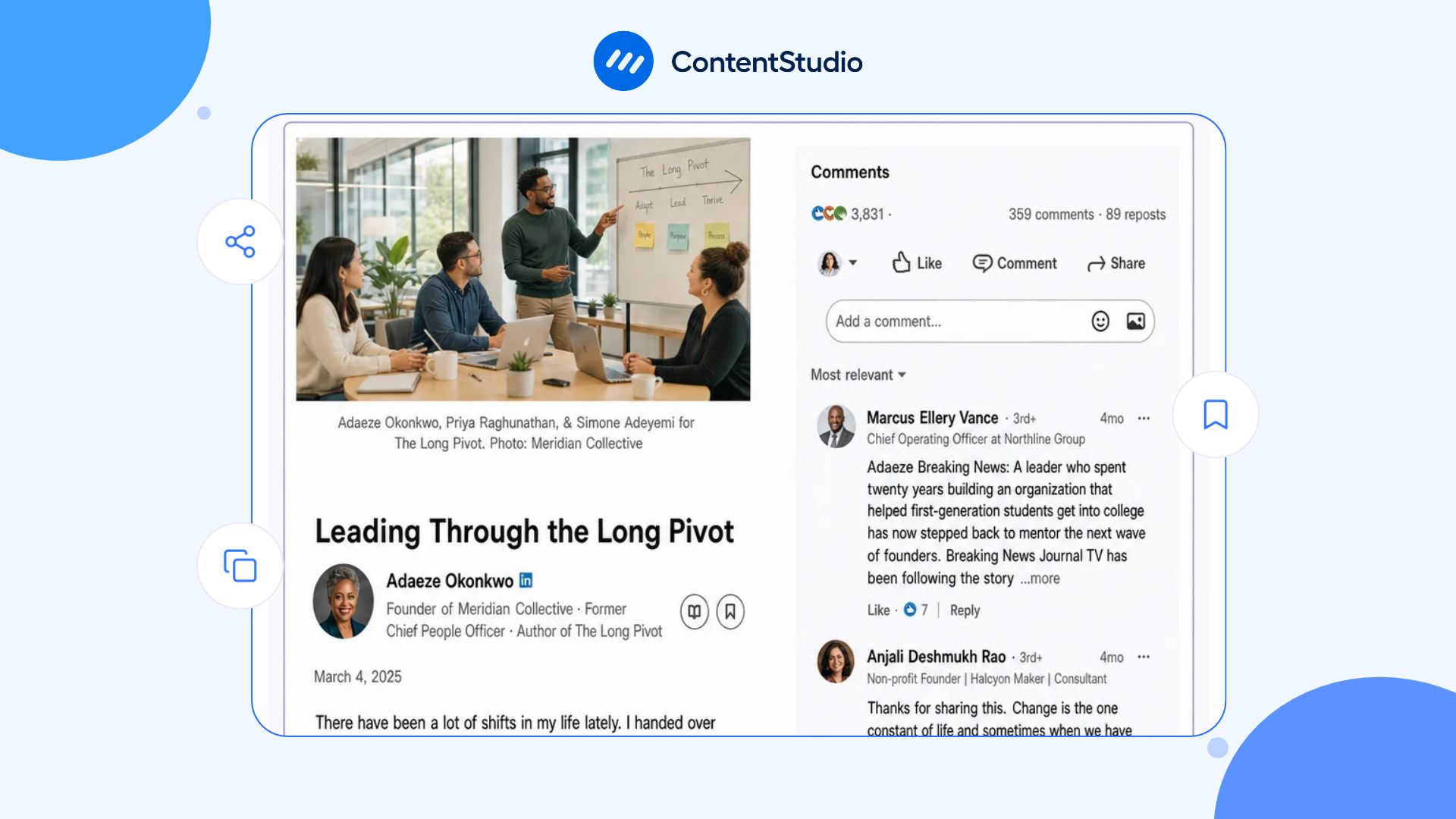
A short LinkedIn post can share a useful tip, but explaining why a strategy works, breaking down a case study, or presenting original research takes more space. LinkedIn articles give professionals and businesses room to explore these topics in detail, support their ideas with evidence, and share insights their audience can return to later.
Before writing, it helps to define what the article should achieve. A clear LinkedIn marketing strategy can help you choose the right topic and connect it to goals such as brand awareness, recruitment, customer education, thought leadership, or relationship-building.
This guide explains what LinkedIn articles are, how to publish them, when to choose them over posts or newsletters, and how to improve their readability and discoverability. You will also learn how to repurpose an article into other content and extend its value beyond the initial publication.
LinkedIn articles are long-form pieces published directly on LinkedIn. Individual members can publish them from their profiles, while eligible Company Page administrators can publish on behalf of their organizations.
Unlike a standard feed post, an article offers a dedicated reading experience with a title, cover media, structured content, and richer formatting. It also remains accessible through the publisher’s LinkedIn activity after the initial publication.
Articles work well when a topic needs more explanation than a short update can provide. Common examples include:
A planned distribution process can help more people discover an article after publication. ContentStudio’s LinkedIn scheduling tool helps you schedule supporting posts and coordinate a publishing calendar, so you can share key insights from your article over time instead of relying on a single announcement.
A LinkedIn post is designed for quick reading and interaction in the Feed. It can introduce an idea, share an observation, invite discussion, summarize a lesson, or direct readers to a longer resource.
An article serves a different purpose. It develops an idea through a clear explanation, argument, framework, or resource that readers can return to after publication.
The article should make sense on its own. Someone who discovers it through search, an employee share, a message, a newsletter, a Company Page, or a follow-up post should understand the topic and why it matters without needing to read another piece first.
Consultants, founders, subject-matter experts, executives, recruiters, and creators can use articles to show how they think about a topic, not just describe their job titles. Businesses can use them to explain complex products, market changes, customer challenges, industry issues, or workplace values in greater detail than a short Page update allows.
The real value comes from useful, specific information. An article filled with general advice and unsupported claims will not build trust simply because it is long. Readers need clear explanations, relevant examples, credible evidence, or insights drawn from experience.
LinkedIn offers several formats that can work together. The best format depends on how much explanation the reader needs, whether the content is recurring, and what action or relationship the publisher wants to support.
| Format | Best used for | Strength | Limitation |
|---|---|---|---|
| LinkedIn post | A concise observation, conversation starter, announcement, short lesson, or promotion for deeper content | Quick to consume and easy to use in regular publishing | Limited room for detailed explanation |
| LinkedIn article | A framework, analysis, case study, research summary, detailed opinion, or durable reference resource | Supports longer, structured content and richer formatting | Requires more planning, editing, and promotion |
| LinkedIn newsletter | A recurring long-form publication around a defined topic | Creates a repeatable editorial relationship with subscribers | Needs a sustainable publishing commitment |
| Document or carousel | A checklist, process, comparison, or visual reference | Lets readers move through information in stages | Not always suitable for nuance or full analysis |
| Native video | A demonstration, interview, explanation, or perspective where visual or verbal context adds value | Can make complex or human topics easier to understand | Requires a clear purpose and production discipline |
A strong content strategy on LinkedIn can connect these formats instead of treating them as competing options. For example, an article can provide the full analysis, a document can summarize the framework, and several posts can explore the questions that arise from each section.
Choose an article when the reader needs depth, structure, examples, or evidence to understand the topic. Articles are particularly appropriate when the content can remain useful over time. Use an article when you want to:
Use a post when the idea can be explained clearly in a short form or when the main goal is conversation rather than a comprehensive resource. A post may be better for:
Do not expand a simple point into a long article just to publish long-form content. Length should serve the reader’s need.
LinkedIn lets publishers choose between an individual article and a newsletter edition when they have an existing newsletter. A newsletter works best when you can make a clear recurring promise to readers.
For example, a weekly operations briefing, monthly hiring-market analysis, quarterly cybersecurity update, or regular leadership note can provide a reason for readers to subscribe. A one-off article does not need to become a newsletter simply because the feature is available.
All LinkedIn members can publish articles about their expertise and insights. Articles appear in the Activity section of the publisher’s profile. Company Pages can also publish articles: LinkedIn states that super admins and content admins can publish on behalf of a LinkedIn Page, and when an eligible Page admin opens the article flow, LinkedIn provides an option to choose whether to publish as the individual or as a Page.
LinkedIn’s current help documentation states that the article-writing feature is not available on the LinkedIn mobile app. Readers can still encounter, read, share, and comment on articles from mobile devices, but the publishing workflow requires a desktop browser.
Draft in a notes app, document editor, or content workspace if you prefer, then move the final material into LinkedIn’s desktop editor for formatting, media, preview, and publication.
An individual article is usually the best option for professional experience, personal lessons, expert opinions, career narratives, and observations the author can genuinely explain from their own work.
A Company Page article is more appropriate for official company research, product education, customer resources, event recaps, employer-brand content, policy explanations, and organization-level points of view.
The two formats should not publish identical copies of the same piece. A Company Page can publish the official research or framework, while a subject-matter expert can write about the practical lesson, trade-off, or experience behind it. When someone discovers an article on the Page rather than through an individual, setting up a company presence that reflects your brand properly gives them enough context to understand the company, its expertise, and the next useful action.
Publishing an article is straightforward in the editor, but a useful article starts before you open it. Define the reader, the question, and the outcome first; then use LinkedIn’s available tools to make the material easy to read and share.
Start with one primary reader and one clear question. Avoid trying to serve every possible audience at once. Before writing, define:
For example, instead of writing “A guide to marketing,” write for “B2B marketing leaders who need to explain content performance to executives without relying on vanity metrics.”
That narrower audience gives the article a clearer structure and a more useful outcome.
A strong title tells the reader what the article covers and why it is relevant. Favor clarity over cleverness. Effective titles often include:
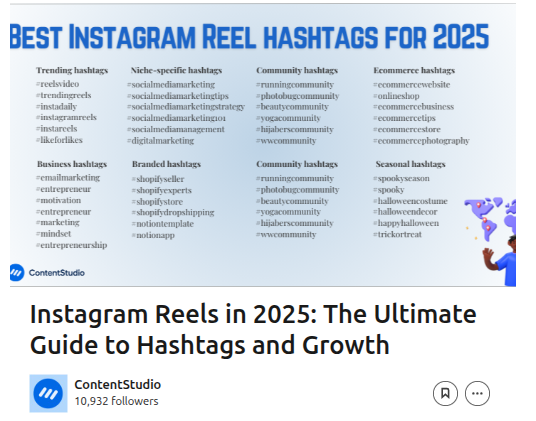
Examples:
Avoid titles that promise a guaranteed outcome you cannot support, such as “The perfect LinkedIn article formula” or “How to go viral with long-form content.”
On LinkedIn desktop, open the share box near the top of the homepage and select Write article.
If you are a super admin or content admin of a LinkedIn Page, LinkedIn provides an option to choose whether the article will be published from your individual profile or from a Page you manage. You can also choose whether the content will be an individual article or an edition of an existing newsletter.
The editor includes fields for the title and cover media, followed by the article body area.
A clear structure makes long-form content easier to scan and more useful when readers return to it later. Start with the main question, provide context, explain the answer in logical sections, and close with a practical takeaway. A reliable article structure is:
Use headings that explain the content of the section. “How to prepare the research” is more useful than “Step two.” Short paragraphs, lists, examples, and tables can make complex information easier to absorb.
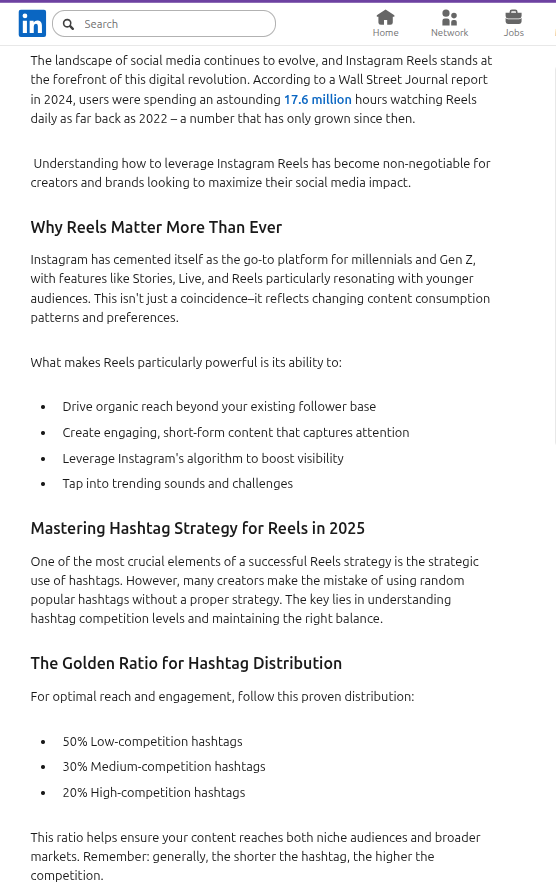
LinkedIn’s article editor allows publishers to add images or video, hyperlinks, code snippets, and embedded content. It also supports formatting, ordered and unordered lists, block quotes, and dividers. Use each option only when it improves understanding:
Avoid adding visuals purely as decoration. Each asset should help the reader understand, trust, or use the information.
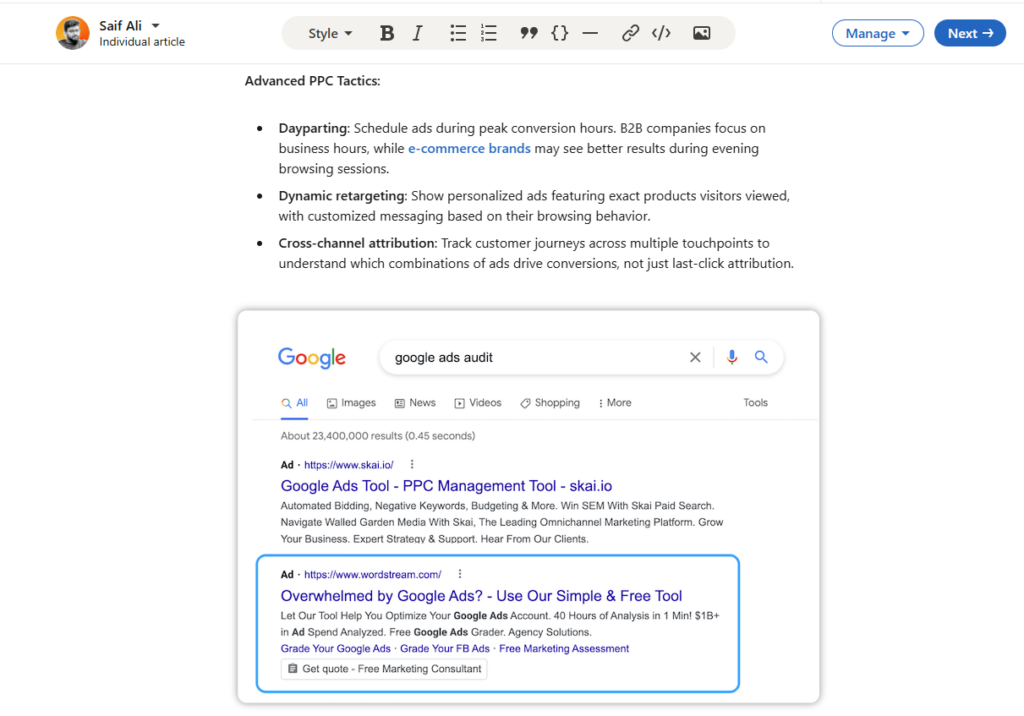
You can use @ mentions in a LinkedIn article to refer to members or Pages. A successful mention creates a hyperlink and notifies the referenced person or Page.
Mention someone only when their work, contribution, role, research, event, company, or perspective is genuinely relevant. Tagging people solely to generate notifications can damage trust and is unlikely to create meaningful engagement.
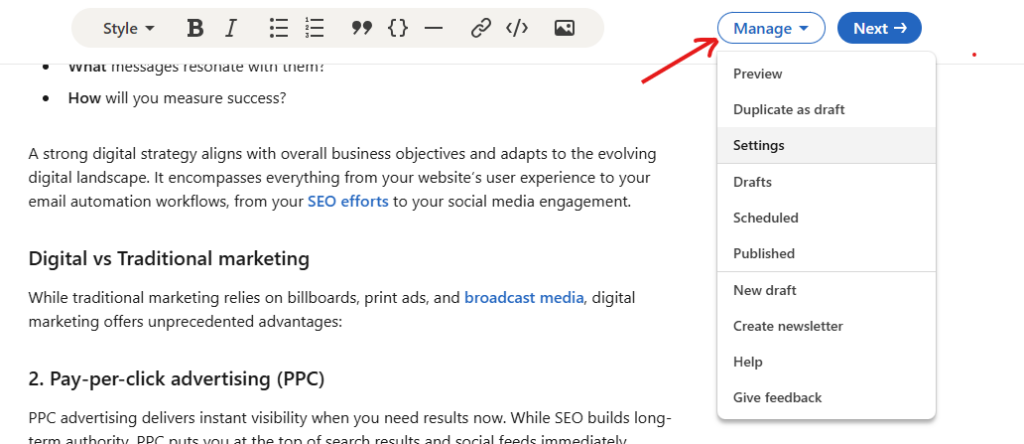
Before publication, LinkedIn’s Manage menu lets you create an article URL, SEO title, and SEO description. These settings can help make the article easier to understand and find through search engines. Use them clearly:
For example:
LinkedIn SEO settings can improve clarity, but they do not guarantee placement in Google search results. Search engines decide whether and where public content is indexed.
LinkedIn’s Manage menu also includes preview and draft-sharing options. Drafts can be shared with other LinkedIn members for feedback, but recipients must be logged in to LinkedIn to view them.
Before publishing, review:
After selecting Next, LinkedIn lets you add commentary describing the article to your network. You can publish immediately or use the clock option to schedule it for a later time.
There is no official ideal word count for LinkedIn articles. The right length is the amount of space needed to answer the reader’s question thoroughly without repeating yourself.
A useful short article may be 700 to 1,000 words if it addresses one focused issue. A detailed framework, research analysis, or technical explanation may need 1,500 to 2,500 words or more. Instead of aiming for a fixed number, ask:
Longer is not automatically better. The most effective LinkedIn article is the one that is complete, structured, and useful for its intended reader.
The strongest article topics sit at the intersection of audience need, professional experience, and a question worth exploring in detail. Avoid writing only about what you want to promote. Start with what your audience is trying to understand, decide, improve, or avoid.
Industry articles can examine a market change, technology shift, policy issue, operating trend, or professional challenge. They should explain the implications rather than simply repeat headlines. Examples:
Framework-based articles work well when the reader needs a repeatable way to handle a decision or task. Examples:
A case study should explain context, not simply claim a result. Describe the starting condition, decision, constraints, process, evidence, outcome, and lesson. Remove confidential information and avoid presenting one experience as a universal rule. Examples:
Career and workplace articles can be valuable when they offer honest experience, thoughtful context, and practical insight. They should avoid reducing complex personal or structural issues to simplistic advice. Examples:
Research-led articles can be useful when they explain what the data measures, who was included, what limitations apply, and what readers should do with the findings.
Do not use a statistic as decoration. Explain why it matters and avoid implying causation when the evidence only shows correlation.
No publishing tactic guarantees reach. LinkedIn article visibility depends on relevance, the publisher’s professional context, how the article is introduced, whether people find it useful, whether it is shared thoughtfully, and how it relates to ongoing conversations. The goal should be useful distribution, not a temporary spike in views.
When you publish an article, introduce it with a short post that explains the reader problem and one useful takeaway. Do not simply write “New article” and paste the link.
Many B2B teams publish customer stories without explaining the decision that made the result possible.
I wrote about the five questions that turn a customer story into a more useful case study, including how to describe constraints without exposing confidential details.
The post should provide enough value to stand on its own and give the reader a reason to open the full article.
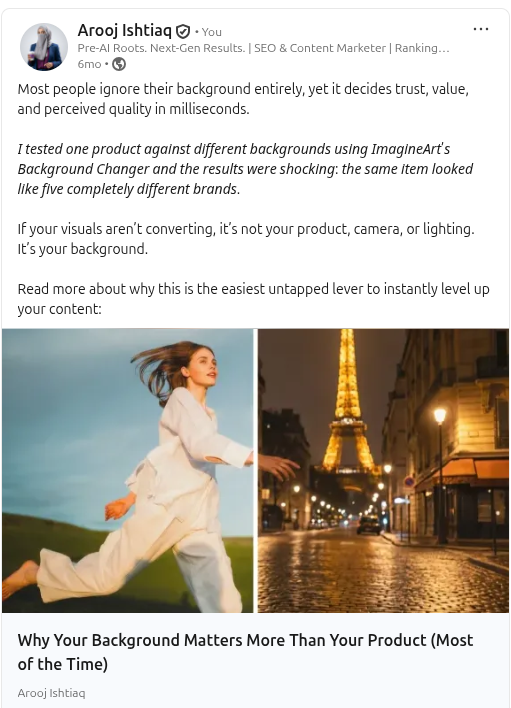
One article can support multiple short posts without becoming repetitive. Use different sections, questions, examples, objections, or practical takeaways from the article. A long-form article about customer onboarding could generate separate posts about:
A LinkedIn content plan can help teams plan these follow-up pieces around the original article without copying the same introduction repeatedly.
If the article includes a genuine question, a useful professional perspective, or a topic that benefits from several viewpoints, invite relevant people to add their experience.
Do not mass-tag contacts or ask employees to post identical promotional language. Instead, share the source material and let collaborators, subject-matter experts, or employees explain why the topic matters from their own role.
An article can be repurposed into a document, short video, webinar topic, customer resource, sales enablement asset, or newsletter section when that adaptation gives the audience a new and useful way to access the idea. For process-led content, LinkedIn carousel formats can turn a detailed section into a visual checklist or decision flow. The carousel should summarize the article rather than reproduce every paragraph.
An evergreen article may remain useful after its original publication. If the subject is still relevant, revisit it with a fresh introduction, an updated example, a new data point, or a related question. Rescheduling posts on LinkedIn can help teams reintroduce a durable resource at a sensible interval, but the accompanying post should add current context rather than reshare the same wording unchanged.
Articles can support several goals, but they should have one primary job. Trying to make one article generate awareness, leads, applications, sales, customer retention, press coverage, and thought leadership at the same time often creates an unfocused piece.
For a professional, article publishing can create a visible body of work around an area of expertise. Over time, this can help people understand what the author knows, how they think, and what professional questions they are equipped to address.
The article becomes more valuable when it reflects experience, evidence, examples, and intellectual honesty. A long list of generic opinions does not establish authority.
For B2B teams, articles can explain complex concepts before a buyer is ready to speak with sales. They can clarify a category, address objections, compare approaches, explain implementation, or help customers make better decisions.
The appropriate call to action may be a related resource, a product page, an event, a consultation, a newsletter subscription, or a conversation. It should match the reader’s stage and the article’s purpose. A thoughtful LinkedIn business message can continue a conversation when a reader has shown clear interest, and the follow-up adds genuine value. A like or click alone is not permission for an immediate sales pitch.
Company articles can help potential candidates understand the organization’s work, culture, leadership principles, technical environment, professional-development approach, or employee perspectives.
Recruitment content is more credible when it includes concrete examples and acknowledges real work rather than relying on broad claims about culture. A candidate should be able to learn something useful about the organization before being asked to apply.
Articles should be reviewed according to the purpose they were designed to serve. A thought-leadership piece may be successful because it starts high-quality discussions or earns profile visits from relevant peers. A customer-education article may be successful because sales and success teams can share it repeatedly. A recruitment article may be successful because it produces relevant candidate interest.
| Article objective | Useful evidence | Avoid treating as the only success metric |
|---|---|---|
| Thought leadership | Relevant comments, reposts, profile views, invitations to speak or collaborate | Raw views alone |
| Customer education | Clicks to deeper resources, customer conversations, repeat sharing by internal teams | Reactions alone |
| Demand support | Qualified resource activity, relevant messages, sales-team usage, pipeline context | Article views alone |
| Recruitment | Candidate interest, employee sharing, recruiter feedback, career-page activity | General engagement alone |
| Community contribution | Thoughtful participation from relevant professionals, useful follow-up discussions | Comment count alone |
Reliable performance metrics on LinkedIn separate visibility, engagement, clicks, audience quality, and business outcomes instead of combining every signal into one score.
LinkedIn allows you to edit or delete published articles. This makes articles suitable for material that needs occasional maintenance, such as a process, reference resource, research summary, or technology explanation. Update an article when:
Do not update an article solely to make minor cosmetic changes every week. Changes should improve accuracy, usefulness, or clarity.
Even strong ideas can lose value when an article is unfocused, difficult to read, or published without a plan for the reader’s next step. Avoiding the mistakes below helps keep LinkedIn articles clear, credible, and useful long after publication.
An article that tries to cover a broad subject without a defined audience question often becomes a collection of unrelated tips. Start with a specific problem and use every section to help resolve it.
A 2,000-word article is not automatically more credible than a 700-word article. Authority comes from insight, evidence, relevant experience, and a clear explanation.
Republishing content from your website word for word can create a poor experience for readers who encounter both versions. If you adapt an existing resource, reshape it for LinkedIn’s professional audience, add a distinct perspective, and make the original source clear where appropriate.
Do not rely on arbitrary waiting periods or unsupported claims that publishing the same content after a certain number of days prevents SEO issues. Search engines and content duplication considerations are more complex than one fixed rule.
“Comment below,” “follow for more,” or “DM me” may be appropriate when they fit the reader’s next step, but they should not be added automatically. A stronger ending tells the reader what to do with the information.
Before your next content planning meeting, ask sales and customer-success teams to bring three questions they heard repeatedly this month. Those questions are often stronger article topics than a generic editorial brainstorm.
Publishing is only the start of an article’s lifecycle. Respond to relevant comments, share useful follow-up posts, update the article when information changes, and consider how the resource can support employees, customers, prospects, candidates, or partners.
Before publishing, review the article against this list.
LinkedIn articles are most useful when they give a professional audience a clear, well-structured answer to a question that deserves more than a short post. They can build a durable body of expertise, support customer education, create thoughtful professional discussion, and give a Company Page or individual profile more substance.
Write for a specific reader, use the format to explain rather than inflate, publish from the right voice, and promote the article with useful context. Over time, a collection of accurate, practical LinkedIn articles can become a valuable record of what a person or organization knows and how it helps others make better decisions.
Open the article publishing tool, select Manage → Drafts, and choose the draft. LinkedIn saves articles automatically after you start writing.
A browser extension may be interfering with the editor. LinkedIn recommends disabling the relevant extension and refreshing. Save a separate copy of your work before troubleshooting.
LinkedIn warns that draft formatting can change when published. Open the live article and check spacing, headings, links, lists, and media. Edit the article to correct any problems.
Do not treat it as confidential. LinkedIn lets you distribute a preview link, and viewers must sign in to access it. Share it only with intended reviewers and remove material you are not authorized to disclose.
Yes. LinkedIn provides an option to disable comments on published articles. Use it when appropriate, but consider whether a separate contact route is needed for corrections or questions.
No. They are separate fields. Keep both accurate, but use the visible headline for readers and the SEO title to describe the same subject clearly in search results. Neither field guarantees how a search engine displays the result.
Yes. LinkedIn provides Duplicate as draft in the preview workflow. Use the copy as a starting structure, then replace the old text, links, media, and settings before publishing.
Plan 0 Days of Content in 0 Minutes
Create, schedule, publish and analyze your content across all your social media channels from one simple dashboard.
4.7 on Capterra • 16,500+ marketers trust ContentStudio
Arooj Ishtiaq is a Content Marketing Strategist with 5+ years of experience writing about social media, SaaS, and AI. At ContentStudio, she creates practical guides, tutorials, and how-to content that help marketers navigate social media trends, sharpen their strategies, and get more from their content.
View all posts by Arooj IshtiaqRecommended for you
How to use LinkedIn for Business: Setup, teams, and workflows
12 best LinkedIn analytics tools in 2026
How to optimize your LinkedIn profile?
How to use LinkedIn for b2b marketing: Strategies, tips, and best practices