How to post a video on Facebook in 2026: Step-by-step guide
Feb 3, 20268 minutes
ContentStudio API plan is now available. Create automations using Claude, Zapier, n8n, make, etc. Explore plan!

Written by
Khadija AnwarPublished
Updated
Are you frustrated by the “Age Protected TikTok” error that’s keeping you from enjoying the fun? Don’t worry; we’ve got your back! In this quick guide, we’ll show you some simple steps to fix this annoying issue and get you back to scrolling, swiping, and sharing on TikTok in no time.
Plan, schedule, share, and analyze content for 15+ social media channels.
Follow the below steps to fix your protected age error on TikTok.
Step 1:
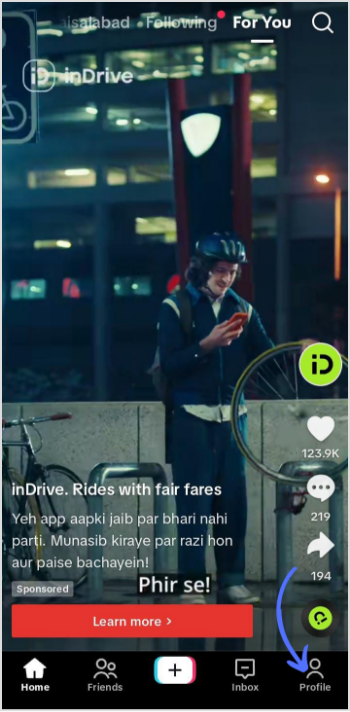
Open your TikTok app and tap on the “Profile” icon in the bottom right corner of your mobile screen.
Step 2:
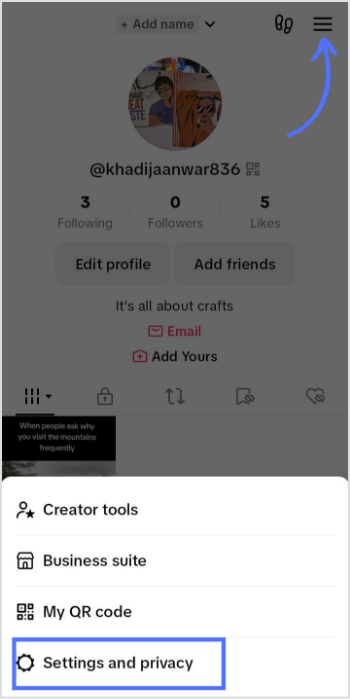
Tap on the “Hamburger” (three lines) icon. A drop-down menu will pop up. Tap on “Settings and privacy.”
Step 3:
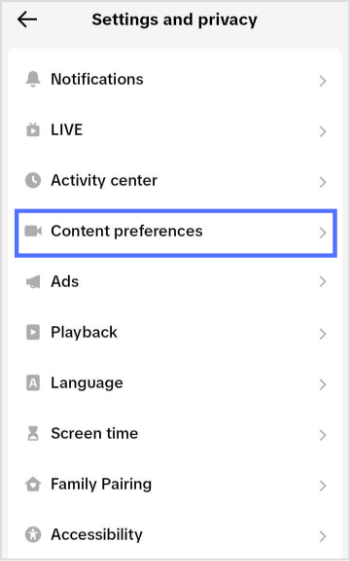
Tap on “Content preferences” on the main settings page.
Step 4:
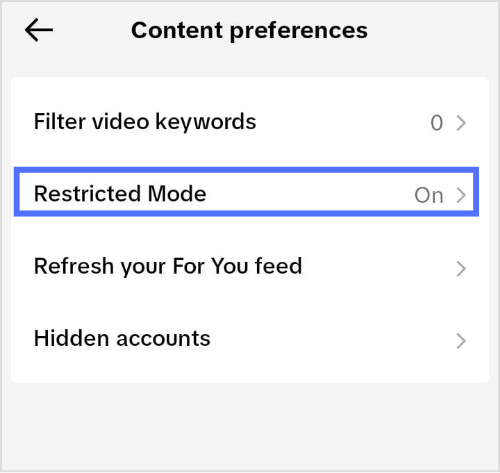
Tap on “Restricted Mode”. By default, it will be turned on.
Step 5:
Tap on “Turn off” at the bottom of your page.
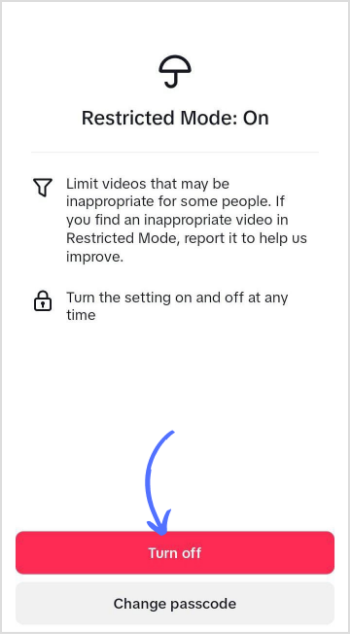
That’s it; you have successfully fixed the protected error in TikTok.
Also Read: How to Change Email on TikTok Without Verification?
Why is my TikTok saying age protected?
When TikTok detects that a video’s content might be too graphic or mature for a user’s age, they’ll send a notification with a black screen. On this screen, a warning message will appear, stating “Post unavailable” and “This post is age protected” below it.
Why does TikTok think I’m a minor?
In 2021, TikTok reinforced its privacy measures. They made all accounts belonging to users under the age of 16 private and eliminated the option to modify your birth date within the app once it was initially set.
Plan 0 Days of Content in 0 Minutes
Create, schedule, publish and analyze your content across all your social media channels from one simple dashboard.
4.7 on Capterra • 16,500+ marketers trust ContentStudio
Khadija Anwar is a Senior Technical Writer at ContentStudio with over 500 published write-ups across the ContentStudio blog and beyond. She specializes in step-by-step platform guides and Help Center content across Facebook, Instagram, LinkedIn, YouTube, TikTok, and X, and reviews how-to articles to verify every step and platform detail is accurate and current.
View all posts by Khadija AnwarRecommended for you
How to post a video on Facebook in 2026: Step-by-step guide
How to turn off active status on instagram in 2026 (Step-by-step guide)

How to write and publish LinkedIn articles that build authority

How to start a social media marketing agency in 2026