ContentStudio API plan is now available. Create automations using Claude, Zapier, n8n, make, etc. Explore plan!
How to Make a Poll in Instagram Group Chat?

Written by
Khadija AnwarPublished
Updated


Are you looking to engage your Instagram group chat members and gather their valuable opinions? Here are the simple steps to create captivating polls within your Instagram group chat, allowing everyone to vote and inclusively share their preferences.
Also Read: How to Do a Poll on Facebook?
Instagram Marketing Schedule your Instagram posts, Reels, and Stories, and get recommended best time to publish for maximum engagement.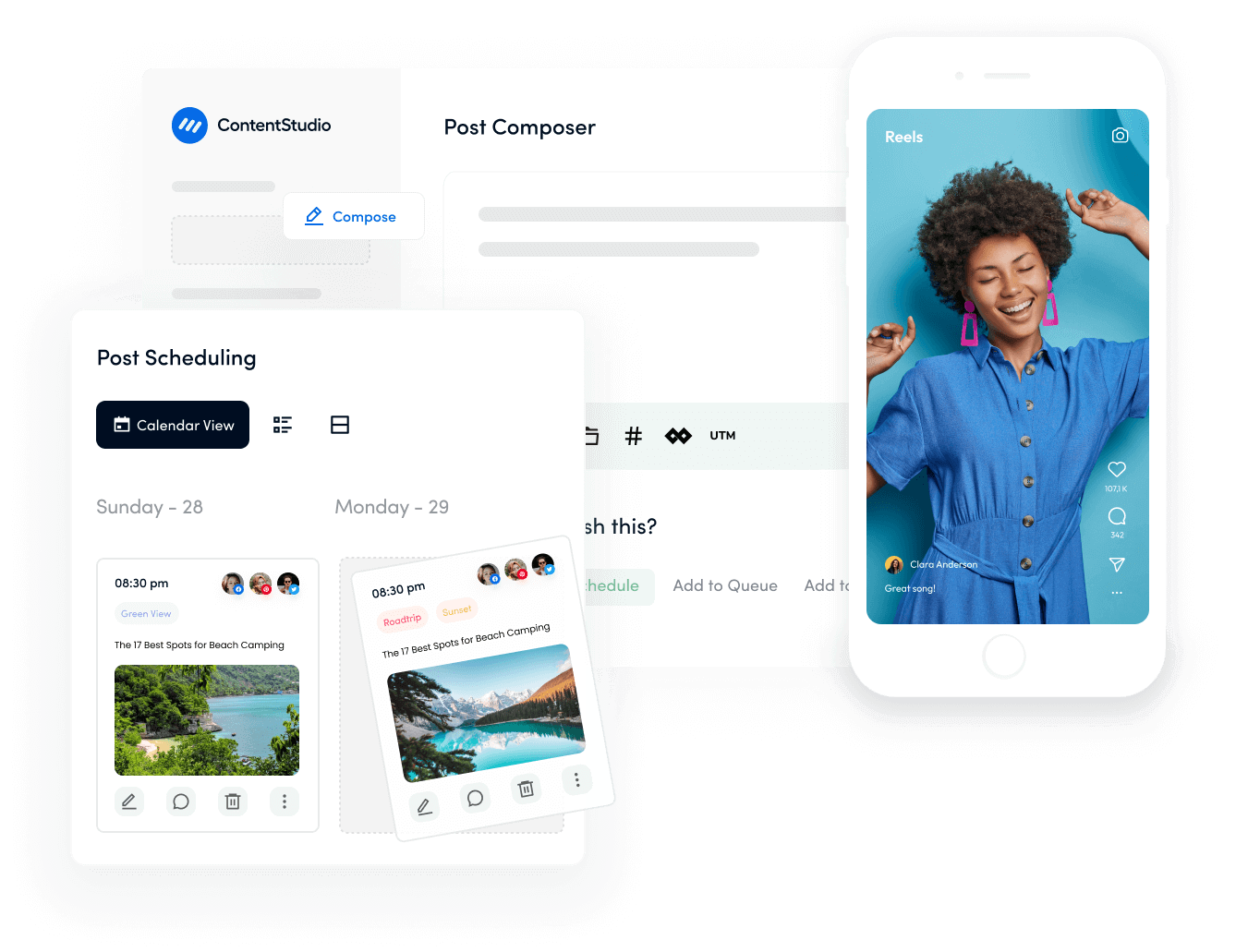
Steps to Make a Poll in Instagram Group Chat
To create a poll in an Instagram group chat, follow these steps:
Step 1:
Open your Instagram app and tap the “inbox” icon to navigate the group chat.
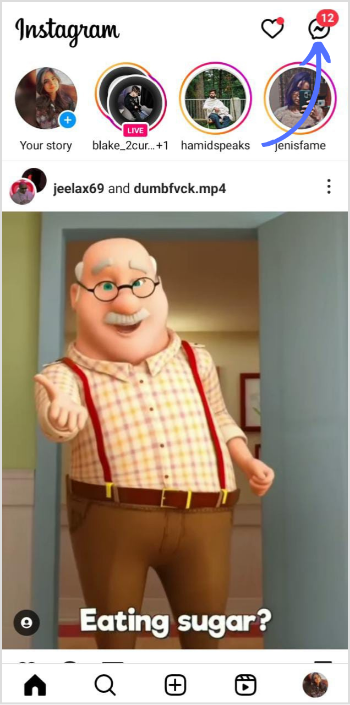
Step 2:
Select your Instagram group chat where you want to create the poll.
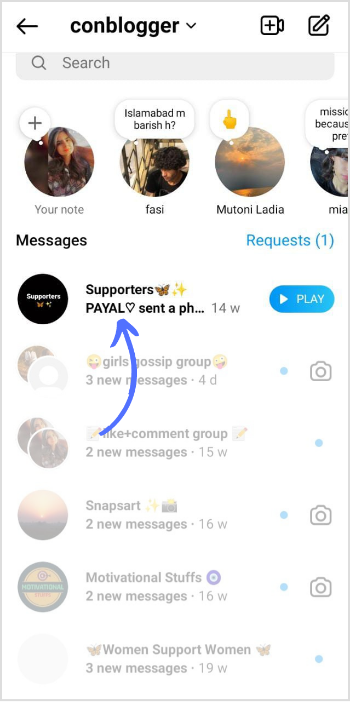
Step 3:
Open your group chat and tap on the “Sticker” icon in the right corner of your screen.
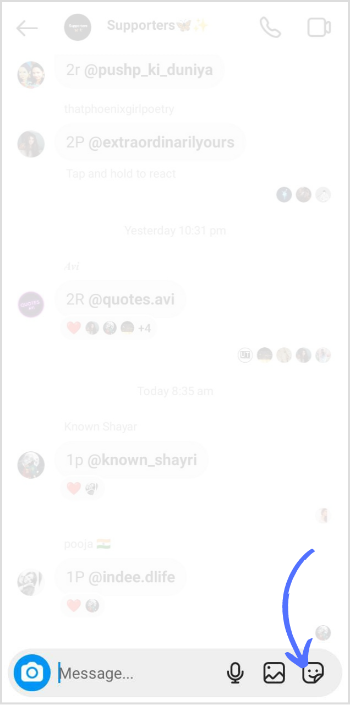
Step 4:
Tap on the “Poll” sticker.
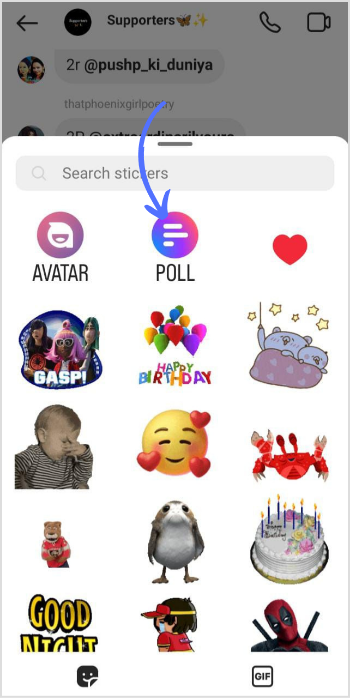
Step 5:
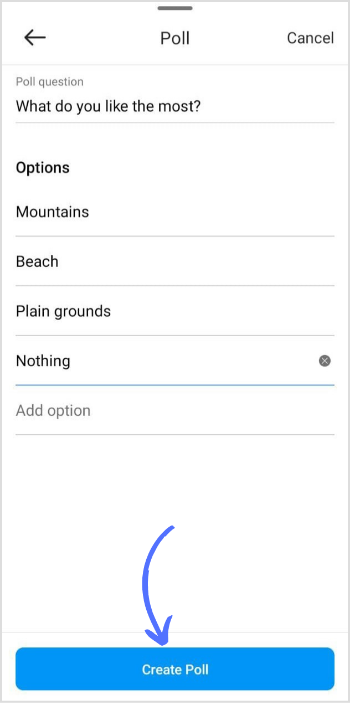
The poll screen will appear. Write down your question and add your options; once satisfied, tap on “Create Poll.”
Step 6:
Your poll is live now in the group chat. Your friends can participate in the group by casting votes, and you can monitor the results.
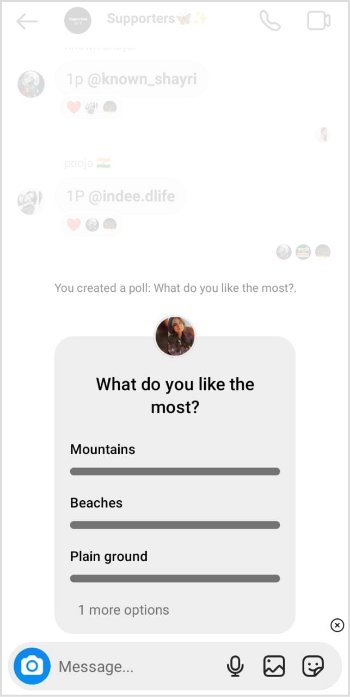
That’s it. With a few clicks, you can instantly create a poll in the Instagram group chat to gather opinions and make an informed decision.
Note: According to Instagram Help Center, this feature might not be available to users located in European countries.
FAQs
Can you do a poll in a group chat?
Yes, you can create a poll in the group chat.
Why can’t I create a poll in a group chat?
The poll feature is available for a group of more than two participants. Poll can’t be created in private DM.
Plan 0 Days of Content in 0 Minutes
Create, schedule, publish and analyze your content across all your social media channels from one simple dashboard.
4.7 on Capterra • 16,500+ marketers trust ContentStudio
Khadija Anwar is a Senior Technical Writer at ContentStudio with over 500 published write-ups across the ContentStudio blog and beyond. She specializes in step-by-step platform guides and Help Center content across Facebook, Instagram, LinkedIn, YouTube, TikTok, and X, and reviews how-to articles to verify every step and platform detail is accurate and current.
View all posts by Khadija AnwarRecommended for you
How to turn off active status on instagram in 2026 (Step-by-step guide)