How to build an executive’s LinkedIn content workflow with Claude Code
Oct 1, 202615 minutes

Written by
Salahuddin UmerUpdated
Reposting content is one of the fastest and most efficient ways to boost great content on TikTok without creating a brand-new post from scratch. When you know how to repost on TikTok, you can effectively highlight creators you admire, surface valuable user-generated content (UGC) from your community, and keep your brand active and engaged between your own original uploads. This approach saves time while maintaining your presence on the platform.
Bill Gates once wrote that “content is king.” On TikTok, reposting is one of the simplest ways to give strong content more chances to be seen.
Understand exactly how TikTok’s repost feature works, how to undo or reverse a repost if needed, and explore smart, strategic ways brands and social media teams can use it effectively, safely, and in line with best practices.
Related Read: How to repost on Instagram?
Simplified social media marketing for individuals & agencies.
A repost on TikTok lets you share someone else’s video with your own followers. Think of it as passing along content you love without having to create something from scratch. When you repost a video, it shows up in your followers’ feeds so they can see it, but here’s the thing: it won’t appear on your profile grid as your original videos do. It’s basically a way to keep your audience entertained and engaged with cool content, even when you’re not in the mood to film anything new yourself.
Look, keeping up with TikTok marketing can feel like a full-time job. Between running your business and trying to stay relevant, it’s exhausting. That’s where reposting comes in handy.
Your content can get buried quickly on TikTok; there’s so much stuff getting uploaded every second. Reposting helps you maintain a presence without spending hours filming and editing new videos. Your followers see you’re still active, and you stay fresh in their minds.
The more you show up, the more your followers interact with you. It’s that simple. Regular posts, including reposts, give people more opportunities to like, comment, and share your content. This ongoing back-and-forth keeps your audience interested in what you’re doing.
When you share content from respected creators or experts in your niche, you’re essentially vouching for quality. Let’s say you run an online jewelry shop. Reposting videos that show creative styling ideas proves you have good taste and understand what your customers care about. It positions you as someone who knows the space.
Sharing other creators’ work can open doors. When you repost someone’s video, they might notice. That could lead to collaborations, partnerships, or just having another creator in your corner. These connections can be gold for growing your reach.
Not every day is going to be a creative goldmine. Sometimes you’re just out of ideas, and that’s okay. Reposting gives you a break while keeping your feed active. Plus, scrolling through other people’s content might actually spark inspiration for your next original video.
Open your TikTok account and find the video you want to repost. Tap the “Share” icon on the right side of your mobile screen.
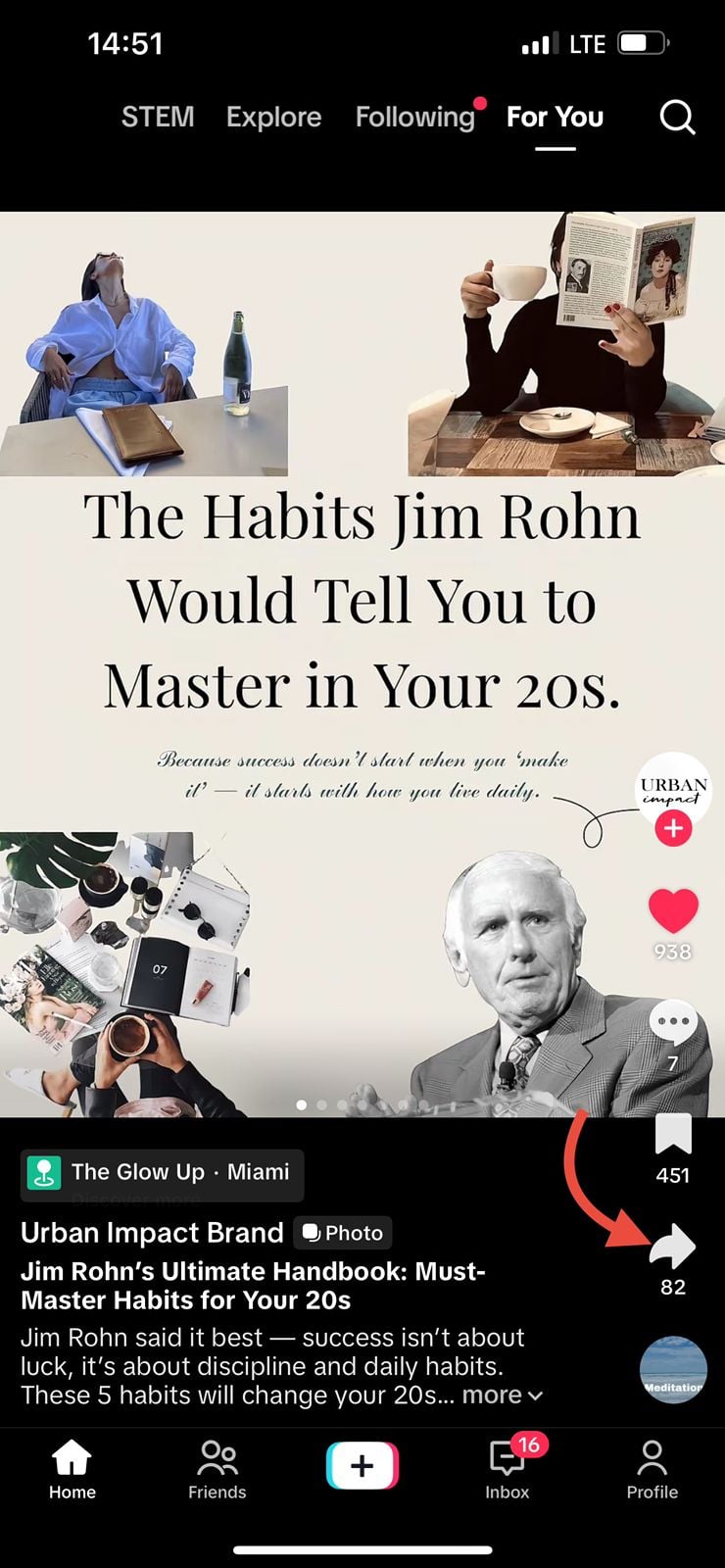
Tap on “Repost” in the menu.
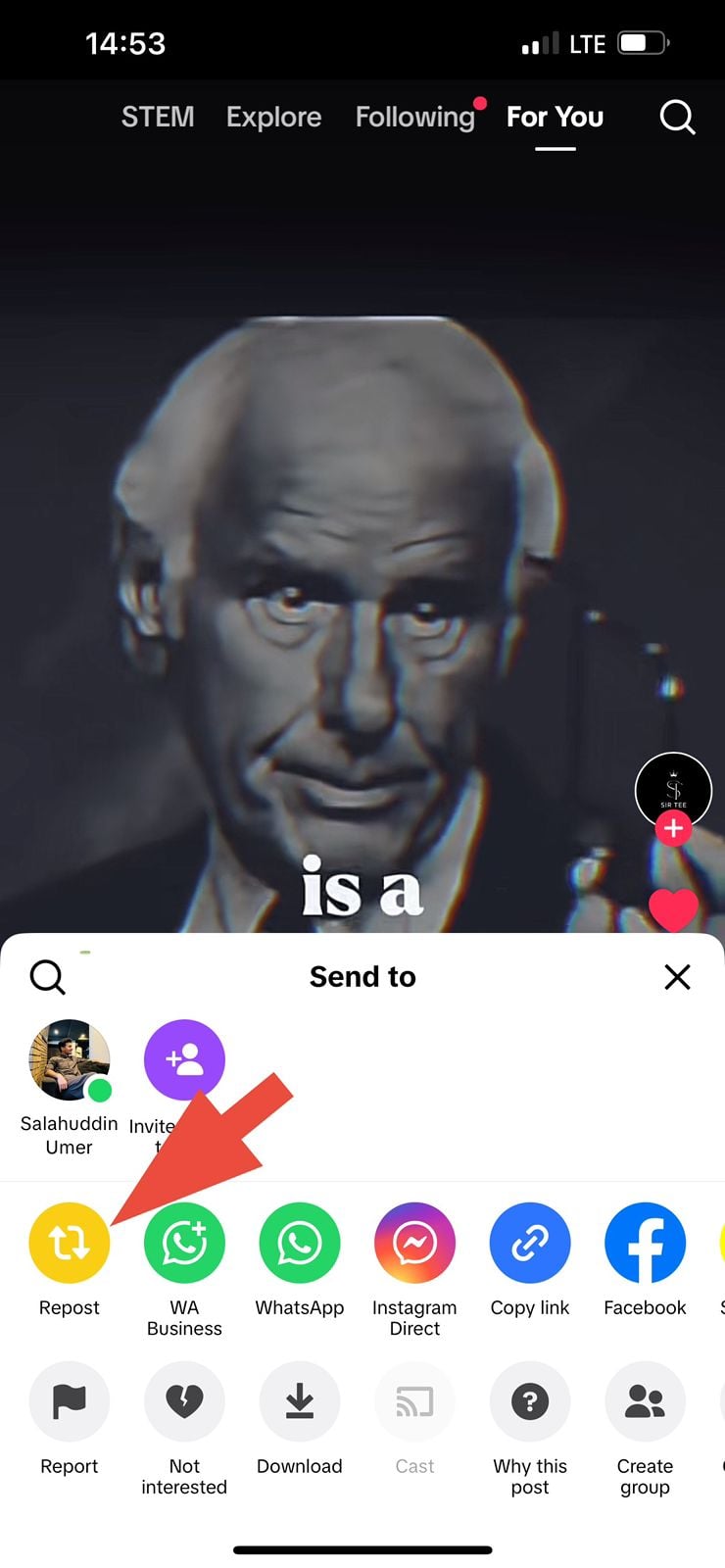
Tap on the “download” icon in the sharing menu. The video will be saved in your phone’s gallery. Open TikTok and upload with trending hashtags and catchy captions.
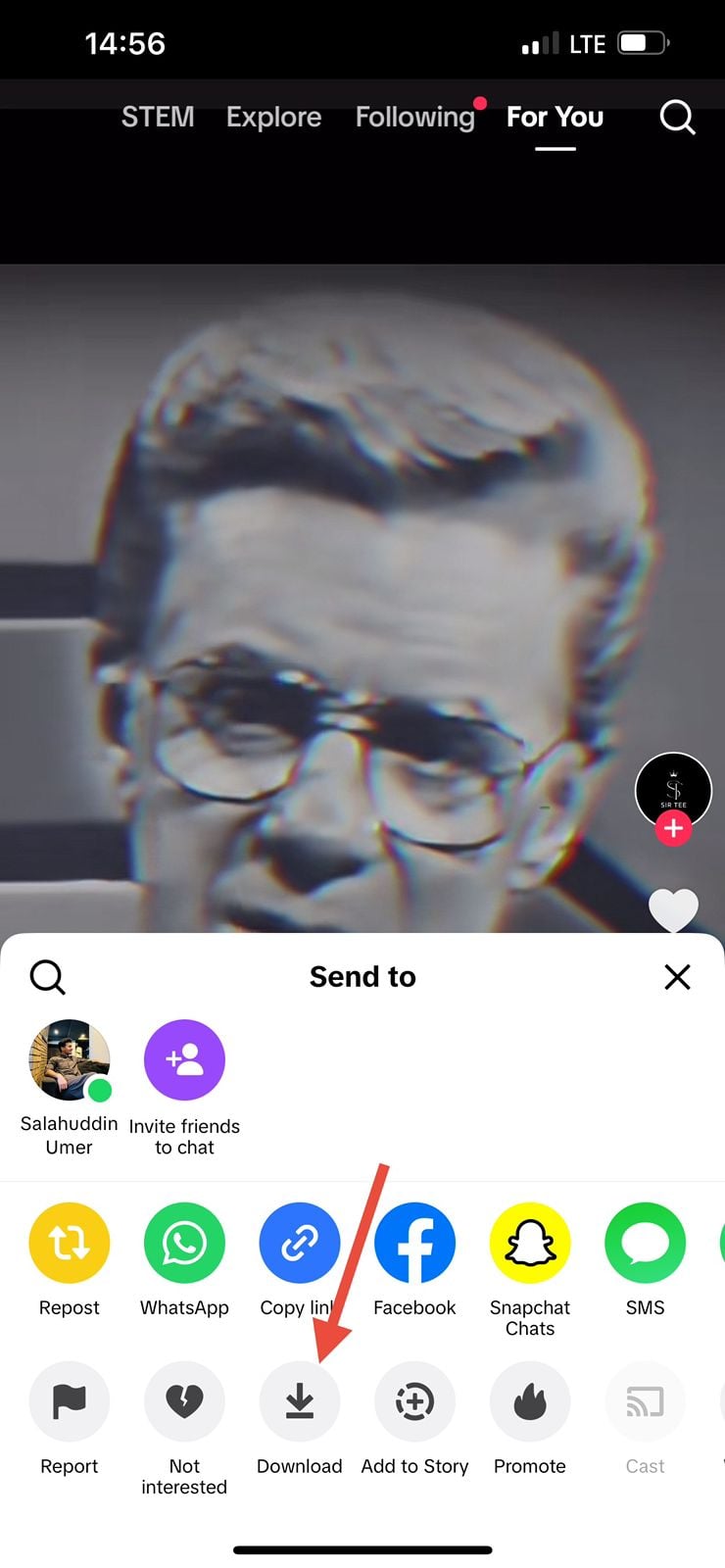
You can also share videos without a watermark. Copy “Video URL” in the sharing menu. Paste it into any video or TikTok downloader. Download your video without a watermark and upload it to TikTok.
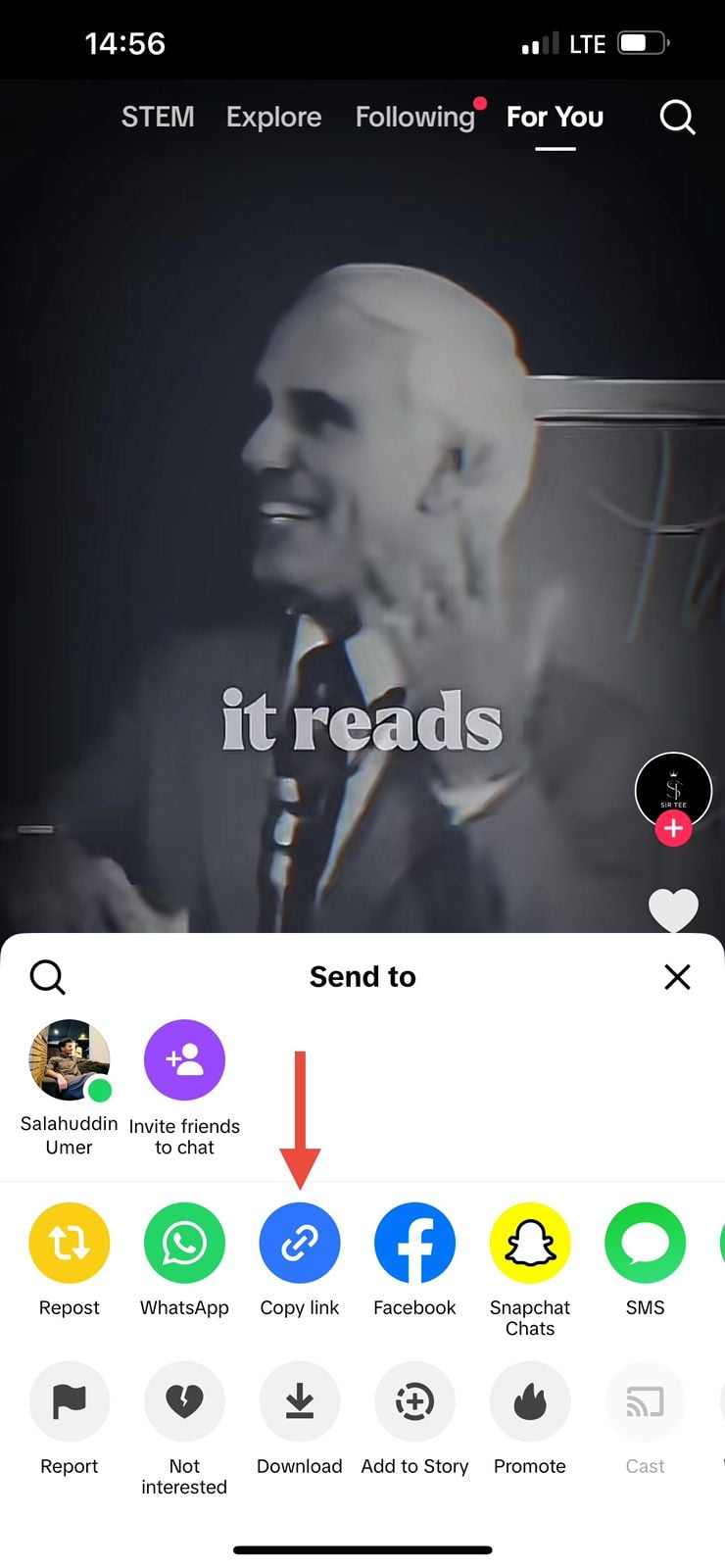
If you’ve accidentally reposted a video on TikTok or changed your mind about sharing it, you can easily undo the repost by following these steps:
In the menu that appears, select Remove repost. It will be in the exact location as the Repost button.
If you’re wondering, “Why can’t I repost videos on TikTok?” several factors may be at play.
If the repost button truly isn’t available, focus on other ways to support creators, such as:
Check out: Why can’t I repost on TikTok? How to fix it
For digital marketing agencies, social media managers, and brand teams, learning how to repost on TikTok opens up several innovative content opportunities.

Use the repost on TikTok feature to surface:
This type of content builds social proof and trust because it comes from real customers, not just your own brand voice.
When influencers, ambassadors, or partner brands publish content about you:
This approach also helps creators feel valued, which encourages them to keep producing content that features your brand.
Reposting helps you grow your audience and strengthen your connection with your community. Sharing videos that your followers enjoy or that relate to your niche keeps your profile active and encourages more engagement.
It also acts as social proof for your brand. When someone posts about your product or service, reposting their video lets your audience see genuine feedback without having to request testimonials. Since reposts are part of TikTok’s discovery system, thoughtful sharing can help your content reach people beyond your current followers.
Why Can’t I Repost Videos On TikTok?
If you don’t see the repost button:
Is TikTok Repost Available?
Yes, TikTok’s repost feature is widely available on most current versions of the app. However, availability can vary by:
If you want to use repost on TikTok across multiple brand accounts, test it on different devices and keep your apps updated.
How do I see my reposts on TikTok?
To view your reposts on TikTok, tap the Profile icon in the bottom-right corner of the app. On your profile page, you’ll see a Reposts section where all the videos you’ve reposted are displayed.
Who sees my reposts on TikTok?
Your TikTok reposts are visible to your followers when your account is public. If your account is private, only followers you’ve approved can view your reposted videos.
Avoid trying to “work around” this with unauthorized downloads. When in doubt, ask the creator directly if and how they’d like you to share their content.
Plan 0 Days of Content in 0 Minutes
Create, schedule, publish and analyze your content across all your social media channels from one simple dashboard.
4.7 on Capterra • 16,500+ marketers trust ContentStudio
Salahuddin Umer is a Content Writer at ContentStudio covering social media management, scheduling, and analytics tools. He also writes about AI content creation and video marketing, with a focus on practical, well-researched guides that marketers and teams can put to work right away.
View all posts by Salahuddin UmerRecommended for you
How to build an executive’s LinkedIn content workflow with Claude Code

How to turn one product photo into 5 video Ads with Claude Code

Social media MCP server: How to automate posting with ContentStudio
How to automate social media with n8n: A practical guide