SocialPilot pricing 2026: What a team really pays beyond the starting price
Nov 2, 202613 minutes

Written by
Abdullah MansoorUpdated

Maintaining a consistent presence across all major social media platforms can be an overwhelming process.
Whether you’re a small business, a digital marketer, or a content creator, juggling various social media accounts often leads to challenges such as inconsistent posting, mixed messaging, and missed opportunities for engagement.
This is where streamlined content scheduling with ContentStudio comes into play.
ContentStudio is an all-in-one social media management tool that simplifies the entire process of creating a well-planned calendar. It allows you to integrate multiple social media accounts and schedule content to be published across all channels simultaneously.
In this guide, we’ll walk you through using ContentStudio to schedule posts to multiple social accounts simultaneously to bring greater consistency and efficiency to your content strategy.
ContentStudio supports integration with all major social media platforms, including:
Some other platforms you can connect with ContentStudio are Medium, Pocket, Shopify, Webflow, and WordPress.
Before you start scheduling social media posts for multiple accounts, it is crucial to connect your social media accounts with ContentStudio by following these steps:
Visit the ContentStudio website and sign up for an account. Once your account is set up, or if you already have one, log in using your credentials.
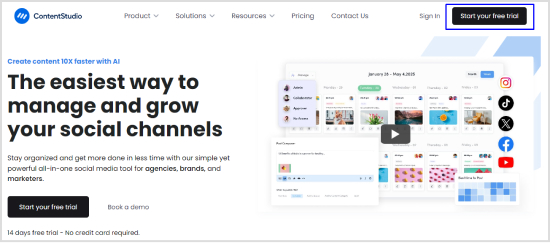
You’ll be directed to the ContentStudio dashboard, where you can start handling all of your social media accounts.

Now that your ContentStudio account is ready, it’s time to connect your social media accounts:
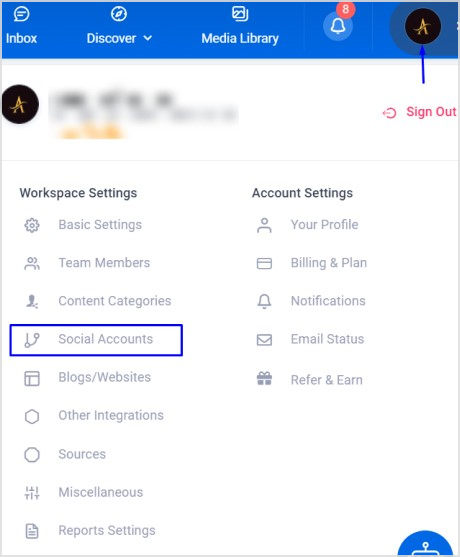
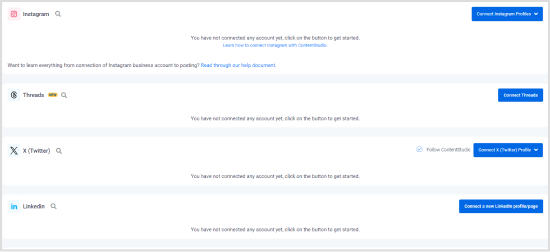
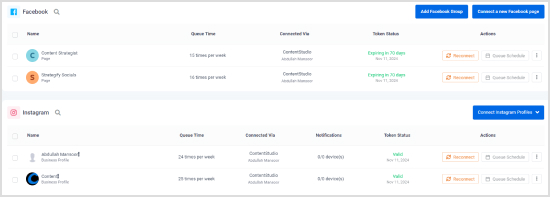
After connecting your social media accounts with ContentStudio, the next step is to start creating the posts that you want to upload on your profiles or schedule for posting at a later time.
Select the Social Post option located under Compose on the navigation bar. It will open Post Composer, where you can start creating social media posts.
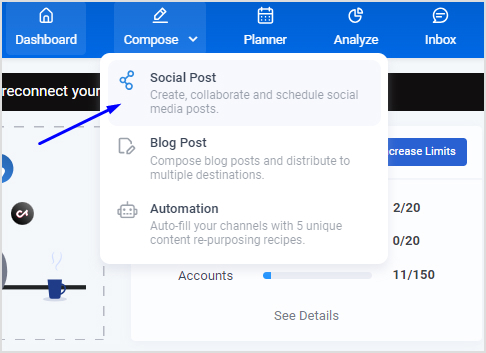
On the left bar, you can see all of your connected social media accounts.
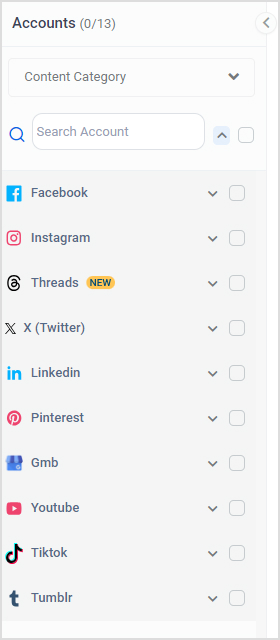
Checkmark the profiles/accounts to which you want to post or schedule the content with ContentStudio. Now, upload the image, video, or carousel that you want to post on your social media profile, along with an engaging caption. You can also use the ContentStudio’s AI Caption Generator to write appealing captions.
The Post Preview section will display a preview of your social media posts for the selected platforms.
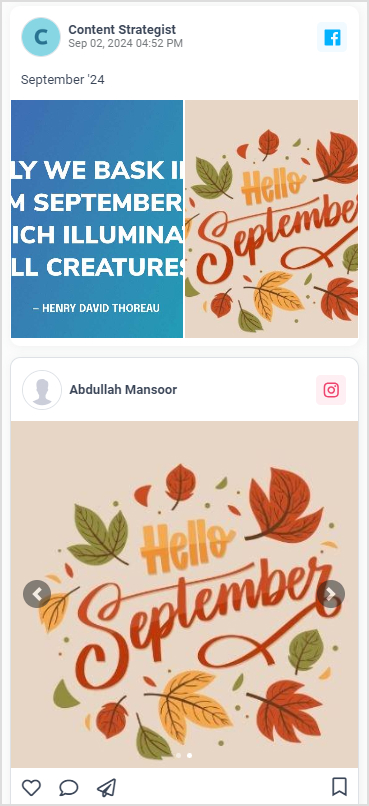
If you want to schedule the same post for all selected social media profiles, you can move to the next step.
ContentStudio also has a reliable customization option you can use by enabling the Customize Content toggle in Post Composer.
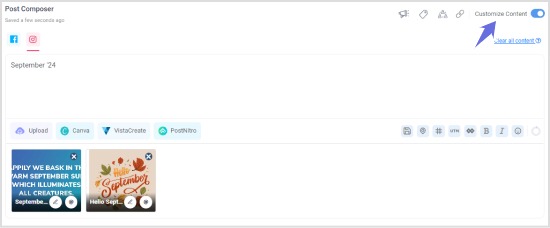
The customization feature is useful while scheduling content for multiple accounts as you can make changes in your posts, such as a different caption for the Facebook post and a different one for Instagram carousel.
Once the post’s content, caption, and overall settings are finalized, the final step is to schedule the post and add it to the ContentStudio’s calendar for posting at a suitable time.
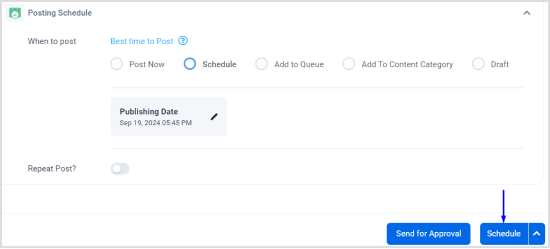
Click on the Schedule radio button under the Posting Schedule window.
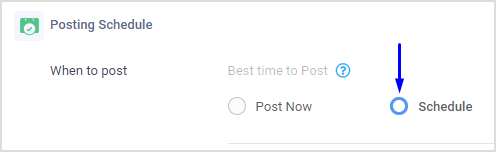
Choose a suitable date and time at which you want to post the content.
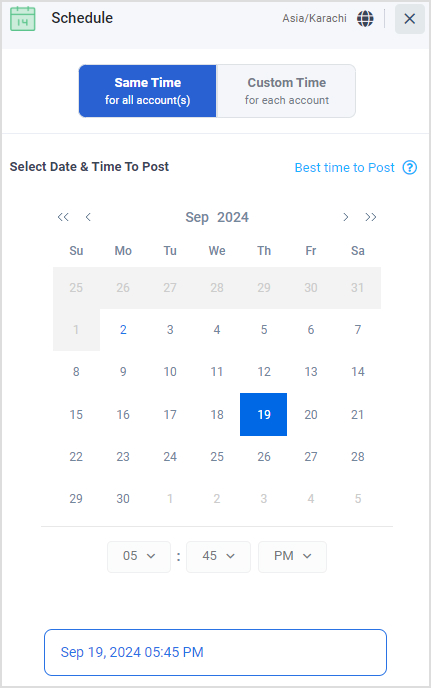
Finally, click on the Schedule button to complete the process and schedule your post to multiple social media accounts simultaneously.
Scheduling posts to multiple social media accounts at the same time offers numerous advantages, making it a valuable social media strategy. Here’s a closer look at its key benefits:
One of the most significant benefits of scheduling posts to multiple accounts simultaneously is the time and effort it saves.
Instead of logging into each social media platform individually and manually posting content, you can create and schedule posts for all your accounts in one go from the ContentStudio social media publishing. This streamlined process reduces repetitive tasks and allows you to focus on other core social media activities, such as content creation and audience engagement.
Maintaining a consistent presence across different social media platforms is crucial for brand recognition and trust.
Scheduling the posts in advance is vital to ensure your messaging, tone, and branding are uniform across all channels. This consistency helps reinforce your brand identity and makes it easier for your audience to recognize and engage with your content, no matter where they encounter it.
Scheduling posts in advance allows for better content planning and coordination. With tools like ContentStudio, you can create and view your entire content calendar at a glance, making it easier to plan campaigns, align posts with key dates, and avoid content gaps.
Read Up: Hootsuite vs Agorapulse: Which tool delivers the best value?
Different social media platforms have different peak times for user activity. Scheduling posts allows you to target your audience when they are likely to be most active on each social media platform. It increases the chances of your content being seen and engaged.
Moreover, by planning posts in advance, you can tailor your content to specific audience segments across various platforms, improving the relevance and impact of your messaging.
Related Read: 15 strategies to identify and engage your social media target audience
Scheduling posts to multiple social media accounts simultaneously is a powerful strategy for anyone looking to streamline their social media management. By integrating your accounts and using tools like ContentStudio, you can save time, maintain consistency across platforms, and better plan and coordinate your content.
This approach not only simplifies the process but also enhances your ability to reach and engage with your audience effectively.
Whether you’re managing a brand, running a business, or building a personal presence online, taking advantage of these scheduling capabilities can significantly improve your social media strategy and overall success.
Yes, ContentStudio allows you to schedule posts across multiple social media accounts simultaneously. You can create a post and select all the accounts you want it published to, saving time and ensuring consistency across platforms.
Yes, ContentStudio offers the option to customize your post for each platform. You can customize the content, images, and hashtags to ensure they comply with the specific requirements of each social media platform.
If you need to reschedule a post, you can easily do so in ContentStudio’s planner. Simply go to the scheduled post, adjust the date and time, and save the changes. The post will then be updated according to your new schedule.
Yes, you can schedule multiple posts on Instagram using ContentStudio. You can create and schedule multiple posts, including images, videos, and carousel posts, to be published at different times, ensuring consistent engagement with your Instagram audience.
Abdullah Mansoor is a Senior Content Writer at ContentStudio with a proven track record creating engaging content across SaaS, technology, marketing, and e-commerce. He focuses on Instagram growth, how-to guides, carousel posts, user-generated content, and white-label social media management, and reviews blog content for structure, clarity, accuracy, and a consistent brand voice.
View all posts by Abdullah MansoorRecommended for you
SocialPilot pricing 2026: What a team really pays beyond the starting price
Planable pricing 2026: What a team really pays beyond the per-workspace price

Agorapulse pricing 2026: What a team really pays beyond the per-user price
Later pricing 2026: Plan, tiers, and team costs explained