How to post a video on Facebook in 2026: Step-by-step guide
Feb 3, 20268 minutes
ContentStudio API plan is now available. Create automations using Claude, Zapier, n8n, make, etc. Explore plan!

Written by
Khadija AnwarPublished
Updated
You often block people to avoid fractions on social media. However, if you have developed a soft corner for someone and want to free them from the blacking list, here are a few simple steps.
Step 1:
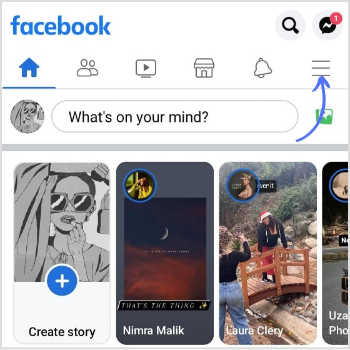
Open the Facebook app and tap the “3 Lines hamburger icon.”
Step 2:
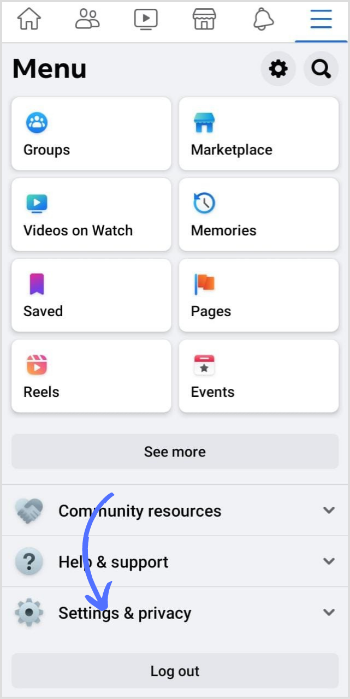
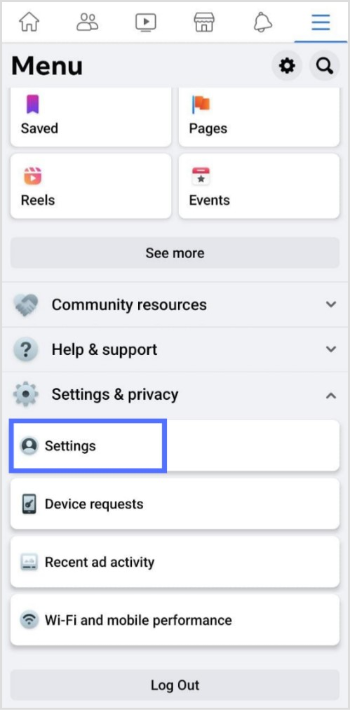
Tap “Settings and Privacy.”
Step 3:
Tap “Settings.”
Step 4:
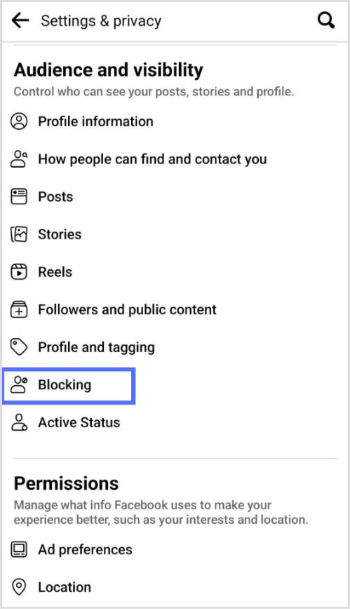
Scroll down the page and tap “Blocking.”
Step 5:
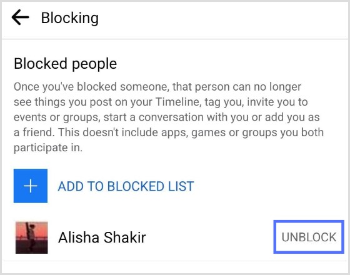
Tap the “Unblock” option on the right of the person’s name.
Step 6:
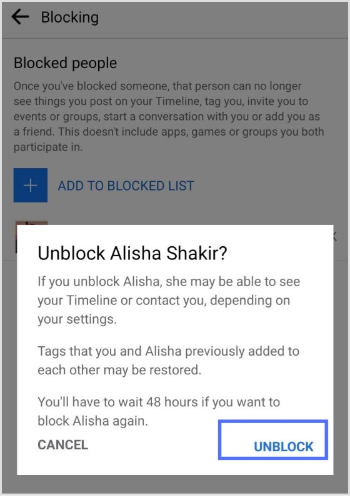
Tap “Unblock” again to free the user from blocking the list.
Related read: How to unblock someone on Instagram?
Step 1:
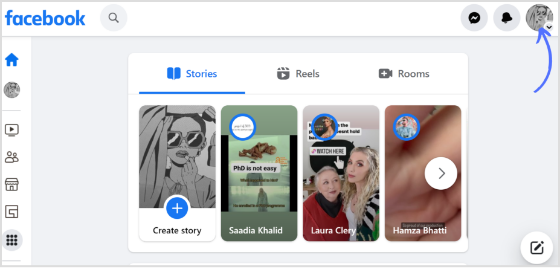
Open the Facebook app on the browser, and click the “Profile icon.”
Step 2:
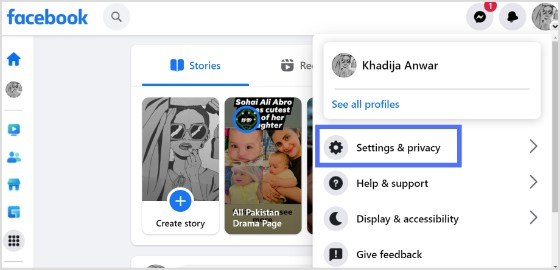
Click “Settings & Privacy.”
Step 3:
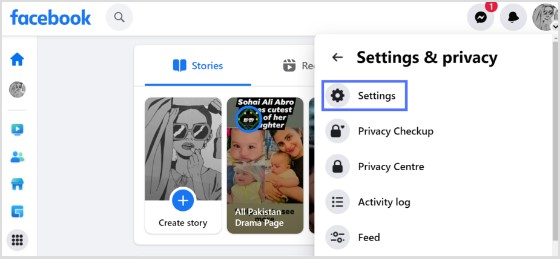
Click “Settings.”
Step 4:
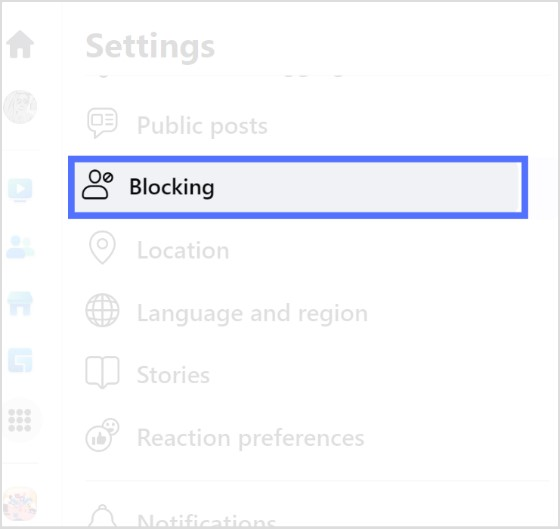
Click “Blocking” on the right-hand side.
Step 5:
Click “Edit” in the block users tab.
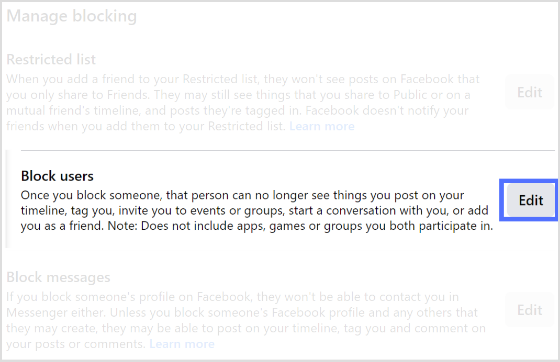
Step 6:
Click on “See your blocked list.”
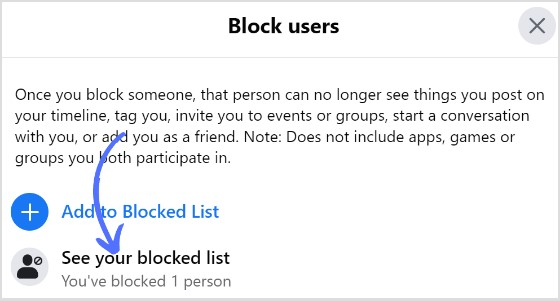
Step 7:
Click “Unblock.”
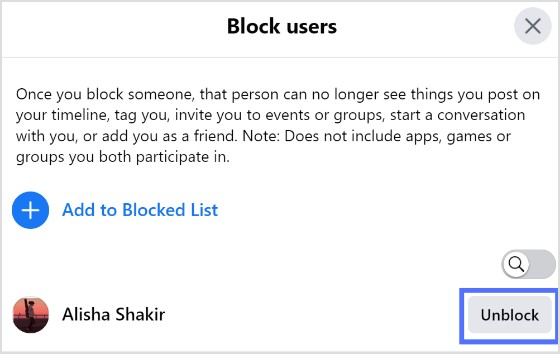
Step 8:
Click “Confirm” to unblock.
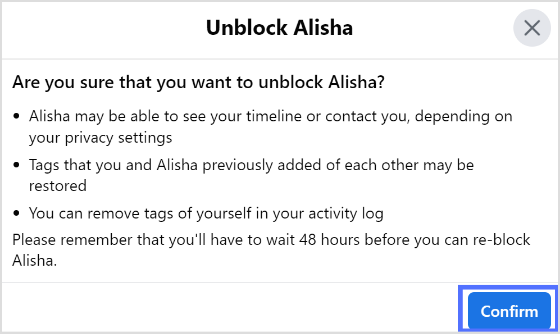
Managing your Facebook connections from blocking to unblocking is just one part of maintaining a healthy and intentional social media presence. The other side of that equation is staying consistent with your content, and the best way to do that is to plan Facebook posts well in advance, ensuring your profile stays active, engaging, and visible to the right people regardless of the day-to-day distractions of managing your account.
How many times can you block and unblock someone on Facebook?
Once you block and unblock someone instantly, you can again block them after 48 hours.
Will someone know If I unblock them on Facebook?
No, they will not know if you unblock them on Facebook.
How do I unblock someone on Facebook who is not a friend?
Go to the person’s profile and tap the three-dotted icon, and tap block.
Plan 0 Days of Content in 0 Minutes
Create, schedule, publish and analyze your content across all your social media channels from one simple dashboard.
4.7 on Capterra • 16,500+ marketers trust ContentStudio
Khadija Anwar is a Senior Technical Writer at ContentStudio with over 500 published write-ups across the ContentStudio blog and beyond. She specializes in step-by-step platform guides and Help Center content across Facebook, Instagram, LinkedIn, YouTube, TikTok, and X, and reviews how-to articles to verify every step and platform detail is accurate and current.
View all posts by Khadija AnwarRecommended for you
How to post a video on Facebook in 2026: Step-by-step guide
How to turn off active status on instagram in 2026 (Step-by-step guide)
How to write and publish LinkedIn articles that build authority

How to start a social media marketing agency in 2026