How to Use LinkedIn Hashtags Without Overdoing It
Oct 12, 202623 minutes

Written by
Arooj IshtiaqUpdated
A LinkedIn message can open the door to a valuable professional relationship, or make someone ignore you. The difference often comes down to context, relevance, and respect for the other person’s time. A shared connection, thoughtful comment, event, referral, or genuine work-related question gives you a stronger reason to reach out than a profile discovered through search.
A relationship-led LinkedIn marketing strategy helps you decide which conversations support your goals, from business development and recruitment to partnerships and career growth.
LinkedIn Messaging is the platform’s private communication feature for professional conversations. Members use it for networking, hiring, customer questions, partnerships, event coordination, and career advice. Standard messaging generally supports first-degree connections and, in some cases, fellow group members. InMail offers another way to contact people outside your network, subject to account access, credits, and recipient settings.
You can start a conversation from the Messaging page or directly from a connection’s profile. Although messages do not appear in the public feed, recipients can still forward them or share them with others. Keep your communication professional and write with the same care you would use in any work-related conversation.
A credible profile also helps recipients understand who is contacting them. An active LinkedIn business page and useful published content can provide that context. For teams managing regular publishing alongside outreach, LinkedIn post scheduling can help organize content calendars, approvals, and planned posts across personal profiles and company pages.
The following sections explain how LinkedIn Messaging works, when to use messages versus InMail, how to write effective outreach, and how to manage conversations while measuring meaningful results.
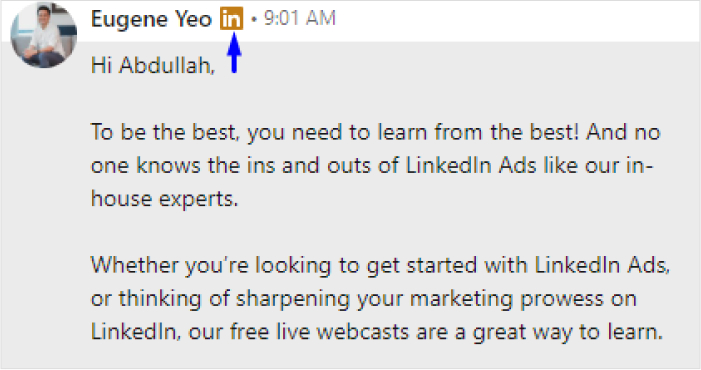
LinkedIn has several ways to start a private professional conversation. They serve different purposes.
| Communication type | Who you can contact | Best use | Important limitation |
|---|---|---|---|
| Standard message | 1st-degree connections | Continuing a relationship, sharing relevant context, discussing a specific question, coordinating a next step | Requires an existing connection |
| Connection request note | A person you want to connect with | Giving a concise, honest reason to connect | Character limits and no guarantee the request will be accepted |
| Group-message context | Fellow members in a group context | Discussing a relevant shared professional interest | Group membership is not permission for a generic pitch |
| InMail | Members outside your direct network | Contacting someone when there is a clear, relevant reason and no connection exists | Uses credits and does not guarantee a response |
| Sales Navigator or Recruiter messages | Leads or candidates found through those products | Structured prospecting or recruiting workflows | Still requires relevance, consent-aware communication, and professional judgment |
The communication method should match the relationship stage. A connection note should not contain a full sales proposal. An InMail should not read like a copied cold-email template. A standard message should not assume a close relationship simply because the people are connected.
LinkedIn Messaging includes several practical functions that can help members continue, organize, and control professional conversations.
You can start a direct conversation from the Messaging page or from the profile of a 1st-degree connection. LinkedIn also allows members to start a thread with more than one connection when a group discussion is appropriate.
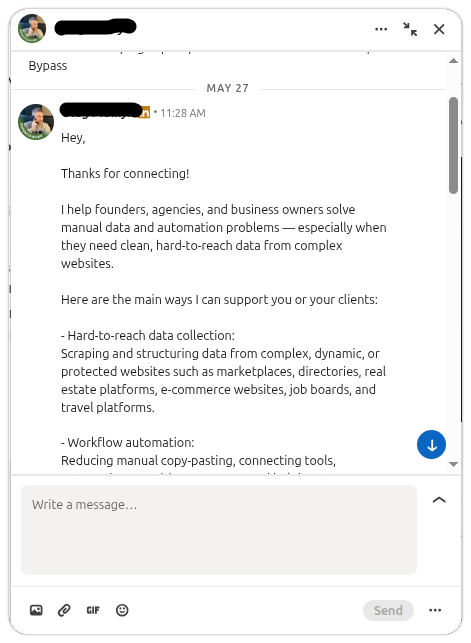
Start a LinkedIn conversation when you have a clear, relevant reason to contact someone. Strong reasons include:
A profile view, reaction, follow, or search result alone rarely gives you enough context for meaningful outreach.
LinkedIn uses three message statuses:
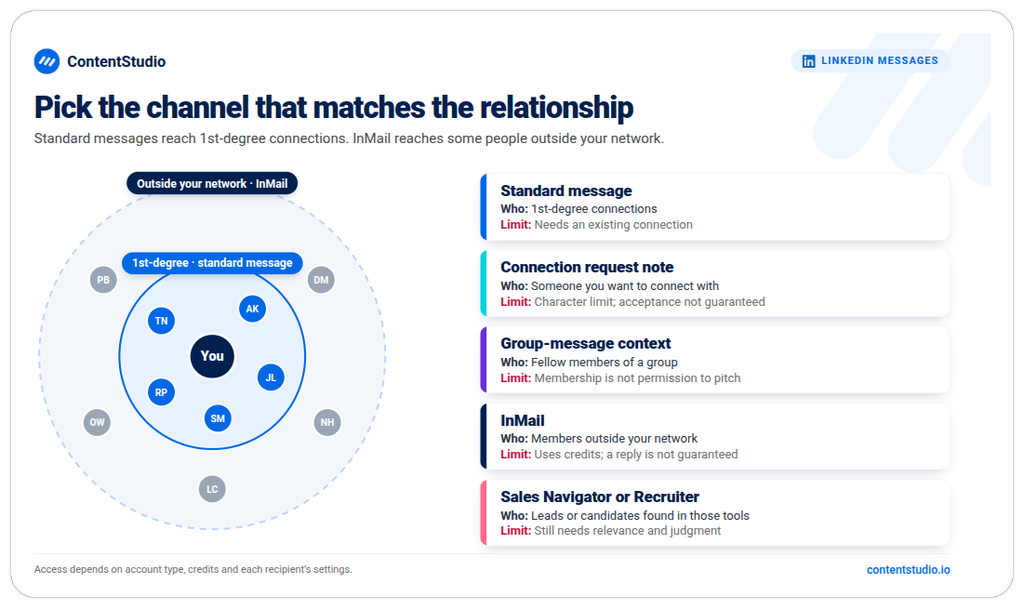
Read receipts and typing indicators depend on the recipient’s settings. If read receipts are disabled, a message may remain marked as Sent even after the recipient reads it.
These statuses do not reveal intent. A read message does not guarantee interest or a reply, while a sent message does not necessarily mean the recipient has ignored you.
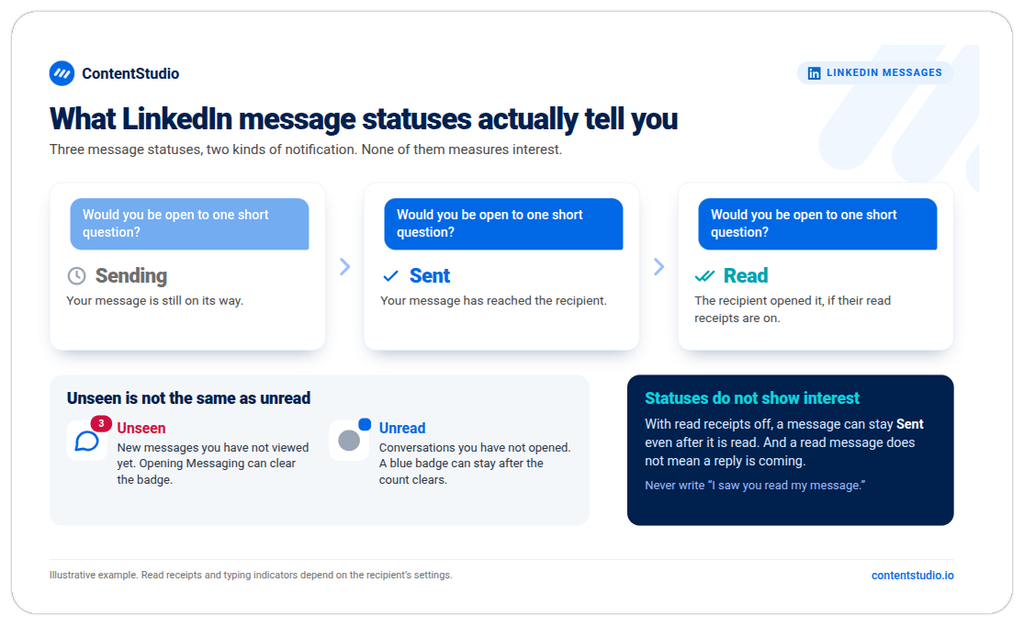
LinkedIn uses different indicators for unseen and unread messages:
Opening the Messaging area can clear the unseen count while individual conversations remain unread. A cleared notification count therefore does not always mean your inbox needs no attention.
LinkedIn’s messaging tools help you find past discussions and manage active conversations. Depending on the feature and interface available to your account, you can:
These controls make a busy inbox easier to manage. However, forwarded messages can expose information beyond its original audience, so check the context before sharing.
Standard messages and InMail are often confused because both appear in LinkedIn Messaging. The main difference is the relationship between sender and recipient.
Standard messages are for people who are already 1st-degree connections. They are usually the most appropriate channel for continuing a relationship after a connection request has been accepted, a professional interaction has occurred, or a mutual reason for contact exists.
A message to a connection can be informal in tone while remaining professional. It should reflect the existing context.
Example:
Hi Amina — I appreciated your comment on the customer onboarding discussion yesterday, especially the point about measuring time to value rather than implementation completion. I’m collecting examples for a short resource on that topic. Would you be open to sharing one question your team hears repeatedly after launch?
This message explains the context, shows why Amina is relevant, makes a focused request, and does not assume a sales conversation.
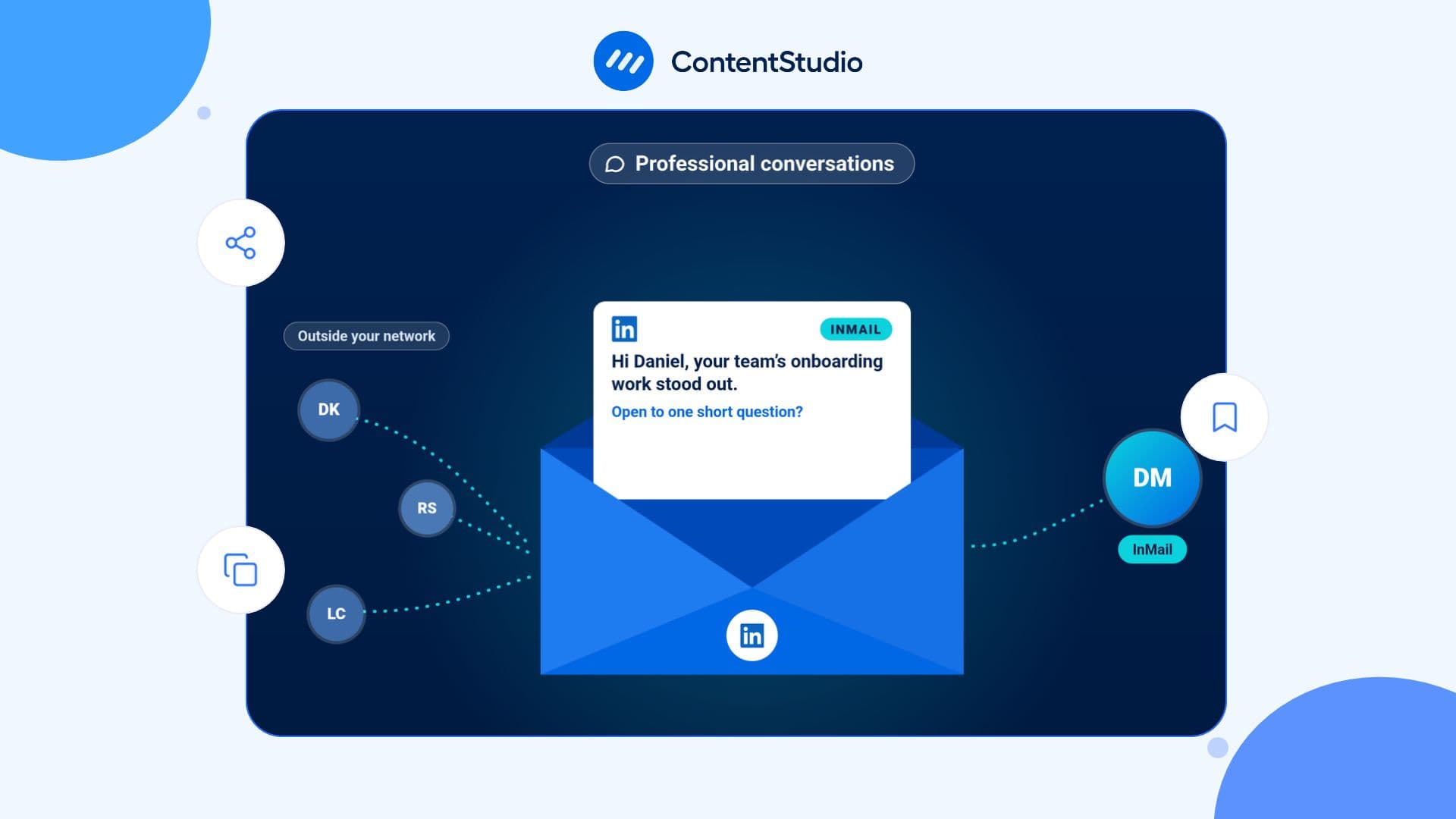
InMail allows a sender to contact a LinkedIn member outside their direct network. It is generally associated with Premium subscriptions, Sales Navigator, Recruiter products, or available InMail credits.
InMail should be used sparingly because it enters the inbox of someone who has not chosen to connect with you. It needs more relevance and more restraint than a message to an established connection. A good InMail should answer four questions quickly:
Example:
Hi Daniel — I’m reaching out because your team’s recent work on enterprise onboarding was referenced in a discussion about adoption metrics. I’m researching how SaaS teams define customer value after implementation, and your public perspective on this topic stood out. If you are open to it, I would value a 15-minute conversation or a short reply to one question: what signal tells you an account has moved beyond implementation into real adoption?
This is still an unsolicited message, so it may not receive a reply. The goal is not to force an answer; it is to make the contact understandable and respectful.
InMail is not the same as a paid ad, and it should not be used like a bulk advertising channel. A large number of copied InMails can harm sender reputation, waste credits, and create a poor recipient experience.
If a business needs predictable, scaled delivery of a campaign message to a defined audience, paid LinkedIn advertising may be more appropriate. If it needs a relationship with one particular person, a carefully researched and personalized message may be appropriate.
The best messages usually follow a professional signal. They do not begin with “I saw your profile and thought we should connect” unless the sender can immediately explain why.
A message can be appropriate after:
Do not message someone immediately after they like a post unless there is a clear, non-promotional reason to continue. A like is usually a lightweight signal, not a request for direct outreach.
A warm introduction gives a message real context. Mention the person who introduced you, the subject of the introduction, and the purpose of the note.
Example:
Hi Noor — Priya Shah suggested I contact you after our discussion about employee advocacy in regulated industries. I’m exploring how teams give subject-matter experts enough support to contribute without making every post sound centrally scripted. If you are open to it, I would appreciate your perspective on how your team handles factual review.
Keep the introduction accurate. Do not imply endorsement beyond what the mutual connection actually provided.
Follow up while the event context is still clear. Refer to the session, conversation, question, or shared topic, not simply the fact that you both attended.
Example:
Hi Luis — your question during the operations roundtable about measuring adoption after implementation was useful. I’m sharing a short checklist with attendees next week; would you like me to send it when it is ready?
This gives the recipient a reason to respond without asking for a meeting immediately.
A resource can provide a reason to message someone if it clearly connects to something they are working on, discussing, or have requested. The resource should be useful even if it never leads to a commercial conversation.
Example:
Hi Sofia — you mentioned in the webinar chat that your team is consolidating monthly reporting. I thought this reporting checklist might save you some setup time. No need to respond, but I would be interested to know which part of the process is most difficult if you decide to use it.
The message is specific, gives a reason for the resource, and does not pressure the recipient.
Job-seeking and recruiting messages should be concise, accurate, and respectful of the recipient’s process.
A candidate may follow up after an interview, referral, application, or recruiter invitation. A recruiter may contact a candidate when the role and the person’s experience genuinely match.
Avoid messages that imply a person has been selected before they have been assessed, overstate salary or role details, or pressure a candidate to respond immediately.
A useful LinkedIn message respects the recipient’s attention. It is specific enough to explain why it was sent, short enough to scan, and clear enough that the recipient can decide whether to respond.
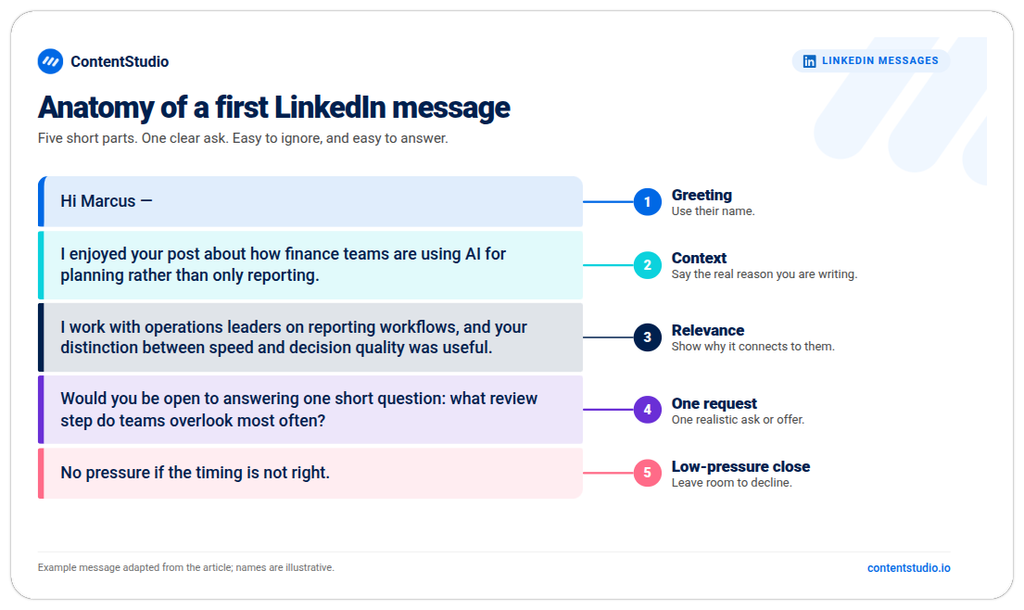
Most first messages can follow this structure:
Example:
Hi Marcus — I enjoyed your post about how finance teams are using AI for planning rather than only reporting. I work with operations leaders on reporting workflows, and the distinction you made between speed and decision quality was useful. I’m gathering a few practitioner perspectives for an upcoming discussion. Would you be open to answering one short question by message: what review step do teams overlook most often?
This message is specific, concise, and gives Marcus a manageable choice.
The first sentence should usually be about the professional context that connects you, not a long introduction about your company or services.
Less effective
Hi, I’m John from GrowthTech. We are a leading software company that helps businesses grow with our innovative platform.
More effective
Hi Priya — your team’s recent post about reducing approval bottlenecks caught my attention. I work with marketing-operations teams on similar workflow issues and wanted to ask whether you have found one approval stage that creates the most recurring delay.
The second version gives Priya a reason to understand why the message was sent before hearing about the sender’s offering.
A first message should not ask for a meeting, a referral, a product demo, a job introduction, feedback, a survey response, a partnership, and a purchase at the same time. Choose one next step:
A smaller request is easier to evaluate and more respectful of the recipient’s time.
A long first message can overwhelm a person who does not yet know whether the conversation is relevant. Give enough context to be clear, not every detail about your company, service, background, or proposal.
If the subject is complex, offer a concise summary and ask whether the recipient wants more information.
The tone should reflect the context. It does not need to sound overly formal, but it should not assume intimacy or use excessive slang. Avoid:
These phrases often make a message feel copied or transactional. Direct, specific language is usually stronger.
Check the person’s name, company, role, pronouns where relevant, facts, links, attachments, grammar, and tone. A message that references the wrong company, uses an outdated role, or includes a broken link can damage trust immediately.
Proofreading matters most when messaging a candidate, hiring manager, prospect, senior leader, customer, partner, or person you have never contacted before.
Templates should provide structure, not copy-and-paste text. Replace the brackets with genuine context, and remove any sentence that does not apply.
Hi [Name] — I found your point about [specific idea] in the [post/article/event] useful, especially [specific detail]. I work on [relevant area] and would value staying connected to follow your perspective on [topic].
Hi [Name] — it was good to hear your question about [topic] during [event]. You mentioned [specific challenge], and I thought you might find this [resource/checklist/article] useful. If you use it, I would be interested to know whether it addresses the issue you raised.
Hi [Name] — I’m researching [specific professional question] for [context]. Your experience with [relevant role, project, or public perspective] is closely related. If you are open to it, could I ask one short question: [question]?
Hi [Name] — [Mutual connection] suggested I contact you because of your work on [topic]. I’m currently working on [brief context] and would appreciate your perspective on [specific issue]. If it is not relevant, no problem at all.
Hi [Name] — I’m recruiting for a [role title] focused on [specific responsibilities or problem]. Your experience with [relevant experience] appears relevant, so I wanted to ask whether you would be open to receiving a short overview. If not, I understand and will not follow up further.
Hi [Name] — your team’s discussion of [specific topic] made me think of this [resource]. It covers [one-sentence value]. I’m sending it because it may be useful for the work you described; no reply is needed unless you would like to compare notes.
Hi [Name] — I’m following up once on my note about [specific subject]. If it is not relevant or the timing is not right, please feel free to disregard this message. I will not continue to follow up unless you would like to discuss it.
Proofreading matters most when messaging a candidate, hiring manager, prospect, senior leader, customer, partner, or person you have never contacted before. It’s worth extending that same scrutiny to your own presence too.
If a message actually lands and the recipient clicks through to check who you are, it helps to have already taken the time to optimize your LinkedIn profile, so the credibility you built in the message doesn’t fall apart the moment they look you up.
Inbox management becomes important when messages are spread across networking, sales, recruiting, customer questions, partnerships, events, content responses, team coordination, and administrative requests.
The aim is not to respond instantly to every message. It is to make sure important conversations receive a timely, appropriate response and that low-value noise does not bury relevant opportunities.
A simple category system can help an individual or team prioritize without treating every incoming message as equally urgent.
| Category | Typical message | Suggested response approach |
|---|---|---|
| Customer or prospect | Product question, request for information, referral, relevant inquiry | Respond promptly, clarify the need, and route to the right person if necessary |
| Recruiting | Candidate inquiry, recruiter outreach, interview follow-up | Acknowledge clearly and follow the appropriate hiring process |
| Partner or media | Collaboration, event, speaker, press, community request | Assess relevance, ownership, and timing before replying |
| Existing relationship | Colleague, customer, peer, mentor, referral source | Respond with the context and care the relationship deserves |
| Content or community | Question about a post, resource request, thoughtful comment follow-up | Continue the discussion if it adds value; provide resources where appropriate |
| Low relevance | Generic pitch, unrelated service offer, spam, bulk request | Decline briefly, mute, report, or do not engage as appropriate |
| Internal coordination | Team planning, approval, task, event logistics | Move to the relevant project-management or communication channel if needed |
This approach keeps the inbox from becoming one undifferentiated queue.
Search old conversations before writing a new message to someone you have already contacted. This prevents duplicate outreach, forgotten commitments, inconsistent follow-up, and unnecessary repetition. Search can help find:
If you manage a high volume of communication, maintain a simple external record for active opportunities, candidates, customers, or partnership conversations. Do not rely on memory alone.
Mute group conversations that are useful but noisy. Leave threads that no longer require your participation. Delete conversations you started when you no longer need them in your visible inbox. Report messages that are abusive, deceptive, or clearly spam.
Do not use deletion as a substitute for an appropriate response when the message relates to a customer, candidate, employee, referral, or other important professional relationship.
Teams handling Page comments, messages, inquiries, candidate communications, or customer conversations should decide:
A response standard protects the recipient experience and prevents opportunities from falling between team members.
Messaging can support business development when it follows relevance, research, and timing. It becomes ineffective when it is treated as mass outbound volume.
Before contacting someone, understand:
This research should make the message more useful, not more invasive. Do not reference personal information that the recipient did not make professionally relevant.
Public content can help create a professional reason to message. A useful post, article, newsletter, document, event, or comment may lead someone to ask a question, request a resource, or start a relevant discussion. A well-planned LinkedIn content strategy gives business-development messages more context, because the recipient may already understand the topic you’re discussing before the message even arrives.
That only works, though, if the content actually reaches the people worth messaging in the first place, which is where understanding how LinkedIn decides what to show people becomes useful. And for teams juggling both a content calendar and a steady stream of outreach, being able to schedule LinkedIn posts in advance frees up time to actually write personalized messages instead of splitting attention between the two.
The objective isn’t to post simply to create more people to message. The objective is to contribute useful ideas publicly and continue a conversation privately only when the context warrants it.
LinkedIn messages are not always the right place for a detailed proposal, sensitive customer information, contract discussion, support issue, personal data, or complex recruitment process.
Move the conversation to email, a scheduled call, a secure system, a CRM, an applicant-tracking system, or support channel when the subject requires it. Explain why you are moving it and confirm the recipient is comfortable with the next step.
Messaging can be valuable in hiring when it creates clarity, not pressure.
A message can be appropriate when:
Do not ask a stranger for a job in the first message. Do not request a referral before demonstrating why your experience is relevant. Do not send a generic résumé dump without context.
Recruiter messages should be honest about:
Avoid exaggerated urgency, misleading job titles, broad mass outreach, or repeated follow-ups after a candidate has not expressed interest.
Avoiding a few common mistakes can make LinkedIn messages feel more natural, relevant, and worth replying to.
A message that could be sent to anyone usually gives the recipient no reason to respond. Generic openings such as “I came across your impressive profile” signal that the sender has not identified a real professional connection.
A first message should not begin with a product deck, a calendar link, a long company introduction, or a meeting request that assumes the recipient is interested. Start with relevance, then make a modest next step available.
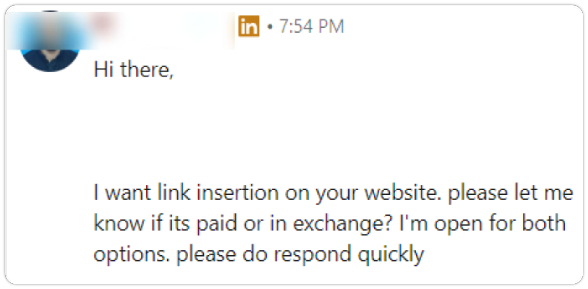
A long first message makes it harder for the recipient to identify the purpose. Keep the opening concise and give the person a reason to ask for more information if they want it.
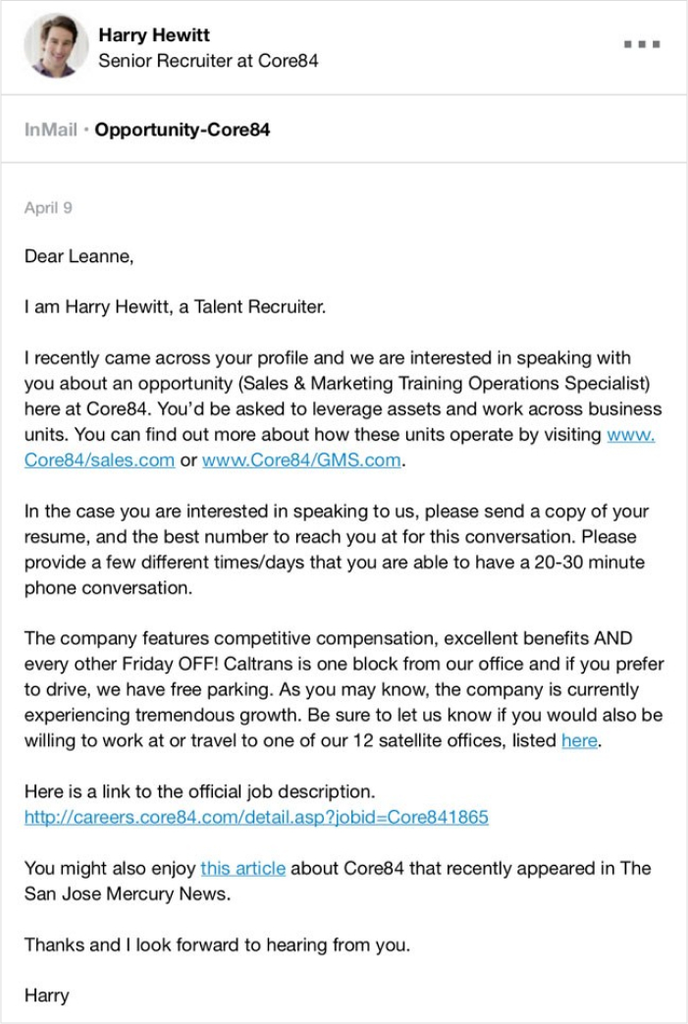
Mentioning a person’s company name, copying one sentence from their profile, or referencing an old post without genuine relevance can feel more manipulative than a straightforward message. Personalization should improve the message, not prove that you researched the recipient.
One polite follow-up may be appropriate when there is a real reason for the conversation. Repeated messages after no response can harm your reputation and create a poor recipient experience.
A read receipt only indicates that the recipient opened the message if their settings allow that status to be shown. It does not establish interest. Do not write a follow-up that says, “I saw you read my message.”
Automation can create serious problems when it sends irrelevant connection requests, inaccurate personalization, duplicate follow-ups, mistimed messages, or content that does not reflect the sender’s actual voice.
If a team uses any workflow support, it should maintain human review, accurate records, clear relevance standards, and respect for platform policies and recipient boundaries.
Avoid sharing confidential customer data, personal information, passwords, contracts, financial details, legal advice, private interview notes, or other sensitive material through LinkedIn messages. Move sensitive discussions to the appropriate secure channel.
The quality of messaging is more important than quantity. A high number of messages sent can indicate activity, but it can also indicate poor targeting, spam, or a process that does not respect recipients.
Useful early indicators include:
Possible business or career outcomes include:
Do not attribute every outcome to the message alone. A relevant conversation may have been influenced by prior content, a referral, an event, a relationship, a website visit, or a broader sales or recruiting process. Analytics on LinkedIn can help teams connect message activity with broader evidence while avoiding inflated claims.
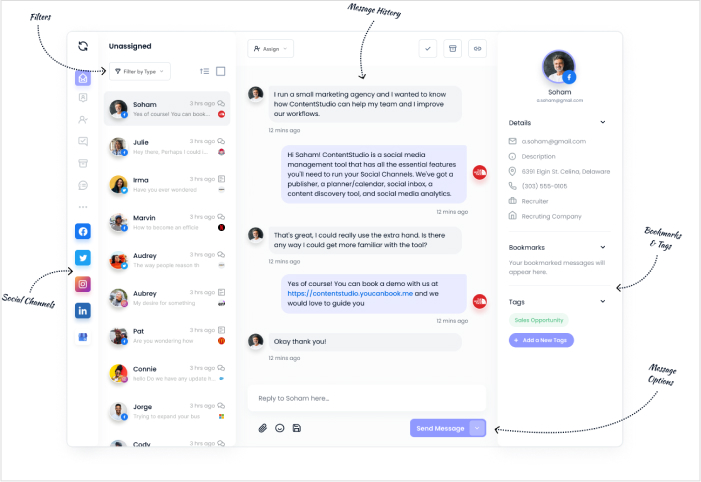
Before sending a message, review the following.
Before sending a LinkedIn message, double-check the recipient, purpose, links, and attachments. Choose the right messaging option and make your request clear and easy to respond to.
Keep important conversations organized, respect the recipient’s decision if they do not wish to continue, and move sensitive discussions to a suitable channel. If you send something by mistake, use LinkedIn’s available correction options promptly. Deleting a conversation does not necessarily retract a message from the recipient’s inbox.
LinkedIn does not allow attachments in message requests. Wait until the recipient accepts the conversation before sending the relevant file, and check that they expect to receive it.
No. LinkedIn says it does not notify the sender when you decline. You can review declined requests later through Messaging → More → Declined message requests and accept one if you change your mind.
LinkedIn’s edit function changes text, not attachments. Send the correct file and explain the correction. If the original message remains eligible for deletion within the 60-minute window, use that control, but do not assume the recipient has not already seen or saved the file.
LinkedIn’s Premium InMail guidance says it returns a credit when the recipient accepts, declines, or responds within 90 days. A negative response can therefore qualify, but silence alone does not. Check the policy for the specific product you use.
Yes. LinkedIn says a second InMail sent to the same person before they respond uses another credit. Do not treat a follow-up as free or send it simply because the first message remains unanswered.
Yes. LinkedIn explicitly allows reporting an inappropriate message even after the sender edits or deletes it. Removing the message does not remove that reporting option.
Yes. LinkedIn says everyone in a group chat has the same view of its conversation history, regardless of when they joined. Review the thread before adding someone who should not receive earlier information.
It may. LinkedIn says messages appear in the recipient’s inbox and may also be sent by email, depending on their notification settings. Do not assume email delivery or send a duplicate simply because you have not received a reply.
Arooj Ishtiaq is a Content Marketing Strategist with 5+ years of experience writing about social media, SaaS, and AI. At ContentStudio, she creates practical guides, tutorials, and how-to content that help marketers navigate social media trends, sharpen their strategies, and get more from their content.
View all posts by Arooj IshtiaqRecommended for you
How to Use LinkedIn Hashtags Without Overdoing It
LinkedIn Premium: Plans, features, cost, and whether it’s worth it
How to optimize your LinkedIn profile?
How to add a summary on LinkedIn: Write and update your About section