
How to promote affiliate links on social media in 2026
Oct 2, 202616 minutes

Written by
Nawal MansoorUpdated
TikTok captions might seem like an afterthought compared to the visual content itself, but they play a surprisingly powerful role in marketing on TikTok. A well-crafted caption can stop the scroll, add context that makes your video more compelling, and even help TikTok’s algorithm understand what your content is about.
TikTok captions are useful for content creators building a personal brand as well as businesses looking to connect with younger audiences.
In this guide, you’ll learn exactly what TikTok captions are, why they matter for reach and engagement, and how to write them in a way that actually moves the needle. Plus, we’ll explore platform-specific tips for different niches and share a free tool to help you generate scroll-stopping captions faster.
Plan, schedule, share, and analyze content for 15+ social media channels.
Try ContentStudio for FREE
TikTok captions refer to the text that appears below your video when users scroll through their feed or view your content on your profile page. This is different from on-screen text overlays or the auto-generated subtitles that transcribe spoken audio.
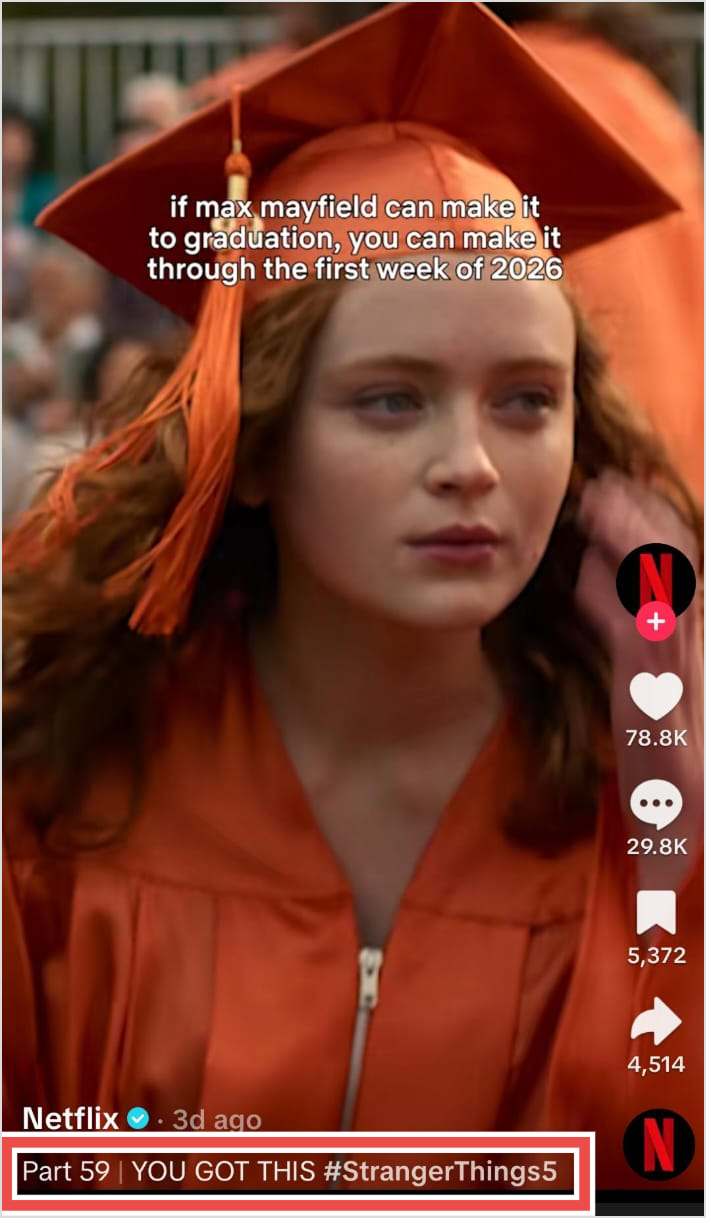
Think of your caption as the written description that accompanies your video. It shows up in the space between your video and the engagement buttons (likes, comments, shares), and it’s one of the first things viewers read after the video catches their attention.
Your caption can include plain text, emojis, hashtags, and mentions. TikTok allows up to 4,000 characters, which gives you plenty of room to work with, though shorter captions often perform better for quick-hit content.
The caption is also searchable, meaning the words you use can affect whether your video appears when someone searches for related topics.
Unlike platforms where captions serve primarily as descriptions, TikTok captions function more like headlines. They need to hook attention quickly while complementing (not repeating) what’s happening in the video itself.
Related read: 1090+ best Instagram captions ideas [ultimate list]
TikTok’s algorithm is complex, especially for new users, but it still relies heavily on text signals to understand and distribute your content. Here’s why taking time to craft your captions pays off.
A compelling caption gives viewers a reason to watch your video all the way through. When your caption creates curiosity or promises a payoff, people are more likely to stick around rather than scroll past.
For example, a caption like “Wait for it…” or “The ending surprised everyone” creates anticipation that keeps eyes on your content longer.
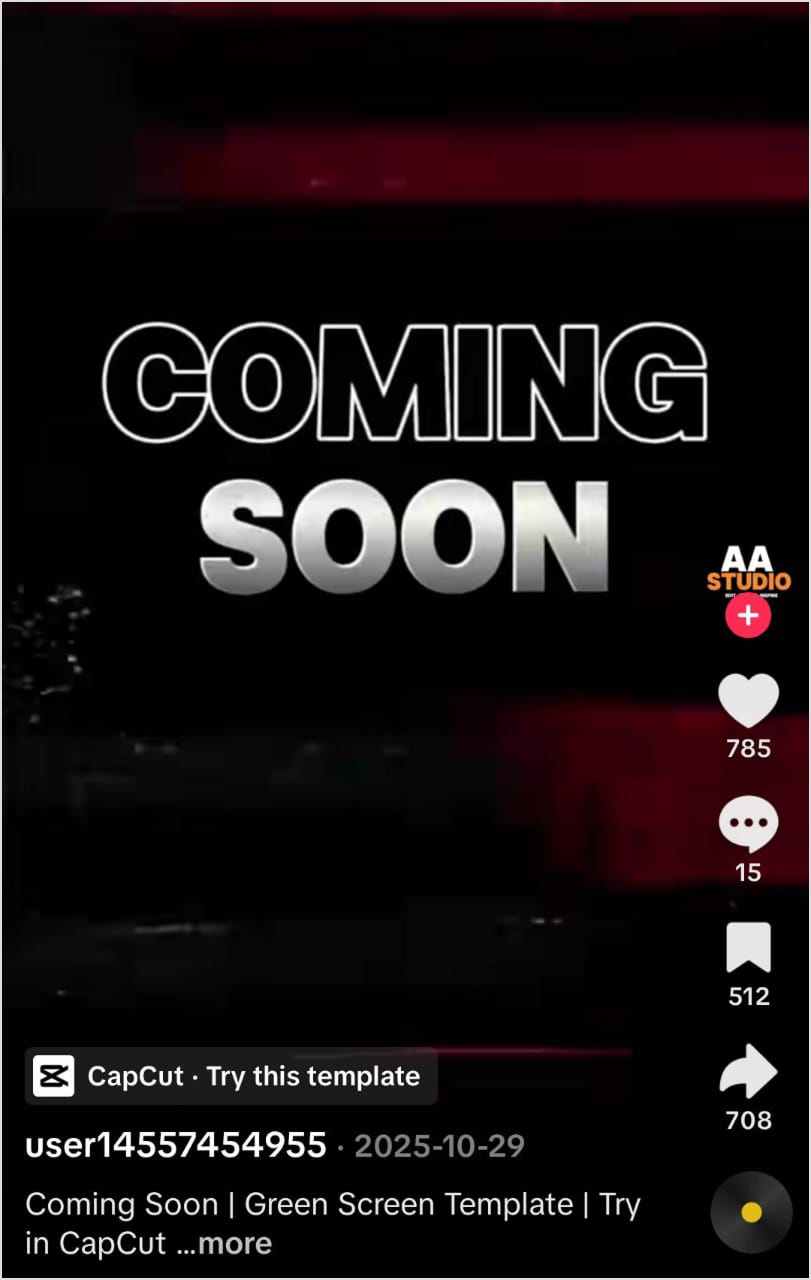
This matters because engagement metrics like watch time directly influence how TikTok distributes your videos. Higher completion rates signal to the algorithm that your content is worth showing to more people. Your caption is essentially a preview that convinces viewers the next few seconds will be worth their attention.
Do you know 75% of people watch videos on mute? So, your TikTok captions provide essential context for these silent viewers who might otherwise scroll past without understanding what your video is about.
While on-screen text and auto-captions help with audio transcription, your written caption sets up the premise. If someone lands on your video muted, the caption tells them whether it’s worth turning up the volume or watching the visual story unfold. This is particularly important for tutorial content, storytime videos, and anything where the spoken words carry key information.
Also read: Add captions subtitles to videos
Short-form video has inherent limitations. You only have a few seconds to establish setting, characters, and stakes. Your caption can do some of that heavy lifting so your video doesn’t have to waste precious screen time on setup.
For instance, if you’re sharing a reaction video, your caption can explain what you’re reacting to. If you’re posting a cooking clip, the caption can mention the recipe name or dietary restrictions. This context makes your content more valuable and helps viewers immediately understand what they’re watching.
TikTok has become a legitimate search engine, especially among younger users who search for everything from restaurant recommendations to product reviews directly in the app. The platform’s search functionality indexes your caption text, which means the words you choose affect whether your content appears in search results.
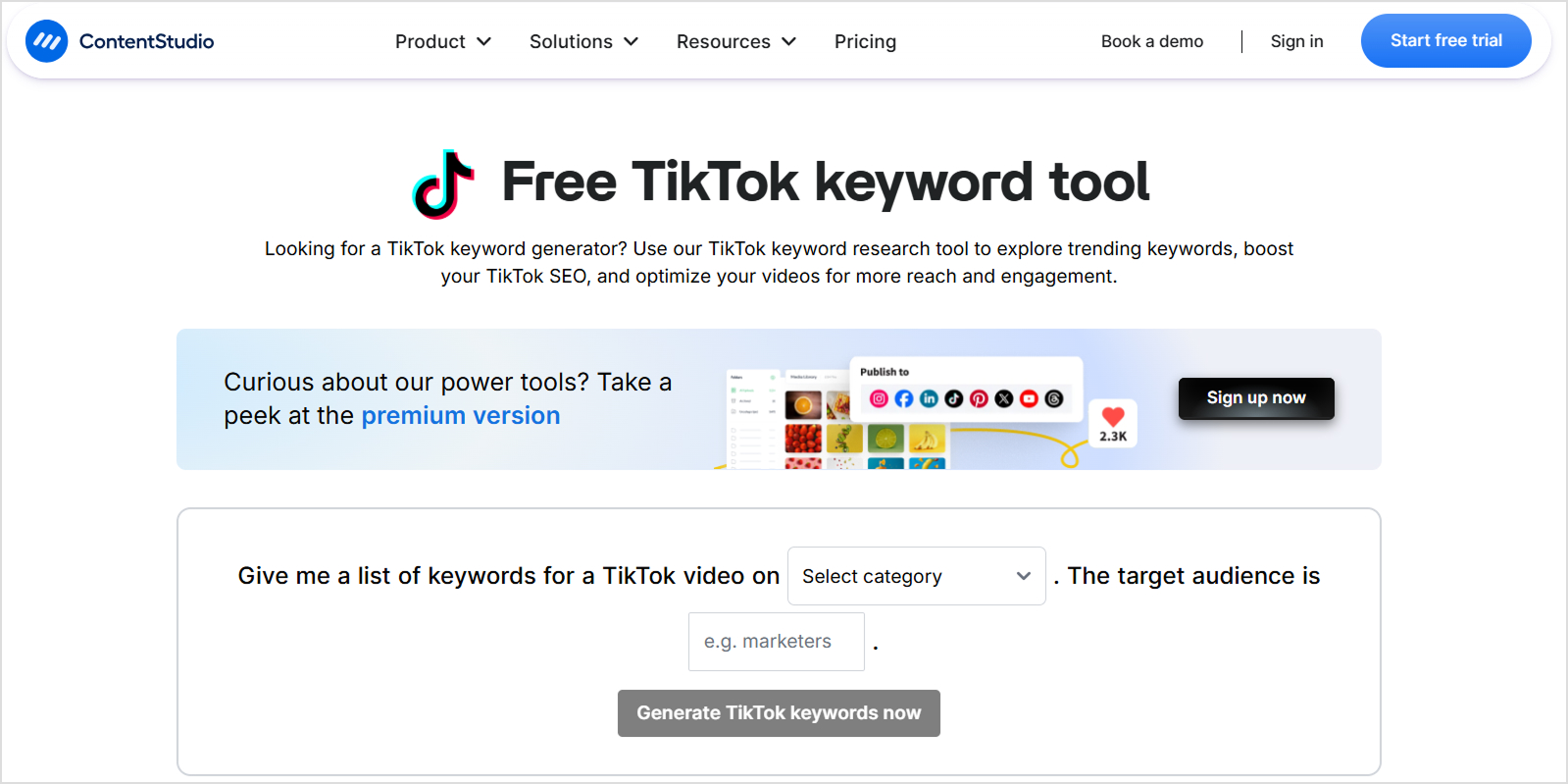
Using relevant keywords naturally in your captions helps your videos surface when users search for related topics. This doesn’t mean keyword stuffing, but rather thoughtfully including terms your target audience might actually type into the search bar.
If you’re posting a makeup tutorial, for example, including the specific product name, technique, and skin type in your caption gives you more chances to appear in relevant searches. The TikTok keyword tool can help you identify terms worth targeting.
Also read: What Is New TikTok Refresh Feature & How Does It Work?
Every piece of content should have a purpose, whether that’s driving profile visits, encouraging follows, starting conversations in the comments, or pushing traffic to an external link. Your caption is prime real estate for directing viewers toward that next step.

A simple call to action in your caption can dramatically increase the response rate. Asking a question invites comments. Teasing more content encourages profile visits. Mentioning a link in bio drives click-throughs. Without this direction, many viewers will enjoy your video, tap the heart, and disappear into their feed forever.
Now that you know all about the benefits of TikTok captions, let’s see how you can incorporate them into your platform. Learning how to add captions on TikTok is quick and simple, once you understand the publishing flow.
Here’s a step-by-step walkthrough of the process to create and add captions for TikTok:
Open the TikTok app and tap the plus (+) button at the bottom of your screen to access the creation tools. From here, you can either record a new video directly in the app or upload existing footage from your camera roll.
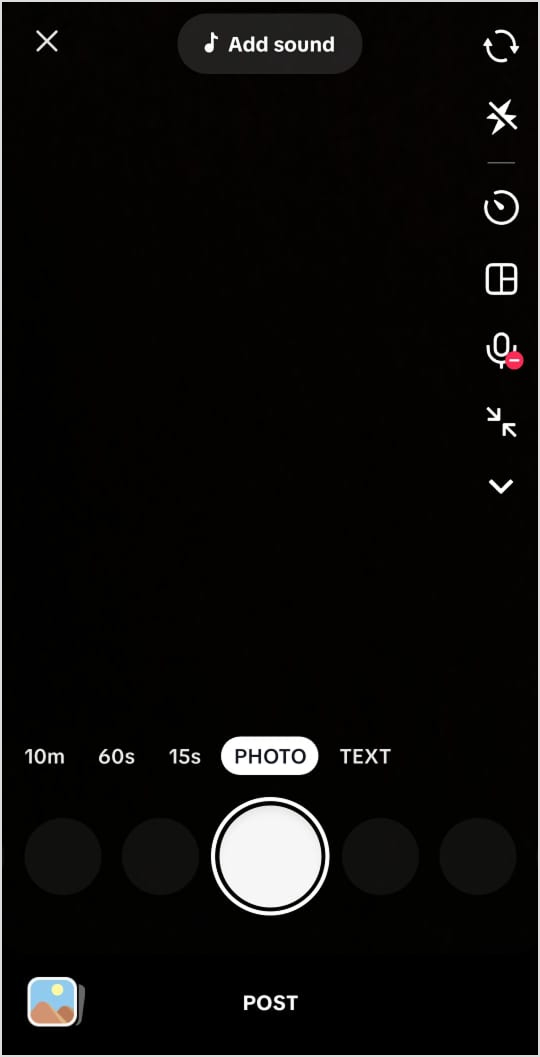
If you’re recording in-app, you’ll have access to TikTok’s native effects, filters, and sounds. If you’re uploading pre-recorded content (common for polished brand videos or content edited in external apps like CapCut), select “Upload” and choose your files.
After recording or uploading, use the editing screen to add any on-screen text overlays, sounds, effects, or transitions. This is separate from your caption, which you’ll add in the next step. Take your time here because the visual content needs to be finalized before you move on.
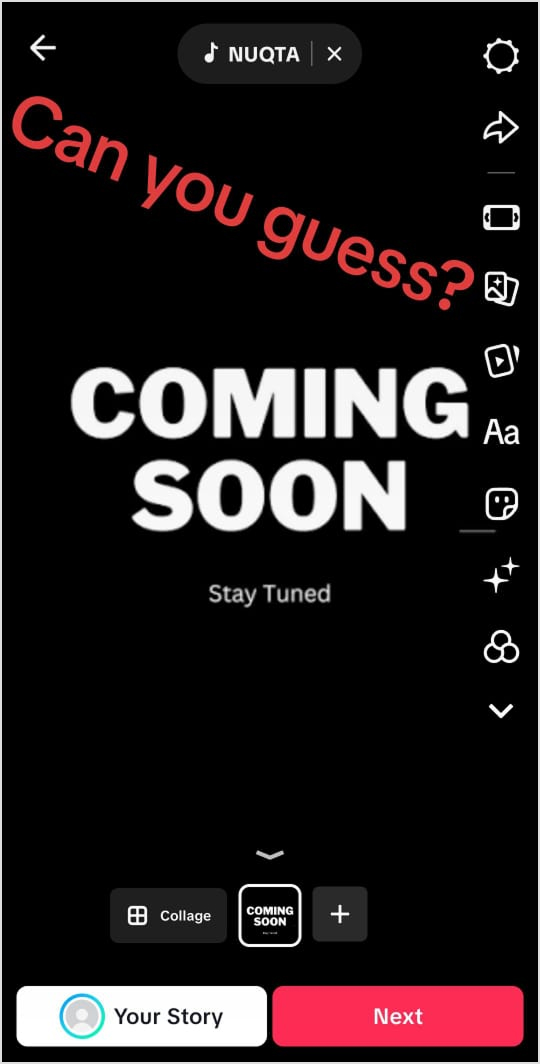
Once you tap “Next” from the editing screen, you’ll reach the posting page. This is where you’ll find the title and caption field.
You can type your caption directly, and you’ll see a character counter showing how much space you’ve used out of the 4,000-character limit. Draft your caption thoughtfully here. Start with your hook, add any necessary context, and save your hashtags and call to action for the end.
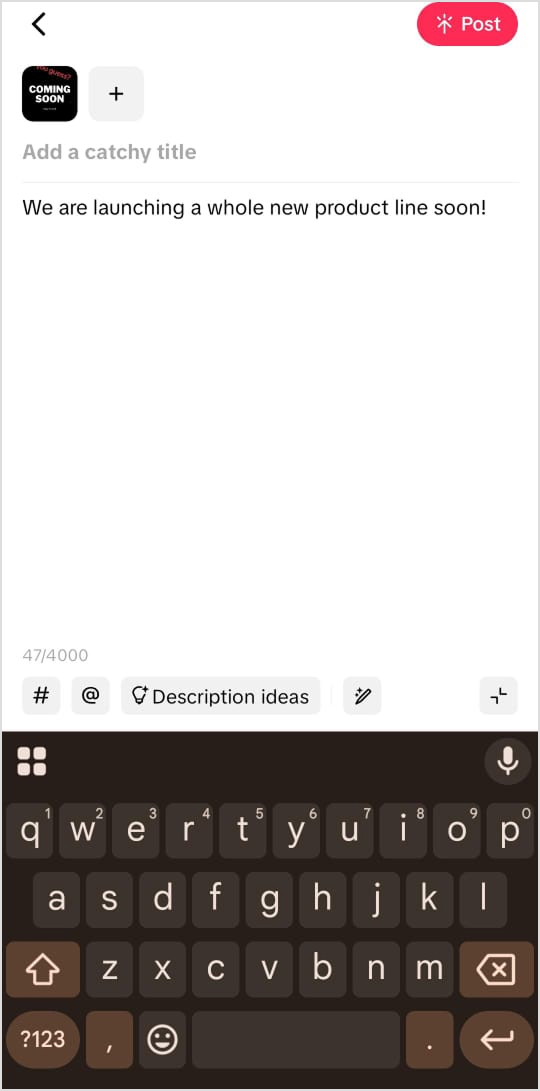
Pro tip: Write your captions for TikTok in a notes app first, especially for longer-form captions. This lets you edit and refine without accidentally navigating away from the posting screen and losing your draft.
Also read: Does TikTok notify screenshots or screen recordings?
After writing your main caption text, it’s time to incorporate relevant hashtags. TikTok’s caption field will auto-suggest hashtags as you type the “#” symbol, showing you related tags and their view counts.
Mix broad hashtags (high visibility, high competition) with niche-specific ones (smaller but more targeted audience). For example, a fitness video might use #fitness alongside #homeworkoutsforbeginners. The specific tags help you reach viewers actively interested in your exact content type.
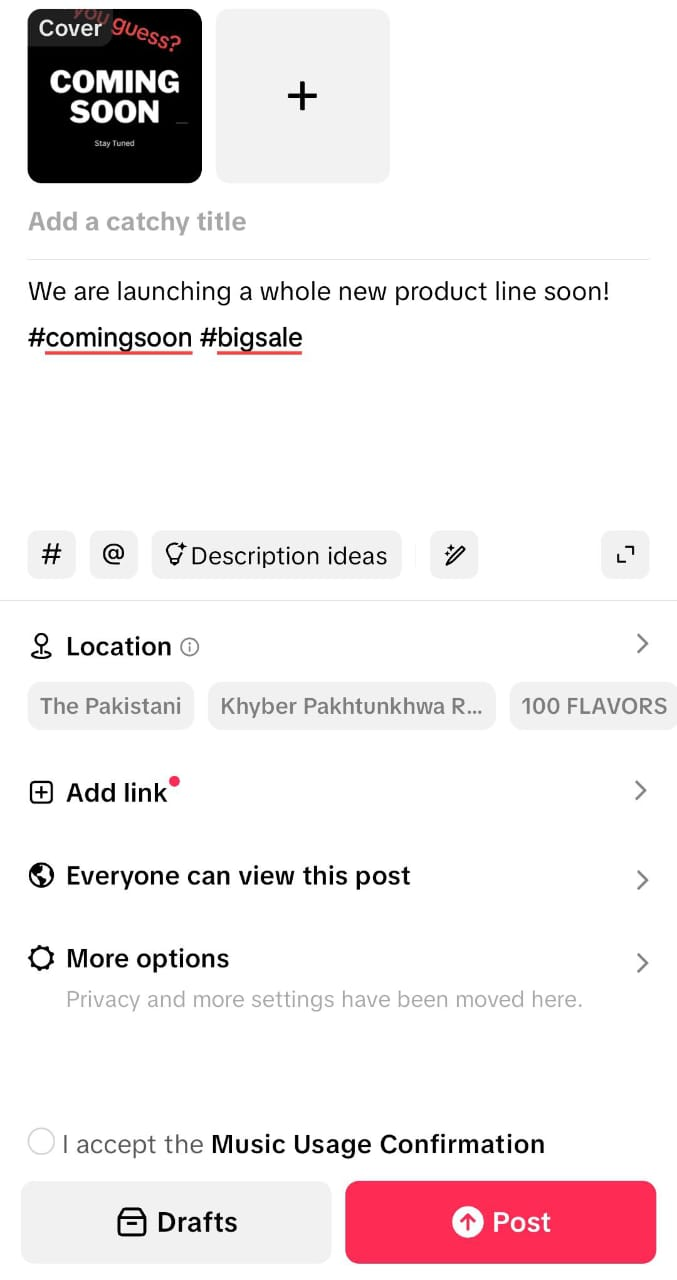
Include your target keywords naturally in the caption body, not just as hashtags. If your video covers “morning routine tips,” work that phrase into a sentence rather than relying solely on #morningroutine to do the discovery work.
Check out: Free TikTok hashtag generator
Before publishing, read through your caption from a viewer’s perspective. On TikTok, only the first line or two of your caption displays without users tapping to expand. This means your opening words need to carry maximum weight.
Check for any typos or autocorrect errors. Line breaks and emojis can help with readability, but use them sparingly. A wall of text or excessive formatting looks cluttered on mobile screens.
After reviewing your caption, adjust your other posting settings (cover image, who can view, comments, duets, and stitches permissions) and hit “Post” when ready. If you’re scheduling for later, select “Schedule” and choose your publish time.

Brands and creators managing multiple TikTok accounts or posting consistently should consider using a TikTok scheduler can streamline this process. Scheduling tools like ContentStudio let you batch-create content and captions, then auto-publish at optimal times without manual intervention.
Once your video is live, monitor how it performs over the first few hours. Check comments to see if viewers understood your content as intended. If your caption included a question, engage with the responses. The initial engagement signals can influence how widely TikTok distributes your video, so stay active in those early hours.
Also read: How to create TikTok collections?
Knowing the mechanics of how to add captions on TikTok is one thing, but writing captions that actually perform is another. The following tips will help you craft captions for TikTok that hook attention and drive engagement.
Your opening line determines whether viewers read the rest of your caption (and often whether they watch your video). TikTok truncates captions after the first line or two, so everything above the “more” cutoff needs to pull its weight.
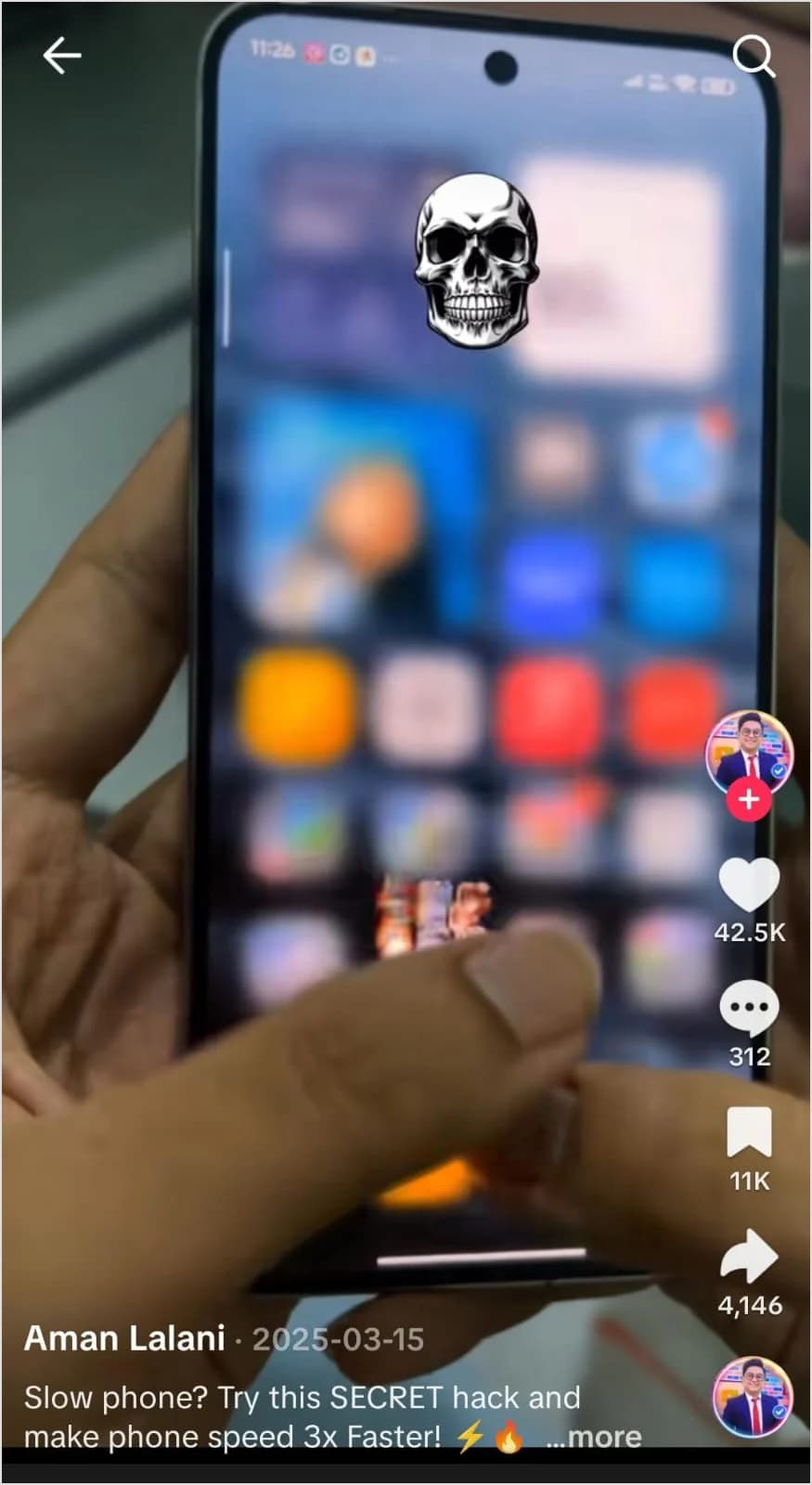
Effective hooks create curiosity, make a bold claim, or speak directly to a specific audience. They give viewers a reason to care about what comes next.
Examples:
Notice how each example creates an information gap. The viewer wants to know what the thing is, whether the hack worked, or what that real talk reveals. This curiosity keeps them engaged with your content.
Long-form captions can work on TikTok, but they need to earn their length. For most videos (especially entertainment and trending content), shorter is better. A punchy two-line caption often outperforms a paragraph that tries to say too much.
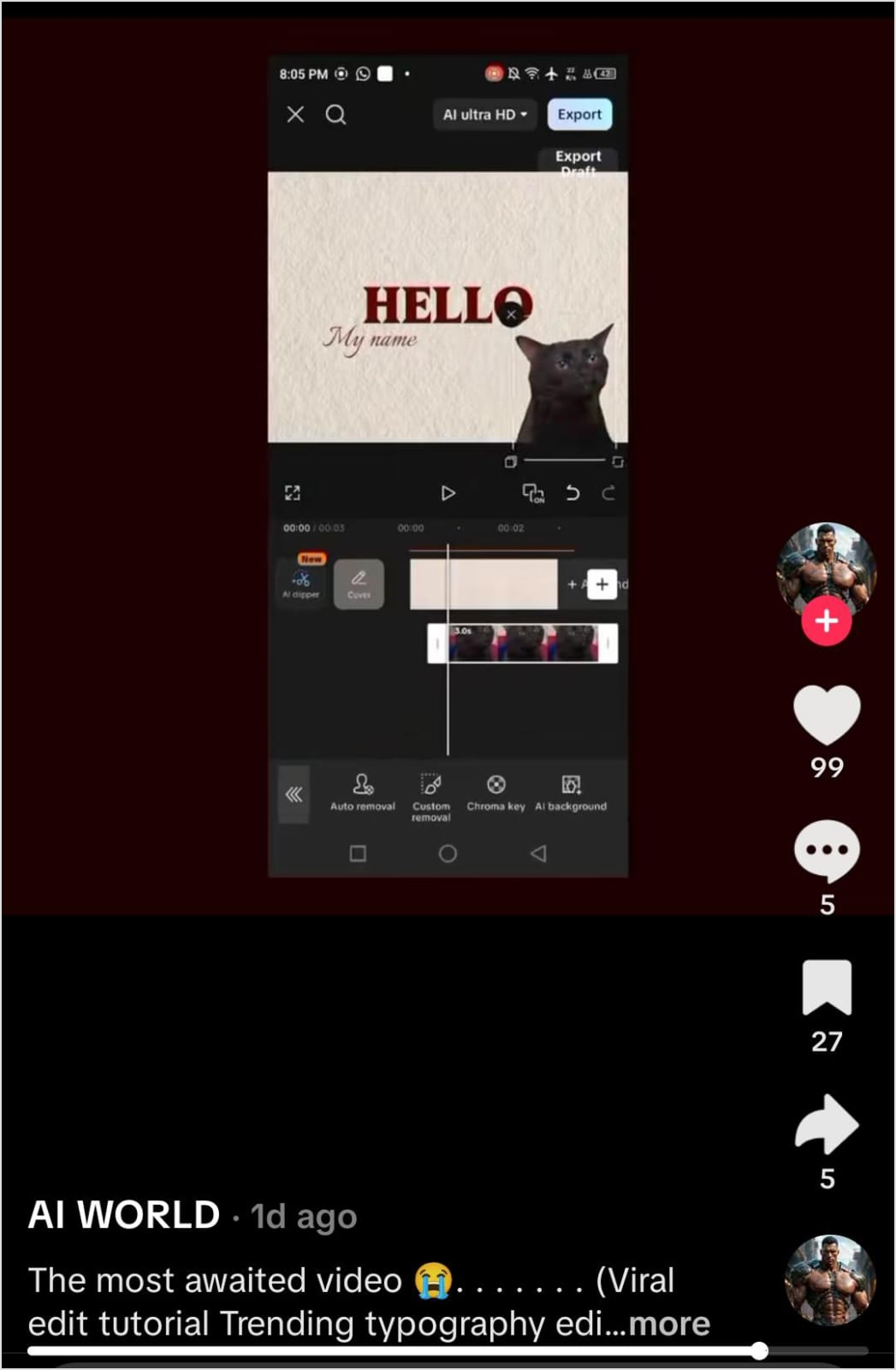
When you do write longer captions for educational or storytelling content, make them scannable. Use line breaks to separate thoughts. Place the most important information first. Cut any filler words or sentences that don’t add value.
Examples:
The right length depends on your content type and what your specific audience responds to. Test different approaches and let your analytics guide you.
TikTok’s search function relies on caption text, so keywords matter. But cramming in search terms at the expense of readability backfires. The goal is to incorporate relevant terms in ways that still sound natural when read aloud.
Think about what your target viewer might search for, then work those phrases into your caption organically. If your video shows a recipe, mention the dish name and key ingredients. If you’re reviewing a product, include the brand and product type.
Examples:
Compare these to awkward keyword stuffing like “skincare routine minimalist skincare clear skin tutorial” and you can see why natural integration matters. Readers can tell when you’re writing for the algorithm instead of for them.
Your caption should feel like it belongs with your video. A serious documentary-style piece deserves a different caption approach than a comedic skit. When tone mismatches happen, the content feels disjointed and can confuse viewers about how they should react.
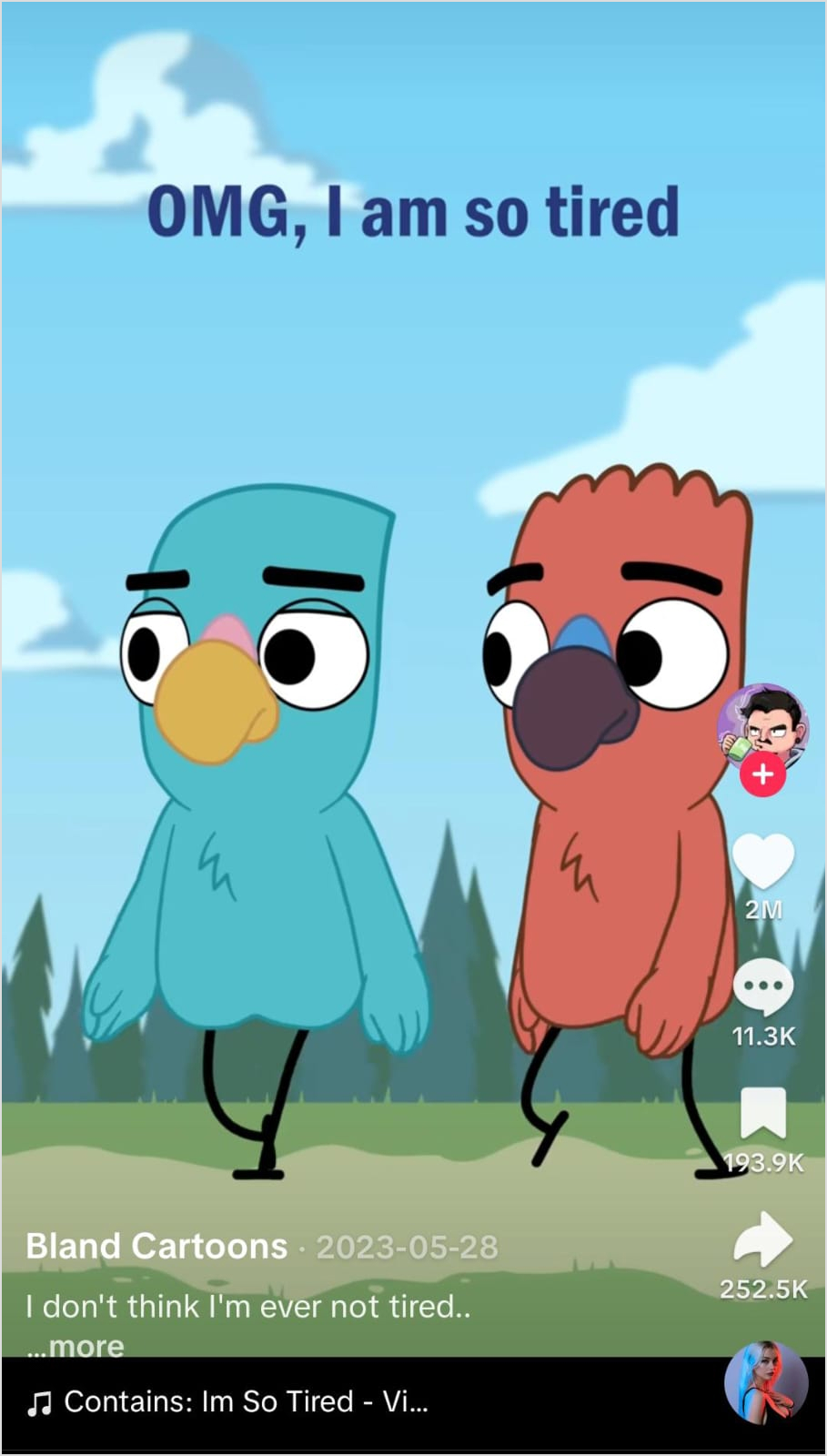
Consider your video’s energy, subject matter, and the emotion you want viewers to feel. Then craft a caption that reinforces rather than contradicts that vibe.
Examples:
The caption sets expectations. When it matches the content, viewers know what they’re getting and can lean into the intended emotional experience.
Don’t assume viewers will take action on their own. If you want comments, ask a question. If you want follows, mention why. If you want link clicks, direct people to your bio. The call to action doesn’t need to be aggressive, just clear.

The best CTAs feel natural and relevant to your content. A question that ties into your video topic will generate more genuine engagement than a generic “follow for more.”
Examples:
Experiment with different CTAs to see what resonates with your audience. Some creators find that questions drive the most comments, while others get better results from polarizing statements that invite debate.
If you’re building a personal brand or growing your following as a micro-influencer, your caption strategy needs to serve multiple goals: growing reach, building community, and establishing your unique brand voice.
Here’s how to approach it:
E-commerce brands face a unique challenge on TikTok: you need to sell without feeling salesy. TikTok users are highly sensitive to traditional advertising, and overly promotional content typically underperforms. Your captions need to add value while still supporting your business goals. Here’s what works:
Even with all these tips in your toolkit, sometimes you need inspiration or a starting point. Writing dozens of captions each week can drain your creativity, especially when you’re trying to maintain consistent posting across multiple platforms.
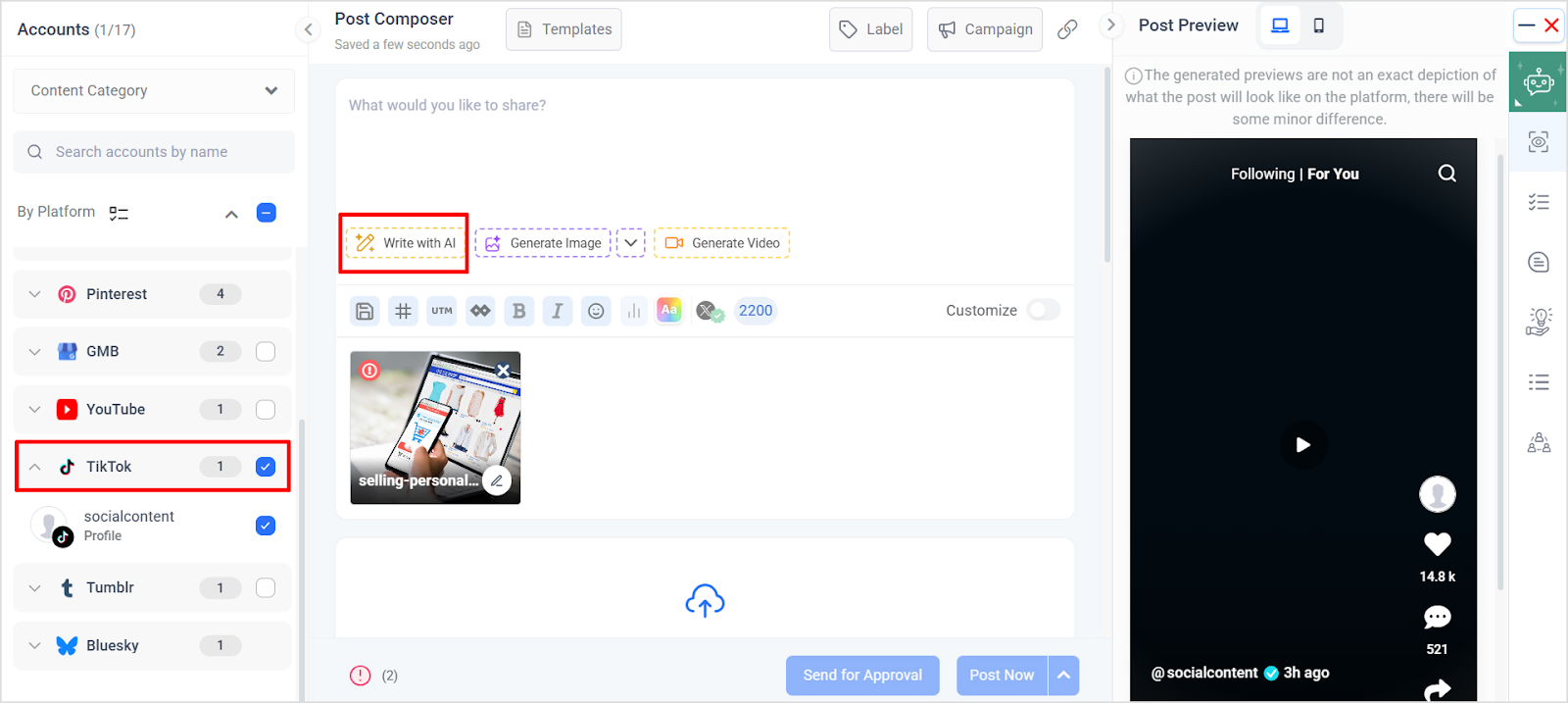
The TikTok caption generator from ContentStudio helps solve this problem. Simply describe your video content, and it generates multiple caption options tailored to TikTok’s format and best practices. You can use these suggestions as-is or edit them to match your unique voice.
This tool is particularly useful when you’re facing caption writer’s block, need to batch-create content quickly, or want to test different caption approaches without spending hours brainstorming. It gives you a framework to work from rather than staring at a blank text field.
Bonus tip: You can also sign-up on ContentStudio to try out the social post composer, where you can post or schedule TikTok content and also use AI generate TikTok captions quickly. ContentStudio also helps you post to all social media platforms from the same dashboard.
TikTok captions matter more than most creators realize. They’re not just descriptions. They’re hooks, context-providers, search signals, and conversion tools all wrapped into a few hundred characters.
The best captions complement your video without repeating it. They create curiosity without being clickbait. They feel authentic to your voice while still serving strategic goals like discoverability and engagement.
Start by implementing one or two techniques from this guide, then expand your approach as you learn what resonates with your specific audience. Pay attention to your analytics, track which caption styles drive the strongest results, and keep iterating.
Social Media Analytics
Fine-tune your social media strategy for success with in-depth analytics and white-labeled reports.
Get Started for FREE
TikTok allows up to 4,000 characters for captions, but optimal length depends on your content type. Entertainment and trending content typically performs best with shorter captions (one to three sentences) that hook quickly and let the video speak for itself. Educational content, storytelling, and detailed product posts can justify longer captions (150 to 300 words).
Yes. TikTok captions directly influence reach in several ways. The platform’s algorithm uses caption text to understand what your video is about and match it with interested viewers. Keywords in your caption affect whether your content surfaces in search results.
Yes, TikTok now allows you to edit captions after posting. To edit, go to your video, tap the three dots menu, and select “Edit post.” From there, you can modify your caption text, add or remove hashtags, and update your video description.
Include hashtags directly in your caption rather than trying to separate them. TikTok doesn’t have a separate hashtag field like some platforms, so they naturally belong at the end of your caption text. A good approach is to write your main caption copy first, then add three to seven relevant hashtags after. Mix broader tags with niche-specific ones for balance.
Plan 0 Days of Content in 0 Minutes
Create, schedule, publish and analyze your content across all your social media channels from one simple dashboard.
4.7 on Capterra • 16,500+ marketers trust ContentStudio
Nawal Mansoor is a Digital Marketing Specialist at ContentStudio who tracks the latest trends and technologies. She writes on social media strategy, AI scheduling and video tools, Instagram advertising, LinkedIn marketing, and emerging platforms like Snapchat, and reviews articles for relevance, accuracy, and currency in a fast-moving social media landscape.
View all posts by Nawal MansoorRecommended for you
How to promote affiliate links on social media in 2026

Multi-location social media management workflow guide

Best SaaS affiliate programs for social media marketers in 2026

19 best social media management tools to plan, schedule, and grow in 2026