Instagram caption generator
Get more likes, comments and shares with AI captions for your posts, Reels and carousels. Free, no sign-up.
Let ContentStudio's AI craft your social media captions in seconds:
- Simply enter your prompt.
- Tailor the word count to match your requirements.
- Define the tone that fits your requirements.
- Toggle hashtags and emojis as required.
- Choose the number of variations you want.
- Click 'Generate' to let the magic happen.
- Free forever
- No sign-up
- Up to 3 variations
- 16,500+ brands use ContentStudio
What is an Instagram caption generator?It is an AI tool that writes the text under your Instagram post or Reel. You describe the photo or video, set the length and tone, and it returns caption options with optional hashtags and emojis. ContentStudio's Instagram caption generator is free, needs no account, and gives up to 3 variations per run.
How to use it
How to Use the Instagram Caption Generator
Describe your post
In one or two sentences, say what the photo, carousel or Reel shows, who it is for and what you want people to do.
Set the length
Use about 20 words for a punchy caption, or 80+ for a micro-blog caption on a carousel.
Pick a voice tone
Choose the tone that matches your brand, from friendly and funny to professional.
Hashtags and emojis
Toggle them on or off. Keep hashtags to a few relevant ones.
Generate
Choose 1 to 3 variations, click Generate, then copy, tweak and post.
The more specific the input, the more usable the output. "A flat lay photo of coffee and a laptop at a cafe, targeting remote workers, tone: casual and relatable" produces better results than "coffee photo."
What you can write
What you can write with this Instagram caption generator
Feed post captions
Short captions for single photos, with a hook and one call to action.
Carousel captions
Longer, micro-blog captions that tease each slide and ask people to save the post.
Product and shop captions
Name the product, the benefit and the offer, then point people to the link in your bio or a product tag.
Captions in other languages
Write your description in Spanish, Portuguese or another language, and the caption comes back in that language.
Need a caption for another network? The AI caption generator writes for any social platform.
Captions for Reels
Instagram Caption Generator for Reels
Instagram Reels captions follow different patterns from static post captions. The first line of a Reels caption appears beneath the video before it is cut off. On Reels, that first line works as the title. It is the text a viewer reads while the video plays, so it should add to what is happening on screen rather than repeat it.
Reels caption structures
Effective Reels caption structures
Hook line first: state the most interesting or specific thing about the Reel in the first 125 characters. "I tried 30 days of cold showers and here's what actually changed" works better than "Cold shower challenge results" as an opener because it creates a specific, personal story.
Body text adds what the video cannot show: captions work well for context (location, process steps, backstory) that the visual cannot communicate on its own.
Call to action at the end: a question ("Which method do you prefer?") or directive ("Save this for your next workout") brings comments, saves and shares, which Instagram treats as strong signals.
The generator writes Reels captions when you describe the Reel and select the tone. Also say what the hook should do: "transformation Reel showing before and after desk setup, hook should create curiosity about the items used."
Writing tips
How to write a good Instagram caption
Lead with the payoff
Only about the first 125 characters show before "more". Open with the result, a bold claim or a question.
Write for Instagram search
Instagram search reads captions, so use the words people would type, like "easy meal prep". The Instagram keyword tool suggests phrases for your niche.
Keep hashtags few and relevant
Instagram now allows up to 5 hashtags per post. Pick specific ones that describe the post rather than broad, crowded tags.
Break up long captions
Short paragraphs and emoji bullets make long captions easier to read on a phone. If your spacing collapses, run the text through the Instagram line break generator.
End with one call to action
Ask for one thing: a comment, a save, a share or a tap on your bio link.
Want to steer the AI further? Try these AI prompts for Instagram captions.
Examples by niche
Instagram caption examples by niche
- Food
15-minute garlic noodles that beat takeout 🍜 Save it for tonight. #easyrecipes
- Fitness
No gym, no excuses. 4 moves, 20 minutes 💪 Which one is hardest?
- Travel
Sunset in Santorini hits different when you wake up at 5 a.m. for it 🌅
- Fashion
One blazer, three ways. Swipe to pick your favorite 👉
- Small business
Every order packed by hand, every note written by me 💌 #shopsmall
- Beauty
My 3-step morning routine for glowing skin ✨ Steps in the carousel.
- B2B / SaaS
Your content calendar shouldn't live in 4 spreadsheets. Here's ours 👇
- Personal
Small wins count. Today's: finally finished the book 📚
- Funny
Why yes, I do have a sixth sense. It's called wine intuition 🍷
- Selfie
Selfie game strong. Confidence level: unbothered ✨
- Pets
Dog hair is my glitter 🐾
- Birthday
Another trip around the sun 🎂 Cake first, reflections later.
- Beach / summer
Sandy toes, sun-kissed nose 🌊
- Coffee
But first, coffee ☕ Then we talk.
Length and limits
Instagram caption length and limits
| Item | Limit |
|---|---|
| Caption length | 2,200 characters |
| Shown before "more" | About the first 125 characters |
| Hashtags per post | Up to 5 |
| Mentions per caption | Up to 20 (Instagram API limit) |
| Edit after posting | Yes, from the ••• menu > Edit |
Caption vs. alt text
Instagram caption vs. alt text vs. subtitles
Instagram has three kinds of text around a post, and people mix them up.
Caption
The text under your post in the feed. It tells the story, carries your keywords and hashtags, and asks for action. This is what the generator writes.
Alt text
A short description of the image for people using screen readers. Instagram writes one automatically, or you can write your own under Advanced settings before you share.
Captions on Reels (subtitles)
On-screen text created from the speech in your video. Turn on auto captions in the Reels editor so people watching without sound can follow.
Use all three. A strong caption, accurate alt text and on-screen captions make the same post easier to find, read and watch.
From caption to published Instagram post
Writing the caption is step one. ContentStudio takes you from idea to published post. With it you can:
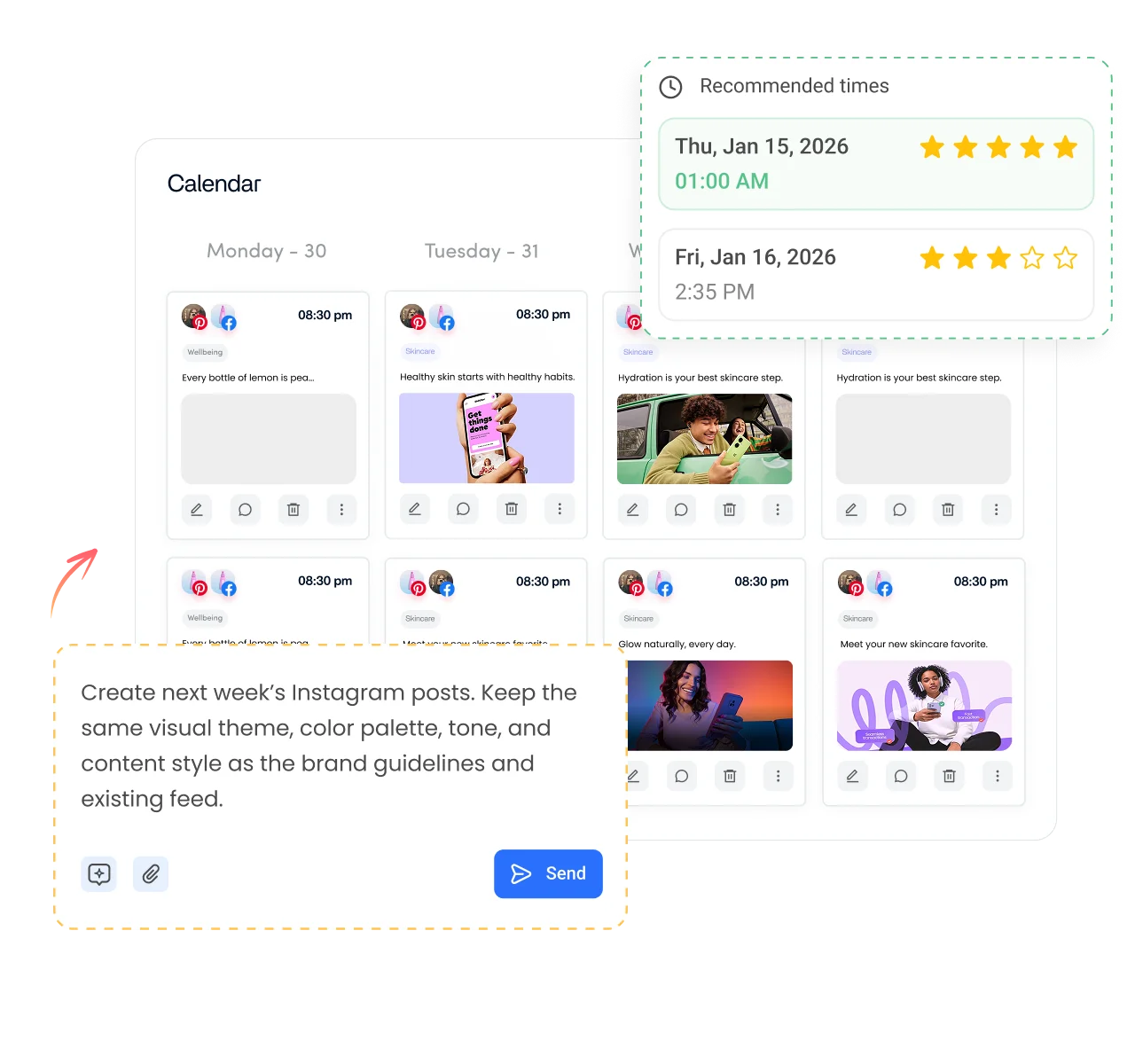
- Schedule it to Instagram. Plan posts, Reels, carousels and Stories, pick the best time and schedule Instagram posts to publish automatically.
- Write captions inside your workflow. AI Studio, our AI social media content generator, writes captions, hashtags and images in the composer, in your brand voice.
- Post once to every network. Share the same Reel to Instagram, Facebook, TikTok and YouTube Shorts with captions adjusted for each.
Is it free?
Is the Instagram Caption Generator Free
Yes. ContentStudio's Instagram caption generator is free with no usage cap and no account required. It is part of ContentStudio's suite of free social media tools.
- Free forever
- No sign-up
- Up to 3 variations
- 16,500+ brands use ContentStudio
More free Instagram tools
All free social media tools →
Frequently asked questions

Book a 30 min call
Have questions? Schedule a quick call and we will guide you through everything.
Book a free call