Bluesky username generator
Create memorable Bluesky usernames that stand out from the crowd. Free, no sign-up.
- Free forever
- No sign-up
- Works for bsky.social or your domain
- 16,500+ brands use ContentStudio
What is a Bluesky username generator?It is an AI tool that suggests handle ideas for your Bluesky profile. You pick a category, add your audience, and it returns usernames you can use as they are or tweak before checking availability on Bluesky. ContentStudio's Bluesky username generator is free and needs no sign-up.
What it is
What is a Bluesky username generator?
A Bluesky username generator is a free tool by ContentStudio that helps you come up with username ideas for your Bluesky profile. Add your account type and audience, and the tool gives you handle ideas you can use as they are or tweak before checking availability on Bluesky. If you also need to plan and publish content consistently, ContentStudio lets you manage your Bluesky posts from the same place.
How to use it
How to use the Bluesky username generator
The tool works better when the input is simple but specific. You don't need a long description, just enough context to understand the account.
Choose your category
Pick the closest option: Creator, Business, Community, Personal, Brand or Other.
Add your audience
Enter the people you want to speak to: founders, designers, gamers, book readers, parents, marketers, local shoppers or another group.
Generate and review
Click Generate Bluesky usernames and pick a few that sound usable.
Check the rules
Bluesky handles use letters, numbers and hyphens only. Remove underscores or periods inside the name before you try it.
Claim it on Bluesky
Go to Settings, then Account, then Handle, and try your favorite. If it is taken, move to the next one.
What you can make
What you can make with this Bluesky username generator
Personal handles
Simple handles built around your name or interests, for people joining Bluesky to follow friends and topics.
Creator handles
Handles that hint at what you make, like art, devlogs, newsletters or videos, so people get it before they open your profile.
Community handles
Names for group accounts, clubs and topic communities, often paired with a custom feed or Starter Pack.
Business and brand handles
Clean handles close to your brand name. Many brands later switch to a custom domain handle like @yourbrand.com.
Why it matters
Why is a Bluesky username generator important?
Your username is one of the first things people notice on Bluesky. It should be simple enough to remember, but still close to your name, brand or the kind of content you post.
A username generator helps when you want to:
- Try more ideas without starting from scratch
- Move past usernames that feel forced or cluttered
- Find options that suit the account you're creating
- Keep the handle close to how people already know you online
- Spend less time testing small variations of the same idea
Handle rules
Bluesky username and handle rules
On Bluesky, your username is called a handle, and it works like a web address. The default ends in .bsky.social. These are the rules most guides agree on.
| Rule | Detail (as widely reported) |
|---|---|
| Format | yourname.bsky.social, or a domain you own like yourname.com |
| Allowed characters | Letters, numbers and hyphens |
| Not allowed | Underscores, spaces, emojis; can't start or end with a hyphen |
| Length on bsky.social | About 3–18 characters before .bsky.social |
| Case | Not case-sensitive; shown in lowercase |
| Display name | Separate field, up to 64 characters, can include spaces and emojis |
If the generator gives you an idea with an underscore, swap it for a hyphen or join the words together.
bsky.social vs. custom domain
bsky.social handle vs. custom domain handle
bsky.social handle
Free and instant. Good for personal accounts and for getting started. Example: @tinygamedevlog.bsky.social.
Custom domain handle
Uses a domain you own, like @studioname.com. It shows you control the website, looks cleaner and stays yours as long as you keep the domain.
To use your own domain, go to Settings, then Account, then Handle, and choose the option for your own domain. Bluesky gives you a DNS TXT record (or a file to upload) to add to your domain. Add it, then tap Verify. DNS changes can take a while to update, so try again later if it fails at first.
A domain handle is not the same as the blue check. Bluesky added blue check verification in 2025 for notable and authentic accounts, and it is separate from your handle.
Change your handle
How to change your Bluesky handle
- Open Settings from the menu in the Bluesky app or on the web.
- Go to Account, then Handle.
- Enter your new handle and save.
You keep your followers, posts and likes, because your account is tied to a permanent ID, not to the handle. Your old handle is released, though, so someone else may claim it. Update the handle anywhere you have shared it, like your website or email signature.
Tips
Tips for choosing a good Bluesky username
A good username should be easy to use now and still make sense later.
- Keep the spelling simple. Avoid extra letters, unusual shortcuts or spellings people may not understand at first glance.
- Make the account easy to place. Someone should be able to tell whether the profile is for posts, updates, resources, creative work or a community.
- Use a topic word when it adds context. Words like tech, books, design, travel, food or marketing can work. Leave them out if they make the username feel crowded.
- Go easy on hyphens. One hyphen can help readability. Two or more are hard to say out loud.
- Avoid short-term references. A username built around one trend, campaign or temporary project can feel dated quickly.
- Check your existing social handles. If you already use a similar handle elsewhere, staying close to it makes your Bluesky profile easier to recognize. The X (Twitter) username generator helps if you want a matching handle on X.
Examples
Bluesky username ideas by account type
A few examples to show the style. They follow Bluesky's handle rules, but may already be taken, so generate your own above.
- Indie game developer
pixelpuzzles.bsky.social
- Book reviewer
shelfnotes.bsky.social
- Science communicator
reefscience.bsky.social
- Designer
calmer-ui.bsky.social
- Local business
leedsbikeshop.bsky.social
- Community account
booksky-club.bsky.social
- Newsletter writer
sundayobjects.bsky.social
- Brand with a domain
yourbrand.com
After your handle
Got your handle? Finish your profile
A handle gets you found. Your display name, avatar and bio tell people why they should follow. Write a short bio with the Bluesky bio generator, add a pinned post that introduces you, and look for Starter Packs in your niche so the right people can find you.
From new handle to an active Bluesky account
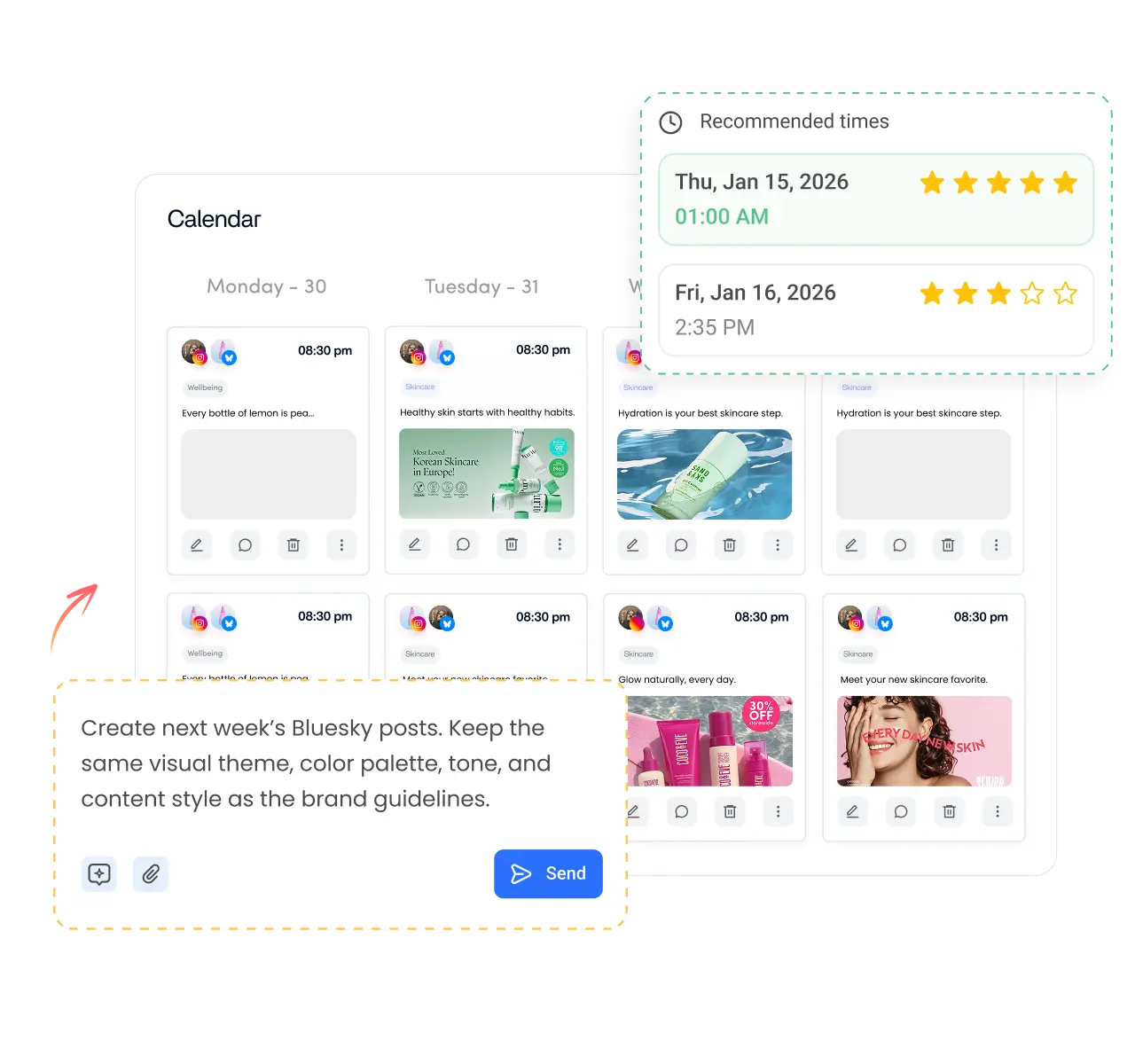
Claiming a good handle is step one. Posting regularly is what grows the account. ContentStudio is a social media management platform that helps you do that without posting by hand every day. With it you can:
- Schedule Bluesky posts. Write ahead, pick the time and publish automatically with ContentStudio's Bluesky scheduler.
- Draft posts with AI. AI Studio, our AI social media content generator, writes posts and hashtags in your brand voice.
- Manage every account in one place. Plan Bluesky next to your other social networks on one calendar.
Is it free?
Is the Bluesky username generator free?
Yes. ContentStudio's Bluesky username generator is free, with no sign-up. Generate as many handle ideas as you need. It is part of ContentStudio's suite of free social media tools.
- Free forever
- No sign-up
- Works for bsky.social or your domain
- 16,500+ brands use ContentStudio
More free Bluesky tools
All free social media tools →
Frequently asked questions

Book a 30 min call
Have questions? Schedule a quick call and we will guide you through everything.
Book a free call