Bluesky hashtag generator
Find hashtags that fit your Bluesky post, topic and community, without guessing which tags to use. Free, no sign-up.
- Free forever
- No sign-up
- Tags sized for 300-character posts
- 16,500+ brands use ContentStudio
What is a Bluesky hashtag generator?It is an AI tool that suggests hashtags for a Bluesky post. You enter a topic, keyword or short post idea, and it returns relevant tags you can add to the end of your post to reach people searching that topic or following feeds built around it. ContentStudio's Bluesky hashtag generator is free and needs no sign-up.
How to use it
How to Use the Bluesky Hashtag Generator
Describe the post
Enter a keyword, topic or short version of your Bluesky post, for example "fantasy book review" or "launching our open source CLI".
Generate
Click Generate Bluesky hashtags now.
Pick one or two
Choose the most specific tags that match your post and the community you want to reach.
Check them on Bluesky
Tap or search each tag on Bluesky to see if people are actively using it.
Add them to your post
Put the tags at the end of the post and check you are still under 300 characters.
Tip: the more specific your input, the better the tags. "Indie puzzle game devlog" gives more useful hashtags than "games".
What you can find
What you can find with this Bluesky hashtag generator
Community hashtags
Bluesky communities often name themselves with a "Sky" tag, like #BookSky or #AcademicSky. These tags help you reach people who already gather around a topic.
Topic hashtags
Plain topic tags such as #OpenSource, #Photography or #SciComm that people search and that custom feeds can pick up.
Niche hashtags
Narrow tags with less competition, like #IndieDev instead of #Games. On Bluesky, these usually reach a more engaged audience.
Event and campaign hashtags
Tags for conferences, launches or challenges, so everyone posting about the same thing can find each other.
Trending hashtags
Bluesky Trending Hashtags
Bluesky added a Trending Topics feature in late 2024. It shows in search and Explore on mobile and in the sidebar on desktop. It lists topics people are talking about right now, which are not always hashtags. Users can turn it off in settings, and muted words also apply to it.
To find currently active hashtags for your niche:
- Search your topic. Type a broad term into Bluesky search and look at which hashtags appear in recent, popular posts.
- Browse topic custom feeds. Feeds in the Feeds tab are often built around active communities. Read through them to see which tags people use.
- Watch community tags. Tech, journalism, science, books and art communities on Bluesky have established tags, such as #OpenSource, #SciComm, #BookSky and #IndieWeb.
The generator suggests tags based on your topic. Check them against Bluesky search before posting to confirm people are using them.
How many to use
Best Bluesky Hashtags: How Many to Use
One to two hashtags per post is the community norm. Bluesky's audience favors conversational, substantive posts. Heavy hashtag use reads as out of character. Many well-performing posts use one specific tag or none.
Specific hashtags outperform broad ones. #Tech has lots of competition and little targeted reach. #IndieHackers or #OpenSource reaches a clearer audience where a relevant post has a real chance to be seen. When the generator returns tags at different levels, pick the more specific ones.
Place hashtags at the end. Inline hashtags interrupt the sentence. Put them after the main text to keep the post readable. Example: "Just shipped a new feature for our API. Two weeks of iteration to get the error handling right. #OpenSource #IndieHackers"
Use CamelCase for multi-word tags. #IndieHackers is easier to read than #indiehackers, and screen readers can pronounce it correctly.
Examples by niche
Bluesky hashtag examples by niche
Starting points to show the style. Run your own topic through the generator for tags that fit your post.
- Books
#BookSky #AmReading
- Academia
#AcademicSky #PhDLife
- Science
#SciComm #Astronomy
- Tech and dev
#OpenSource #WebDev
- Indie games
#IndieDev #GameDev
- Art
#Illustration #DigitalArt
- Photography
#Photography #StreetPhotography
- Small business
#SmallBusiness #ShopSmall
From hashtags to scheduled Bluesky posts
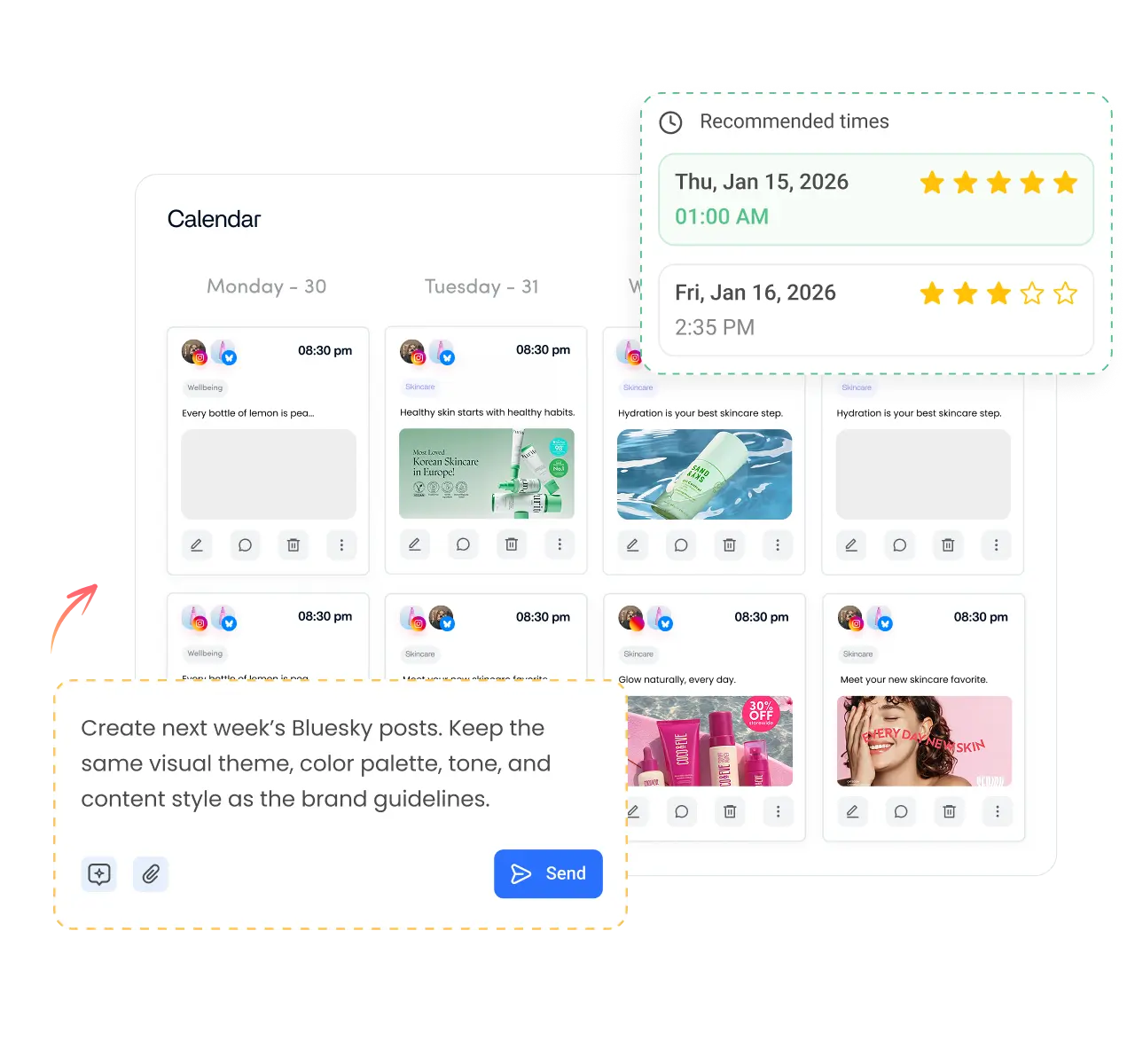
Finding the right tags is one step. Posting regularly is what builds an audience. ContentStudio's AI social media management tools help you plan and publish. With it you can:
- Schedule Bluesky posts. Add your post and hashtags, pick a time and publish automatically with ContentStudio's Bluesky scheduler.
- Generate posts and tags in the composer. AI Studio, our AI social media content generator, writes posts and suggests hashtags in your brand voice.
- Post across networks. Publish to Bluesky and your other social accounts from one calendar, with different hashtags for each.
Is it free?
Is the Bluesky Hashtag Generator Free
Yes. ContentStudio's Bluesky hashtag generator is free with no usage cap and no account required. Generate tags for as many posts as you like. It is part of ContentStudio's suite of free social media tools.
- Free forever
- No sign-up
- Tags sized for 300-character posts
- 16,500+ brands use ContentStudio
More free Bluesky tools
All free social media tools →
Frequently asked questions

Book a 30 min call
Have questions? Schedule a quick call and we will guide you through everything.
Book a free call