How to promote affiliate links on social media in 2026
Oct 2, 202616 minutes

Written by
Salahuddin UmerUpdated
Social media scheduling tools sit at the heart of a consistent, engaging presence in 2026. The right social media scheduler helps businesses and creators manage multiple social media accounts from a single dashboard, schedule posts across channels, and stay visible without spending all day in every app.
In this guide, you’ll learn how to evaluate social media scheduling platforms, which features matter most, and which tools are worth your budget. We’ll then walk through 13 of the best social media scheduling tools (including free options) for agencies, brands, content creators, and enterprise teams.

At a basic level, social media scheduling tools let you plan, create, and queue posts for multiple networks from a single dashboard. Instead of manually publishing to Facebook, Instagram, LinkedIn, X (Twitter), TikTok, and more one by one, you add posts to a calendar, and the platform publishes them automatically at the times you choose.
These tools are especially useful if:
Who gets the most value from a social media scheduler
Social media scheduling tools aren’t mandatory for everyone. Manual or native scheduling can be better if:
Choosing the right platform from the sea of social media scheduling tools is vital to streamlining your content strategy and maximizing engagement across platforms. Consider the following factors when choosing the best social media scheduling app:
By assessing these factors, you can select the best social media scheduling tool that aligns with your specific requirements and enhances your social media management.
Now, without any delay, let’s explore the top social media schedulers.
Social media scheduling tools have evolved far beyond simple “queue and forget” apps. When comparing platforms, consider must-haves, nice-to-haves, and advanced capabilities.
Any serious social media scheduling platform should offer:
Now that you know what to look for, let’s explore the top social media schedulers. The tools below cover a range of needs, from budget-friendly tools for small businesses to enterprise-grade platforms for complex teams
ContentStudio offers a unified social media dashboard that simplifies planning, scheduling, and publishing content across multiple platforms.
Its bulk scheduling feature allows you to upload and schedule posts in batches, saving significant time. The tool also supports RSS feed integration, enabling you to automatically share content from your favorite websites.
ContentStudio shines in its ability to manage complex posting schedules across many social accounts from one intuitive interface. The visual calendar provides a clear overview of your content pipeline.
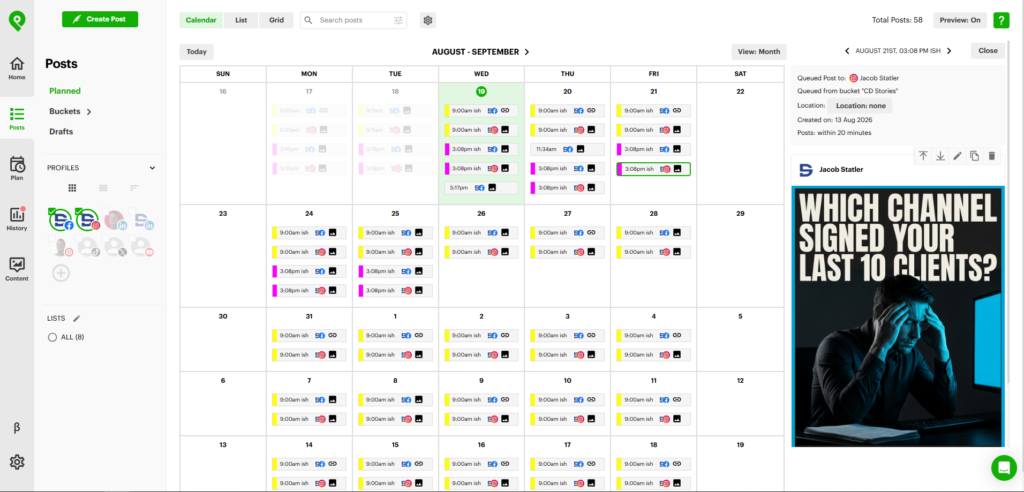
Post Planner is a social media scheduler built around the problem most tools ignore: knowing what to post. Its Content Streams surface proven, high-engagement posts and articles in any niche, so your queue never runs dry.
From there, the Composer lets you schedule in bulk, generate AI images and captions without leaving the editor, and automatically recycle your best-performing content across Facebook, Instagram, X, LinkedIn, TikTok, YouTube, Pinterest, and Google Business Profile.
Post Planner stands out for combining content discovery with one of the lowest price points among full-featured schedulers, making it a favorite of creators and small teams posting at high volume.
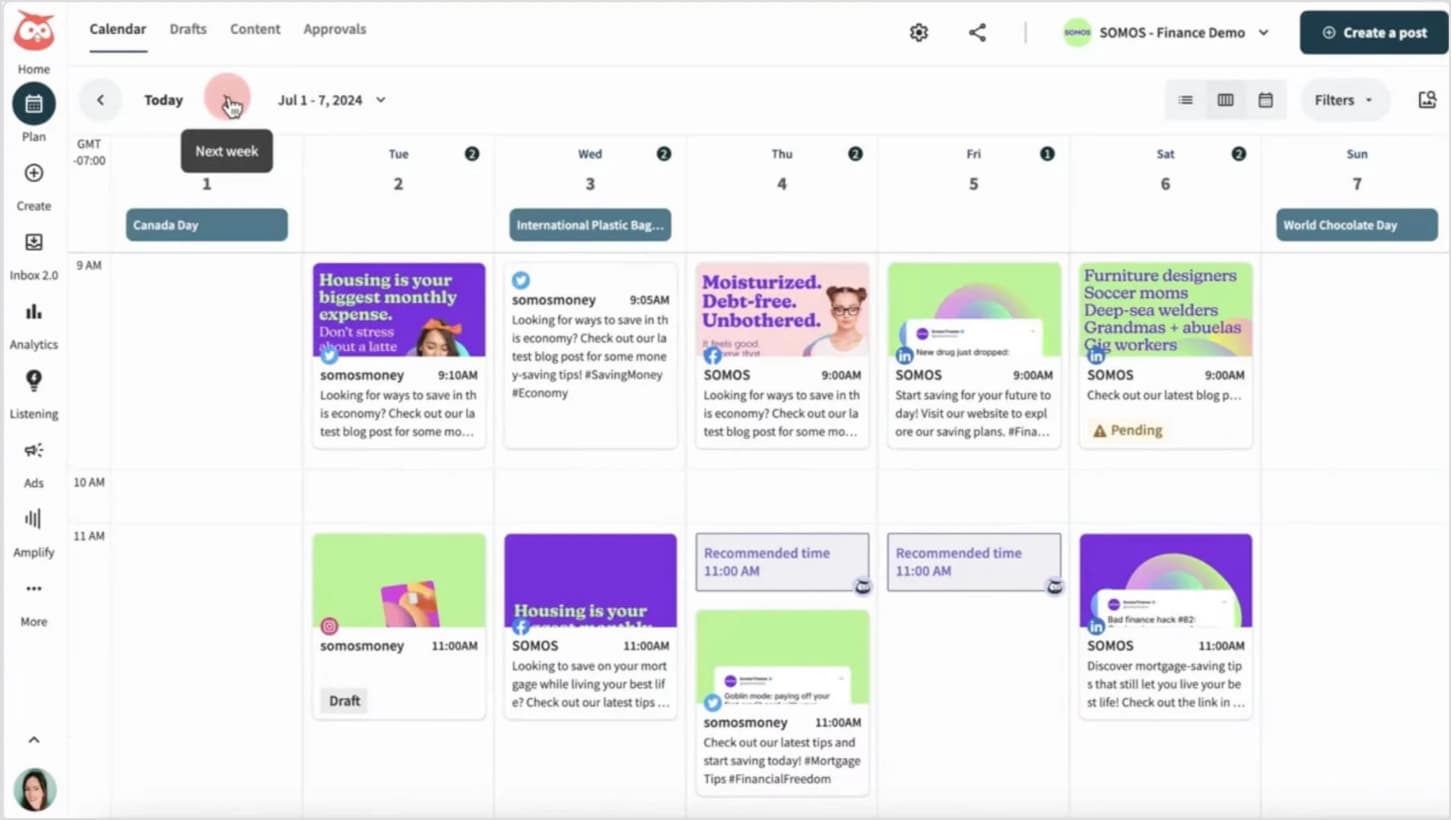
Hootsuite is an established scheduling tool, supporting all major social networks including Facebook, Instagram, Twitter, LinkedIn, Pinterest, TikTok, and YouTube. Its bulk scheduling feature lets you upload and schedule hundreds of posts at once via spreadsheet import.
What sets Hootsuite apart is its ability to optimize posting times based on when your audience is most active in each time zone. This ensures your content reaches people at the times they are most likely to engage.
Related: Hootsuite vs ContentStudio
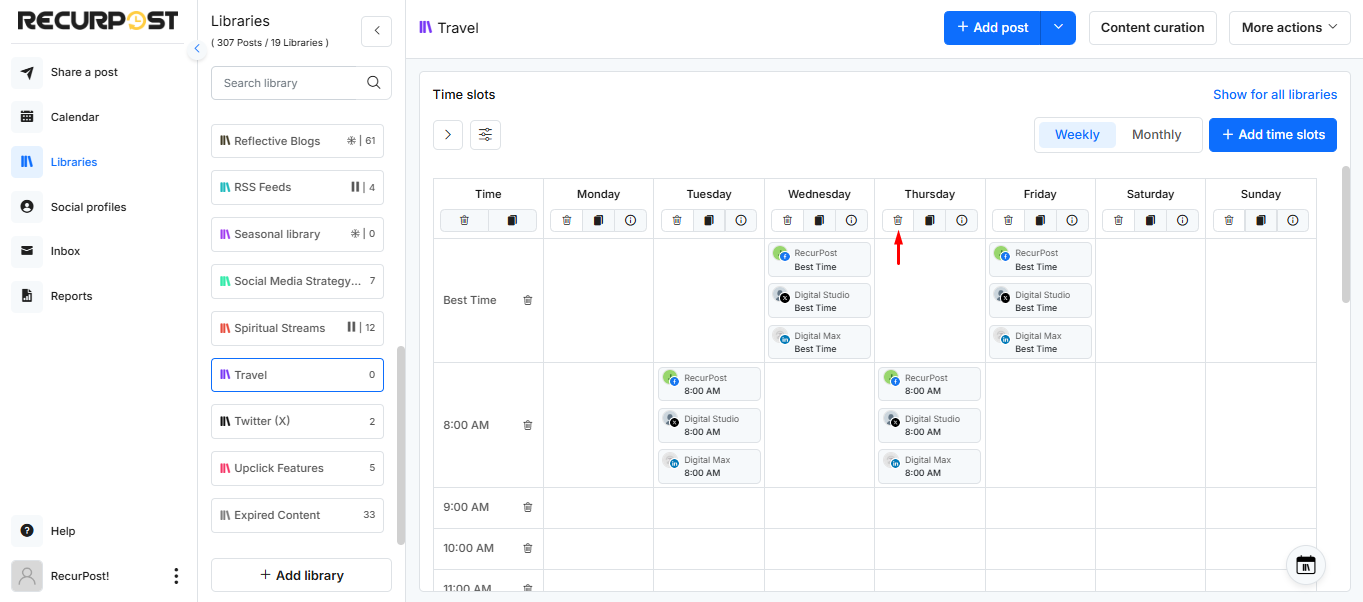
RecurPost focuses on evergreen content recycling – it can automatically repost your best content at a defined frequency to keep your social presence active without constant manual scheduling. The tool offers a Canva integration so you can design posts and add them to your schedule seamlessly.
RecurPost is an excellent choice if you want to keep your social channels populated with less hands-on effort by leveraging your existing content assets intelligently.
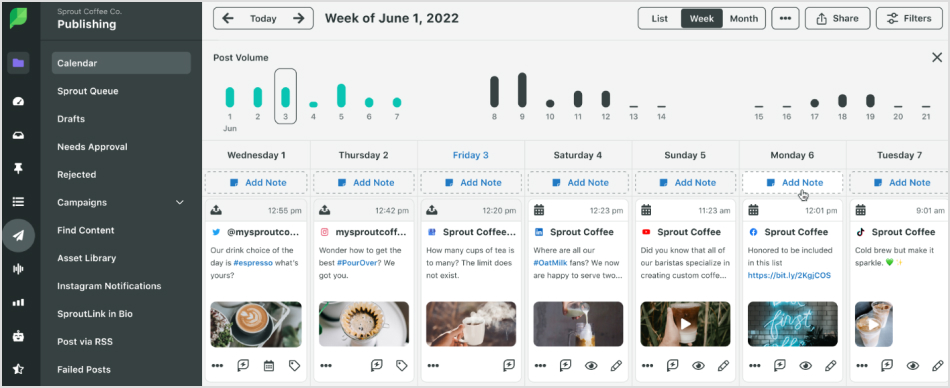
Sprout Social offers an advanced scheduling suite powered by data science. The tool analyzes your past post performance and suggests the optimal times to share content to maximize engagement.
The smart calendar view provides a bird’s-eye view of your scheduled content across networks. While pricier than some tools, Sprout Social is ideal for data-driven teams that want to build high-performing social strategies.
Related: Sprout Social vs ContentStudio
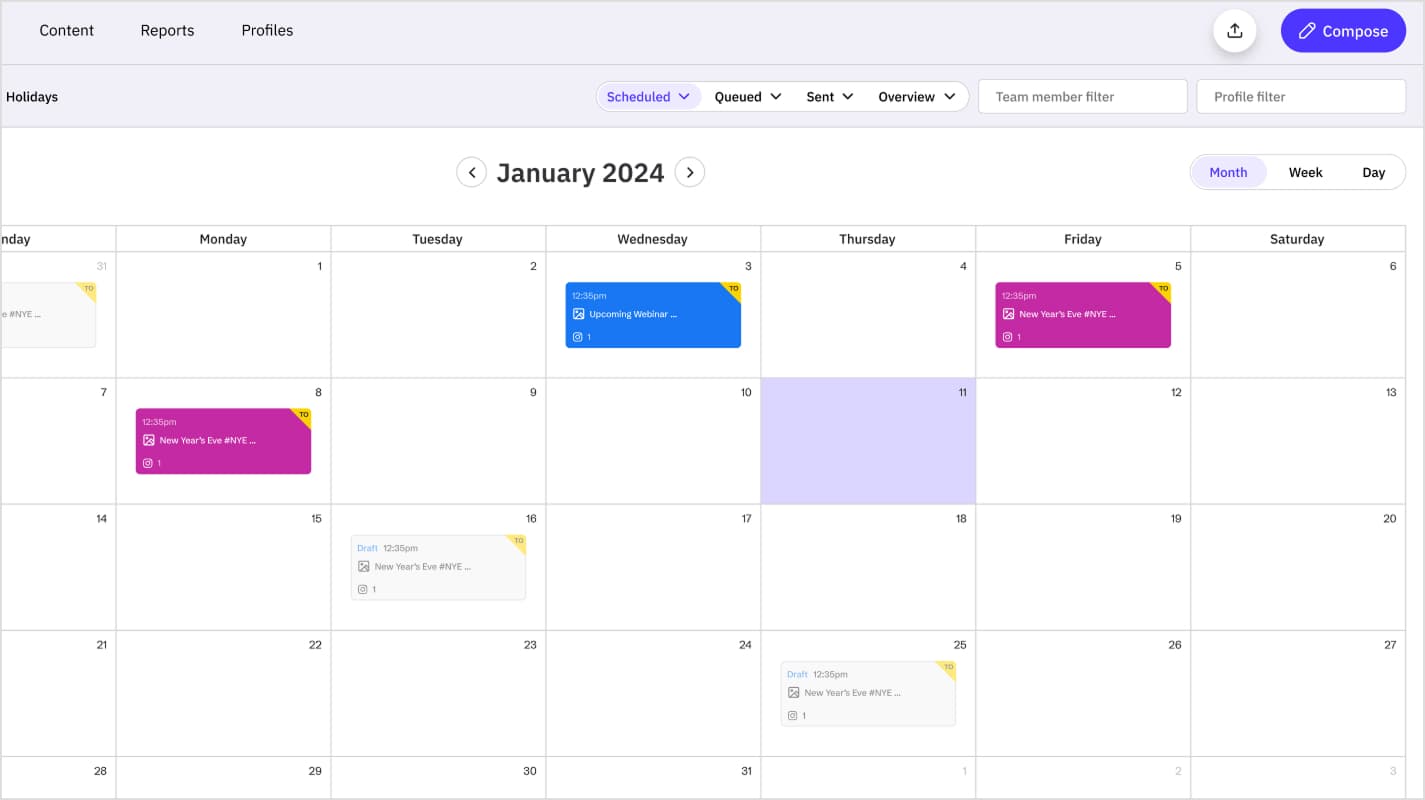
Sendible supports scheduling for an impressive range of networks including Facebook, Instagram, Twitter, LinkedIn, TikTok, YouTube and even WordPress blogs. Its Smart Queue system automatically slots content into predefined posting schedules so your social profiles stay active.
The standout scheduling feature is Sendible’s interactive Content Calendar, which suggests trending topics and dates to inspire your posting plans. It’s great for agencies managing many client accounts.
Related: ContentStudio vs Sendible
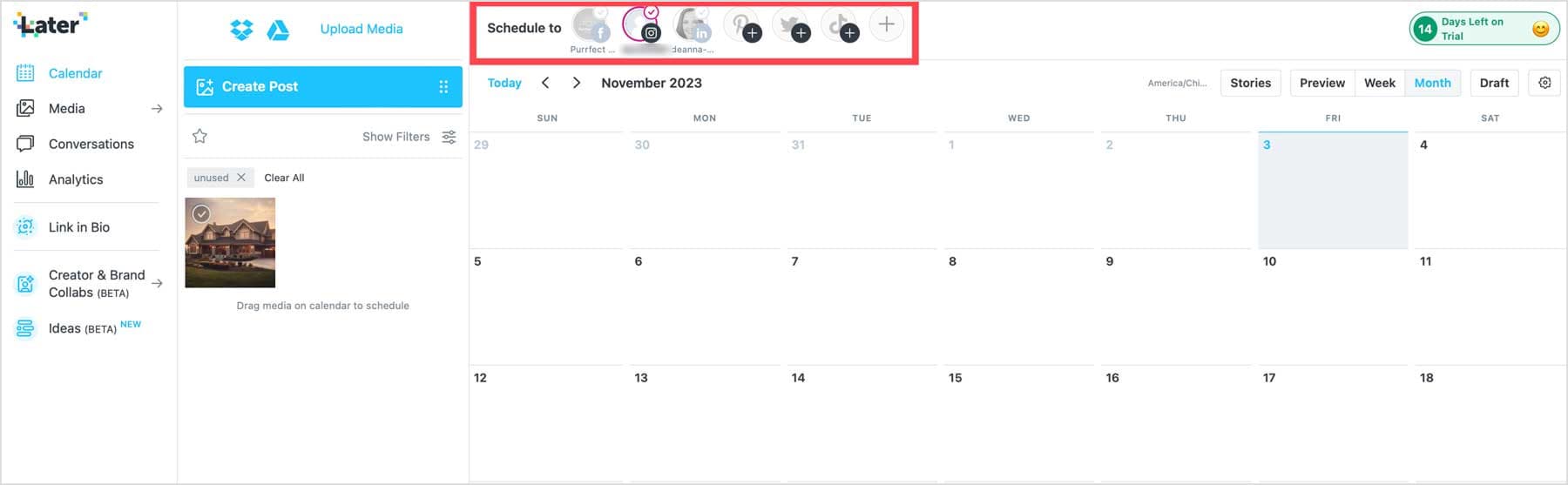
Later is an Instagram-first scheduling platform that also supports Facebook, Twitter, Pinterest and TikTok. Its intuitive visual planner shows exactly how your scheduled posts will look in your Instagram grid and allows you to easily rearrange them.
Later supports direct auto-publishing for Instagram Feed, Reels and Carousels, making it effortless to maintain a consistent presence. Its link-in-bio tool also helps turn your Instagram traffic into website visits.
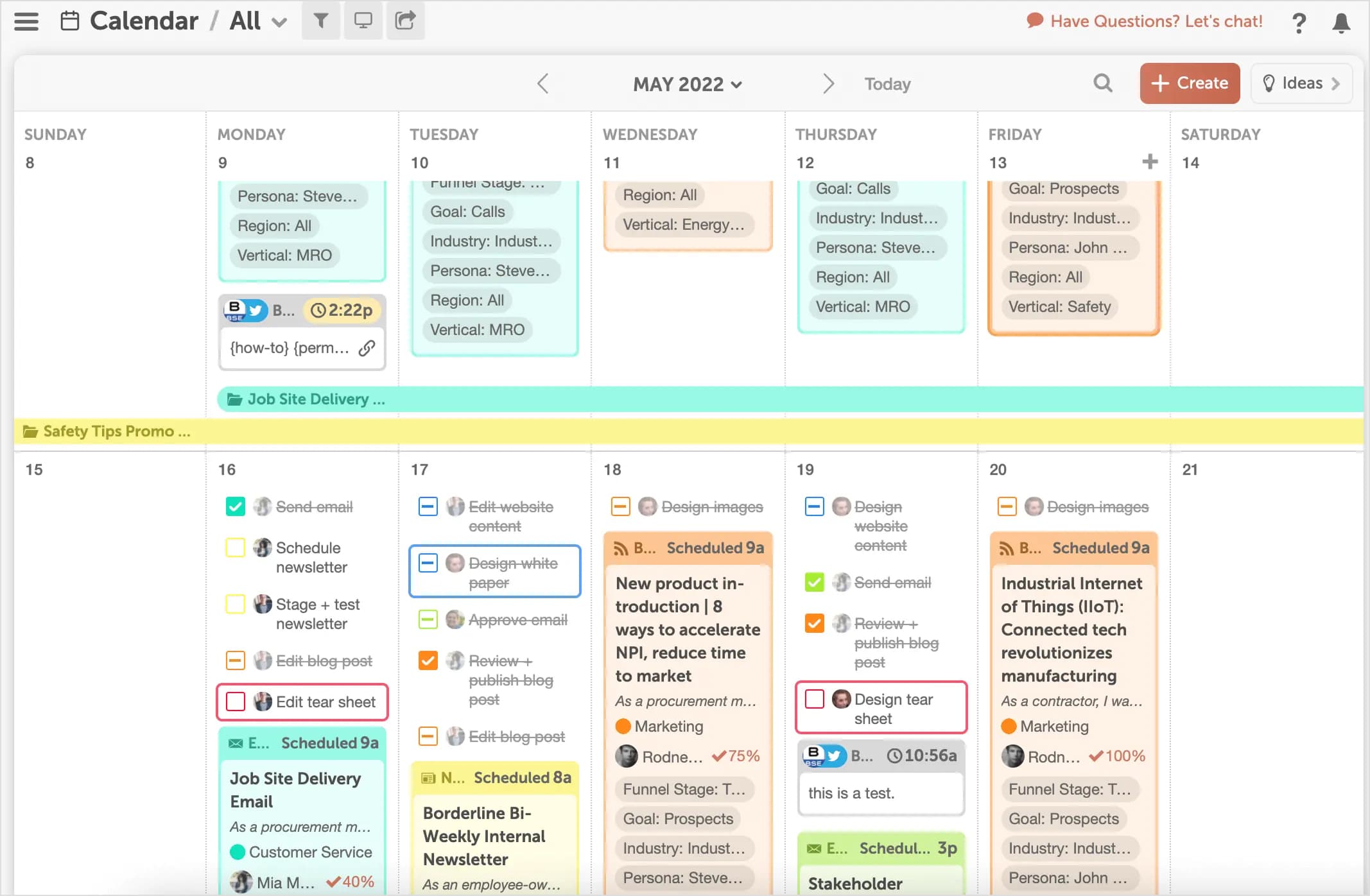
CoSchedule offers both content calendars and social media scheduling. Its “best time” scheduling feature automatically publishes posts at high-engagement times by analyzing past performance. The ReQueue feature works like a smart content repository, resurfacing your evergreen posts to fill empty slots.
CoSchedule’s strength is its marketing calendar that lets you coordinate blog posts, email, and social campaigns in one place. It’s well-suited for content-focused teams.
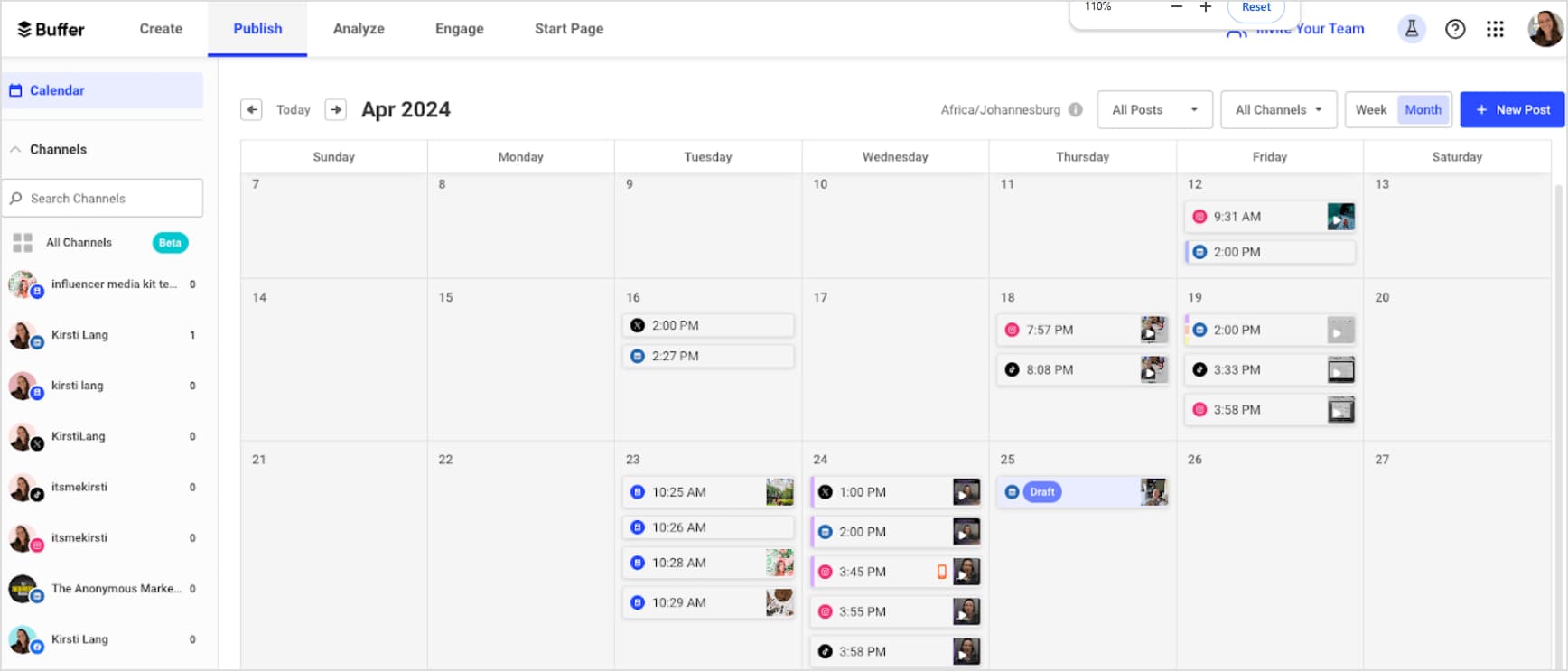
Buffer offers scheduling for all key networks. You can create custom posting schedules or add posts to a queue for automated publishing. Buffer supports a wide range of niche platforms like Mastodon and Shopify alongside the core networks.
Buffer’s minimal interface and mobile apps make it a great option for lean teams and solo creators who want core scheduling without extra bells and whistles.
Related: ContentStudio vs Buffer
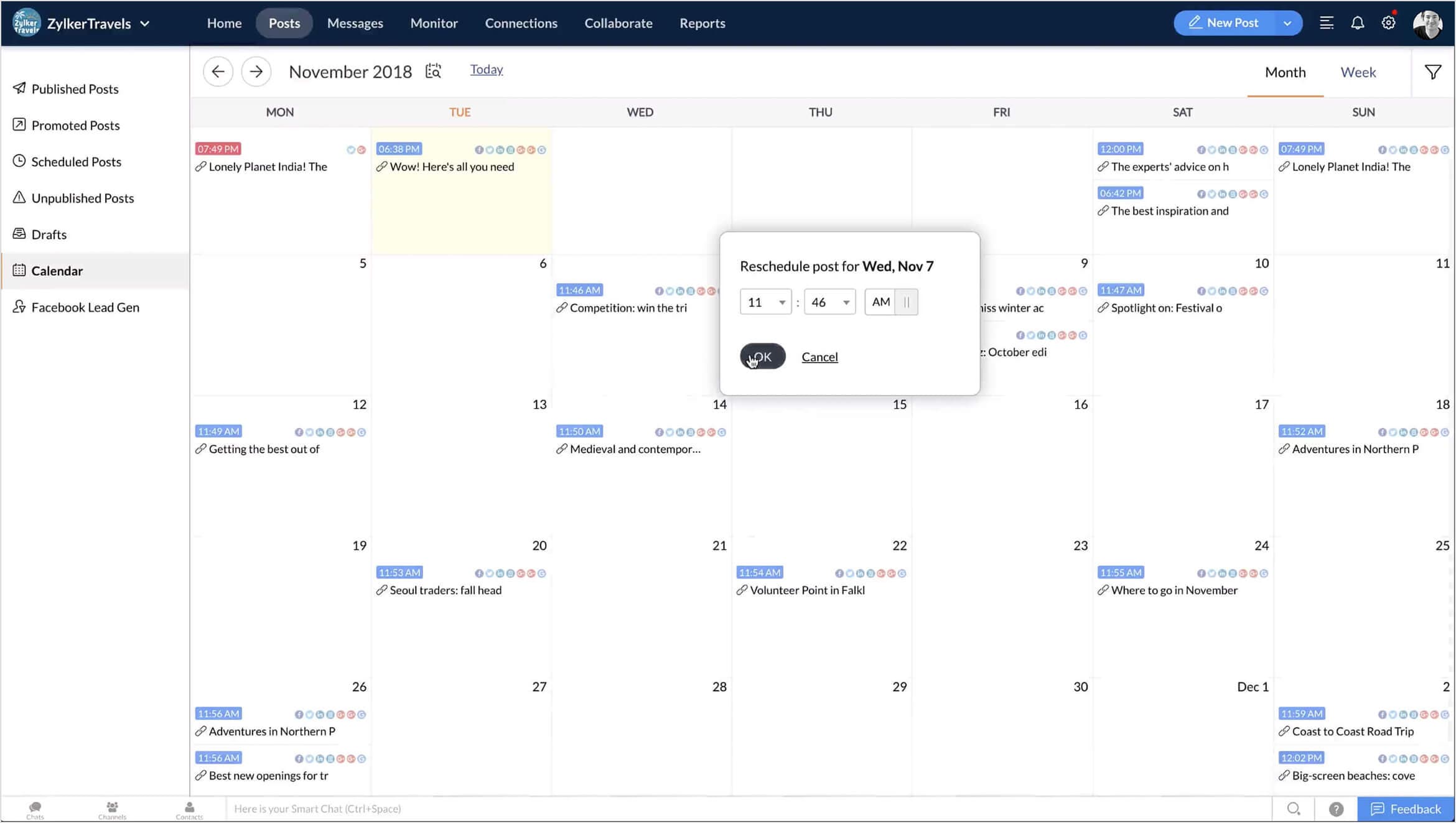
Zoho Social combines scheduling, collaboration, and analytics in one platform. Like other tools, it supports bulk scheduling from spreadsheets and has a unified calendar to visualize posts. The Smart Q feature automatically queues up posts for optimal times.
Zoho Social doesn’t have as many powerful features as pricier tools but offers incredible value, especially if you use other Zoho business apps, as it integrates seamlessly with them.
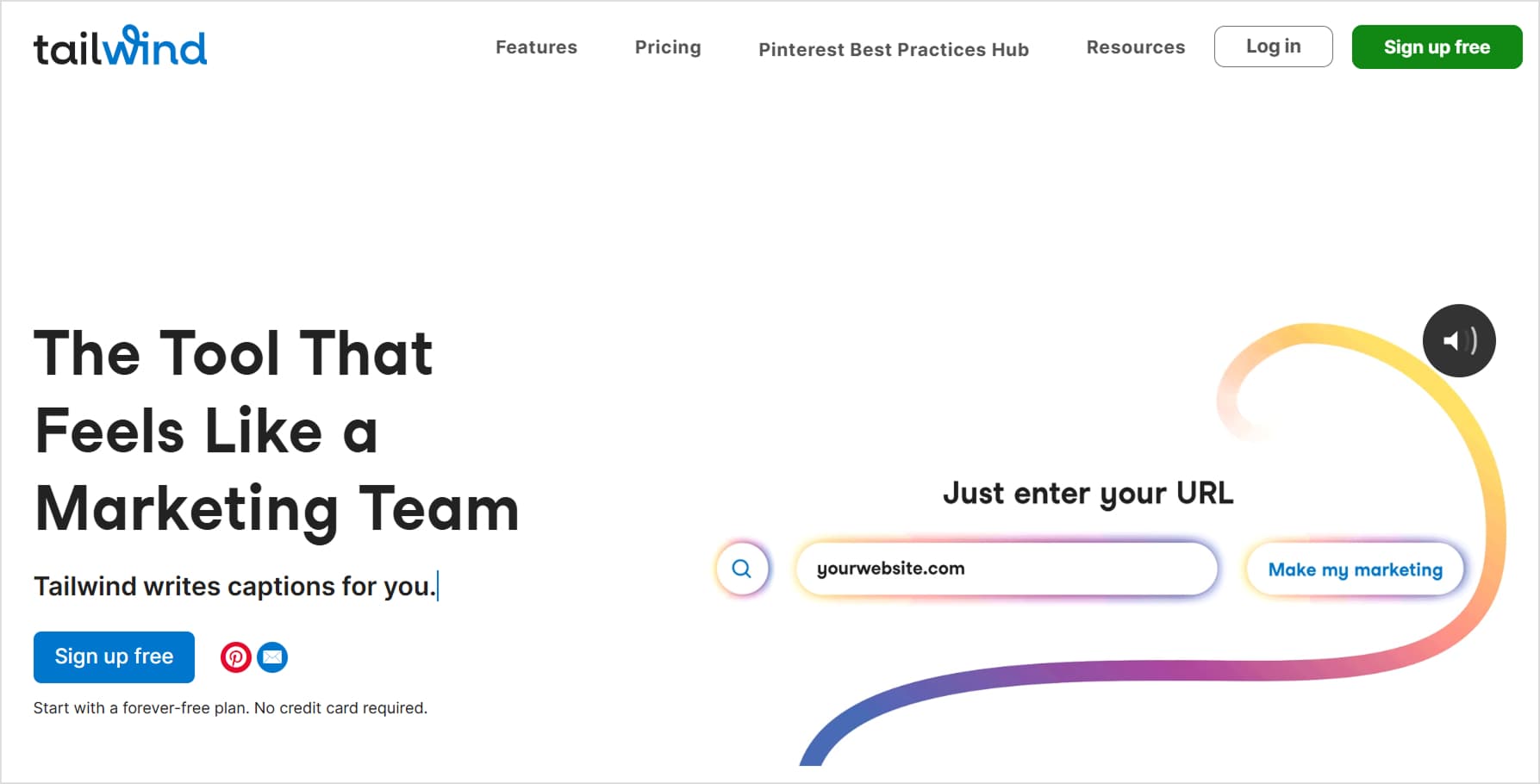
Tailwind is built specifically for visual marketing on Instagram and Pinterest. It offers intuitive drag-and-drop post planning and the ability to bulk upload from Dropbox or Google Drive. The SmartSchedule feature automatically picks high-engagement time slots for your industry.
While not an all-in-one social tool, Tailwind is unbeatable for power-pinners and Instagram marketers who want to scale their visual content efficiently.
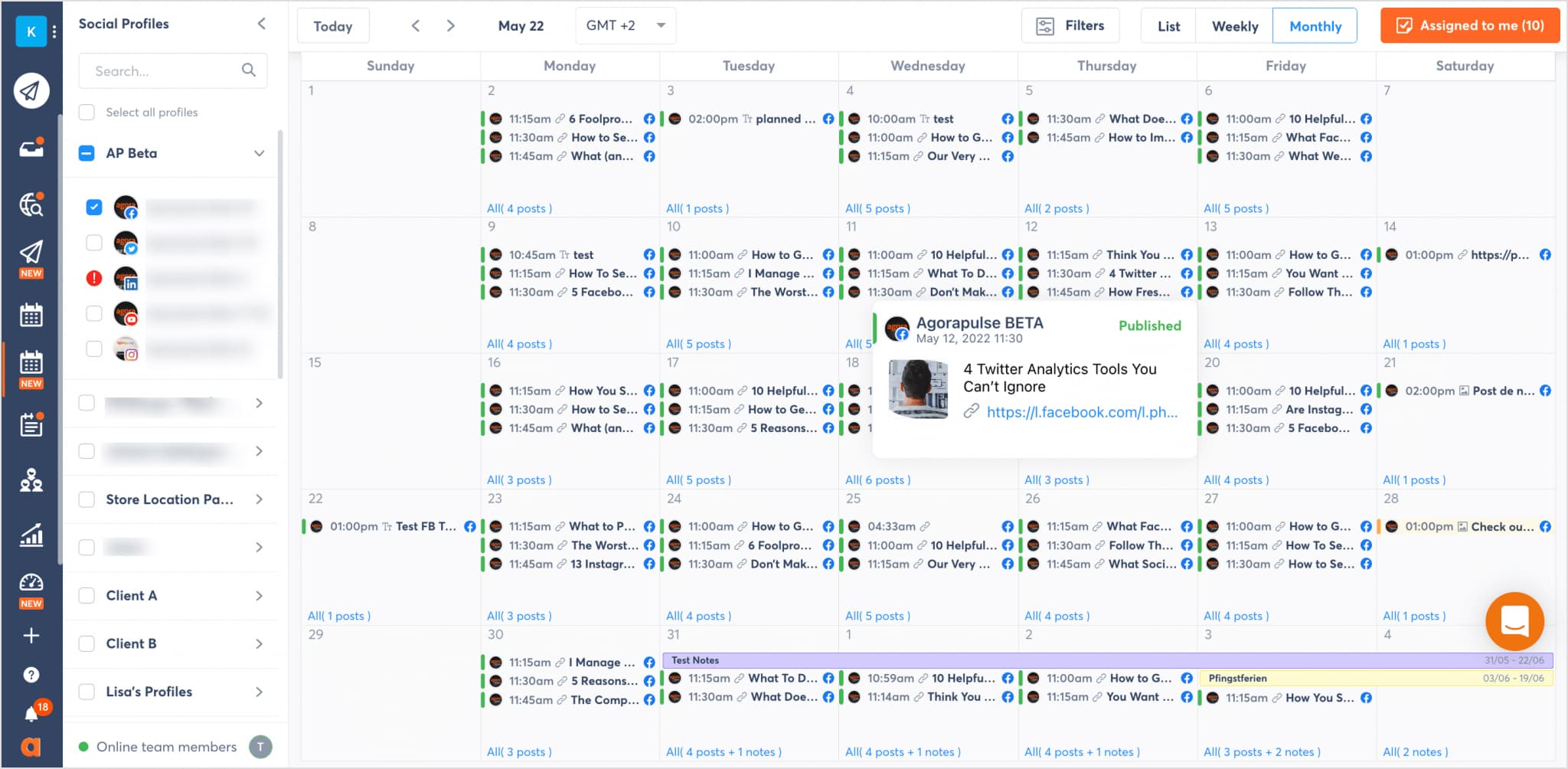
Agorapulse offers publishing, engagement, and reporting tools in a unified dashboard. On the scheduling side, it provides both a visual calendar and automated content queues to maintain posting consistency. Team members can easily collaborate on post planning and approvals.
Agorapulse doesn’t offer as many advanced publishing features as some enterprise tools, but its well-rounded feature set and reasonable pricing make it a solid choice for most social teams.
Related: ContentStudio vs Agorapulse
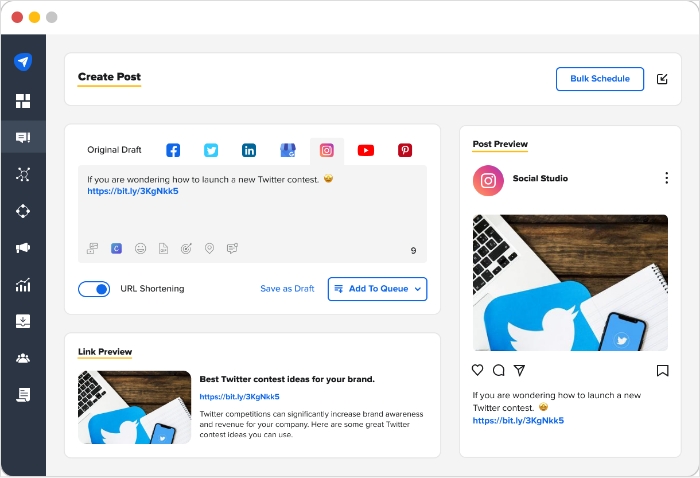
SocialPilot offers straightforward scheduling tools alongside analytics and client management features. It supports bulk scheduling and queues like most tools. The standout feature is granular timezone targeting – you can deliver posts to audiences in their local timezone to boost engagement.
SocialPilot is an affordable option for small-to-medium agencies that need reliable multi-network scheduling without excessive complexity.
Related: ContentStudio vs SocialPilot
Many people don’t want to invest heavily in social software right away, so they look for a free social media scheduler to get started. While free social media scheduling tools are appealing, most come with significant limitations in terms of profiles, posts per month, analytics, and collaboration.
For long-term, consistent scheduling, a paid plan is usually the more reliable option. If you still want a basic or temporary option, here are two effective ways to schedule social media posts for free:
One of the smartest ways to experience premium social media scheduling tools without paying upfront is to use a free trial from a top platform like ContentStudio.
This approach lets you see what professional-grade scheduling platforms feel like before deciding whether to upgrade.
Most major networks now offer limited built-in scheduling tools you can use at no additional cost:
These native tools are helpful for simple, channel-specific scheduling. However, they don’t replace full social media scheduling tools, as they lack cross-platform scheduling, unified analytics, team collaboration, and a consolidated content calendar.
Selecting the right social media scheduling app is one of the most effective ways to improve consistency, save time, and boost engagement across your channels. By evaluating:
You can narrow down the tools that realistically fit your needs. Whether you’re a solo creator, a growing agency, or an enterprise team, investing in a well-chosen social media scheduling tool will help you run a more strategic, data-backed, and efficient social program, without being glued to your feeds all day.
Social Media Content Calendar
Stay consistent and organized with Contentstudio’s social media content calendar for marketers and agencies.
Get Started for FREE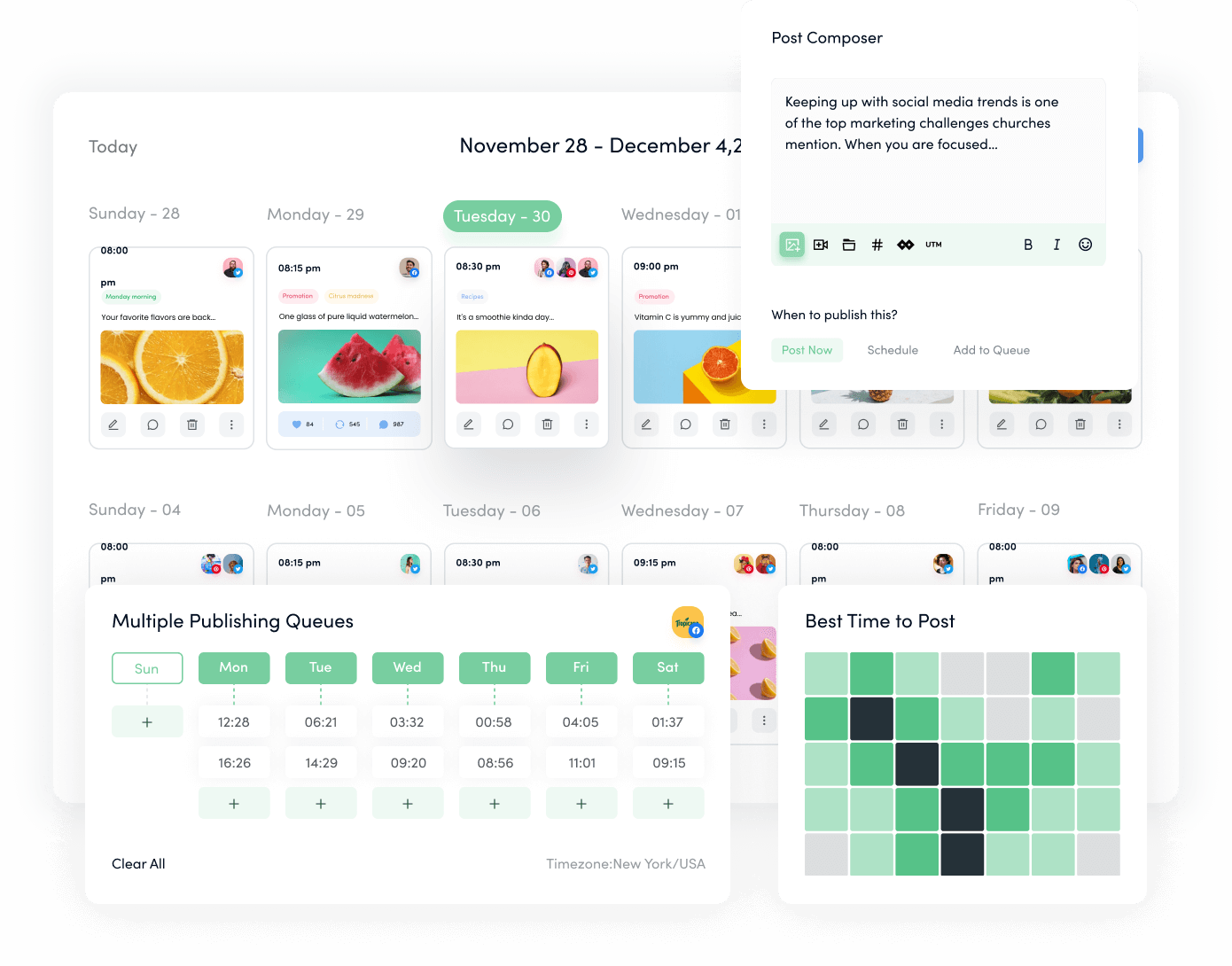
Social media scheduling tools are platforms that let you plan, create, and publish content across multiple networks in advance. Instead of posting manually, you add content to a calendar, and the tool handles publishing at the times you choose, helping you maintain a consistent online presence.
Using a social media scheduler saves time and reduces day-to-day stress. You can batch-create content, maintain consistent posting schedules, and align your posts with campaigns or launches. This typically leads to better audience engagement, stronger brand visibility, and a more organized social media strategy.
Look for:
Multi-platform support
A clear, user-friendly interface
Bulk scheduling and queue management
Content curation or discovery options
Analytics and reporting
Team collaboration and approval workflows
A mobile app for on-the-go management
These features together make social media scheduling more efficient and strategic.
Yes. Some tools offer generous free plans, and many, like ContentStudio, offer full-featured free trials. These are excellent ways to test scheduling platforms before committing to a subscription.
Mobile apps let you manage your social media scheduling from anywhere. You can approve content, adjust schedules, monitor performance, and respond to comments or messages in real time, keeping your social media strategy agile even when you’re away from your desk.
Plan 0 Days of Content in 0 Minutes
Create, schedule, publish and analyze your content across all your social media channels from one simple dashboard.
4.7 on Capterra • 16,500+ marketers trust ContentStudio
Salahuddin Umer is a Content Writer at ContentStudio covering social media management, scheduling, and analytics tools. He also writes about AI content creation and video marketing, with a focus on practical, well-researched guides that marketers and teams can put to work right away.
View all posts by Salahuddin UmerRecommended for you
How to promote affiliate links on social media in 2026
Multi-location social media management workflow guide
Best SaaS affiliate programs for social media marketers in 2026
19 best social media management tools to plan, schedule, and grow in 2026