Step 01
Connect your account
Link your TikTok account to ContentStudio in a few clicks. Connect one handle or several, whether they are yours or a client's.
 Schedule TikTok Videos
Schedule weeks of TikTok videos in advance, publish them automatically when your audience is watching, and run every account from one calendar. ContentStudio keeps you consistent while you get back to creating.
7-day free trial. No credit card required.
Schedule every TikTok format
Trusted by 16,500+ leading brands and agencies
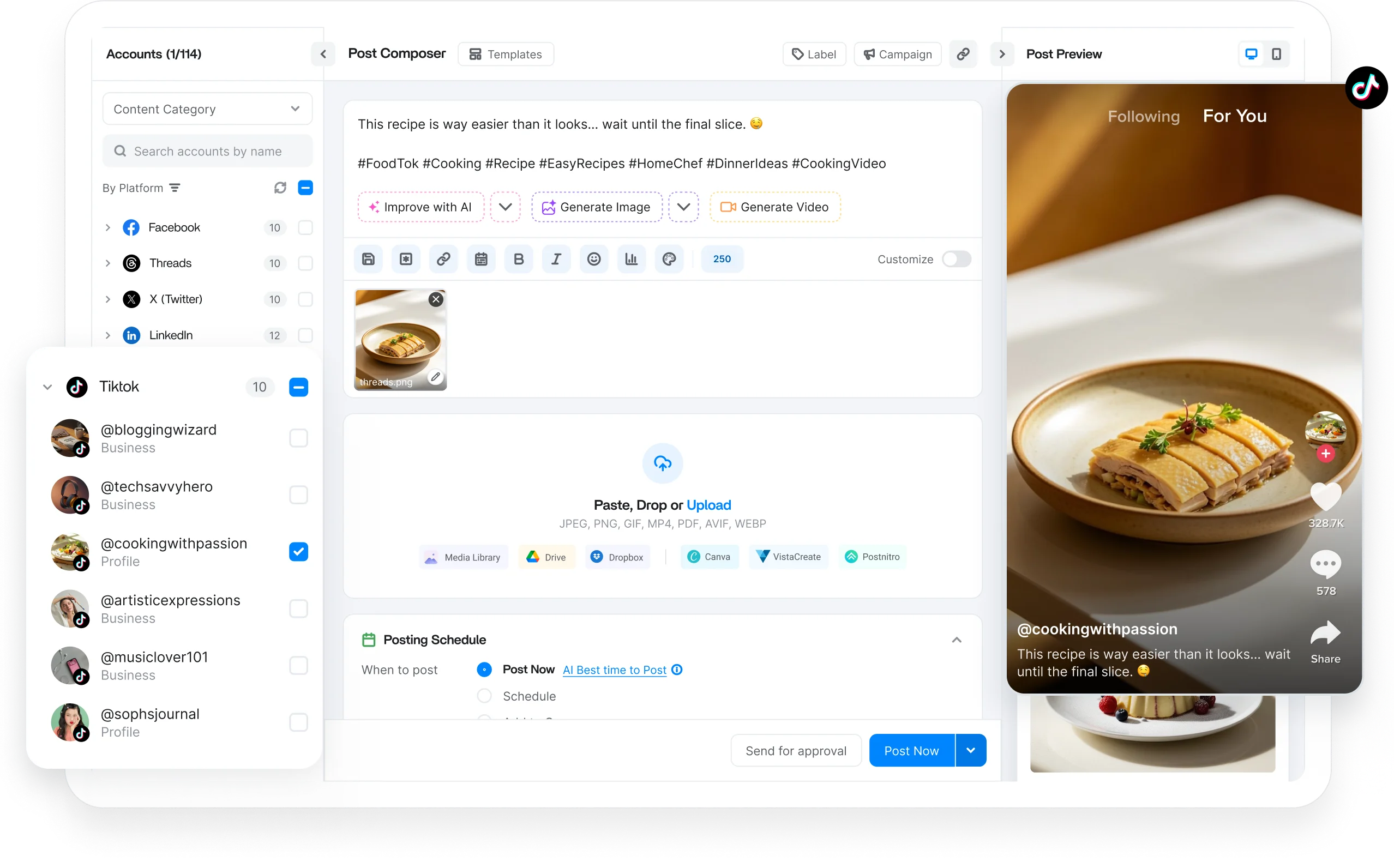
A TikTok scheduler connects to your account and publishes videos at your chosen times, so you post at peak hours without being on your phone the moment they drop.
ContentStudio is a social media management system that pairs TikTok publishing with direct posting, AI-assisted content creation, and best-time-to-post picks in one place.
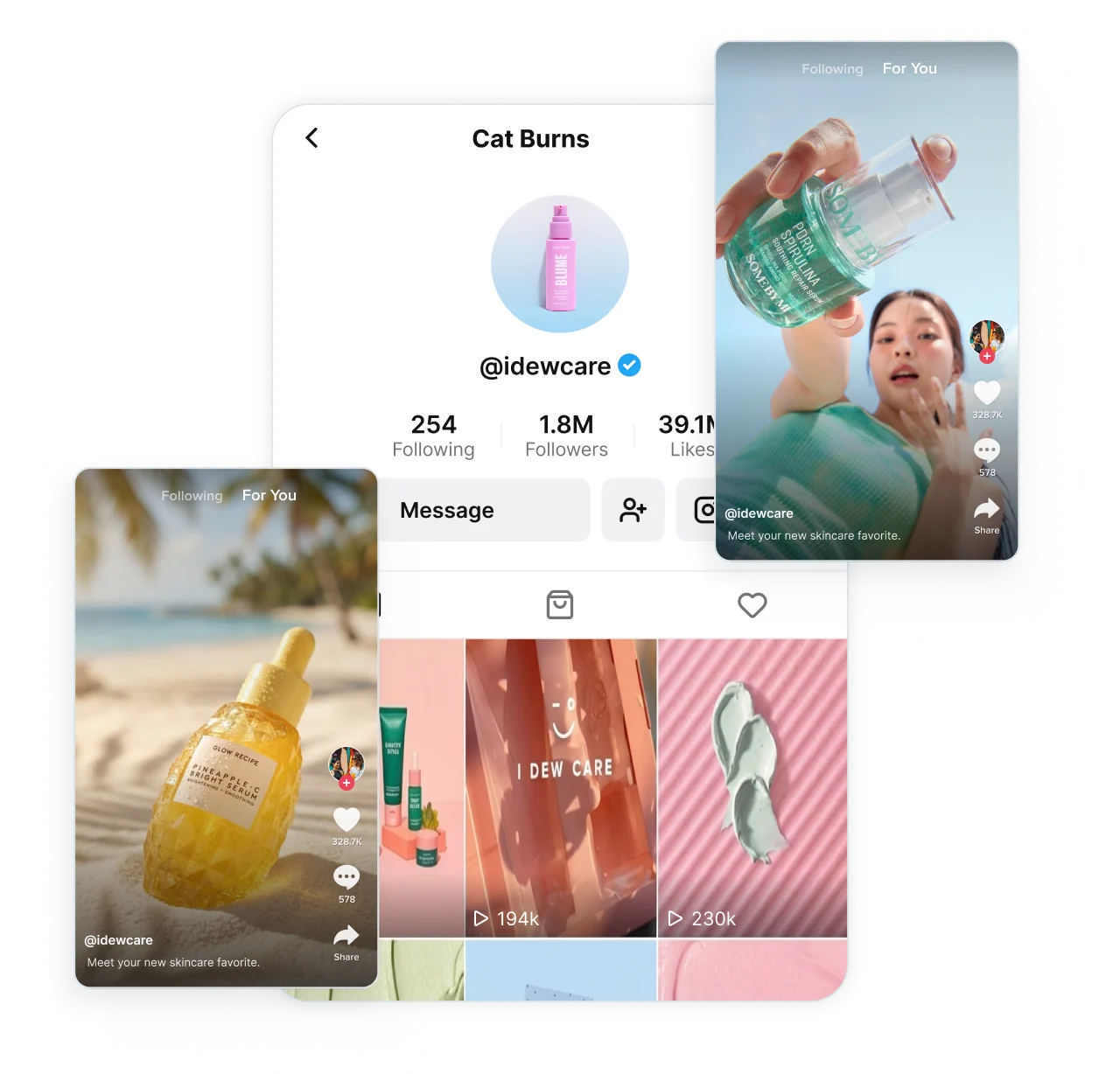
TikTok rewards accounts that post consistently. Line up your videos, photo posts, and carousels ahead of time so your feed keeps moving while you stay focused on the next hook.

Schedule videos with your caption, hashtags, and cover frame set in advance. Add the trending sound and hook while it is fresh.

Plan photo mode posts and carousels that pull viewers through swipe by swipe, whether you are sharing a product drop, or a tutorial.

Choose who can see each post, and set your Comment, Duet, and Stitch permissions before it goes live. Flag branded content or AI-generated video.

See how the caption, cover, and first frame will look before anything goes live. Save works in progress as drafts, or send them to a teammate.
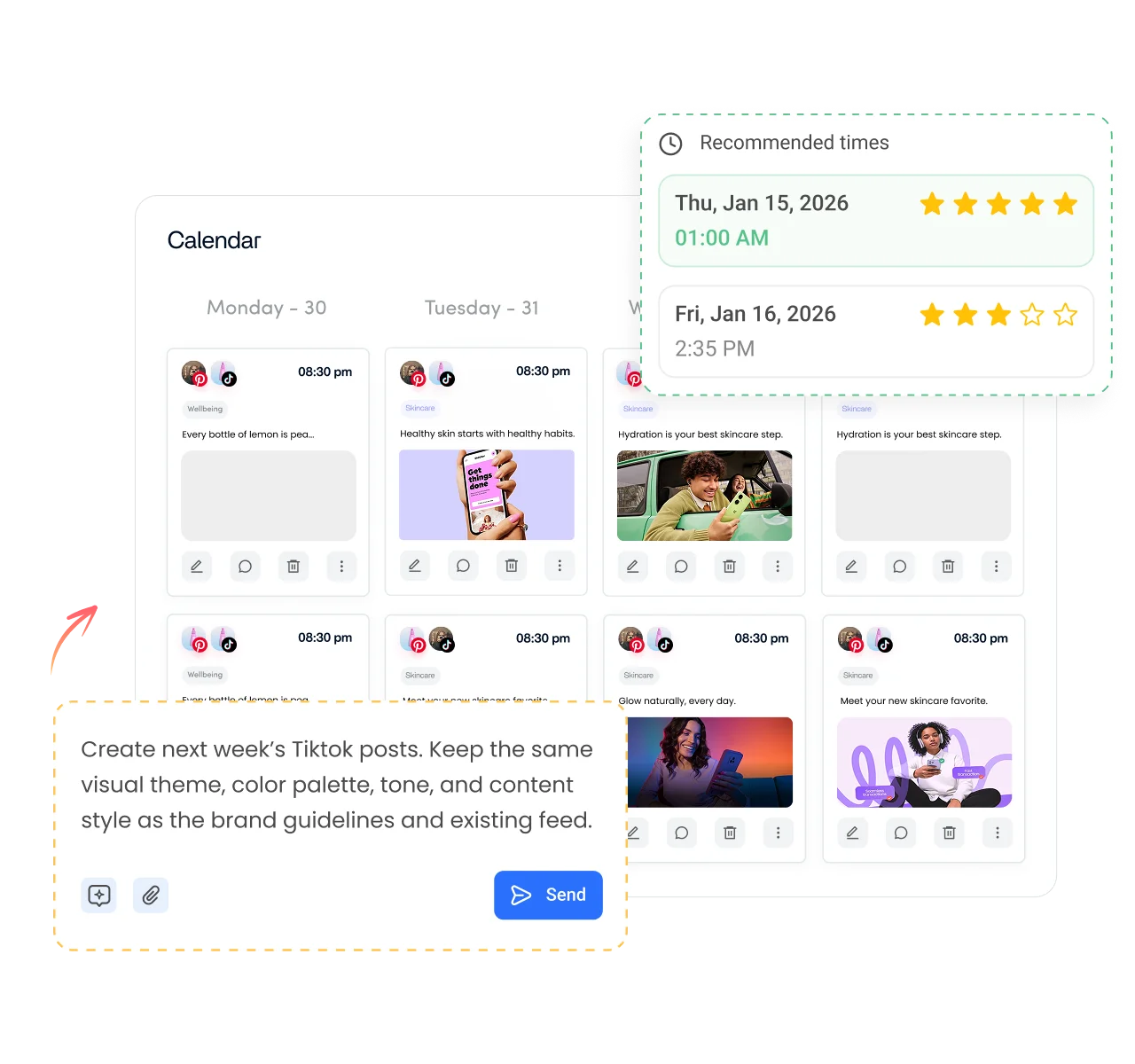
Growth on TikTok comes from showing up daily. Batch a week or a month of videos in one sitting, and let ContentStudio publish them automatically so a busy day never turns into a dead feed.

Run several TikTok accounts from a single dashboard. Keep a client roster, a personal handle, and a brand account moving in parallel.

Upload a whole batch of videos at once and spread them across your calendar in minutes, or let AI map out posting cadence.
Give each account, campaign, or content series its own queue, so a product launch and a trend series each stay on their own rhythm.

Post when your followers are actually on the app. ContentStudio reads your audience activity and recommends the best time to post on TikTok.
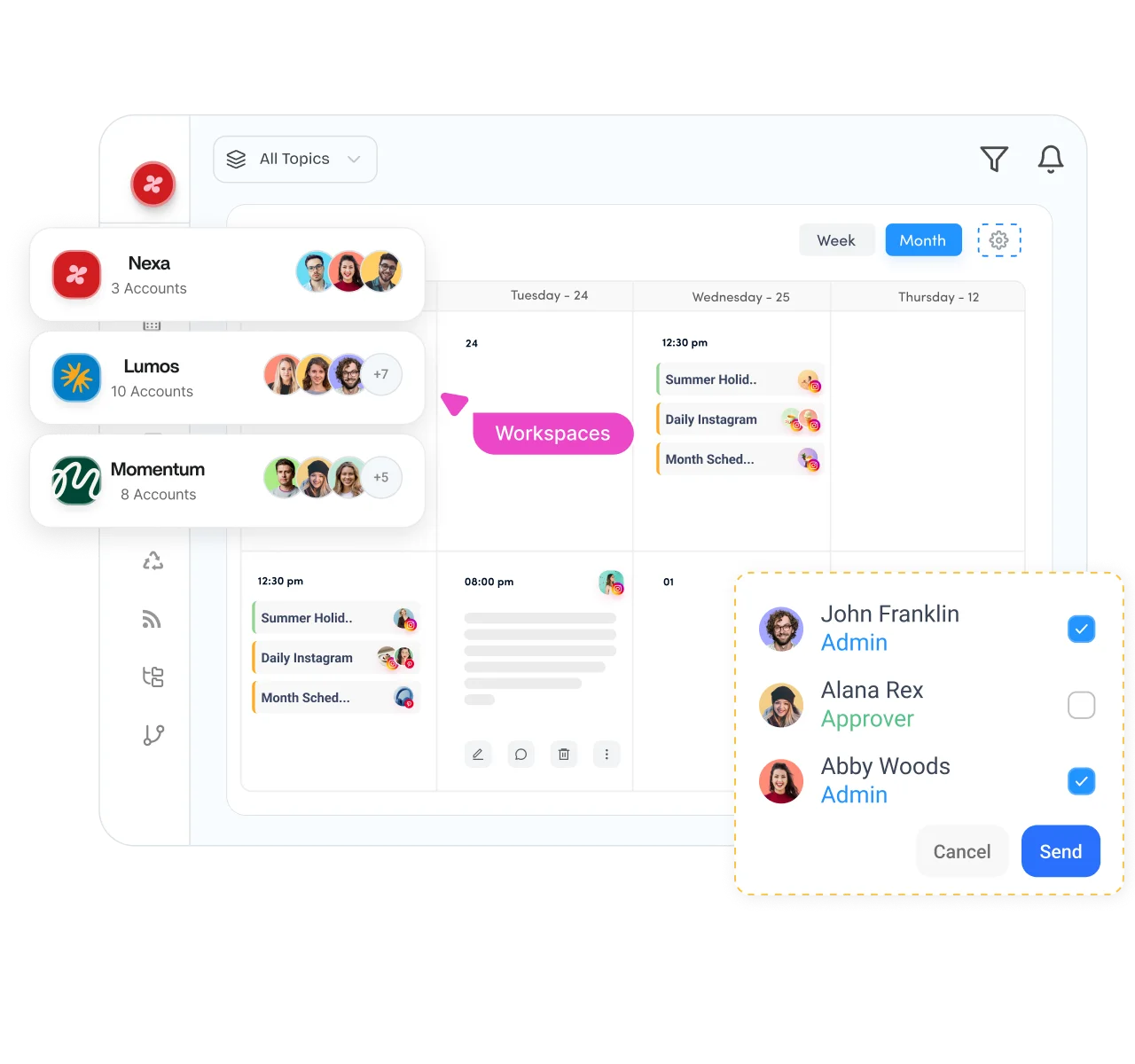
Bring your whole TikTok workflow into one place. Plan a content series, collect feedback on rough cuts, approve captions, and keep everyone aligned before a video ever reaches the For You feed.

Separate clients, brands, or business units into dedicated workspaces while running multiple TikTok posting schedules side by side.

Map your posting cadence on a drag-and-drop content calendar that shows every upcoming video, photo post, and trend at a glance.
Send videos for sign-off before they publish. Catch a wrong sound, an off-brand caption, or a risky trend while there is still time to fix it.

Onboard client TikTok accounts without asking for passwords. Link accounts securely, so agencies can start scheduling on day one.
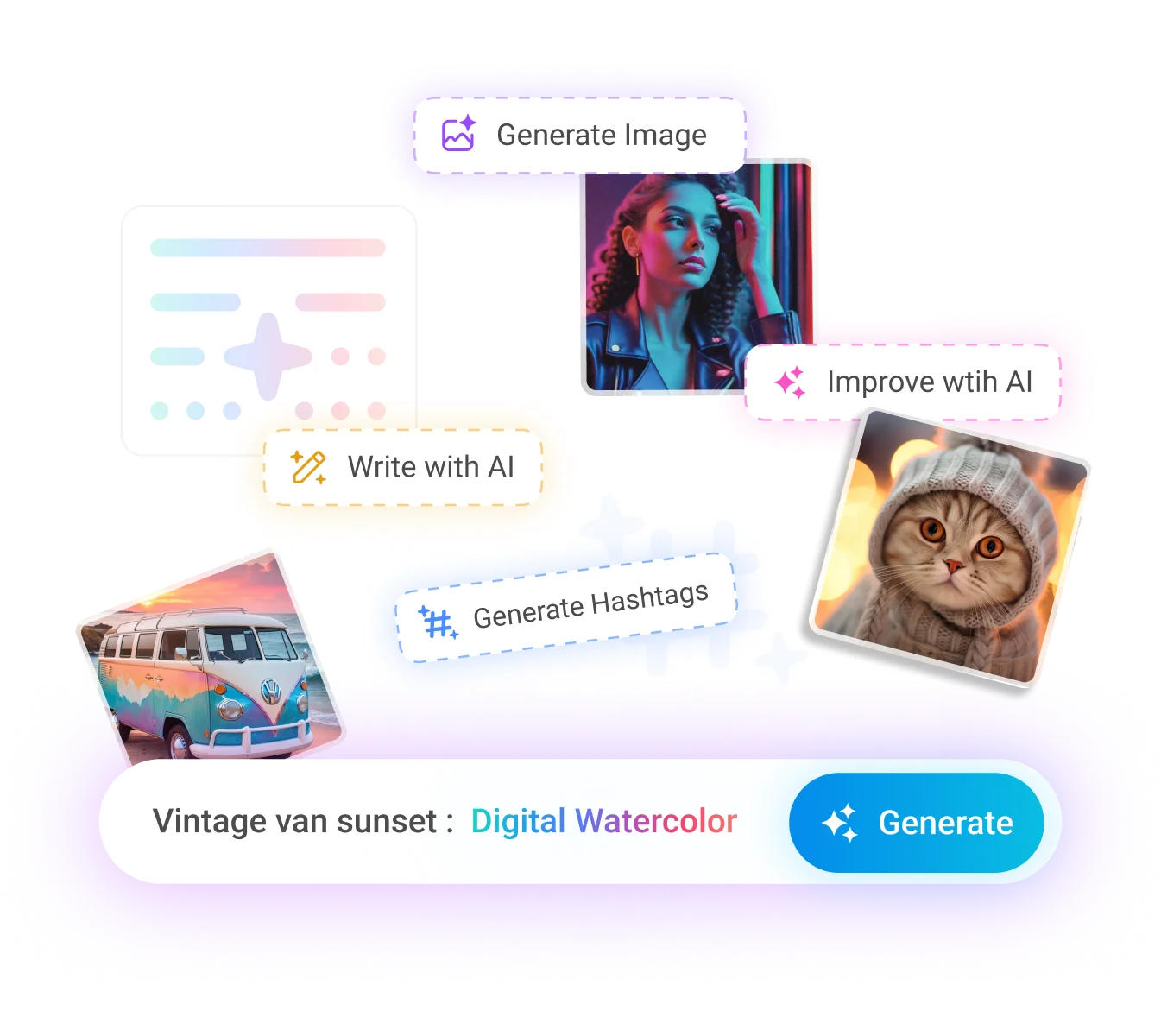
Keeping up with TikTok means creating fresh content every day. AI Studio helps you write captions, generate images and videos, and create short clips, so you can move from idea to scheduled post faster.

Write scroll-stopping hooks, captions, and hashtag sets that fit the trend and the audience, then drop them straight onto a scheduled video.

Turn a prompt into a custom cover frame or a photo mode post, ready to schedule without opening a design tool.

Generate short video clips from a prompt when you need fresh content fast, then queue them into your posting calendar.
Turn one long video, podcast, or livestream into a run of vertical TikTok clips, so a single recording feeds a week of posts.

How it works
Learn how to schedule TikTok posts in four simple steps. From start to finish, ContentStudio handles the entire scheduling process for you.
Step 01
Link your TikTok account to ContentStudio in a few clicks. Connect one handle or several, whether they are yours or a client's.
Step 02
Upload your edited video, add the caption, hashtags, and cover frame, or use AI to generate visuals in the same place.
Step 03
Pick a date and time, bulk schedule a whole batch, or let ContentStudio suggest the best time to post when your audience is online.
Step 04
ContentStudio pushes your videos live on schedule, no reminders and no posting by hand, so your account keeps its rhythm.
Whether you are one creator chasing your next viral video or an agency running dozens of client accounts, ContentStudio scales with you through shared calendars, workspaces, permissions, and collaboration tools.

Batch a week of videos on your editing day, then let ContentStudio publish them while you film the next ones.
Manage every network you run from the same social media scheduler.

Keep your Pages and Groups active with posts, Reels, and Stories set to publish on their own, and see which ones actually moved the needle.

Map out Reels, feed posts, and Stories weeks ahead, then check the grid preview so your profile looks intentional before a single post goes out.

Load up threads and one-off posts across all your handles, and step into the replies without leaving the tool you scheduled from.

Line up long-form uploads and Shorts, send each through review, and lock in the title, tags, and thumbnail before it ever goes public.

Keep pins flowing across every board, pace them out so nothing trips a spam flag, and see which ones bring in the saves and clicks.

Queue posts, carousels, and documents for every Profile and Company Page you run, all planned from one shared calendar.

Slot your Threads posts in alongside the rest of your week so the feed keeps ticking over without you having to post in the moment.


Book a 30 min call
Have questions? Schedule a quick call and we will guide you through everything.
Book a free call