01
Auto-post from RSS
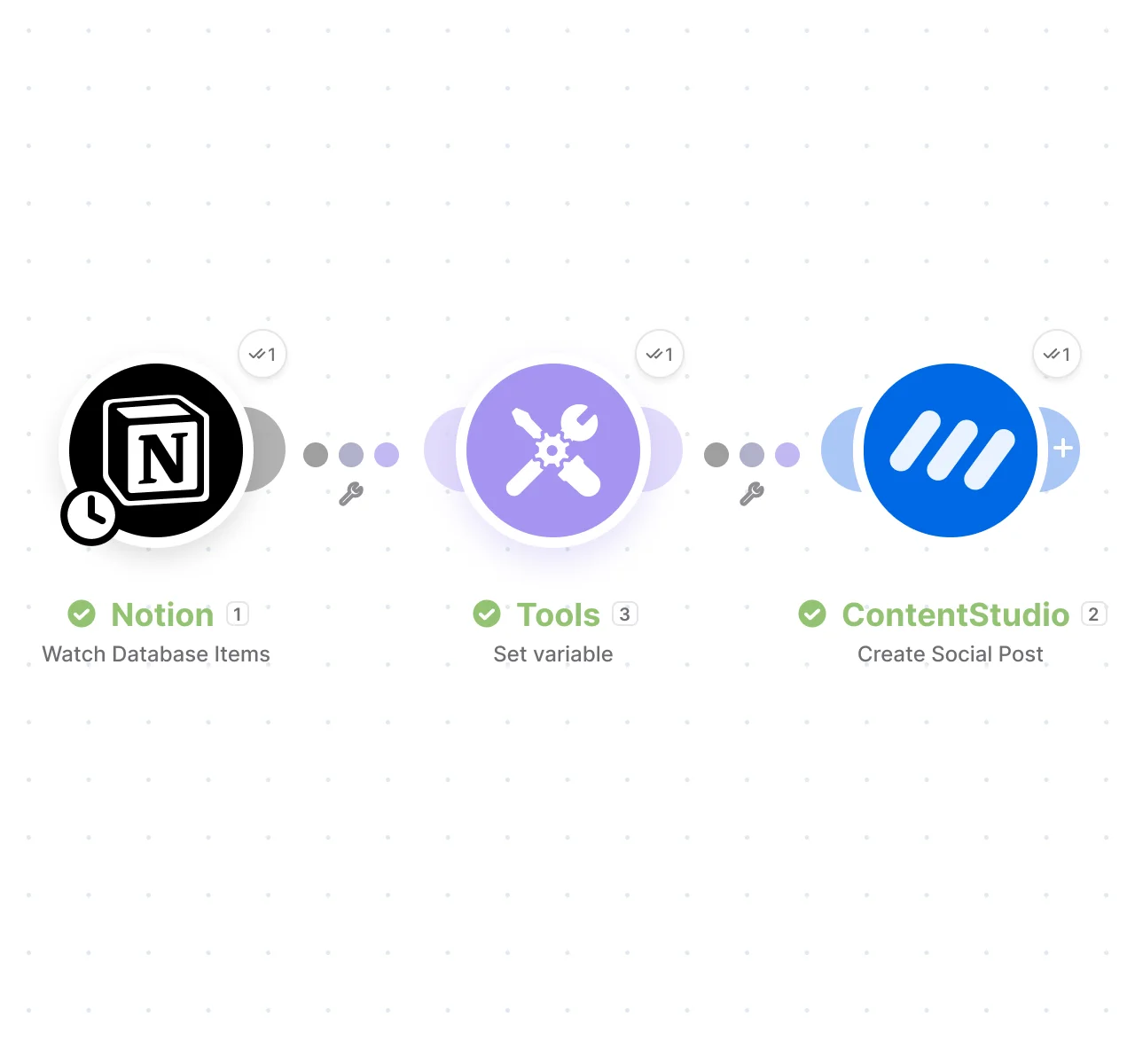
Connect any blog or news RSS feed. Every time a new item is published, Make creates a scheduled post in ContentStudio using the title, link, or description you map from the feed.
 Make Integration
Connect ContentStudio to Make and turn actions across your favorite apps into scheduled social posts. Build your workflow once, map the fields you need, and let Make automatically create and schedule posts in ContentStudio without manual copy and paste.
Publishes to:
X / Twitter, Instagram, Facebook, LinkedIn, TikTok, YouTube, Pinterest, Google Business, Threads, Bluesky, Tumblr, and more.


Quick Reference
Core Capabilities
Use Make to connect the apps you already use with ContentStudio and automate social posting. Create your scenario, map the fields, and let each new event trigger a scheduled post. ContentStudio integrations make workflows like this easier to set up.
Connect any blog or news RSS feed. Every time a new item is published, Make creates a scheduled post in ContentStudio using the title, link, or description you map from the feed.
The core action. Make creates and schedules a new post in your selected workspace and accounts, with caption, images, video, schedule time, and first comment pulled from your trigger app.
Remove an existing post from ContentStudio through a scenario. Pair it with any trigger so scheduled or published posts can be cleaned up automatically as part of a wider workflow.
Go beyond the pre-built modules. Call any ContentStudio API endpoint directly from your scenario, giving you the flexibility to build advanced workflows the standard actions do not cover.
Use List Workspaces and List Social Accounts to pull the workspace and account IDs your scenario needs, so it always posts to the right place before it creates content.
The List Posts search returns the posts available in a workspace and can filter by status, so downstream modules can act on what is already scheduled or published.
Setup
Make runs on a visual canvas, so building the connection is a matter of dropping in modules and linking them. Five steps take you live.
Open ContentStudio, head to Settings → API, and generate your key. This is the credential Make uses to post on your behalf, so keep it somewhere private.
In Make, click Create scenario for a blank canvas. Add your first module as the trigger, for example RSS with Retrieve RSS feed items, then paste your feed URL so Make knows what to watch.
Click the plus to add an action module, search ContentStudio, and pick Create Social Post. Choose Create a new connection, drop in your API key, and Make links your account in one popup.
This is where the canvas earns its keep: instead of typing content, you pull fields from the previous module. Set the Workspace and Social Accounts, then map the caption from your RSS title or description.
Use Run once to fire the scenario with real data and confirm the post lands in ContentStudio. If the caption, media, and timing look right, toggle the scenario on and it runs on every trigger from there.
Video Walkthrough
Prefer to watch first? This walkthrough builds a working scenario from scratch, connecting a trigger to ContentStudio's Create Social Post action and scheduling the post live, so you can follow along before you start.
Using the integration
These are real automation patterns teams use to save hours of manual posting. Set the trigger once, map the fields, and the posting happens on its own.
→ A new blog post publishes in your RSS feed.
✓ Make creates a scheduled ContentStudio post across your accounts, using the title and excerpt you mapped.
→ Your blog publishes a long article.
✓ Make sends it to an AI tool for a short summary, then schedules that summary as a post in ContentStudio.
→ A teammate adds a row to your content planning Google Sheet.
✓ That row becomes a scheduled post in ContentStudio, so one person handles the actual scheduling.
→ A new event is added in Google Calendar or Airtable.
✓ Make triggers for promotional posts in ContentStudio, so reminders and last-chance posts run on schedule.
Security & Trust
Make gives you a visible record of every run, a test mode before anything goes live, and a scoped key you can revoke at will, so nothing posts without your say-so.
A key you can revoke: Your connection runs on a single ContentStudio API key that reaches only your account. Deactivate it in settings anytime to cut Make off instantly.
One connection per account: Give each its own key and its own Make connection. Scenarios then stay pinned to the right workspace, with no risk of content crossing accounts.
See every run in the log: Make keeps a full history of each scenario execution. If something posts wrong or stops firing, open the log to see exactly what ran, when, and with what data.
Nothing posts untested: Run once sends a real post through before you switch the scenario on. Check how it landed in ContentStudio first, so a bad caption or missing image never reaches your audience.
Troubleshooting
Most issues come down to the API key, the field format, or the trigger firing more than once. Here are the common ones and how to fix them.
Your key expired or was deactivated. Generate a new one in ContentStudio settings and reconnect your Make connection.
Check your Make dashboard to confirm the scenario ran, verify you selected the right workspace and accounts, and remember scheduled posts appear in the Calendar, not published posts.
The image URL must be publicly accessible. If it lives on Dropbox or Google Drive, set sharing to "anyone with the link," or host the image on your own site.
A scenario can trigger repeatedly when the trigger is too broad. Add filters to narrow when it fires, or adjust the trigger type so it runs only when you want it to.
Use the format YYYY-MM-DD HH:mm:ss in 24-hour time, and remember ContentStudio uses your workspace timezone when scheduling.
You likely have more than one scenario doing similar work, or a trigger firing twice. Check your Make dashboard and turn off or adjust the duplicates.
FAQs
Connect ContentStudio in Make and let events from the apps you already use create and schedule posts on their own.