ContentStudio API plan is now available. Create automations using Claude, Zapier, n8n, make, etc. Explore plan!

Google Ads Analyticsai-icon

Google Ads Analytics built for marketers and agencies

Track spend, clicks, conversions, ROAS, keywords, and search terms from the Google Ads Analytics dashboard. Compare campaign performance and export or schedule client-ready reports from ContentStudio.

Google Ads analytics reporting dashboard
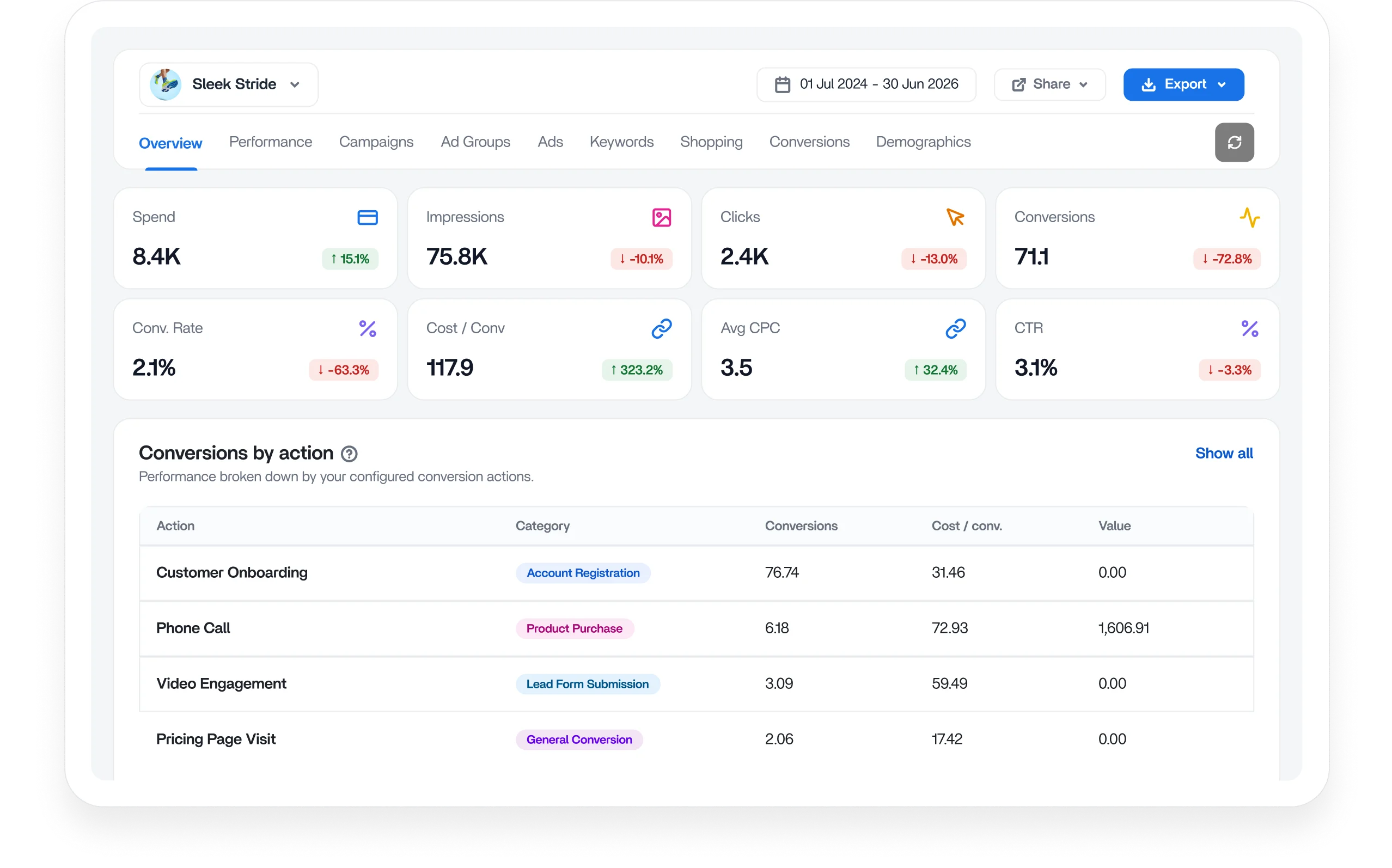
Google Ads analytics dashboard with top-level campaign metrics

Track every Google Ads metric from one dashboard

Track Spend, Impressions, Clicks, Conversions, Conv. Rate, Cost per Conversion, Avg CPC, and CTR in a single view. Each metric shows a period-over-period change, so you see exactly how performance moved.

Conversion reporting and performance breakdown

Know which conversions actually generate results

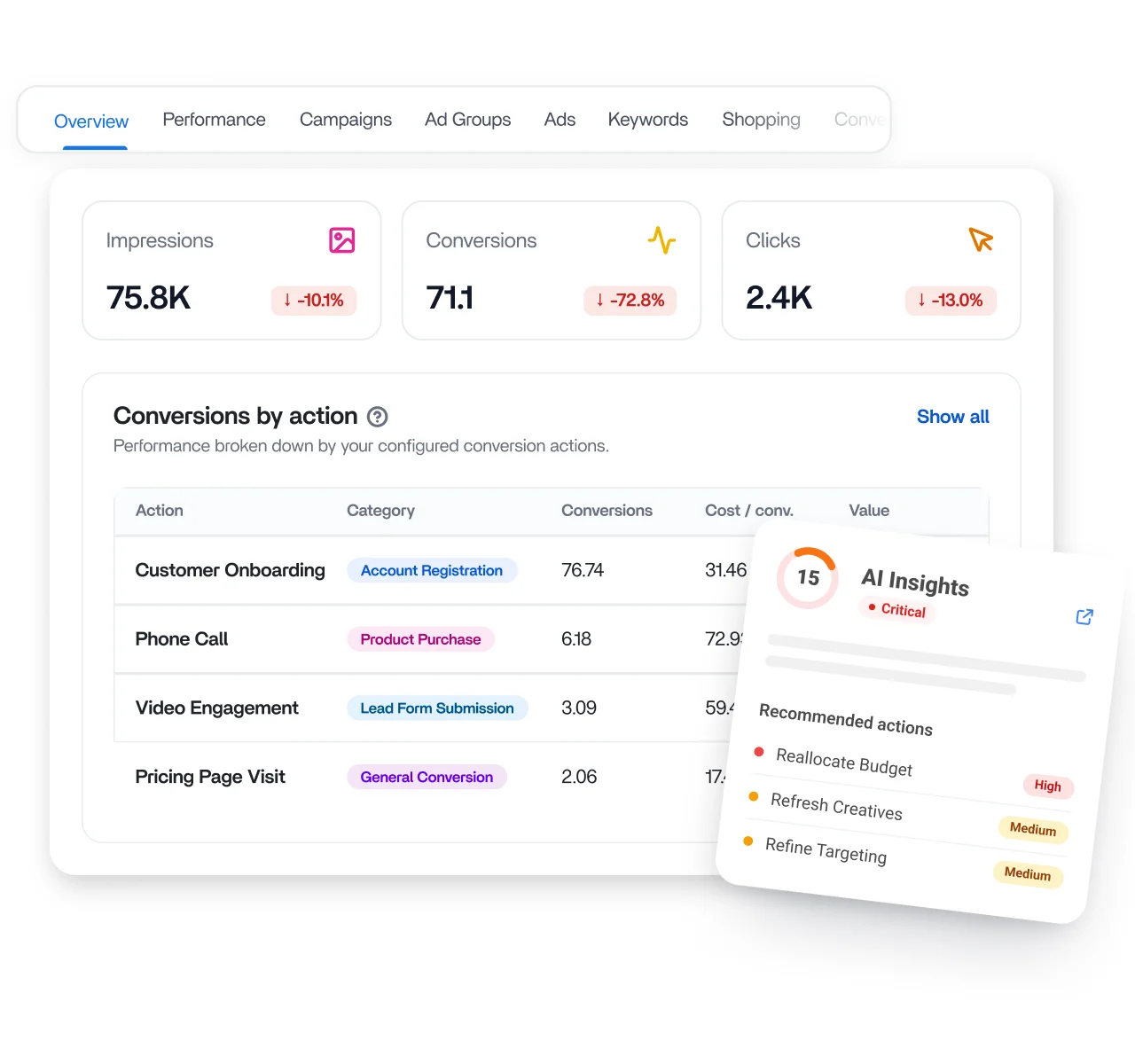
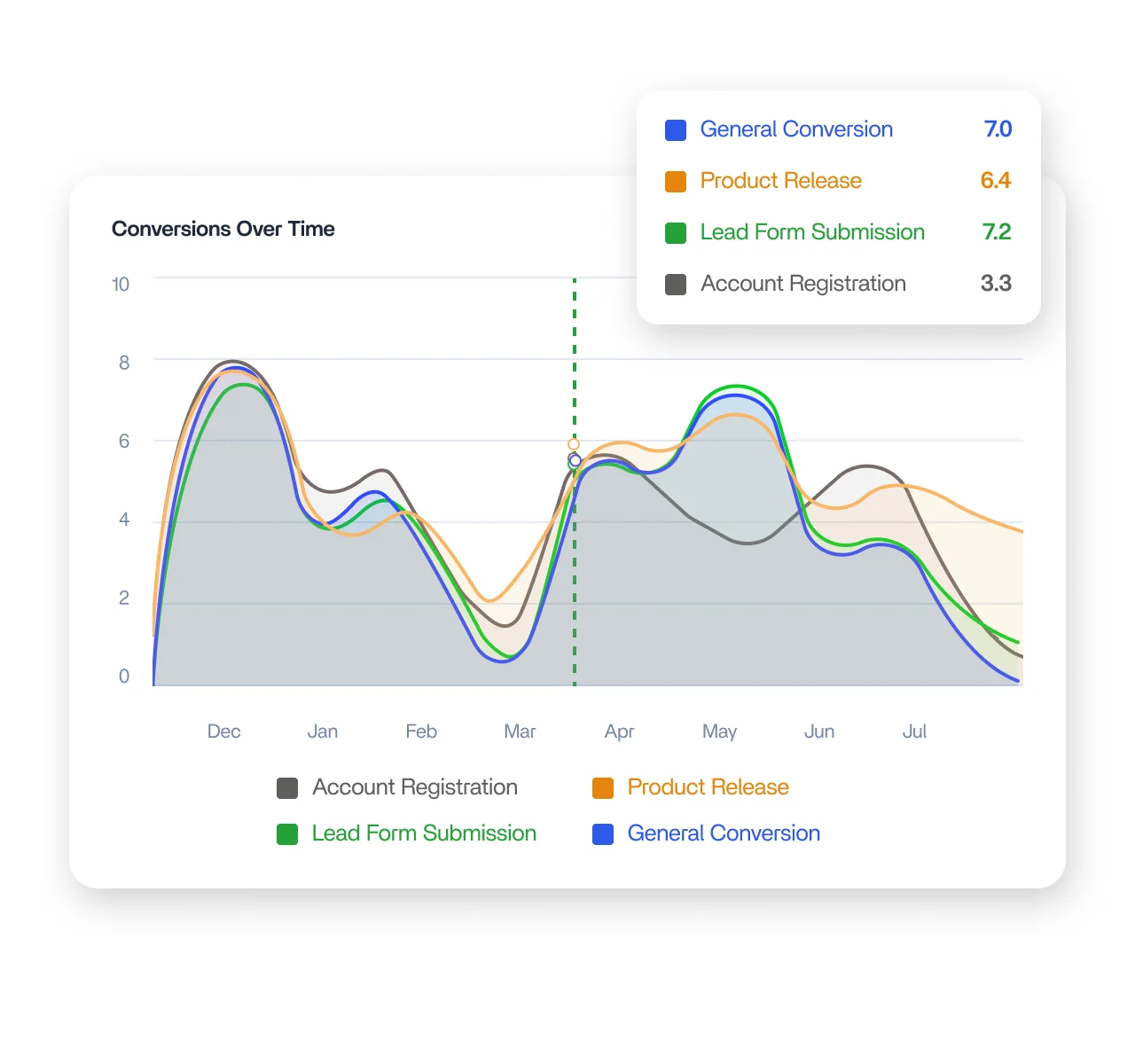
Break total conversions down by action, from Phone Call to Pricing Page Visit, each with its category, conversion count, cost per conversion, and attributed value. Know which actions earn their spend and which quietly underdeliver.

Trend charts for Google Ads spend, clicks, and CTR

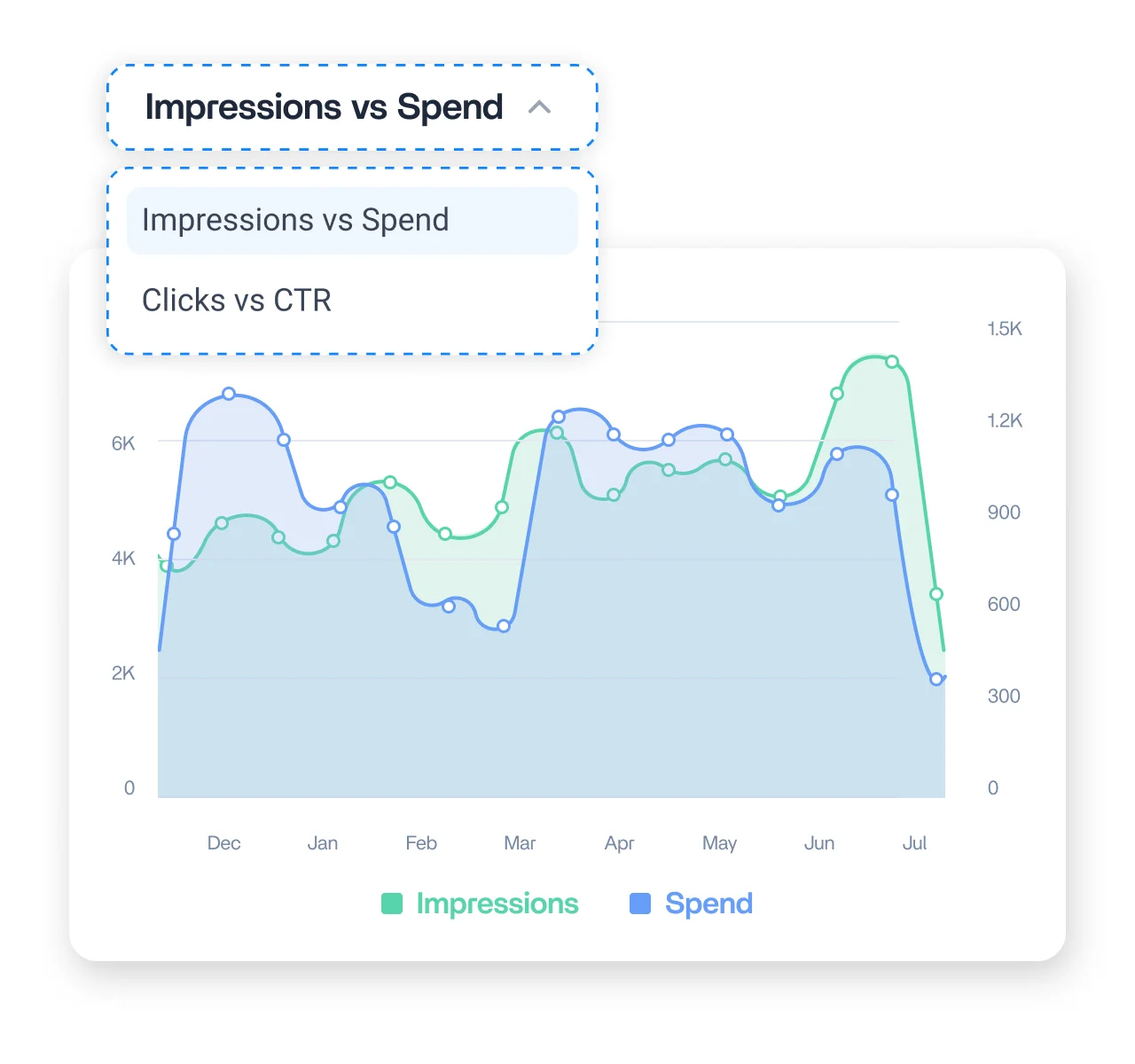
Read spend efficiency at a glance with dual trend charts

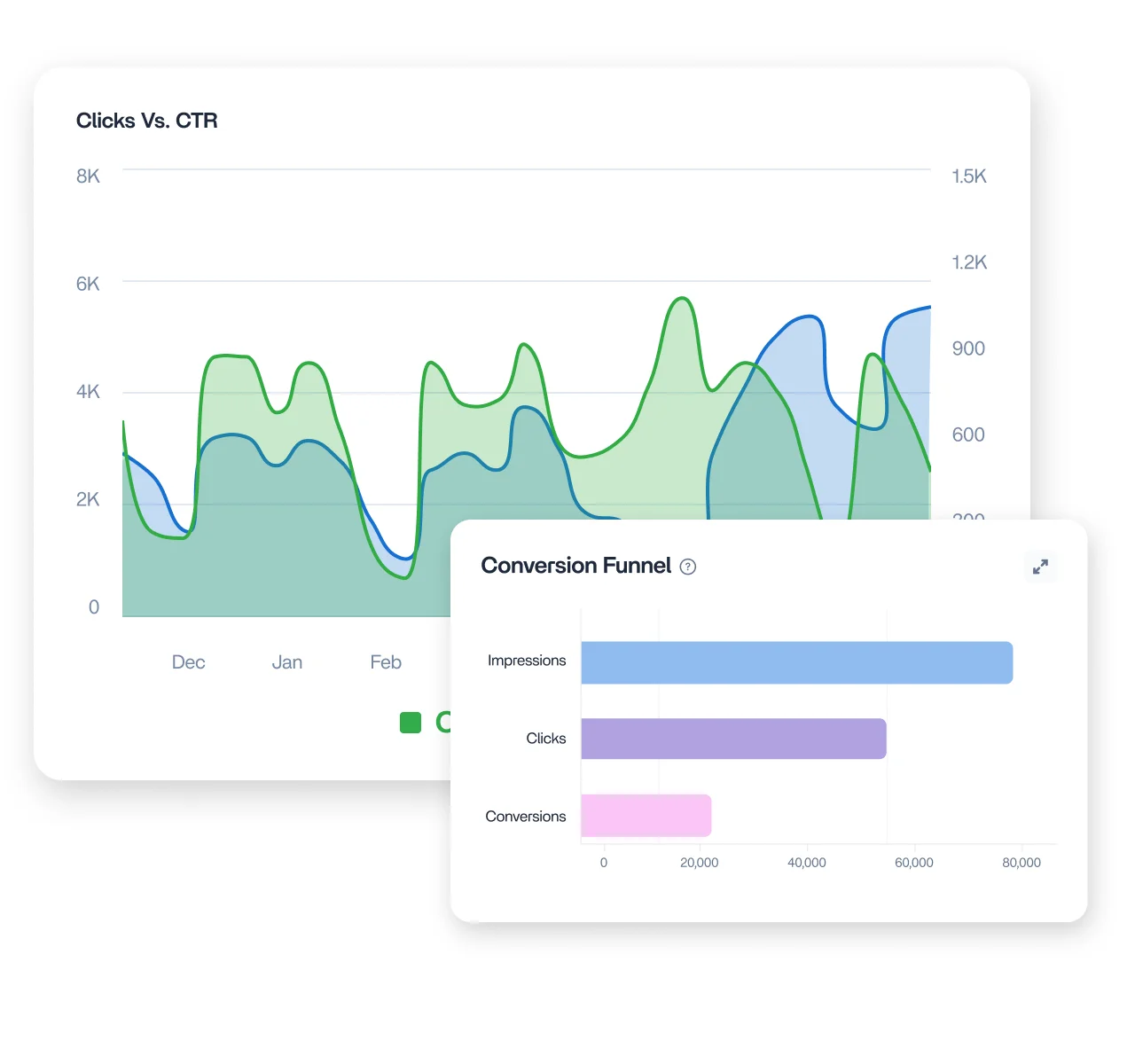
See Impressions against Spend and Clicks against CTR on synced trend charts across your date range. Spot where rising spend stops lifting delivery and where falling CTR signals your ads are losing relevance.

Keyword and search term query view

Track keyword performance from click to conversion

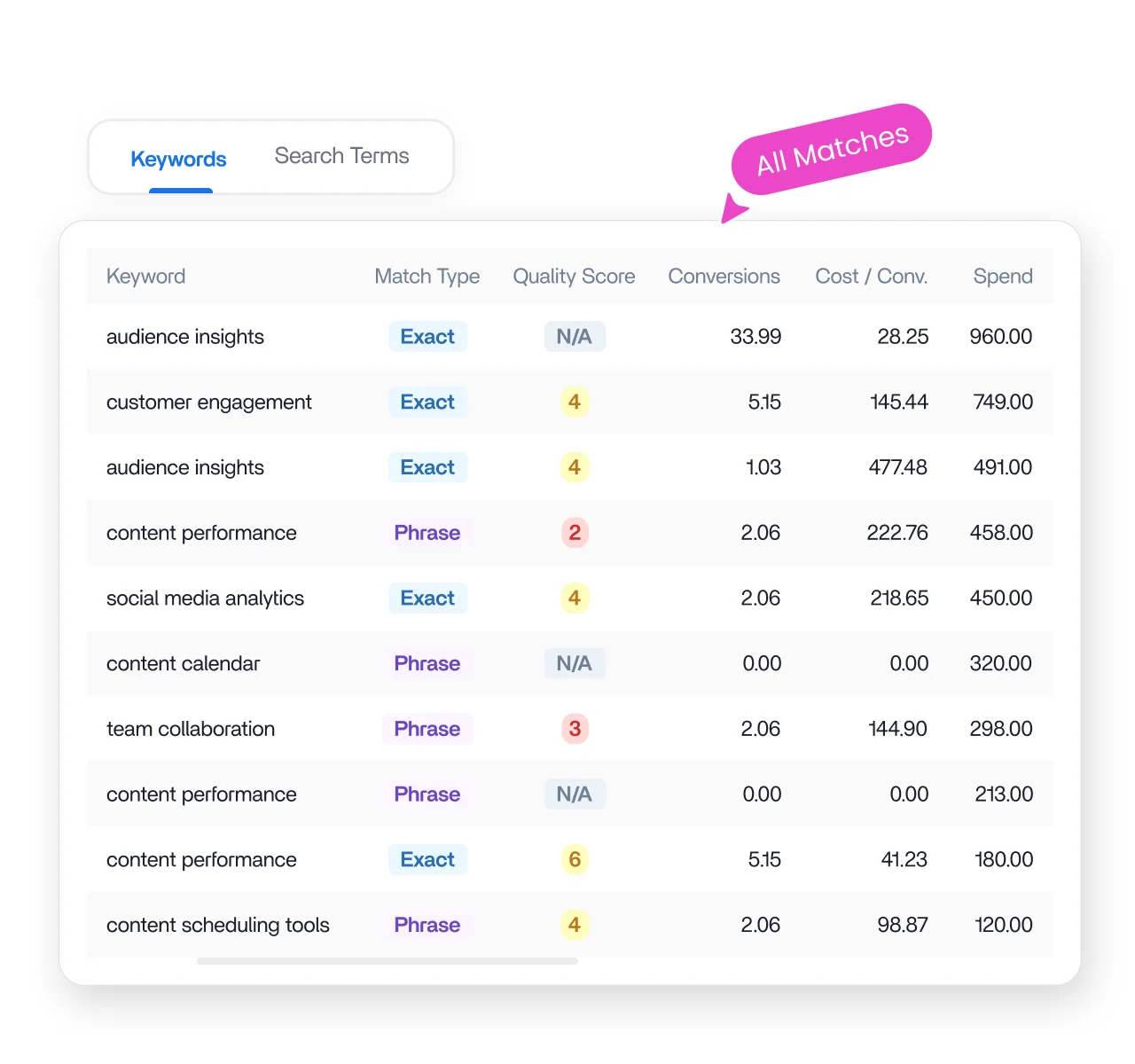
Review every keyword you bid on with match type and quality score, then switch to Search Terms to see the actual queries people typed. Find wasted spend and new keywords to add.

Product and performance breakdown for shopping campaigns

See which products maximize your ad spend

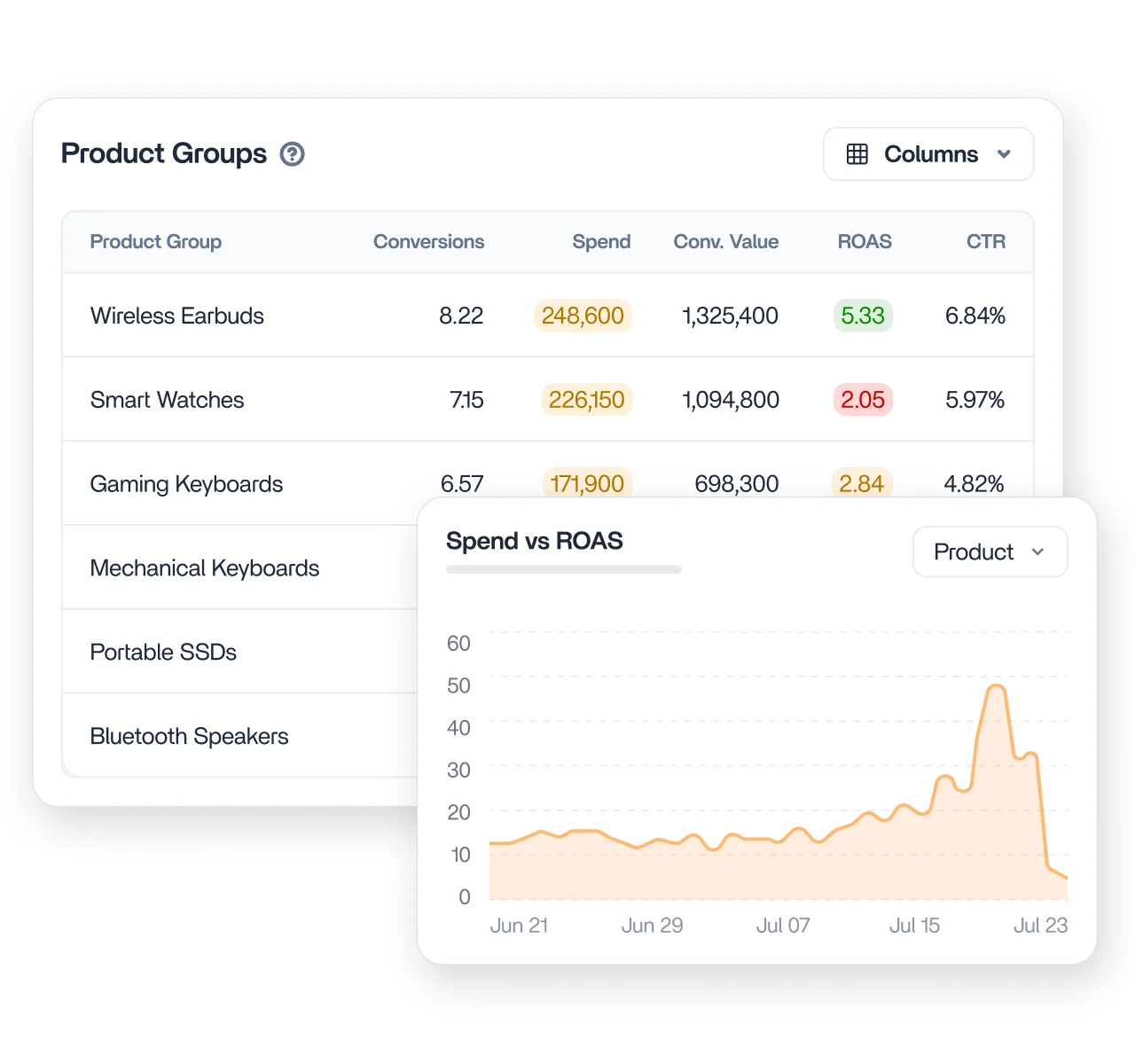
For Shopping campaigns, see each product group with Conversion Value and ROAS alongside the usual metrics. Spot which products return real revenue per dollar spent and which drain budget without paying back.

Performance chart showing conversion funnel drop-offs

Find where your conversion funnel breaks down

Follow the funnel from Impressions to Clicks to Conversions and read where the biggest fall happens. A large clicks-to-conversions gap points to your landing page or offer, not your ads.

Audience and location breakdown for Google Ads analytics

Break down performance by audience and device

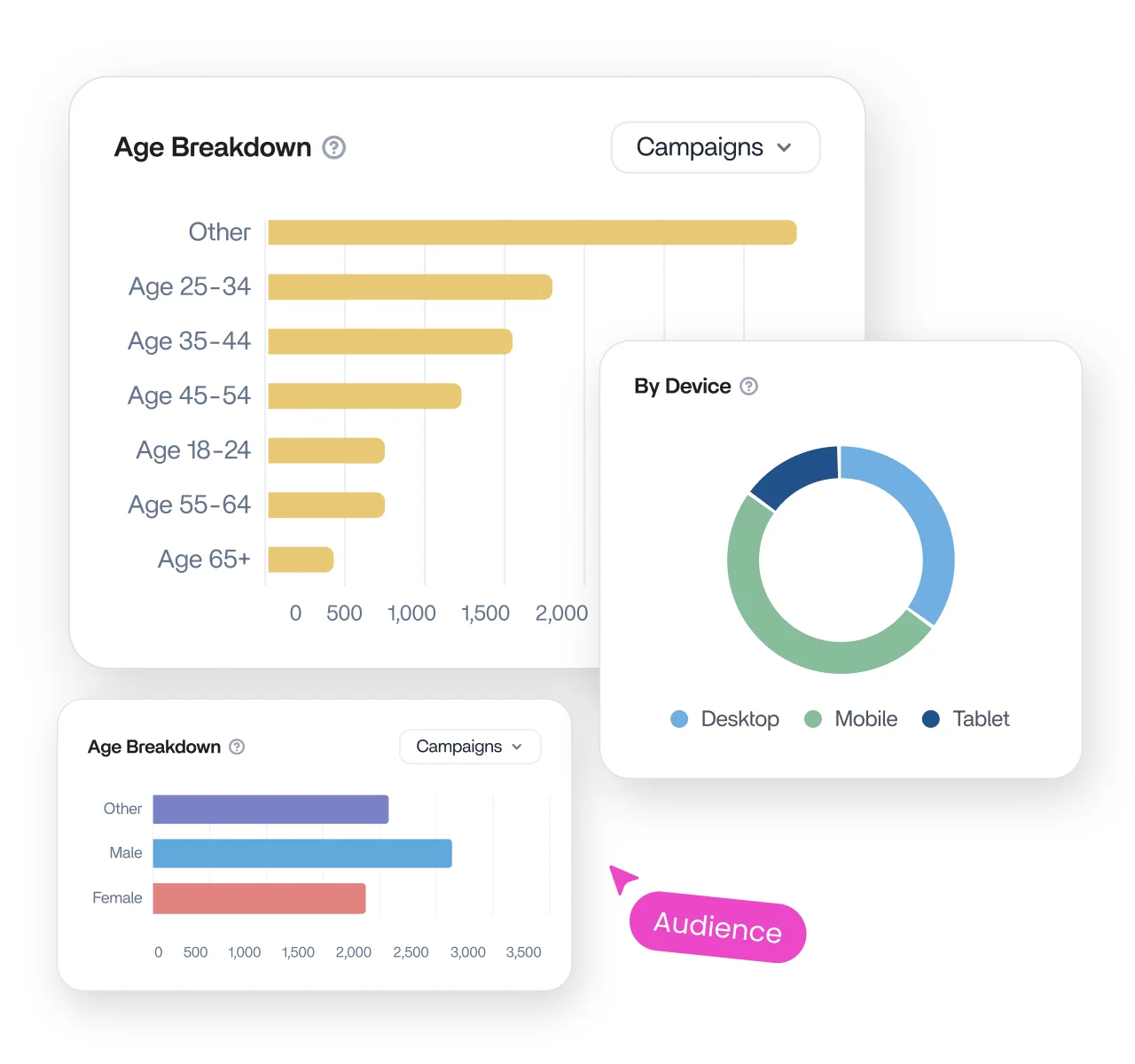
Break performance down by age, gender, device, and location, switching any metric across every chart at once. See whether Desktop, Mobile, or Tablet delivers, and which regions convert best.

AI-powered insight and reporting view for Google Ads analytics

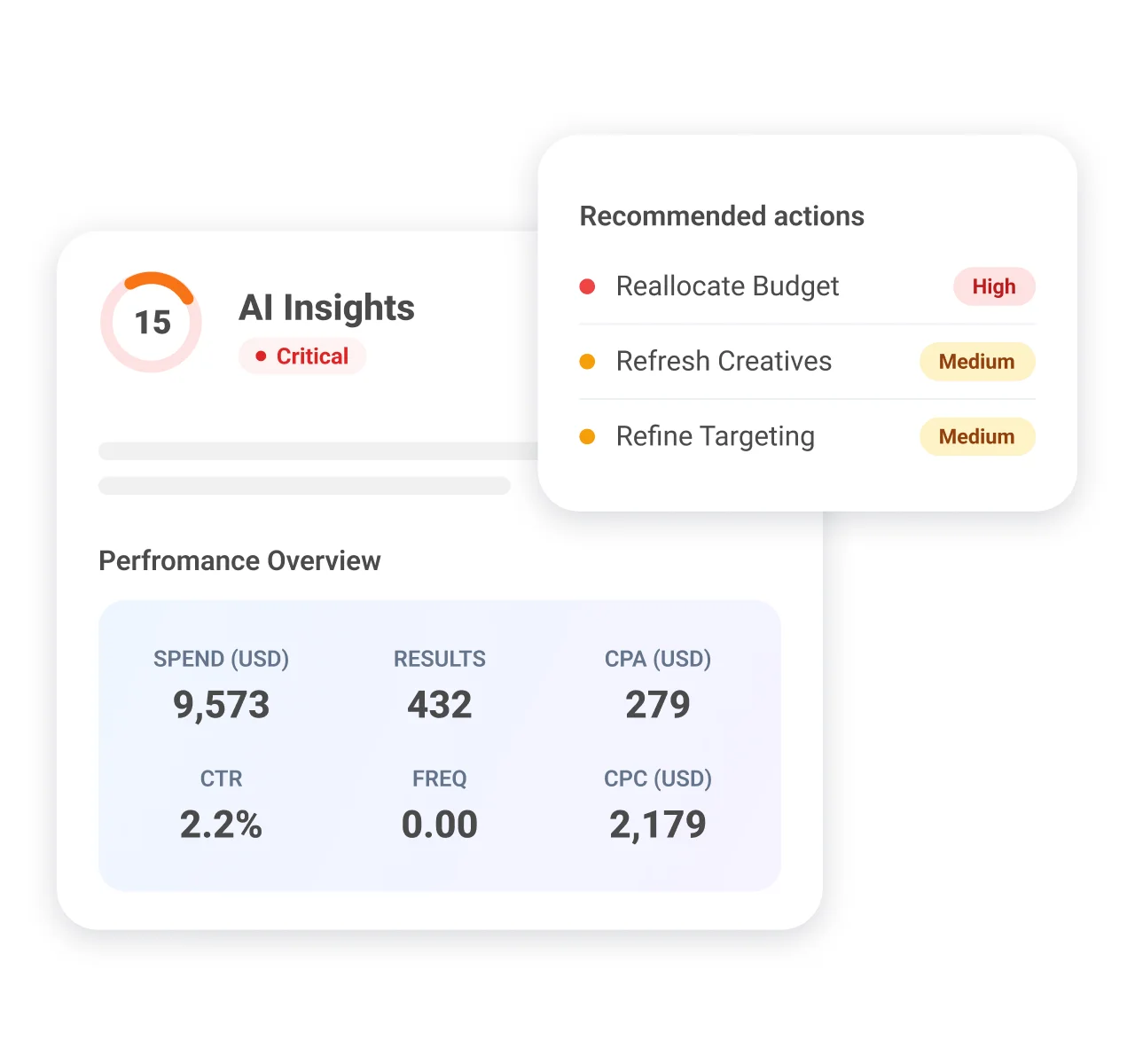
Optimize campaigns with AI-powered insights

The AI Insights tab scores your account out of 100, tells you what is winning and what to watch across campaigns, ad groups, ads, and keywords, then hands you a prioritized action list and a 7-day checklist.

How it works

Set up your Google Ads analytics in 4 simple steps

Get your Google Ads analytics data connected, organized, and ready to report in minutes. No setup complexity, no extra tools, just a clean reporting flow inside ContentStudio.

Step 01

Connect your Google Ads account

Open Social Accounts in ContentStudio, choose Google Ads under Connect Account, and complete Google authentication.

Step 02

Open the Google Ads dashboard

Go to Analytics, then Ad Analytics, then Google Ads. Pick your account in the top left selector.

Step 03

Set your range and sync

Choose a reporting period in the date picker, then click Sync data to pull the latest numbers from Google.

Step 04

Share, export, or schedule

Share a live link, export a PDF, or schedule recurring PDF reports for clients and stakeholders.

4.2MPost ScheduledIncrease in productivity with ContentStudio
50%Productivity BoostIncrease in productivity with ContentStudio
$1,000+Cost Savingssaved monthly on social media management costs
5h/weekTime Savedsaved on content planning and scheduling
quotes

The perfect tool for agency-client collaboration and content approvals.

Erin-testimonial

Erin Ricchiazzi,

VP of Marketing@The Modern Firm

marketing-logos
FAQs

Frequently asked questions

ContentStudio

Book a 30 min call

Have questions? Schedule a quick call and we will guide you through everything.

Book a free call

What is Google Ads analytics?

Google Ads Analytics is the practice of tracking, analyzing, and visualizing ad performance across campaigns, ad groups, ads, and keywords. It consolidates metrics like spend, clicks, conversions, and ROAS into one view. That gives you a clear, actionable picture of how your paid Google activity is performing.
It is a built-in reporting dashboard that lets you view, analyze, and share Google ad performance without opening Google Ads Manager. You get an AI health score, keyword and search term views, shopping ROAS, and exports in the same workspace as your content. That means no standalone analytics tool and no context switching.
You can track spend, impressions, clicks, conversions, conversion rate, cost per conversion, average CPC, and CTR. Each metric shows a period-over-period change so you see whether performance is improving or slipping. You can also break results down by campaign type, keyword, product group, and audience.
The data updates on demand rather than on a timer. You click Sync data whenever you want the latest numbers, and a timestamp shows when the account last pulled from Google. This keeps you in control of exactly what each report reflects.
Yes. The Keywords tab includes a Search Terms view showing the real queries people typed to trigger your ads, along with the keyword and match type each one hit. It is one of the fastest ways to find wasted spend or new keywords worth bidding on.
Yes. The Shopping tab breaks performance down by product group and includes Conversion Value and ROAS. That makes it easy to see which products are genuinely profitable and which are spending budget without returning enough value.
Yes. ContentStudio supports multiple client and brand accounts from a single workspace, with a selector to switch between them. That makes it a strong fit for agencies handling Google Ads reporting across many accounts at scale.
Yes. The AI Insights tab scores your account health out of 100 and shows a winner and a watch item across campaigns, ad groups, ads, and keywords. It then gives you a prioritized action list and a 7-day optimization checklist.
Google Ads Analytics is available on the Advanced and Agency plans, along with trial and lifetime plans. It is not part of the Standard or API plans. If your plan does not include it, you can upgrade to unlock access.
Click Export to download a PDF, email it directly, or schedule recurring automated delivery. You can also share a live link that clients open without a ContentStudio login. Every export reflects your active tab and selected date range.
CtaBackground

7-day free trial. No credit card required.