Pinterest board name generator
Get Pinterest board names that look good on your profile and match what people search for. Free, no sign-up.
- Free forever
- No sign-up
- Names under 50 characters
- 16,500+ brands use ContentStudio
What is a Pinterest board name generator?It is an AI tool that suggests names for your Pinterest boards. You enter the board topic and your audience, and it returns name ideas that are short, clear and close to what people type into Pinterest search. ContentStudio's Pinterest board name generator is free and needs no sign-up.
How to use it
How to Use the Pinterest Board Name Generator
Enter the board topic
Write what the board is about, for example "small living room decor" or "high-protein breakfast recipes".
Add your audience
Who the board is for: renters, new moms, marketers, wedding planners. This changes the words the names use.
Generate
Click Generate Pinterest board names and scan the list.
Pick and tweak
Choose a name with your main keyword near the start. Add a season, style or place if you want it more specific.
Create or rename the board
Paste the name when you create a new board, or edit an existing board's name on Pinterest.
Tip: generate names for all your boards in one go. Boards that use the same style of naming make your profile look organized and easier to follow.
What you can name
Pinterest board names for every kind of account
Search-friendly board names
Plain, specific names like "Easy Weeknight Dinners" or "Small Bathroom Storage". These are the names that show up when people search Pinterest.
Cute and aesthetic board names
For personal boards or mood boards where the feel matters more than search, like "Soft Morning Light" or "Cottagecore Kitchen".
Business board names
Names that match your product categories and blog topics, such as "Minimalist Desk Setups" for an office furniture brand.
Group and seasonal boards
Names for boards you share with collaborators or run for a season, like "Fall Wedding Florals 2026" or "Team Content Ideas".
Board titles vs. names
Pinterest Board Titles vs Board Names
Several queries use "titles" and "names" interchangeably. On Pinterest, there is no distinction: the board name is the title. It is the text displayed on the board cover and used by Pinterest's search system.
One distinction worth making: the board name is not the same as the board description. The board name is limited to 50 characters. The board description (added in the board's settings) allows up to 500 characters and gives Pinterest more context about the board. Keyword-rich board descriptions support board discoverability alongside the name.
Name boards for search
How to Name Pinterest Boards for Search
Pinterest works as a visual search engine. Board names are read alongside Pin titles and descriptions. A board with a clear, keyword-bearing name can appear in search results when people look for those words.
To name boards for search:
- Use the words people actually search for. "Healthy Dinner Recipes" does better in search than "Good Food Vibes" because more people type the first one. Type your topic into the Pinterest search bar and look at the suggestions that appear. Those are active searches.
- Be specific over broad. "Small Apartment Bedroom Storage" matches a clearer search than "Bedroom Ideas". Specific names attract followers who care about that exact topic.
- Keep names under 50 characters. That is the board name limit. Put the most important keyword in the first few words, because long names can be cut off on smaller screens.
- Avoid cute names that hide the topic. A food board called "Yum Yum Goodness" is harder to find than "Easy Family Dinners". Personal boards can be creative. Public boards for a brand or blog work better when they are clear.
Pinterest Trends is also worth a look. It shows which topics are rising, which helps you name seasonal boards before the searches peak.
Name ideas by niche
Pinterest board name ideas by niche
Each row pairs a search-friendly name with a more aesthetic one. Use the first for public boards you want found, and the second for personal or mood boards.
- Food
Easy Weeknight Dinner Recipes
- Home décor
Small Living Room Decor Ideas
- Fashion
Capsule Wardrobe Outfits for Fall
- Weddings
Rustic Barn Wedding Ideas
- Fitness
15-Minute Home Workouts
- Travel
Japan Travel Itinerary Ideas
- Marketing
Social Media Marketing Tips
- Parenting
Toddler Activities at Home
Limits and settings
Pinterest board name length and board settings
| Item | Limit or option |
|---|---|
| Board name | 50 characters |
| Board description | 500 characters |
| Boards per account | Widely reported as up to 2,000 |
| Board sections | Split one board into smaller topics, each with its own name |
| Secret boards | Only you and collaborators can see them |
| Group boards | Invite collaborators to save Pins to the same board |
Board sections are a good place for the extra names the generator gives you. A board called "Healthy Dinner Recipes" can have sections like "Sheet Pan Meals" and "Vegetarian Dinners".
How to create a board
How to create a Pinterest board
Creating a board takes less than a minute. Have your name ready first.
- Go to your Pinterest profile on the app or on pinterest.com.
- Tap or click the + button and choose Board.
- Enter the board name (50 characters or fewer).
- Choose whether to keep the board secret, then create it.
- Open the board's settings to add a description, a cover and collaborators.
To rename a board later, open it, choose the edit option and change the name. Your saved Pins stay on the board.
Boards and your profile
Make your boards and profile tell one story
People who land on your profile see your bio first and your boards second. If the bio says "easy family dinners" and the boards are called "Misc" and "Stuff I Like", the message gets lost.
Write a bio that sums up your best boards with the Pinterest bio generator. Then write Pin descriptions that use the same words. If you need help with those, the AI caption generator can draft descriptions you can adapt for Pinterest.
From named boards to Pins that keep publishing
Well-named boards only help if you keep filling them. ContentStudio is a social media management platform that helps you keep every board fresh. With it you can:
- Schedule Pins to the right board. Pick a board for each Pin, set the time and publish automatically with ContentStudio's Pinterest scheduler.
- Write Pin text with AI. AI Studio, our AI social media content generator, drafts Pin titles and descriptions in your brand voice.
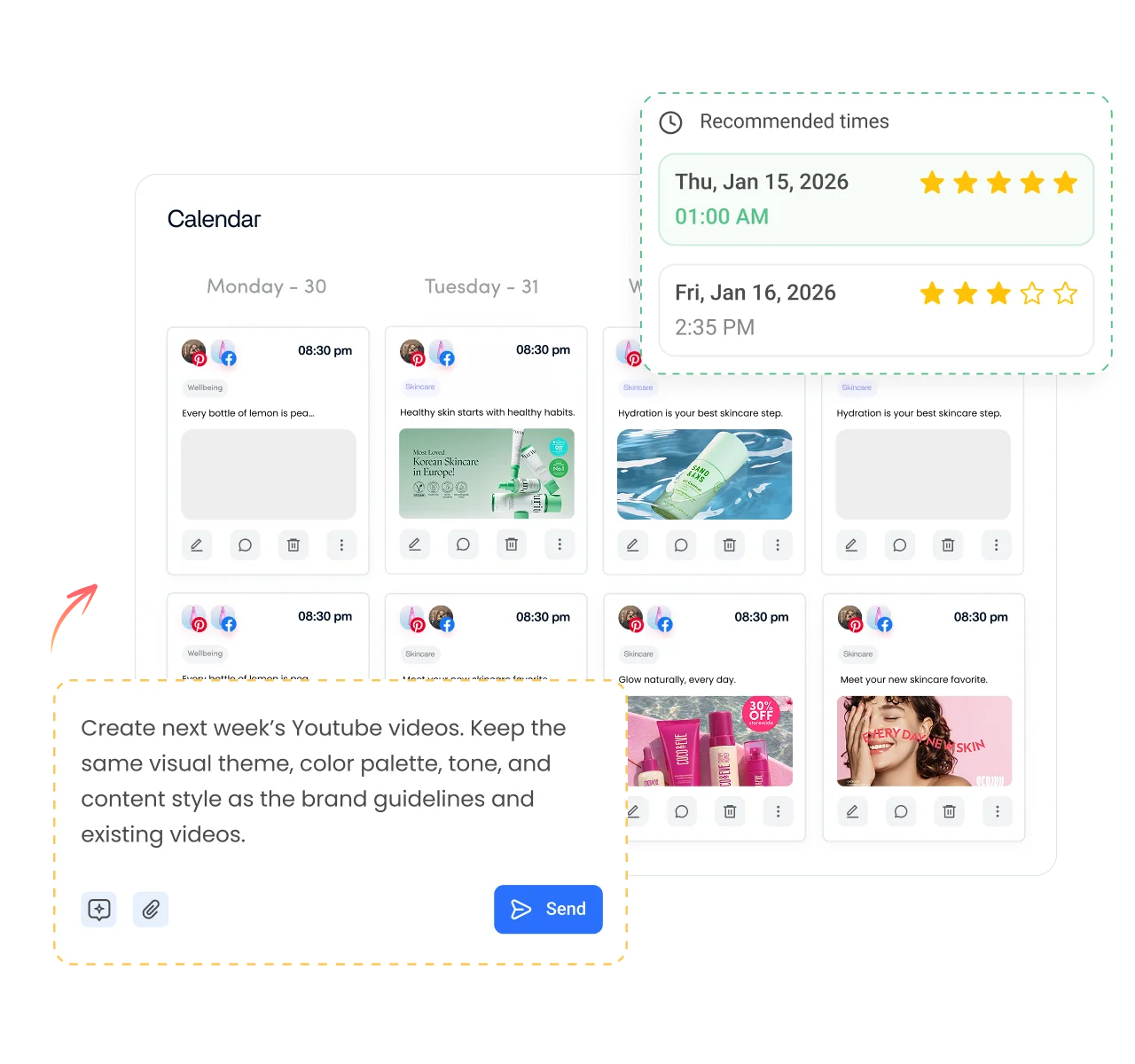
- Plan seasonal boards ahead. See every Pin on one calendar, so your holiday and seasonal boards fill up before searches peak.
Is it free?
Is the Pinterest Board Name Generator Free
Yes. ContentStudio's Pinterest board name generator is free with no usage cap and no account required. Generate names for as many boards as you need. It is part of ContentStudio's suite of free social media tools.
- Free forever
- No sign-up
- Names under 50 characters
- 16,500+ brands use ContentStudio
More free Pinterest tools
All free social media tools →
Frequently asked questions

Book a 30 min call
Have questions? Schedule a quick call and we will guide you through everything.
Book a free call