Pinterest bio generator
Write a Pinterest bio that tells people what you pin and helps your profile show up in search. Free, no sign-up.
- Free forever
- No sign-up
- Keyword-friendly bios
- 16,500+ brands use ContentStudio
What is a Pinterest bio generator?It is an AI tool that writes the short "About" text on your Pinterest profile. You describe who you are and what you pin, pick a tone, and it returns bio ideas that include the words people search for. ContentStudio's Pinterest bio generator is free and needs no sign-up.
How to use it
How to Use the Pinterest Bio Generator
Describe your account
Add your name, location, profession and interests, plus what you pin and who it is for. A short sentence is enough.
Pick a tone of voice
Informative, professional, witty, fun or sincere. Choose the one that sounds like your Pins and boards.
Generate
Click Generate Pinterest Bio Now and read the options.
Edit and copy
Keep the version that names your niche clearly. Swap in your own words where something feels generic.
Paste it into Pinterest
Open Edit profile, paste the text into the About field and save.
Tip: specific inputs give better bios. "Wedding photographer pinning ceremony inspiration, venue ideas and styling tips for UK couples" works much better than "photography".
What you can write
What you can write with this Pinterest bio generator
Creator and blogger bios
Say what you pin, how often and where the full recipes, tutorials or guides live. Pinterest sends a lot of readers to blogs, so a bio that points to yours does real work.
Business account bios
Lead with what you sell and who it is for. Mention the shop or website so people know the Pins lead somewhere they can buy.
Shop and maker bios
For Etsy sellers, makers and small brands, name the product, the style and one detail that sets you apart, like "handmade in small batches".
Personal and aesthetic bios
Not every profile needs to sell. A short, warm line about the moods and themes you save (slow living, cottagecore, film photography) is enough.
Bio character limit
Pinterest Bio Character Limit
Pinterest calls the bio field "About" in your profile settings. It is widely reported as allowing up to 500 characters, which is much more room than Instagram (150 characters) or TikTok (80 characters). Some guides still quote an older, shorter limit, so if Pinterest cuts your text off, shorten it.
You don't need all that space. A bio of 150 to 300 characters is easier to read, and the first sentence is what people notice when they land on your profile. Put your niche and your audience there.
| Profile field | Limit (widely reported) | What goes there |
|---|---|---|
| About (bio) | Up to 500 characters | What you pin, who it is for, a call to action |
| Display name | About 65 characters | Your name or brand, plus a keyword if it fits |
| Username | 3–30 characters | Letters, numbers and underscores only |
| Website | One link | Your site or shop (claim it on a business account) |
| Board name | 50 characters | The topic of each board |
| Board description | 500 characters | Keywords for that board's topic |
Bio examples
Pinterest Bio Examples
Examples by account type, so you can see what a clear, searchable Pinterest bio looks like. Copy one as a starting point, then make it yours.
- Food and recipes
Easy 30-minute dinners for busy weeknights. Comfort food recipes the whole family will actually eat. New recipes pinned daily.
- Home décor
Minimalist home décor ideas for small spaces. Scandinavian, japandi and neutral interiors. Saving the best pieces so you don't have to search.
- Weddings and events
Wedding inspiration for couples planning intimate ceremonies. Florals, venues and styling for UK and Ireland weddings. New boards weekly.
- Fashion and style
Classic and capsule wardrobe ideas for women over 30. Timeless pieces, outfit formulas and sustainable brands. Shop the look via the link.
- Business and marketing
Social media tips and content strategy for small business owners. Pinning tools, templates and guides that actually work.
- Lifestyle and aesthetic
Slow living, hygge interiors and simple pleasures. Pinning the things that make ordinary days feel worth documenting.
- Handmade shop
Handmade ceramic mugs and planters, made in small batches in Portland 🌿 Shop the full collection at the link above.
- Travel
Budget travel itineraries for Europe and Southeast Asia. Packing lists, hidden gems and 3-day city guides. Plan your next trip here ✈️
Bios for business
Pinterest Bio for Business Accounts
Pinterest business accounts are free and have the same About field as personal accounts, but they serve a different goal. A business bio should say what the brand sells or offers, who it serves and why visitors should follow.
Business Pinterest bios work best when they:
- Lead with the product or service category. Visitors need to understand what you do in one line. "Handmade ceramic homeware for slow living spaces" says the product and the style in seven words.
- Include a searchable keyword phrase. Pinterest search is a main way people find products. A bio that includes "sustainable women's clothing" or "natural skincare UK" matches what shoppers type.
- Point to the website or shop. Pinterest has a separate website field on your profile. Claim your website in a business account so your domain shows on your Pins, then refer to it in the bio with a short phrase like "Shop the collection via the link".
Use the same keywords in your bio, board names and Pin descriptions. When all three agree, it is clearer to Pinterest and to people what your account is about.
Tips for a better bio
How to write a Pinterest bio people search for
Start with your niche keyword
Pinterest works like a visual search engine. Type your topic into the Pinterest search bar and look at the suggestions. Phrases like "easy dinner recipes" or "small bedroom ideas" are what people actually search, so use one of them early in the bio.
Say who it is for
"For busy parents", "for first-time home buyers" or "for UK couples" tells the right people they are in the right place.
Mention what you pin and how often
"New recipes daily" or "fresh boards every week" gives people a reason to follow instead of saving one Pin and leaving.
Match your board names
Your bio should sum up your boards. If the boards are vague, rename them with the Pinterest board name generator so your profile tells one clear story.
Use emojis sparingly
One or two emojis add personality. More than three or four eat into your character count and make the text harder to scan.
End with one call to action
Shop the link, read the blog, or follow for more. Pick one.
Bio vs. descriptions
Pinterest bio vs. board and Pin descriptions
Pinterest has three text fields that people often mix up. Each one helps search in a different way.
Profile bio (About)
Describes the whole account. It is written once and changes rarely. This is what our generator writes.
Board description
Describes one board's topic in up to 500 characters. Use the keywords for that topic only.
Pin description
Describes a single Pin. It changes with every Pin you publish and should match the image and the link.
Your username and display name are separate fields too. If you are still choosing a handle, try the Pinterest username generator.
Add or edit your bio
How to Add or Edit a Pinterest Bio
On desktop (pinterest.com):
- Go to your Pinterest profile.
- Click Edit profile.
- Find the About field.
- Write or paste your bio.
- Click Save.
On mobile (Pinterest app):
- Tap your profile photo to open your profile.
- Tap Edit profile.
- Tap the About field and update the text.
- Tap Done or Save.
The new bio shows on your profile as soon as you save. Menu names change from time to time, so if you don't see a label, look for it under your profile settings.
From Pinterest bio to a profile that stays active
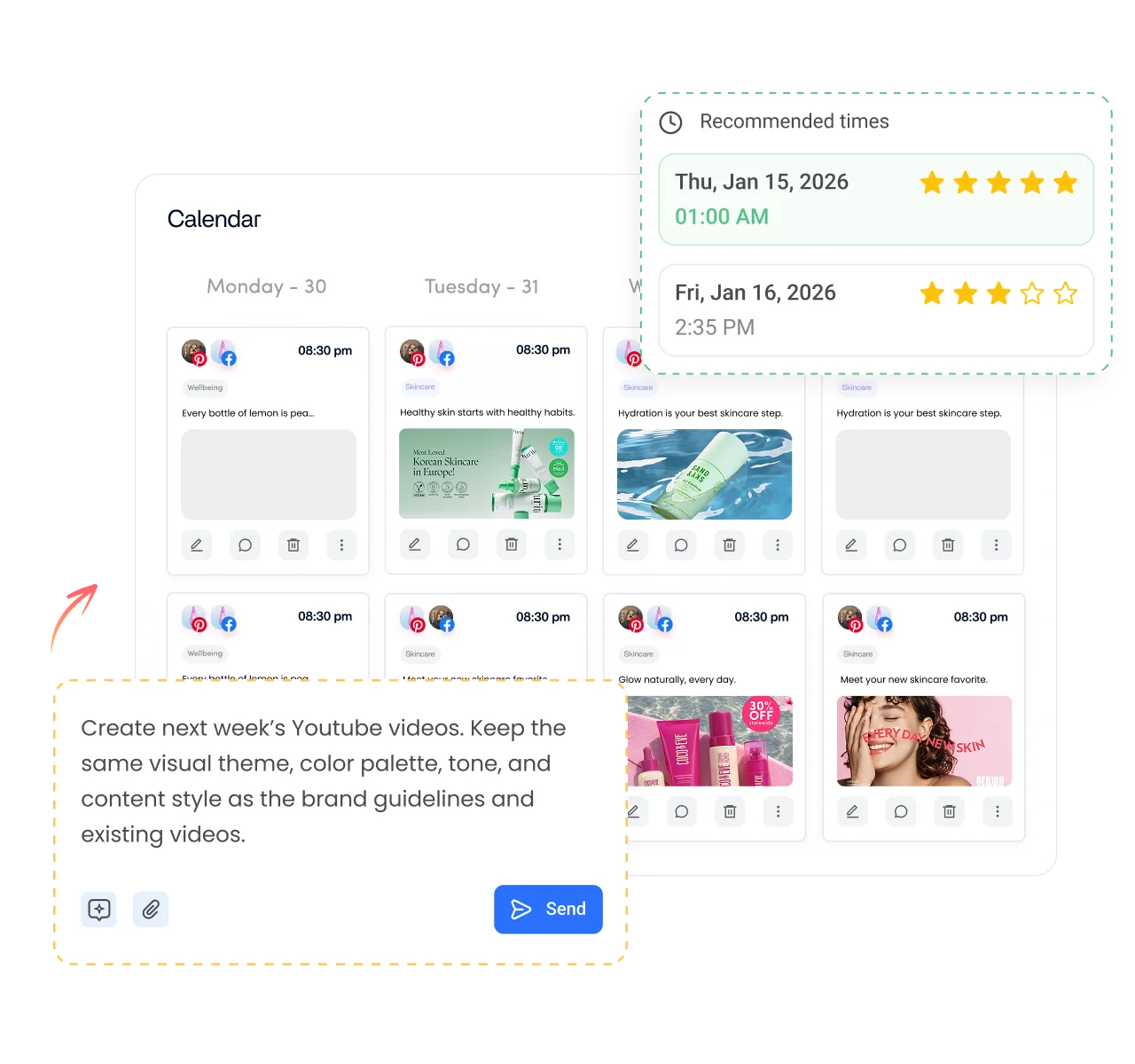
A good bio brings people to your profile. Fresh Pins keep them there. ContentStudio is an AI social media management platform that helps you plan and publish without logging in to Pinterest every day. With it you can:
- Schedule Pins to your boards. Plan a week of Pins, choose the board for each one and publish automatically with ContentStudio's Pinterest scheduler.
- Write Pin titles and descriptions with AI. AI Studio, our AI social media content generator, writes Pin text and captions in your brand voice right in the composer.
- Reuse your best content. Turn one blog post into Pins, Instagram posts and Facebook posts from one calendar.
Is it free?
Is the Pinterest Bio Generator Free
Yes. ContentStudio's Pinterest bio generator is free with no usage cap and no account required. You can generate as many bios as you like. It is part of ContentStudio's suite of free social media tools.
- Free forever
- No sign-up
- Keyword-friendly bios
- 16,500+ brands use ContentStudio
More free Pinterest tools
All free social media tools →
Frequently asked questions

Book a 30 min call
Have questions? Schedule a quick call and we will guide you through everything.
Book a free call