
How to build an executive’s LinkedIn content workflow with Claude Code
Oct 1, 202615 minutes

Written by
Khadija AnwarPublished
Has a video on Instagram ever caught your attention so much that you just had to share it with your followers on the spot?
Instagram Marketing Schedule your Instagram posts, Reels, and Stories, and get recommended best time to publish for maximum engagement.
Well, the good news is that reposting a video on Instagram is easy and can be done in three different ways. So, grab your phone and share your favorite clip with your friends, family, and followers.
Related Read: How to Share Instagram Story to Chat?

Without any delay, let’s get started!
Remember: You can’t directly repost other creators’ videos on your Instagram profile. You can share videos on Instagram stories, download them with a third-party app, or screen record them to repost.
Reposting a video on your Instagram story is an absolute breeze! Let’s find out.
Step 1:
Scroll through your Instagram feed or search for the video you want to repost. Tap on the “Airplane” icon below the video.

Step 2:
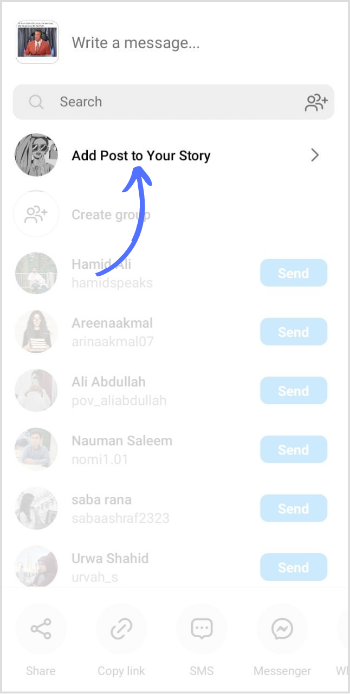
Tap on “Add post to your story.”
Step 3:
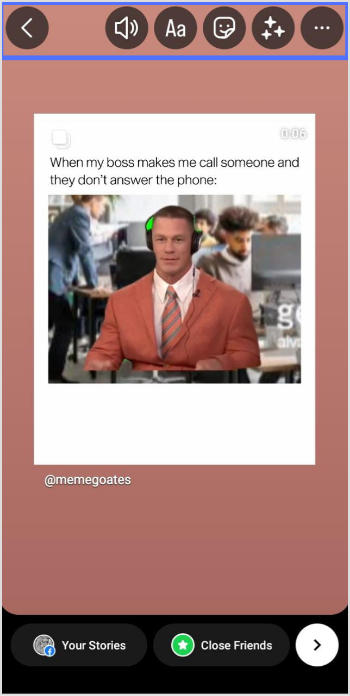
Edit your story. You can resize or move the video, add stickers, text, or draw. You can also add a caption or tag the original poster.
Step 4:
Once you’re satisfied with the repost, tap “>” in the below-right corner of your screen to move forward.
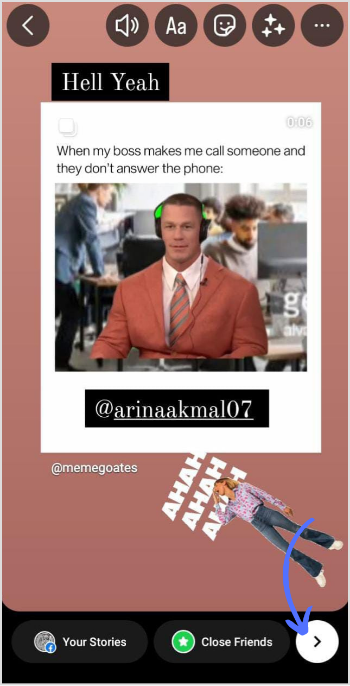
Step 5:
Choose “Your Story” or “Close Friends” and tap on “Share.”
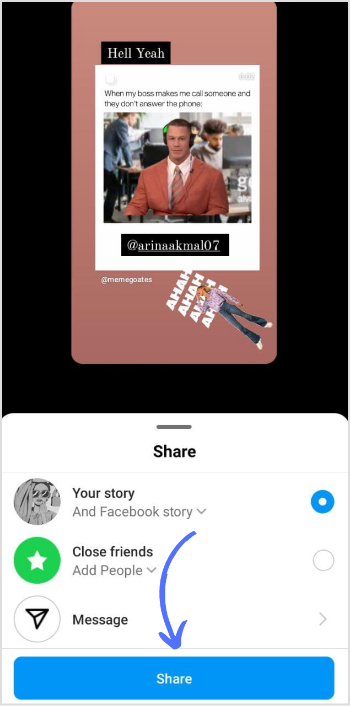
Note: you can add your story to highlights and make it stick to your Instagram profile for permanent view.
A third-party app can be a great option to repost a video on Instagram without hassle. With these apps, you can easily and quickly repost videos from other creators while giving proper credit.
ContentStudio‘s third-party recommended apps are:
Let’s have a look at a few more apps you can use for reposting:
Repost App:
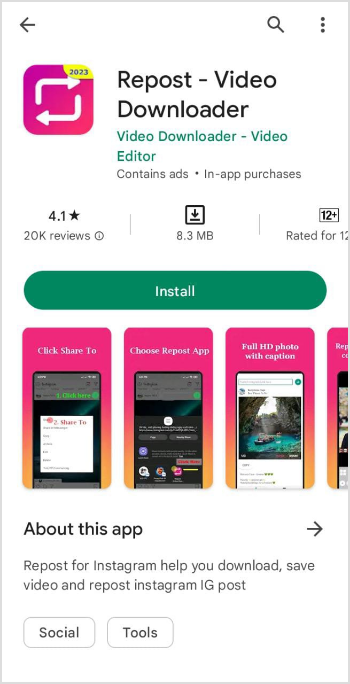
This app is user-friendly and easy to use. Copy the link of the video you want to repost and paste it into the app. From there, you can customize the repost by adding captions, resizing the video, and more.
It is accessible for both Android and iOS.
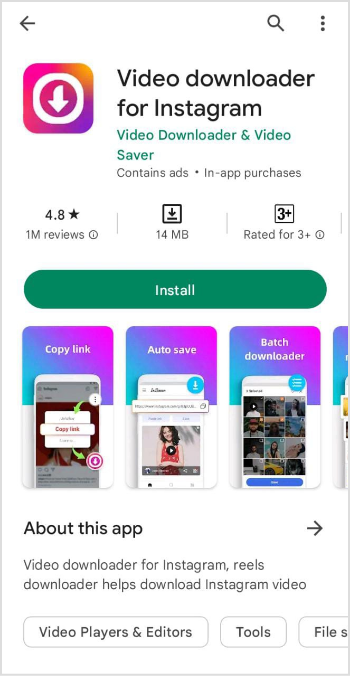
Video Downloader for Instagram:
Video Downloader for IG is another user-friendly app that lets you repost videos & reels on Instagram without any watermarks. Copy the video URL you want and paste it into the app. Instagram video downloader also allows you to save videos to your device for offline viewing.
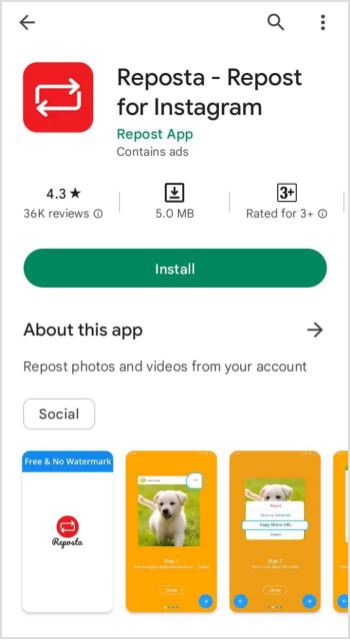
Reposta App:
Reposta is another great choice for both Android and iOS users. The method is the same as mentioned above. Copy the video link, open up Reposta, and paste the link. Reposta helps you share your favorite clip in real time by tagging the original creator to appreciate his hard work.
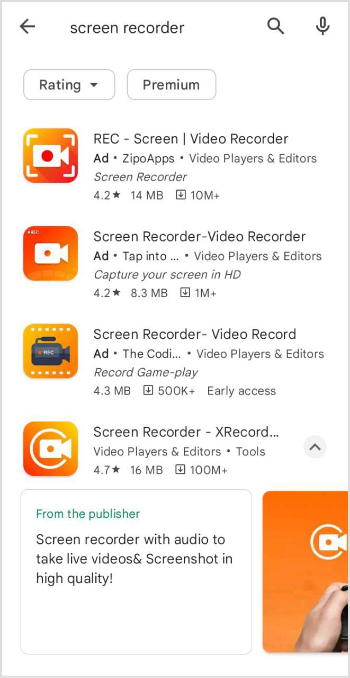
Screen recording is another neat little trick you can use. First, play the video on your device and record your screen while playing.
Once you’ve finished recording, save the video to your device and make any necessary edits or crops to get it the way you want.
After that, you can upload the video to Instagram like any other post. Give a shout-out to the original creator in the caption or tag them in the post.
You can use your device’s screen record or download it from Google Play or App Store.
There you have it! These are a few simple methods for reposting a video on Instagram. Choose the one that best fits your ease.
Why can’t I repost Instagram videos?
You can’t repost someone’s video if their account is private. They might have also disabled the sharing option.
Can you repost someone’s Instagram story video?
Yes, you can repost someone’s Instagram video.
Plan 0 Days of Content in 0 Minutes
Create, schedule, publish and analyze your content across all your social media channels from one simple dashboard.
4.7 on Capterra • 16,500+ marketers trust ContentStudio
Khadija Anwar is a Senior Technical Writer at ContentStudio with over 500 published write-ups across the ContentStudio blog and beyond. She specializes in step-by-step platform guides and Help Center content across Facebook, Instagram, LinkedIn, YouTube, TikTok, and X, and reviews how-to articles to verify every step and platform detail is accurate and current.
View all posts by Khadija AnwarRecommended for you
How to build an executive’s LinkedIn content workflow with Claude Code

How to turn one product photo into 5 video Ads with Claude Code
Social media MCP server: How to automate posting with ContentStudio
How to automate social media with n8n: A practical guide