40%
Reduction in the average time to create a client report
Connect ContentStudio social media analytics directly to Google Data Studio and build dashboards that look exactly the way you want, branded, filterable, and shareable in minutes, with every metric that actually matters.
7-day free trial - No credit card required.
Integrated with
Recognized by leading review platforms
4.7
out of 5
4.6
out of 5

SaaS Award Winner

4.7
out of 5

4.7
out of 5

Setup guide
No developer required. No complex configuration. Just a straightforward connection that gets your data where it needs to go.
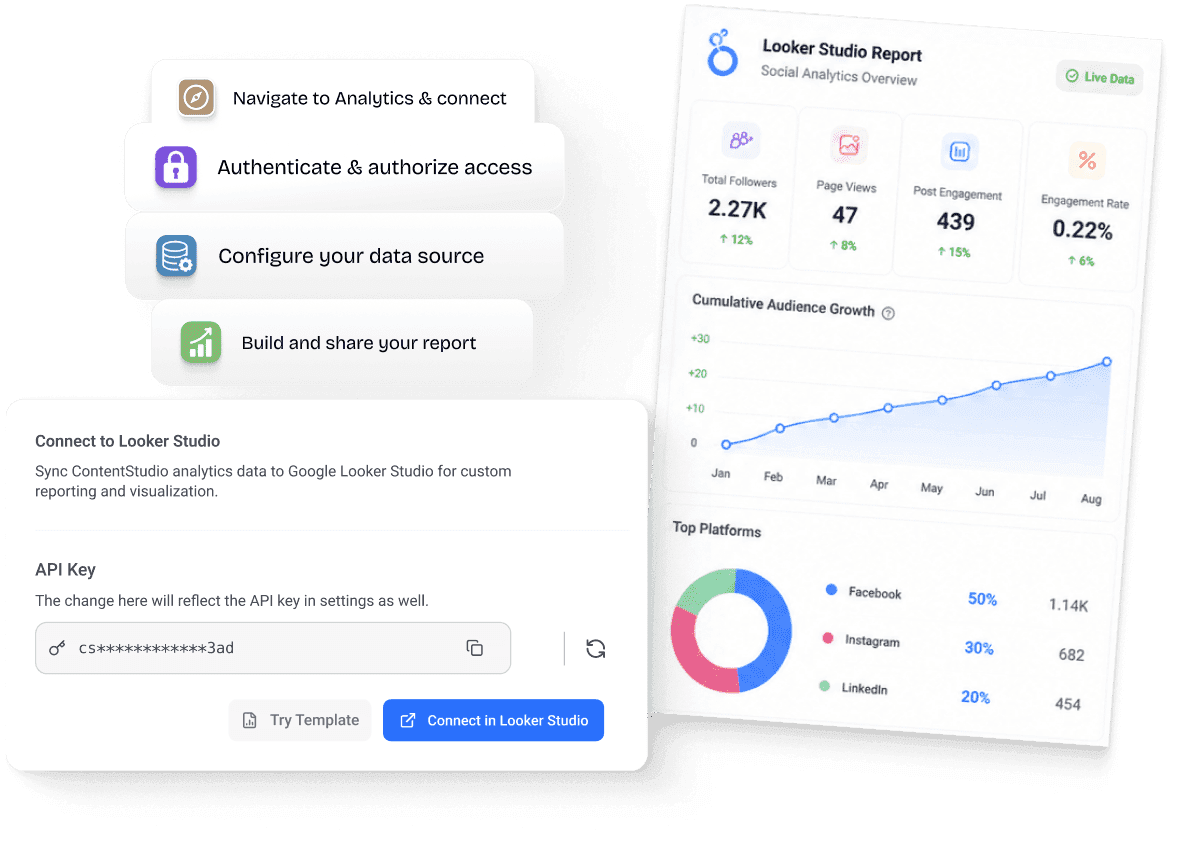

From your ContentStudio dashboard, head to the Analytics section or the Integrations area. Click the "Connect to Data Studio" button.

You'll be redirected to Data Studio. Find ContentStudio listed as a community connector. Authenticate to establish a secure connection.

Set up your data source. Decide on the analytics you require. Pick the accounts and specify the date range you're interested in.

Drag in charts, tables, and scorecards. Add your agency logo, match brand fonts and colors. When ready, share a live link with your client.
The ContentStudio Data Studio connector wasn't built as an afterthought. It was designed from the ground up to give reporting-heavy teams and agencies the tools they actually need.
The connector uses ContentStudio's secure authentication system to establish a trusted, permission-aware connection. Your data stays yours.

Break down performance by individual supported social channels and accounts. Track metrics without mixing signals or losing clarity.
Use Data Studio's built-in date range filters directly on your ContentStudio data. Let clients adjust reporting windows themselves with no help required.

Data Studio's drag-and-drop report builder means your data, your design. Add logos, match brand colors, and arrange charts however you want.

Share a single URL, and your clients always see the latest data. No more sending stale PDFs or granting access to tools they don't need to use.

Built on ContentStudio's stable analytics APIs, the connector is optimized for speed and reliability, even when pulling data across multiple accounts.

Managing 10 clients or 50? Configure data sources to include multiple social accounts within a single report, covering all your managed accounts in one clean dashboard.

ContentStudio provides starter report templates you can clone and adapt. Set up a great report once, then replicate it across all your client accounts with minimal effort.

The connector respects ContentStudio's existing user permissions model. Show clients exactly what you want them to see and nothing more.
Who's it for
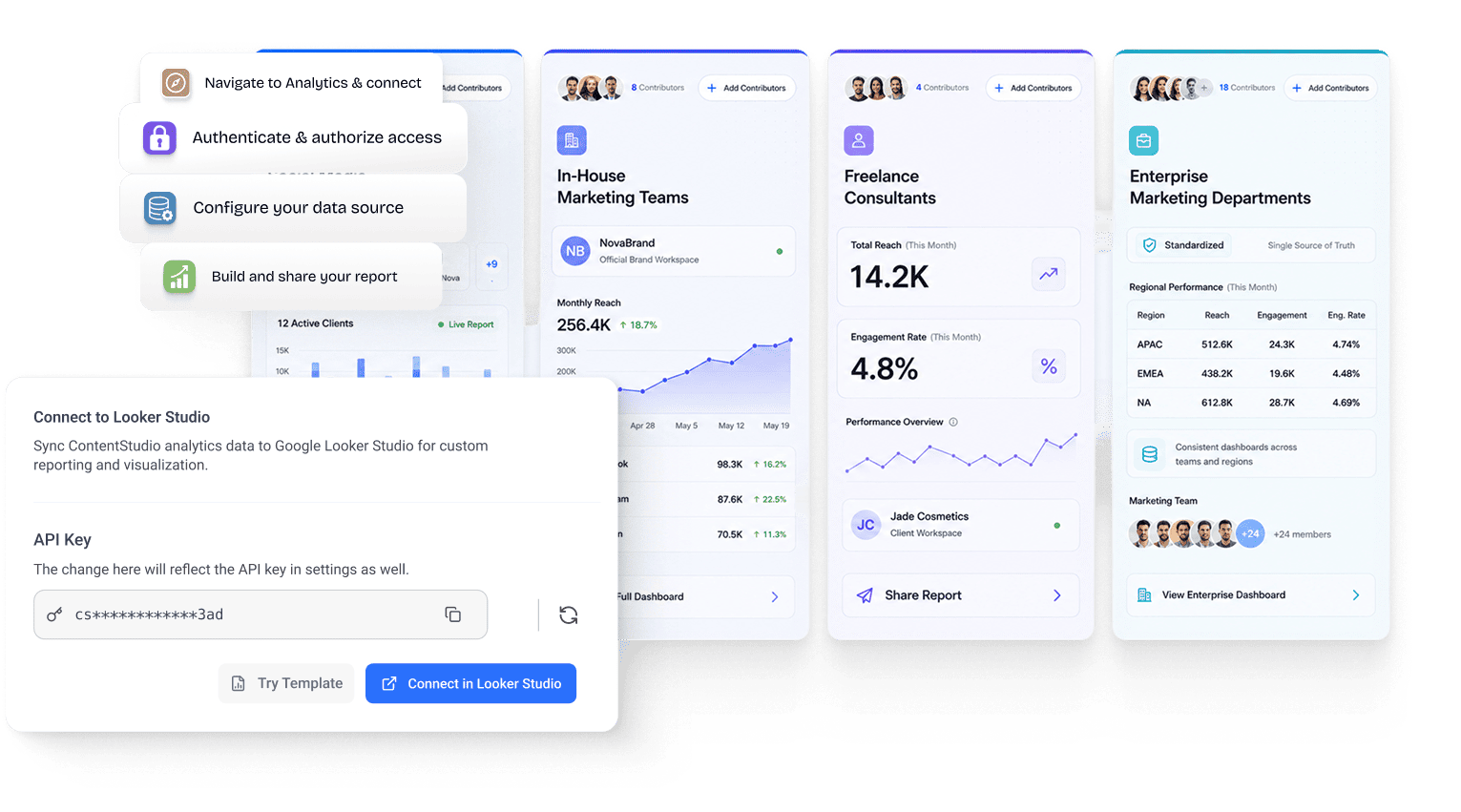
Managing five clients or fifty, or tracking social performance across a growing brand, the ContentStudio Data Studio connector fits into how you actually work.
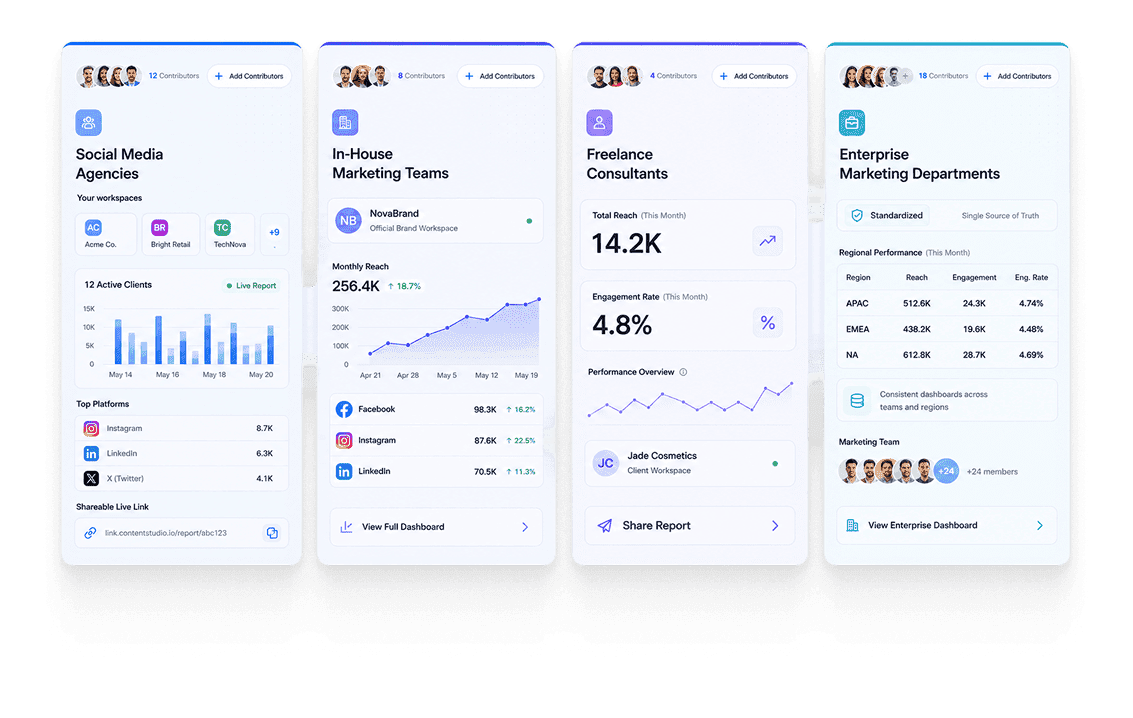
Build one clean report template and reuse it across every client. Share a live Data Studio link so clients see real-time data.
Create multiple views from one connector: high-level summaries, channel breakdowns, and campaign performance.
Turn raw data into client-ready reports faster, so you spend less time reporting and more time on billable strategy work.

Standardize reporting across teams and regions with consistent dashboards and a single source of truth.
Why it beats the alternatives
There are other ways to get your social data into Data Studio. None of them is as clean, as secure, or as well-integrated as the official ContentStudio connector.
| Capability | Manual export / CSV uploads | ContentStudio X Data Studio |
|---|---|---|
| Data freshness | Stale — only as current as your last export | ✓Live, always-updated data |
| Setup time | Hours of manual work per report cycle | ✓One-time setup, reusable forever |
| Report customization | Limited to static layouts | ✓Full Data Studio design freedom |
| Client sharing | PDFs, screenshots, or raw spreadsheets | ✓Shareable live link — always up to date |
| White-label branding | Not possible | ✓Add your logo, colors, and fonts |
| Security | Files emailed or shared — no audit trail | ✓Permission-aware, secured by ContentStudio auth |
| Ongoing maintenance | Repeat every reporting cycle, forever | ✓Set it once — reports update automatically |
The impact
When reporting gets quick and easy, everything else falls into place. Clients see what matters, your team spends less time pulling reports, and your revenue becomes easier to hold onto.
40%
Reduction in the average time to create a client report
3×
More data points visible per report versus static dashboards
–10%
Target reduction in agency churn among connector users
85K+
Marketers and agencies already using ContentStudio