
How to build an executive’s LinkedIn content workflow with Claude Code
Oct 1, 202615 minutes

Written by
Saif AliPublished
If you have spent any time around AI agents lately, you have probably heard OpenClaw mentioned, and close behind it, ClawHub. The two go together. OpenClaw is the agent that runs tasks for you in plain language, and ClawHub is where you find the add-ons that teach it to do specific jobs.
For marketers, that second part is where things get interesting, because the right OpenClaw skill can turn an agent from a clever chat partner into something that actually schedules your posts, pulls your analytics, or drafts your captions.
This guide is written for marketers rather than engineers. You do not need to know how to code to follow it. What you do need is a clear picture of what ClawHub is, how the skills marketplace works, which skills are worth your time, and how to avoid the handful of mistakes that trip up new users.
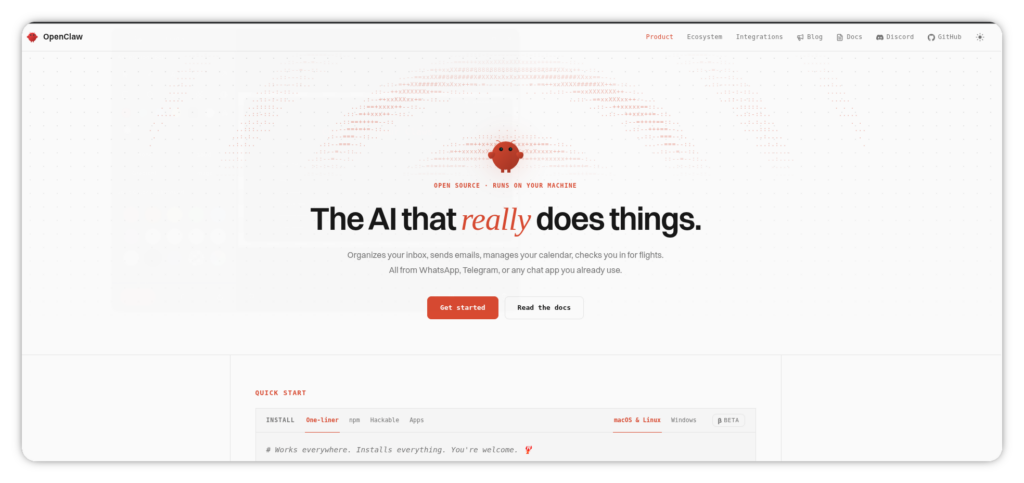
Before ClawHub makes sense, it helps to be clear on OpenClaw itself.
OpenClaw is an open-source AI agent that runs on your own machine. Instead of logging into a web app, you talk to it through a messaging app you already use, such as Telegram, WhatsApp, Slack, or Discord. You send it a message, it works out what you mean, and it acts on your behalf, whether that is browsing the web, reading a file, or calling an external tool.
The part that matters for marketers is that OpenClaw is agentic. It does not just answer questions; it can carry out multi-step tasks and chain them together. A single request like “pull last week’s engagement and draft three posts based on the top performer” is something it can actually work through rather than just describe.
Out of the box, though, OpenClaw is a generalist. It ships with a set of bundled tools, but it does not natively know how to post to your social accounts or read your specific analytics. That knowledge comes from skills, and skills come from ClawHub.
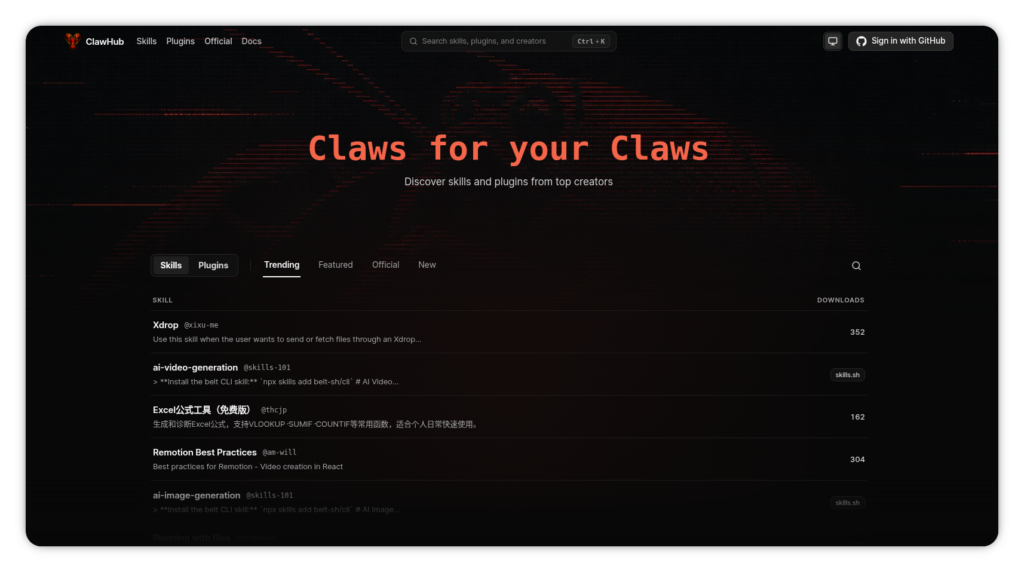
ClawHub is the skill marketplace for OpenClaw. The simplest way to think of it is as an app store, or a package registry, for AI agents. It is where skills are published, where you search for them, and where you install them from.
A skill is a small package that teaches your agent to work with a specific tool or handle a specific type of task. Each one is essentially a set of instructions the agent reads when it decides the skill is relevant to what you asked. Some skills are simple, wrapping a single tool; others cover an entire workflow. What they share is that they extend what your agent can do without you having to build anything yourself.
The registry has grown quickly, and it now hosts thousands of community-built skills across a wide range of categories: search and research, coding, data and analytics, productivity, communication, and, most relevant here, social and marketing.
For a marketer, the practical takeaway is this: whatever repetitive tool-based task you have, there is a decent chance a ClawHub skill exists for it, and installing one is usually a single command.
ClawHub works through a command-line tool, but do not let that put you off. For everyday use, you are copying and pasting a handful of short commands, and the marketplace does the heavy lifting.
You install a skill by name. Once installed, the skill sits alongside your agent, and OpenClaw loads it only when it is relevant to your request, which keeps your agent fast even with many skills installed. You can search the registry in plain language rather than needing to know exact package names, list what you have installed, update skills when new versions ship, and remove ones you no longer use.
There is one detail worth knowing early because it trips people up. After you install a new skill, you usually need to restart your OpenClaw session for it to take effect. Skills are loaded when a session starts, so anything you add mid-session will not be active until you begin a fresh one. If you install a skill and the agent acts like it does not exist, this is almost always why.
Skills also follow a priority order. Ones you have set up for a specific workspace take precedence, followed by your generally installed skills, and finally the bundled skills that ship with OpenClaw itself. For most marketers this never needs a second thought, but it is useful to know that you can scope a skill to one workspace, which is handy if you manage more than one brand or client.
The registry is large, and browsing all of it is a poor use of your time. It is more useful to think in terms of the jobs you actually do. Here are the categories that tend to matter most for marketing work, with the kinds of skills you will find in each.
This is the category most marketers come to ClawHub for. Skills here connect your agent to a social media management tool so it can create, schedule, and publish posts across networks from a chat message.
Instead of opening a dashboard for every post, you tell your agent what to publish and when, and it handles the rest. This is where a skill like the official ContentStudio OpenClaw integration fits, and we will look at it as a worked example shortly.
A fresh OpenClaw install knows nothing about what happened yesterday. Research skills fix that by giving your agent access to live information, whether that is general web search, structured data, or specific sources. For marketers, this is useful for competitor monitoring, trend spotting, and gathering material before you write.
These skills let your agent run analysis on files and data without you loading everything into a chat. If you regularly pull reports, crunch a spreadsheet of campaign numbers, or want a quick summary of performance data, an analytics skill can save you the manual work of building the same report every week.
This is often the first category people reach for, and for good reason. Skills here connect your agent to the tools you already live in every day: email, calendars, documents, and notes. A marketer can ask the agent to summarize yesterday’s emails, check the week ahead, or find a file, all without leaving the chat.
These skills give your agent a presence in your messaging tools, handling things like inbox triage or drafting replies. They are useful, but they are also the category to approach most carefully, since giving an agent access to your messages is a meaningful step.
You do not need skills from every category. Most marketers do well starting with one or two that cover their biggest time sinks, then adding more as specific needs come up.
Lets take a worked example and see how it enable you to schedule and post to socials through OpenClaw, automating your content distribution effortlessly. To make this concrete, it helps to see how one marketing skill actually works, from install to result.
The ContentStudio skill is a good example because publishing is such a common marketing task. ContentStudio is the all-in-one social media management platform, and its official ClawHub skill connects your OpenClaw agent to it so you can run your publishing from chat. Getting set up takes three short steps, and none of them require coding.
Step 1: Install the skill from ClawHub. This adds the ContentStudio skill to your agent so it knows how to work with your account.
openclaw skills install @contentstudio-official/contentstudio
Step 2: Install the tool it runs on. The skill drives a small command-line tool that talks to ContentStudio behind the scenes. Install it once with npm.
npm install -g contentstudio-cli
Step 3: Authenticate. Generate an API key in your ContentStudio account under Settings, then API Keys, and log in with it. ContentStudio keys start with cs_, so you will recognize it.
contentstudio auth:login –api-key cs_…
That is the entire setup, and it takes a few minutes. Once it is connected, the everyday experience is just conversation. You open your chat app and tell the agent what you want:
Draft a LinkedIn post for Monday at 10am: our new guide is live
The agent drafts the post, can write the caption for you if you do not have copy ready, and schedules it to ContentStudio, which handles the actual publishing across more than 10 networks. If your team reviews posts before they go out, you can approve or reject them from the same chat. The point is not that this does something a dashboard cannot. It is that it collapses the distance between deciding to post and the post being scheduled, which is exactly the kind of friction skills are good at removing.
This is the shape most marketing skills take: a small install, a one-time connection, and then plain-language requests that turn into real actions. If you want the full walkthrough of this particular one, ContentStudio has a dedicated setup guide for its OpenClaw integration.
The mechanics are straightforward once you have seen them, and you will spend most of your time with just a few actions. You install a skill by its name, or slug, and you can search the registry in plain language rather than memorizing exact names. When you want to see what you have, you list your installed skills; when new versions ship, you update; and when a skill has outlived its usefulness, you remove it to keep your setup tidy.
There is also a second way to install that some people prefer: pasting a repository link directly into the chat and letting the agent handle it. It is convenient, but it skips the review step, so it is better reserved for skills you have already checked and trust. For anything new, installing by name through the marketplace is the safer default.
A little housekeeping keeps a setup healthy. Restart your session after installing something new, so it actually loads; keep your installed list lean rather than collecting skills you never use, and check occasionally that the skills you rely on are still maintained. That small amount of maintenance prevents the slow build-up that makes an agent harder to work with.
This is the part of the guide it would be irresponsible to skip. OpenClaw is powerful precisely because it can take real actions on your system, and any skill you install inherits that access. That is fine when a skill is trustworthy, and a genuine problem when it is not.
The concern is not theoretical. Because ClawHub is an open marketplace where anyone can publish, it has been targeted by malicious skills in the past, including a coordinated campaign in which bad actors distributed harmful skills under names designed to look like legitimate tools. Those skills contained hidden code that quietly stole credentials and session data. The registry has since added automated scanning to catch this, but no automated check is perfect, and novel attacks can still slip through.
None of this means you should avoid ClawHub. It means you should install with a little care, the same way you would think twice before granting a new app access to your accounts. A few sensible habits cover most of the risk:
The short version: your agent runs with the same permissions you give it, so treat installing a skill as a decision that matters, not a reflex. The official, maintained skills that most marketers actually need are exactly the low-risk ones.
It is tempting to install a dozen skills the first day and see what sticks. That approach tends to backfire. Each skill adds a little overhead, and overlapping skills can leave your agent unsure which one to use for a given request. If you have ever over-installed browser extensions and watched things get slower and stranger, you already know how this goes.
A better approach is to start with the one or two skills that address your biggest, most repetitive tasks, get comfortable with them, and add more only as a specific need appears. If you manage several brands or clients, it is often cleaner to scope skills to separate workspaces than to pile everything into one agent.
For a marketer, a sensible starting stack might be a social publishing skill to handle posting, a research skill for competitor and trend monitoring, and a productivity skill to connect your email and calendar. That covers a large share of everyday marketing work without overwhelming your setup. From there, you add based on what you find yourself wishing the agent could do.
A few missteps come up again and again, and all of them are easy to sidestep once you know about them.
ClawHub is what turns OpenClaw from a capable general assistant into something shaped around your actual work. For a marketer, that shape usually looks like less time in dashboards and more time on the parts of the job that need a human. You describe what you want, and a well-chosen skill turns it into a real action.
The best way in is to pick one task you repeat often, find a trustworthy skill that handles it, and get comfortable before you expand. If that first task is social media publishing,
ContentStudio is a natural place to start. It is the all-in-one social media management platform, trusted by more than 16,500 brands. You can try ContentStudio free and connect it to your agent in a few minutes; no credit card required for the seven-day trial.
ClawHub is the skill marketplace for OpenClaw, similar to an app store for AI agents. It is where skills are published, searched, and installed. Each skill teaches your agent to handle a specific tool or task, like posting to social media or reading your analytics.
No. Installing a skill is a matter of copying a short command, and using it afterward happens in plain language through your chat app. The only technical moment is a brief one-time setup, which is copy-and-paste rather than actual coding.
The skills themselves are generally free and open source, and installing from ClawHub does not carry a fee. What you may pay for is the underlying tool a skill connects to, such as a social media management platform, plus your own OpenClaw hosting and AI model costs. Always check what account a skill expects you to have.
It can be, with sensible care. Because anyone can publish to the marketplace, some skills have been malicious, so stick to official and well-reviewed skills, check a skill’s track record, and be wary of names that imitate popular tools. Skills run with the access you give your agent, so treat each install as a real decision.
Start from the task you want to automate rather than browsing everything. For publishing, look for an official social media skill like the ContentStudio integration; for research or analytics, look in those categories. A small, purposeful set of skills beats a large, overlapping one.
The most common reason is that you have not restarted your OpenClaw session. Skills load when a session begins, so anything installed mid-session stays inactive until you start a fresh one. Restart first before assuming anything went wrong.
Yes. Many marketing skills support multiple accounts or workspaces, and OpenClaw lets you scope skills to a specific workspace. This keeps a client’s posts, data, and settings separate rather than mixing everything into one agent.
Fewer than you might expect. Most people run a small working set that covers their real tasks, since overlapping skills can confuse the agent and add overhead. Start with one or two, then add as specific needs come up.
Yes, that is one of the most common marketing uses. A social publishing skill, such as the official ContentStudio one, lets your agent create, schedule, and publish posts across networks from a chat message. You connect your accounts once, then run publishing in plain language.
Most reputable skills point to their own setup documentation, which walks through installation and connection step by step. For social publishing with ContentStudio, there is a dedicated guide covering the full setup and everyday use of its OpenClaw integration. Following the official docs is also safer than piecing setup together from third-party sources.
Plan 0 Days of Content in 0 Minutes
Create, schedule, publish and analyze your content across all your social media channels from one simple dashboard.
4.7 on Capterra • 16,500+ marketers trust ContentStudio
Saif Ali is a Content Marketing Strategist at ContentStudio with over five years of experience across SaaS, IT, and digital marketing. He specializes in SEO-led content, AI content creation, and social media strategy, and leads editorial review at ContentStudio, fact-checking and refining articles for accuracy, SEO, and a consistent brand voice.
View all posts by Saif AliRecommended for you
How to build an executive’s LinkedIn content workflow with Claude Code

How to turn one product photo into 5 video Ads with Claude Code
Social media MCP server: How to automate posting with ContentStudio
How to automate social media with n8n: A practical guide